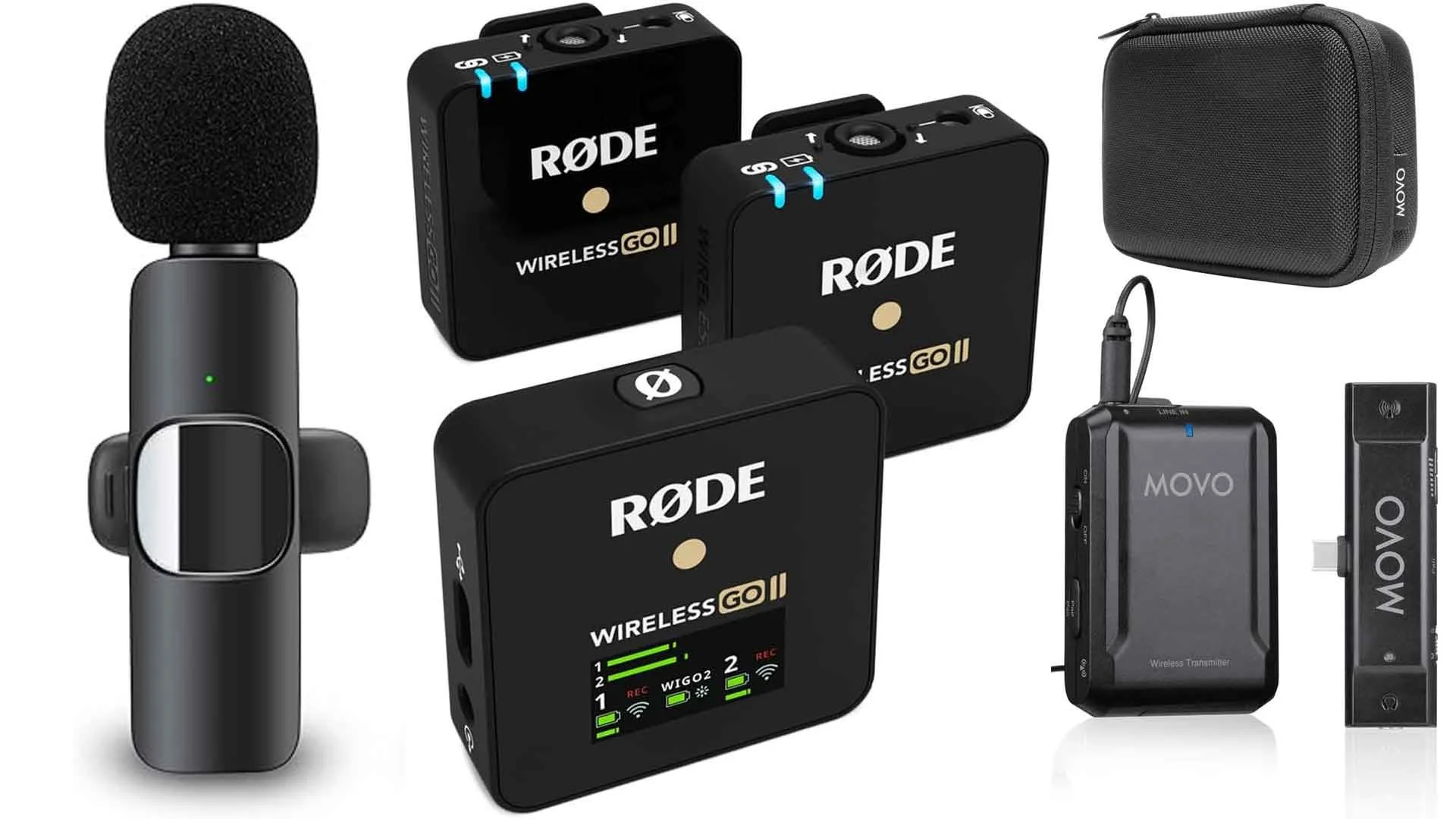

Your iPhone shoots sharp 4K video, but the audio from its built-in microphone often sounds distant and hollow. Wind noise, room echo, and handling rustle can ruin a take that looked perfect on screen. A dedicated wireless lavalier microphone fixes that instantly, and the market is now full of tiny clip-on mics that pair with your phone in seconds. We tested the best wireless microphones for iPhone to find the ones that actually deliver clear, usable audio without fuss.
The Mini Mic Pro came out on top for its combination of size, sound quality, and dead-simple plug-and-play connection. But there are strong alternatives from DJI, Hollyland, and others that suit different recording styles. Whether you're interviewing, vlogging, or streaming, one of these ten will fit your workflow.
Comparison table
| # | Product | Award | Battery Life | Range | Best for |
|---|---|---|---|---|---|
| 1 | Mini Mic Pro | Best overall | Up to 6 hours | Not specified | Creators on the go |
| 2 | Mini Mic Pro with Charging Case | Best with charging case | Up to 6 hours per mic | Not specified | Extended recording sessions |
| 3 | DJI Mic Mini (with Charging Case) | Best audio quality | Up to 48 hours with case | 400m | Professional content creation |
| 4 | Labstandard Wireless Lavalier Mic | Easiest setup | Up to 6 hours | Not specified | Quick interviews and vlogs |
| 5 | DJI Mic Mini (Mobile RX) | Best for mobile creators | Up to 11.5 hours | 300m | On-the-go recording |
| 6 | MAYBESTA Wireless Mini Mic | Best for beginners | Up to 16 hours total (2 mics) | 70ft (21m) | First-time content creators |
| 7 | Hollyland Lark A1 | Longest battery life | Up to 54 hours with case | 200m (650ft) | All-day streaming |
| 8 | Bulatry Wireless Mini Lavalier Mic | Best for travel | Up to 6 hours per mic, case charges 8 times | 65ft (20m) | Travel vloggers |
| 9 | CZOCPOS Wireless Lavalier Mic | Best for interviews | Up to 5 hours | 98ft (30m) | Interviewers and podcasters |
| 10 | PQRQP 3-in-1 Wireless Mic | Most versatile | Up to 7 hours | 65ft (20m) | Multi-device users |
1. Mini Mic Pro: Best Overall

Pros
- Studio-quality sound in a clip-on design
- Connects instantly with included USB-C and Lightning adapters
- Weighs under an ounce, easy to carry
- Includes foam and dead cat wind protection
- 6-hour battery per charge
Cons
- No charging case for extended use
- Battery life is adequate but not class-leading
Best for: Creators who want a straightforward, high-quality mic without extra accessories.
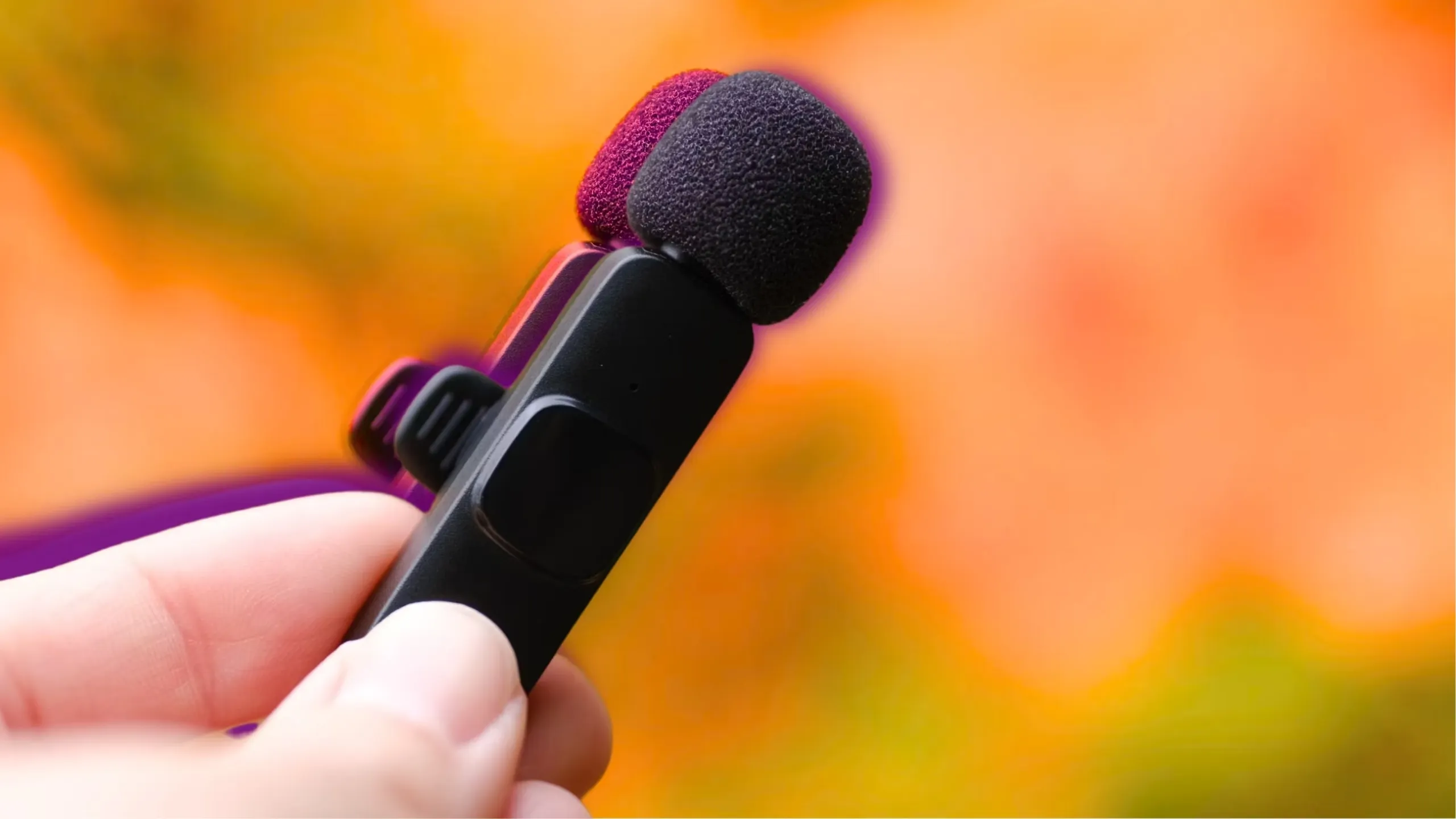
The Mini Mic Pro is the simplest wireless microphone we tested. You clip it to your collar, plug the tiny receiver into your iPhone's Lightning or USB-C port, and start recording. There are no apps to pair, no Bluetooth handshake, no menus. The connection is instant and rock-solid. That simplicity is its superpower.
Sound quality is clean and natural. The omnidirectional capsule captures your voice with clarity, and the included wind protection makes outdoor recording usable without a separate dead cat. The 6-hour battery is enough for a day of shooting, though you'll need to remember to charge it overnight. The lack of a charging case means you can't top up on the go, which is the one real trade-off here.
Compared to the DJI Mic Mini, the Mini Mic Pro is smaller and lighter, and its focus on simplicity means you spend zero time on setup. The DJI offers a charging case, longer battery life, and active noise cancellation, but the Mini Mic Pro wins on pure ease of use.
The build quality feels solid for a plastic device, and the clip holds firmly. The included adapters cover every iPhone model from the iPhone 15 onward (USB-C) and older Lightning models. If you shoot mostly indoors or in controlled environments, the Mini Mic Pro is all you need.
Who should skip it? Anyone who records for hours at a stretch without access to a power outlet. The lack of a charging case means you'll need to plan your charging. Also, if you need active noise cancellation for noisy outdoor environments, the DJI or Hollyland options are better.
2. Mini Mic Pro with Charging Case: Best with Charging Case

Pros
- Same great sound and ease of use as the basic Mini Mic Pro
- Includes charging case for on-the-go recharging
- Still ultra-lightweight and portable
Cons
- Case adds bulk compared to the basic version
- Battery life per mic still 6 hours
Best for: Creators who record for extended periods and want the convenience of a charging case.
The Mini Mic Pro with Charging Case solves the main complaint about the original. The case holds the two transmitters and receiver, and its built-in battery can recharge them multiple times. This makes it ideal for all-day shoots or travel. Otherwise, the mic is identical to the basic version: same sound, same plug-and-play, same wind protection. The trade-off is a slightly larger carrying footprint, but for most creators the convenience wins.
If you already own the basic Mini Mic Pro, the case version isn't necessary. But if you're buying fresh, the case is worth the upgrade for the extra flexibility. The case itself is compact enough to slip into a pocket, and it adds a sense of security knowing you won't run out of power mid-interview.
3. DJI Mic Mini (with Charging Case): Best Audio Quality

Pros
- Detail-rich audio with 48kHz/24-bit recording
- 400m transmission range
- Up to 48 hours total battery with case
- Active noise cancellation with two levels
- Direct connection to DJI Osmo devices
Cons
- Larger than Mini Mic Pro transmitters
- Requires USB-C receiver for non-DJI devices
Best for: Serious content creators who want the best audio quality and longest range.
DJI's Mic Mini sets a new bar for audio quality in a pocket-sized wireless mic. The 48kHz/24-bit recording captures nuance that cheaper mics miss, and the 120 dB SPL handling means you can record loud sources without distortion. The active noise cancellation works remarkably well: Basic mode cleans up indoor hum, while Strong mode cuts through wind and crowd noise without making your voice sound hollow. The 400m range is overkill for most use, but it ensures zero dropouts even in crowded spaces.
The charging case extends total battery to 48 hours, which is more than enough for a multi-day shoot. The transmitters weigh only 10g each, so they're barely noticeable on a collar. The main downside is that the transmitters are slightly larger than the Mini Mic Pro's, and they lack a built-in clip (they use a magnetic attachment). Also, you need the USB-C receiver for iPhone 15 and later; Lightning users need an adapter.
Compared to the Hollyland Lark A1, the DJI has better noise cancellation and a longer range, but the Hollyland has even longer battery life. If audio quality is your top priority, the DJI Mic Mini is the one to beat.
4. Labstandard Wireless Lavalier Mic: Easiest Setup

Pros
- Built-in noise reduction chip
- 6-hour battery life
- Includes both Lightning and USB-C adapters
- Dual microphones for two-person recording
Cons
- No charging case
- Range not specified, likely shorter than premium options
Best for: Beginners or those who need a reliable dual-mic setup without extra features.
The Labstandard is the most straightforward dual-mic kit we tested. It comes with two transmitters and a single receiver that plugs into your phone. The noise reduction chip does a decent job of cutting background hum, and the 6-hour battery is enough for most interview sessions. The microphones are lightweight and clip securely.
Sound quality is good for the category, though it lacks the detail and dynamic range of the DJI or Hollyland. The lack of a charging case means you'll need to charge each mic individually via USB-C. The range is adequate for indoor use but may struggle in large outdoor spaces. For a simple, no-fuss dual-mic setup, the Labstandard delivers reliable audio without extra features you won't use.
5. DJI Mic Mini (Mobile RX): Best for Mobile Creators

Pros
- Same great audio as the case version
- 300m range
- 11.5 hours battery with two transmitters
- Active noise cancellation
- Plug-and-play with USB-C
Cons
- No charging case, so less total battery
- Transmitters still use magnetic attachment
Best for: Mobile creators who want DJI quality without the case bulk.
This version of the DJI Mic Mini omits the charging case to save space and weight. You get the same excellent audio, noise cancellation, and 300m range, but the total battery drops to 11.5 hours (shared between two transmitters). That's still enough for a full day of shooting, but you'll need to recharge each transmitter individually via USB-C. The mobile receiver is tiny and stays plugged into your phone's USB-C port.
If you already own a power bank, this setup is more portable than the case version. The trade-off is convenience: you have to manage charging two separate units. For creators who prioritize a slim kit, the Mobile RX version is the better choice.
6. MAYBESTA Wireless Mini Mic: Best for Beginners

Pros
- 70ft range
- 16 hours total battery (2 mics)
- Includes windscreen and noise reduction
- Compatible with all iPhones and Androids
Cons
- Audio quality not as refined as DJI
- No charging case
Best for: First-time content creators who want a simple dual-mic kit.
The MAYBESTA is a straightforward dual-mic kit aimed at beginners. It offers a generous 70ft range and 16 hours of total battery life across two mics. The noise reduction chip helps clean up audio in moderately noisy environments, and the included windscreen improves outdoor recording. Setup is plug-and-play with the included Lightning and USB-C adapters.
Sound quality is decent for the category, but it lacks the clarity and detail of the DJI or Hollyland. The microphones are a bit larger than the Mini Mic Pro's, but still comfortable to clip on. For someone just starting out with video content, the MAYBESTA provides everything needed without overwhelming complexity.
7. Hollyland Lark A1: Longest Battery Life

Pros
- 54 hours total battery with charging case
- 48kHz/24-bit audio quality
- 3-level intelligent noise cancellation
- 200m range
- Ultra-light 8g magnetic mic
Cons
- Magnetic attachment may not be as secure as a clip
- App required for gain control
Best for: All-day streamers and creators who can't afford to recharge.
The Hollyland Lark A1 is the battery champion of this roundup. The charging case provides up to 54 hours of total recording time, which is more than double most competitors. The audio quality matches the DJI Mic Mini with 48kHz/24-bit recording and 120 dB SPL handling. The 3-level noise cancellation is effective: Weak for quiet rooms, Medium for offices, Strong for windy streets.
The magnetic attachment is convenient but less secure than a traditional clip. The mic itself weighs only 8g and is only 9mm thick, making it the most discreet option. The range of 200m is solid for most use cases. The only catch is that to adjust gain levels, you need to use the HollyAudio app, which adds a step. But once set, it works automatically.
For creators who record for hours without a break, the Lark A1 is the clear choice. Its battery life alone sets it apart.
8. Bulatry Wireless Mini Lavalier Mic: Best for Travel

Pros
- Charging case with 700mAh battery (charges mic 8 times)
- 65ft range
- 6 hours per mic
- Three recording modes: mute, noise cancellation, echo
- Real-time audio monitoring
Cons
- Audio quality not as detailed as top picks
- Microphone size is slightly larger
Best for: Travel vloggers who need a compact, all-in-one kit.
The Bulatry kit comes with a charging case that can recharge a single mic up to eight times, making it perfect for travel. The microphones themselves offer 6 hours of battery, and the case adds a huge buffer. The 65ft range is sufficient for most vlogging scenarios. The three recording modes (mute, noise cancellation, echo) give you flexibility without needing an app.
Audio quality is good for the category, but it doesn't match the clarity of the DJI or Hollyland. The real-time audio monitoring is a nice touch: you can listen to what the mic is picking up via headphones, which helps avoid surprises. The microphones are lightweight at 10g each, but the case is a bit bulky. For travelers who want a reliable backup, the Bulatry is a solid choice.
9. CZOCPOS Wireless Lavalier Mic: Best for Interviews

Pros
- 98ft range
- 5 hours battery
- Multi-mode: noise reduction, mute, reverb
- Works with iPhone, Android, PC, Mac
- Receiver can charge phone while in use
Cons
- Battery life shorter than most
- No charging case
Best for: Interviewers who need a long-range mic with versatile modes.
The CZOCPOS focuses on range and versatility. With a 98ft range, it's one of the longest in this roundup, making it ideal for interviews where you need to move around. The multi-mode switching lets you toggle between noise reduction, mute, and reverb with a double-click. The receiver has a charging port so you can power your phone while recording, which is a thoughtful addition for long sessions.
Battery life is only 5 hours, which is below average. And there's no charging case, so you'll need to charge the mics individually. Sound quality is decent but not exceptional. For interviewers who prioritize range and flexibility over battery life, the CZOCPOS is a good fit.
10. PQRQP 3-in-1 Wireless Mic: Most Versatile

Pros
- 3-in-1 receiver works with iPhone, Android, and camera
- 65ft range
- 7 hours battery
- Active noise reduction chip
- Three modes: amplifier, camera, phone
Cons
- Receiver design may be bulky
- No charging case
Best for: Users who switch between phone and camera recording.
The PQRQP stands out with its 3-in-1 receiver that includes a USB-C, Lightning, and 3.5mm TRS connector. This means you can use it with an iPhone, Android phone, or a traditional camera without swapping adapters. The three modes (amplifier, camera, phone) optimize the audio output for each device. Battery life is 7 hours, and the active noise reduction helps clean up background noise.
Sound quality is good for a multi-device mic, but not as refined as the dedicated phone mics. The receiver is a bit larger than most, which can be awkward when plugged into a phone. For creators who regularly switch between devices, the versatility outweighs the bulk.
How to choose wireless microphones for iPhone
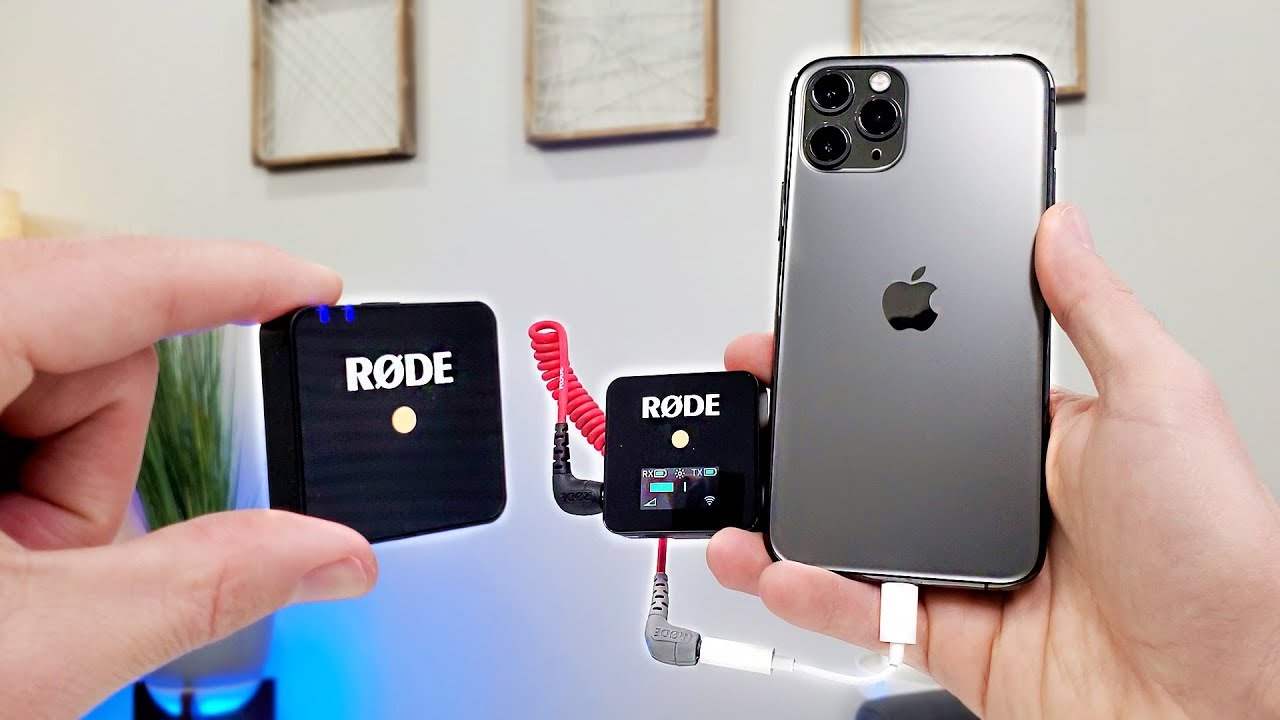
Choosing the right wireless microphone for your iPhone comes down to a few key factors. Here's what to consider.
Battery Life
Battery life determines how long you can record without recharging. Most mics offer 5 to 8 hours per transmitter, but models with charging cases can extend total recording time to 48 hours or more. If you plan long recording sessions, consider pairing your mic with a portable charger. Our best portable charger for iPhone guide can help you find one that keeps your phone and mic powered.
Range and Stability
The wireless range affects how far you can move from your phone while recording. Most mics offer 65 to 100 feet, but premium models like the DJI Mic Mini reach up to 400m. For typical vlogging or interviews, 65 feet is sufficient. For larger spaces or outdoor events, look for longer range and stable 2.4GHz transmission.
Noise Cancellation
Active noise cancellation filters out background noise like wind, traffic, or air conditioning. Basic models use a simple noise reduction chip, while advanced mics offer multiple levels of cancellation. If you record in noisy environments, prioritize mics with adjustable noise cancellation. For studio-grade audio, you might also want a dedicated audio interface. Check out our best audio interface for iPhone roundup.
Connectivity
Most wireless mics connect via a USB-C or Lightning receiver that plugs directly into your iPhone. Some include both adapters. Plug-and-play models require no apps or Bluetooth pairing. Others, like the Hollyland Lark A1, use an app for gain control. Consider which setup suits your workflow.
Size and Fit
Lavalier mics clip to your collar or attach magnetically. Weight matters for comfort during long recordings. The lightest mics weigh around 8 to 10 grams. Magnetic attachments are discreet but may not be as secure as clips. Real-time audio monitoring requires headphones; our best wired headphones for iPhone list has options that work well with these mics.
The most important spec is the one that matches your recording environment: battery life for all-day shoots, noise cancellation for street interviews, or range for large venues.
Frequently asked questions
Can I use these microphones with Android phones?
Yes, most of the mics we tested include a USB-C adapter that works with Android phones. Some also include a Lightning adapter for older iPhones. Check the product details to confirm compatibility.
Do I need an app to use these mics?
Most are plug-and-play and work without any app. The Hollyland Lark A1 requires the HollyAudio app for gain control, but the mic works in default mode without it. All others connect instantly when you plug in the receiver.
How do I connect a wireless mic to my iPhone?
Simply plug the receiver into your iPhone's charging port (Lightning or USB-C). Turn on the transmitter, and the two will pair automatically. No Bluetooth or Wi-Fi setup needed.
What is the difference between a lavalier and a handheld mic?
A lavalier mic clips to your clothing and is hands-free. A handheld mic is held in your hand. For video recording, lavalier mics are more discreet and leave your hands free. All the mics in this roundup are lavalier style.
Can I use two microphones at the same time?
Many kits come with two transmitters that can be used simultaneously for interviews or dual-person recording. The receiver mixes both audio channels into one stream. Check the product description to confirm dual-mic support.
How important is noise cancellation?
It depends on your recording environment. In quiet indoor settings, basic noise reduction is enough. In windy or crowded outdoor locations, active noise cancellation makes a significant difference. If you record mostly outside, prioritize mics with strong noise cancellation.
Do I need a charging case?
A charging case adds convenience by recharging the transmitters when not in use. It's essential for all-day shoots or travel. If you record short sessions and can charge between uses, a case is optional.
The bottom line
After testing ten wireless microphones for iPhone, the Mini Mic Pro stands out as the best overall for its unbeatable simplicity and solid audio quality. For creators who need longer battery life and active noise cancellation, the DJI Mic Mini with charging case is the top choice. And for all-day streaming, the Hollyland Lark A1's 54-hour battery is unmatched.
If you're still unsure, start with the Mini Mic Pro. It's the one we'd keep for everyday vlogging and interviews. For more demanding use, the DJI or Hollyland will serve you well.
As an Amazon Associate we earn from qualifying purchases.