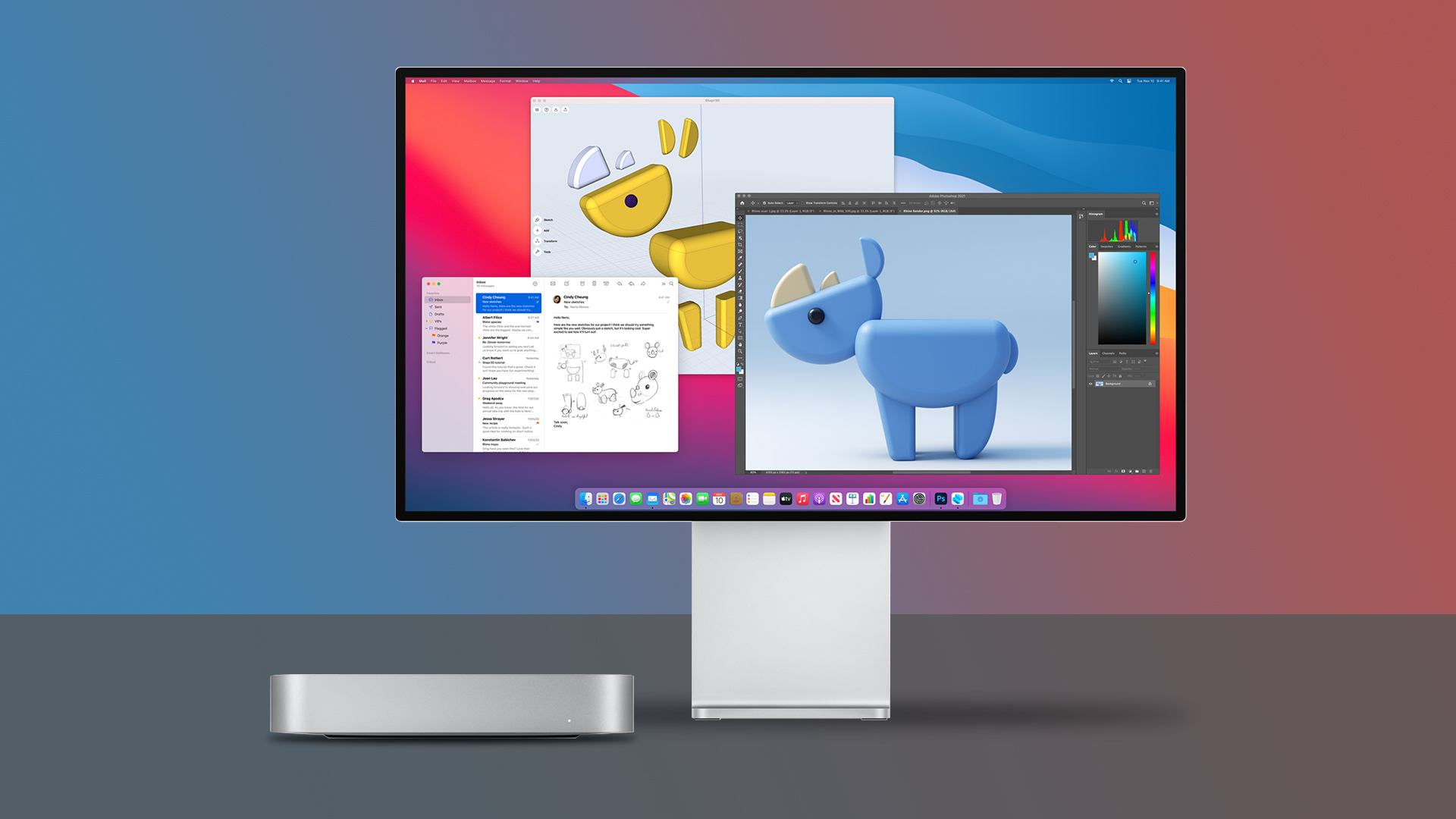

A Mac mini has the performance to power a serious desk, but it arrives without a screen. The hard part is choosing between a sharp 4K panel, a larger ultrawide workspace, a one-cable USB-C setup, or a compact display that can travel with you. The Best monitor for mac mini depends on how much room you have and what you expect to do on it.
We ranked nine genuine options, from the compact KYY portable display to the color-focused BenQ and INNOCN models. Dell's S2725QS is our top pick because its 27-inch 4K IPS panel, 120Hz refresh rate, useful eye-care features, and clean design make it the easiest fit for most Mac mini desks.
Comparison table
| # | Product | Award | Resolution | Refresh rate | Panel | Best for |
|---|---|---|---|---|---|---|
| 1 | Dell S2725QS | Best overall | 4K UHD | 120Hz | IPS | Most Mac mini users |
| 2 | Dell S2725QC | Best USB-C setup | 4K UHD | 120Hz | IPS | A tidy single-cable desk |
| 3 | KYY Portable Monitor | Best portable | 1920 x 1080 | Not specified | IPS | Travel and second-screen use |
| 4 | ViewSonic VX3276-2K-MHD | Best large QHD display | 2560 x 1440 | 75Hz | IPS | Spacious everyday work |
| 5 | Dell S3425DW | Best ultrawide | WQHD | 120Hz | VA | Side-by-side windows |
| 6 | BenQ MA320U | Best for Mac controls | 3840 x 2160 | Not specified | Not specified | Mac-centered creative work |
| 7 | INNOCN CB32U1 | Best 32-inch creator display | 4K and FHD modes | 120Hz and 240Hz | IPS | Color work and fast gaming |
| 8 | ViewSonic VA3209M | Best basic 32-inch display | 1920 x 1080 | 75Hz | IPS | Large, uncomplicated setups |
| 9 | INNOCN CB27U1 | Best compact creator display | 4K and FHD modes | 120Hz and 240Hz | IPS | High-detail work in less space |
1. Dell S2725QS: Best Overall

Pros
- Sharp 4K IPS image on a practical 27-inch screen
- Smooth 120Hz refresh rate with FreeSync Premium
- 99% sRGB color coverage
- ComfortView Plus low-blue-light design
- Built-in upgraded sound
Cons
- No USB-C single-cable connection is listed
- Fixed 27-inch workspace may feel limiting beside an ultrawide
- The response-time claim is presented inconsistently in the product details
Best for: Mac mini owners who want a sharp, smooth everyday display without a complicated setup.
The Dell S2725QS is the monitor we would put on most Mac mini desks. Its 27-inch size does not overwhelm a normal workspace, yet 4K resolution gives text, menus, photos, and detailed spreadsheets a clean, dense look. The IPS panel is also a sensible match for a desktop where more than one person may occasionally view the screen, since the product is designed around broad viewing angles and consistent color.
The useful detail is the balance of sharpness and motion. The display runs at up to 120Hz with AMD FreeSync Premium, so scrolling through long web pages and moving windows should look more fluid than on a conventional 60Hz screen. Its 99% sRGB coverage is a strong fit for general photo work and web content. The 1500:1 contrast ratio and HDR readiness add depth, although this is still an IPS monitor rather than a specialist HDR display.
Dell also gives the S2725QS a more comfortable long-session brief. ComfortView Plus is designed to reduce harmful blue light emissions to 35% or less without giving up color accuracy, and the product lists flicker-free viewing as part of its comfort approach. The integrated sound has been re-engineered for more output and a deeper frequency response than the previous generation. That will not replace dedicated speakers, but it makes the Mac mini desk less dependent on extra hardware.
Compared with the Dell S2725QC, this model gives up the latter's listed USB-C connection and up to 65W power delivery. That difference matters much more with a MacBook than with a Mac mini, which does not need display-based laptop charging. The S2725QC is the better choice for a mixed MacBook and Mac mini workspace, while the S2725QS is the cleaner recommendation when the screen is staying with the mini.
The weakness is connectivity flexibility. The supplied information highlights the display, sound, comfort, and FreeSync features but does not list a USB-C hub or power delivery. Skip it if one cable for video, data, and charging is central to your desk. For everyone else, this is the most balanced Best monitor for mac mini in the group, with enough resolution for serious work and enough refresh rate to feel modern.
2. Dell S2725QC: Best USB-C Setup

Pros
- 4K IPS panel with 99% sRGB coverage
- Up to 120Hz refresh rate
- USB-C connection with up to 65W power delivery
- ComfortView Plus low-blue-light feature
- Integrated sound
Cons
- USB-C power delivery is unnecessary for a Mac mini alone
- No full port list is supplied
- A 27-inch panel offers less room than the ultrawide picks
Best for: a desk shared by a Mac mini and a compatible USB-C laptop.
The Dell S2725QC is almost the same proposition as the S2725QS, but its single-cable USB-C feature changes how it fits into a multi-device desk. Connect a compatible computer through USB-C and the monitor can carry video while providing up to 65W of power. That is especially useful when a MacBook joins the Mac mini, because the display can become the central connection point instead of another layer of adapters.
Image quality remains the main reason to choose it. The 27-inch 4K UHD IPS panel gives macOS text and interface elements plenty of definition, while 99% sRGB coverage suits office work, web design, and casual photo editing. A 1500:1 contrast ratio and HDR readiness are listed as well. The refresh rate reaches 120Hz with AMD FreeSync Premium, which gives everyday movement a smoother feel and can help compatible games avoid tearing.
Dell includes the same ComfortView Plus approach, reducing harmful blue light emissions to 35% or less while aiming to preserve color accuracy. That is more useful than a display that simply turns the whole image yellow when the workday runs long. The built-in sound has also been reworked for more detail, output, and frequency range. It remains an ordinary monitor audio solution rather than a replacement for a good speaker system, but it is convenient for calls and video.
Against the S2725QS, the S2725QC earns its higher place for connectivity, not for a radically different picture. The two models share the core 4K IPS, 120Hz, 99% sRGB, contrast, comfort, and sound claims. If the Mac mini is the only source, the S2725QS makes more sense. If a MacBook, tablet, or other USB-C computer will also use the desk, the QC's one-cable design is the feature to pay attention to.
The limitation is that 65W power delivery does not power a Mac mini itself, so buyers should not mistake this for a docking station replacement. The available details also do not spell out every port or hub function. Choose it for a tidy USB-C workstation, especially one that alternates between desktop and laptop use. It is a polished alternative to the top pick and the Best monitor for mac mini for people who want the monitor to do more than show an image.
3. KYY Portable Monitor: Best Portable

Pros
- 15.6-inch 1920 x 1080 IPS screen
- 1.7-pound portable design
- Two full-function USB-C ports and Mini-HDMI
- Included cover doubles as a stand
- Landscape and portrait use
Cons
- 1080p is much less detailed than the 4K desktop picks
- Small screen is not ideal as a permanent primary display
- USB-C requirements depend on the connected device
Best for: a mobile Mac mini setup or a compact second screen.
The KYY Portable Monitor is the outlier here, and that is exactly why it earns a place. It is a 15.6-inch display designed to slide into a bag, with a 0.3-inch profile and a listed weight of 1.7 pounds. It makes sense for a Mac mini that moves between rooms, a temporary workstation, or a desk where a second screen is more important than a large permanent panel.
Its IPS screen runs at 1920 x 1080 and supports a 178-degree viewing angle. That resolution is perfectly workable for a portable companion display, but it does not have the fine text density of the Dell 4K models or the INNOCN screens. KYY also lists HDR technology, eye-care features, reduced blue-light radiation, and flicker-free viewing. These features make the small panel more comfortable for documents and video, though the compact format still limits how much content fits on screen.
Connection options are better than the size suggests. There are two full-function Type-C ports and a Mini-HDMI port, and the product is intended to work with compatible USB-C devices that support Thunderbolt 3 or 3.1 USB Type-C. It needs no driver, includes a 3.5mm audio input, and has two built-in stereo speakers. For a portable display, that collection makes it easier to move from a Mac setup to a game console, phone, laptop, or another computer.
The PU leather smart cover protects the panel and serves as its stand. Its magnetic, frameless design keeps the travel kit simple, while two grooves provide some choice of viewing angle. The display can work in landscape or portrait mode, which is useful for a narrow document, a code window, or a tall webpage. That flexibility is something none of the large desktop monitors here can provide without an arm or a stand that supports rotation.
The weakness is not a hidden defect, but a consequence of the design. A 15.6-inch 1080p screen is a poor substitute for a 27-inch 4K monitor if it will sit beside the Mac mini every day. It also needs the right USB-C support from the source device, so check the computer's port capabilities before assuming one cable will work. If you are building a mobile station, this is the most practical pick. If you want a permanent main screen, Dell S2725QS is substantially better suited.
4. ViewSonic VX3276-2K-MHD: Best Large QHD Display

Pros
- Large 32-inch QHD IPS panel
- 75Hz refresh rate
- HDMI, DisplayPort, and Mini DisplayPort inputs
- Flicker-Free and Blue Light Filter features
- Useful preset modes for text, web, movies, and games
Cons
- Lower resolution than the 4K alternatives
- No USB-C connection is listed
- Older 75Hz design lacks the faster motion of newer Dell models
Best for: someone who wants a generous work area without moving to an ultrawide display.
The ViewSonic VX3276-2K-MHD takes a straightforward approach: make the screen large, keep the panel type sensible, and provide the inputs needed by a desktop computer. Its 32-inch IPS panel gives the Mac mini a broad canvas for documents, timelines, browser tabs, and creative applications. The 2560 x 1440 QHD resolution is less dense than 4K, but it avoids the cramped feeling of a smaller full HD screen.
The 75Hz refresh rate is a modest step above traditional 60Hz operation. It will not feel as fluid as the 120Hz Dell displays or the high-refresh INNOCN models, but cursor movement and scrolling should still have a little more ease than on a basic 60Hz panel. ViewSonic includes Flicker-Free technology and a Blue Light Filter, both of which are relevant when a large screen becomes the center of a long workday.
Inputs are unusually flexible for this group. The VX3276-2K-MHD supports HDMI, DisplayPort, and Mini DisplayPort, and the product explicitly lists compatibility with laptops, PCs, and Macs. That makes it easy to leave several devices connected, although the lack of a listed USB-C input means a Mac mini user may need an appropriate cable or adapter depending on the computer's output.
The monitor also provides Game, Movie, Web, Text, and Mono presets. These do not change the panel's underlying capabilities, but they are useful shortcuts when moving between a document-heavy work session and video playback. The thin-bezel design keeps the large screen from looking unnecessarily bulky, while the listed dimensions and weight make clear that this is a substantial desktop display rather than a compact travel product.
Compared with the Dell S2725QS, the ViewSonic gives you a physically larger canvas but noticeably less pixel density and a slower refresh rate. The Dell is better for crisp text and fast movement. Compared with the ViewSonic VA3209M, this model is the more sensible large-screen choice because QHD gives a 32-inch panel more room to show fine detail. Skip it if 4K text sharpness or USB-C simplicity is non-negotiable. Choose it if spacious everyday work matters more than maximum resolution.
5. Dell S3425DW: Best Ultrawide
Pros
- Wide 34-inch WQHD workspace
- 120Hz refresh rate with FreeSync Premium
- VA panel with 3000:1 contrast ratio
- 99% sRGB and 95% DCI-P3 coverage
- USB-C connection with up to 65W power delivery
Cons
- Takes considerably more desk width than a 27-inch screen
- VA panel may not suit every color-critical workflow
- USB-C power delivery is not needed by the Mac mini itself
Best for: managing multiple Mac mini windows side by side on one screen.
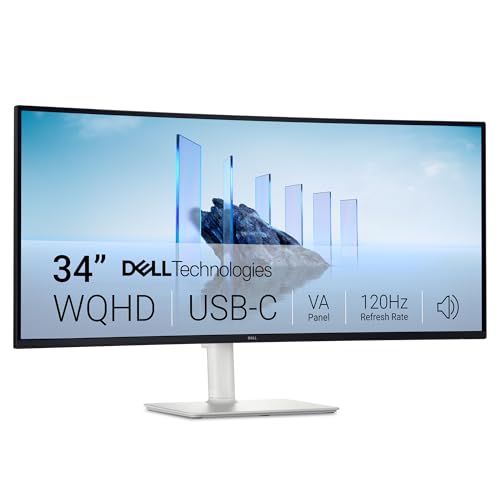
The Dell S3425DW is the one to choose when the main problem is not sharpness but space. Its 34-inch ultrawide format gives separate applications room to breathe without the bezel in the middle of a dual-monitor setup. A browser, writing app, file window, and communication panel can share the screen more naturally than they can on a 27-inch display.
The WQHD resolution stretches across that wide panel, while the VA technology brings a listed 3000:1 contrast ratio. That is a meaningful advantage for dark scenes, films, and general perceived depth. Dell also lists 99% sRGB and 95% DCI-P3 coverage, giving this model a wider color brief than the standard 27-inch Dell displays. HDR readiness is included, although the product information does not provide a peak brightness figure, so it should not be treated as a dedicated HDR reference monitor.
Movement is another strength. The screen reaches 120Hz and supports AMD FreeSync Premium, so scrolling across a wide timeline or moving windows around the desktop should feel smooth. Dell adds ComfortView Plus, with harmful blue light emissions reduced to 35% or less while retaining color accuracy. The built-in sound has also been re-engineered for more detail and a deeper response, a welcome convenience on a screen intended to replace several desk devices.
The USB-C connection supports up to 65W power delivery. That is useful if a MacBook shares the desk, but it is not a reason to buy this specifically for a Mac mini. The mini needs its own power connection, and the available details do not describe the monitor as a complete docking station. The display is also large and heavy, with listed dimensions of 31.78 inches wide and 20.68 pounds, so plan the desk and stand carefully.
The S3425DW beats the Dell S2725QS for multitasking and contrast, while the S2725QS wins for compactness and 4K pixel density. If your work involves precise small text, a 4K 27-inch model may look cleaner at a comfortable distance. If you are tired of arranging two windows on a narrow panel, the Dell S3425DW is the more liberating Best monitor for mac mini. It is a specialist pick, but a very convincing one for a wide desk.
6. BenQ MA320U: Best for Mac Controls

Pros
- 32-inch 3840 x 2160 display
- Mac color tuning with P3 wide color gamut
- Brightness and volume control from a MacBook keyboard
- Two USB-C ports with 90W delivery
- Height, tilt, swivel, and pivot adjustment
Cons
- MacBook-focused features matter less with a Mac mini
- Refresh rate is not specified in the supplied details
- Large footprint needs a deep, stable desk
Best for: a Mac-centered desk that may also support a MacBook and other USB-C devices.
The BenQ MA320U is built around the idea that a monitor should feel like part of the Mac setup, not a generic screen attached to it. The 32-inch 3840 x 2160 display gives the Mac mini plenty of room for high-detail work, while BenQ's Mac color tuning is intended to provide a vibrant P3 wide color gamut for MacBook Pro and MacBook Air users. That makes it especially interesting for someone moving between a mini at the desk and a MacBook on the same screen.
Its standout feature is control. The product lists brightness and volume adjustment directly from a MacBook keyboard, which can make the display feel more integrated than monitors that rely entirely on an on-screen menu. The dual USB-C ports provide up to 90W for a MacBook and 15W for an iPad or iPhone. A Mac mini does not need that charging capacity, but the hub-like arrangement becomes useful when the desk serves several Apple devices.
The stand is unusually complete for this selection. Height, tilt, swivel, and pivot adjustment let you position the screen for a seated setup, turn it vertically for documents or code, or share the display with someone beside you. That flexibility matters on a 32-inch panel, because a screen this large can be uncomfortable when the viewing angle and height are fixed.
The connectivity list includes two HDMI ports and two USB-C ports. That gives the MA320U a useful set of physical connections, but the supplied information does not state every data or display limitation of those ports. It also does not specify a refresh rate, so buyers focused on fast desktop motion should not assume it matches the 120Hz models in this roundup.
The BenQ is a stronger Mac ecosystem monitor than the Dell S2725QS, particularly when a MacBook is involved. It is also more ergonomic than the fixed details suggest for several other large displays. The weakness is specialization: many of its headline features are designed around MacBook controls and charging rather than the Mac mini itself. Choose it when you want a Mac-friendly workstation with a highly adjustable stand. Skip it if you only need a simple screen for a single mini and do not plan to use the USB-C ecosystem.
7. INNOCN CB32U1: Best 32-Inch Creator Display

Pros
- 4K 120Hz mode and FHD 240Hz mode
- Factory-calibrated Delta E less than 1
- 100% sRGB and 98% DCI-P3 coverage
- USB-C with 90W power delivery
- Height, pivot, swivel, and tilt adjustment
Cons
- Dual-mode resolution changes the image format
- 90W delivery is more useful for a laptop than a Mac mini
- Creator-focused features may be unnecessary for office work
Best for: a 32-inch screen that combines color-sensitive work with fast gaming modes.
The INNOCN CB32U1 is the most ambitious display in the group. It combines a 32-inch 4K IPS panel with a second mode that runs at FHD and 240Hz. For a Mac mini, the 4K mode is the natural starting point because it gives documents, design tools, and video work the detail expected from a modern large screen. The faster FHD mode is aimed at situations where motion matters more than pixel density.
Color is the reason to take this model seriously for creative work. INNOCN lists factory-calibrated Delta E less than 1, along with 100% sRGB and 98% DCI-P3 coverage. Those figures describe a monitor intended to reproduce color consistently rather than simply look vivid in a showroom. They are useful for editing photos, working on graphics, and reviewing video, though professional workflows still benefit from a controlled environment and a calibration process suited to the work.
The screen also has HDR400 and USB-C connectivity with 90W power delivery. The product describes a single-cable connection that carries 4K video and data while charging a compatible MacBook Pro or other laptop. For the Mac mini, the charging feature is largely irrelevant, but the connection can still help keep a desk clean if other USB-C devices are in rotation. HDMI 2.1 and DisplayPort 1.4 provide additional paths for computers and consoles.
Ergonomics are better than the average large monitor. The stand supports height adjustment, pivot, swivel, and tilt, so a vertical arrangement for coding or reading is possible. The product also describes HDMI 2.1 support for 4K at 120Hz without compression and includes a 100 x 100mm VESA mounting pattern. Those are practical details for a desk that may evolve beyond a single fixed monitor.
Compared with the INNOCN CB27U1, this model gives you a larger canvas while keeping the same broad creator and dual-mode idea. The Dell S3425DW offers a wider shape and stronger stated VA contrast, but it does not offer the CB32U1's listed Delta E target or 240Hz FHD mode. The catch is that switching to FHD sacrifices the crispness that makes 4K attractive. Choose this INNOCN when both accurate color and high-speed modes matter. For ordinary office work, Dell S2725QS is the simpler recommendation.
8. ViewSonic VA3209M: Best Basic 32-Inch Display

Pros
- Large 32-inch IPS screen
- 1920 x 1080 resolution with 75Hz refresh rate
- HDMI and VGA inputs
- Flicker-Free and Blue Light Filter features
- Variable Refresh Rate support
Cons
- Full HD is not especially sharp on a 32-inch panel
- No USB-C connection is listed
- Less workspace detail than the QHD and 4K alternatives
Best for: a simple large display for general Mac mini tasks.
The ViewSonic VA3209M is a straightforward choice for someone who wants a large physical screen without a long feature list. Its 32-inch IPS panel is easy to see across a desk, and the 1920 x 1080 resolution keeps the demands on the computer modest. For email, documents, basic browsing, and video, the format is uncomplicated and familiar.
The trade-off is pixel density. Full HD spread over 32 inches looks less crisp than the QHD ViewSonic VX3276-2K-MHD and considerably less detailed than the 4K Dell or INNOCN displays. Text may not have the same clean edge, and less information fits comfortably on the screen at once. That makes the VA3209M a better fit for large, simple interface elements than for detailed design work or dense productivity layouts.
ViewSonic lists a 75Hz refresh rate and Variable Refresh Rate support. The former gives a modest improvement over 60Hz, while the latter is intended to help maintain smooth frame rates and reduce tearing with compatible hardware. There are also Game, Movie, Web, Text, and Mono presets, so the screen can shift between common uses without requiring extensive manual adjustment.
For long sessions, the VA3209M includes Flicker-Free technology and a Blue Light Filter. It supports HDMI and VGA inputs, which is helpful if an older computer or device remains part of the setup. The absence of listed USB-C means the Mac mini connection will be a conventional video connection rather than a one-cable workstation arrangement.
This monitor is easier to justify beside the KYY Portable Monitor because it is a permanent desktop display, but the KYY is much more flexible for travel and second-screen use. The VX3276-2K-MHD is the stronger choice if you want a 32-inch screen for reading and multitasking, thanks to its QHD resolution. Choose the VA3209M when large physical size and basic operation matter more than fine detail. Skip it for photo editing, dense coding, or any task where text sharpness is a priority.
9. INNOCN CB27U1: Best Compact Creator Display

Pros
- 4K 120Hz and FHD 240Hz modes
- Factory-calibrated Delta E less than 1
- HDR500 with 100% sRGB and 98% DCI-P3 coverage
- USB-C with 90W power delivery
- Pivot-ready ergonomic design and VESA support
Cons
- The fast 240Hz mode uses FHD resolution
- USB-C charging capacity is not needed by the Mac mini
- The supplied information does not specify every stand adjustment
Best for: creators who want high pixel density and fast motion in a smaller footprint.
The INNOCN CB27U1 packs much of the CB32U1's feature set into a 27-inch format. That smaller size makes 4K density particularly appealing, because macOS text and creative tools can look precise without taking over the desk. It is a strong candidate for a Mac mini workspace where detail matters but a 32-inch panel would feel too large.
The creator credentials are substantial on paper. INNOCN lists Delta E less than 1 factory calibration, HDR500, 100% sRGB coverage, and 98% DCI-P3 coverage. That combination is aimed at accurate color reproduction for photo editing, video grading, and graphic design. The wide gamut can make supported content look more expansive, while the stated calibration target is intended to reduce the amount of correction needed before getting to work.
Like the larger CB32U1, the CB27U1 has two operating modes. It can run at 4K and 120Hz for detailed desktop work, then switch to FHD and 240Hz when speed takes priority. That is an unusual mix for a monitor used with a Mac mini. The 4K mode is the obvious choice for ordinary work, while the FHD mode makes sense for compatible gaming hardware where smooth motion is more important than maximum sharpness.
Connectivity includes USB-C with 90W power delivery, DisplayPort 1.4, and HDMI 2.1. INNOCN positions the USB-C connection as a single-cable path for video, data, and laptop charging. A Mac mini still needs its own power, but this arrangement can simplify a shared desk with a MacBook. The monitor is also described as VESA 100 x 100mm ready, with a stand that supports pivot use and adjustment for a more flexible setup.
The CB27U1 is more focused than the Dell S2725QC. Dell gives a calmer general-purpose experience, while INNOCN adds HDR500, creator-oriented calibration, and dual refresh modes. The CB32U1 offers the same basic direction with more physical workspace, and the INNOCN choice between them comes down to desk size and preferred viewing scale. Choose the CB27U1 for detailed creative work in a compact area. Skip it if you will never use wide-gamut color, HDR, or the faster mode, because the simpler Dell models are easier to live with.
How to choose best monitor for mac mini
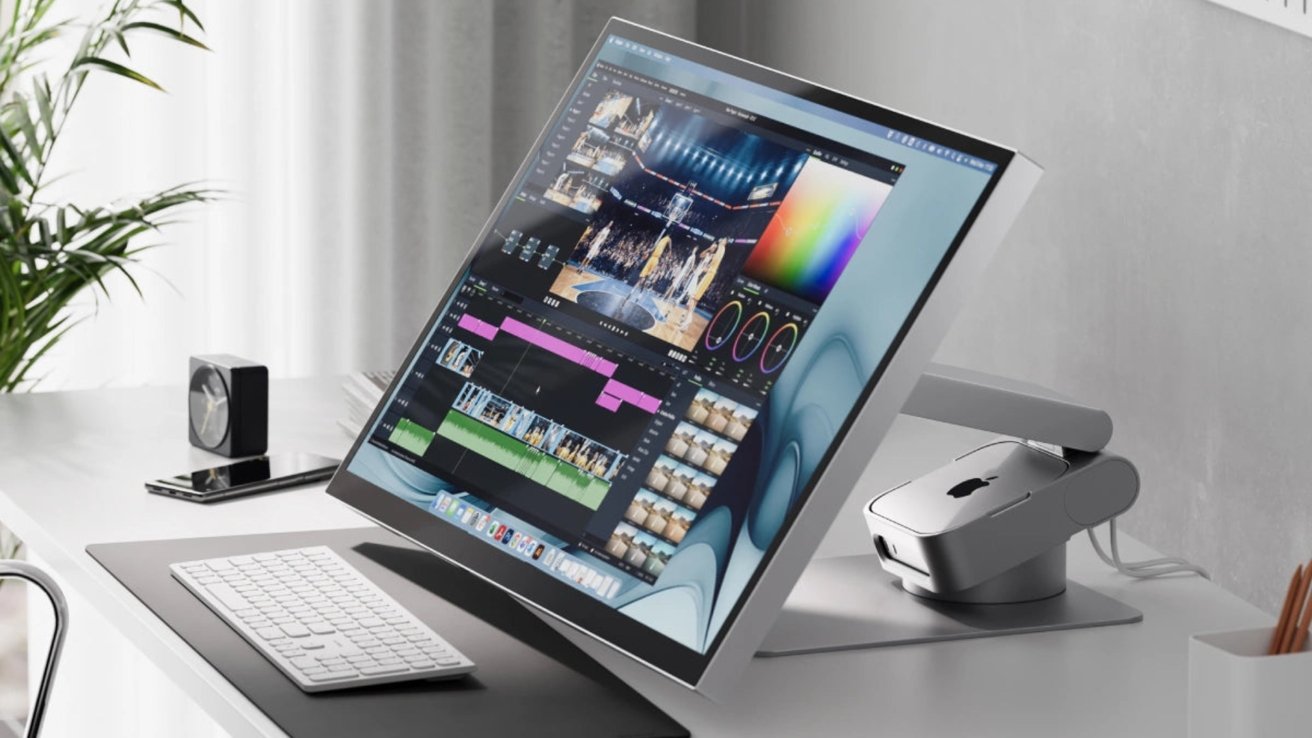
Start with the work you do most often, then match resolution, panel size, connection type, and ergonomics to that work. The Best monitor for mac mini is not automatically the largest or fastest display.
Resolution and screen size
A 4K monitor gives a 3840 x 2160 workspace and produces sharper text than a 1080p panel. That difference is especially visible on a 27-inch or 32-inch screen, where full HD pixels are spread over a large area. QHD sits between the two and can be a sensible fit for a spacious desktop without going all the way to 4K.
The KYY Portable Monitor uses 1920 x 1080, which is reasonable for a 15.6-inch travel display. The ViewSonic VA3209M uses the same resolution on 32 inches, where the lower density is more obvious. For reading, coding, photo work, and detailed menus, favor 4K or QHD.
Panel type and color
IPS panels generally suit desktop work because they are designed for broad viewing angles and consistent color. The Dell S2725QS, Dell S2725QC, ViewSonic models, and INNOCN models use IPS according to their product details. The Dell S3425DW uses VA, which brings a stated 3000:1 contrast ratio and can make dark content look deeper.
Color coverage matters when the screen is used for design, photography, or video. The Dell 27-inch models list 99% sRGB, while the Dell S3425DW adds 95% DCI-P3. The INNOCN displays list 100% sRGB, 98% DCI-P3, and Delta E less than 1. Those specifications point toward more serious color work, but they do not replace a workflow-specific calibration routine.
A sharp 4K panel helps every Mac mini task, but wide-gamut color only matters when your work and software can use it.
Refresh rate
Refresh rate controls how often the display can update each second. A 120Hz monitor such as the Dell S2725QS, Dell S2725QC, Dell S3425DW, and INNOCN models can make scrolling and window movement feel smoother than a 60Hz screen. The ViewSonic models run at 75Hz, which is a smaller step up but still useful.
The INNOCN CB27U1 and CB32U1 add a second mode at 240Hz, but that mode uses FHD resolution rather than 4K. This is a clear trade-off. Use 4K 120Hz for detailed work, and use FHD 240Hz when fast gaming motion matters more than image density.
USB-C and power delivery
A Mac mini does not need a monitor to charge it, so USB-C power delivery is not essential for a mini-only setup. It can still simplify the desk by carrying video and data, and it becomes much more useful when a MacBook or tablet shares the display.
The Dell S2725QC and S3425DW list up to 65W delivery. The BenQ MA320U and both INNOCN models list 90W, with the BenQ also listing 15W for an iPad or iPhone. Check the exact port capabilities before treating any display as a complete hub, because a USB-C display connection does not always provide every docking feature a laptop user expects.
Desk size and ergonomics
A 27-inch monitor is easier to place than a 32-inch display or 34-inch ultrawide. Large screens need enough viewing distance and desk depth to avoid feeling visually crowded. The Dell S3425DW is also nearly 32 inches wide, so measure the available space before choosing it.
Ergonomic adjustment can be just as important as panel quality. The BenQ MA320U lists height, tilt, swivel, and pivot adjustment. The INNOCN models list pivot functionality and VESA support, while the portable KYY relies on its cover stand and offers landscape or portrait use. If the supplied stand is limited, a VESA-compatible arm can make a large monitor easier to position.
For a two-screen desk, the amount of surface and viewing distance matter as much as the monitor itself. Planning how two displays change the space around your keyboard can prevent a promising setup from becoming cramped.
Frequently asked questions
Can a Mac mini work with any of these monitors?
The listed products are intended for computers, and several explicitly mention Mac compatibility. The connection method depends on the Mac mini model and the monitor input, so use the appropriate HDMI, DisplayPort, Mini DisplayPort, or USB-C connection. The KYY portable display has specific USB-C compatibility requirements for one-cable use.
Is 4K necessary for a Mac mini monitor?
No, but it is useful for sharper text and more detailed images. The 4K Dell, BenQ, and INNOCN displays are better suited to dense documents, design tools, and photo work than the 1080p ViewSonic VA3209M. QHD, as used by the ViewSonic VX3276-2K-MHD, is a useful middle option.
Is 120Hz useful for office work?
Yes. A 120Hz refresh rate can make scrolling, cursor movement, and window dragging look smoother even when you are not gaming. It is not essential, though, and the 75Hz ViewSonic models remain suitable for ordinary documents and browsing.
Does a monitor with USB-C charge a Mac mini?
No. The Mac mini is a desktop computer with its own power connection. USB-C power delivery is mainly useful for charging a compatible laptop, tablet, or phone connected to the monitor.
Which monitor is easiest to use with a MacBook as well?
The Dell S2725QC, Dell S3425DW, BenQ MA320U, and INNOCN models all list USB-C connectivity with power delivery. The BenQ goes further with Mac-focused color tuning and MacBook keyboard controls. The right choice depends on whether you prioritize a compact 27-inch screen, an ultrawide, or a creator-focused 4K panel.
Are 32-inch 1080p monitors sharp enough?
They can be usable, especially for large interface elements, video, and basic office work. However, 1080p spread across 32 inches is less detailed than QHD or 4K, so small text and fine design work may look softer. The ViewSonic VA3209M is better for simple large-screen use than for high-detail productivity.
Should I choose a portable monitor as my main Mac mini display?
Usually not. The KYY Portable Monitor is convenient because it is thin, light, and includes a protective cover, but its 15.6-inch 1080p screen offers much less workspace than the desktop models. It is most useful as a travel display or a second screen.
The bottom line
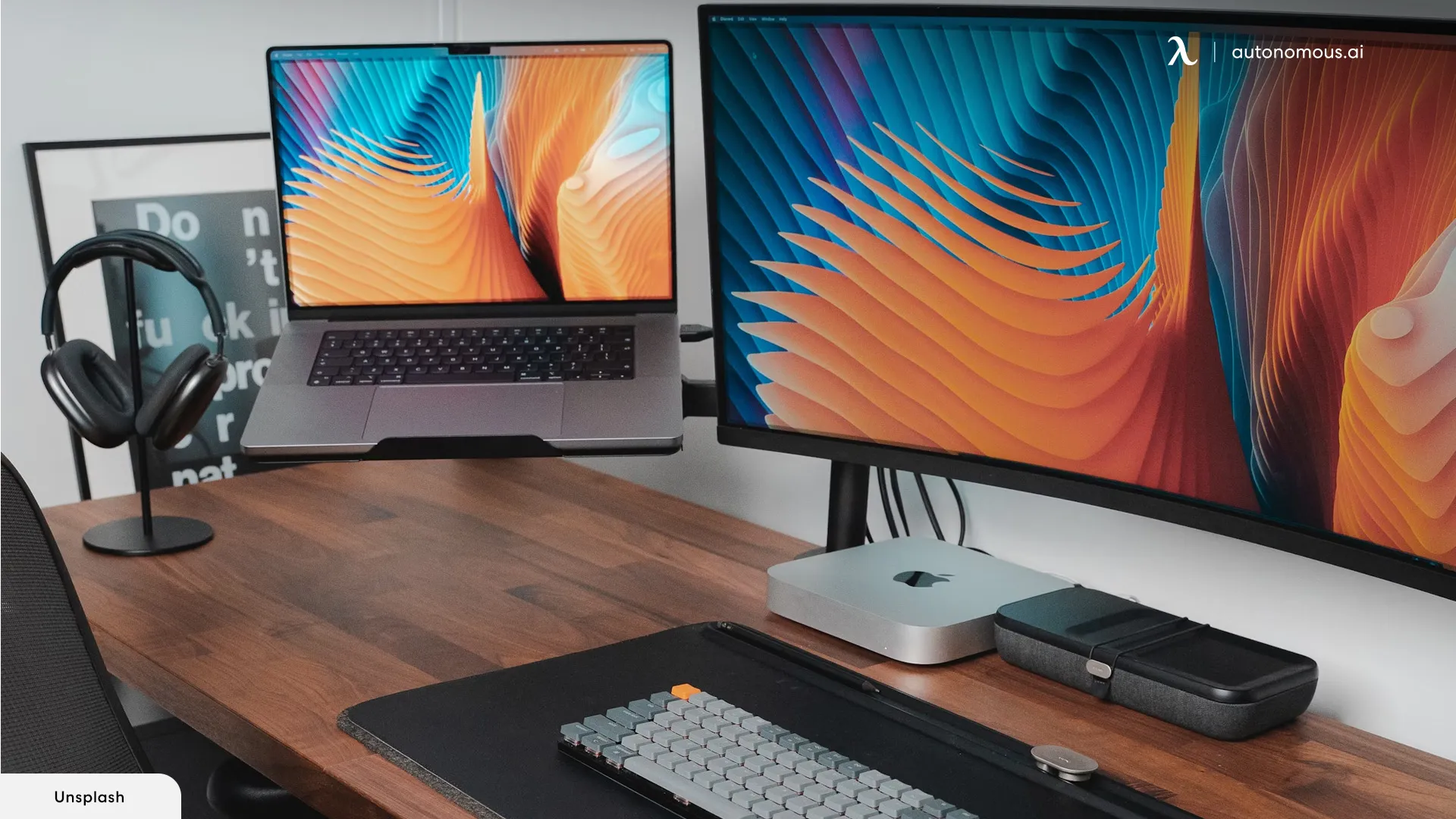
The Best monitor for mac mini for most people is the Dell S2725QS. Its 27-inch 4K IPS panel, 120Hz refresh rate, 99% sRGB coverage, ComfortView Plus feature, and integrated sound create a balanced desktop display without forcing you into an oversized workspace.
Choose the Dell S2725QC instead if a MacBook will share the desk and USB-C with up to 65W power delivery is important. For creative work, the INNOCN CB27U1 and INNOCN CB32U1 offer unusually strong color claims and dual refresh modes, while the Dell S3425DW is the better fit for wide side-by-side multitasking.
If you are undecided, buy the Dell S2725QS for a conventional desk, or measure your space first and move to the Dell S3425DW only if one wide canvas will genuinely improve your workflow.
As an Amazon Associate we earn from qualifying purchases.