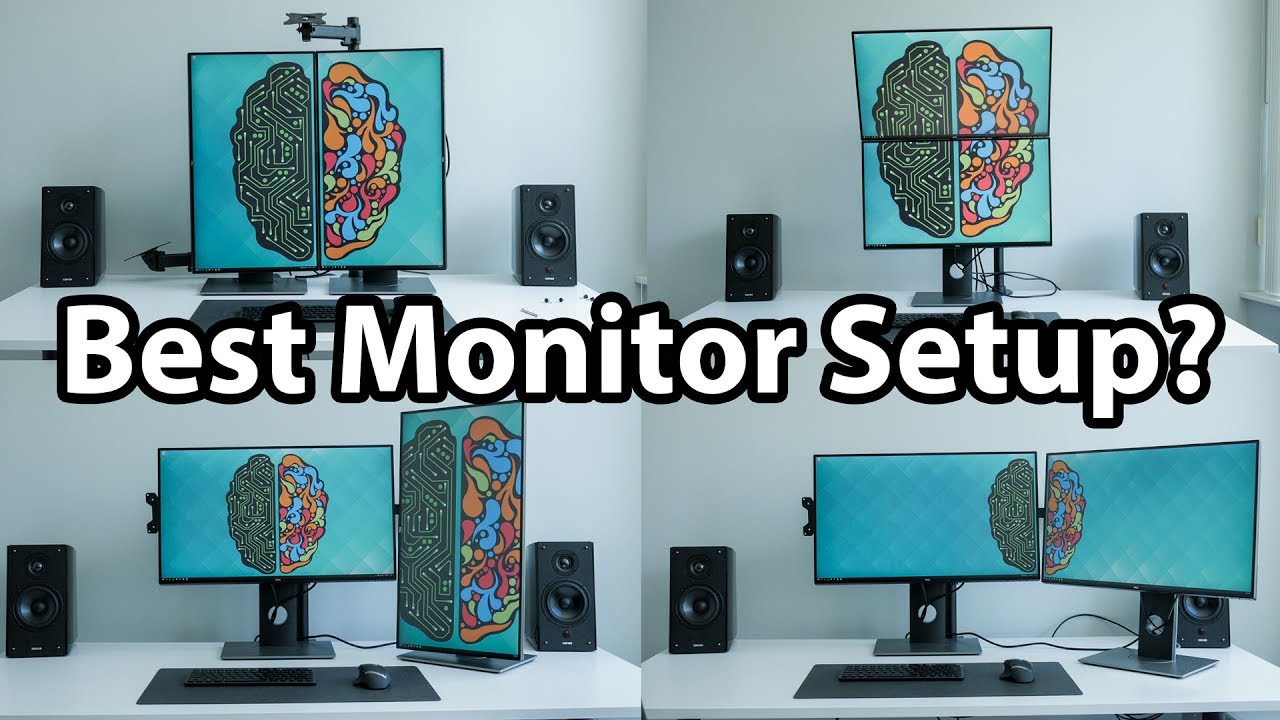

A dual-monitor desk can solve the constant shuffle between tabs, documents, messages, and reference material, but only if both screens suit the space. Two oversized displays can overwhelm a shallow desk, while two small panels may leave spreadsheets feeling cramped. The right pair should also match in resolution, refresh rate, and viewing geometry.
Our Best monitors for dual setup list covers nine real options, including curved and flat Kado pairs, a faster IPS option from ViewSonic, a three-screen Kado bundle, and an HP pair with speakers. Kado 27 Curved Dual Pack is the best pick for most people, while the range includes smaller screens, a 120Hz IPS alternative, and a flexible triple-monitor setup.
Comparison table
| # | Product | Award | Size | Panel and shape | Resolution | Refresh rate | Best for |
|---|---|---|---|---|---|---|---|
| 1 | Kado 27 Curved Dual Pack | Best overall | 27 inches | Curved, 1500R | 1920 x 1080 | 75Hz | Spacious curved workstation |
| 2 | Kado 24 Curved Dual Pack | Best compact curved pair | 24 inches | Curved, 1500R | 1920 x 1080 | 75Hz | Smaller desks |
| 3 | Kado 24 Curved Monitor Pair | Best alternative 24-inch pair | 24 inches | Curved, 1500R | 1920 x 1080 | 75Hz | Compact work and gaming |
| 4 | Kado 27 Curved Monitor Pair | Best immersive pair | 27 inches | Curved, 1500R | 1920 x 1080 | 75Hz | Wide, enveloping desktops |
| 5 | Kado 27 Flat Dual Pack | Best flat-screen pair | 27 inches | Flat | 1920 x 1080 | 75Hz | Straightforward office setups |
| 6 | ViewSonic VA2456A-MHD | Best IPS pair | 24 inches | IPS, flat | 1920 x 1080 | 120Hz | Smooth motion and varied viewing angles |
| 7 | Kado 22 Flat Dual Pack | Best compact flat pair | 22 inches | Flat | 1920 x 1080 | 75Hz | Tight workspaces |
| 8 | Kado 27 Triple Pack | Best three-screen setup | 27 inches | Flat | 1920 x 1080 | 75Hz | Maximum desktop width |
| 9 | HP 27 IPS Dual Pack | Best speaker-equipped pair | 27 inches | IPS, flat | 1920 x 1080 | Not specified | Clean multimedia workstations |
1. Kado 27 Curved Dual Pack: Best Overall

Pros
- Large 27-inch screens create generous workspace
- 1500R curve helps bring the edges into view
- 98% sRGB coverage and built-in speakers
- 75Hz refresh rate feels smoother than standard 60Hz
Cons
- 1920 x 1080 resolution is modest at 27 inches
- Curved panels take more careful positioning
- The listed dimensions make this a substantial desk setup
Best for: someone who wants two large curved displays for work, media, and casual gaming.
The first thing to understand about Kado 27 Curved Dual Pack is that it is a roomier setup than the 24-inch pairs below. Each screen measures 27 inches and uses a 1500R curve, so the outer edges turn slightly toward the viewer instead of sitting on one long flat plane. That shape makes a side-by-side arrangement feel more enveloping, though it also means the monitors need to be aligned carefully if you want the center seam to look natural.
Both panels use a 1920 x 1080 resolution. That is enough for documents, browser windows, dashboards, and full HD video, but it spreads the pixels across a larger area than a 24-inch 1080p display. Text can look less dense at close range, so this pair makes more sense when you have enough desk depth to sit comfortably back. The 75Hz refresh rate gives scrolling and window movement a small but useful lift over 60Hz, while the claimed fast response design is aimed at reducing blur during quick transitions.
Color coverage is listed at 98% sRGB, a sensible fit for general creative work, photo sorting, and multimedia rather than color-critical production. Built-in speakers also help keep a basic desk uncluttered. They are convenient for alerts, calls, and casual video, although anyone who cares about fuller sound should plan on separate audio. If speakers are a major part of your setup, a dedicated desktop audio arrangement can make a bigger difference than relying on the monitor pair.
Compared with Kado 27 Flat Dual Pack, this model offers a more enveloping presentation and a slightly more distinctive desk layout. Kado 24 Curved Dual Pack is easier to fit and gives 1080p a denser appearance, but it does not provide the same physical workspace. The real weakness here is the combination of 27-inch size and full HD resolution. Skip this pair if crisp, tightly packed text matters more than screen area, or if your desk is too shallow for a comfortable viewing distance.
For a broad two-screen workstation, this is the pair we would choose first. It gives each application room to breathe, adds a useful curve, and includes the everyday features most people expect without forcing a complicated display arrangement.
2. Kado 24 Curved Dual Pack: Best Compact Curved Pair

Pros
- 24-inch size is easier to place side by side
- 1500R curve reduces the flat-wall effect
- 98% sRGB color gamut
- Built-in speakers save desk space
Cons
- Full HD leaves less room for large spreadsheets
- No panel technology is specified
- The curve is less useful if the screens sit far apart
Best for: a compact desk that still benefits from two curved panels.
Kado 24 Curved Dual Pack is the sensible middle ground in this collection. Two 24-inch screens give you enough area to keep a main task open beside email, chat, or reference material, without the wide footprint of two 27-inch panels. The 1500R curve gives the pair a consistent shape and can make the outer portions easier to take in when the screens are positioned close together.
The resolution is 1920 x 1080 on each display, which suits the 24-inch format better than it does a 27-inch one. Text and interface elements should appear reasonably dense for everyday office work, and full HD video maps cleanly to the panel. The 75Hz refresh rate is a modest upgrade for smoother cursor movement and scrolling. Kado also lists fast response performance, but does not provide a response-time number, so this should not be treated as a specialist competitive gaming pair.
The claimed 98% sRGB coverage gives the displays a broader color target for photos, web work, and entertainment than a basic office screen with no stated gamut. Custom gaming modes for FPS and RTS titles are included in the feature description, which is useful for quick adjustments even though the refresh rate remains aimed at general use. Built-in speakers cover simple audio duties and avoid adding another device to a crowded desk.
This pair is very close to Kado 24 Curved Monitor Pair, so the deciding factor is not a major feature difference. It is better understood as an alternate listing of the same basic size and feature set, while ViewSonic VA2456A-MHD is the more technically interesting 24-inch option because it uses IPS technology and reaches 120Hz. The weakness is that Kado does not identify the panel type, and the curve can feel unnecessary for spreadsheets if you prefer perfectly straight lines.
Choose it when you want a coordinated curved pair that is easier to accommodate than two 27-inch displays. It is particularly well suited to a home office where the second panel handles communication and reference work rather than demanding maximum resolution.
3. Kado 24 Curved Monitor Pair: Best Alternative 24-Inch Pair

Pros
- Compact 24-inch footprint
- Matching 1500R curved design
- 75Hz refresh rate for smoother everyday use
- Built-in speakers and gaming presets
Cons
- Panel type is not specified
- 1920 x 1080 is limiting for very dense workflows
- Similar capability to the other Kado 24-inch curved pair
Best for: shoppers comparing compact curved pairs who prefer this particular Kado listing.
Kado 24 Curved Monitor Pair has the same practical shape as the other Kado 24-inch curved entry, and that is not a criticism. The pair is compact enough for a normal desk, while two screens still let you separate active work from supporting information. The 1500R curve is most convincing when the panels sit close together and angle inward slightly at the sides.
Each monitor runs at 1920 x 1080 with a 75Hz refresh rate. For writing, web browsing, office documents, and video, that combination is straightforward and easy to drive from common computers. The extra refresh headroom makes scrolling feel a little less static than 60Hz, while the advertised fast response performance should help reduce visible trailing in ordinary motion. There is no measured response figure in the supplied information, so fast-paced gaming should not be the main reason to select it.
Kado lists 98% sRGB color gamut coverage, along with custom FPS and RTS modes. Those modes are useful shortcuts for people who do not want to tune the display manually, but they do not turn this into a high-refresh gaming monitor. Built-in speakers are a welcome convenience for notification sounds and casual viewing. The product information lists each display at 21.17 inches wide and 12.65 inches high, which gives a clearer sense of the footprint than the generic category label does.
Against Kado 24 Curved Dual Pack, the differences are not obvious from the supplied features. Both offer the same screen size, curve, resolution, refresh rate, gamut claim, and speakers. Kado 27 Curved Monitor Pair gives you more physical room, while ViewSonic VA2456A-MHD gives you IPS viewing consistency and a 120Hz refresh rate. The main reason to skip this Kado pair is simply that it does not establish a clear advantage over its close sibling.
That makes this an alternative rather than a breakthrough pick. It belongs on the shortlist for a small dual-screen desk, especially when you want matching curved panels and are choosing between closely related listings.
4. Kado 27 Curved Monitor Pair: Best Immersive Pair

Pros
- Two large 27-inch screens
- 1500R curve creates a cohesive viewing arc
- 98% sRGB coverage
- Built-in speakers and gaming modes
Cons
- Full HD resolution is stretched across a large panel
- Needs a wide, deep desk
- No panel type or response-time figure is supplied
Best for: users who want a large curved desktop for multitasking and entertainment.
Kado 27 Curved Monitor Pair is built around presence. Two 27-inch curved panels give a workstation a broad, immersive shape, especially when one screen is centered and the other is angled toward the user. The 1500R curvature is pronounced enough to matter, so this is not the pair for someone who wants two displays to behave like a perfectly flat wall.
The core display specification is familiar: 1920 x 1080 resolution and a 75Hz refresh rate. Full HD keeps computer requirements manageable and works well for video, documents, and ordinary desktop applications. At 27 inches, though, the pixels are more spread out than they are on the 24-inch Kado models. That can be perfectly comfortable for a viewer sitting farther back, but users who spend all day reading small text may prefer the tighter appearance of a smaller panel.
Kado claims 98% sRGB coverage and includes custom FPS and RTS display modes. The color specification points to a reasonably lively general-purpose picture, while the modes provide quick presets for different types of content. Built-in speakers are helpful when you want basic audio without filling the desktop with extra hardware. The product information lists each unit at 24.46 inches wide and 14.56 inches high, so a side-by-side arrangement needs real horizontal space before you add stands or a monitor arm.
Kado 27 Curved Dual Pack is the stronger choice for buyers who want the most broadly useful recommendation, while this pair is a close alternative with the same headline capabilities. Kado 27 Flat Dual Pack is easier to position for straight-edged documents and technical diagrams. The weakness here is not a missing convenience feature. It is the mismatch between a large physical panel and a 1080p desktop, plus the fact that the supplied information does not identify the panel type.
Take this pair seriously if immersion and screen size matter more than pixel density. It suits a wide desk, a mixed work and entertainment setup, or anyone who prefers the same curved visual experience on both sides of the workstation.
5. Kado 27 Flat Dual Pack: Best Flat-Screen Pair

Pros
- Flat panels suit documents and precise window alignment
- 27-inch screens provide plenty of workspace
- 99% sRGB color gamut claim
- Built-in speakers and gaming presets
Cons
- Full HD is not especially dense at 27 inches
- 75Hz is only a modest refresh improvement
- No panel type is specified
Best for: office users who prefer two large, conventional flat displays.
The appeal of Kado 27 Flat Dual Pack is its lack of visual drama. Flat panels are easier to align for long documents, spreadsheets, code, and design layouts where straight lines should remain straight across the desk. A second screen can sit directly beside the first without the inward sweep that makes curved displays feel more immersive but sometimes less predictable for precision work.
Both screens use 1920 x 1080 resolution and a 75Hz refresh rate. The resolution is adequate for everyday office applications and full HD content, while 75Hz makes scrolling and pointer movement feel a little more fluid than a standard 60Hz display. Kado also describes fast response performance, but gives no numerical response-time specification. That makes this a general-purpose option with some gaming flexibility, not a display chosen for competitive play.
The listed color coverage is 99% sRGB, one point higher than the curved Kado pairs in this group. That suggests a broad, lively color range for web content, photos, and casual creative work, though gamut coverage alone does not establish color accuracy. Built-in speakers handle simple audio without taking up desk space, and the custom FPS and RTS modes offer quick gaming-oriented adjustments. Each display is listed at 24.4 inches wide and 14.5 inches high, so the pair still needs a wide surface despite its flat profile.
Compared with Kado 27 Curved Dual Pack, this model is the better fit for users who dislike curved edges or frequently work with tables and diagrams. It is less enveloping for games and video, and ViewSonic VA2456A-MHD is the more compelling choice for wide-angle consistency because of its IPS panel. The real limitation is the 1080p resolution at 27 inches. Choose a smaller display if you sit close and want sharper text.
For a conventional dual-screen office, this is the cleanest Kado option. It keeps the generous 27-inch work area, avoids curve-related alignment concerns, and adds useful built-in audio without changing the basic setup.
6. ViewSonic VA2456A-MHD: Best IPS Pair

Pros
- IPS panel maintains consistent color and brightness from different angles
- 120Hz refresh rate is the fastest listed here
- HDMI, DisplayPort, and VGA inputs
- Flicker-Free technology and Blue Light Filter
- Thin bezels suit a side-by-side installation
Cons
- Dual pack comes without monitor stands
- 24-inch full HD limits the amount of information per screen
- No built-in speakers are listed
Best for: a dual-screen office or gaming desk that needs IPS viewing consistency and broad input support.
ViewSonic VA2456A-MHD is the technical standout in this group. It trades the Kado models' built-in speakers and curved options for a 24-inch IPS panel, thin bezels, and a 120Hz refresh rate. That combination makes the pair attractive when two people may view the screens from different positions, or when smooth cursor movement and gaming motion matter more than a built-in audio shortcut.
Each display runs at 1920 x 1080, which matches the 24-inch size well for general desktop work. The 120Hz refresh rate is a meaningful step above the 75Hz Kado options. It will not add detail to the image, but it can make scrolling, dragging windows, and supported games appear more fluid. ViewSonic also includes Game, Movie, Web, Text, and Mono presets, giving the user quick ways to change the presentation for different tasks.
Connectivity is a major advantage. Each screen supports HDMI, DisplayPort, and VGA, making it easier to connect a newer desktop, laptop dock, or older computer without relying on an adapter for every source. Flicker-Free technology and a Blue Light Filter address long-session comfort, while SuperClear IPS is intended to preserve vivid color and consistent brightness from different angles. The important catch is that this dual pack is sold without monitor stands, so the installation plan needs to include compatible support.
If a desk needs a little more planning around screen distance and viewing angle, the stand-free design makes that decision even more important. Kado 24 Curved Dual Pack is simpler if you want a ready-to-place curved pair with speakers, while ViewSonic is better for connection flexibility and motion smoothness. HP 27 IPS Dual Pack offers a larger IPS screen and speakers, but it does not list a 120Hz refresh rate.
Skip this pair if you need speakers included or do not want to source stands. For users who already have a monitor arm, desk mount, or another support solution, it is the most capable choice for mixed office work, media, and lighter gaming.
7. Kado 22 Flat Dual Pack: Best Compact Flat Pair

Pros
- Smallest two-screen footprint in the group
- Flat shape is easy to align
- 99% sRGB gamut claim
- Built-in speakers and 75Hz refresh rate
Cons
- 22-inch screens provide less room for side-by-side windows
- Listed weight is 16.5 pounds
- No panel type is specified
Best for: a compact desk where two full HD displays matter more than large screen area.
Kado 22 Flat Dual Pack solves a very specific problem: getting two screens onto a desk that cannot comfortably handle two 24-inch or 27-inch panels. The flat design keeps the arrangement straightforward, and the smaller frames are easier to place side by side or angle toward the user. It is the least imposing dual setup in this roundup.
The panels run at 1920 x 1080 and 75Hz. Full HD at 22 inches produces a reasonably compact desktop image, which helps text and interface elements retain a comfortable density. The tradeoff is visible workspace. A document, browser, or spreadsheet has less room before it needs scrolling, so this pair is better for separated tasks than for two large, information-heavy windows.
Kado lists 99% sRGB coverage, fast response performance, custom FPS and RTS modes, and built-in speakers. That makes the pair more versatile than a basic office display, at least on paper. The speakers are useful for notifications and casual video, while the 75Hz refresh rate adds a little smoothness to everyday movement. The product information lists each unit at 19.93 inches wide and 11.92 inches high, but the listed weight is 16.5 pounds, so buyers should plan their support arrangement carefully.
Kado 27 Flat Dual Pack is the obvious step up when desk space is not the limiting factor, and ViewSonic VA2456A-MHD is the better compact choice for IPS viewing angles and 120Hz motion. The weakness of the 22-inch pair is simple: it can feel cramped if both screens are used for dense spreadsheets, timelines, or large editing interfaces. The unspecified panel type also leaves less information for buyers who care about image consistency.
This is the pick for a narrow desk, a student workspace, or a secondary computer station. It provides the basic benefits of two screens without demanding the physical footprint of the larger alternatives.
8. Kado 27 Triple Pack: Best Three-Screen Setup

Pros
- Three 27-inch displays create exceptional width
- 100% sRGB color gamut claim
- 75Hz refresh rate on each screen
- Built-in speakers
- Flat panels simplify a straight or angled array
Cons
- Requires substantially more desk space and graphics output
- 1920 x 1080 is modest across a 27-inch panel
- No panel type is specified
Best for: streamers, analysts, editors, and multitaskers who genuinely need three screens.
Kado 27 Triple Pack is not a conventional dual-monitor recommendation, but it makes sense for readers whose desk has outgrown two screens. Three 27-inch displays can hold a primary application in the center, reference material on one side, and communication or monitoring tools on the other. The flat shape gives you more freedom to arrange them in a straight row, a shallow arc, or a centered main screen with the side panels angled inward.
Each monitor uses 1920 x 1080 resolution and a 75Hz refresh rate. The resolution is easy to understand and well suited to full HD video, documents, browser windows, and monitoring dashboards. Across 27 inches, it is not especially dense, so the central screen may feel less crisp for small text than a 24-inch model. The three-display arrangement also places greater demands on the computer's available display outputs, a detail that should be checked before buying.
Kado claims 100% sRGB color coverage, along with fast response performance and custom FPS and RTS modes. The combination should work for general multimedia and gaming, though the 75Hz refresh rate remains a general-purpose figure rather than a competitive gaming specification. Built-in speakers on each monitor can keep the setup self-contained, but you may prefer to use one audio source rather than three separate speaker outputs.
The ergonomics matter more here than they do with any dual pair. Kado specifically points to positioning the screens to reduce eye strain and neck discomfort, and that is sensible advice. A triple array can encourage constant head turning if the side displays sit too far away or too flat. Planning how much cooling and airflow a busy desktop setup needs is also sensible when this kind of workstation runs demanding software for long sessions.
Compared with Kado 27 Curved Dual Pack, this gives much more usable width but adds complexity, desk requirements, and cable management. Kado 27 Flat Dual Pack is the calmer choice for two-screen work, while this model is for people who already know a third screen will be used every day. Its weakness is not capability. It is the commitment required to place and drive three large full HD panels comfortably.
Choose it for a monitoring-heavy workflow, a streaming station, a financial dashboard, or any desk where switching between applications has become the main source of friction.
9. HP 27 IPS Dual Pack: Best Speaker-Equipped Pair

Pros
- IPS panels and 99% sRGB coverage
- Integrated dual 2W speakers
- Three-sided borderless design
- Two HDMI inputs and VGA on each monitor
- Flicker-Free and Low-Blue Light features
Cons
- No VESA mount support
- Stand offers tilt adjustment only
- Refresh rate is not specified
Best for: a clean office or media desk that wants IPS panels and built-in speakers.
HP 27 IPS Dual Pack takes a more polished office approach than the Kado alternatives. The two 27-inch displays use IPS panels, a three-sided borderless design, and integrated dual 2W speakers. The thin borders should make the center gap less visually distracting, especially when both screens show related documents or a wide workspace.
The resolution is 1920 x 1080, and HP lists 99% sRGB coverage. IPS is useful here because color and brightness should remain more consistent when you look across the pair or shift position at the desk. HP also lists 300 nits of brightness, which gives the screens a defined brightness figure for ordinary indoor use. The refresh rate is not specified, so this pair should be treated as an office and multimedia display rather than selected for a particular motion target.
Connectivity includes two HDMI 1.4 inputs and one VGA input per monitor. That is helpful if a screen must switch between a desktop, laptop, and older source, although the absence of DisplayPort narrows the connection options compared with ViewSonic VA2456A-MHD. The speakers are rated at 2W each and should handle calls, alerts, and casual video without another box on the desk. Flicker-Free operation, a Low-Blue Light Filter, and an Ergonomic Setup Guide in HP Display Center add useful comfort and setup support.
The physical limitations are important. HP lists a tilt range from -5 to +25 degrees, but there is no VESA mount support, so an arm-based installation is not available through the usual mounting pattern. That makes desk placement more important and can complicate precise height matching. If your desk is shallow, the right viewing distance becomes a practical part of the setup rather than a minor adjustment.
Kado 27 Flat Dual Pack is the simpler choice if you want a similar screen size with a listed 75Hz refresh rate and built-in speakers. HP is the better fit for buyers who prioritize IPS, a borderless look, comfort features, and the extra HDMI input. Skip it if you need a monitor arm, DisplayPort, or a clearly specified refresh rate.
For a tidy home office or casual media station, this is the most finished-looking pair in the group. Its limitations are easy to identify, and its IPS picture, speakers, and understated design make it a credible alternative to the more feature-oriented ViewSonic.
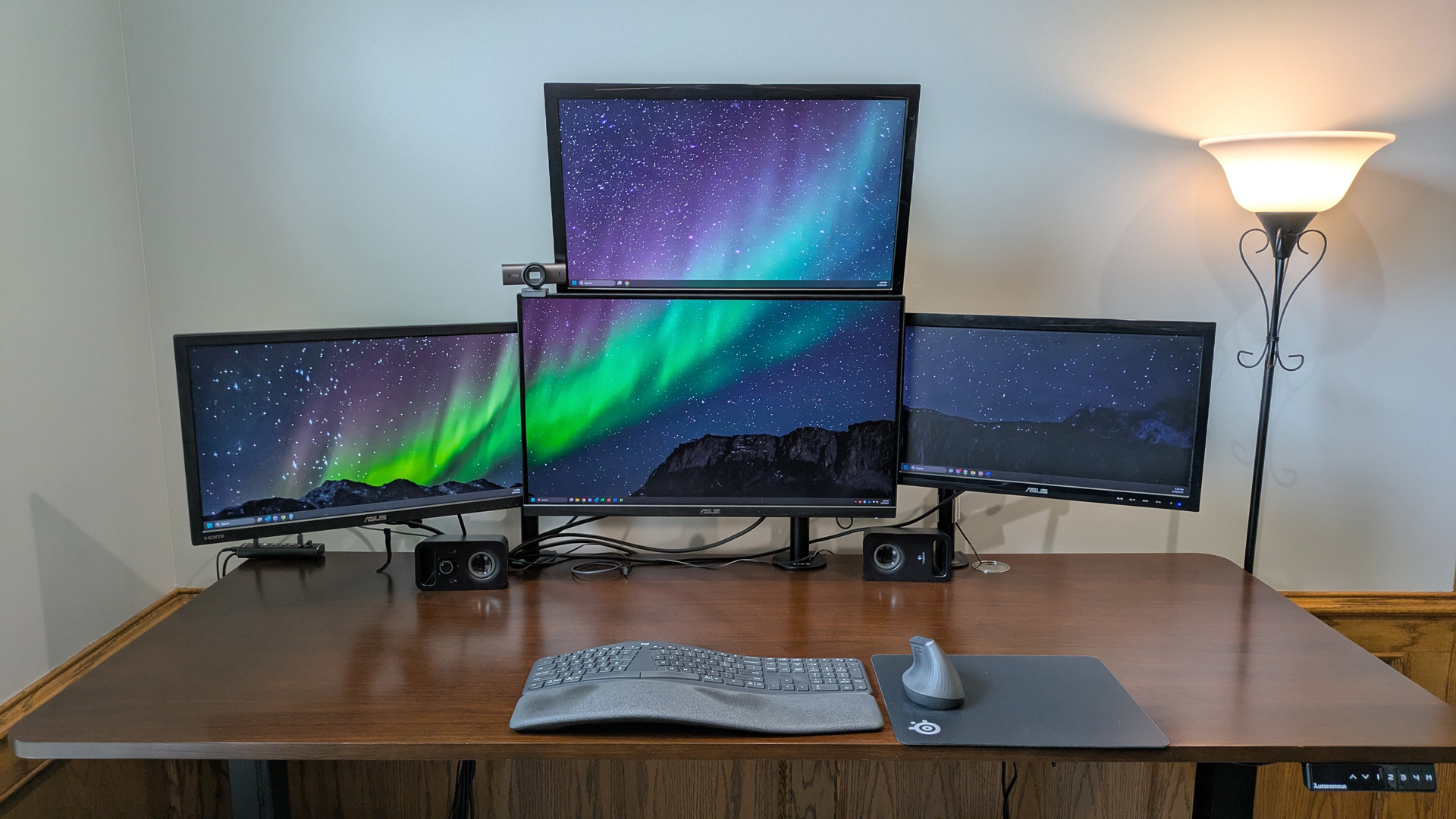
How to choose best monitors for dual setup
The right pair depends on the desk first, then on the kind of work each screen will handle.
Screen size and desk depth
Two 27-inch monitors provide substantially more room for documents and side-by-side applications, but they occupy a wide area and can feel overwhelming on a shallow desk. The Kado 24-inch pairs are easier to place, while the 22-inch option is the least demanding physically. Measure the usable width of the desk, including space for stands, before choosing larger screens.
Resolution and text density
Every product here uses 1920 x 1080 resolution, but that resolution appears denser on a 22-inch or 24-inch display than on a 27-inch screen. Smaller panels are usually the more comfortable choice for readers who sit close and work with small text. A 27-inch full HD screen is better suited to a viewer who wants larger interface elements and has enough distance to sit back.
Two screens only improve a workstation when each one can show useful information without forcing constant resizing.
Panel type and viewing angles
IPS technology, used by ViewSonic and HP, is the clearest choice when consistent color and brightness matter across a wide viewing angle. The Kado listings do not specify panel technology, so their main distinction is screen shape, size, and included features. If one monitor will sit at an angle or several people will view the desk, IPS offers a more clearly defined advantage.
Curved versus flat panels
A 1500R curve can make two screens feel more cohesive when they are close together and angled toward the viewer. It is less useful when the panels sit far apart or when straight lines and precise layouts are central to the work. Flat screens are easier to align and tend to suit spreadsheets, documents, code, and mixed office tasks.
Refresh rate and motion
The Kado models list 75Hz, which gives everyday scrolling and window movement a small improvement over 60Hz. ViewSonic lists 120Hz, making it the strongest option for smoother motion and casual gaming. HP does not specify a refresh rate, so it should be chosen for its IPS panel, speakers, and connectivity rather than for motion performance.
Stands, inputs, and speakers
ViewSonic's dual pack comes without monitor stands, while HP does not support VESA mounting. Those details can determine whether a pair works with your desk or arm system. HDMI, DisplayPort, and VGA on ViewSonic cover the widest range of sources, while built-in speakers on several Kado models and HP reduce the number of separate devices on the desktop.
Frequently asked questions
Is 1920 x 1080 enough for a dual-monitor setup?
Yes, 1920 x 1080 works well for documents, browsers, video, messaging, and general office applications. It looks denser on 22-inch and 24-inch panels than on 27-inch screens. Users who work with very small text or large creative canvases may prefer a higher resolution category.
Are curved monitors useful when using two screens?
They can be useful when both panels are close together and angled toward the viewer. The 1500R Kado models create a more enveloping viewing arc, but curved screens are not automatically better for spreadsheets or precise layouts. Flat panels are easier to align and may suit technical work more naturally.
Which product has the highest listed refresh rate?
ViewSonic VA2456A-MHD lists a 120Hz refresh rate, higher than the 75Hz listed for the Kado models. HP does not specify its refresh rate in the supplied product information. The higher refresh rate mainly affects motion smoothness, not resolution or color.
Do these products include monitor stands?
ViewSonic VA2456A-MHD is specifically sold as a head-only dual pack without monitor stands. The supplied information for the other products does not clearly describe their stand configuration, so check the listing details before planning a mounting arrangement. HP also does not support VESA mounting.
Which pair is best for a small desk?
Kado 22 Flat Dual Pack has the smallest listed screen dimensions among the two-monitor options. Kado 24 Curved Dual Pack and Kado 24 Curved Monitor Pair are the better choices if you can accommodate a little more width and want a more comfortable middle ground. Measure the full setup area rather than the screen diagonal alone.
Are built-in monitor speakers good enough for everyday use?
They are convenient for alerts, calls, and casual video, and several Kado models include them. HP includes dual 2W speakers as well. For music, films, or fuller gaming audio, separate desktop speakers or headphones will usually be more satisfying.
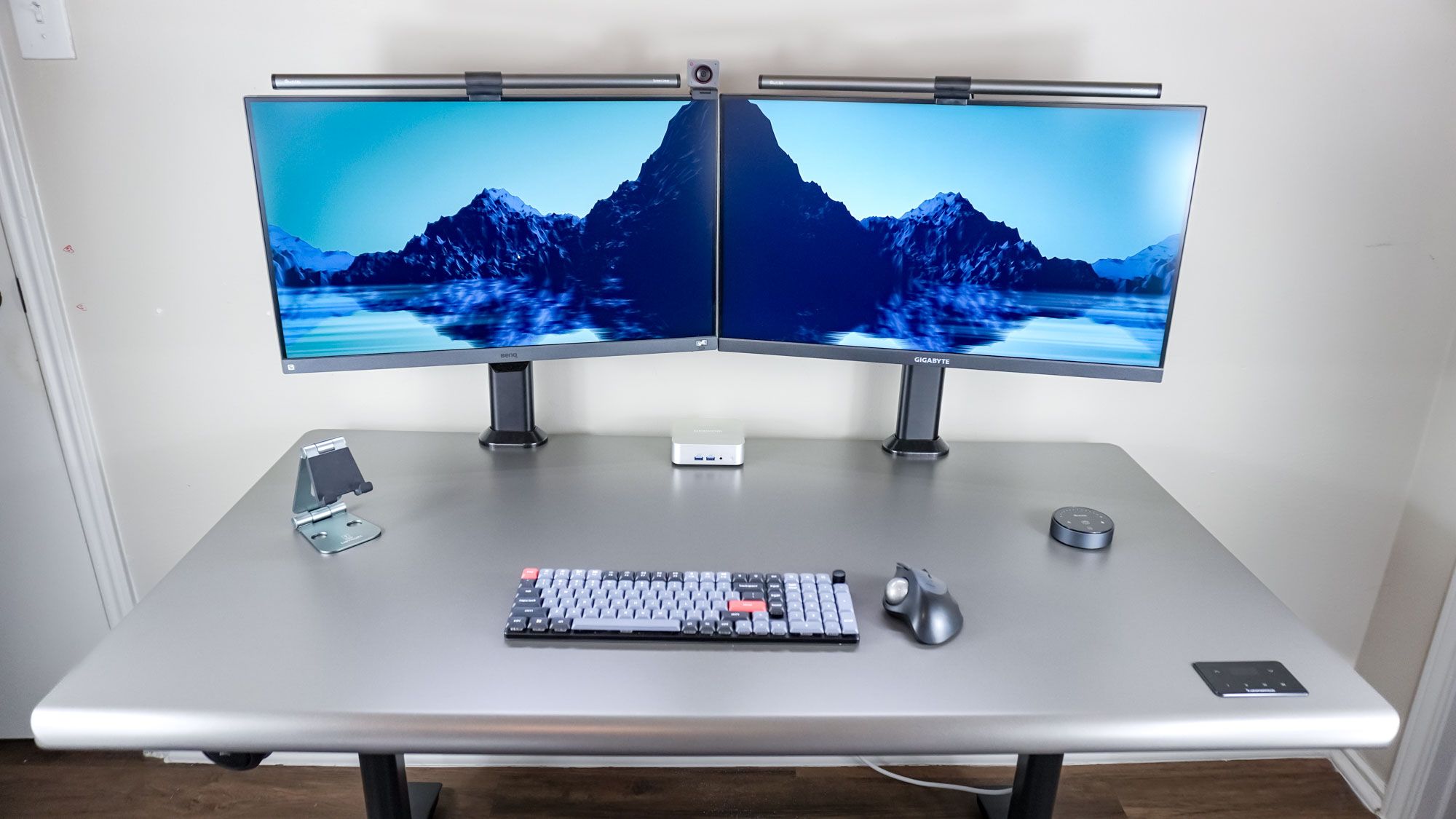
The bottom line
For most readers, Kado 27 Curved Dual Pack is the strongest starting point among the Best monitors for dual setup. Its two 27-inch 1500R displays give multitasking plenty of room, while 75Hz, 98% sRGB coverage, gaming modes, and built-in speakers cover everyday work and entertainment. Its weakness is the 1080p resolution at that size, so choose a smaller panel if text sharpness at close range is your priority.
ViewSonic VA2456A-MHD is the better specialist pick for users who want IPS viewing consistency, 120Hz motion, and HDMI, DisplayPort, and VGA inputs. Choose Kado 22 Flat Dual Pack for a tight desk, or Kado 27 Triple Pack when two screens no longer provide enough workspace.
If you are undecided, measure your desk first, then choose the largest screen that still lets you sit comfortably back.
As an Amazon Associate we earn from qualifying purchases.