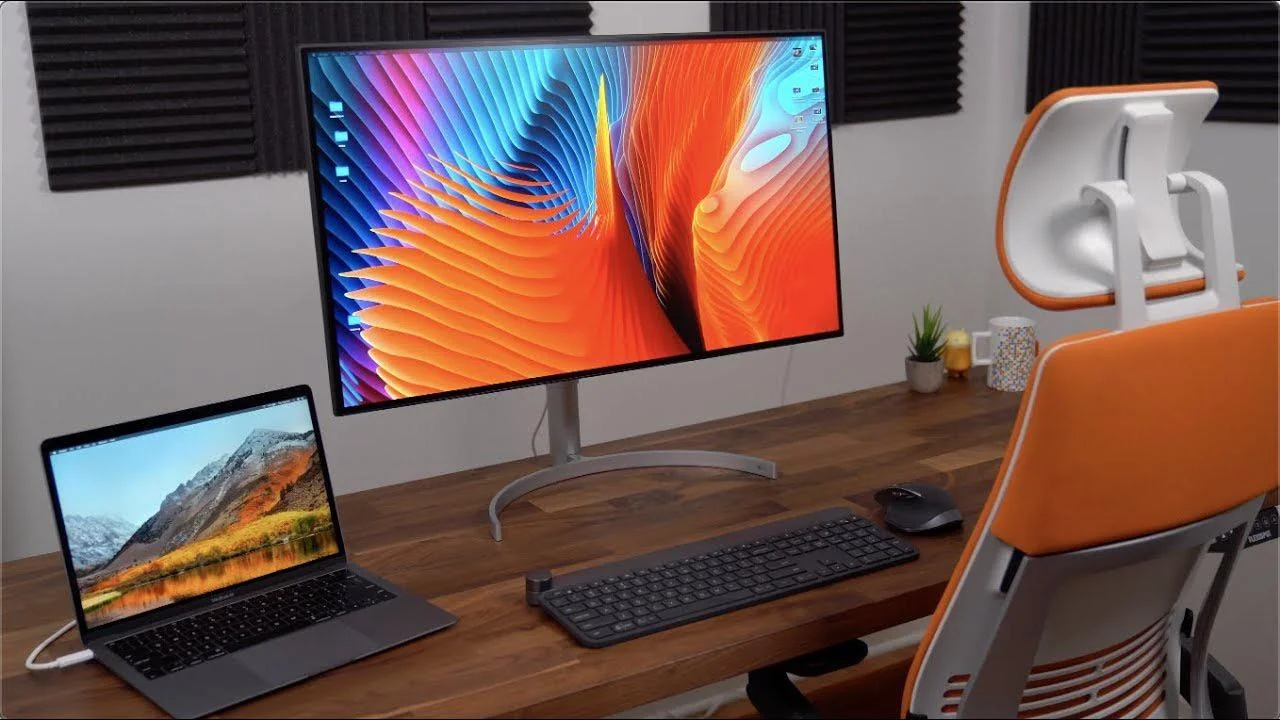

A MacBook Air is excellent at being portable, but its built-in display leaves you working inside a relatively small window. The right external screen adds room for documents, timelines, browser tabs, and creative apps without turning your desk into a cable pile. The best monitors for MacBook Air also need to match the laptop's sharp image quality and make connection simple.
We ranked these nine displays by resolution, panel features, refresh rate, USB-C support, adjustability, and how naturally each one fits into a MacBook setup. The BenQ MA270UP is our top pick, while the rest cover larger workspaces, simpler connections, wide-screen multitasking, and straightforward everyday use.
Comparison table
| # | Product | Award | Resolution | Connection or size | Best for |
|---|---|---|---|---|---|
| 1 | BenQ MA270UP | Best overall | 3840 x 2160 | Dual USB-C, 90W | Mac-focused desks |
| 2 | Dell S2725QC | Best 4K USB-C display | 4K UHD | USB-C, up to 65W, 120Hz | Work and entertainment |
| 3 | BenQ MA320U | Best large Mac display | 3840 x 2160 | Dual USB-C, 90W, 32-inch | A spacious single screen |
| 4 | Dell S2725QS | Best simple 4K display | 4K UHD | 120Hz, 99% sRGB | Sharp everyday work |
| 5 | Samsung S50GC | Best ultrawide | Ultra-WQHD | 34-inch, 21:9, 100Hz | Side-by-side windows |
| 6 | Dell S2722DC | Best adjustable stand | 2560 x 1440 | USB-C, 65W, 75Hz | Flexible desk setups |
| 7 | LG 27US500 | Best 4K color range | 3840 x 2160 | HDMI, DisplayPort, HDR10 | Image detail |
| 8 | Philips 241V8LB | Best compact display | 1920 x 1080 | 23.8-inch, 100Hz | Small desks |
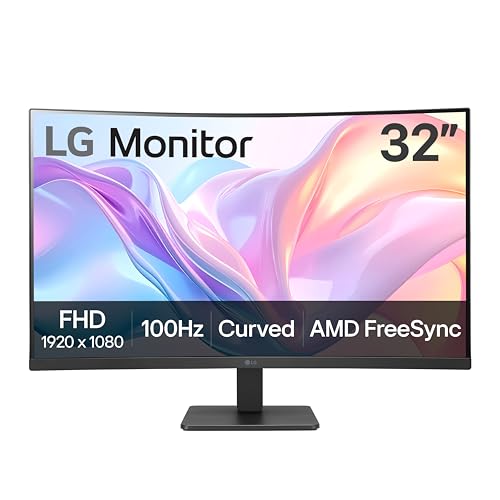
| 9 | LG 32MR50C-B | Best curved screen | 1920 x 1080 | 32-inch, 100Hz | Casual viewing |
1. BenQ MA270UP: Best Overall

Pros
- Mac color tuning with a P3 wide color gamut
- Dual USB-C ports with 90W laptop charging
- Mac keyboard controls for brightness and volume
- Height, tilt, swivel, and pivot adjustment
Cons
- The 27-inch screen may feel limiting beside the 32-inch BenQ
- Its Mac-specific features matter less for non-Apple computers
- No refresh-rate figure is provided in the product information
Best for: MacBook Air owners who want the cleanest single-cable desktop setup.
The BenQ MA270UP is the monitor we would keep beside a MacBook Air. Its appeal is not just the 27-inch 4K panel. BenQ has built the monitor around the way Mac users actually work, with Mac color matching, brightness and volume control from the MacBook keyboard, and USB-C connectivity that reduces the need for a separate dock.
The display runs at 3840 x 2160, giving text, menus, and detailed images the crispness that makes a 4K external screen feel like a proper companion to the MacBook Air. The P3 wide color gamut is useful for photo work, design, and video where a broader color range matters. It is a more purposeful fit for Apple users than the otherwise excellent Dell S2725QS, which offers sharp 4K imagery but does not list the same Mac-focused control system.
The port selection is unusually practical. There are two HDMI ports and two USB-C ports, with the USB-C connections providing 90W to a MacBook and 15W for an iPad or iPhone. A single cable can therefore carry the laptop connection and power, while the second USB-C port can help charge another device. That arrangement makes the MA270UP feel more like a desktop hub than a screen that merely accepts an image.
Its stand also belongs in the conversation. Height, tilt, swivel, and pivot adjustment make it easier to position the panel for a long work session or rotate it for documents and coding. The weakness is that BenQ does not provide a refresh-rate figure in the supplied product details, so shoppers focused on fast gaming should look at the Dell S2725QC instead. For a MacBook Air owner who prioritizes color, clean connections, and ergonomic control, the MA270UP is the most complete fit.
2. Dell S2725QC: Best 4K USB-C Display

Pros
- 4K IPS image with 99% sRGB coverage
- 120Hz refresh rate with AMD FreeSync Premium
- USB-C carries video, data, and up to 65W of power
- Built-in sound is improved over the previous generation
Cons
- Less Mac-specific control than the BenQ MA270UP
- The stand adjustment details are not specified in the product information
- 65W power delivery is below the BenQ's 90W figure
Best for: anyone who wants a sharp 27-inch screen that can also handle smooth video and casual gaming.
The Dell S2725QC is the strongest all-round alternative to the BenQ MA270UP. It gives a MacBook Air a 27-inch 4K workspace, then adds a 120Hz refresh rate that makes scrolling, video playback, and compatible games look more fluid than on conventional office displays. It is a more versatile choice when the monitor has to serve both work and leisure.
The IPS panel combines 4K resolution with 99% sRGB coverage, a 1500:1 contrast ratio, and HDR readiness. Those details point to a screen that should keep text sharp while showing balanced everyday color. The 4ms response time listed in the product title also suits general motion better than the slower-feeling office displays in this group, although the BenQ models remain more tailored to Mac color workflows.
USB-C is the main reason to choose this Dell over the closely related S2725QS. The S2725QC can send video, audio, data, and up to 65W of power through one cable, helping keep the MacBook Air charged while reducing desk clutter. That is enough to make a tidy workstation, though the BenQ MA270UP goes further with 90W charging and two USB-C ports.
Dell also includes ComfortView Plus, which reduces harmful blue light emissions to no more than 35% without sacrificing its stated color accuracy. The product information mentions improved built-in sound as well, a useful convenience for calls and video when external speakers are not nearby. Its shortcoming is straightforward: the BenQ offers deeper Mac integration, while the Dell is the better pick for a mixed work and entertainment setup. Choose the S2725QC when fluid motion matters nearly as much as 4K detail.
3. BenQ MA320U: Best Large Mac Display

Pros
- Large 32-inch 4K workspace
- Mac color matching with P3 wide color gamut
- Dual USB-C ports with 90W power delivery
- Full height, tilt, swivel, and pivot adjustment
Cons
- Takes more desk space than every 27-inch option
- No refresh-rate figure is supplied
- Larger size is not ideal for a shallow desk
Best for: MacBook Air owners who want one large, detailed screen instead of two smaller displays.
The BenQ MA320U takes the MA270UP's Mac-first formula and stretches it across a 32-inch panel. That extra surface area is immediately useful for spreadsheets, editing timelines, browser windows, and large canvas work. It is the single-screen choice for someone who wants the MacBook Air open for reference while the main display carries the work.
Its 3840 x 2160 resolution keeps the image detailed at this size. The panel has enough pixels for clear text and dense layouts, while BenQ's Mac color tuning and P3 wide color gamut make it more relevant to visual work than a generic large office display. The MA270UP is easier to place, but the MA320U gives each application more breathing room without requiring an ultrawide aspect ratio.
Connection is just as strong as on the smaller BenQ. Two USB-C ports can provide 90W to the MacBook and 15W to an iPad or iPhone, while two HDMI ports cover other sources. Brightness and volume can be controlled from the MacBook keyboard, and the single-cable connection helps the desk feel organized rather than built around adapters.
The fully adjustable stand supports height, tilt, swivel, and pivot, which is particularly important for a panel this large. The obvious limitation is physical: at 28 inches across according to the supplied dimensions, it needs a substantial desk and a sensible viewing distance. BenQ also does not provide a refresh-rate figure here, so the Dell S2725QC is a better fit for fast games. For design work, multitasking, and anyone who dislikes switching between windows, the MA320U is the more comfortable large-screen option.
4. Dell S2725QS: Best Simple 4K Display

Pros
- 4K IPS resolution with 99% sRGB
- 120Hz refresh rate and AMD FreeSync Premium
- ComfortView Plus for extended viewing
- Improved built-in sound
Cons
- Does not list USB-C laptop charging
- Less convenient for a one-cable MacBook desk
- Stand adjustment details are not provided
Best for: people who already have the required adapter or dock and want a clean 4K image.
The Dell S2725QS is the more straightforward sibling to the S2725QC. It retains the features that make the QC appealing for image quality and motion, including a 4K IPS panel, 99% sRGB coverage, and a 120Hz refresh rate. The difference is connectivity: the supplied information does not list USB-C power delivery, so it is not as naturally suited to a cable-light MacBook Air setup.
That image specification is still strong. A 3840 x 2160 panel gives the MacBook Air plenty of desktop room while keeping small type and detailed images crisp. The 1500:1 contrast ratio and HDR readiness should add depth to compatible content, and AMD FreeSync Premium helps reduce tearing when the source supports it. Compared with the Dell S2722DC, this is the sharper choice for detailed work and the smoother one for motion.
Dell includes ComfortView Plus, which reduces harmful blue light emissions to no more than 35% while preserving stated color accuracy. The monitor also has re-engineered sound with greater output power and deeper frequency response than the previous generation. Those extras make it a sensible work-from-home display when a separate audio setup is not part of the plan.
The trade-off is the missing convenience of the S2725QC's USB-C connection. A MacBook Air can still work with the right cable, adapter, or dock, but the desk will not be as simple. If you need direct charging and video over USB-C, choose the S2725QC or one of the BenQ displays. If you already have connectivity handled and want a sharp, fast 27-inch screen, the S2725QS makes more sense.
5. Samsung S50GC: Best Ultrawide

Pros
- 34-inch Ultra-WQHD workspace
- 21:9 aspect ratio suits side-by-side windows
- 100Hz refresh rate with AMD FreeSync
- PIP and PBP support two sources
Cons
- No USB-C connection is listed
- Wider desk footprint than standard 27-inch displays
- Lower vertical resolution than the 4K picks
Best for: multitaskers who prefer one wide canvas over a conventional 16:9 screen.
The Samsung S50GC changes the shape of the MacBook Air workspace rather than simply making it larger. Its 34-inch Ultra-WQHD panel uses a 21:9 aspect ratio, giving two or three windows room to sit side by side without the heavy bezel break of a dual-monitor arrangement. It is a natural fit for research, writing, project management, and video timelines.
The panel runs at 3440 x 1440, according to the Ultra-WQHD specification, so it offers more horizontal room than the 4K Dell and BenQ models but fewer vertical pixels. Text remains suitably spacious for ordinary office work, while the extra width reduces the need to constantly switch between apps. If you are planning two separate screens, how much room a dual display layout needs is worth considering before choosing this wide alternative.
Samsung lists a 3000:1 static contrast ratio and 300 cd/m² typical brightness. HDR10 supports more than 1 billion colors, while the VA panel's contrast specification should help dark scenes look deeper than they do on many IPS office displays. The 100Hz refresh rate also keeps pointer movement, scrolling, and supported video noticeably smoother than a basic 60Hz panel.
This monitor is better equipped for multiple sources than its USB-C-free design might suggest. It has two HDMI inputs and one DisplayPort input, with PBP for viewing two sources at native resolution and PIP for keeping a second source visible in a smaller window. An ambient light sensor can adjust brightness, and Eye Saver Mode plus Flicker Free features address long sessions. The weakness is the connection path: a MacBook Air may need an adapter or dock, and the 21:9 layout is not as vertically generous as a 4K 27-inch display. Choose it for horizontal workflow, not maximum pixel density.
6. Dell S2722DC: Best Adjustable Stand

Pros
- USB-C carries video, data, audio, and 65W power
- Height, pivot, swivel, and tilt adjustment
- 2560 x 1440 resolution
- Built-in speaker and front USB-A access
Cons
- 75Hz is slower than the newer Dell displays
- WQHD is less detailed than 4K
- Older design than several picks here
Best for: a home office that needs one-cable charging and a genuinely flexible stand.
The Dell S2722DC remains a practical MacBook Air partner because it gets the desk basics right. Its 27-inch panel is large enough for a comfortable desktop, and the stand can be adjusted for height, pivot, swivel, and tilt. That range is more useful than a stylish fixed stand when the screen has to serve different people or switch between landscape and portrait work.
The WQHD resolution is 2560 x 1440. It is a clear step above Full HD, giving documents and applications more room, although it does not match the fine detail of the 4K models. The 75Hz refresh rate is adequate for office work and casual entertainment, but the Dell S2725QC and Dell S2725QS are visibly more capable for smooth scrolling and games at 120Hz.
USB-C is the standout feature. One cable can transmit power, video, audio, and data while providing up to 65W of power delivery. There is also a USB 3.2 Gen 1 Type-A port in an accessible position for storage devices, phones, or other peripherals. Built-in speakers reduce the number of accessories on a compact desk, though users who care about music or detailed video sound will still want dedicated speakers.
The S2722DC is easier to recommend when adjustability matters more than maximum resolution. It also makes a good choice for a MacBook Air owner who already has a separate screen for color-critical work but wants a comfortable everyday display. The main limitation is age and speed: newer Dell models bring 4K resolution and 120Hz, while the BenQ MA270UP adds Mac keyboard controls and higher power delivery. Pick this one for its stand and simple USB-C workstation design.
7. LG 27US500: Best 4K Color Range

Pros
- 4K IPS display with HDR10
- Up to 90% DCI-P3 color gamut
- HDMI and DisplayPort inputs
- OnScreen Control supports split-screen layouts
Cons
- No USB-C connection is listed
- Stand adjustment is limited to tilt
- No refresh-rate figure is supplied
Best for: image-focused work where 4K detail and broad color coverage matter more than laptop charging.
The LG 27US500 is a sensible pick when the display itself is the priority. Its 27-inch 4K IPS panel gives the MacBook Air a detailed canvas for photos, illustrations, documents, and video. The wide viewing angles help keep the image consistent when you are not sitting directly in front of the panel, which matters on a desk where the display is shared or frequently viewed from the side.
LG lists a 1000:1 contrast ratio and HDR10 support, along with up to 90% DCI-P3 color gamut expression. That wider gamut is more relevant to creative work than a basic sRGB office screen, though it does not carry the Mac-specific color tuning found on the BenQ MA270UP. The 4K resolution is the bigger everyday advantage, making small interface elements and detailed images appear clean.
OnScreen Control lets you split the workspace and adjust basic monitor settings with a few mouse clicks. That can make a 27-inch display feel more organized when several apps need to remain visible. The inputs are HDMI and DisplayPort, so a MacBook Air connection will depend on the appropriate cable or adapter. For advice on the connection side, choosing the right cable for a MacBook display setup can prevent an otherwise avoidable compatibility problem.
The ergonomic stand supports tilt, but the supplied information does not list height, swivel, or pivot adjustment. That makes placement more dependent on desk height than with the Dell S2722DC or either BenQ. LG also does not provide a refresh-rate figure in the product details, so it is not the first choice for fast motion. It is a focused 4K screen for people who want detailed imagery and broad color coverage without needing integrated laptop charging.
8. Philips 241V8LB: Best Compact Display

Pros
- Compact 23.8-inch footprint
- 100Hz refresh rate
- VA panel with deeper blacks and brighter whites
- EasyRead mode and wide viewing angles
Cons
- Full HD resolution is less detailed than every 4K pick
- No USB-C connection is listed
- The stand features are not specified
Best for: small desks and straightforward second-screen duties.
The Philips 241V8LB is the compact, uncomplicated option in this roundup. Its 23.8-inch footprint takes up less desk space than the 27-inch and 34-inch screens, making it easier to place beside a MacBook Air or use as a second display. The three-sided virtually bezel-free design also helps a multi-screen arrangement look less visually busy.
This is a Full HD monitor at 1920 x 1080, so it cannot match the fine text and image detail of the Dell S2725QC, Dell S2725QS, LG 27US500, or BenQ models. It can still be perfectly usable for email, documents, browser tabs, and video, particularly when the MacBook Air remains the primary screen. The 100Hz refresh rate is a welcome feature for smoother scrolling and casual video.
Philips uses a VA panel that is described as producing brighter whites and deeper blacks, with 16.7 million colors. The 178-degree horizontal and vertical viewing angles should help preserve the picture when viewed off-center. EasyRead mode is designed to make lengthy documents feel more paper-like, which is a useful touch for reading-heavy work rather than a decorative menu option.
The main omission is connectivity. The supplied information does not list USB-C, so this is not a single-cable charging station like the Dell S2722DC or BenQ MA270UP. It is better understood as a simple external display for a compact workspace. Choose it when physical size and uncomplicated Full HD work matter most, and skip it if you expect a large jump in sharpness from the MacBook Air's own screen.
9. LG 32MR50C-B: Best Curved Screen
Pros
- Large 32-inch curved viewing area
- 100Hz refresh rate
- AMD FreeSync for compatible sources
- Reader Mode, OnScreen Control, and Black Stabilizer
Cons
- Full HD resolution is low for this screen size
- Only HDMI connectivity is listed
- Stand adjustment is limited to tilt
Best for: casual viewing, streaming, and games on a large curved panel.
The LG 32MR50C-B gives the MacBook Air a noticeably larger view than the Philips, but it takes a different route from the 4K monitors. The 32-inch curved screen is designed to draw the edges into the viewer's field of view, which can make movies, games, and broad browser layouts feel more immersive. It is a relaxed entertainment display rather than a precision-first work monitor.
Its 1920 x 1080 Full HD resolution is the important compromise. Spread across 32 inches, those pixels are less dense than on the 27-inch 4K models and less suitable for crisp small text. The VA panel is described as providing vivid color and clarity, while the 100Hz refresh rate keeps streaming and casual play smoother than a basic 60Hz display.
LG adds AMD FreeSync, Dynamic Action Sync, and Black Stabilizer. FreeSync can reduce tearing with compatible systems, Dynamic Action Sync is intended to make action feel more immediate, and Black Stabilizer brightens dark scenes so details are easier to see. Reader Mode reduces blue light for longer reading sessions, while OnScreen Control can split the workspace or adjust basic settings from the computer.
The stand supports tilt, but the supplied product information does not list height, swivel, or pivot adjustment. Only HDMI is identified, so MacBook Air owners should plan on an adapter or dock rather than expecting direct USB-C charging. The Samsung S50GC is a better choice for side-by-side productivity, and the Dell S2725QC is much sharper for text. The LG 32MR50C-B makes sense when the priority is a large, curved screen for viewing and casual gaming.
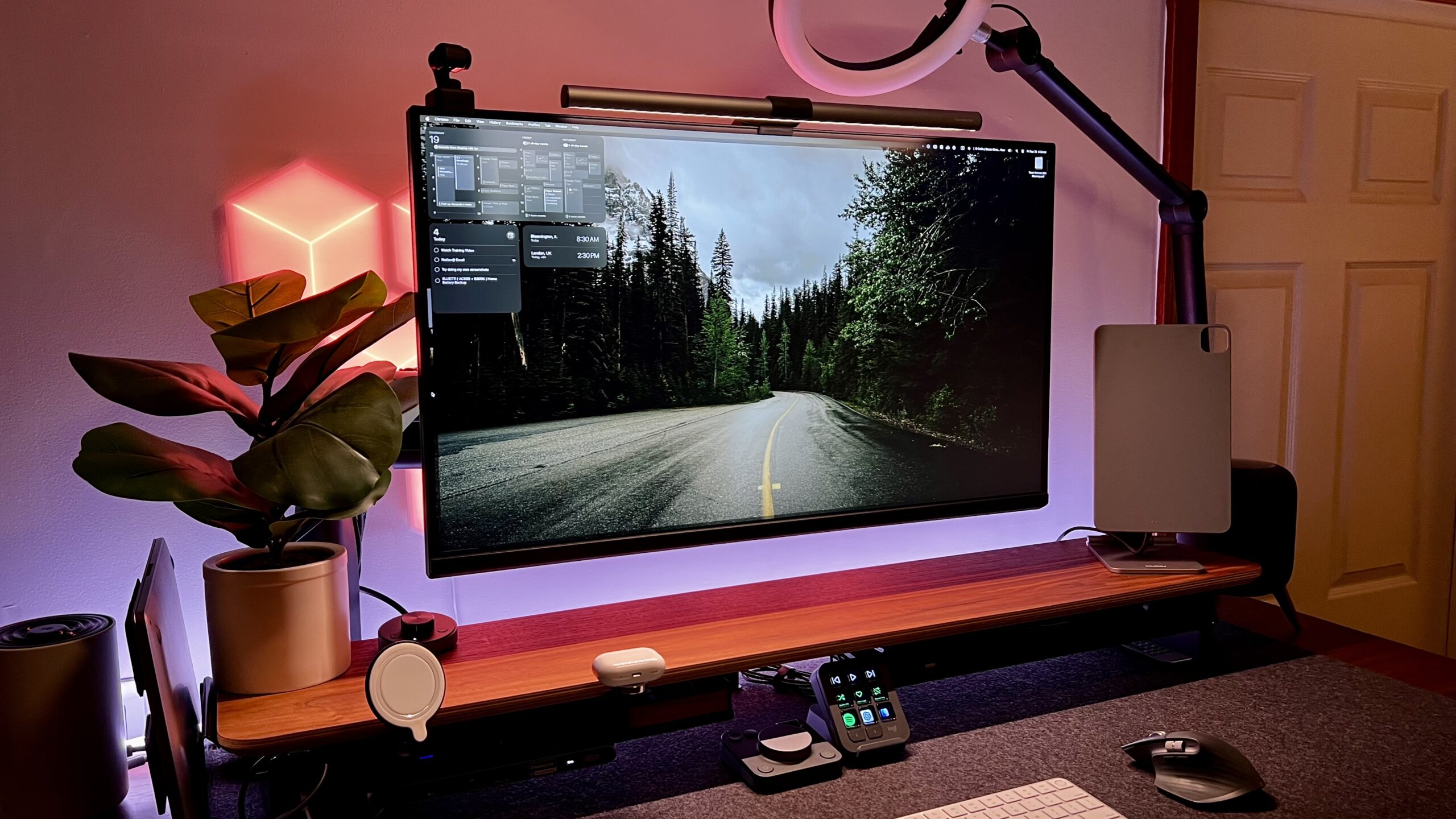
How to choose best monitors for macbook air
The right monitor depends on how much detail, desk space, connectivity, and physical adjustment your MacBook Air setup needs.
Resolution and pixel density
Resolution determines how much workspace the monitor provides and how clean small text appears. A 4K panel at 3840 x 2160 gives the sharpest image in this group, while 2560 x 1440 offers a useful middle ground and 1920 x 1080 is better reserved for simple tasks or a secondary screen.
A 4K 27-inch display is usually the safest balance for documents, design, and general Mac use. Full HD can look less crisp when spread across 32 inches, as it does on the LG 32MR50C-B.
For a MacBook Air, a sharp 27-inch 4K screen is usually more useful than a large panel with only Full HD detail.
USB-C power delivery
USB-C can carry video, audio, data, and power through one connection. The Dell S2725QC and Dell S2722DC provide up to 65W, while the BenQ MA270UP and MA320U provide 90W through their dual USB-C connections.
A monitor that powers the laptop reduces cable clutter and avoids a separate charging cable on the desk. Check the power figure against your MacBook Air configuration, and remember that HDMI and DisplayPort models may need an adapter or dock.
Panel type and color
IPS panels are known for wide viewing angles and consistent color, which is useful for design and collaborative work. VA panels, including those used by the Philips and LG curved display, emphasize contrast and deeper blacks.
Color coverage also matters. The BenQ models list a P3 wide color gamut, the Dell 4K displays list 99% sRGB, and the LG 27US500 lists up to 90% DCI-P3. Those figures describe different color spaces, so they should not be treated as direct equivalents.
Screen shape and workspace
A standard 16:9 monitor is easy to place and works well for most software. The Samsung S50GC uses a 21:9 aspect ratio, giving more horizontal room for side-by-side windows. A 32-inch display offers a large single canvas, but it needs more viewing distance and desk depth.
If the monitor will sit beside the laptop, measure the usable width first. A smaller 23.8-inch display may work better in a tight space than a larger screen that forces the keyboard too close to the edge.
Stand adjustment
Height, tilt, swivel, and pivot adjustment make it easier to place the screen at a comfortable eye level. The BenQ displays and Dell S2722DC offer the broadest adjustment ranges in this selection.
A tilt-only stand can still work if the desk height is already right, but it leaves fewer options for correcting glare or sharing the screen. For long work sessions, stand flexibility is a practical feature rather than a luxury.
Frequently asked questions
Can a MacBook Air connect to any of these monitors?
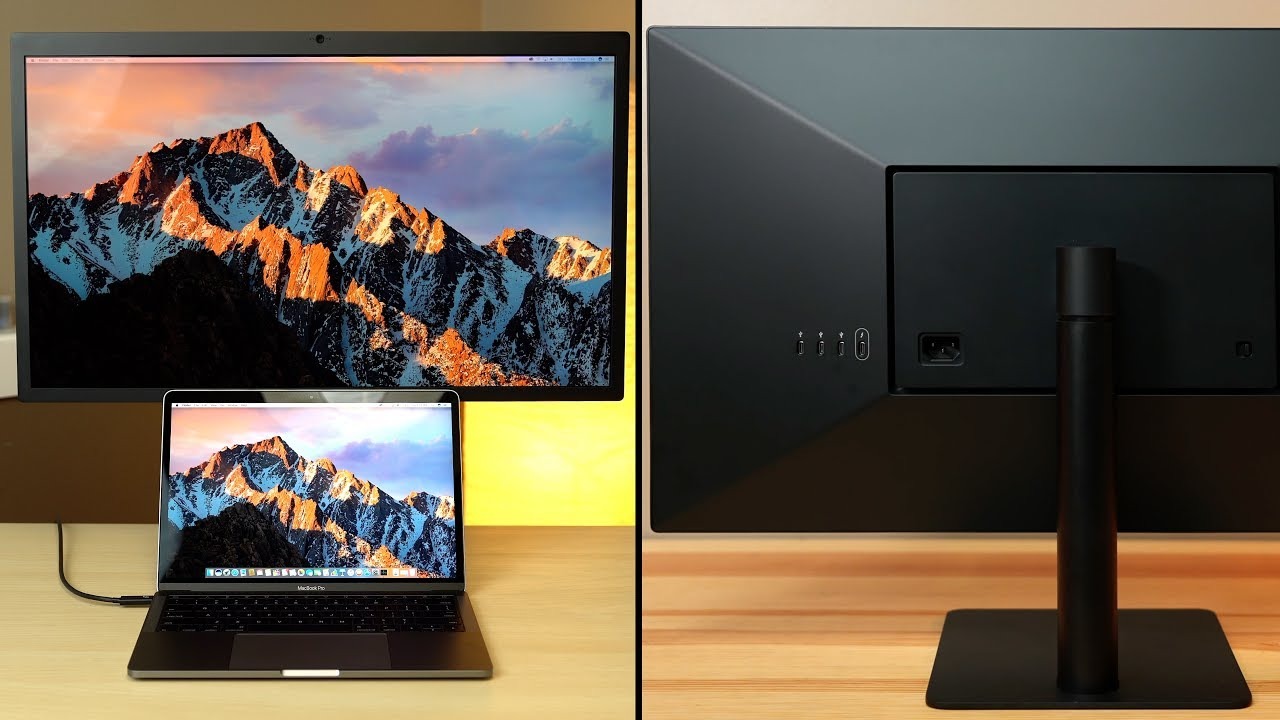
A MacBook Air can connect to monitors through USB-C, HDMI, or DisplayPort with the appropriate cable or adapter. The BenQ MA270UP, BenQ MA320U, Dell S2725QC, and Dell S2722DC are the most convenient because their product information lists USB-C connectivity. Displays with HDMI or DisplayPort may require an adapter or dock.
Which monitor is sharpest for MacBook Air text?
The 4K models provide the highest resolution in this roundup. The BenQ MA270UP, BenQ MA320U, Dell S2725QC, Dell S2725QS, and LG 27US500 all list 3840 x 2160 resolution, which gives text and detailed images more definition than the Full HD Philips and LG 32MR50C-B.
Is USB-C charging important for a MacBook Air monitor?
It is useful if you want one cable to carry the image and charge the laptop. The BenQ displays list 90W power delivery, while the Dell S2725QC and Dell S2722DC list up to 65W. A monitor without USB-C can still work, but it may require separate charging and display connections.
Is an ultrawide monitor good for MacBook Air multitasking?
An ultrawide can be excellent for side-by-side windows, especially if you prefer one continuous workspace. The Samsung S50GC has a 21:9 aspect ratio and supports PBP and PIP for viewing two sources. Its 3440 x 1440 resolution provides more horizontal room, though a 4K display offers more vertical pixels.
Do these monitors support gaming?
Several do. The Dell S2725QC and Dell S2725QS offer 120Hz refresh rates with AMD FreeSync Premium, while the Samsung S50GC, Philips 241V8LB, and LG 32MR50C-B list 100Hz refresh rates. The Dell S2722DC lists 75Hz and AMD FreeSync, and the BenQ MA270UP and MA320U do not include a refresh-rate figure in the supplied information.
Should I choose IPS or VA for a MacBook Air?
IPS is generally the safer choice for consistent viewing angles and color-sensitive work. VA panels can produce stronger contrast and deeper blacks, which can suit films and darker scenes. The best choice depends on whether your priority is design and text consistency or contrast and casual viewing.
The bottom line
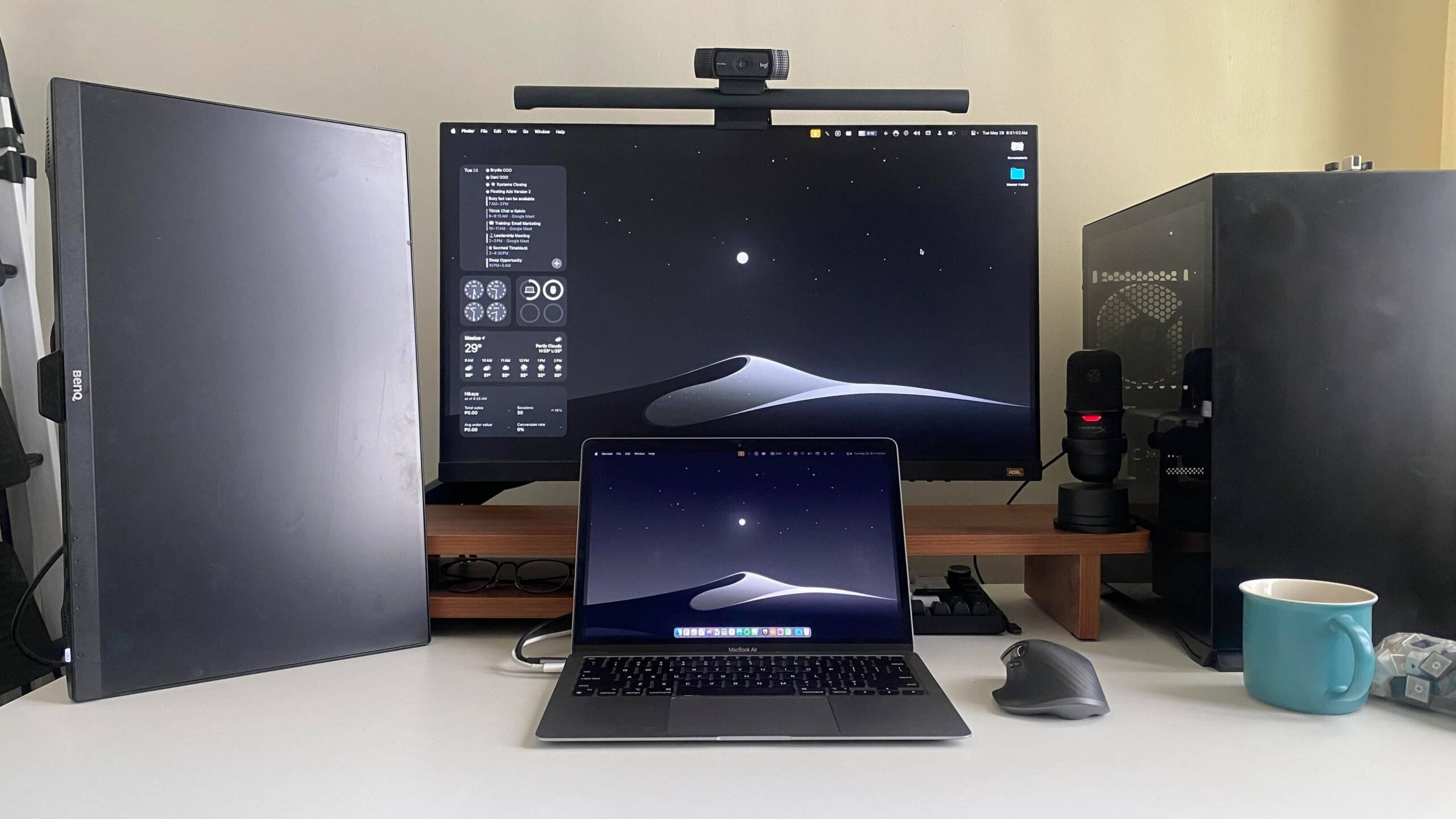
The Best monitors for MacBook Air start with the BenQ MA270UP if you want a display built around MacBook use. Its 4K resolution, P3 color gamut, Mac keyboard controls, dual USB-C ports, and 90W power delivery make it the most complete desktop companion. The Dell S2725QC is the better alternative when 120Hz motion, 99% sRGB coverage, and a versatile work and entertainment setup matter more than Mac-specific controls.
Choose the BenQ MA320U for a larger single-screen workspace, the Samsung S50GC for wide multitasking, or the Dell S2722DC when stand adjustment and USB-C convenience matter most. The Philips and LG Full HD options remain sensible for smaller or more casual setups, but they do not match the 4K models for text sharpness.
If you are undecided, choose the BenQ MA270UP for the cleanest MacBook Air connection and the Dell S2725QC for the strongest mix of detail and smooth motion.
As an Amazon Associate we earn from qualifying purchases.