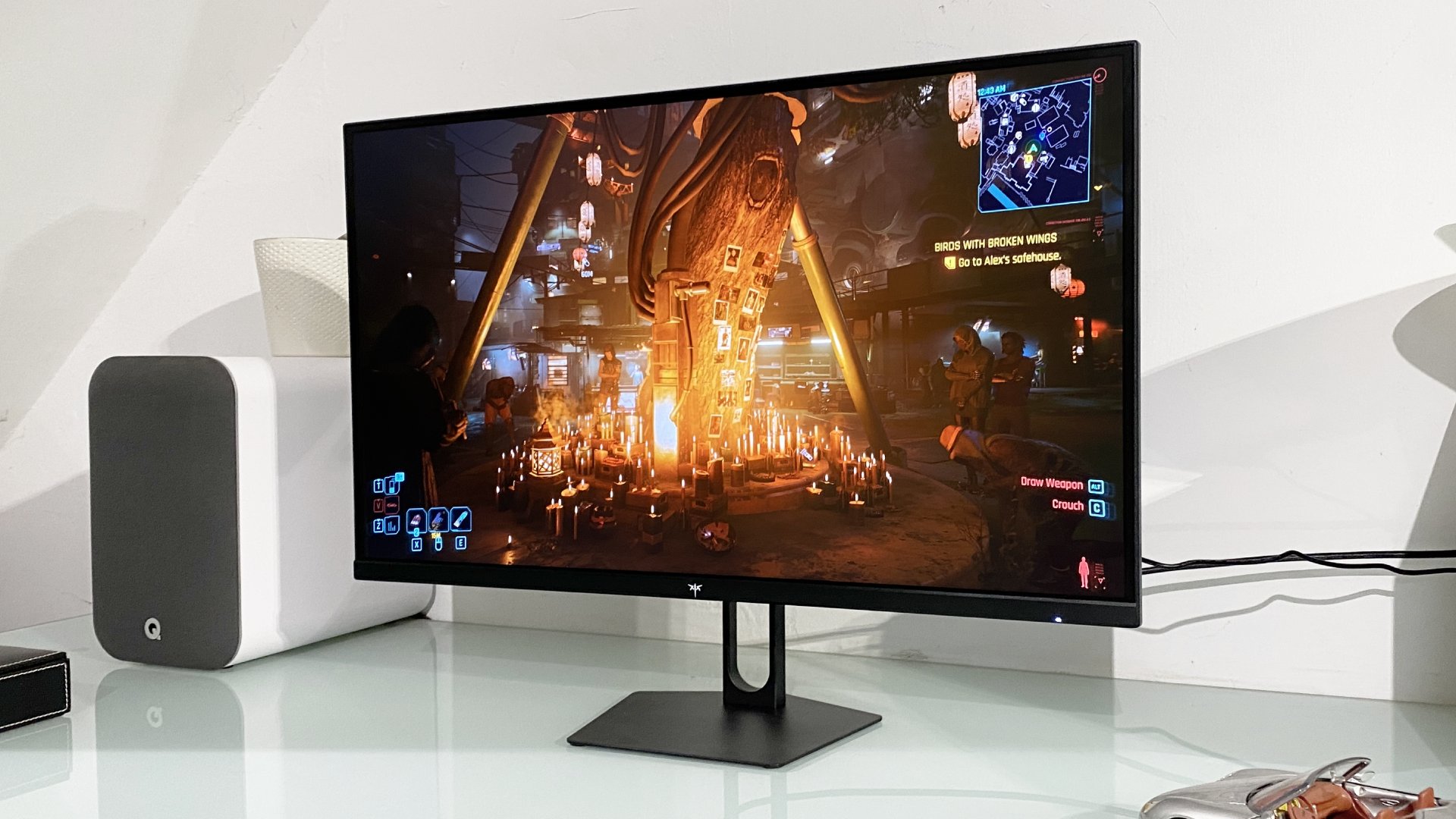

A 1440p gaming monitor has to balance more than a sharp picture. The wrong panel can make dark scenes look gray, a weak stand can ruin an otherwise good screen, and an inflated refresh-rate claim may matter less than dependable variable refresh support. Our Best value 1440p gaming monitor picks focus on the details that affect real PC and console use.
The Samsung Odyssey G5 G51F is our top pick because it combines 1440p clarity, 180Hz motion, HDR10, FreeSync, and a genuinely useful adjustable stand. The rest of the lineup ranges from sensible 144Hz HVA and IPS screens to extremely fast OLED models, plus one 1080p Dell that belongs here only for high-frame-rate buyers.
Comparison table
| # | Product | Award | Resolution | Refresh rate | Panel or curve | Best for |
|---|---|---|---|---|---|---|
| 1 | Samsung Odyssey G5 G51F | Best overall | 2560 x 1440 | 180Hz | Not specified | Most 1440p PC gamers |
| 2 | KTC H27S5C | Best curved pick | 2560 x 1440 | 144Hz | 1500R curved | Immersive single-screen setups |
| 3 | Acer Nitro KG271U | Best IPS value | 2560 x 1440 | 180Hz | IPS | Gaming and color-sensitive work |
| 4 | Samsung Odyssey OLED G6 | Best OLED | QHD | 240Hz | QD-OLED | Competitive gaming and HDR |
| 5 | Dell SE2726HG | Best high-FPS 1080p pick | 1920 x 1080 | 240Hz | Fast IPS | Esports players with modest GPUs |
| 6 | ASUS TUF VG27AQ3A | Best for VRR flexibility | 2560 x 1440 | 180Hz | Fast IPS | Mixed GPU setups |
| 7 | Hikers 27-inch Curved Monitor | Best refresh-rate specialist | 2560 x 1440 | Up to 280Hz | Fast VA, curved | Fast-paced PC gaming |
| 8 | LG UltraGear 27GX704A-B | Best OLED for consoles | 2650 x 1440 | 240Hz | OLED | High-end PC and console play |
| 9 | KTC H27T27S | Best contrast-focused pick | 2560 x 1440 | 144Hz | HVA | Dark-room gaming |
| 10 | Acer Nitro EDA270U | Best curved all-rounder | 2560 x 1440 | 180Hz | 1500R curved | Gamers who want speakers |
1. Samsung Odyssey G5 G51F: Best Overall

Pros
- Sharp 2560 x 1440 image on a 27-inch screen
- 180Hz refresh rate keeps motion smooth
- Height, tilt, and pivot adjustments
- FreeSync and Black Equalizer features
Cons
- HDR10 support is less informative than a measured brightness figure
- Adaptive sync is listed for AMD FreeSync rather than a broader compatibility claim
Best for: PC gamers who want a balanced 1440p screen with a flexible stand.
The Samsung Odyssey G5 G51F is the screen we would put in the largest number of gaming setups. Its 27-inch size and 2560 x 1440 resolution create a useful middle ground: text and game detail look much cleaner than 1080p, while the display does not demand the same graphics horsepower as a higher-resolution panel. That combination makes it a more sensible everyday monitor than chasing a headline refresh rate that a graphics card cannot sustain.
Its 180Hz refresh rate is fast enough for fluid shooters, racing games, and general desktop movement. Samsung also lists a 1ms response time, though response-time figures are not directly comparable across manufacturers. The more meaningful feature here is AMD FreeSync, which is designed to reduce tearing and stutter when the frame rate varies. Black Equalizer is another practical touch, since it lets the player raise visibility in dark areas without simply making every part of the image look equally washed out.
The stand gives the G51F an advantage over several similarly specified displays. It supports tilt, pivot, and height adjustment, so the screen can be positioned properly instead of forcing the user to stack books under the base. HDR10 is supported for compatible content, and the monitor has a 16:9 layout. Those details make it useful beyond gaming, especially for a desk that handles work during the day.
The weakness is that HDR10 alone does not tell us how bright or impactful HDR games will look. The display also does not have the wide color-gamut claims of the KTC H27S5C or Acer Nitro KG271U. The Samsung is still the more complete package than the 144Hz KTC H27T27S, while the ASUS TUF VG27AQ3A offers stronger stated VRR flexibility. Choose the G51F if you want the safest all-around fit, not the most dramatic specification sheet.
2. KTC H27S5C: Best Curved Pick

Pros
- 1500R curve adds immersion without an ultrawide layout
- 129% sRGB and 110% DCI-P3 coverage claims
- HDR400 support
- Two HDMI 2.0 ports and DisplayPort 1.4
Cons
- 144Hz is slower than most of the leading picks here
- Stand offers tilt only
Best for: gamers who prefer a curved screen and need several video inputs.
The KTC H27S5C takes a different route from the flat Samsung G51F. Its 1500R curve pulls the edges into the viewer's peripheral vision, which can make a single 27-inch panel feel more enveloping in driving games, role-playing games, and cinematic adventures. It is not an ultrawide, so the curve remains relatively easy to live with for documents and ordinary desktop work.
The underlying 2560 x 1440 resolution keeps the image crisp, and the 144Hz refresh rate is still a clear step above standard 60Hz displays. KTC claims coverage of 129% of the sRGB space and 110% of DCI-P3, as well as support for 16.7 million colors. Those are useful signs for vivid games and video, but they should not be confused with factory calibration. The H27S5C is built for an attractive, energetic image rather than color-critical production.
HDR400 support gives compatible games a route to brighter highlights and stronger contrast, while Adaptive-Sync is intended to match the display to changing GPU frame rates. Its connection selection is practical. Two HDMI 2.0 ports and one DisplayPort 1.4 let a PC and console stay connected at the same time, and the monitor supports 100mm by 100mm VESA mounting.
The biggest compromise is the stand. It tilts from -5 to 20 degrees, but there is no listed height, swivel, or pivot adjustment. The 144Hz ceiling also gives the Acer Nitro KG271U and Samsung G51F a smoother top end. Still, the KTC H27S5C is more immersive than those flat alternatives and more flexible than the Acer EDA270U for multiple sources. It is a good fit for someone who wants a curve first and peak refresh rate second.
3. Acer Nitro KG271U: Best IPS Value

Pros
- IPS panel with 2560 x 1440 resolution
- 180Hz refresh rate
- Claimed 0.5ms gray-to-gray response time
- DCI-P3 95% coverage claim and slim zero-frame design
Cons
- HDR support is not listed in the supplied features
- Stand adjustment details are limited
Best for: gamers who also use the monitor for photo, video, or design work.
The Acer Nitro KG271U is the straightforward IPS choice in this group. It does not use a curve or OLED layer to make its case. Instead, it pairs a 27-inch 2560 x 1440 panel with a high refresh rate and a wide-gamut color claim, which is exactly the sort of uncomplicated setup that works for both games and a general-purpose desk.
Acer lists refresh up to 180Hz and a response time up to 0.5ms gray to gray. The former is easy to understand: faster screen updates make camera pans and quick movement appear smoother when the computer can produce enough frames. The latter is a manufacturer figure rather than a universal measurement, so it should not be treated as a guarantee that every transition will be equally clean. AMD FreeSync is included to help reduce tearing when frame delivery is uneven.
The panel's IPS construction should suit users who care about consistent color across a wider viewing angle. Acer claims 95% DCI-P3 coverage, a useful specification for games with rich color and for editing work that benefits from a broader gamut. The zero-frame design also keeps the bezel visually restrained, which helps when a second display sits beside it. If you are planning a multi-screen desk, how much space a second gaming screen really needs is worth deciding before choosing the stand layout.
Acer leaves more unanswered than Samsung and ASUS. The supplied information does not list HDR support or a detailed ergonomic range, and there are no built-in speaker claims. The Samsung G51F has a more complete stand, while the ASUS TUF VG27AQ3A offers a clearer set of cross-platform adaptive-sync features. Pick the KG271U when IPS color and a clean flat design matter more than HDR or extensive adjustments.
4. Samsung Odyssey OLED G6: Best OLED

Pros
- QD-OLED panel with deep blacks
- 240Hz refresh rate and 0.03ms response time claim
- Glare Free technology
- Height, pivot, tilt, and swivel adjustments
Cons
- OLED care remains part of ownership
- HDR10 support does not specify peak brightness
Best for: players who want OLED contrast with very fast competitive motion.
The Samsung Odyssey OLED G6 is the dramatic upgrade in this roundup. QD-OLED gives it the sort of black level and pixel response that conventional IPS and VA screens cannot reproduce in the same way. Dark scenes have real depth rather than a gray glow, while bright interface elements stand out sharply against them. That difference is most obvious in games with night maps, space scenes, or high-contrast lighting.
Samsung combines the panel with a 240Hz refresh rate and a stated 0.03ms response time. That is the fastest refresh rate among the mainstream 1440p choices here, and it gives fast PC games a noticeably higher ceiling than the 180Hz Samsung G51F or Acer KG271U. AMD FreeSync Premium is listed for reducing tearing and stutter. HDR10 support adds compatibility with HDR content, while Glare Free technology is intended to limit reflections from room lighting.
The physical design is unusually useful for a gaming display. The stand supports height adjustment, pivot, tilt, and swivel, allowing the screen to be centered properly whether it is used straight on or rotated for a secondary task. Samsung also includes OLED Safeguard technology with thermal modulation to help prevent burn-in. That is reassuring, but it does not remove the need to vary static desktop content and use the panel's protection features.
The G6 is not the automatic pick for every buyer. OLED care is a consideration, and Samsung does not provide a peak brightness figure in the supplied details. The LG UltraGear 27GX704A-B also offers OLED, 240Hz, 0.03ms response, and a much broader set of next-generation connections. The Samsung is the better choice for someone who values glare control and an adjustable stand, while buyers who leave static windows open all day should consider an IPS model instead.
5. Dell SE2726HG: Best High-FPS 1080p Pick
Pros
- 240Hz refresh rate
- Fast IPS panel
- FreeSync Premium and HDMI VRR
- Two HDMI ports and DisplayPort 1.4
Cons
- 1920 x 1080 resolution is below the rest of this group
- Stand supports tilt only
Best for: esports players who prioritize frame rate over 1440p sharpness.
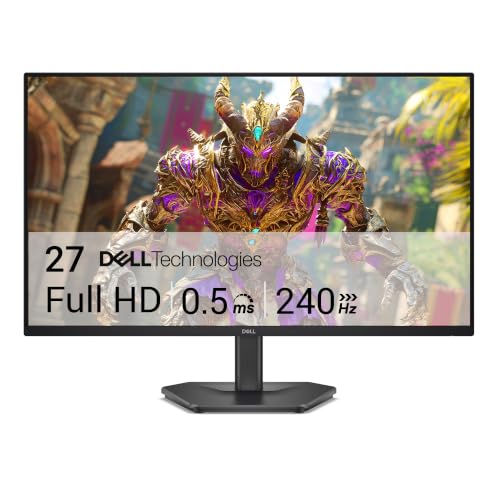
The Dell SE2726HG is the deliberate outlier. It is not a 1440p monitor. Its 27-inch Fast IPS display runs at 1920 x 1080, but it can refresh at 240Hz. That makes it relevant to a reader who uses the phrase best value 1440p gaming monitor loosely, or who is weighing resolution against the ability to maintain a very high frame rate in competitive games.
The 240Hz ceiling is the key feature. When a gaming PC can feed it enough frames, rapid movement and input can look exceptionally immediate. Dell also lists a 0.5ms response time, AMD FreeSync Premium, and HDMI VRR. Those technologies target the same problem from different angles: keeping display updates in step with the GPU or console so that tearing and uneven motion are less distracting.
Color coverage is listed at 99% sRGB, which is a sensible target for a general-purpose screen. The Fast IPS panel should also retain more consistent color across viewing angles than a basic TN design. Two HDMI inputs and DisplayPort 1.4 make it easy to connect more than one source. TÜV Rheinland three-star certification is included for reduced blue light while retaining color quality.
The obvious weakness is the resolution. At 27 inches, 1080p is visibly less detailed than the Samsung G51F, Acer KG271U, or ASUS VG27AQ3A, especially for text and distant objects. Its stand only tilts, too. The Dell makes sense for a competitive player with a modest graphics card and a preference for maximum frame rate, but it should not be mistaken for a true 1440p alternative.
6. ASUS TUF VG27AQ3A: Best for VRR Flexibility

Pros
- 2560 x 1440 resolution at 180Hz
- Fast IPS panel
- FreeSync Premium, G-SYNC Compatible, and AdaptiveSync
- ELMB Sync targets ghosting and tearing together
- Built-in speakers
Cons
- HDR10 support is listed without brightness detail
- Ergonomic adjustment details are limited
Best for: PC gamers who want broad adaptive-sync support and built-in audio.
The ASUS TUF VG27AQ3A is the compatibility-minded option. Its 27-inch Fast IPS panel runs at 2560 x 1440 and 180Hz, a combination that suits modern gaming PCs without pushing into the specialized territory of 240Hz OLED. The screen is also a sensible fit for a household where different computers use different graphics hardware.
ASUS lists FreeSync Premium, G-SYNC Compatibility, and AdaptiveSync. That broad set of claims is more useful than a single response-time number when a monitor will move between systems. ELMB Sync is the model's more distinctive feature. It is designed to let motion-blur reduction work alongside variable refresh, rather than forcing the user to choose one or the other. The result depends on frame rate and settings, but the aim is clear: reduce both ghosting and tearing in fast games.
The QHD resolution is a major improvement over the Dell SE2726HG for desktop space and fine detail. ASUS also lists HDR10 support, though the supplied information does not provide a brightness figure or a certification level. Built-in speakers are convenient for system sounds, casual video, and games when a headset is not needed. The box includes a DisplayPort cable, power accessories, and a quick-start guide.
The VG27AQ3A's weakness is that the available specifications say less about its stand and color coverage than the Acer KG271U or KTC H27S5C. The Samsung G51F has a more explicitly adjustable stand, and the KTC H27S5C offers a curve plus wider stated gamut coverage. For a mixed GPU household, though, the ASUS has the clearest case. It is the best value 1440p gaming monitor here for someone who wants flexible synchronization more than a curved panel or OLED contrast.
7. Hikers 27-inch Curved Monitor: Best Refresh-Rate Specialist

Pros
- Up to 280Hz refresh rate
- Fast VA panel with claimed 5000:1 contrast ratio
- Two HDMI 2.1 ports and DisplayPort 1.4
- AI crosshair and Night Vision features
- 134% sRGB and 99% DCI-P3 claims
Cons
- No built-in speakers
- Stand offers tilt only
- Multiple refresh modes require careful setup
Best for: competitive players who want high refresh and HDMI 2.1 connectivity.
The Hikers 27-inch Curved Monitor is aimed squarely at speed. Its 2560 x 1440 fast VA panel can run at up to 280Hz, with the supplied features also describing a dual-mode arrangement that reaches 400Hz at HD resolution. That gives competitive players a choice between sharper QHD gameplay and an even faster lower-resolution mode, assuming the computer and connection are configured to support it.
The VA panel's claimed 5000:1 contrast ratio is the reason to consider it over a fast IPS screen. Dark areas should have more separation, which can help atmosphere in single-player games and visibility in scenes with both shadow and bright light. Hikers also lists 350 nits brightness, HDR10, 134% sRGB coverage, and 99% DCI-P3 coverage. These figures suggest an energetic image, although they do not replace independent calibration or a detailed HDR performance measurement.
Connectivity is unusually strong for this list. Two HDMI 2.1 ports and one DisplayPort 1.4 are listed, with both HDMI and DisplayPort described as supporting the high refresh modes. HDMI 2.1 VRR makes the monitor more suitable for current consoles than a basic HDMI 2.0 screen. G-SYNC compatibility is listed over HDMI 2.1, and the package includes one HDMI 2.1 cable. A 100mm by 100mm VESA mount is available.
The Hikers is not as polished as the Samsung G51F or LG UltraGear. Its stand only tilts from -5 to 15 degrees, it has no speakers, and the product description asks the buyer to navigate several modes and overclocked refresh settings. AI Crosshair and Night Vision may appeal to shooters, but they are not essential features. Choose this display for its connectivity and refresh-rate ceiling, not for a simple plug-and-play office monitor experience.
8. LG UltraGear 27GX704A-B: Best OLED for Consoles

Pros
- OLED panel with 1.5M:1 claimed contrast ratio
- 240Hz refresh rate and 0.03ms response time claim
- Dual HDMI 2.1 ports
- G-SYNC Compatible and FreeSync Premium Pro
- Fully adjustable stand and USB ports
Cons
- OLED care is necessary for static desktop use
- Supplied resolution is listed as 2650 x 1440
Best for: high-end PC or console setups that need HDMI 2.1.
The LG UltraGear 27GX704A-B is the most connection-ready OLED in this group. It pairs an OLED display with a 240Hz refresh rate, 0.03ms response-time claim, and dual HDMI 2.1 ports. That makes it especially interesting for a desk shared by a gaming PC and a newer console, where the input standard can matter as much as the panel technology.
LG lists VESA DisplayHDR True Black 400 and a claimed 1.5M:1 contrast ratio. OLED's ability to switch individual pixels off gives dark scenes a much stronger foundation than the conventional displays here. The monitor also claims up to 98.5% DCI-P3 coverage, while the glossy surface is intended to preserve punch and clarity. Gloss can look impressive in a controlled room, but reflections become more visible when a window or lamp sits behind the player.
Motion credentials are strong. The 240Hz refresh rate matches the Samsung Odyssey OLED G6, while NVIDIA G-SYNC Compatibility and AMD FreeSync Premium Pro are both listed. The port selection includes dual HDMI 2.1, DisplayPort 1.4, USB 3.2 upstream, and two USB 3.2 downstream ports. That is a more useful hub arrangement than the simpler displays in this roundup.
LG also provides automatic pixel-care cycles and settings intended to reduce image retention. Those protections help, but an OLED monitor still deserves more care around static taskbars, browser windows, and office applications. The Samsung G6 has stronger glare-control claims and a lighter listed weight, while the LG counters with HDMI 2.1 and USB connectivity. Buy the LG when those connections and OLED contrast are central to the setup.
9. KTC H27T27S: Best Contrast-Focused Pick

Pros
- 2560 x 1440 resolution at 144Hz
- HVA panel with claimed 4000:1 contrast ratio
- 129% sRGB coverage claim
- FreeSync and G-SYNC compatibility
- VESA mounting and headphone output
Cons
- 144Hz is slower than the 180Hz and 240Hz choices
- Stand supports tilt only
Best for: gamers who want strong stated contrast for dark-room play.
The KTC H27T27S is a quietly sensible alternative to the curved H27S5C. It uses a flat 27-inch HVA panel, keeps the 2560 x 1440 resolution, and runs at 144Hz. That refresh rate is not the highest here, but it remains well suited to most single-player games, strategy titles, and everyday gaming when the graphics card is not targeting extreme frame rates.
KTC claims a 4000:1 contrast ratio and 300 nits brightness. The contrast figure is the selling point because it should give shadows more depth than a typical IPS panel. The screen also claims 129% sRGB coverage and 8-bit color, which should produce vivid game worlds and a lively desktop image. Those are manufacturer specifications, so anyone doing color-critical work should still look for a calibrated display.
FreeSync and G-SYNC compatibility are both listed, helping the monitor accommodate either major GPU family. The H27T27S provides HDMI and DisplayPort inputs, plus a headphone output. Its frameless, thin design should work well on a compact desk, and 100mm by 100mm VESA support allows a monitor arm to solve the stand's limitations. Tilt adjustment runs from -5 to 15 degrees.
The KTC gives up speed and HDR emphasis compared with the Samsung G51F. It is also less immersive than the curved H27S5C and Acer EDA270U. On the other hand, the HVA panel's stated contrast makes it an appealing choice for dim rooms, where black levels matter more than a wider viewing angle. If you are deciding between a flat or curved display, how far back to sit from a 27-inch screen can help settle whether the curve would actually improve your view.
10. Acer Nitro EDA270U: Best Curved All-Rounder

Pros
- 1500R curved 2560 x 1440 display
- 180Hz refresh rate
- FreeSync Premium
- Two built-in 2-watt speakers
- DisplayPort 1.2 and two HDMI 2.0 ports
Cons
- Stand supports tilt only
- HDR is listed as ready without fuller performance details
Best for: gamers who want a curved QHD display with basic built-in audio.
The Acer Nitro EDA270U is the practical curved Acer. Its 27-inch 1500R screen uses 2560 x 1440 resolution and reaches 180Hz, so it offers the same basic sharpness and motion class as the flat KG271U while adding a more enveloping shape. The curve is most convincing in games that keep the player looking toward the center, though it can also make a single-screen desk feel more focused.
Acer lists up to 1ms VRB response time and AMD FreeSync Premium. VRB is Acer's visual response-time mode, so the headline figure should be treated as a feature setting rather than a guarantee across every refresh condition. FreeSync Premium is more directly useful during play because it targets tearing and uneven frame delivery. The display is also HDR Ready, though the supplied details do not specify a brightness level or HDR certification.
The EDA270U has a helpful selection of inputs: one DisplayPort 1.2, two HDMI 2.0 ports, and an audio output. Its two 2-watt speakers are a genuine convenience for system sounds and casual gaming, even though they will not replace a dedicated headset or speaker set. The zero-frame design keeps the front visually clean, while 75mm by 75mm VESA mounting offers an alternative to the included stand.
The stand is the limitation. It tilts from -5 to 20 degrees, but there is no listed height, swivel, or pivot adjustment. The KTC H27S5C has a similar tilt-only compromise but adds wider stated color coverage and HDR400, while the Acer KG271U has an IPS panel rather than a curve. The EDA270U makes sense for someone who values built-in speakers and a curved screen more than advanced ergonomics.
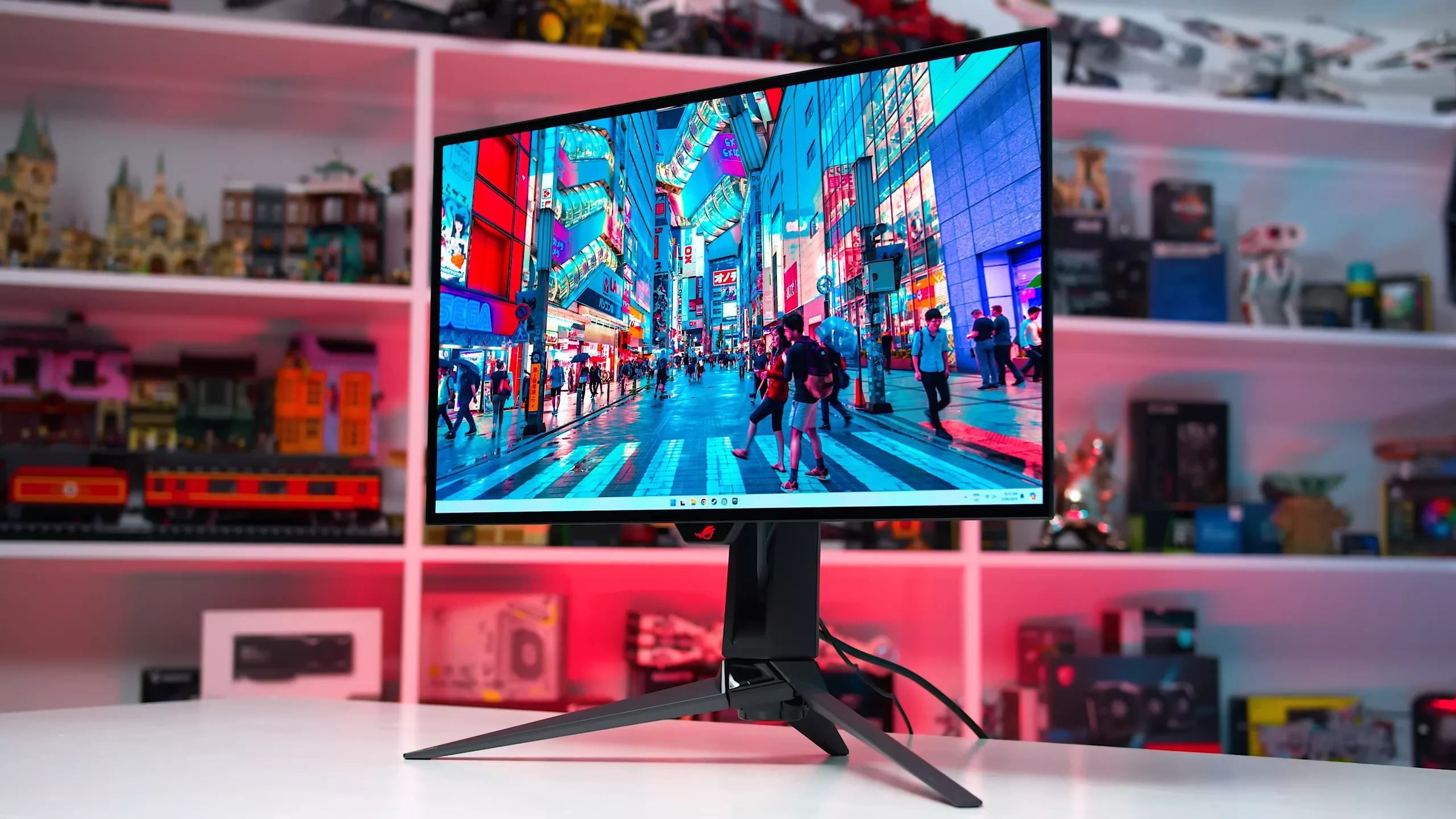
How to choose best value 1440p gaming monitor
The right best value 1440p gaming monitor depends on the balance between resolution, motion, panel behavior, connections, and physical adjustment.
Resolution and screen size
At 27 inches, 2560 x 1440 provides a noticeably denser image than 1920 x 1080. Text looks cleaner, game interfaces occupy less of the visible world, and distant detail is easier to distinguish. The Dell SE2726HG demonstrates the trade-off clearly: its 240Hz refresh rate is attractive for esports, but its 1080p resolution is less suitable for general desktop use at this size.
A 1440p screen also needs a graphics card capable of feeding it. If a system regularly runs well below the monitor's refresh range, a dependable adaptive-sync implementation matters more than moving from 180Hz to 240Hz.
Refresh rate and response time
Refresh rate determines how often the display can update the image. The 144Hz models are already much smoother than ordinary 60Hz screens, while 180Hz adds a little more headroom for fast games. The Samsung Odyssey OLED G6, LG UltraGear, and Dell SE2726HG reach 240Hz, and the Hikers model claims up to 280Hz.
Response-time claims require caution. Terms such as 0.03ms, 0.5ms, and 1ms are not measured in identical conditions. Look for a monitor that combines a fast panel with sensible variable-refresh support, rather than choosing solely by the smallest number.
A high refresh rate only helps when the PC can produce enough frames to use it.
Panel type and contrast
IPS panels such as the Acer KG271U and ASUS VG27AQ3A are commonly appealing for their viewing angles and color consistency. VA and HVA panels, used by the KTC models, can offer stronger stated contrast and deeper-looking shadows. OLED models have the most convincing black levels and extremely fast pixel response, but they require more care with static desktop elements.
Curved panels such as the KTC H27S5C and Acer EDA270U can make a single display feel more immersive. A curve is not automatically better, though. It can be less useful for a desk where the screen is viewed from an angle or shared with another person.
Adaptive sync and compatibility
FreeSync, G-SYNC Compatibility, and AdaptiveSync are designed to coordinate the monitor's refresh with the frame rate from the graphics card. This reduces tearing and can make uneven performance feel smoother. The ASUS VG27AQ3A has the broadest explicit compatibility list in this group, while the Samsung G51F lists AMD FreeSync.
Console users should inspect the input standard as carefully as the panel. The Hikers monitor and LG UltraGear include HDMI 2.1, while the KTC H27S5C and Acer EDA270U list HDMI 2.0. For a console desk, the connection details that matter for console gaming deserve attention before the refresh-rate headline.
Ports, stand, and speakers
A monitor with several HDMI inputs can keep a PC and console connected without cable swapping. DisplayPort is typically important for PC refresh-rate support, while USB ports can simplify accessories. The LG UltraGear has the richest connection set, and the Hikers monitor offers two HDMI 2.1 ports.
Stand adjustment affects comfort every day. Height, swivel, pivot, and tilt are all useful, and the Samsung G51F and OLED G6 are stronger here than the tilt-only models. Built-in speakers, found on the ASUS VG27AQ3A and Acer EDA270U, are convenient but should be viewed as a bonus rather than a substitute for proper audio.
Frequently asked questions
Is 1440p worth choosing over 1080p at 27 inches?
Yes, if the computer can run games comfortably at that resolution. 1440p gives a sharper image and more usable desktop space, while 1080p can make sense for players who prioritize very high frame rates, as with the Dell SE2726HG.
Is 180Hz enough for competitive gaming?
For most players, 180Hz provides smooth motion and responsive gameplay. A 240Hz or 280Hz model can offer more headroom, but the difference matters most when the system consistently produces similarly high frame rates.
Are OLED gaming monitors better than IPS models?
OLED monitors generally offer deeper blacks and exceptionally fast pixel response. IPS screens can be easier to use as general desktop displays, and OLED owners need to use the supplied protection features to reduce the risk of image retention.
Does a curved 1440p monitor help in games?
A 1500R curve can make a single 27-inch display feel more immersive, particularly in racing and cinematic games. It is a matter of viewing preference, and a flat panel may be more convenient for documents, design work, or a multi-monitor arrangement.
Do I need HDMI 2.1?
You need HDMI 2.1 when the source device requires its bandwidth or features. It is especially relevant to some current console setups and high-refresh configurations, while many PC users can use DisplayPort effectively.
Can these monitors be mounted on an arm?
Several models list VESA support. The KTC H27S5C and KTC H27T27S use 100mm by 100mm mounting, the Hikers monitor uses 100mm by 100mm, and the Acer EDA270U lists 75mm by 75mm. Check the arm's weight rating and the monitor's exact mount pattern before buying.
The bottom line
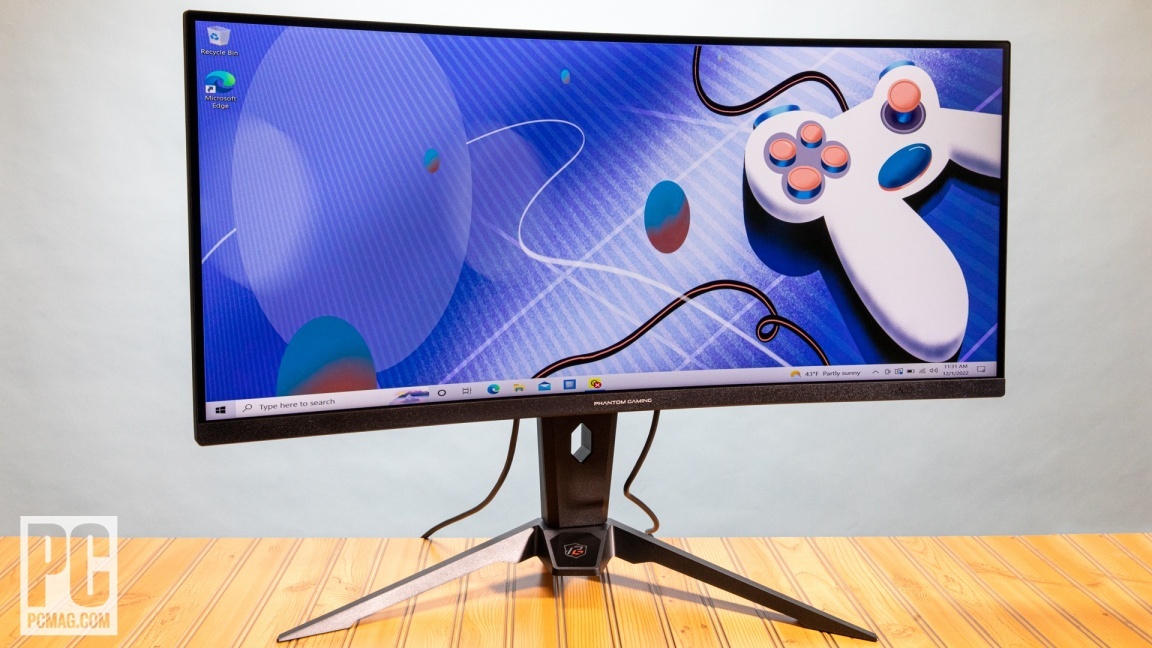
The Samsung Odyssey G5 G51F is our top Best value 1440p gaming monitor because it gets the important choices right: QHD resolution, 180Hz motion, FreeSync, HDR10, and a stand with height, pivot, and tilt adjustment. It is the easiest recommendation for a broad mix of PC games, work, and everyday use.
For a higher-end setup, the Samsung Odyssey OLED G6 and LG UltraGear 27GX704A-B bring OLED contrast, 240Hz motion, and much faster pixel response. The LG is the stronger console companion because of its dual HDMI 2.1 ports, while the Samsung is appealing for its Glare Free technology and adjustable stand.
If you are undecided, choose the Samsung Odyssey G5 G51F unless OLED contrast, HDMI 2.1, or a competitive refresh-rate target is your main priority.
As an Amazon Associate we earn from qualifying purchases.