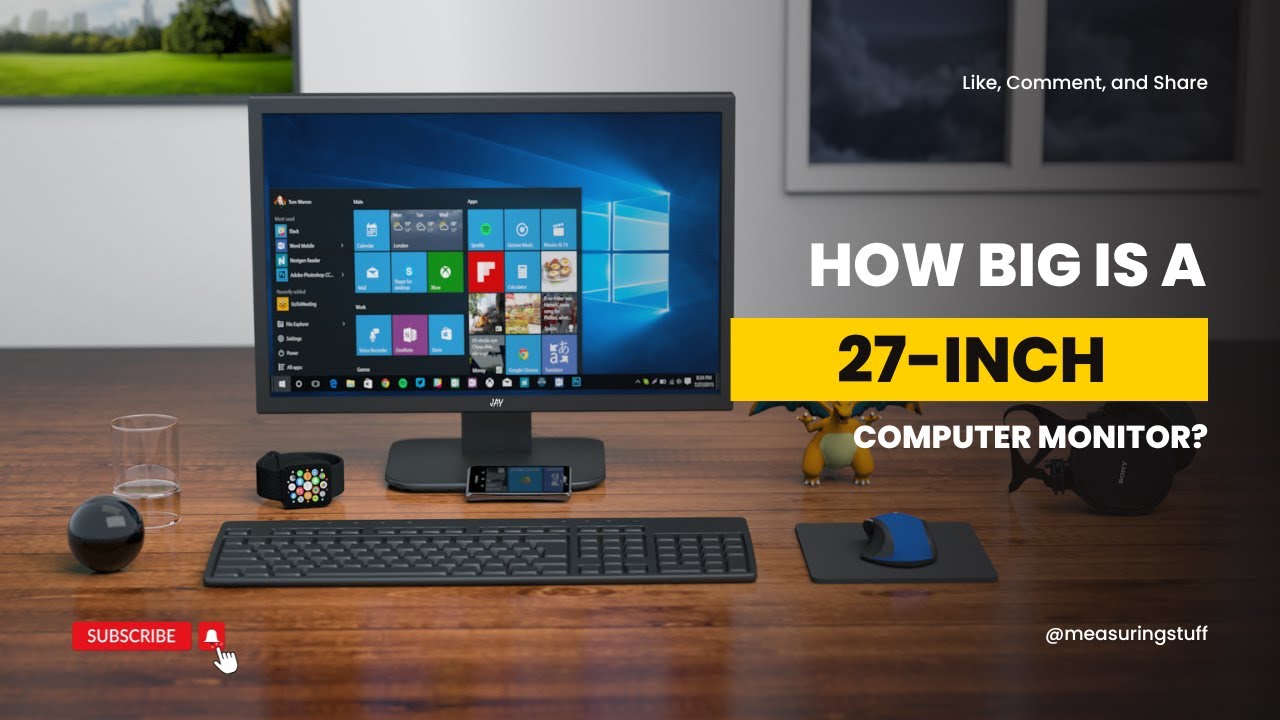

A 27-inch screen gives you enough room for two windows without swallowing the desk, but the wrong one can still leave text soft, motion smeared, or the stand too limited to position comfortably. The panel type and refresh rate matter, yet so do less glamorous details such as ports, speakers, eye-comfort features, and whether the stand does anything beyond tilt.
The Best 27 inch computer monitors in this roundup range from straightforward office displays to fast gaming screens. Most use Full HD resolution, so the key differences are motion handling, color consistency, panel contrast, connectivity, and adjustability.
Dell SE2726H is our top pick for the broadest mix of smooth motion, IPS image quality, eye comfort, and useful everyday design. The lineup also includes a faster 240Hz Dell, a fully adjustable Dell with speakers, and capable office alternatives from Acer, Samsung, Philips, Sceptre, and Amazon Basics.
| # | Product | Award | Panel | Refresh rate | Connectivity | Best for |
|---|---|---|---|---|---|---|
| 1 | Dell SE2726H | Best overall | IPS | 144Hz | 2 x HDMI | Mixed work and play |
| 2 | Acer KB272 G0bi | Best office monitor | IPS | 120Hz | Not specified | Everyday desk work |
| 3 | Dell S2725HSM | Best adjustable monitor | Not specified | 144Hz | HDMI | Flexible workstations |
| 4 | Sceptre E275W-FW100T | Best connected monitor | Not specified | 100Hz | DisplayPort, 2 x HDMI | Multi-device desks |
| 5 | Samsung S30GD | Best slim design | IPS | 100Hz | Not specified | Clean office setups |
| 6 | Philips 271V8LB | Best contrast | VA | 100Hz | Not specified | Documents and media |
| 7 | Dell SE2726HG | Best for fast gaming | IPS | 240Hz | 2 x HDMI, DisplayPort 1.4 | Competitive PC gaming |
| 8 | Amazon Basics 27-inch Monitor | Best built-in audio | IPS | 120Hz | HDMI 1.4, DisplayPort 1.2 | Home offices |
| 9 | Philips 27E2N2100 | Best legacy connectivity | IPS | 120Hz | HDMI, DisplayPort, VGA | Mixed old and new devices |
1. Dell SE2726H: Best Overall

Pros
- IPS panel with wide 178-degree viewing angles
- 144Hz refresh rate and 1ms MPRT
- TÜV Rheinland three-star eye-comfort certification
- Two HDMI inputs
- Thin bezels suit a single or multi-monitor desk
Cons
- Tilt is the only listed stand adjustment
- Full HD resolution is not especially dense at 27 inches
- No built-in speakers are listed
Best for: someone who wants one 27-inch display for office work, streaming, and responsive casual gaming.
The Dell SE2726H gets the fundamentals right without trying to become a specialized gaming or productivity display. Its IPS panel gives the screen a consistent appearance when you are looking from the side, which matters on a 27-inch monitor because the edges sit far enough from your normal viewing position to expose uneven color on weaker panels. The thin bezels also keep the screen from feeling bulky on a desk.
Motion is the main reason this Dell takes the top spot. Its 144Hz refresh rate can make pointer movement, scrolling, and supported games feel noticeably smoother than a standard 60Hz panel. The listed 1ms MPRT response specification is aimed at reducing visible blur in moving scenes. It does not turn the monitor into the faster Dell SE2726HG, but it gives the SE2726H a more versatile balance for someone who spends as much time in documents and browser tabs as in games.
The 1920 by 1080 Full HD resolution is easy for most computers to drive, and AMD FreeSync support is designed to coordinate the display's refresh behavior with a compatible graphics card. The monitor also has two HDMI connections, so a desktop and another HDMI device can remain attached without immediately reaching for a switch. Its 178 by 178 degree viewing angle claim reinforces the IPS panel's advantage for shared viewing and side-by-side work.
Dell has included a TÜV Rheinland three-star eye-comfort certification for reduced blue light while preserving color quality. That is useful for long work sessions, though it does not replace sensible brightness and room-light adjustments. The weak point is the stand. The listed adjustment is tilt, so anyone who needs height, swivel, or pivot movement should look at the Dell S2725HSM instead. The SE2726H also has no listed built-in speakers, unlike several models below.
Compared with the Acer KB272 G0bi, this Dell gives you a higher 144Hz ceiling and a more clearly specified pair of HDMI inputs. The Acer counters with a similar IPS foundation and 120Hz motion, while the Dell S2725HSM adds a much more capable stand and speakers. Choose the SE2726H when you want the cleanest all-round combination and can live with a basic stand.
2. Acer KB272 G0bi: Best Office Monitor

Pros
- 27-inch Full HD IPS panel
- 120Hz refresh rate for smoother scrolling
- Adaptive-Sync support compatible with FreeSync
- Listed 250-nit brightness
- 1ms VRB response specification
Cons
- Stand adjustment details are limited
- No built-in speakers are listed
- 120Hz is below the fastest displays here
Best for: an office or home desk that needs clear IPS viewing and smoother everyday motion without gaming-focused extras.
The Acer KB272 G0bi is a sensible office monitor with enough speed to avoid feeling dated when you scroll through long pages or move windows around. It uses a 27-inch 1920 by 1080 IPS panel in a 16:9 layout. That combination gives you broad workspace and consistent color across the screen, though the Full HD resolution means text will not look as finely packed as it would on a higher-resolution 27-inch display.
Its 120Hz refresh rate is a useful everyday upgrade. It makes scrolling through spreadsheets and websites look more fluid, and it gives casual games a smoother presentation when the computer can provide the frames. Acer lists a 1ms VRB response time, but that figure represents a particular response-time mode rather than a guarantee that every transition will be free of blur. It is still a relevant sign that the panel is built for more than static office work.
The monitor supports Adaptive-Sync and is described as FreeSync compatible. When paired with a compatible graphics setup, that can help reduce tearing as frame delivery changes. Acer also lists 250 nits of brightness, which is a concrete indication of its intended environment. It should suit a typical indoor office, but shoppers dealing with strong sunlight should pay close attention to placement and glare because brightness alone does not solve reflections.
Acer's 178-degree viewing angle claim is important on a screen this size, especially if another person occasionally reads over your shoulder. The panel is also specified with a 0.311mm pixel pitch, a detail that helps explain why fine text may look less crisp than it does on a smaller Full HD panel. That is not a defect unique to Acer. It is the normal trade-off of putting 1920 by 1080 across 27 inches.
The main omission is flexibility. The product information does not specify a height-adjustable, swivel, or pivot stand, and no built-in speakers are listed. The Dell SE2726H offers a faster 144Hz refresh rate and two listed HDMI inputs, while the Acer remains a straightforward choice for a desk centered on documents, email, and browsing. If you want a display that behaves predictably and does not overwhelm an office setup with gaming features, the KB272 G0bi is the quieter pick.
3. Dell S2725HSM: Best Adjustable Monitor

Pros
- 144Hz refresh rate with 1ms MPRT
- Height, tilt, pivot, and swivel adjustment
- Integrated dual 3W speakers
- 1500:1 contrast ratio
- TÜV four-star eye-comfort certification
Cons
- Heavier than several simpler displays
- Full HD resolution is modest for a 27-inch workspace
- HDMI is the only listed video connection
Best for: a shared home office or entertainment desk where stand movement and built-in audio matter as much as panel speed.
The Dell S2725HSM is the monitor to choose when the stand is part of the job. Many inexpensive 27-inch displays let you tilt the panel and call it a day. This one is listed with height, tilt, pivot, and swivel adjustment, giving you a much better chance of putting the top edge at a comfortable level, turning the screen toward another seat, or rotating it for a tall document. That flexibility changes the daily experience more than a small refresh-rate jump.
The panel runs at 144Hz and has a listed 1ms Moving Picture Response Time. That puts it alongside the Dell SE2726H for smooth motion, so browser scrolling and compatible games should feel more responsive than on the 100Hz office models. AMD FreeSync support is also included for tear reduction with compatible hardware. The result is a display that can handle a workday and still feel lively when you switch to video or games.
Dell lists a 1500:1 contrast ratio, which is a meaningful advantage for darker scenes and movie viewing compared with a display that offers no comparable figure. It does not make this a specialist HDR screen, and the product is still Full HD at 1920 by 1080. At 27 inches, that resolution gives plenty of physical space but not the sharpest possible text. Large interfaces and normal office documents should be comfortable, while dense design work may prompt a higher-resolution search.
The built-in dual 3W speakers are one of the most practical extras here. They can handle system alerts, calls, and casual video without occupying desk space with separate speakers. Dell also lists a TÜV four-star certification intended to reduce blue-light emissions while maintaining color quality. The display can be paired with Dell Display and Peripheral Manager for workspace optimization, according to the product description.
The compromise is connectivity. HDMI is the only listed video input, so this is less adaptable than the Sceptre E275W-FW100T, which has DisplayPort and two HDMI inputs, or the Philips 27E2N2100, which adds VGA. The S2725HSM also weighs 12.63 pounds, reflecting the more substantial adjustable stand. Pick it over the Dell SE2726H when physical positioning and built-in audio are priorities. Skip it if you need DisplayPort or want the lightest possible monitor for a simple desk.
4. Sceptre E275W-FW100T: Best Connected Monitor

Pros
- DisplayPort plus two HDMI ports
- 100Hz refresh rate
- 100% sRGB color gamut claim
- Built-in speakers and headphone connection
- VESA wall-mountable design
Cons
- Lower refresh rate than the leading Dell models
- Stand flexibility is not specified
- The product description uses broad gaming language without a listed panel type
Best for: a desk with several HDMI and DisplayPort devices that needs one screen for work, games, and media.
The Sceptre E275W-FW100T makes a strong case for connectivity. It provides one DisplayPort and two HDMI ports, allowing a desktop, laptop, console, or streaming device to stay connected in more combinations than many basic office monitors support. That matters when swapping cables behind a 27-inch screen is awkward. The included audio input and headphone jack add further flexibility for a desk that serves several roles.
Its 100Hz refresh rate sits below the 120Hz Acer and Philips displays and well below Dell's 144Hz options, but it is still a step above traditional 60Hz operation. Cursor movement and scrolling should look smoother, and the refresh ceiling is sensible for casual gaming. AMD FreeSync support is listed, along with FPS and RTS game modes that adjust the display for those types of games. These modes are convenience presets rather than a substitute for a high-end gaming panel.
Sceptre claims 100% sRGB color gamut coverage. That gives the monitor a clear color target and suggests it can show the standard sRGB range used by common web, office, and video content. The product description does not identify the panel technology, so buyers who specifically want IPS viewing consistency should choose the Dell SE2726H, Acer KB272 G0bi, or another IPS model in this list. The screen is also described as frameless, which can make a two-screen arrangement look more continuous.
The built-in speakers save space and are useful for basic audio, though the listing does not provide a wattage figure or claim of high-fidelity playback. Blue Light Shift is included to reduce blue light, and the VESA wall-mountable design gives you the option of clearing the stand from a small desk. The monitor weighs 7.21 pounds, making it one of the easier displays here to move or mount.
The weakness is the stand information. Unlike the Dell S2725HSM, there is no listed height, pivot, or swivel adjustment to help you fine-tune the viewing position. The Dell SE2726H offers more speed and a specified IPS panel, while the Sceptre wins if the input selection and VESA mounting pattern are more useful to you than another 44Hz of refresh headroom. It is a practical fit for a mixed-device setup, not the first pick for competitive gaming or color-critical work.
5. Samsung S30GD: Best Slim Design

Pros
- IPS panel with consistent colors at wide angles
- 100Hz refresh rate
- Reduced blue light and screen flicker
- Slim profile with ultra-thin border bezels
- Game Mode and adjustable game settings
Cons
- Connectivity details are not specified
- No built-in speakers are listed
- Slower than the 120Hz and 144Hz choices
Best for: a clean-looking home or office setup where panel consistency and a slim appearance matter.
The Samsung S30GD is built around the qualities that make a monitor pleasant to live with rather than a long list of enthusiast specifications. Its IPS panel is designed to keep colors bright and consistent when your viewing angle changes. On a 27-inch screen, that is helpful when the display is shared or when you move between the center and the edge of a wide workspace.
The 100Hz refresh rate gives this Samsung a smoother feel than a conventional 60Hz office display. It will not match the 144Hz motion of the Dell SE2726H or Dell S2725HSM, but it should make ordinary scrolling and video playback feel more fluid. Samsung also includes Game Mode, which can adjust color and image contrast to make game scenes easier to see. That is a useful extra for casual play, though the listed speed is not aimed at the most demanding competitive users.
Eye comfort is another focus. The listing mentions reduced blue light and screen flicker, features that can make long sessions easier for some viewers. They work best alongside sensible screen brightness and regular breaks. The monitor's super-slim design and ultra-thin border bezels are the visual headline. Those narrow edges can make a single display look less imposing and are especially useful when building a clean multi-monitor arrangement.
Samsung also says the monitor is lightweight, with product information listing a weight of 6.39 pounds. That makes it relatively easy to reposition compared with the more substantial Dell S2725HSM. The trade-off is that the product description does not spell out its video inputs, stand adjustment range, or speaker configuration. Those omissions matter if the monitor needs to serve several devices or if your desk requires height positioning.
The Sceptre E275W-FW100T gives you much clearer connectivity and built-in speakers, while the Acer KB272 G0bi provides a 120Hz ceiling and a listed 250-nit brightness figure. The Samsung is the better match when its slim appearance, IPS panel, and flicker-reduction features are the priorities. It is not the right pick for someone who needs a fully adjustable stand, multiple explicitly listed ports, or maximum gaming speed.
6. Philips 271V8LB: Best Contrast

Pros
- VA panel with deeper blacks and brighter whites
- 100Hz refresh rate
- 178-degree viewing angles
- Three-sided virtually bezel-free design
- EasyRead mode for lengthy documents
Cons
- VA panel may not suit buyers seeking IPS consistency
- Connectivity details are not specified
- Stand adjustment details are limited
Best for: document-heavy work and media viewing where contrast and an easy-reading mode are useful.
The Philips 271V8LB takes a different route from most of this group by using a VA panel. Philips says the panel produces brighter whites and deeper blacks, and that advantage is easy to understand in everyday use. Dark text, movie scenes, and images with strong light and shadow can look more substantial than they do on a flat-looking office display. It is a good reminder that refresh rate is not the only characteristic that shapes the picture.
The monitor uses a 27-inch Full HD 1920 by 1080 display with a 100Hz refresh rate. The refresh rate is enough to make standard desktop movement feel smoother than 60Hz, but this is not the screen for someone chasing the 144Hz response of the Dell SE2726H or the 240Hz ceiling of the Dell SE2726HG. Philips also lists 16.7 million colors and a 178 by 178 degree viewing angle, so the screen is designed to remain usable when viewed off center.
The three-sided virtually bezel-free design keeps the edges visually light. That can help when two screens sit beside each other, although the product description does not provide a specific multi-monitor stand system or adjustment range. The monitor's stated dimensions include a 24.2-inch width and 9.1-inch length, so it still needs a reasonably deep desk footprint once the stand is included.
EasyRead mode is the most distinctive feature for office use. Philips describes it as providing a more paper-like experience when viewing lengthy documents. That is a more targeted benefit than a generic eye-care label, particularly for people who read reports or manuscripts for hours. The product also advertises wide viewing angles, which helps when the display is not perfectly centered.
The limitation is that the listing leaves the connection and stand details less clear than the Sceptre E275W-FW100T or Dell S2725HSM. The Philips 27E2N2100 offers HDMI, DisplayPort, VGA, and audio out, so it is the more adaptable Philips if older equipment is involved. Choose the 271V8LB for its VA contrast and document-oriented EasyRead mode. Skip it if you specifically want the familiar IPS look and faster gaming response of the Dell and Acer options.
7. Dell SE2726HG: Best for Fast Gaming
Pros
- 240Hz refresh rate
- Fast IPS panel with listed 0.5ms response
- FreeSync Premium and HDMI VRR
- 99% sRGB color coverage
- DisplayPort 1.4 and two HDMI inputs
Cons
- Full HD resolution is modest for a 27-inch screen
- Tilt is the only listed stand adjustment
- A 240Hz ceiling needs suitable hardware to show its benefit
Best for: a PC gamer who prioritizes very fluid motion and has hardware capable of producing high frame rates.
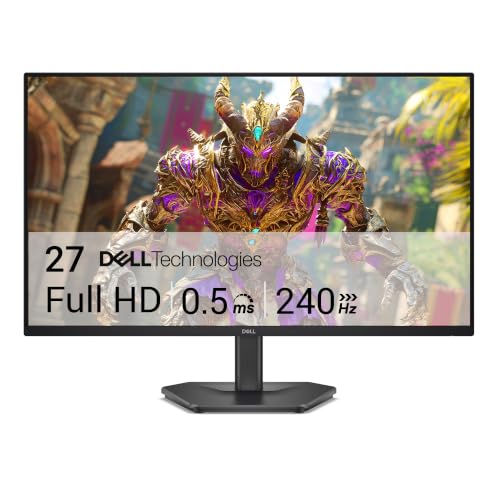
The Dell SE2726HG is the specialist pick in this group. Its 240Hz refresh rate is far beyond the 100Hz and 120Hz office monitors, and it gives fast games a much tighter presentation when the computer can sustain high frame rates. Mouse movement and camera pans are the situations where that extra headroom is most apparent. For email and documents, the difference is much less important.
Dell lists a Fast IPS panel with a 0.5ms response time. IPS keeps the wide-angle color behavior that makes the Dell SE2726H a good general-purpose display, while the faster response specification is aimed at minimizing trailing in rapid action. The monitor also has AMD FreeSync Premium and HDMI VRR, features designed to keep the refresh cycle aligned with compatible PC and console output and reduce tearing.
Color coverage is specified at 99% sRGB. That makes the SE2726HG more appealing for games and general creative viewing than a display with no stated color range. It remains a Full HD screen at 1920 by 1080, however. Full HD is relatively easy for a graphics card to drive at high frame rates, which helps explain the pairing with 240Hz, but a 27-inch desktop will not look as finely detailed as a higher-resolution monitor.
Connectivity is a clear strength. The monitor includes two HDMI inputs and DisplayPort 1.4, giving it a better fit for a gaming PC plus a console or another HDMI device. TÜV Rheinland three-star eye comfort certification and reduced blue light are also listed, so Dell has not ignored long-session comfort. The monitor is 24.05 inches wide and weighs 8.2 pounds according to the product information.
The stand is the catch. Like the SE2726H, it is listed with tilt rather than height, pivot, or swivel adjustment. The Dell S2725HSM is much easier to position, and it adds speakers, but it cannot match the SE2726HG's 240Hz speed. Choose this Dell when competitive gaming is the main reason for buying a 27-inch monitor and your graphics hardware can take advantage of it. Most office users should choose the SE2726H or Acer KB272 G0bi instead and spend their attention on ergonomics.
8. Amazon Basics 27-inch Monitor: Best Built-in Audio

Pros
- IPS panel with 99% sRGB coverage
- 120Hz refresh rate and Adaptive Sync
- HDMI and DisplayPort connections
- Built-in 2W x 2 speakers
- LowBlue Light and flicker-free technology
- VESA compatible
Cons
- Full HD resolution is not especially dense at 27 inches
- Stand adjustment details are not specified
- Maximum refresh rate requires suitable cable, output, and settings
Best for: a home office that needs modern inputs, built-in audio, and a smooth general-purpose display.
The Amazon Basics 27-inch Monitor is a well-rounded desk display with a useful set of features rather than one standout gaming specification. Its IPS panel runs at 1920 by 1080 and is listed with 99% sRGB coverage, giving it a defined color target for ordinary web content, office work, and entertainment. The 27-inch size leaves enough room to place two applications side by side, though Full HD does not produce especially dense text at this size.
The 120Hz refresh rate is paired with Adaptive Sync. That combination should make scrolling and compatible games look smoother than they would on a 60Hz screen, while Adaptive Sync is intended to reduce tearing when frame delivery varies. Amazon Basics is unusually clear that reaching 120Hz depends on the graphics card and drivers, a certified cable capable of 120Hz, and selecting the correct refresh rate in the system settings. That is a useful practical warning, because the panel cannot show a refresh mode the source and cable do not support.
Connectivity is one of the monitor's better features. It has HDMI 1.4, DisplayPort 1.2, and a 3.5mm audio-out port. Those inputs give a desktop and laptop more room to stay connected than a display with one unspecified video input. The built-in 2W by 2 speakers also help keep a home office uncluttered. They are suited to basic system audio, video calls, and casual playback, but the listing does not suggest they replace dedicated speakers for serious listening.
Amazon Basics includes LowBlue Light and flicker-free technology for viewing comfort. The four-sided narrow bezel design helps the screen look less bulky and makes a multi-monitor layout cleaner. VESA compatibility gives you another mounting option if the included stand does not suit your desk. The product information lists a width of 24.2 inches and a weight of about 8.6 pounds, so it is substantial enough for a normal desk while remaining manageable to move.
The Dell SE2726H offers a higher 144Hz ceiling and a TÜV certification, while the Sceptre E275W-FW100T adds a second HDMI input and built-in speakers. The Amazon Basics model sits between them with clearer input specifications, 120Hz motion, and a practical audio setup. Its main weakness is the unspecified stand adjustment range. It is a strong fit for a home office that needs one uncomplicated display, but buyers who frequently change posture should consider the fully adjustable Dell S2725HSM.
9. Philips 27E2N2100: Best Legacy Connectivity

Pros
- IPS panel with Full HD resolution
- 120Hz refresh rate
- HDMI, DisplayPort, and VGA inputs
- Audio-out connection
- Three-sided narrow-bezel design
- LowBlue Mode and flicker-free technology
Cons
- Product dimensions are presented inconsistently in the listing
- Stand adjustment details are not specified
- No built-in speakers are listed
Best for: a mixed-device workspace that still needs VGA alongside HDMI and DisplayPort.
The Philips 27E2N2100 is the practical choice when the computer setup includes both current and older hardware. Its 27-inch IPS panel displays 1920 by 1080 resolution, and its 120Hz refresh rate adds smoothness for desktop movement, video, and casual games. The IPS design is also intended to keep colors accurate across wide viewing angles, which is helpful when the monitor is used in a shared workspace.
The port selection is the reason to pay attention. Philips lists HDMI, DisplayPort, and VGA, along with audio out. VGA is increasingly uncommon on new displays, but it remains useful for older office computers, legacy equipment, and certain workstations. HDMI and DisplayPort cover newer systems, so this is not a monitor that forces you to choose between old compatibility and modern connections.
The three-sided frameless design gives the display a cleaner outline and can make two monitors sit together with less visual interruption. LowBlue Mode and flicker-free technology are included for long sessions, with the aim of reducing eye fatigue. These features are similar in purpose to the comfort modes on the Samsung S30GD and Amazon Basics monitor, although the Philips is the one to choose when the input mix is the deciding factor.
The monitor does not list built-in speakers, and the stand adjustment details are not supplied. That makes it less convenient than the Amazon Basics model for a desk that needs audio without separate speakers, and less ergonomic than the Dell S2725HSM for a user who needs height, pivot, and swivel movement. Philips also presents its product dimensions unusually, with a 24.25-inch height, 1.3-inch length, and 14.13-inch width in the product information. Because those measurements do not read like a conventional monitor footprint, shoppers should confirm the physical arrangement before mounting it.
Compared with the Philips 271V8LB, this model gives you IPS viewing behavior and a faster 120Hz refresh rate, while the VA-based 271V8LB emphasizes contrast and EasyRead mode. The Acer KB272 G0bi is similarly office-oriented but has no listed VGA connection. Choose the 27E2N2100 when compatibility matters more than speakers or a sophisticated stand. It is a sensible last pick because it solves a specific connection problem that the other monitors may not.
How to choose best 27 inch computer monitors
A good 27-inch monitor should match the way you work, play, and connect devices, not just offer the largest refresh-rate figure on the box.
Panel type
IPS panels such as those in the Dell SE2726H, Acer KB272 G0bi, Samsung S30GD, Amazon Basics monitor, and Philips 27E2N2100 are built around consistent color across wide viewing angles. That makes them a strong default for office work, shared screens, and general media. VA panels such as the Philips 271V8LB typically emphasize deeper blacks and stronger contrast, which can suit movies and documents with high contrast.
No panel type wins every task. IPS is usually the easier recommendation for a display viewed from different positions, while VA can make dark scenes look more substantial. The Sceptre listing does not specify its panel type, so do not assume it matches the IPS models simply because its color and gaming features are appealing.
Refresh rate and response time
Refresh rate describes how often the monitor can update the image. The 100Hz displays in this group already move more smoothly than a basic 60Hz screen, while 120Hz and 144Hz give scrolling and games more headroom. The Dell SE2726HG reaches 240Hz, but that only matters if the computer can produce enough frames and the game benefits from very low display latency.
Response-time figures need context. Acer lists 1ms VRB, the two mainstream Dell gaming displays list 1ms MPRT, and the SE2726HG lists 0.5ms. These are useful indicators of the intended behavior, but they are not interchangeable laboratory measurements. Adaptive Sync, FreeSync, or VRR support can be just as important because they help the monitor track changing frame rates and reduce tearing.
A 240Hz monitor is wasted on a system that cannot consistently feed it fast frames, while a 100Hz monitor can still feel like a major upgrade for everyday scrolling.
Resolution and screen density
Every product here uses a 27-inch Full HD format except where the listing does not state the resolution directly. Full HD is easy for most computers to drive and keeps interfaces readable, but 1920 by 1080 spread across 27 inches is not as sharp as a higher-resolution panel of the same size. Fine text and detailed images can look less refined when viewed close up.
For office work, consider how much small text you read and how far you sit from the display. A monitor used mainly for email, browser tabs, video, and games may suit Full HD well. If your work involves detailed photographs, large spreadsheets, or precise design, screen density deserves more attention than a high refresh number.
Ports and device compatibility
Count the devices before choosing the monitor. The Sceptre E275W-FW100T has DisplayPort and two HDMI inputs. The Amazon Basics monitor lists HDMI 1.4, DisplayPort 1.2, and audio out. The Dell SE2726HG includes DisplayPort 1.4 plus two HDMI inputs. Those layouts are easier to live with when a computer, console, and secondary device share one screen.
The Philips 27E2N2100 is unusual because it includes VGA alongside HDMI and DisplayPort. That is useful for an older computer, but unnecessary if every source uses current digital connections. Also check whether the monitor has speakers, a headphone jack, or audio out. The Amazon Basics, Sceptre, and Dell S2725HSM models are the more convenient options when desk audio is part of the plan.
Stand and mounting
Stand adjustment affects comfort every day. Tilt helps with glare, but height adjustment is more useful when the display sits too low, while pivot helps with long documents and swivel helps when the screen faces more than one seat. The Dell S2725HSM is the clear leader here because its listing includes height, tilt, pivot, and swivel adjustment.
VESA compatibility adds another route to a better viewing position. The Sceptre E275W-FW100T and Amazon Basics monitor list VESA support or compatibility. A wall mount or monitor arm can also reclaim desk space, but confirm the mounting pattern and the arm's capacity before buying. A narrow bezel is helpful for two screens, but it does not solve a poor viewing height.
Eye comfort and brightness
Low-blue-light modes, flicker-free operation, and TÜV certifications appear across several picks. These features can make a long session more comfortable, but they do not eliminate glare or fatigue. Room lighting, viewing distance, text scaling, and regular breaks still matter.
Brightness is one of the few explicitly listed figures on the Acer KB272 G0bi, at 250 nits. A bright room may require careful placement even with a capable backlight. If you are setting up a second screen, how far back you should sit from a panel this size can help you decide whether a 27-inch Full HD display fits your desk depth and viewing habits.
Multi-monitor layouts
Thin or narrow bezels make two screens look more continuous, but matching panel behavior matters too. The Samsung S30GD, Philips 271V8LB, Amazon Basics monitor, and Philips 27E2N2100 all emphasize slim or narrow bezels. The Sceptre also uses a frameless design and supports VESA mounting, which can help with alignment.
If you plan to combine displays, try to match resolution, refresh rate, and panel appearance. A 144Hz IPS display beside a 100Hz VA display can still work, but differences in motion and contrast may be visible. For a more deliberate arrangement, the screen traits that make two monitors work together are more important than choosing two models that merely share a size.
Frequently asked questions
Is 27 inches too large for Full HD?
A 27-inch Full HD monitor is usable for office work, browsing, streaming, and gaming, but it is not especially dense. Text can look softer than it does on a higher-resolution display of the same size, particularly at a close viewing distance. The trade-off is that Full HD is easier for a computer to drive at high refresh rates.
Is 100Hz noticeably better than 60Hz?
Yes, desktop movement and scrolling generally look smoother at 100Hz than at 60Hz. The improvement is most obvious when moving a window, scrolling through a long page, or playing a game with compatible frame output. The 120Hz, 144Hz, and 240Hz monitors here extend that smoothness, but the benefit becomes more dependent on the computer and the type of game.
Should I choose IPS or VA for a 27-inch monitor?
Choose IPS when wide-angle color consistency and a predictable general-purpose image matter most. Choose VA when deeper blacks and stronger contrast are more important for movies or dark scenes. The Philips 271V8LB is the VA option in this group, while most of the other clearly identified panels are IPS.
Do I need DisplayPort?
You need DisplayPort only if your computer requires it, if you want a particular refresh mode over that connection, or if your setup benefits from keeping several devices connected. HDMI is sufficient for many systems. The Sceptre E275W-FW100T, Dell SE2726HG, Amazon Basics monitor, and Philips 27E2N2100 are the more flexible choices when DisplayPort matters.
Does a monitor's response-time number tell the whole story?
No. Response-time figures can use different measurement methods, such as MPRT or VRB, so they are not direct comparisons by themselves. Refresh rate, Adaptive Sync or FreeSync support, panel behavior, and the actual frame rate from the computer all affect how clear moving images feel.
Are built-in monitor speakers good enough?
Built-in speakers are convenient for alerts, calls, casual video, and basic system audio. The Dell S2725HSM lists dual 3W speakers, while the Amazon Basics monitor lists 2W by 2 speakers, and the Sceptre includes built-in speakers without a listed wattage. Dedicated speakers or headphones remain the better choice for fuller sound.
Can these monitors work with a Mac or older computer?
Compatibility depends on the computer's available output and the correct cable or adapter. Displays with HDMI and DisplayPort cover many current systems, while the Philips 27E2N2100 also includes VGA for older hardware. If your computer is a compact desktop, the connection details that matter for a small computer setup are worth checking before selecting a monitor.
The bottom line
The Best 27 inch computer monitors should make the screen easier to use every day, not just advertise a fast refresh number. Dell SE2726H is the strongest all-purpose choice because its IPS panel, 144Hz refresh rate, 1ms MPRT specification, two HDMI inputs, and eye-comfort certification cover work, media, and casual gaming without a major compromise beyond its tilt-only stand.
Choose Dell SE2726HG if fast PC gaming is the priority and your system can use 240Hz. For a more adjustable desk, Dell S2725HSM is the better fit, with height, pivot, swivel, tilt, speakers, and 144Hz motion. The Acer KB272 G0bi and Philips 27E2N2100 are straightforward office alternatives, while the Sceptre, Samsung, Philips 271V8LB, and Amazon Basics models each make a more specific case around ports, design, contrast, or built-in audio.
If you are undecided, buy the Dell SE2726H unless stand adjustment or competitive gaming is your main concern.
As an Amazon Associate we earn from qualifying purchases.