
Starlink can put a fast connection in a remote home, cabin, or RV, but the supplied router may not reach the workshop, barn, upstairs room, or campsite next door. The challenge is finding networking hardware that matches your Starlink generation without turning a simple internet setup into a wiring project.
Our Best wireless router for Starlink picks include the official Gen 3 router, compact mesh nodes, outdoor point-to-point bridges, and one useful Ethernet expansion hub. The right choice depends on whether you need a stronger main router, another indoor access point, or a way to carry the connection across a large property.
For most Starlink owners, the Starlink Gen 3 Router is the best starting point. The rest of the lineup covers mesh expansion, portable installations, remote outbuildings, and wired devices.
Comparison table
| # | Product | Award | Wireless and wired details | Compatibility | Best for |
|---|---|---|---|---|---|
| 1 | Starlink Gen 3 Router | Best overall | Wi-Fi 6, dual band, 2 Ethernet LAN ports | Gen 3, Gen 4, Mini Kit | A primary Starlink router |
| 2 | Starlink Mini Mesh Extender | Best mesh add-on | Wired or wireless mesh | Gen 2, Gen 3, Mini | Extending coverage indoors |
| 3 | Generic Mini Travel Router | Best portable design | Dual band, wired or wireless mesh | Mini Kit, Gen 2, Gen 3 | RVs, trailers, and travel |
| 4 | Generic 128-Device Mesh Router | Best for many devices | Dual band, mesh-ready | Gen 2, Gen 3, Gen 4, Mini | Busy homes and offices |
| 5 | Starlink Mini Kit | Best all-in-one system | Dual-band Wi-Fi 5, Ethernet | Portable Starlink Mini system | A complete mobile setup |
| 6 | Starlink Router Mini | Best official compact router | Wi-Fi 6, dual band, LAN and WAN | Gen 2, Gen 3, Gen 4, Mini | A compact official router |
| 7 | UeeVii CPE5824WR Bridge Kit | Best long-distance bridge | Dual-band bridge, 2 gigabit ports | Starlink V2 and V3 | Barns, shops, and remote buildings |
| 8 | Generic Compact Mini Router | Best simple dual-band option | 2.4GHz and 5GHz, mesh-ready | Starlink V4, Gen 3, Mini | Straightforward home expansion |
| 9 | Burbifro 3KM Bridge | Best outdoor point-to-point kit | 5.8GHz, 18dBi antennas, 2 RJ45 ports | Starlink Gen 3 | A directional outdoor link |
| 10 | Hugener Router Mini Hub | Best wired expansion | 4 gigabit Ethernet ports | Starlink Router Mini | Adding wired devices |
1. Starlink Gen 3 Router: Best Overall

Pros
- Official fit for current Starlink systems
- Wi-Fi 6 and dual-band wireless
- Two latching Ethernet LAN ports
- IP56 water-resistant construction
- Removable port cover
Cons
- Not compatible with third-party systems
- Both Ethernet ports are LAN ports
- Larger than the compact Router Mini
Best for: Starlink owners who want the official primary router for a Gen 3 or Mini setup.
The Starlink Gen 3 Router is the least complicated recommendation here because it is designed around Starlink hardware instead of asking you to translate generic router terminology into Starlink compatibility. It supports Gen 3 Router, Router Mini, and the Starlink Mini Kit, so it makes sense as the central networking unit when you want a current official setup.
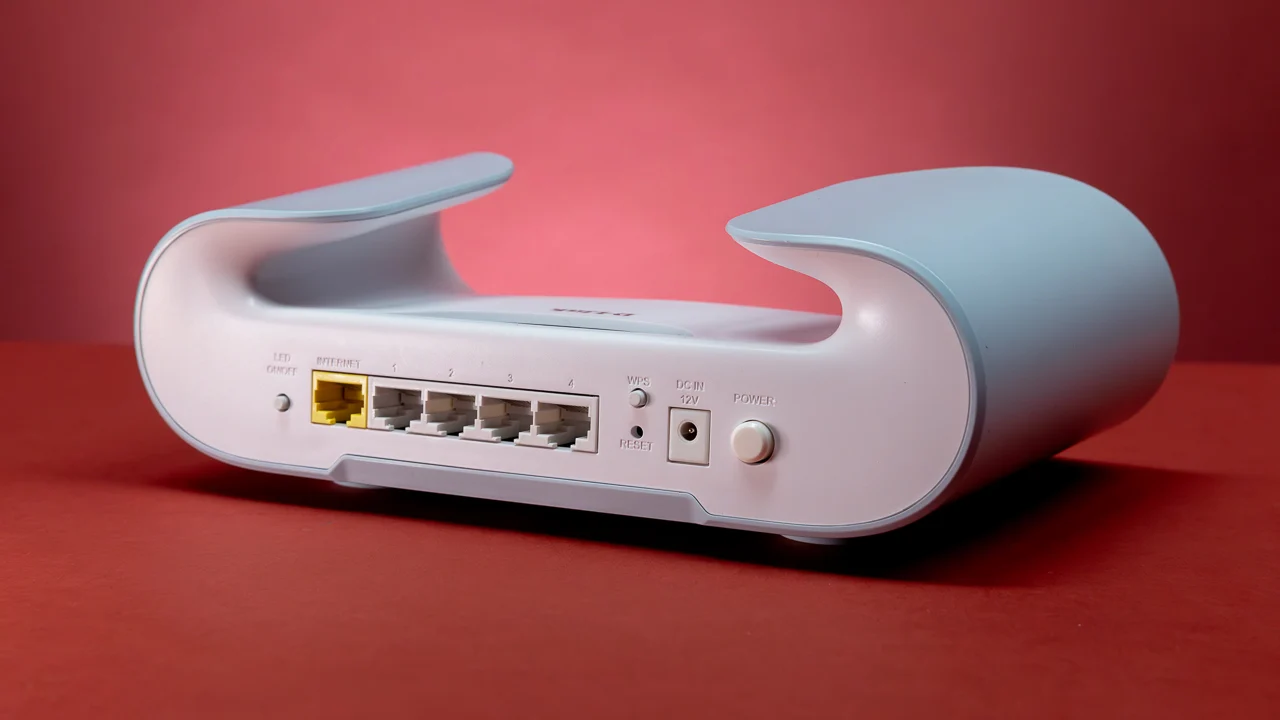
Its Wi-Fi 6 dual-band connection gives it a more current wireless foundation than the Wi-Fi 5 router built into the Starlink Mini Kit. The more important practical detail is on the back: there are two latching Ethernet LAN ports with a removable cover. That gives you room for wired devices or a wired expansion path, and Starlink specifically recommends a wired connection for the router's best performance. It is a much cleaner arrangement than trying to stretch a weak wireless signal through several walls.
The enclosure is 14.25 inches long, 6 inches wide, and 4 inches high, with a listed weight of about 1.26 pounds. That is not a tiny travel router, but the IP56 water-resistant rating makes it more reassuring for installations where equipment may encounter damp conditions. Water resistance does not make every installation location safe, so the router still needs sensible protection from direct exposure and standing water.
The limitation is compatibility. This router is not designed for third-party systems, so it is a poor fit if you want to replace Starlink's networking layer with a separate mesh brand. It also has LAN ports rather than a clearly separate WAN and LAN arrangement. The Starlink Router Mini is smaller and offers both a WAN and a LAN port, while the Gen 3 Router gives you two LAN connections and a larger official chassis.
Choose the Gen 3 Router when you want a dependable center for a Starlink network and do not need a complicated third-party mesh system. It is the router we'd keep for a straightforward home, cabin, or small office installation.
2. Starlink Mini Mesh Extender: Best Mesh Add-On

Pros
- Supports wired and wireless expansion
- Works with several Starlink router generations
- Tabletop or wall-mount installation
- Includes stand, screws, and drywall anchors
- Compact 5.4-inch height
Cons
- Not compatible with third-party mesh systems
- Gen 1 is excluded
- Placement matters around concrete and metal obstructions
Best for: Starlink households that need another indoor mesh node without changing the main router.
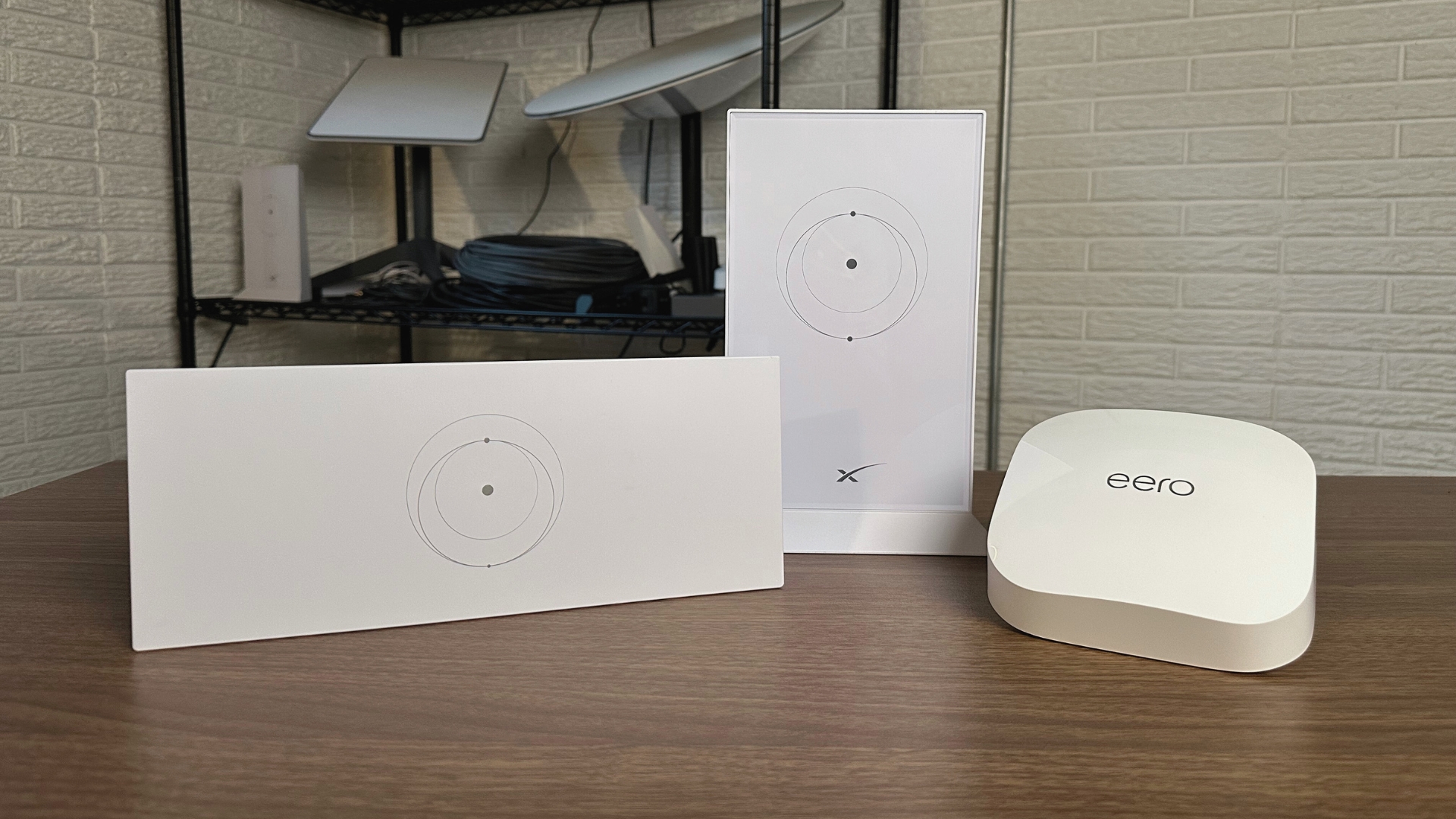
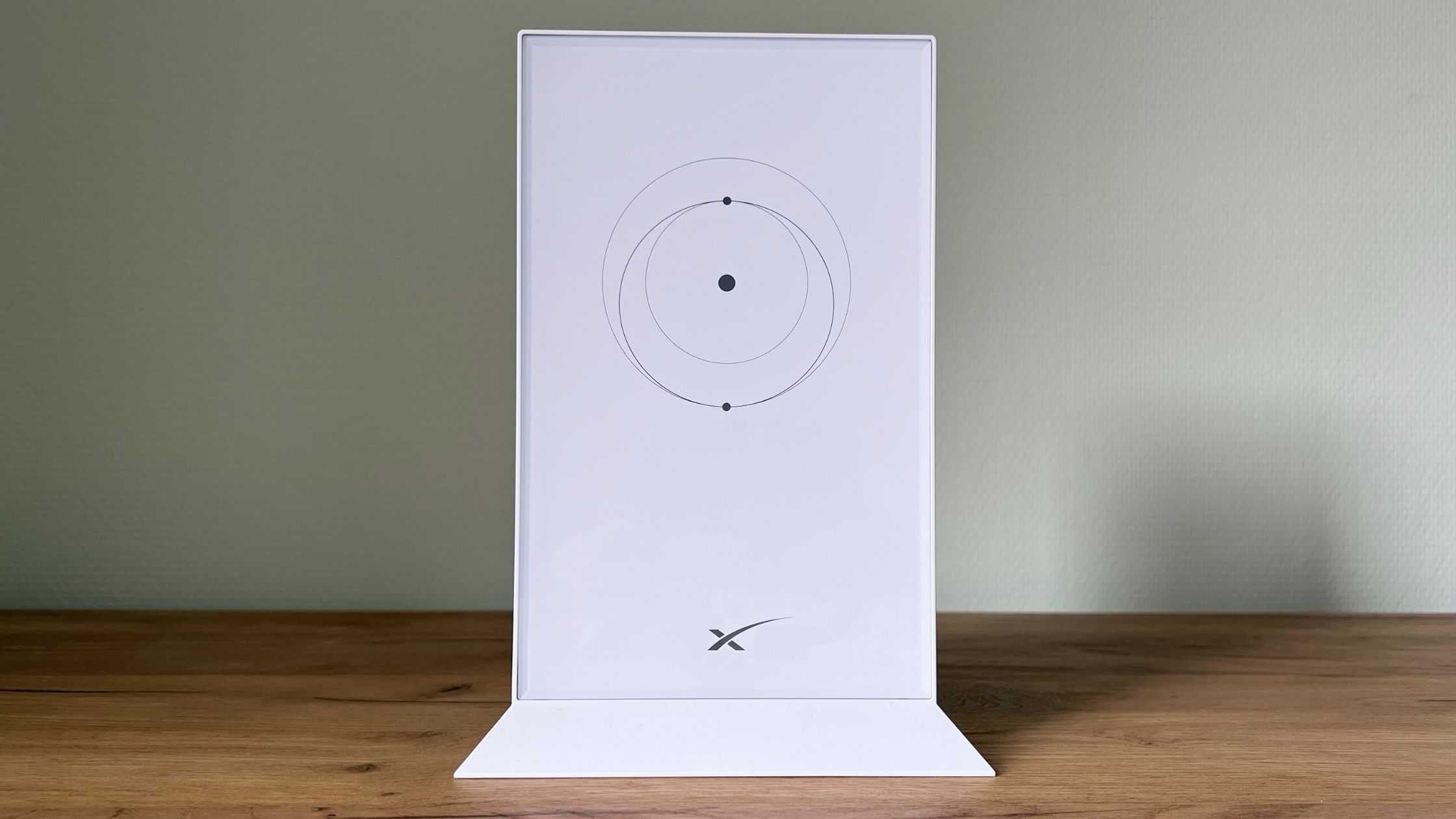
The Starlink Mini Mesh Extender is the most natural answer when the Starlink connection works well near the main router but fades in a distant bedroom, office, or upper floor. It is not a replacement for the main router. Think of it as the second point in a Starlink mesh arrangement, with the option to connect wirelessly or use Ethernet when a cable is available.
That wired or wireless choice matters. Wireless mesh is easier when you cannot run cable, but its performance depends heavily on where the extender sits. The product recommends placing it within two rooms of the main router and avoiding concrete walls and metal appliances. A wired connection is the better route when the building layout allows it because the node can receive the network over Ethernet rather than using part of its wireless connection to communicate with the main router.
Installation is flexible. The unit can sit on a tabletop or attach to a wall, and the package includes a mounting stand, screws, and drywall anchors. Its listed dimensions are 5.4 inches high, 3.3 inches long, and 1 inch wide, which gives it a narrow profile for a hallway shelf or wall position. The five-item count reflects the included hardware and accessories rather than five mesh units, so buyers should not read that number as a multi-node pack.
Compatibility is broader than the official Gen 3 router, at least within Starlink's own ecosystem. It works with the Gen 2 Router, Gen 3 Router, Router Mini, and Starlink Mini Kit. It does not support wireless mesh with Gen 1 routers or third-party mesh systems. That restriction makes the Generic Mini Travel Router more flexible on paper, but the Starlink Mini Mesh Extender is the cleaner match for people who want to remain inside the Starlink network family.
Its real weakness is that placement cannot be treated as an afterthought. Put it too far from the main router or behind dense materials and the extra node may simply repeat a poor connection. Choose it for a normal home where you can place the unit within a sensible distance, or wire it back to the router for a stronger expansion point.
For more general coverage planning, how to place an extra access point around a home can help you think through walls, floors, and router positions before mounting this unit.
3. Generic Mini Travel Router: Best Portable Design

Pros
- Compact, phone-sized design
- Dual-band wireless connection
- Wired or wireless mesh operation
- Supports up to 1, 300 square feet of expansion
- Suited to RVs and trailers
Cons
- Generic branding and limited published detail
- Listed weight is 1 pound
- Compatibility is narrower than the official Gen 3 Router
Best for: travelers who need a small Starlink-compatible router for an RV, campsite, or trailer.
The Generic Mini Travel Router is aimed at a different problem than the Starlink Gen 3 Router. It is for the user who already has Starlink internet but needs to move coverage into a trailer, another part of a campsite, or a compact temporary workspace. The listing describes it as phone-sized, which is the key ownership detail here. It should be easier to pack and position than a full-size home router.
The dual-band design is useful in a travel setting because 2.4GHz generally helps with reach and 5GHz can provide a faster local connection when devices are nearby. The product does not publish separate wireless throughput figures, so it would be a mistake to treat it as a performance specification. Its practical advantage is deployment flexibility: it can work in a wireless mesh configuration or through a wired Ethernet connection.
The advertised coverage expansion is up to 1, 250 to 1, 300 square feet. That figure should be treated as a planning reference, not a guarantee. RV walls, vehicle bodies, nearby networks, and the position of the main Starlink router can all change the usable area. Still, the combination of compact size and wired fallback makes it more useful than a basic repeater for many mobile setups.
Compatibility covers the Starlink Mini Kit, Gen 2, and Gen 3 routers. That is a reasonable range, though the Starlink Mini Mesh Extender covers the same broad Starlink generations and offers more explicit mounting hardware. The Generic Mini Travel Router is the better pick when portability matters more than a polished permanent installation.
The missing detail is the main concern. The listing gives no specific port count, dimensions, or installation hardware, and the branding is generic. Buyers who want a known official enclosure should choose the Starlink options instead. This router makes sense for a traveler who can accept less documentation in exchange for a small unit that can be used wirelessly or connected by Ethernet.
4. Generic 128-Device Mesh Router: Best for Many Devices

Pros
- Supports 128 or more devices
- Dual-band wireless design
- Mesh-ready for larger coverage
- Compact 138 by 83.6 by 27 millimeter profile
- Compatible with four Starlink system families
Cons
- Very limited published feature information
- No stated port configuration
- Generic product branding
Best for: homes or small offices with many connected devices and a need for a compact mesh point.
The Generic 128-Device Mesh Router stands out because its headline capability is capacity rather than portability or outdoor reach. It is described as supporting 128 or more devices, which gives it a clear role in a busy home with phones, laptops, televisions, cameras, smart-home products, and work equipment sharing the same Starlink connection.
It uses a dual-band wireless design and is mesh-ready. That combination is sensible for a crowded network, but the device count should not be mistaken for a promise of full-speed service to 128 clients at once. The actual experience still depends on the Starlink connection, wireless interference, client hardware, and the amount of traffic each device generates. A high device count is most useful when many products are connected but only a few are demanding heavy bandwidth at any moment.
The dimensions are unusually specific: 138 by 83.6 by 27 millimeters. That is a slim, compact shape for a shelf, desk, or travel kit, though the listing does not provide a weight or port layout. The lack of port information is important. If you need several wired connections, the Hugener Router Mini Hub is a more direct solution, while this product is mainly appealing as a wireless mesh device.
Compatibility includes Starlink Gen 2, Gen 3, Gen 4, and Mini systems. That is the broadest stated Starlink range among the compact generic routers in this roundup. It beats the Generic Compact Mini Router on stated device capacity and generation coverage, but the Compact Mini Router provides clearer information about 2.4GHz and 5GHz operation and plug-and-play setup.
The weakness is the thin specification sheet. We know its size, dual-band status, mesh readiness, and stated device support, but not its Ethernet arrangement or detailed installation process. Skip it if you need a precisely documented wired network. Pick it when a compact mesh point for a crowded household is the priority and you are comfortable confirming setup details before installation.
5. Starlink Mini Kit: Best All-In-One System

Pros
- Combines satellite hardware and router
- Integrated dual-band Wi-Fi 5
- Built-in Ethernet port
- Portable design for mobile use
- Includes kickstand, pipe adapter, cables, and power supply
Cons
- Wi-Fi 5 is older than Wi-Fi 6
- Listed weight is 6.21 pounds
- This is a complete satellite system, not just a router
Best for: users who need the Starlink dish and integrated router in one portable system.
The Starlink Mini Kit is not a conventional router upgrade. It is the starting point for someone who needs the satellite terminal and networking hardware together, especially for camping, an RV, a construction site, or an off-grid cabin. Its integrated router means you can get online without first purchasing a separate wireless router.
The built-in router uses dual-band Wi-Fi 5 and includes an Ethernet port for a wired device, another router, a mesh system, or other network hardware. Wi-Fi 5 is an older wireless generation than the Wi-Fi 6 hardware in the Starlink Gen 3 Router and Starlink Router Mini, so this kit is not the right choice if your only goal is to modernize an existing Starlink network. Its strength is that the networking hardware is already part of the portable satellite system.
The setup is designed to be quick. The listing describes a two-step process: connect the Mini, point it toward the sky, and join the network. The Starlink app helps locate a clear sky view, check obstructions, manage the account, and adjust hardware settings. The kit includes a kickstand, pipe adapter, power cable, power supply, Ethernet patch cable, reusable cable ties, and a cleaning cloth.
The size and weight tell you how to think about it. The listed dimensions are 17.04 inches long, 13.15 inches wide, and 3.11 inches high, with a weight of 6.21 pounds. That is portable in the context of satellite internet, but it is not something most people will carry like a small travel router. Average power consumption is listed at 25 to 40 watts, a relevant detail for battery, solar, and vehicle installations.
The main drawback is category confusion. If you already own a Starlink dish and simply need better indoor coverage, buy a router or mesh node instead. If you need a complete connection where traditional broadband is unavailable, the Starlink Mini Kit is the most self-contained option in this list.
6. Starlink Router Mini: Best Official Compact Router

Pros
- Official Starlink hardware
- Wi-Fi 6 and dual-band wireless
- Separate latching LAN and WAN ports
- Supports several Starlink generations
- Smaller footprint than the Gen 3 Router
Cons
- Not compatible with third-party mesh systems
- Only one LAN port
- Less Ethernet expansion than the Gen 3 Router
Best for: Starlink users who want official Wi-Fi 6 hardware in a smaller enclosure.
The Starlink Router Mini is the official compact alternative to the larger Gen 3 Router. It keeps the useful Wi-Fi 6, dual-band foundation but takes a more restrained approach to wired connectivity. For a small home, apartment, cabin, or travel setup, that can be the better physical fit.
Its port arrangement is unusually important. There is one latching Ethernet LAN port and one latching Ethernet WAN port. The separate WAN connection makes the Router Mini easier to understand when it is being used with another internet source or a particular network layout. The Starlink Gen 3 Router instead provides two latching LAN ports, which is more convenient when you want several local wired devices or a wired expansion path.
The Router Mini is listed at 12 inches long, 10 inches wide, and 3 inches high. That is still not pocket-sized, but it is smaller than the Gen 3 Router and better suited to a limited shelf or desk. The latching ports and removable-style Starlink cable approach also help keep a mobile setup secure, though the listing does not describe a water-resistance rating for this model.
Compatibility includes the Gen 2 Router, Gen 3 Router, Router Mini, and Starlink Mini Kit. The catch is that it is not compatible with third-party mesh systems. That limitation mirrors the Gen 3 Router, but it matters more here because buyers may assume any Wi-Fi 6 router can become the center of a mixed-brand mesh network. It cannot be treated that way based on the supplied information.
Choose this model over the Gen 3 Router when its smaller shape and WAN port are more useful than having two LAN ports. Choose the Starlink Mini Mesh Extender instead when the main router already works well and your real problem is a dead zone. The Router Mini is a primary official router, not a dedicated coverage satellite.
7. UeeVii CPE5824WR Bridge Kit: Best Long-Distance Bridge

Pros
- Point-to-point and point-to-multipoint support
- Dual 1000Mbps RJ45 ports
- Claimed 5-kilometer range
- 14dBi high-gain antenna
- IP65-rated outdoor bridge hardware
- Includes an indoor Wi-Fi 6 router
Cons
- Indoor router is not waterproof
- Requires a clear, carefully aligned path
- More involved than an indoor mesh node
Best for: extending Starlink from a main building to a barn, shop, garage, or remote rural structure.
The UeeVii CPE5824WR Bridge Kit is the most serious solution here for a property where the next building is too far away for ordinary indoor Wi-Fi. It combines a dual-band wireless bridge with a WR3000K Wi-Fi 6 router, allowing the Starlink connection to travel between locations without a long Ethernet cable running across the ground.
The bridge hardware has dual 100/1000Mbps RJ45 ports and a claimed range of up to 5 kilometers. Those figures describe the bridge's connection capability, not a guaranteed Starlink internet speed at the far end. The distance, line of sight, mounting height, interference, and alignment all matter. The 14dBi high-gain antenna focuses the wireless signal, which is useful for a deliberate building-to-building link but less suitable for casually covering a yard in every direction.
Installation is more practical than a custom enterprise wireless link. The bridge is described as pre-configured and plug and play, with a simple dial for re-pairing if needed. It supports point-to-point and point-to-multipoint arrangements, and the included hoops support pole or wall mounting. The bridge enclosure is IP65-rated against dust and rain, while the included router must remain indoors because it is not waterproof.
The product is specifically described for Starlink V2 and V3 compatible kits. That makes it a better match for an older or current full-size Starlink installation than for a Mini-only setup. At 9.6 inches high, 3.5 inches long, and 2 inches wide, the kit's listed dimensions are manageable, but its 4.6-pound listed weight reinforces that this is fixed network infrastructure rather than travel gear.
The downside is the installation discipline it demands. A mesh node can sit on a shelf and work around ordinary rooms. This bridge needs appropriate mounting, power, and a clear route between endpoints. The Burbifro 3KM Bridge is a more specialized alternative with 18dBi antennas and a stated 3-kilometer range, but UeeVii offers the broader 5-kilometer claim, point-to-multipoint support, and an included Wi-Fi 6 router.
Use the UeeVii when a remote building needs its own network and running cable is impractical. It is excessive for a bedroom dead zone and the wrong tool for anyone who wants a small wireless extender with no outdoor installation.
8. Generic Compact Mini Router: Best Simple Dual-Band Option

Pros
- Clearly identified 2.4GHz and 5GHz bands
- Supports wireless and standard ISP connections
- Mesh network expansion
- Plug-and-play setup
- Compact portable design
Cons
- Generic branding
- No stated Ethernet port count
- Listed dimensions are larger than the travel-focused model
Best for: users who want a simple dual-band expansion router for home or office use.
The Generic Compact Mini Router is the straightforward choice among the generic indoor models. It does not lead with a large device count or a long-distance antenna. Instead, it gives buyers the basic information needed to understand the wireless connection: 2.4GHz and 5GHz bands, mesh support, and a quick setup process.
That two-band arrangement lets nearby devices use 5GHz when they need more local speed, while 2.4GHz can be useful for reach and compatible smart-home equipment. The listing says it is intended for streaming, gaming, and video calls, but it does not provide throughput figures or a port count. Those omissions mean it should be judged as a simple expansion unit rather than a fully documented replacement for a main router.
Compatibility is broad enough for the intended use. It works with Starlink systems and standard internet service providers, and the listing specifically names Starlink V4, Gen 3, and Mini. The ability to operate with a regular ISP gives it a little more flexibility than the official Starlink-only routers, though it does not establish compatibility with every third-party mesh ecosystem.
The enclosure is listed at 10 inches long, 8 inches wide, and 2 inches high. That is compact compared with a full home networking appliance, but it is not as travel-friendly as the Generic Mini Travel Router, whose phone-sized design is the more convincing choice for an RV or trailer. The Compact Mini Router is better suited to a desk, shelf, or home office where it can remain in place.
Its weakness is the limited hardware disclosure. We know the wireless bands, mesh capability, general compatibility, and setup approach, but not how many Ethernet devices it can support or how the ports are arranged. Buyers who need documented wired expansion should look at the Starlink Gen 3 Router or Hugener Router Mini Hub. For a simple wireless coverage point, this model is the less complicated generic option.
If your connected devices include desktop computers, televisions, or other equipment without strong built-in Wi-Fi, the practical differences between a USB Wi-Fi connection and a wired setup are worth considering before deciding where this router belongs.
9. Burbifro 3KM Bridge: Best Outdoor Point-to-Point Kit

Pros
- Claimed outdoor range up to 3 kilometers
- 18dBi high-gain antennas
- 5.8GHz wireless bridge
- Two RJ45 LAN ports
- IP65 outdoor protection
- Includes 24V PoE injector
Cons
- Actual data rate is listed around 200Mbps
- Intended for a directional link, not general home coverage
- Compatibility is specifically centered on Gen 3
Best for: creating a directional Starlink link between two locations across a rural property.
The Burbifro 3KM Bridge is built for the gap between buildings, not for filling in a weak signal behind a living-room wall. Its two large outdoor bridge units use a 5.8GHz connection and 18dBi high-gain antennas to send the network in a focused direction. That makes it a useful candidate for a house-to-workshop or house-to-gatehouse link where a normal mesh point cannot reach.
The advertised outdoor range is up to 3 kilometers, and the product includes two RJ45 LAN ports on the bridge. The listing mentions gigabit ports but also says the actual transmission speed is approximately 200Mbps, influenced by the bridging distance. That candid limitation is more useful than treating the gigabit port as a promise of gigabit internet. Starlink service and the wireless path can both become the limiting factors.
A 24V PoE injector carries power and data through one Ethernet cable, which simplifies a properly mounted outdoor installation. The bridge is rated IP65 for outdoor conditions and is described as suitable for heat, cold, and heavy rain. The high-gain antennas still need a sensible clear path and careful positioning. A directional bridge cannot bend around a hill or reliably work through a dense stand of trees just because the range claim is long.
The listing says it is compatible with the Starlink Gen 3 Router. It also mentions Starlink systems broadly, but Gen 3 is the clearest compatibility point in the supplied information. That is narrower than the UeeVii CPE5824WR Bridge Kit, which is described for V2 and V3 and includes a separate indoor Wi-Fi 6 router. The Burbifro is more focused on the outdoor wireless path itself.
The main weakness is its specialized nature. It does not make sense for a normal apartment or a single-floor home, and the approximately 200Mbps bridge figure should be kept in mind for demanding use. Choose it when the physical separation between two places is the problem, you can mount both ends with a clear path, and you need more reach than indoor mesh equipment can provide.
10. Hugener Router Mini Hub: Best Wired Expansion

Pros
- Four gigabit Ethernet ports
- Built specifically for Router Mini
- Desktop base and wall-mount support
- Two DC power interfaces
- Helps reduce cable clutter
Cons
- Not a wireless router
- Compatibility is narrowly focused
- Does not extend wireless coverage by itself
Best for: Router Mini owners who need several wired Ethernet connections in one tidy location.
The Hugener Router Mini Hub is the odd one out, but it solves a real Starlink networking problem. It does not create a stronger wireless signal and it is not a replacement router. It is an Ethernet expansion accessory for the Starlink Router Mini, turning a limited wired setup into one with four available RJ45 connections.
Each port supports 1000Mbps, according to the listing. That gives you room to connect wired computers, televisions, switches, access points, or other network hardware without adding a separate external switch. Wired connections are especially useful for stationary devices that do not need to compete for wireless airtime, and they can provide a more predictable path for a remote access point.
The hub is designed specifically for the Starlink Router Mini, identified in the listing as UTR-251, as well as Standard 4 and V5. It includes an integrated base for a cleaner desktop arrangement, plus a metal bracket and wall-mount holes. Two DC 3.5 by 1.35mm interfaces are included to meet the Router Mini's power expansion needs, though buyers should pay close attention to their exact router model before connecting power accessories.
At about 0.33 pounds, it is much lighter than a full router or outdoor bridge. Its compact accessory format makes sense in a home office, vehicle, or fixed installation where the router and cables need to stay organized. The four-port expansion is also more direct than buying a separate switch and then finding another place for it.
The clear limitation is that it cannot solve a wireless dead zone. The Starlink Mini Mesh Extender or Generic Compact Mini Router is the better answer when phones and laptops cannot reach the network. The Hugener is for wired expansion only, and its narrow Router Mini compatibility means it should not be treated as a universal Starlink adapter.
Choose it when your Router Mini is working well but you have run out of Ethernet connections. It is a useful finishing piece for a wired Starlink setup, not the Best wireless router for Starlink itself.
How to choose best wireless router for starlink
The right Starlink networking hardware depends first on the physical problem you are trying to solve: a main router replacement, an indoor dead zone, a mobile installation, or a building that sits far beyond normal Wi-Fi range.
Starlink generation compatibility
Start with the exact Starlink hardware you own. The Starlink Gen 3 Router supports the Gen 3 Router, Router Mini, and Starlink Mini Kit, while the Starlink Router Mini lists compatibility with Gen 2, Gen 3, Gen 4, and Mini systems. Generic products can cover some of the same generations, but their compatibility language is not always as specific.
Do not assume that a router labeled Wi-Fi 6 automatically works as a Starlink mesh node. The official routers in this list are not compatible with third-party mesh systems, and the Starlink Mini Mesh Extender excludes Gen 1 wireless mesh. Compatibility is a system feature, not just a wireless standard.
Wireless bands and Wi-Fi generation
Dual-band equipment uses 2.4GHz and 5GHz wireless networks for different jobs. The 2.4GHz band generally reaches farther and handles obstacles more easily, while 5GHz can provide a faster local connection when devices are close and interference is manageable. A dual-band router is the sensible baseline for a home or travel setup.
Wi-Fi 6 appears on the official Gen 3 Router and Router Mini, while the Starlink Mini Kit uses Wi-Fi 5. Wi-Fi generation does not increase the satellite service itself, but newer client devices may handle a busy local network more efficiently. The older Wi-Fi 5 hardware remains practical when the main goal is a portable all-in-one system.
A router cannot repair a poor satellite view, and a mesh node cannot repair a weak connection to the main router.
Wired ports
Ethernet is the most dependable way to connect stationary devices and expansion hardware. The Starlink Gen 3 Router has two latching LAN ports, the Router Mini has one LAN and one WAN port, and the Hugener Router Mini Hub expands a compatible Router Mini to four gigabit connections.
Check the port type and count before buying. A mesh node with no clearly listed port arrangement may be fine for wireless coverage but unsuitable for a desktop, switch, or wired access point. The UeeVii and Burbifro bridge kits also use Ethernet to connect their outdoor endpoints and inject power.
Coverage and placement
Indoor mesh hardware works best when the extra node is close enough to receive a strong signal from the main router. The Starlink Mini Mesh Extender recommends placement within two rooms and away from concrete walls and metal appliances. A node placed at the very edge of coverage may broadcast a stronger-looking signal while still passing along a weak connection.
For a large property, use directional bridge hardware instead of stacking indoor extenders. The UeeVii CPE5824WR and Burbifro 3KM Bridge are designed for point-to-point transmission, with high-gain antennas and outdoor protection. They need a suitable route between buildings and are not casual alternatives to a living-room mesh node.
Portability and installation
Travelers should prioritize enclosure size, power requirements, and setup steps. The Generic Mini Travel Router has a phone-sized design and can work wirelessly or through Ethernet, while the Starlink Mini Kit combines the satellite terminal, integrated router, power equipment, and mounting pieces in one larger portable system.
Permanent home installations can benefit from wall mounting or a stable base. The Starlink Mini Mesh Extender includes mounting hardware, the UeeVii bridge supports pole and wall mounting, and the Hugener hub can sit on a desk or attach to a wall. Neat mounting is not just cosmetic. It keeps cables from pulling on ports and makes the wireless position easier to maintain.
Frequently asked questions
Can I use any wireless router with Starlink?
Not every wireless router can join a Starlink mesh system. The official routers and extenders in this roundup have specific compatibility limits, and some do not support third-party mesh systems. A separate router may still be usable in a wired network arrangement, but its exact setup depends on the Starlink hardware and network mode.
Is Wi-Fi 6 necessary for Starlink?
Wi-Fi 6 is not required for Starlink internet to work. It can improve how compatible devices share a busy local wireless network, but it does not change the satellite link itself. The Starlink Gen 3 Router and Starlink Router Mini use Wi-Fi 6, while the Starlink Mini Kit uses Wi-Fi 5.
Should I choose a mesh extender or an outdoor bridge?
Choose a mesh extender when the weak area is inside the same home or a nearby part of the building. Choose an outdoor bridge when you need to connect separate structures across a property and ordinary wireless coverage cannot span the distance. A bridge requires mounting and alignment, while a mesh extender is usually simpler to place.
Can I connect wired devices to a Starlink Router Mini?
The Starlink Router Mini includes one latching Ethernet LAN port and one latching Ethernet WAN port. If you need more wired connections, the Hugener Router Mini Hub is designed to expand a compatible Router Mini to four gigabit Ethernet ports. Confirm the Router Mini model before using the accessory.
Is the Starlink Mini Kit a router or a complete Starlink system?
It is a complete portable satellite system with an integrated dual-band Wi-Fi 5 router. The kit includes the Starlink Mini hardware, power equipment, mounting pieces, and other listed accessories. It is intended for people who need the satellite connection itself, not just a replacement router for an existing dish.
Can a mesh extender cover a barn or detached garage?
It can work for a nearby detached structure if the signal between the main router and extender remains strong, but walls and distance can quickly weaken the link. For a remote barn or shop, a point-to-point bridge such as the UeeVii CPE5824WR is better suited. The bridge creates a deliberate link instead of relying on a mesh node placed at the edge of coverage.
The bottom line
The Starlink Gen 3 Router is the Best wireless router for Starlink for most owners who want official Wi-Fi 6 hardware, two Ethernet LAN ports, and compatibility with the Gen 3 and Mini ecosystem. The Starlink Router Mini is the better fit when a smaller official unit and a separate WAN port matter more than extra local Ethernet connections.
For a dead zone, choose the Starlink Mini Mesh Extender. For a barn, workshop, or other remote building, choose the UeeVii CPE5824WR Bridge Kit rather than trying to force an indoor mesh node across the property. The Starlink Mini Kit is the clear choice only when you need the satellite terminal and router together for mobile or off-grid use.
If you are undecided, identify the location that needs connectivity first, then choose indoor mesh, wired expansion, or a directional bridge to match it.
As an Amazon Associate we earn from qualifying purchases.