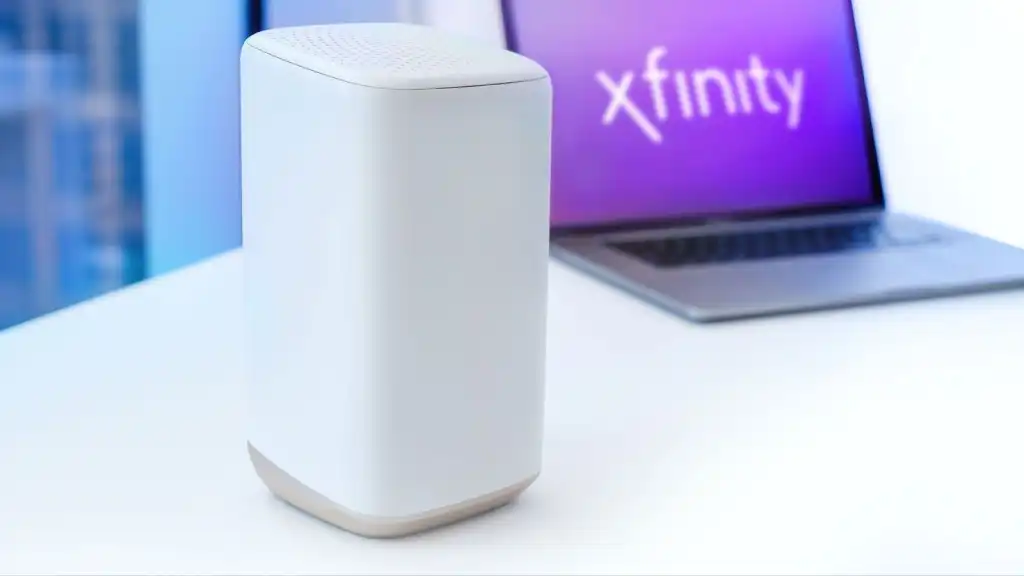

An Xfinity connection can be fast at the modem and still feel sluggish in the back bedroom, overloaded during a family streaming session, or limited by an aging WiFi standard. The right modem router combo has to match your cable plan, cover the space you actually live in, and provide enough wired ports for consoles, computers, and streaming devices.
The Best modem router combo for xfinity is not automatically the model with the biggest wireless number. We looked at the practical differences between DOCSIS 3.1 and DOCSIS 3.0, WiFi 6 and WiFi 5, single-unit coverage and mesh, plus the provider restrictions that can make an otherwise capable device a poor fit.
Our top pick is the NETGEAR CAX30, with options ranging from compact ARRIS WiFi 6 units to the whole-home NETGEAR Orbi CBK752 mesh system.
Comparison table
| # | Product | Award | WiFi | DOCSIS | Coverage | Best for |
|---|---|---|---|---|---|---|
| 1 | NETGEAR CAX30 | Best overall | WiFi 6, AX2700 | 3.1 | Up to 2, 000 sq. ft. | Most Xfinity households |
| 2 | NETGEAR CAX30S | Best for security features | WiFi 6, AX2700 | 3.1 | Up to 2, 000 sq. ft. | Homes wanting Armor included |
| 3 | NETGEAR CAX80 | Best for multi-gig networking | WiFi 6, AX6000 | 3.1 | Up to 2, 500 sq. ft. | Fast plans and wired devices |
| 4 | ARRIS G20 | Best compact WiFi 6 pick | WiFi 6, AX3000 | 3.1 | Not specified | Straightforward home networks |
| 5 | ARRIS G34 | Best for 2.5 Gbps cable plans | WiFi 6, AX3000 | 3.1 | Not specified | Multi-gig cable service |
| 6 | NETGEAR C7000 Renewed Xfinity | Best basic renewed pick | WiFi 5, AC1900 | Not specified | Not specified | Cable plans up to 800 Mbps |
| 7 | NETGEAR C7000 | Best app controls | WiFi 5, AC1900 | 3.0 | Not specified | Homes using Nighthawk controls |
| 8 | ARRIS G18 | Best simple WiFi 6 option | WiFi 6, AX1800 | 3.1 | Not specified | Smaller cable networks |
| 9 | NETGEAR C7000 Renewed AC1900 | Best for 30 devices | WiFi 5, AC1900 | Not specified | Up to 1, 800 sq. ft. | Moderate-size households |
| 10 | NETGEAR Orbi CBK752 | Best whole-home coverage | WiFi 6, AX4200 | 3.1 | Up to 5, 000 sq. ft. | Large or difficult layouts |
1. NETGEAR CAX30: Best Overall

Pros
- DOCSIS 3.1 modem and WiFi 6 router in one unit
- Coverage rated for up to 2, 000 square feet
- Four Gigabit Ethernet ports and USB 3.0
- Supports port aggregation
- Nighthawk app makes setup manageable
Cons
- Not compatible with fiber, DSL, satellite, or bundled voice service
- WiFi coverage is still affected by walls and floors
- NETGEAR Armor trial lasts 30 days
Best for: most Xfinity households that want a modern single-box network with useful wired connectivity.
The NETGEAR CAX30 gets the fundamentals right without turning a home network into a project. It replaces the separate cable modem and router, so there is only one box to activate, manage, and find space for. For a typical apartment, townhouse, or medium-size house, its combination of DOCSIS 3.1 and WiFi 6 is the sensible starting point.
Its AX2700 dual-band WiFi 6 system is rated to cover up to 2, 000 square feet and support 25 concurrent devices. Those figures are not a guarantee through multiple floors, but they describe the kind of household this unit is designed for: several phones, laptops, TVs, consoles, and smart-home devices sharing a cable connection. WiFi 6 also gives newer devices a more efficient way to handle a busy network than the WiFi 5 hardware found in the C7000 models.
The wired side is unusually useful for a combo unit. Four 1 Gigabit Ethernet ports can connect a desktop, game console, television, and another fixed device without immediately requiring a switch. Port aggregation is supported, and the USB 3.0 port can connect compatible storage or other USB equipment. That is a more flexible layout than the ARRIS G20 and ARRIS G18 provide in the information supplied here.
Xfinity compatibility is a strong point, but the restrictions matter. This is a cable-only device, not a solution for Verizon, AT&T, CenturyLink, DSL, satellite, or bundled voice service. The Nighthawk app guides setup and network management, while the built-in security measures and firmware updates add useful protection. NETGEAR Armor is included as a 30-day trial, not a permanent part of the device.
The CAX30S is closely related and adds a longer Armor trial, while the CAX80 is the better fit for a multi-gig wired network. The weakness here is that the CAX30 remains a single access point. If your home has thick walls, several floors, or dead zones, the Orbi CBK752 is the more appropriate design. For everyone else, this is the pick we'd keep because it balances current cable technology, WiFi 6, ports, and manageable coverage.
2. NETGEAR CAX30S: Best for Security Features

Pros
- DOCSIS 3.1 and dual-band WiFi 6
- Four Gigabit Ethernet ports
- USB 3.0 connectivity
- WPA, WPA2, and WPA3 support
- 90-day NETGEAR Armor trial
Cons
- Single-unit coverage is rated for up to 2, 000 square feet
- Not compatible with fiber, DSL, satellite, or bundled voice
- The hardware is closely matched to the CAX30
Best for: Xfinity users who want the CAX30 platform with a longer included security trial.
The NETGEAR CAX30S is the most direct alternative to the CAX30. Its everyday networking hardware is familiar: a DOCSIS 3.1 cable modem, dual-band AX2700 WiFi 6, four 1 Gigabit Ethernet ports, and one USB 3.0 port. The difference that matters here is NETGEAR Armor, which comes with a 90-day trial rather than the 30-day trial listed for the CAX30.
That extra trial period gives a household more time to decide whether the security tools fit its routine. Armor is described as covering protection against hackers, malware, and identity theft, with protection at home or on the go. The device also supports WPA, WPA2, and WPA3 wireless security protocols. Those are meaningful features, though buyers should remember that a trial service is not the same thing as a permanently included subscription.
The CAX30S is rated for up to 2, 000 square feet and 25 concurrent devices. That puts it in the same general class as the CAX30, not the whole-home mesh category. WiFi 6 helps newer phones, laptops, and streaming devices share airtime more efficiently, but it cannot make a single access point ignore concrete walls or a second story. If coverage is the central problem, how to extend a wireless network across several rooms is a more relevant question than choosing between two AX2700 units.
Four Ethernet ports give it enough room for several stationary devices, and port aggregation is supported. The Nighthawk app handles setup and management, which is helpful when activating a cable modem with Xfinity. As with the CAX30, it is not compatible with Verizon, AT&T, CenturyLink, DSL providers, satellite services, or bundled voice service.
The main weakness is product overlap. The CAX30 is the more straightforward recommendation for most people, and the CAX80 is substantially more capable for high-throughput wired networking. Choose the CAX30S when its longer Armor trial and WPA3 support are the features that settle the decision. Skip it if you already know you need mesh coverage or if you do not want security software that may require a separate subscription after the trial.
3. NETGEAR CAX80: Best for Multi-Gig Networking

Pros
- AX6000 WiFi 6 capacity
- 2.5 Gigabit multi-gig port
- Supports port aggregation
- Four Gigabit Ethernet ports
- Coverage rated for up to 2, 500 square feet
Cons
- Larger and heavier than the other single-unit picks
- Not compatible with fiber, DSL, satellite, or bundled voice
- Real-world speeds depend on the plan and client devices
Best for: Xfinity households with a multi-gig cable plan or several demanding wired devices.
The NETGEAR CAX80 is the performance-oriented choice in this group. It is still a two-in-one cable modem and router, but its AX6000 WiFi 6 system and multi-gig wired port make it a different class of equipment from the CAX30 and the ARRIS AX3000 models. It is the unit to consider when the network itself, rather than simple cable activation, is the limiting factor.
NETGEAR rates the CAX80 for up to 6 Gbps of combined WiFi capacity, up to 30 devices, and coverage of up to 2, 500 square feet in open layouts. Those numbers describe wireless capacity rather than a guaranteed internet speed. Walls and floors reduce range, and every connected device has its own wireless limits. Still, AX6000 gives a busy household more headroom for simultaneous streaming, gaming, video calls, and large downloads than the AX2700 CAX30.
The port selection is the real differentiator. There are four Gigabit Ethernet LAN ports, one 2.5 Gigabit multi-gig port that can serve the LAN or internet connection, and one USB 3.0 port. The unit can also aggregate two Gigabit ports for up to 2 Gbps. That setup makes sense for a wired desktop, gaming system, network storage device, or high-speed internet connection that would otherwise be constrained by ordinary Gigabit ports. Readers planning several wired connections should also consider how network cables and router ports work together before choosing hardware.
Setup runs through the Nighthawk app, with browser-based setup available too. Xfinity customers activate with the Xfinity app first, then continue the network configuration. The CAX80 supports major cable providers, but it remains cable-only and does not support Verizon, AT&T, CenturyLink, DSL, satellite, or bundled voice services. NETGEAR Armor is offered as a 30-day free trial, with a separate subscription required afterward.
The drawback is physical and practical. This is a bigger, heavier unit than the CAX30, and its extra capacity only matters if your plan, wired equipment, and wireless clients can use it. The ARRIS G34 is a simpler AX3000 alternative, while the Orbi CBK752 is better for spreading coverage rather than concentrating capacity at one point. Pick the CAX80 for a fast plan and demanding network, not merely because AX6000 looks impressive on a box.
4. ARRIS G20: Best Compact WiFi 6 Pick

Pros
- DOCSIS 3.1 modem technology
- Dual-band WiFi 6
- Compatible with Xfinity, Spectrum, and Cox
- Single-unit modem and router design
- Relatively compact footprint
Cons
- Detailed coverage and port specifications are not provided
- Not compatible with fiber, DSL, or satellite
- Less network detail than the NETGEAR models
Best for: Xfinity customers who want a modern ARRIS combo without a large feature list.
The ARRIS G20 takes a quieter approach than the Nighthawk models. It combines a DOCSIS 3.1 cable modem with a dual-band AX3000 WiFi 6 router, then keeps the product description focused on the essentials. That makes it appealing to someone who wants to replace rented equipment and get onto WiFi 6 without needing multi-gig ports or a mesh system.
DOCSIS 3.1 is the important modem upgrade here. It is designed for faster cable service and better handling of current network standards than the DOCSIS 3.0 C7000 models lower in this list. The G20's AX3000 WiFi 6 system should suit a normal household with newer phones, laptops, televisions, and consoles, though the supplied information does not specify a coverage area, device limit, or Ethernet port count.
That lack of detail is the G20's biggest distinction, and its biggest limitation as a buying decision. The CAX30 tells you it supports four Gigabit ports, one USB 3.0 port, 25 devices, and up to 2, 000 square feet. The G20 does not provide those corresponding figures in the product information supplied here. It is therefore easier to recommend for a simple network than for a setup with specific wired requirements.
Compatibility is broad across major cable providers, including Xfinity, Spectrum, and Cox. It is not suitable for fiber, DSL, or satellite service. The listed dimensions are 9.53 inches long, 7.68 inches wide, and 4.41 inches high, so it is not a tiny travel-style box, but it has a less imposing footprint than the CAX80.
The ARRIS G34 is the stronger ARRIS choice when you need explicit support for cable plans up to 2.5 Gbps and four Gigabit Ethernet ports. The ARRIS G18 offers WiFi 6 too, but with AX1800 capacity. Choose the G20 when you value a straightforward DOCSIS 3.1 and WiFi 6 combination and do not need a detailed port or coverage specification. Buyers with a large home should look at the Orbi instead.
5. ARRIS G34: Best for 2.5 Gbps Cable Plans

Pros
- DOCSIS 3.1 support for cable plans up to 2.5 Gbps
- AX3000 dual-band WiFi 6
- Four 1 Gigabit Ethernet ports
- Compact vertical design
- Qualified for Xfinity, Cox, and Spectrum
Cons
- No multi-gig Ethernet port is listed
- Not compatible with fiber, DSL, or satellite
- Coverage area is not specified
Best for: Xfinity users who want high-capacity cable modem support and four wired network ports.
The ARRIS G34 is a practical middle ground. It has DOCSIS 3.1, AX3000 dual-band WiFi 6, and a clearly stated four-port Gigabit Ethernet layout. It does not chase the CAX80's AX6000 wireless capacity or 2.5 Gigabit port, but it gives a household a more complete specification sheet than the G20.
ARRIS says the modem supports cable internet plans up to 2.5 Gbps. That is a modem capability, not a promise that wireless devices will see 2.5 Gbps, especially since the listed wired ports are 1 Gigabit each. The distinction matters. The G34 is prepared for a fast cable connection, but its ordinary Gigabit Ethernet ports may be the ceiling for a wired client.
The AX3000 WiFi 6 system is intended to provide up to 3 Gbps of combined wireless performance. WiFi 6 is useful for a household with newer devices sharing the network, while four Ethernet ports leave room for fixed equipment such as a television, desktop, console, and streaming player. Simple LED indicators show power, upstream and downstream status, and online status, which makes basic troubleshooting less opaque.
The G34 has a compact design measuring 10 inches long, 3 inches wide, and 8 inches high, with a listed weight of 2 pounds. Setup involves connecting the coaxial cable, powering on, activating with the provider, and then joining or customizing the WiFi network. It is CableLabs certified for major US internet providers and tested and qualified for Cox, Xfinity, and Spectrum, but the provider should still confirm model support before activation.
Compared with the ARRIS G20, the G34 is easier to justify for a household that needs four wired connections and a stated multi-gig cable ceiling. Compared with the CAX80, it gives up the 2.5 Gigabit port, AX6000 capacity, USB 3.0, and more explicit whole-home figures. Its weakness is that the 2.5 Gbps modem capability can sound more useful than it is if all your clients connect through 1 Gigabit ports. Choose it for a capable single-unit cable network, not for a full multi-gig wired build.
6. NETGEAR C7000 Renewed Xfinity: Best Basic Renewed Pick

Pros
- Two-in-one modem and router design
- Compatible with Xfinity and Cox
- AC1900 wireless specification
- Intended for cable plans up to 800 Mbps
- Lightweight listed design
Cons
- WiFi 5 rather than WiFi 6
- Not compatible with Spectrum, fiber, DSL, or bundled voice
- Renewed condition requires closer attention to the listing
Best for: an Xfinity household with a cable plan up to 800 Mbps that accepts older WiFi hardware.
The NETGEAR C7000 Renewed Xfinity is a basic route into the C7000 platform. It combines the modem and router in one enclosure and is listed for major cable providers including Xfinity and Cox. Its stated fit is cable plans up to 800 Mbps, which makes it more appropriate for an established moderate-speed plan than for a new multi-gig setup.
This model uses the AC1900 WiFi 5 standard. The combined wireless figure is not the same as a single-device connection, but it gives a rough sense of the hardware class. WiFi 5 can still serve phones, televisions, laptops, and streaming players, yet the newer CAX30, G20, G34, and G18 use WiFi 6 and are better positioned for a busy collection of current devices.
The supplied product information does not list Ethernet port count, USB connectivity, coverage area, or a channel-bonding specification. That missing detail makes this less suitable for someone planning a desktop, console, storage drive, and several other wired devices. It is also specifically listed as incompatible with Spectrum, Verizon, AT&T, CenturyLink, DSL, DirecTV, DISH, and bundled voice service.
The renewed condition deserves attention before ordering. A renewed network device can be a sensible way to obtain an older model, but the buyer should verify the listing's condition, return terms, and compatibility with the intended Xfinity service tier. Activation is still required, and the modem must be accepted by the provider for the particular plan.
The C7000 models offer the same broad idea, but the standard C7000 adds a Nighthawk app, four Gigabit Ethernet ports, USB 2.0, and documented security features. The renewed C7000 Renewed AC1900 lists coverage up to 1, 800 square feet and support for 30 devices, giving it a clearer use case. Pick this version only when its Xfinity and 800 Mbps focus matches your needs and you are comfortable with a renewed unit.
7. NETGEAR C7000: Best App Controls

Pros
- Nighthawk app supports setup and network management
- Four Gigabit Ethernet ports
- USB 2.0 port
- AC1900 WiFi 5
- Built-in firewall and automatic firmware updates
Cons
- DOCSIS 3.0 is older than the DOCSIS 3.1 models
- Intended for Xfinity plans up to 800 Mbps
- Not compatible with fiber, DSL, satellite, or bundled voice
Best for: Xfinity users who want convenient app controls and do not need DOCSIS 3.1.
The NETGEAR C7000 remains appealing because it gives an older modem platform a surprisingly complete set of router controls. The Nighthawk app can handle setup, speed tests, device pauses, connected-device management, and remote network control. For someone who wants to manage a small home network from a phone rather than a browser, that is a real convenience.
Underneath, this is a DOCSIS 3.0 modem with AC1900 WiFi 5. It is certified for Xfinity plans up to 800 Mbps and Cox plans up to 500 Mbps. Those limits put it behind the DOCSIS 3.1 CAX30 and ARRIS models, particularly for anyone choosing a faster current plan or trying to keep the same modem through a future service upgrade.
The router side is better specified than the renewed Xfinity listing. It has four Gigabit Ethernet LAN ports for computers, consoles, streaming players, and storage drives, plus one USB 2.0 port. The AC1900 system combines 2.4GHz and 5GHz bands, and Beamforming+ is intended to improve range and reduce dead spots. It is still WiFi 5, so newer devices will not get the efficiency improvements found in WiFi 6 hardware.
Security features include WPA/WPA2 encryption, double firewall protection, denial-of-service attack prevention, and automatic firmware updates. NETGEAR Armor is offered as a 30-day trial and requires a separate subscription after that. The device is not compatible with Verizon, AT&T, CenturyLink, fiber, DSL, satellite, or bundled voice service.
The C7000 makes sense only when your plan fits its older modem ceiling. The CAX30 is the stronger long-term single-unit choice, while the C7000 Renewed AC1900 gives a stated 1, 800-square-foot coverage area and 30-device capacity. If you want to understand which home network layout suits a crowded household, start with the number and placement of devices rather than the app alone. Choose the C7000 for its mature controls and ports, not for future-proofing.
8. ARRIS G18: Best Simple WiFi 6 Option
Pros
- DOCSIS 3.1 modem
- Dual-band WiFi 6
- Compatible with Xfinity, Cox, and Spectrum
- Simple single-unit design
- Suitable for streaming, gaming, and browsing
Cons
- AX1800 is the least capable WiFi 6 class here
- Coverage and port count are not specified
- Not compatible with fiber, DSL, or satellite
Best for: smaller Xfinity networks that need current modem and WiFi standards without advanced extras.
The ARRIS G18 is the uncomplicated ARRIS option. It combines a DOCSIS 3.1 modem with dual-band WiFi 6 and is approved for Comcast Xfinity, Cox, Spectrum, and other major providers. Its product information is brief, but the core technology is current enough for a home that wants to move beyond the DOCSIS 3.0 and WiFi 5 combination found in the C7000.
Its AX1800 wireless class is modest compared with the AX2700 CAX30 and AX3000 ARRIS G20 and G34. That does not make it unsuitable for ordinary browsing, streaming, gaming, or video calls. It does mean there is less stated wireless capacity for a large household with many simultaneous clients. The product data also does not specify coverage, device count, Ethernet port count, or USB connectivity.
The modem technology is the more persuasive reason to choose it. DOCSIS 3.1 is designed for current cable networks and gives the G18 a better starting point than the older C7000 units. WiFi 6 then helps compatible devices share the wireless network more efficiently. The combination is sensible for a smaller home, but the lack of detailed networking specifications makes it harder to plan around.
The G18 measures 9.49 inches long, 7.44 inches wide, and 4.41 inches high, with a listed weight of 2.25 pounds. It is a single unit, so installation is simpler than a mesh system, but it cannot place a second access point in a distant room. Provider compatibility still needs confirmation, and the device is not meant for fiber, DSL, or satellite services.
The ARRIS G20 is the better ARRIS choice when you want AX3000, while the G34 adds explicit four-port Gigabit connectivity and support for cable plans up to 2.5 Gbps. The G18's weakness is the limited information and lower wireless class. It is a reasonable fit for a smaller Xfinity home that wants DOCSIS 3.1 and WiFi 6, but larger homes should step up to a stronger single unit or the Orbi mesh system.
9. NETGEAR C7000 Renewed AC1900: Best for 30 Devices

Pros
- AC1900 wireless capacity
- Coverage rated for up to 1, 800 square feet
- Supports up to 30 connected devices
- Intended for cable plans up to 800 Mbps
- Replaces a separate modem and router
Cons
- WiFi 5 and older modem platform
- Renewed condition
- Provider compatibility excludes Spectrum and several other services
Best for: a moderate-size Xfinity household with many connected devices and an older compatible plan.
The NETGEAR C7000 Renewed AC1900 has a clearer use case than the other renewed C7000 listing. It is specified for up to 1, 800 square feet and 30 connected devices, so it speaks directly to a moderate-size household with a busy but not cutting-edge network. It remains a two-in-one unit, which keeps the cable installation simple.
AC1900 is a combined wireless capacity figure across the 2.4GHz and 5GHz bands. It is not the speed a single phone will necessarily receive, but it indicates more wireless headroom than a basic older router. The technology is still WiFi 5, however, and the product data describes it as best for cable plans up to 800 Mbps. The newer WiFi 6 units are better choices for current devices and faster service tiers.
The listing includes an input voltage range of 120 to 240 volts. It also describes the unit as replacing a cable modem and WiFi router, though it does not provide the same detailed port information as the standard C7000 listing. That means buyers who need a particular number of wired connections should confirm the product details before ordering rather than assume every C7000 listing has identical documentation.
Compatibility is centered on Xfinity and Cox. The device is not compatible with Verizon, Spectrum, AT&T, CenturyLink, DSL providers, DirecTV, DISH, or bundled voice service. Because it is renewed, the buyer should also review the condition and return information carefully. A provider activation check remains necessary even when the model is otherwise suitable.
The NETGEAR C7000 Renewed Xfinity is a similar idea but gives less information about coverage and device count. The CAX30 is the more capable modern replacement, with DOCSIS 3.1, WiFi 6, four Gigabit ports, and USB 3.0. Choose this renewed AC1900 model when the 1, 800-square-foot and 30-device figures match your home and the service plan does not require newer modem technology.
10. NETGEAR Orbi CBK752: Best Whole-Home Coverage

Pros
- Two-unit WiFi 6 mesh system
- Coverage rated for up to 5, 000 square feet
- Supports 40 or more devices
- Tri-band mesh manages device connections
- Expandable with additional Orbi satellites
Cons
- Larger and heavier than a single-unit combo
- Xfinity support is listed up to 900 Mbps
- Additional satellites are sold separately
Best for: large homes, multi-floor layouts, and rooms that a single modem router cannot cover reliably.
The NETGEAR Orbi CBK752 is the outlier in this roundup because it treats coverage as the main problem. Instead of asking one box to reach every room, it combines an integrated cable modem with a WiFi 6 satellite system. The included two-pack is rated for up to 5, 000 square feet and 40 or more devices, making it the obvious choice for a large or awkwardly shaped home.
Its AX4200 tri-band WiFi 6 system is designed to keep devices connected as they move between the primary unit and satellite. Tri-band mesh gives the system a dedicated wireless path for managing connections, rather than treating the home as one access point with a very long reach. Each optional Orbi WiFi 6 satellite can add 2, 500 square feet, though those satellites are sold separately.
The modem side supports DOCSIS 3.1 and is listed for cable plans up to 4 Gbps in general. The provider-specific figures are more restrained: Xfinity is listed up to 900 Mbps download and 200 Mbps upload, while Spectrum and Cox are listed up to 1 Gbps download. That is important for Xfinity customers. The Orbi's wireless capacity is high, but its stated Xfinity certification does not make it the right choice for every faster plan.
Setup and management use the Orbi app. Automatic firmware updates are included, and NETGEAR Armor provides a 30-day trial for network security and VPN-related privacy features. The system is made for use in the United States. Its listed dimensions are 11.4 inches long, 10.3 inches wide, and 8.9 inches high, with a listed weight of 8.2 pounds for the package, so it needs more shelf and floor space than the single-unit choices.
The weakness is complexity. If your home is small enough for the CAX30 or ARRIS G34, a mesh system adds hardware you may not need. The CAX80 is the better pick for multi-gig wired networking at one location, while the Orbi wins when the problem is a distant bedroom or several floors. Choose it after confirming the Xfinity plan limit and placing the satellite where it can still receive a strong connection from the main unit.
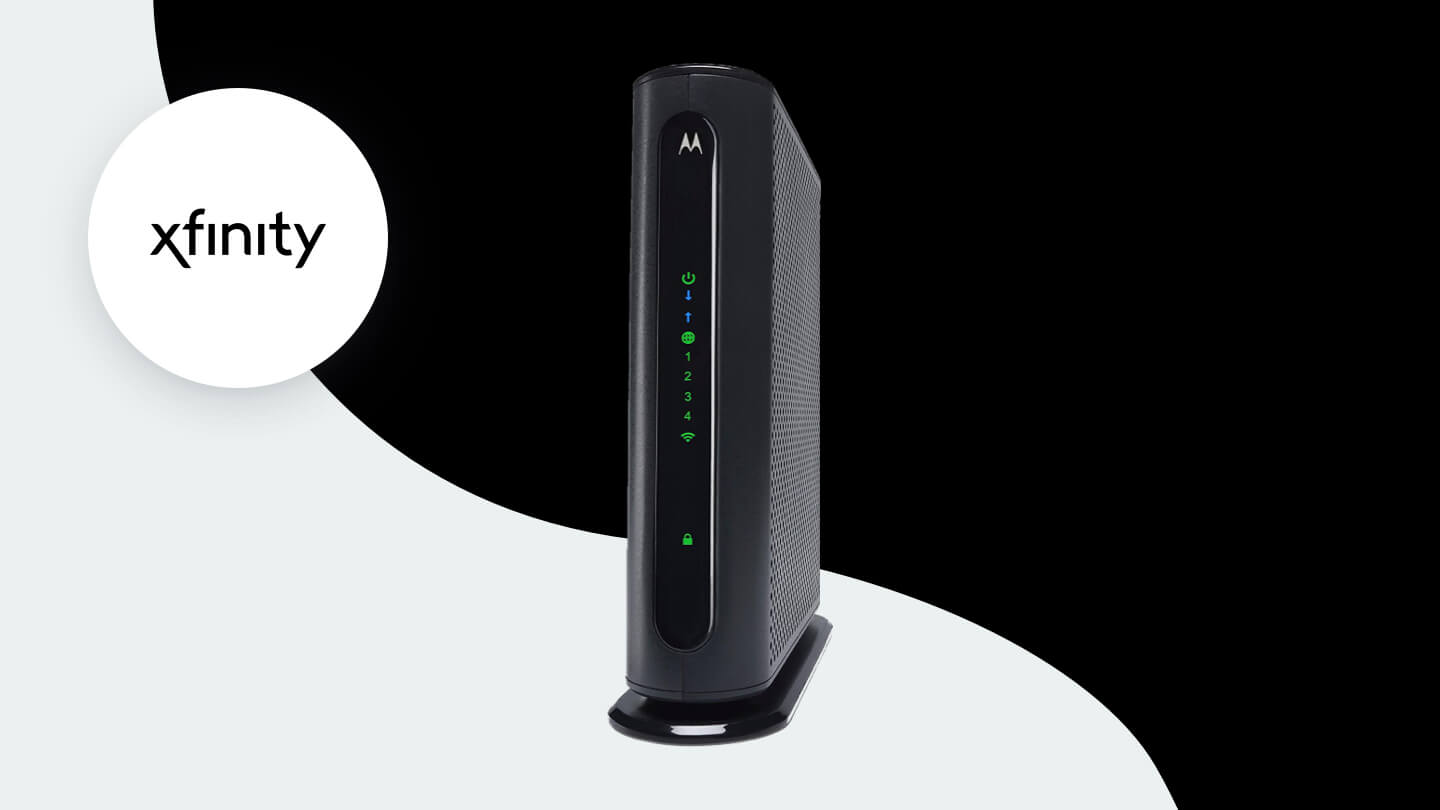
How to choose best modem router combo for xfinity
Choosing the Best modem router combo for xfinity starts with matching the modem to your service, then deciding whether one wireless point can cover the home.
Xfinity plan compatibility
A cable modem must be approved for the provider and suitable for the speed tier. DOCSIS 3.1 models such as the NETGEAR CAX30, NETGEAR CAX80, ARRIS G20, ARRIS G34, ARRIS G18, and Orbi CBK752 are the better candidates for newer and faster cable plans. The DOCSIS 3.0 C7000 models are listed for plans up to 800 Mbps, so confirm the exact Xfinity tier before ordering.
The provider may also impose limits that differ by model. The Orbi CBK752, for example, lists Xfinity support up to 900 Mbps download and 200 Mbps upload, despite a higher general DOCSIS capability. Compatibility is never just a question of whether the coaxial cable fits.
DOCSIS generation
DOCSIS 3.1 is the current standard represented by most of the higher-ranked models here. It gives a modem more room for fast cable service and avoids starting with the older DOCSIS 3.0 platform in the C7000. DOCSIS 3.0 can still be appropriate when the plan fits, but it is a weaker foundation for an upgrade.
Choose the modem for the service tier first, then choose the router for the rooms and devices it must serve.
WiFi generation and capacity
WiFi 6 appears in the CAX30, CAX30S, CAX80, G20, G34, G18, and Orbi CBK752. WiFi 5 appears in the C7000 models. WiFi 6 is useful when many compatible devices share the network, while a higher class such as AX6000 provides more stated wireless capacity than AX1800 or AX2700.
Do not treat AX numbers as guaranteed internet speed. They describe wireless capacity across bands and depend on client hardware, distance, interference, and the cable plan. A well-placed AX2700 unit can serve a home better than a more powerful router hidden behind furniture.
Coverage and mesh design
Single-unit coverage is best for apartments, smaller houses, and open layouts. The CAX30 and CAX30S list coverage up to 2, 000 square feet, the CAX80 lists up to 2, 500 square feet, and the Orbi CBK752 lists up to 5, 000 square feet with its two-unit system. The ARRIS models do not provide a coverage figure in the supplied information.
Walls, floors, wiring, and placement matter more than a square-foot number alone. A mesh system is the better design for multiple floors or a distant room because it adds another wireless point. Extra satellites can expand the Orbi system, but they also add hardware and setup decisions.
Ethernet ports
Count the wired devices before buying. The CAX30, CAX30S, CAX80, and G34 list four Gigabit Ethernet ports. The CAX80 adds a 2.5 Gigabit port and supports aggregation, making it the strongest choice for multi-gig wired networking. The C7000 lists four Gigabit ports and a USB 2.0 port, while the CAX30 and CAX30S list USB 3.0.
A router with only wireless capacity may be frustrating if a desktop, console, television, and streaming box all need stable wired connections. If you need more ports later, a switch can expand the network, but it cannot make an older modem compatible with a faster Xfinity plan.

Frequently asked questions
Do these modem router combos work with Xfinity?
The products listed here are cable modem router combos intended for major cable providers, and each listing identifies Xfinity compatibility either directly or alongside other providers. Activation is still required, and Xfinity should confirm the exact model and service tier before purchase. None of these products is intended for fiber, DSL, or satellite service.
Is DOCSIS 3.1 better for Xfinity?
DOCSIS 3.1 is the newer modem standard and is the stronger choice for current or faster cable plans. It appears in the NETGEAR CAX30, CAX30S, CAX80, ARRIS G20, ARRIS G34, ARRIS G18, and Orbi CBK752. The C7000 models use DOCSIS 3.0 or do not provide a DOCSIS generation in the supplied listing, so they are better matched to their stated plan limits.
Which model is best for a large house?
The NETGEAR Orbi CBK752 is the strongest fit for a large house because its two-unit WiFi 6 mesh system is rated for up to 5, 000 square feet. A single CAX30 or CAX80 can be appropriate for an open layout, but walls and floors can reduce coverage. The Orbi's Xfinity plan certification should be checked before ordering.
Can I use these combos with Xfinity Voice?
The listed products specifically exclude bundled voice service or do not support it. If your Xfinity service includes voice, confirm compatibility with Xfinity before replacing the supplied equipment. A modem that supports internet service alone may not support the provider's phone service.
Is WiFi 6 necessary for Xfinity?
WiFi 6 is not required for an Xfinity connection, but it is useful for newer phones, laptops, streaming devices, and busy households. The C7000 models use WiFi 5 and can still work when their cable plan limits fit. WiFi 6 becomes more compelling when several compatible devices share the network at the same time.
What is the difference between the CAX30 and CAX30S?
The CAX30 and CAX30S share the core DOCSIS 3.1, AX2700, four-port, USB 3.0, and 2, 000-square-foot design. The CAX30S lists a 90-day NETGEAR Armor trial, while the CAX30 lists a 30-day trial. The choice mainly comes down to whether that longer security trial matters to you.
Can one modem router combo cover every room?
Sometimes, but not reliably in every home. Coverage depends on walls, floors, layout, placement, and interference, not just the router's advertised wireless class. A mesh system such as the Orbi CBK752 is better when one central unit cannot provide a strong connection in distant rooms.

The bottom line
The Best modem router combo for xfinity for most households is the NETGEAR CAX30. It combines DOCSIS 3.1, WiFi 6, four Gigabit Ethernet ports, USB 3.0, and coverage rated for up to 2, 000 square feet without making the setup unnecessarily complicated.
Choose the NETGEAR CAX80 when multi-gig wired networking and higher wireless capacity matter more than compactness. Choose the NETGEAR Orbi CBK752 when the real problem is coverage across a large or multi-floor home, provided its Xfinity plan limits fit your service.
If you are undecided, match the modem's stated Xfinity limit first, then decide whether one access point can realistically reach every room.
As an Amazon Associate we earn from qualifying purchases.