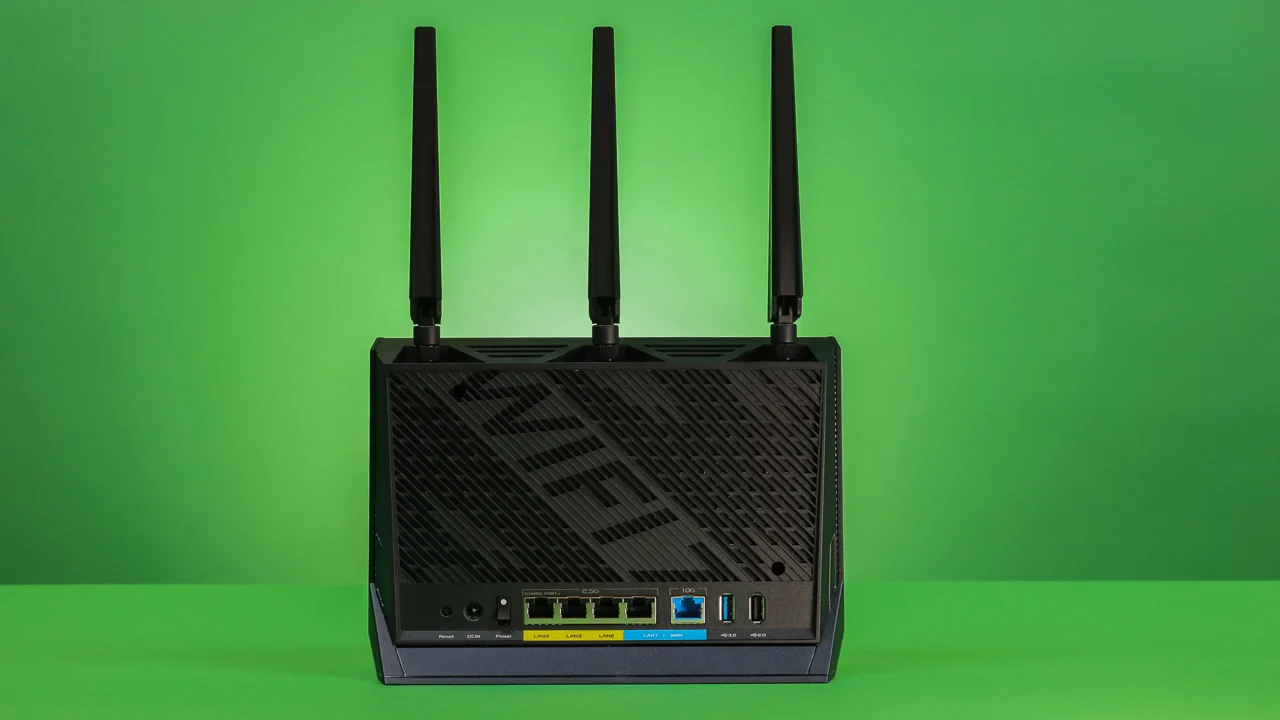

A router can look fast on the box and still leave a bedroom, office, or upstairs TV fighting for a usable signal. The right choice depends on more than the Wi-Fi generation. Coverage, wired ports, band layout, device capacity, and the shape of your home all matter.
Our guide to the Best router for home use includes ten genuine options, from compact dual-band Wi-Fi 7 routers to a three-unit mesh system for sprawling homes. The TP-Link Archer BE400 is our top pick, with the range running from simple Wi-Fi 6 coverage to multi-gig wired networking and a dedicated 6 GHz band.
Comparison table
| # | Product | Award | Wi-Fi | Wired networking | Best for |
|---|---|---|---|---|---|
| 1 | TP-Link Archer BE400 | Best overall | Dual-band Wi-Fi 7, 6.5 Gbps | 2 x 2.5 Gbps, 3 x 1 Gbps | Busy homes preparing for multi-gig internet |
| 2 | NETGEAR RS90 | Best compact Wi-Fi 7 | Dual-band Wi-Fi 7, 3.6 Gbps | 2.5 Gbps WAN, 4 x 1 Gbps LAN | Smaller homes and straightforward setups |
| 3 | NETGEAR RS140 | Best for mid-size homes | Dual-band Wi-Fi 7, 5.0 Gbps | 2.5 Gbps WAN, 3 x 1 Gbps LAN | Homes with many active devices |
| 4 | TP-Link Archer BE230 | Best dual-band alternative | Dual-band Wi-Fi 7, 3.6 Gbps | 2 x 2.5 Gbps, 3 x 1 Gbps | Multi-gig connections without 6 GHz |
| 5 | TP-Link Archer BE550 | Best tri-band Wi-Fi 7 | Tri-band Wi-Fi 7, 9.3 Gbps | 1 x 2.5 Gbps WAN, 4 x 2.5 Gbps LAN | New Wi-Fi 7 devices and wired workstations |
| 6 | TP-Link Archer AX55 | Best Wi-Fi 6 router | Dual-band Wi-Fi 6, 3.0 Gbps | Gigabit Ethernet, USB 3.0 | Established homes with standard internet service |
| 7 | NETGEAR RS200 | Best high-capacity Nighthawk | Dual-band Wi-Fi 7, 6.5 Gbps | 2.5 Gbps WAN and LAN, 3 x 1 Gbps LAN | Larger homes with demanding connections |
| 8 | TP-Link Deco X55 | Best mesh system | Tri-node Wi-Fi 6, AX3000 | 3 x 1 Gbps per unit | Large or multi-story homes |
| 9 | TP-Link Archer AXE75 | Best 6 GHz Wi-Fi 6E | Tri-band Wi-Fi 6E, 5.4 Gbps | 2.5 Gbps WAN | Low-latency connections to newer devices |
| 10 | TP-Link Archer AX10 | Best simple Wi-Fi 6 | Dual-band Wi-Fi 6, 1.5 Gbps | 4 x Gigabit LAN | Basic apartments and smaller networks |
1. TP-Link Archer BE400: Best Overall

Pros
- Wi-Fi 7 features with strong dual-band capacity
- Two 2.5 Gbps ports
- Coverage for up to 2, 400 square feet and 90 devices
- EasyMesh expansion and VPN support
- HomeShield network and IoT protection
Cons
- No 6 GHz band
- Dual-band design cannot separate newer devices onto a third band
- Requires a separate modem for most providers
Best for: households that want a capable Wi-Fi 7 router with room to grow.
The TP-Link Archer BE400 gets the important decisions right. It is fast enough for a busy household, has useful multi-gig ports, and does not force you into a mesh system unless the home actually needs one. Its six-stream, dual-band Wi-Fi 7 design gives the 5 GHz band a quoted capacity of 5, 764 Mbps, while 2.4 GHz reaches 688 Mbps. Those figures are not promises of a speed test result, but they do show where this router has headroom: several active devices can share the network without making every connection feel equally constrained.
Wi-Fi 7 features such as Multi-Link Operation, Multi-RUs, and 4K-QAM matter most when the client device supports them. Older phones, laptops, televisions, and smart-home devices still connect normally, while newer equipment can make better use of the router's scheduling and throughput capabilities. The six high-performance antennas and beamforming are aimed at keeping connections usable around the home, with stated coverage up to 2, 400 square feet for as many as 90 devices. Walls and floor plans still decide the real result, but the capacity is well suited to a home office, several streaming screens, and a growing collection of connected appliances.
The wired layout is unusually useful at this level. One 2.5 Gbps WAN/LAN port can connect to a multi-gig modem or serve as a fast local connection, and a second 2.5 Gbps LAN port gives a desktop, NAS, or workstation more than standard Gigabit Ethernet. Three Gigabit LAN ports handle televisions, consoles, and other fixed devices. The Tether app simplifies setup, while EasyMesh gives you an escape route if one router cannot reach every room. HomeShield adds parental controls, network protection, and IoT security, and VPN client and server support gives advanced users more control than the basic router menus usually offer.
The weakness is the missing 6 GHz band. The TP-Link Archer BE550 is the better fit for a home full of Wi-Fi 7 clients that can use a third band, and the NETGEAR RS200 has a higher stated dual-band speed rating. The BE400 remains the more balanced choice for most homes because its port selection, coverage claim, app controls, and expansion path work together so well. Skip it if you specifically want 6 GHz access today. For everyone else, this is the router we'd keep at the center of a modern home network.
2. NETGEAR RS90: Best Compact Wi-Fi 7

Pros
- Wi-Fi 7 support in a straightforward dual-band router
- Quad-core 2.0 GHz processor
- 2.5 Gigabit WAN port
- Four Gigabit LAN ports
- Nighthawk app guided setup
Cons
- 2.5 Gbps port is WAN-only
- Stated coverage is limited to 2, 000 square feet in open layouts
- Armor protection moves to a subscription after its trial
Best for: smaller homes that want Wi-Fi 7 without a complicated network build.
The NETGEAR RS90 is the least intimidating way into this group of Wi-Fi 7 routers. It is a router only, not a modem, but the Nighthawk app walks through the connection to an existing cable, fiber, DSL, or satellite modem with an Ethernet output. That distinction matters because there is no coax input here. If your internet equipment already provides the modem function, the RS90 can take over wireless routing without asking you to rebuild the whole setup.
Its dual-band system reaches a stated 3.6 Gbps, split between 2.4 GHz and 5 GHz. Wi-Fi 7 brings Multi-Link and other efficiency improvements to compatible devices, while older Wi-Fi hardware remains supported. The quad-core 2.0 GHz processor is a meaningful detail for a home handling gaming, 4K streaming, video calls, and smart-home traffic at the same time. This is not the router for a huge property, but it is sensibly specified for an apartment, townhouse, or compact single-floor home.
The port arrangement is practical rather than ambitious. The 2.5 Gigabit port is reserved for the WAN connection, so a faster internet plan can reach the router without being capped immediately at Gigabit Ethernet. Four 1 Gigabit LAN ports then cover a television, console, desktop, and storage device. Smart Connect chooses between the two wireless bands, and a guest network keeps visitors separate from household devices. WPA3, a SPI firewall, automatic firmware updates, and NETGEAR's Armor protection provide a solid security baseline.
Compared with the TP-Link Archer BE230, the RS90 has fewer multi-gig options on the LAN side, but its setup experience and four wired ports are appealing for a conventional home. The TP-Link Archer BE400 covers more devices and adds a second 2.5 Gbps port, making it the stronger long-term pick for a busier network. Larger homes should also look beyond this router because the stated 2, 000 square feet assumes an open layout, and walls, floors, and interference can reduce the signal. Choose the RS90 when simplicity and familiar wired connectivity matter more than maximum expansion.
3. NETGEAR RS140: Best for Mid-Size Homes

Pros
- Wi-Fi 7 wireless capacity up to 5.0 Gbps
- Coverage claim up to 2, 250 square feet
- Supports up to 80 devices
- 2.5 Gigabit WAN input
- Automatic updates and Advanced Router Protection
Cons
- Only three Gigabit LAN ports
- No 2.5 Gbps LAN port
- Armor requires a subscription after the trial
Best for: a medium-size home with many wireless devices and one fast internet connection.
The NETGEAR RS140 sits between the modest RS90 and the more capable RS200. Its main appeal is not a novel design feature. It is the sensible increase in wireless capacity and coverage for a home that has outgrown a small router but does not need a mesh kit. The dual-band Wi-Fi 7 system is rated up to 5.0 Gbps, and the stated capacity of up to 80 devices gives it a comfortable role in a connected family home.
The 2.4 GHz and 5 GHz bands serve different jobs. The lower band reaches farther through typical obstacles, while 5 GHz provides the faster lane for nearby laptops, phones, streaming boxes, and consoles. Wi-Fi 7 compatibility improves the ceiling for newer clients, while backward compatibility keeps older devices from becoming a problem. The router is also designed to work with cable, fiber, DSL, and satellite services when connected to an existing modem or gateway by Ethernet.
The 2.5 Gigabit port is the WAN input only. That is useful when the internet connection exceeds Gigabit speeds, but local wired devices connect through three 1 Gigabit LAN ports. A desktop, television, and console can all be connected, though users with several wired workstations will find the TP-Link Archer BE550 much more generous. The free Nighthawk app handles setup and management, and automatic firmware updates plus built-in protection reduce the amount of maintenance required.
The RS140 is a cleaner choice than the NETGEAR RS90 when the home has more devices or needs slightly broader coverage. It does not beat the TP-Link Archer BE400 on ports or claimed device capacity, and its dual-band design still lacks a separate 6 GHz lane. The stated 2, 250 square feet applies to open layouts, so a multi-story home with thick walls may need a mesh approach instead. Pick this router for a medium-size home where wireless traffic is the priority and three wired connections are enough.
4. TP-Link Archer BE230: Best Dual-Band Alternative

Pros
- Wi-Fi 7 features at dual-band scale
- Two 2.5 Gbps ports
- Coverage for up to 2, 000 square feet
- EasyMesh compatibility
- HomeShield and VPN client and server support
Cons
- No 6 GHz band
- Fewer internal antennas than the Archer BE400
- Separate modem required for most providers
Best for: homes that need two multi-gig wired connections but do not need a third wireless band.
The TP-Link Archer BE230 is easy to underestimate because it is the smaller dual-band option in TP-Link's Wi-Fi 7 lineup. Its 5 GHz band is rated up to 2, 882 Mbps and its 2.4 GHz band up to 688 Mbps, giving it a combined BE3600 class. That is enough wireless capacity for everyday streaming, video calls, gaming, and connected-home traffic, particularly when the most demanding devices are close to the router.
This router uses Multi-Link Operation, Multi-RUs, and 4K-QAM for compatible Wi-Fi 7 clients. It also uses a quad-core 2.0 GHz processor to manage high throughput. The four internal antennas use beamforming to direct the signal toward clients, and TP-Link states coverage up to 2, 000 square feet for up to 60 devices. That is a reasonable single-router target, though an older home with dense walls may benefit from adding an EasyMesh-compatible extender or router.
The wired design is the standout feature. One 2.5 Gbps WAN/LAN port and one 2.5 Gbps LAN port allow a multi-gig internet connection and a fast local device to coexist, while three additional Gigabit LAN ports handle ordinary wired equipment. HomeShield provides network protection, parental controls, and IoT security. VPN client and server support is useful for people who want selected home devices to use a remote VPN connection without installing software on each one.
Compared with the NETGEAR RS90, the BE230 gives you a 2.5 Gbps LAN connection instead of keeping that faster port for WAN duties only. The TP-Link Archer BE400 has stronger stated coverage and capacity, so it is the better choice for a crowded or larger household. The BE230 is the one to choose when the floor plan is manageable and wired flexibility matters more than maximum wireless headroom. It is also a good foundation if you may add EasyMesh coverage later.
5. TP-Link Archer BE550: Best Tri-Band Wi-Fi 7

Pros
- Three Wi-Fi 7 bands, including 6 GHz
- 320 MHz channels on the 6 GHz band
- Five full 2.5 Gbps ports
- Six internal antennas with beamforming
- EasyMesh and VPN support
Cons
- Larger and heavier than the simpler TP-Link routers
- 6 GHz benefits mainly newer compatible devices
- Coverage is stated at up to 2, 000 square feet
Best for: advanced homes with Wi-Fi 7 clients and several multi-gig wired devices.
The TP-Link Archer BE550 is the most capable wireless router in this list if you care about separation between bands. It is a tri-band Wi-Fi 7 model, with a rated 5, 760 Mbps on 6 GHz, 2, 880 Mbps on 5 GHz, and 574 Mbps on 2.4 GHz. That arrangement gives newer phones, laptops, and wireless adapters a fast, relatively uncluttered lane while older smart-home equipment stays on 2.4 GHz.
The 6 GHz band is the reason to buy it, but it is not a magic range extender. It generally makes the most sense for compatible devices in the same room or nearby rooms, where the wider 320 MHz channels can reduce congestion and improve responsiveness. Wi-Fi 7's Multi-Link Operation, Multi-RUs, and 4K-QAM add further efficiency for supported clients. Older devices still work, but they will not turn a Wi-Fi 6 phone into a Wi-Fi 7 client.
The wired layout is excellent. There is one 2.5 Gbps WAN port and four 2.5 Gbps LAN ports, so a multi-gig internet service, desktop, console, NAS, and workstation can all connect without immediately falling back to Gigabit Ethernet. Six internal antennas and beamforming support the wireless design, while EasyMesh allows compatible additions for dead zones. HomeShield adds security and parental controls, and the router can act as a VPN client or server.
This is a better fit than the TP-Link Archer BE400 for a household with several current-generation wireless devices, but the BE400 is easier to justify when most clients are still on Wi-Fi 5 or Wi-Fi 6. The TP-Link Archer AXE75 also offers 6 GHz, though it uses Wi-Fi 6E rather than Wi-Fi 7 and has less generous wired connectivity. The BE550's real weakness is that its 6 GHz advantage depends on client support and proximity. Choose it for a technically ambitious home, not simply because the largest number on the box sounds impressive.
6. TP-Link Archer AX55: Best Wi-Fi 6 Router

Pros
- Mature Wi-Fi 6 platform
- Four external high-gain antennas
- OFDMA and MU-MIMO for busy networks
- EasyMesh compatibility
- USB 3.0 and VPN support
Cons
- No Wi-Fi 7 or 6 GHz band
- Wired connections are not multi-gig
- Larger footprint than some newer routers
Best for: households with Gigabit-class service and a mix of current and older devices.
The TP-Link Archer AX55 remains a sensible router because Wi-Fi 6 still handles ordinary home networks well. Its 5 GHz band is rated at 2, 402 Mbps and its 2.4 GHz band at 574 Mbps. Those figures give phones, laptops, televisions, and consoles enough capacity for simultaneous streaming and calls without requiring a Wi-Fi 7 client on every desk.
OFDMA lets multiple clients share a transmission more efficiently, which helps when many devices are sending small bursts of data. MU-MIMO handles simultaneous communication with compatible clients, while Target Wake Time can reduce wireless activity for supported battery-powered devices. Four high-gain external antennas and beamforming focus coverage toward clients rather than simply broadcasting in every direction. The cooling design is also built around a larger heatsink to help the router maintain operation during sustained use.
The AX55 has a useful feature set for a home office. EasyMesh provides a path to expand coverage, VPN client and server support gives remote-access flexibility, and the USB 3.0 port can connect compatible storage equipment. HomeShield includes basic network security, device identification, parental controls, quality of service, and regular reports. Four Gigabit LAN ports cover fixed devices, but there is no 2.5 Gbps Ethernet for newer multi-gig connections.
The TP-Link Archer AXE75 adds a third band and 6 GHz, while the TP-Link Archer BE230 moves to Wi-Fi 7 and adds two 2.5 Gbps ports. The AX55 still makes more sense when your service and wired devices are standard Gigabit and you want a mature, well-rounded platform. Its main limitation is future expansion, not everyday performance. If you are replacing older network equipment and do not need the newest wireless features, this remains an easy router to live with.
For a home office with several wired devices, the network matters as much as the computer itself. A guide to choosing equipment that keeps a home office responsive can help you decide which machines should use Ethernet rather than Wi-Fi.
7. NETGEAR RS200: Best High-Capacity Nighthawk

Pros
- Stated wireless capacity up to 6.5 Gbps
- Coverage up to 2, 500 square feet
- Supports up to 80 devices
- 2.5 Gbps WAN and LAN ports
- Nighthawk app and automatic updates
Cons
- Still limited to two wireless bands
- Only one 2.5 Gbps LAN port
- Larger and heavier than the RS90
Best for: a larger single-router home with high wireless demand and one key multi-gig wired device.
The NETGEAR RS200 is the Nighthawk in this group for households that want more wireless breathing room without moving to a mesh system. Its dual-band Wi-Fi 7 rating reaches 6.5 Gbps, and the stated coverage extends to 2, 500 square feet in an open layout. That makes it a logical step up from the RS90 when a home has more rooms, more devices, or heavier simultaneous use.
The router supports Wi-Fi 7 clients while remaining backward compatible with Wi-Fi 6 and earlier hardware. Its two bands are a practical compromise. The 2.4 GHz band handles farther-away and lower-bandwidth devices, while 5 GHz carries nearby streaming, gaming, and work traffic. A separate 6 GHz band would provide more room for the newest devices, so the TP-Link Archer BE550 is more compelling for households deliberately building around Wi-Fi 7 equipment.
Wired connectivity is divided between one 2.5 Gigabit WAN port, one 2.5 Gigabit LAN port, and three Gigabit LAN ports. That is enough for a fast internet service and one priority wired device such as a gaming computer or network storage. Setup runs through the Nighthawk app or a web browser, and the router supports cable, fiber, DSL, and satellite connections through an existing modem or gateway with an Ethernet port. WPA3, automatic firmware updates, and Advanced Router Protection are enabled as part of the security package.
The RS200 has more wireless headroom than the NETGEAR RS140, and its coverage claim is broader. The TP-Link Archer BE400 offers two 2.5 Gbps ports and more stated device capacity, making it a more balanced pick for many families. As with every single-router design, the 2, 500-square-foot claim can fall sharply in a house with thick walls or multiple floors. Buy the RS200 when the home is reasonably open and wireless capacity is the priority, not when you need several fast Ethernet connections.
8. TP-Link Deco X55: Best Mesh System

Pros
- Three-unit whole-home design
- Coverage stated up to 6, 500 square feet
- Supports up to 150 devices
- Three Gigabit ports on each unit
- Ethernet backhaul support
Cons
- Wi-Fi 6 rather than Wi-Fi 7
- No multi-gig Ethernet
- Three units require thoughtful placement
Best for: large, multi-story, or difficult homes with dead zones.
The TP-Link Deco X55 solves a different problem from every traditional router here. Instead of asking one box to push a signal through the entire house, it uses three coordinated units to spread Wi-Fi across rooms and floors. TP-Link states coverage up to 6, 500 square feet and support for up to 150 devices. Those figures depend on placement and construction, but the three-node design is plainly better suited to a wide or vertically arranged home than a single access point.
The system uses dual-band Wi-Fi 6 with a combined AX3000 class rating. Its 5 GHz side reaches 2, 402 Mbps and its 2.4 GHz side reaches 574 Mbps. The wireless system is not as advanced as the Wi-Fi 7 models in this roundup, and it does not add a 6 GHz band. The practical benefit is consistency: a phone in a distant room can connect to a nearby Deco unit rather than clinging to a weak signal from a router at the other end of the house.
Each unit has three Gigabit Ethernet ports, and Ethernet backhaul is supported. That matters if you can run cable between floors or rooms because the nodes can use the wired connection for their own communication, leaving more wireless capacity for clients. The Deco app provides visual setup guidance and network management, while AI-driven mesh features learn the network environment. HomeShield includes basic network security, quality of service, and parental controls.
A single TP-Link Archer BE400 is faster for nearby Wi-Fi 7 clients, and the NETGEAR RS200 has greater stated dual-band capacity from one location. Neither has the X55's ability to put an access point close to a dead zone without running a new wireless network. The X55 is not the right choice for someone with a small apartment or several multi-gig wired devices. It is the pick for a house where reliable coverage matters more than having the newest radio standard at the main router.
If your home network has to cover several rooms, think about layout before headline speeds. The same planning principle applies to placing connected devices where the signal stays dependable, especially when walls and floors separate the router from the client.
9. TP-Link Archer AXE75: Best 6 GHz Wi-Fi 6E

Pros
- Dedicated 6 GHz band
- Tri-band capacity up to 5.4 Gbps
- 160 MHz channel support
- 2.5 Gbps WAN port
- EasyMesh and VPN support
Cons
- Wi-Fi 6E rather than Wi-Fi 7
- Limited multi-gig LAN connectivity
- 6 GHz range is more sensitive to walls
Best for: newer Wi-Fi 6E devices that need a cleaner, low-latency wireless lane.
The TP-Link Archer AXE75 is the specialist choice. Its value is the 6 GHz band, not simply its combined AXE5400 label. The router provides 2, 402 Mbps on 6 GHz, 2, 402 Mbps on 5 GHz, and 574 Mbps on 2.4 GHz. That gives compatible Wi-Fi 6E devices a less congested route for gaming, large downloads, and video calls while older equipment uses the two established bands.
The 160 MHz channel support helps compatible clients move more data per channel, but the 6 GHz band works best when the device is relatively close to the router. It does not travel through walls as confidently as 2.4 GHz, so this router can be extremely responsive in a nearby office and less impressive at the far side of a large home. OFDMA increases capacity by allowing more clients to share transmissions, which helps when several devices are active together.
A 1.0 GHz dual-core CPU and 512 MB of high-speed memory handle routing duties, while the housing is designed for heat dissipation. The 2.5 Gbps WAN port prevents a fast internet connection from being restricted immediately to Gigabit speed. VPN server and client support, EasyMesh expansion, WPA3 security, and HomeShield add useful control. The wired side is less ambitious than the TP-Link Archer BE550, which provides four 2.5 Gbps LAN ports.
The AXE75 is a more targeted purchase than the TP-Link Archer AX55 because it reserves space for 6 GHz devices. The TP-Link Archer BE550 is the stronger long-term choice if you are buying new Wi-Fi 7 hardware, but the AXE75 remains a good match for existing Wi-Fi 6E laptops and adapters. Skip it if most of your devices are older or if the router will sit behind several walls. Choose it when low congestion near the router is the specific problem you want to solve.
10. TP-Link Archer AX10: Best Simple Wi-Fi 6
Pros
- Straightforward Wi-Fi 6 setup
- Four Gigabit LAN ports
- OFDMA and MU-MIMO
- Beamforming for focused coverage
- Dual-core 900 MHz processor
Cons
- Lower wireless capacity than the other picks
- No 6 GHz, Wi-Fi 7, or EasyMesh
- No multi-gig Ethernet listed
Best for: a small apartment or uncomplicated network with ordinary broadband service.
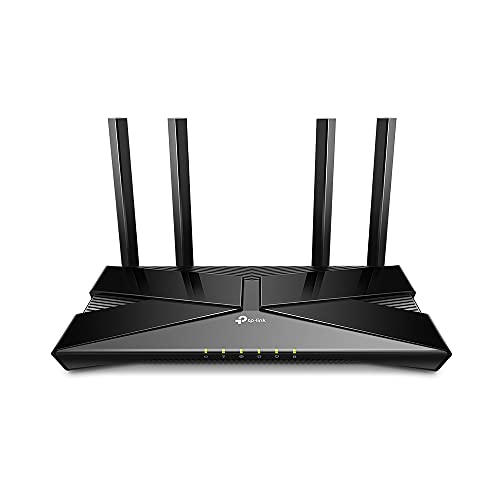
The TP-Link Archer AX10 is the uncomplicated option. It uses Wi-Fi 6, with a stated 1, 201 Mbps on 5 GHz and 300 Mbps on 2.4 GHz. That is considerably less headroom than the Archer AX55 or any Wi-Fi 7 model, but it is enough for a small home with a handful of phones, a television, a laptop, and standard smart-home equipment.
OFDMA and MU-MIMO let the router communicate with multiple compatible devices more efficiently than older entry-level wireless hardware. The dual-core 900 MHz processor handles simultaneous data streams, while beamforming focuses the signal toward connected devices. The router is backward compatible with previous 802.11 standards, so replacing an old router does not require replacing every client.
Four Gigabit LAN ports are useful for a desktop, console, television, and another fixed device. The AX10 works with major internet providers when connected to a separate modem, and parental controls are available. It also supports Alexa voice control. There is no 2.5 Gbps port, no 6 GHz band, and no Wi-Fi 7 feature set, so it should be viewed as a basic Wi-Fi 6 router rather than a platform for a high-capacity network.
The TP-Link Archer AX55 is the better choice for a busier home because it adds more wireless capacity, external high-gain antennas, USB 3.0, EasyMesh, and VPN support. The AX10 remains appropriate when the home is small and the network demands are modest. It is also easier to outgrow, so skip it if you already have multi-gig internet or several demanding users. For a simple apartment network, its restrained design is the point.

How to choose best router for home use
The right router starts with the home's shape and the devices that actually use the network, not the biggest wireless number on the box.
Coverage and layout
A single router works best when it can sit near the center of the home, away from thick walls, large appliances, and enclosed cabinets. Stated square-foot coverage assumes conditions that may not match a real house, especially across floors. A mesh system such as the TP-Link Deco X55 is usually the better answer for dead zones that come from distance rather than a weak main router.
Wi-Fi generation and bands
Wi-Fi 6 handles a wide range of current devices, while Wi-Fi 6E adds a dedicated 6 GHz band. Wi-Fi 7 adds features such as Multi-Link Operation and wider channel options for compatible clients. Dual-band routers are simpler, but tri-band models give newer devices another lane and can reduce contention.
Buy the extra band for the devices you own, not for a badge you cannot use.
Wireless capacity
Combined ratings describe theoretical capacity across bands, not the speed one phone will always receive. A higher rating gives the router more room for simultaneous traffic, particularly with several active clients. For a lightly used apartment, the Archer AX10 may be adequate. For a household with work calls, gaming, streaming, and smart-home traffic at the same time, the Archer BE400, Archer BE550, or RS200 has more breathing room.
Ethernet ports
A 2.5 Gbps WAN port matters when the internet connection exceeds Gigabit speed. A 2.5 Gbps LAN port matters for fast local transfers to a computer or storage device. The Archer BE550 is the standout for several multi-gig wired clients because it has one 2.5 Gbps WAN port and four 2.5 Gbps LAN ports. Standard Gigabit ports remain perfectly useful for televisions, consoles, and ordinary desktop connections.
Security and management
Look for automatic firmware updates, WPA3, guest networking, parental controls, and IoT separation. TP-Link models use the Tether or Deco apps and offer HomeShield features, while NETGEAR uses the Nighthawk app and provides Advanced Router Protection and Armor features. VPN client and server support is useful for advanced users, but it should not be the deciding factor if the home only needs ordinary browsing and streaming.
Frequently asked questions
Do I need Wi-Fi 7 for a home router?
No. Wi-Fi 6 remains capable for many homes, especially when the internet connection is around Gigabit speed and most devices do not support Wi-Fi 7. Wi-Fi 7 makes more sense when you are adding newer phones, laptops, wireless adapters, or multi-gig networking equipment.
Is a tri-band router better than a dual-band router?
A tri-band router has an extra wireless band, which can reduce congestion and give compatible devices more room. The Archer BE550 adds 6 GHz, while the Archer AXE75 provides 6 GHz through Wi-Fi 6E. A dual-band router can still be the better fit for a small home or a network filled mostly with older devices.
Does a router replace my modem?
The routers in this roundup are separate routers, not cable modems. Most providers require a modem or gateway with an Ethernet output before the router can connect to the internet. Some fiber setups may also require bridge mode or extra configuration.
Should I choose a mesh system or a single router?
Choose a mesh system when the home has dead zones, multiple floors, or a layout that prevents one router from reaching every room. Choose a single router when you can place it centrally and the signal already reaches the areas you use. Mesh adds coverage, but a strong single router can offer higher speeds close to the main unit.
Does a 2.5 Gbps port improve regular Gigabit internet?
It will not make a Gigabit internet plan exceed its service limit. It can prevent a faster-than-Gigabit connection from being restricted at the router, and a 2.5 Gbps LAN port can speed transfers between compatible local devices.
Can older phones and laptops connect to Wi-Fi 7 routers?
Yes. Wi-Fi 7 routers are backward compatible with earlier Wi-Fi generations. Older devices connect using the capabilities they support, while newer Wi-Fi 7 clients can use the newer features.
How should I place a home router?
Place it in a central, open location at a practical height, rather than inside a cabinet or at the far edge of the house. Keep it away from dense obstructions and sources of interference. For mesh systems, place each additional unit where it still receives a strong connection from the previous unit, not in the dead zone itself.
The bottom line
The TP-Link Archer BE400 is the Best router for home use for most households because it combines Wi-Fi 7, two 2.5 Gbps ports, strong stated capacity, EasyMesh expansion, and useful security controls. The TP-Link Archer BE550 is the better specialist choice for homes with several Wi-Fi 7 clients and multi-gig wired equipment, thanks to its 6 GHz band and five 2.5 Gbps ports.
Choose the TP-Link Deco X55 when coverage across a large or multi-story home is the real problem. If your needs are simpler, the Archer AX55 gives a mature Wi-Fi 6 experience, while the Archer AX10 is suitable for a small network with ordinary demands.
If you are undecided, buy the Archer BE400 for a single-router setup, or choose the Deco X55 when no single box can reach every room.
As an Amazon Associate we earn from qualifying purchases.