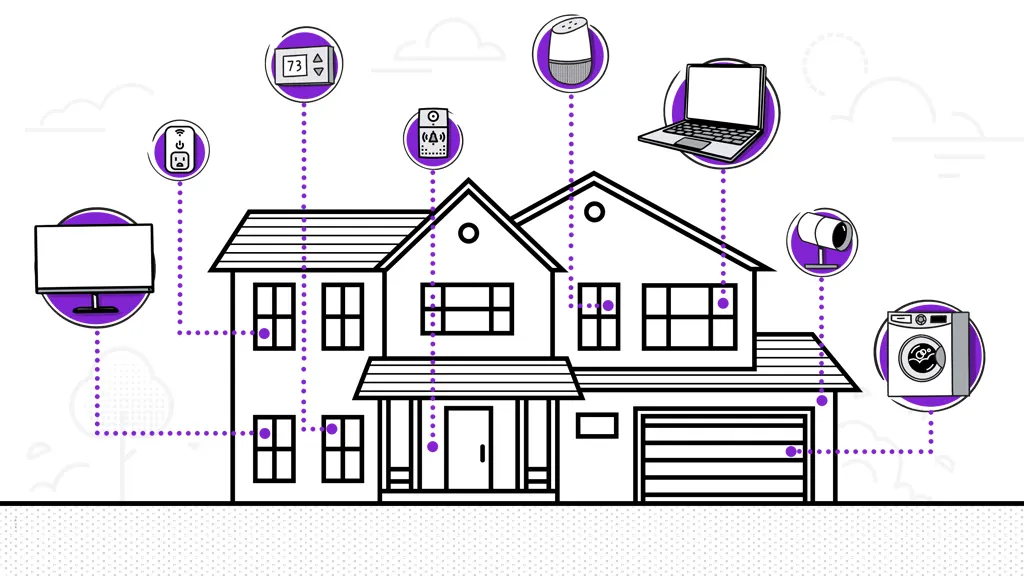

A dead zone in the bedroom is annoying. A dead zone near a smart thermostat, security camera, or work desk can make the whole home network feel unreliable. Mesh systems solve that problem by using multiple coordinated units instead of asking one router to push a signal through every wall.
The Best mesh network for home is not automatically the system with the biggest speed number. Coverage, the connection between mesh units, wired ports, and the number of devices in the house matter just as much. We compared nine systems spanning older WiFi 6 hardware, entry-level WiFi 5, and current WiFi 7 platforms.
For most homes, the TP-Link Deco 7 Pro BE63 is the pick we'd keep. The lineup below ranges from simple two-unit coverage to high-capacity multi-gigabit systems for large homes and demanding networks.
| # | Product | Award | Coverage | WiFi and ports | Best for |
|---|---|---|---|---|---|
| 1 | TP-Link Deco 7 Pro BE63 | Best overall | Up to 5, 800 sq. ft. | Tri-band WiFi 7, four 2.5G ports | Multi-gig homes |
| 2 | TP-Link Deco 7 Pro BE10000 | Best for large homes | Up to 7, 600 sq. ft. | Tri-band WiFi 7, four 2.5G ports | Large households |
| 3 | NETGEAR Orbi 770 | Best Orbi WiFi 7 system | Up to 8, 000 sq. ft. | Tri-band WiFi 7, up to 11Gbps | Large homes with newer devices |
| 4 | TP-Link Deco 7 Pro BE14000 | Best for capacity | Up to 8, 100 sq. ft. | Eight-stream tri-band WiFi 7, 10G port | Very busy networks |
| 5 | TP-Link Deco X55 Pro | Best WiFi 6 upgrade | Up to 6, 500 sq. ft. | WiFi 6, two 2.5G ports per unit | Gigabit internet |
| 6 | TP-Link Deco 7 BE23 | Best compact WiFi 7 system | Up to 4, 500 sq. ft. | Dual-band WiFi 7, two 2.5G ports per unit | Medium homes |
| 7 | NETGEAR Orbi RBK753P | Best Orbi WiFi 6 system | Up to 7, 500 sq. ft. | Tri-band WiFi 6, gigabit Ethernet | Existing gigabit service |
| 8 | TP-Link Deco M5 | Best simple three-pack | Up to 5, 500 sq. ft. | WiFi 5, two gigabit ports per unit | Basic whole-home coverage |
| 9 | TP-Link Deco S4 | Best simple two-pack | Up to 3, 800 sq. ft. | AC1900, two gigabit ports per unit | Smaller homes |
1. TP-Link Deco 7 Pro BE63: Best Overall

Pros
- Tri-band WiFi 7 design
- Four 2.5G WAN or LAN ports per unit
- Supports more than 200 devices
- Wired and wireless backhaul support
- VPN client and server support
Cons
- Two-unit coverage is smaller than the three-pack Deco systems
- Newer WiFi 7 features need compatible client devices
- A modem is required for most internet providers
Best for: households with multi-gigabit internet, newer devices, and several wired network connections.
The TP-Link Deco 7 Pro BE63 is the easiest system here to recommend because it gets the important balance right. It has the wireless headroom of tri-band WiFi 7, enough coverage for many large homes, and a useful set of wired connections without turning the setup into a networking project. The two-unit arrangement is also easier to place than a three-unit system when the home has a straightforward floor plan.
Its BE10000 class hardware divides wireless capacity across 6 GHz, 5 GHz, and 2.4 GHz bands. The listed maximums are 5, 188 Mbps on 6 GHz, 4, 324 Mbps on 5 GHz, and 574 Mbps on 2.4 GHz. Those figures are theoretical, but the practical point is that the third band gives mesh communication more room to operate while client devices use the other bands. WiFi 7 features, AI-driven roaming, and a unified network name should help devices move between units without forcing you to reconnect.
The ports are a major reason this model outranks the TP-Link Deco X55 Pro. Each unit has four 2.5G WAN or LAN ports, plus a USB 3.0 port. You can use the ports for a multi-gig modem, wired backhaul, a desktop, or network storage. TP-Link also supports simultaneous wired and wireless backhaul, so homes with Ethernet already installed can use the cable for a steadier link between units.
The weakness is coverage compared with the three-pack systems above it. The BE63 is listed for up to 5, 800 square feet, while the TP-Link Deco 7 Pro BE10000 reaches up to 7, 600 square feet with three units. A two-pack can also be harder to position in a long, narrow home because there is less flexibility at the far end. Buyers with older WiFi clients will not see the full benefit of WiFi 7 either.
HomeShield adds network protection, parental controls, and IoT security, while the VPN client and server support gives it more flexibility than basic mesh kits. The BE63 is the right choice for a connected home that needs strong wireless coverage now and useful wired options later.
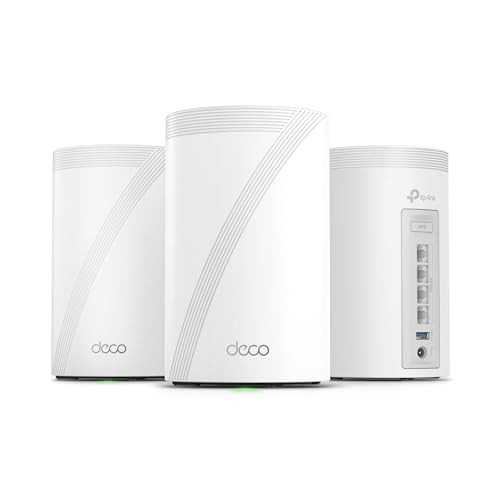
2. TP-Link Deco 7 Pro BE10000: Best for Large Homes
Pros
- Coverage up to 7, 600 square feet
- Tri-band WiFi 7 with six streams
- Four 2.5G WAN or LAN ports
- Supports more than 200 devices
- USB 3.0 connectivity
Cons
- Three units take more planning to place
- The 10G label does not mean every wireless device reaches that speed
- Larger and heavier than the two-pack BE63 system
Best for: large homes with many connected devices and a need for broad, flexible coverage.
The TP-Link Deco 7 Pro BE10000 is built around coverage first. Its three units cover up to 7, 600 square feet and support more than 200 devices, making it a natural fit for a large house with phones, televisions, consoles, cameras, smart-home equipment, and several computers operating at once. The three-pack also gives you more freedom to place a unit near a distant office or upstairs room instead of relying on one long wireless hop.
This is a tri-band WiFi 7 system with six streams. The published band capacities are 5, 188 Mbps on 6 GHz, 4, 324 Mbps on 5 GHz, and 574 Mbps on 2.4 GHz. The fast 6 GHz band is most useful with newer WiFi 7 clients in the same room or nearby, while 2.4 GHz remains useful for older devices and smart-home hardware. Walls and distance still matter, so the coverage figure should be treated as a planning ceiling rather than a guarantee for every corner.
The hardware is unusually flexible for a home mesh kit. Every unit includes four 2.5G WAN or LAN ports and a USB 3.0 port. A wired Ethernet backhaul can carry traffic between units instead of making the mesh rely entirely on wireless communication. That is especially useful in a larger home, where a cable between floors or rooms can do more for consistency than a larger theoretical wireless number.
Compared with the NETGEAR Orbi 770, the Deco offers more 2.5G port flexibility and a more explicit mix of wired and wireless backhaul options. The Orbi has the larger stated coverage figure, but the Deco's four-port layout is more accommodating for wired devices. The BE63 is a better fit if two units cover the home, while this three-pack makes more sense when placement flexibility matters.
The trade-off is physical and logistical. Three units weigh more and need sensible spacing, and the system still requires a separate modem for most providers. HomeShield, VPN client and server support, AI-driven roaming, and the Deco app make management approachable, but the buyer should be ready to spend time finding good node locations. It is the Best mesh network for home when the home is large, busy, and ready for a wired backbone.
3. NETGEAR Orbi 770: Best Orbi WiFi 7 System

Pros
- Up to 8, 000 square feet of coverage
- Tri-band WiFi 7
- Enhanced backhaul
- Security features and automatic firmware updates
- Supports up to 100 devices
Cons
- Only one listed 2.5G internet port
- Made for use in the U.S. only
- Three-unit system may be excessive for smaller homes
Best for: large households that want Orbi's dedicated mesh approach and WiFi 7 connectivity.
The NETGEAR Orbi 770 takes a familiar Orbi approach and moves it to WiFi 7. It combines one router with two satellite extenders, and the system is rated to cover up to 8, 000 square feet. That makes it a strong option for a sprawling home where a single router has to reach multiple floors, a detached room, or a distant backyard area.
Tri-band WiFi 7 and enhanced backhaul are the central hardware choices. Orbi lists speeds up to 11Gbps, but that figure describes combined system capacity rather than a single device's guaranteed connection. The extra wireless capacity is more important when multiple clients are active at the same time, especially when one satellite is communicating with the router while nearby devices are streaming, working, or gaming.
The design also favors simple network behavior. WiFi 7 devices can use the newer standard, while older WiFi clients remain compatible. The system uses high-performance antennas for 360-degree coverage, and the router and satellites operate as one network rather than making you select separate network names as you move around the house.
The main limitation is connectivity around the back. The product highlights a 2.5 gig internet port, but TP-Link's TP-Link Deco 7 Pro BE63 gives every unit four 2.5G WAN or LAN ports. That makes the Deco a better match for a home with several wired multi-gig devices or a planned Ethernet backhaul. The Orbi is more compelling when broad wireless coverage and the Orbi ecosystem matter more than a large number of high-speed wired connections.
NETGEAR includes built-in security measures, automatic firmware updates, and Advanced Router Protection. The Orbi app handles setup and management. Buyers should remember that the system is made for use in the U.S. only. For a large U.S. home that wants current WiFi 7 hardware without building a network from separate components, the Orbi 770 is the strongest Orbi choice here.
4. TP-Link Deco 7 Pro BE14000: Best for Capacity

Pros
- Eight-stream tri-band WiFi 7
- Coverage up to 8, 100 square feet
- Supports more than 200 devices
- 10G WAN or LAN port on each unit
- 320 MHz channel support
Cons
- More hardware than many homes need
- Three units require careful placement
- WiFi 7 client support is still important to its appeal
Best for: very busy homes with large coverage needs and multi-gigabit wired equipment.
The TP-Link Deco 7 Pro BE14000 is the capacity specialist in this group. Its three-unit system is rated for up to 8, 100 square feet and more than 200 devices. That combination speaks to a home with several active people, a large collection of smart-home products, and a mix of high-bandwidth clients rather than a small apartment with one laptop and a television.
The eight-stream, tri-band WiFi 7 platform has substantial wireless capacity. TP-Link lists up to 8, 647 Mbps on 6 GHz, 4, 324 Mbps on 5 GHz, and 688 Mbps on 2.4 GHz. The 320 MHz channel support can give compatible WiFi 7 devices more room for high-throughput connections, though the benefit depends on the client, interference, distance, and the internet connection feeding the system.
The wired side is just as important. Each unit includes a 10Gbps WAN or LAN port, along with 2.5Gbps and 1Gbps WAN or LAN ports and a USB 3.0 port. That makes it the most ambitious wired platform in this roundup. A 10Gbps wired backhaul can help keep distant units connected at high capacity, while the other ports provide practical options for a multi-gig modem, a desktop, or network storage.
The TP-Link Deco 7 Pro BE10000 is the more sensible large-home alternative when eight streams and 10Gbps connectivity are unnecessary. Its six-stream design still has three bands and four 2.5G ports per unit. The BE14000 wins for the busiest homes, but its extra capability will not transform an older WiFi client into a WiFi 7 device.
The system includes AI-driven roaming, Multi-Link Operation, VPN client and server support, and HomeShield features such as basic network security, quality of service, and parental controls. The weakness is simply scale. Three substantial units and high-capacity networking are difficult to justify in a modest home. For a large property with demanding wired and wireless traffic, though, this is the clearest high-capacity pick.
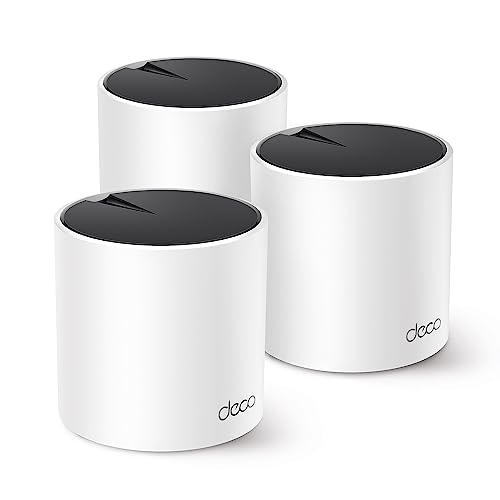
5. TP-Link Deco X55 Pro: Best WiFi 6 Upgrade
Pros
- Coverage up to 6, 500 square feet
- Supports more than 150 devices
- Two 2.5G WAN or LAN ports per unit
- Wired Ethernet backhaul
- HomeShield security and parental controls
Cons
- WiFi 6 rather than WiFi 7
- Three units may be more than needed for a smaller floor plan
- The published coverage depends on home layout and obstacles
Best for: homes with gigabit or faster internet that do not need the newest WiFi 7 client features.
The TP-Link Deco X55 Pro is the practical middle ground. It does not chase WiFi 7, but it pairs WiFi 6 with a generous three-unit layout, two 2.5G ports on every unit, and coverage up to 6, 500 square feet. That is a useful combination for a home with gigabit internet, a wired workstation, or a network storage device, especially when the existing router has started to struggle with distance and device count.
The AX3000 system uses four streams, with TP-Link listing 2, 402 Mbps on the 5 GHz band and 574 Mbps on the 2.4 GHz band. Those are link-rate figures rather than a promise of internet speed, but WiFi 6's efficiency helps the system handle multiple clients more cleanly than older WiFi 5 hardware. The 2.5G ports also prevent the wired side from becoming an immediate bottleneck for a multi-gig connection.
Wired Ethernet backhaul is where this system earns its Pro name. If Ethernet runs through the house, each satellite can use that cable to communicate with the main unit. That leaves more wireless capacity available to phones, televisions, and computers. Homes without Ethernet can still use wireless mesh, but the placement becomes more important.
The TP-Link Deco 7 BE23 brings newer WiFi 7 features and the same broad appeal in a smaller two-unit system, while the X55 Pro offers a larger three-unit coverage footprint. The BE63 is faster and better prepared for newer devices, but the X55 Pro remains a strong fit when the current client devices are WiFi 6 or older. It is also easier to justify when the goal is stable coverage rather than maximum wireless specifications.
TP-Link's Deco app handles setup and management, and HomeShield includes free security scans, IoT device identification, parental controls, and quality of service features. The weakness is future-facing rather than fundamental: this is not the system to buy specifically for WiFi 7 features or 6 GHz access. It suits households that want dependable WiFi 6 coverage and useful 2.5G wired connections.
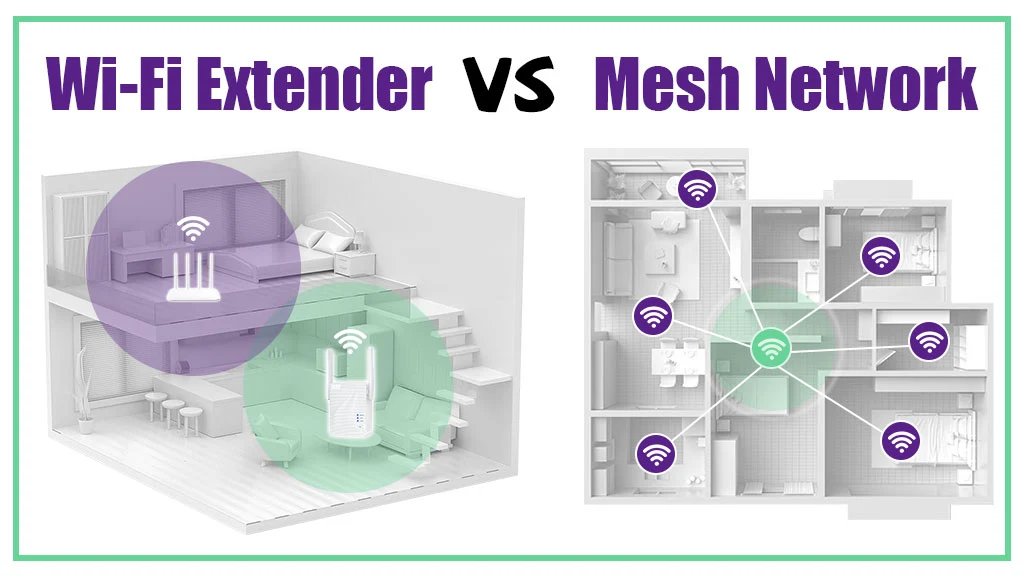
When the issue is a weak signal rather than a failing internet service, it can help to understand why adding another access point changes coverage before choosing between a mesh kit and a simpler extension.
6. TP-Link Deco 7 BE23: Best Compact WiFi 7 System

Pros
- WiFi 7 with Multi-Link Operation
- Coverage up to 4, 500 square feet
- Supports up to 150 devices
- Two 2.5G ports per unit
- Wired and wireless backhaul
Cons
- Dual-band design has less capacity than tri-band systems
- Two-unit coverage is not intended for very large homes
- WiFi 7 benefits depend on compatible devices
Best for: medium-size homes that want WiFi 7 and multi-gigabit ports without a three-unit kit.
The TP-Link Deco 7 BE23 is the compact WiFi 7 option. Its two units cover up to 4, 500 square feet and support up to 150 devices, so it fits a medium-size home better than the large three-packs. The system also has four high-gain antennas and four high-power front-end modules per node, details that point to a design intended to push coverage beyond a single-room router.
This is a dual-band BE3600 system with four streams. TP-Link lists up to 2, 882 Mbps on 5 GHz and 688 Mbps on 2.4 GHz. The absence of a third band matters: a tri-band system has more room for mesh traffic, while the BE23 shares its two bands between client devices and the wireless link between nodes. A wired backhaul can reduce that compromise if the home has Ethernet available.
Each unit has two 2.5G WAN or LAN ports. That is enough for a multi-gig modem and a wired device, and it supports 2.5Gbps wired backhaul. Multi-Link Operation, Multi-RUs, 4K-QAM, and 160 MHz channel support are aimed at newer WiFi 7 clients. The system also supports AI roaming, a single network name, and a separate IoT network with WPA3 encryption.
The TP-Link Deco X55 Pro is the better choice for a three-floor home or a buyer who needs more node placement options. The TP-Link Deco 7 Pro BE63 is the stronger choice for sustained wireless traffic because its tri-band design has more capacity. The BE23 wins when two units are enough and the buyer wants newer WiFi 7 capabilities without moving to a larger system.
HomeShield provides network protection, parental controls, and IoT security, while VPN client and server support adds flexibility for remote connections. The real weakness is the dual-band architecture, not the coverage claim. Choose it for a medium home with some newer phones or laptops, but skip it when the mesh link itself will be heavily loaded by a large household.
7. NETGEAR Orbi RBK753P: Best Orbi WiFi 6 System

Pros
- Coverage up to 7, 500 square feet
- Tri-band WiFi 6
- Five gigabit Ethernet ports per three-unit system
- Supports up to 75 devices
- Orbi app and built-in security features
Cons
- Designed for internet service up to 1Gbps
- Ethernet ports are gigabit only
- Armor protection includes a 30-day trial
Best for: large homes with gigabit service and a preference for the Orbi platform.
The NETGEAR Orbi RBK753P is the established WiFi 6 alternative to the newer WiFi 7 systems. It includes a router and two satellite extenders, with coverage rated up to 7, 500 square feet and support for up to 75 devices. For a large home with a gigabit connection, that remains a useful set of capabilities.
Its AX5200 tri-band platform lists speeds up to 5.2Gbps. As with every mesh system, that number represents combined wireless capacity and not a direct promise to one phone or laptop. The third band gives Orbi more room for communication between the router and satellites, which is one reason tri-band systems can maintain better consistency than basic dual-band extenders.
The wired layout is straightforward. The router has three gigabit Ethernet ports, and each satellite has two gigabit ports. Those connections can serve a desktop, game console, streaming player, or storage drive. They are practical for a gigabit internet connection, but the lack of 2.5G ports makes the RBK753P less suitable for a home that has moved beyond gigabit service.
The TP-Link Deco X55 Pro is the better alternative when 2.5G connectivity or more than 150 devices matters. The newer NETGEAR Orbi 770 is the more forward-looking Orbi pick, with WiFi 7 and up to 11Gbps system capacity. RBK753P makes sense when existing devices are mostly WiFi 5 or WiFi 6 and the service plan does not require multi-gigabit ports.
NETGEAR includes built-in security measures, an Orbi app, and Armor protection with a 30-day trial. The system works with cable, satellite, fiber, and DSL providers up to 1Gbps, and a modem or gateway connection is still part of the setup. It is an uncomplicated large-home system, but buyers should not choose it expecting the newest wireless standard or multi-gigabit wired networking.
For readers still deciding whether the mesh system should replace an existing gateway, the number of Ethernet ports a home router really needs is a useful detail to settle before ordering.
8. TP-Link Deco M5: Best Simple Three Pack

Pros
- Coverage up to 5, 500 square feet
- Supports more than 100 devices
- Three-unit layout
- Wired Ethernet backhaul
- Built-in HomeCare security and parental controls
Cons
- Older WiFi 5 platform
- Gigabit Ethernet only
- Lower capacity than the newer Deco systems
Best for: households that need broad basic coverage and do not need WiFi 6 or WiFi 7.
The TP-Link Deco M5 is a straightforward three-unit mesh system for homes where coverage matters more than the newest wireless features. Its three nodes are rated for up to 5, 500 square feet and more than 100 devices. That makes it a sensible replacement for a router and a range extender when the main complaint is inconsistent coverage from room to room.
The M5 uses TP-Link Adaptive Routing to select a path for connected devices. It creates one network name and password, so a phone or laptop can move between units without the separate-network behavior common to older extenders. The system is based on WiFi 5, so it lacks WiFi 6 efficiency and WiFi 7's newer features, but it remains compatible with current older-generation devices.
Each unit has two gigabit Ethernet ports, giving the three-pack six ports in total. The units support wired Ethernet backhaul, which is the feature that can make the biggest difference in a larger home with Ethernet already installed. Without a cable, the wireless connection between nodes shares the available capacity with client devices, so placement and distance become more important.
The TP-Link Deco S4 is the simpler two-unit option with a smaller coverage rating, while the TP-Link Deco X55 Pro brings WiFi 6, 2.5G ports, and support for more than 150 devices. The M5 sits between those choices in physical coverage and node count, but behind the X55 Pro in wireless generation and wired capability.
HomeCare includes antivirus protection, parental controls, and quality of service tools, and the Deco app handles setup. The weak point is its age. A home full of newer laptops and phones will not make full use of WiFi 6 or WiFi 7 features because the M5 does not provide them. It is best for a basic, stable whole-home network with moderate traffic and a three-point layout.
9. TP-Link Deco S4: Best Simple Two Pack

Pros
- Simple two-unit setup
- Coverage up to 3, 800 square feet
- AC1900 six-stream WiFi
- Two gigabit ports per unit
- Wired Ethernet backhaul support
Cons
- Older WiFi 5 standard
- Supports up to 75 devices
- Smaller coverage than the three-unit Deco systems
Best for: smaller homes that need simple roaming and reliable coverage in rooms beyond the router.
The TP-Link Deco S4 is the least complicated system in this roundup. Two units work together under one network name and cover up to 3, 800 square feet. That is enough for many smaller homes where a router cannot reach a back bedroom or an upstairs office, but a three-unit system would be unnecessary.
Its AC1900 platform uses three by three wireless connectivity with six streams and supports up to 75 devices. The number is below the M5's stated capacity and far below the WiFi 7 systems, so this is not the choice for a crowded smart home or a household with several simultaneous high-bandwidth users. It is better suited to ordinary browsing, streaming, video calls, and everyday connected devices.
The S4 has two gigabit Ethernet ports on each unit, four ports across the two-pack. Either unit can work as the WiFi router, and wired Ethernet backhaul is supported. That last feature matters if the home has Ethernet between rooms, since it can give the second unit a more stable path back to the primary unit.
The TP-Link Deco M5 offers a larger three-unit coverage area and support for more than 100 devices, so it is the more appropriate Deco choice for a larger home. The TP-Link Deco 7 BE23 adds WiFi 7, two 2.5G ports per unit, and support for up to 150 devices. The S4's advantage is simplicity, not technical headroom.
Parental controls can limit online time and block inappropriate websites through profiles, and the Deco app guides setup on Android or iOS. The system also supports guest WiFi and Alexa voice commands for guest network control. Skip it if the household has multi-gigabit internet or a large number of active devices. Pick it when the goal is to replace an unreliable extender with a simple two-node network.
How to choose best mesh network for home
The right mesh system depends on the home's layout, internet connection, device count, and willingness to run Ethernet between rooms.
Coverage and node placement
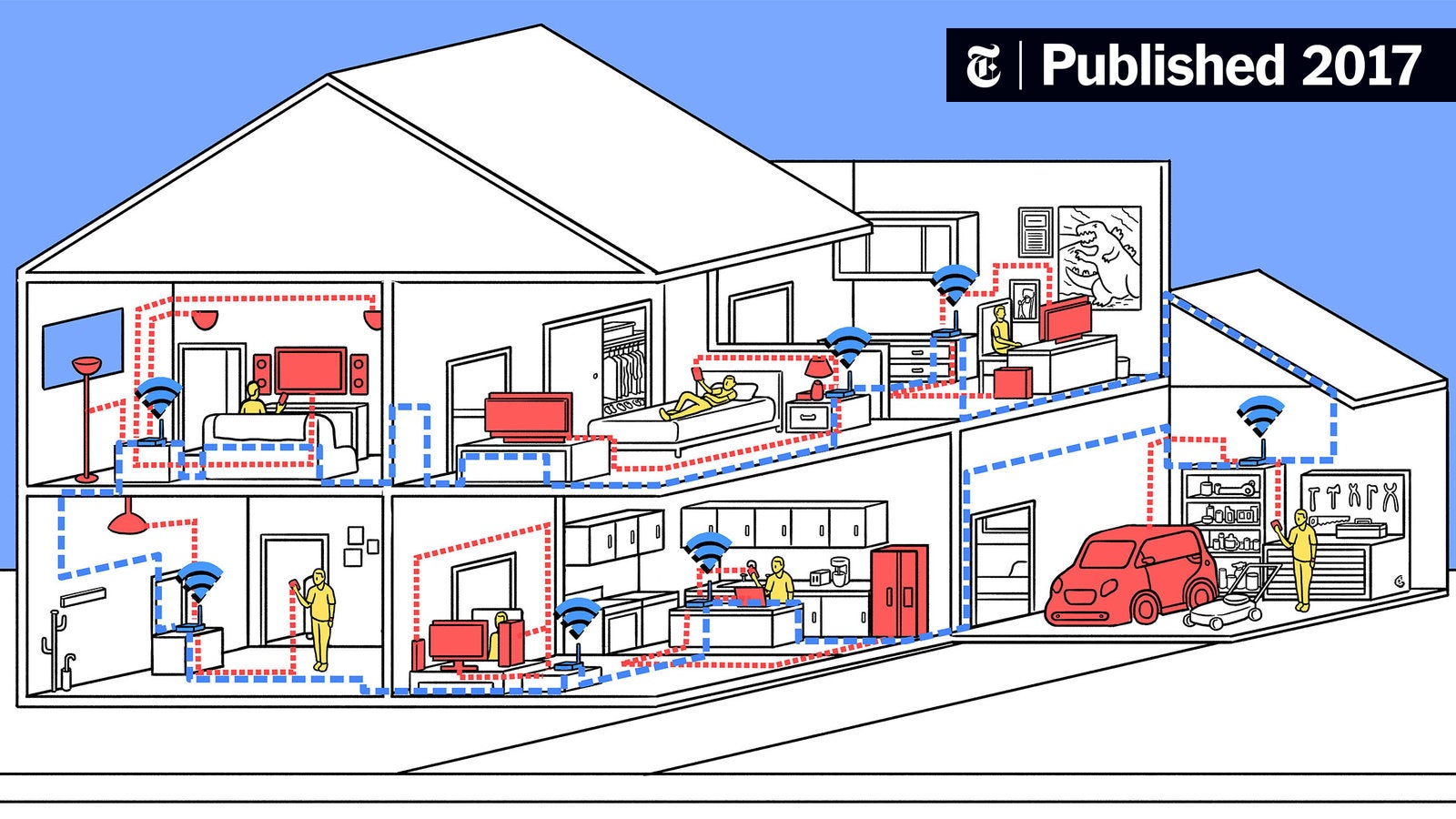
Coverage ratings are useful for comparing systems, but walls, floors, construction materials, and interference change the result in a real home. A three-pack gives more placement flexibility than a two-pack, while a two-pack can be cleaner in a compact floor plan. Nodes should be close enough to maintain a strong connection, not placed at the very edge of the dead zone.
A large coverage claim cannot compensate for poor placement. Put the main unit near the modem and position the other units where they still receive a healthy signal from the network.
Wireless bands and WiFi generation
Tri-band systems such as the TP-Link Deco 7 Pro BE63, TP-Link Deco 7 Pro BE10000, and NETGEAR Orbi 770 have an extra band available for client traffic or mesh communication. That can help when several people are online at once. Dual-band systems such as the TP-Link Deco 7 BE23 can still work well, especially with wired backhaul, but they have less wireless capacity to share.
WiFi 7 adds features such as Multi-Link Operation and wider channels, but compatible devices are needed to use them. WiFi 6 remains a strong fit for homes whose phones, laptops, and televisions do not support WiFi 7.
A mesh system should be judged by the link between its nodes, not just the speed printed on the box.
Ethernet ports and backhaul
Ethernet ports determine how well a mesh system fits wired equipment. Gigabit ports are appropriate for gigabit service and ordinary wired devices. The 2.5G ports on the TP-Link Deco X55 Pro, TP-Link Deco 7 BE23, and TP-Link Deco 7 Pro BE63 are better suited to multi-gigabit internet, network storage, and faster wired backhaul.
Wired backhaul is especially valuable in large or multi-story homes. It lets the nodes communicate over Ethernet instead of using wireless capacity for the same job. If Ethernet is not available, tri-band hardware can reduce the performance compromise.
Device capacity
Count more than laptops and phones. Televisions, speakers, cameras, thermostats, plugs, game consoles, and appliances all compete for airtime. Systems rated for more than 150 or 200 devices provide more headroom for a busy smart home, while the Deco S4's stated capacity of 75 devices is better aligned with lighter use.
Capacity is not just a device-count number. Several active video streams and large downloads create more load than many idle smart plugs, so the wireless generation and band layout matter too.
Security and controls
HomeShield and HomeCare features across the TP-Link systems include tools such as parental controls, security scans, IoT protection, or quality of service, depending on the model. NETGEAR includes built-in security measures, automatic firmware updates, and app-based management, while the RBK753P also includes a 30-day Armor trial.
Look for the controls the household will actually use. A separate IoT network, device profiles, guest WiFi, and VPN support can be more useful than a long list of unused settings.
Frequently asked questions
Do mesh systems replace a modem?
No. The Deco systems require a separate modem for most internet providers, and the Orbi systems connect to an existing modem or gateway. The mesh kit replaces the WiFi router function, not the modem connection supplied by the internet provider.
Is WiFi 7 necessary for a home mesh network?
No. WiFi 7 is most useful when the home has compatible phones, laptops, and other newer devices, or when the buyer wants more wireless headroom for future equipment. WiFi 6 systems such as the TP-Link Deco X55 Pro can still provide strong coverage and efficient connections for many homes.
Is tri-band better than dual-band mesh?
Tri-band usually gives the mesh system more capacity for communication between nodes and client devices. That can help in a busy home or when the nodes connect wirelessly. Dual-band mesh can still perform well when the nodes are close together or use Ethernet backhaul.
Should mesh units use wired backhaul?
Use wired backhaul when Ethernet is already available between the rooms or floors where the nodes will sit. It gives the nodes a direct path to one another and leaves more wireless capacity for phones, computers, televisions, and smart-home devices.
How many mesh units does a home need?
A two-pack is enough for many smaller or moderately sized homes with a simple layout. A three-pack makes more sense for a long home, multiple floors, or a property with several rooms beyond the main router. More units are not automatically better if they are placed too close together.
Can these mesh systems work with any internet provider?
The product details state that the TP-Link Deco systems work with any internet service provider, with a modem required for most providers. The NETGEAR Orbi RBK753P supports cable, satellite, fiber, and DSL providers up to 1Gbps. The Orbi 770 is made for use in the U.S. only.
The bottom line
The Best mesh network for home in this group is the TP-Link Deco 7 Pro BE63. It combines tri-band WiFi 7, four 2.5G ports per unit, wired and wireless backhaul, VPN support, and coverage up to 5, 800 square feet in a well-balanced two-unit system.
For a very large property, the TP-Link Deco 7 Pro BE10000 gives three nodes, coverage up to 7, 600 square feet, and support for more than 200 devices. The NETGEAR Orbi 770 is the better alternative for buyers committed to the Orbi platform, while the TP-Link Deco X55 Pro remains a sensible WiFi 6 option with 2.5G connectivity.
If you are undecided, choose the system whose node count and backhaul match your home's layout, then choose the newest WiFi standard your devices can actually use.
As an Amazon Associate we earn from qualifying purchases.