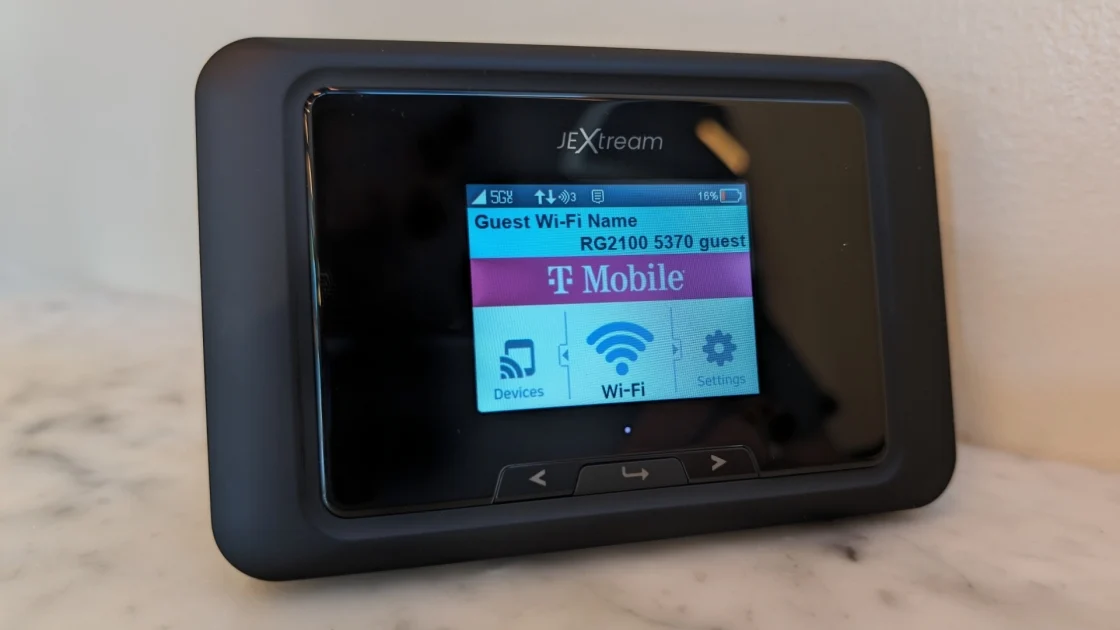

Hotel Wi-Fi becomes a very different problem when a laptop, phone, tablet, streaming stick, and work computer all need access at once. Logging each device into a captive portal is tedious, and an open network is not ideal for remote work. The Best best portable wifi for travel options solve that problem in two distinct ways: they either turn an existing connection into a private network, or provide cellular data without a local SIM.
The products below include fast Wi-Fi 6 and Wi-Fi 7 travel routers, pocket hotspots with built-in data, and one unusually capable 5G hotspot with a large power bank. The distinction matters more than the headline speed. A router cannot create internet service where none exists, while a cellular hotspot needs coverage and a data plan.
TP-Link Roam 6 AX1500 is our top pick for most travelers, with the SIMO Solis Pro, GL.iNet Slate 7, and dedicated cellular hotspots covering the rest of the range.
Comparison
| # | Product | Award | Wi-Fi capability | Wired connection | Best for |
|---|---|---|---|---|---|
| 1 | TP-Link Roam 6 AX1500 | Best overall | Wi-Fi 6, up to 1, 201 Mbps at 5 GHz | 1 Gbps WAN/LAN, 1 Gbps LAN | Hotels, rentals, and remote work |
| 2 | GL.iNet Slate 7 | Best advanced router | Wi-Fi 7, up to 2, 882 Mbps at 5 GHz | Dual 2.5G Ethernet | VPN users and network enthusiasts |
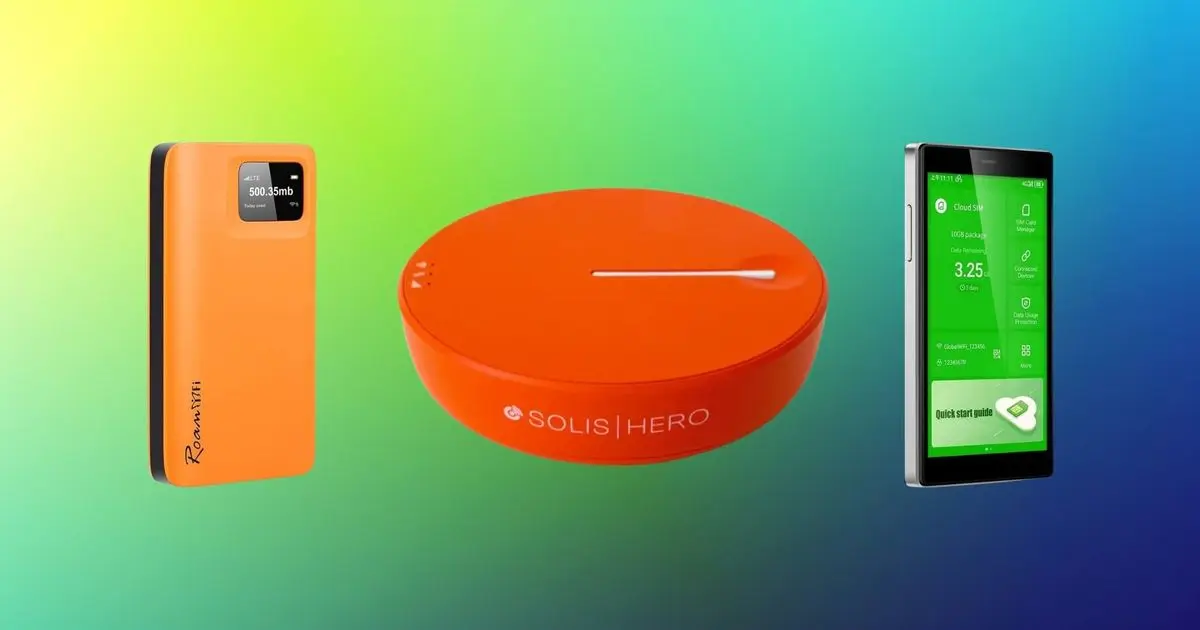
| 3 | RoamWiFi 1GB Hotspot | Best easy cellular hotspot | Cellular hotspot, up to 10 devices | Not specified | Short international trips |
| 4 | GL.iNet Opal | Best compact wired router | AC1200, up to 867 Mbps at 5 GHz | Two 1 Gbps LAN, one 1 Gbps WAN | Simple hotel setups |
| 5 | TP-Link Roam 7 | Best high-capacity router | Wi-Fi 7, up to 2, 882 Mbps at 5 GHz | 2.5 Gbps WAN, 1 Gbps LAN | Large groups and busy rentals |
| 6 | SIMO Solis Pro | Best 5G hotspot | Wi-Fi 6E | Not specified | Cellular internet and device charging |
| 7 | TP-Link Roam 6 TL-WR1502X | Best proven travel design | Wi-Fi 6, up to 1, 201 Mbps at 5 GHz | Not specified | Phone tethering and public Wi-Fi |
| 8 | RoamWiFi 50GB Hotspot | Best included regional data | Cellular hotspot, up to 10 devices | Not specified | US, Canada, and Mexico travel |
| 9 | BNBDE T8 Hotspot | Best battery life | 4G LTE | Not specified | Long sightseeing days |
1. TP-Link Roam 6 AX1500: Best Overall

Pros
- Creates one private network from public Wi-Fi
- Wi-Fi 6 supports up to 60 devices
- USB tethering and several operating modes
- OpenVPN and WireGuard support
- Compact 0.42-pound design
Cons
- Does not support OpenWrt
- Requires an existing Wi-Fi, Ethernet, or phone connection
- No built-in cellular modem
Best for: travelers who want one private network for hotel, rental, airport, and phone-tethered connections.
The TP-Link Roam 6 AX1500 is the device we'd put in a travel bag first because it handles the messy part of hotel networking without pretending to be a cellular hotspot. Connect it to a hotel network, wired internet, or a phone through USB tethering, then let every device use the private network it creates. That means one login instead of repeating the same captive-portal routine on every screen.
Its dual-band Wi-Fi 6 hardware is more than adequate for a small group. The 5 GHz band is rated up to 1, 201 Mbps and the 2.4 GHz band up to 300 Mbps, with support for as many as 60 connected devices. Those are local wireless figures, not a promise that hotel internet will suddenly become fast, but the extra capacity helps when a laptop is working while phones, tablets, and streaming hardware remain connected.
The port arrangement is practical. It has a 1 Gbps WAN/LAN port and a separate 1 Gbps LAN port, so a wired hotel connection or a device that needs Ethernet can fit into the setup. USB-C power makes it easy to run from a 5V/3A PD source such as a power bank. The 4.09 by 3.54 by 1.10 inch body and 0.42-pound weight are small enough that it does not become another bulky charger-shaped object in the bag.
TP-Link includes router, access point, repeater, and client modes, plus OpenVPN and WireGuard support. Its Tether app can handle setup and one-step captive-portal authentication. That is a cleaner travel experience than the more configurable GL.iNet Slate 7, though the Slate 7 offers deeper controls and faster wired networking. The catch is important: this Roam 6 does not support OpenWrt, and it cannot provide internet when neither Wi-Fi, Ethernet, nor a tethered phone is available.
Choose it if your trips revolve around hotels, apartments, RV sites, and public networks. Skip it if you specifically need a self-contained mobile hotspot. For a closer look at how a travel router differs from equipment intended to cover a house, the connection problem that changes between a hotel room and a whole home is a useful distinction.
2. GL.iNet Slate 7: Best Advanced Router

Pros
- Wi-Fi 7 with up to 2, 882 Mbps at 5 GHz
- Touchscreen controls for network and VPN functions
- Dual 2.5G Ethernet ports
- OpenWrt 23.05 firmware
- VPN client and server can run together
Cons
- Heavier than the simpler travel routers
- More setup depth than casual travelers need
- Touchscreen shortcut requires configuration for some functions
Best for: technically minded travelers who want hands-on control over VPNs, routing, and wired connections.
The GL.iNet Slate 7 is the most ambitious router here. It feels designed for the traveler who has a specific network plan rather than someone who just wants to share a hotel login. The touchscreen is the standout feature. You can scan a QR code for Wi-Fi, watch network speed, change providers, check connection status, and toggle selected functions without opening a laptop.
Wi-Fi 7 gives it a substantial local-network ceiling, with up to 688 Mbps on 2.4 GHz and 2, 882 Mbps on 5 GHz. That matters most when the source connection is fast and several nearby devices are moving data at once. The dual 2.5G Ethernet ports are even more significant for a work setup with a wired laptop, NAS, or fast hotel Ethernet connection. Most travel routers here top out at 1 Gbps wired networking or do not list wired ports at all.
OpenWrt 23.05 firmware and 512MB of storage open the door to plugins and more detailed network customization. OpenVPN and WireGuard are preinstalled, and the stated maximum VPN speeds are 100 Mbps for OpenVPN and 540 Mbps for WireGuard under local test conditions. The router can host a VPN server and run a VPN client at the same time, a useful arrangement for reaching a home network while sending travel traffic through a separate VPN service.
This capability comes with a learning curve. The touchscreen makes routine changes easier, but advanced routing still benefits from understanding what the settings do. The 5.1 by 3.5 by 1.3 inch body weighs about 0.66 pounds, so it is noticeably less featherweight than the TP-Link Roam 6 AX1500. Its WPA3 support, DNS over HTTPS, DNS over TLS, and IPv6 support strengthen the security story, but none of those features remove the need to use a trustworthy source network.
The Slate 7 is the pick for VPN-heavy work, fast wired links, and travelers who enjoy configuring their own equipment. If you want a router that quietly disappears into the trip, the GL.iNet Opal is easier to justify. If you want a cellular connection without depending on hotel Wi-Fi, look instead at the SIMO Solis Pro.
3. RoamWiFi 1GB Hotspot: Best Easy Cellular Hotspot

Pros
- No SIM card or contract required
- Automatic carrier selection in more than 170 countries
- Supports up to 10 devices
- Includes a 1GB regional plan
- Pocket-friendly design
Cons
- Included data is limited
- Data-plan terms matter after the included allowance
- Cellular performance depends on local coverage
Best for: travelers who want a dedicated cellular hotspot with minimal setup for a short trip.
The RoamWiFi 1GB Hotspot takes the opposite approach from the TP-Link routers. It does not turn hotel Wi-Fi into a private network. Instead, it connects to cellular networks and shares that connection, so it can be useful on a train, in a cafe, or anywhere public Wi-Fi is absent. Power it on, and the device is designed to connect automatically without a SIM swap.
RoamWiFi says the device works in more than 170 countries and uses intelligent network selection to choose among available carriers. That can simplify international travel because the traveler does not need to identify a local carrier before departure. It supports up to 10 devices at the same time, enough for a phone, laptop, tablet, and a few companions, though every connected device draws from the same cellular connection and data allowance.
The included plan is 1GB of local data valid across the United States, Canada, and Mexico for 30 days. That is enough for maps, messages, email, and light browsing, but it is not a license to stream freely or run large cloud backups. Buyers should read the available plans before a long trip. The convenience comes from the built-in service, and that also means the device is tied to the provider's data options rather than an arbitrary SIM from a local carrier.
The hardware is compact, measuring 4.96 by 4.96 by 0.57 inches and weighing about 0.61 pounds according to the listed product information. The listing describes long battery life but does not provide a runtime figure, so we would not plan a full day around an unverified battery estimate. It is simpler than configuring the TP-Link Roam 6 TL-WR1502X, yet less flexible because it cannot use a hotel Ethernet connection or a phone tether in the same router-oriented way.
This is a sensible pick for a short international trip where the priority is avoiding SIM-card logistics. It is not the right tool for a family that expects heavy streaming, or for someone who already has a generous international phone plan. For travelers who want a larger included regional allowance, the RoamWiFi 50GB Hotspot is the more suitable version.
4. GL.iNet Opal: Best Compact Wired Router

Pros
- Dual-band AC1200 wireless
- Three gigabit Ethernet ports
- Retractable antennas
- OpenVPN and WireGuard support
- Lightweight 145g design
Cons
- Does not support easytethering
- Older Wi-Fi 5 class than the Wi-Fi 6 and Wi-Fi 7 picks
- Requires an existing internet connection
Best for: travelers who mainly use hotel Ethernet or public Wi-Fi and want a straightforward private network.
The GL.iNet Opal is the unshowy option that makes sense when a trip does not demand the latest wireless standard. It is a small router with retractable antennas, clear use cases, and enough wired connectivity for a hotel room workspace. It can convert a public wired or wireless network into a private one, which is still the most useful job for this kind of device.
Its AC1200 rating breaks down to 867 Mbps on 5 GHz and 300 Mbps on 2.4 GHz. The faster band is suited to video calls, downloads, and streaming on a local network, while 2.4 GHz reaches farther through obstacles and handles lighter tasks. Those figures describe the wireless link, not the hotel connection. Still, the Opal has plenty of headroom for ordinary travel use.
The three Ethernet ports are a practical advantage: two 1 Gbps LAN ports and one 1 Gbps WAN port. A traveler can feed it from wired internet and connect a work computer or another wired device without relying on a wireless link. The antennas extend for better coverage and are recommended to be positioned vertically. The router weighs 145 grams, making it one of the easier network devices to forget in a side pocket.
OpenVPN and WireGuard are preinstalled, with support for more than 30 VPN providers and Cloudflare encryption. A physical toggle can enable a chosen VPN feature after it is assigned in the admin panel. That setup detail is easy to miss, and the default switch has no function until configured. The Opal also does not support easytethering, which makes it less suitable for travelers who plan to use a phone's connection as their primary source.
Compared with the TP-Link Roam 6 AX1500, the Opal gives up Wi-Fi 6 and some newer convenience features, but its retractable antennas and three gigabit ports remain useful. It is the better fit for a wired hotel desk and a traveler who does not need cutting-edge wireless throughput. Those building a more elaborate gaming or home-style network can compare the features that matter when several wired devices share one router before choosing.
5. TP-Link Roam 7: Best High-Capacity Router

Pros
- Wi-Fi 7 with up to 90-device support
- 2.5 Gbps WAN port
- USB tethering and multiple operating modes
- OpenVPN and WireGuard client and server support
- USB-C power from a PD source
Cons
- No 6 GHz band
- Does not support OpenWrt
- Larger and heavier than the Roam 6
Best for: groups, RV owners, and remote workers carrying many devices onto one connection.
The TP-Link Roam 7 is the travel router for a crowded digital room. It supports up to 90 devices, which is far beyond what most solo travelers need but useful for families, small teams, and RV setups. Its job is still to share public Wi-Fi, Ethernet, or USB phone tethering through a private network, so its larger capacity does not mean it supplies cellular internet by itself.
The dual-band Wi-Fi 7 hardware is rated at 2, 882 Mbps on 5 GHz and 688 Mbps on 2.4 GHz. TP-Link also lists Multi-Link Operation, which combines frequency bands to improve throughput, latency, and connection stability on compatible devices. The important limitation is that this model does not support the 6 GHz band. It is Wi-Fi 7 in its dual-band implementation, not a three-band 6 GHz router.
The wired ports are unusually useful for a portable model. There is one 2.5 Gbps WAN port and one 1 Gbps LAN port, allowing a fast wired source to reach the router without immediately hitting a gigabit bottleneck on the input side. Router, hotspot, access point, repeater, and client modes give it more ways to adapt to awkward travel networks. USB-C power can come from the included adapter or a 5V PD power source such as a power bank.
OpenVPN and WireGuard support covers both client and server roles, along with PPTP and L2TP protocols. The Tether app handles one-step captive-portal authentication, so devices on the private network do not each need to repeat the hotel's login process. The 4.96 by 3.68 by 1.5 inch body weighs 0.55 pounds, a reasonable trade for the extra capacity, though the TP-Link Roam 6 AX1500 is easier to pack.
The Roam 7 is excessive for one laptop and a phone, but it is compelling when a connection must serve a whole travel party. It beats the Roam 6 on wireless capacity and WAN speed, while the GL.iNet Slate 7 is the stronger choice for OpenWrt customization and touchscreen controls. Choose the Roam 7 when dependable sharing matters more than an enthusiast's firmware toolbox.
6. SIMO Solis Pro: Best 5G Hotspot

Pros
- 5G cellular hotspot with Wi-Fi 6E
- Built-in 8, 000mAh power bank
- Connects up to 20 devices
- Coverage in 140 countries and 300-plus carriers
- Includes recurring and global data packs
Cons
- Larger than a simple travel router
- Cellular service is central to the ownership experience
- Listed product information contains inconsistent size details
Best for: travelers who need cellular internet and a high-capacity battery for several connected devices.
The SIMO Solis Pro is not merely a pocket router. It combines a 5G hotspot with a built-in 8, 000mAh power bank, making it the most useful pick here when the phone, tablet, and hotspot all need help away from an outlet. That extra battery changes the shape of the device and the way it fits into a travel kit, but it also removes the need to carry a separate power bank for many trips.
SIMO lists Wi-Fi 6E and simultaneous support for up to 20 devices. That gives a family or small work group room to connect phones, laptops, tablets, and other equipment without approaching the device's stated limit. Actual performance still depends on the available mobile network, local congestion, and the data service, but the 5G modem gives it a much higher ceiling than the 4G-only BNBDE T8 Hotspot.
SignalScan AI is intended to find the strongest signal across multiple mobile carriers. The service is described as covering 140 countries and more than 300 carriers, with no SIM and no locked-in contracts required. The included data consists of 1GB every month, described as 12GB annually, plus a one-time 10GB global pack. That structure is convenient for occasional use, but heavy travelers need to understand the available data options before relying on it for sustained video work.
The listing's product information says the unit is 2.1 inches high, 5.5 inches long, and 7.4 inches wide, while also labeling its size as 4G despite the product being presented as a 5G device. Because those entries do not align cleanly, we would treat the Solis Pro as a larger hotspot and verify the physical dimensions before packing it into a tight case. No battery runtime figure is provided, so the 8, 000mAh capacity is the concrete battery detail, not a promise of a particular number of hours.
Compared with the RoamWiFi 1GB Hotspot, Solis Pro offers more device capacity, 5G, Wi-Fi 6E, and a power bank. The RoamWiFi unit is smaller in concept and simpler for short trips. Pick SIMO when cellular connectivity and battery reserve are the central requirements, and skip it if your travel is mostly hotel rooms with usable Wi-Fi.
7. TP-Link Roam 6 TL-WR1502X: Best Proven Travel Design

Pros
- Wi-Fi 6 speeds up to 1, 201 Mbps on 5 GHz
- USB phone tethering
- Router, hotspot, repeater, access point, and client modes
- Compact 4.09 by 3.54 by 1.10 inch body
- USB-C power from a 5V/3A source
Cons
- Not a cellular hotspot
- Does not support OpenWrt
- The feature set overlaps with the newer Roam 6 listing
Best for: travelers who want phone tethering and flexible private Wi-Fi from a compact TP-Link router.
The TP-Link Roam 6 TL-WR1502X is the clearly travel-focused version of TP-Link's Roam 6 concept. It is not a MiFi device, and that distinction should shape the buying decision. Its strength is taking Ethernet, public Wi-Fi, or a phone's USB tethered connection and turning it into one private network for the rest of the trip.
Its Wi-Fi 6 connection is rated at up to 1, 201 Mbps on 5 GHz and 300 Mbps on 2.4 GHz. TP-Link positions those bands for simultaneous streaming, downloads, and gaming, though the upstream hotel or phone connection remains the limiting factor in real use. The design supports several devices at once and is a better match for a collection of personal electronics than repeatedly configuring each device on a public network.
Router, hotspot, and AP, repeater, and client modes make it adaptable. USB-C power works with the included adapter or a 5V/3A PD source, including a power bank. The compact body measures 4.09 by 3.54 by 1.10 inches and weighs 0.34 pounds, lighter than the other Roam 6 listing in this roundup. That is a useful difference for anyone counting every item in a carry-on.
The listing does not provide wired port specifications for this entry, so we would not choose it specifically for a multi-device Ethernet workstation. It also does not support OpenWrt. OpenVPN and WireGuard are supported for secure browsing, and the router can handle public Wi-Fi authentication through the Tether app, but the software is less open-ended than the GL.iNet Slate 7.
This is a good fit for a traveler who plans to tether a phone or share hotel Wi-Fi across several devices. The newer TP-Link Roam 6 AX1500 has a similar core role and explicitly lists its gigabit ports, so compare the two carefully before ordering. Choose this model when its lighter listed weight and travel-oriented feature set matter most.
8. RoamWiFi 50GB Hotspot: Best Included Regional Data
Pros
- Includes 50GB of US, Canada, and Mexico data
- Includes 1GB of global data
- Supports up to 10 devices
- Automatic network selection
- No SIM card or contract required
Cons
- Included plans are time-limited
- Not a replacement for a full cellular plan
- No wired or router-mode details are listed
Best for: travelers moving around the US, Canada, and Mexico who want a cellular hotspot with substantial included regional data.
The RoamWiFi 50GB Hotspot is the data-focused sibling to the 1GB RoamWiFi model. The hardware description is similar, with automatic carrier selection, no SIM card, support for up to 10 simultaneous devices, and coverage in more than 170 countries. The major difference is the included data package, which makes this version much better suited to a regional road trip than the smaller allowance on the other RoamWiFi entry.
The included plan provides 50GB of local data across the United States, Canada, and Mexico, plus 1GB of global data. Both are valid for 60 days after activation. That deadline is important. It suits a defined trip or a concentrated period of travel, but it is not the same as an indefinite data service. A traveler who activates it too early could lose part of the useful window before leaving.
Up to 10 devices can connect at once, covering a group of phones, tablets, laptops, and a game console or similar device. RoamWiFi says the hotspot uses intelligent network selection to identify the strongest available carrier. That can spare users from searching for a local SIM, though cellular coverage and performance will still vary by location and carrier availability.
The listed dimensions are about 4.96 by 2.68 by 0.57 inches, and the weight is about 0.40 pounds. The product description promises long battery life but does not give a runtime figure. It is therefore sensible to pack a USB power bank for long days rather than assume the hotspot will last through every excursion.
Compared with the BNBDE T8 Hotspot, this RoamWiFi model offers a much larger regional data allowance but less specific battery information. Compared with the SIMO Solis Pro, it supports fewer devices and does not list 5G or a built-in power bank. Choose it when North American travel and the included data window align with your plans.
9. BNBDE T8 Hotspot: Best Battery Life

Pros
- 10GB of US data preloaded
- Coverage in more than 140 countries
- 3, 500mAh battery rated for up to 15 hours
- Weighs 100 grams
- Supports up to eight connected devices
Cons
- 4G LTE rather than 5G
- Smaller device limit than the RoamWiFi and SIMO hotspots
- Data plans are needed after the included allowance
Best for: travelers who prioritize a light hotspot with a stated full-day battery claim.
The BNBDE T8 Hotspot makes a straightforward promise: take it out of the box, turn it on, and connect. It uses eSIM, also described as vSIM, rather than requiring a physical SIM card. The device comes with 10GB of preloaded US data, so it has an immediate use case for a traveler arriving in the United States.
It supports 4G LTE across more than 140 countries and can connect up to eight devices. That is enough for an individual or couple carrying phones, computers, and tablets, but less generous than the 10-device RoamWiFi models or the 20-device SIMO Solis Pro. The listing says it accesses more than 300 global carriers, with automatic selection of an available local network.
The battery is the clearest hardware advantage. Its 3, 500mAh battery is rated for up to 15 hours of continuous use, and the device weighs 100 grams. Those are unusually concrete travel-friendly figures compared with the other cellular hotspots, whose listings describe battery life without providing a runtime. The 4.33 by 2.36 by 0.55 inch body should also be easy to carry in a pocket.
An app can show usage in real time, manage network settings, and let users purchase more data after the preloaded allowance is used. That makes it simple to monitor consumption, but the ongoing experience depends on the provider's plan choices. It also lacks the Wi-Fi 6E and power-bank combination found in the SIMO Solis Pro, and 4G LTE has a lower stated wireless ceiling than a modern 5G hotspot.
The T8 is the right pick for a traveler who values low weight and a stated 15-hour runtime more than maximum speed or device count. It is also a sensible choice for a US arrival when the preloaded data will be useful immediately. Pick the RoamWiFi 50GB Hotspot instead when a North American trip needs more included data and can fit its activation window.
How to choose best portable wifi for travel
Start by deciding whether you need a router for an existing connection or a hotspot with its own cellular service. That single choice narrows this list faster than any wireless-generation label.
Connection type
Travel routers such as the TP-Link Roam 6 AX1500, TP-Link Roam 7, and GL.iNet Opal connect to public Wi-Fi, Ethernet, or a tethered phone. They create a private network but do not provide internet on their own. Cellular hotspots such as the SIMO Solis Pro, RoamWiFi 50GB Hotspot, and BNBDE T8 Hotspot can work away from hotel Wi-Fi, but they depend on carrier coverage and data-plan terms.
Wireless capacity
Look at both wireless generation and the number of devices supported. Wi-Fi 7 models have the highest local-network figures, while Wi-Fi 6 is already plenty for ordinary travel connections. A group should pay attention to the stated device limit, since the T8 supports eight devices, RoamWiFi supports 10, SIMO supports 20, and the TP-Link Roam 7 lists support for up to 90.
A fast travel router cannot fix a slow hotel connection, but it can stop every device from fighting over the login screen.
Wired ports
A gigabit WAN port is valuable when a hotel or rental provides Ethernet. Separate LAN ports let a laptop, streaming device, or other wired equipment avoid a wireless hop. The Slate 7's dual 2.5G Ethernet ports are the most capable here, while the Opal offers one gigabit WAN port and two gigabit LAN ports.
VPN and firmware
OpenVPN and WireGuard support can protect traffic on public Wi-Fi, but the implementation varies. The Slate 7 runs OpenWrt 23.05 and supports extensive customization, while TP-Link's Roam 6 models do not support OpenWrt. Consider whether you want a simple app-managed device or the ability to install plugins, run a VPN server, and manage advanced routing rules.
Battery and portability
Router-style models usually need USB-C power, so they are easy to run from a charger or power bank but do not necessarily contain a battery. Cellular hotspots are self-powered, and their listed battery details differ sharply. The BNBDE T8 lists a 3, 500mAh battery and up to 15 hours of use, while the SIMO Solis Pro includes an 8, 000mAh power bank. For more advice on keeping several travel devices running, the battery and charging details that matter on the road can help when planning a larger mobile workstation.
Cellular coverage and data
A no-SIM hotspot is only convenient if its supported service works where you are going. Check the countries, networks, activation period, and included allowance. The RoamWiFi 50GB Hotspot is tailored toward the United States, Canada, and Mexico, the T8 includes US data, and SIMO lists coverage in 140 countries with more than 300 carriers.

Frequently asked questions
Is a travel router the same as a mobile hotspot?
No. A travel router normally shares an existing Wi-Fi, Ethernet, or phone-tethered connection. A mobile hotspot contains cellular connectivity and can provide internet where there is no usable public or hotel network.
Can these devices replace a phone plan?
The TP-Link and GL.iNet routers cannot, because they do not contain cellular service. The RoamWiFi, SIMO, and BNBDE devices provide cellular data through their own service arrangements, but their included data and plan terms are not necessarily equivalent to an unlimited phone plan.
Which travel router is easiest to use?
The TP-Link Roam 6 AX1500 and TP-Link Roam 6 TL-WR1502X emphasize app-based setup and one-step captive-portal authentication. The cellular hotspots are also designed for simple startup, with automatic network selection and no physical SIM card.
Can a travel router secure public Wi-Fi?
It can create a private network for your devices and, on supported models, route traffic through a VPN. The Roam 6 models and the GL.iNet routers list OpenVPN and WireGuard support. A private travel network does not make an untrusted source connection inherently safe, so use current device software and a VPN configuration you understand.
How many devices can one hotspot support?
The answer depends on the model. The BNBDE T8 supports up to eight, the RoamWiFi hotspots support up to 10, and the SIMO Solis Pro supports up to 20. The TP-Link Roam 7 lists support for up to 90 devices, though the source connection and available bandwidth still limit practical performance.
Is Wi-Fi 7 necessary for travel?
Usually not. Wi-Fi 6 and AC1200 are sufficient for most hotel and phone-tethered connections. Wi-Fi 7 becomes more useful when you have a fast wired source, many nearby devices, or compatible equipment that can take advantage of its higher local-network capacity.
Can these routers work on a plane?
The product data does not establish in-flight support for any of these devices. Airline rules, available onboard networks, and device restrictions vary, so do not assume a travel router or cellular hotspot can be used during a flight.
The bottom line
The Best best portable wifi for travel choice for most hotel rooms, rentals, and remote-work setups is the TP-Link Roam 6 AX1500. It combines Wi-Fi 6, USB tethering, several operating modes, VPN support, and useful gigabit ports without becoming difficult to pack. The GL.iNet Slate 7 is the better specialist option for travelers who want OpenWrt, touchscreen controls, dual 2.5G Ethernet, and advanced VPN routing.
For trips without dependable Wi-Fi, choose the SIMO Solis Pro for 5G connectivity and its built-in 8, 000mAh power bank, or the BNBDE T8 Hotspot when low weight and a stated 15-hour battery claim matter most. The RoamWiFi 50GB Hotspot is the more targeted choice for travel across the United States, Canada, and Mexico.
If you are undecided, choose the TP-Link Roam 6 AX1500 for hotel and phone-tethered travel, and choose a cellular hotspot only when internet access away from Wi-Fi is essential.
As an Amazon Associate we earn from qualifying purchases.