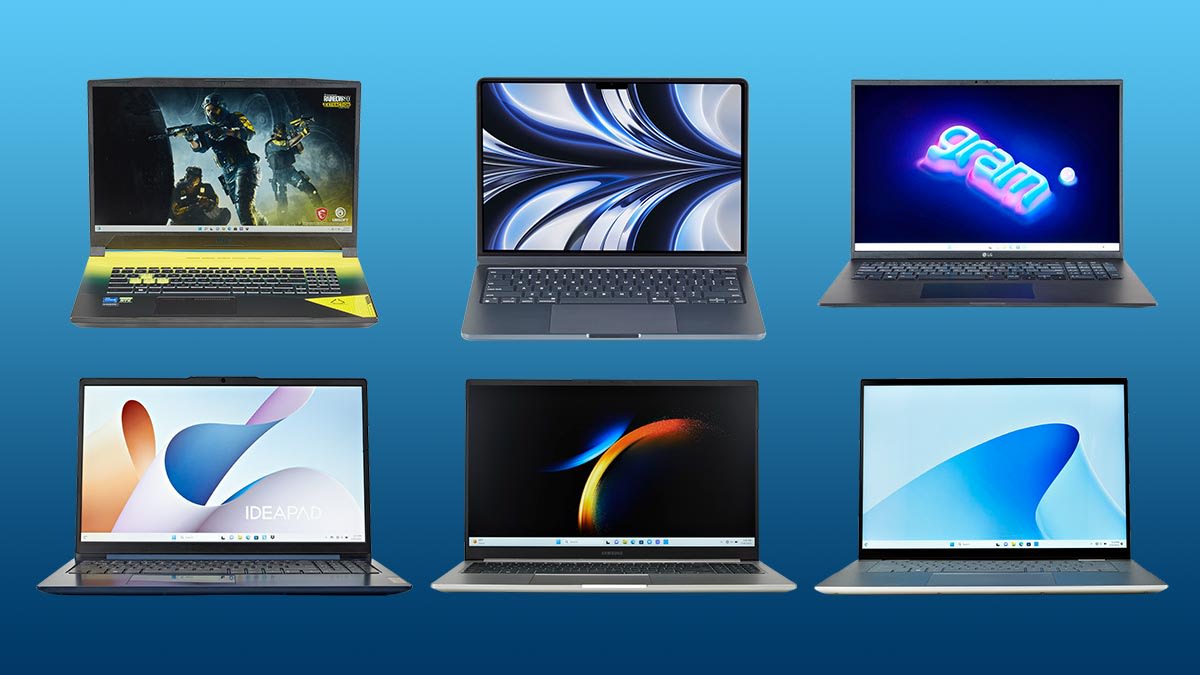

A college laptop has to handle more than a browser and a word processor. It may spend one hour in a lecture hall, the next on a video call, and the evening juggling research tabs, presentations, spreadsheets, and streaming. The wrong pick becomes frustrating as soon as memory runs short or the display feels cramped.
Our Best laptop for college students picks range from compact Windows machines to two Apple laptops with much stronger battery and creative-work credentials. We prioritized usable displays, practical memory and storage, portability, cameras, ports, and the kinds of limitations that matter after the first week of class.
The Apple MacBook Air 13-inch is our top pick, while the rest of the list covers large-screen study, Windows compatibility, straightforward portability, and lighter everyday workloads.
Comparison table
| # | Product | Award | Display | Memory and storage | Best for |
|---|---|---|---|---|---|
| 1 | Apple MacBook Air 13-inch | Best overall | 13.6-inch Liquid Retina | 16GB, 512GB SSD | Students who want lasting performance |
| 2 | Apple MacBook Neo 13-inch | Best compact Mac | 13-inch Liquid Retina | 8GB, 256GB SSD | Students who prioritize portability |
| 3 | HP OmniBook 3 17.3-inch | Best large screen | 17.3-inch FHD IPS | 8GB, 512GB SSD | Desk-based study and split-screen work |
| 4 | HP Pavilion N100 Laptop | Best Windows balance | 15.6-inch FHD anti-glare | 16GB, 256GB SSD | Multitasking on Windows |
| 5 | HP 14-inch N150 Laptop | Best connected compact Windows laptop | 14-inch HD anti-glare | 8GB, 256GB SSD plus 128GB UFS | Everyday classes and remote learning |
| 6 | SAGAWHALE 15.6-inch Laptop | Best memory capacity | 15.6-inch FHD IPS | 16GB, 256GB SSD | Many tabs and Office work |
| 7 | NIAKUN 15.6-inch Laptop | Best flexible hinge | 15.6-inch FHD IPS | 8GB, 256GB SSD | Sharing work around a table |
| 8 | HP Ultrabook 14-inch | Best privacy features | 14-inch HD anti-glare | 8GB, 256GB SSD plus 128GB UFS | Carrying between classes |
| 9 | HP 14-inch AMD Student Laptop | Best for basic coursework | 14-inch display | 4GB, 128GB SSD | Documents, email, and web work |
| 10 | HP 14-inch Celeron Laptop | Best ultra-portable Windows option | 14-inch HD | 8GB, 192GB combined storage | Light schoolwork on the move |
1. Apple MacBook Air 13-inch: Best Overall

Pros
- M5 chip has room for demanding coursework
- 16GB unified memory and 512GB SSD
- Up to 18 hours of battery life
- Strong camera, microphones, and speakers
- Two Thunderbolt 4 ports and support for two external displays
Cons
- macOS may not suit software that requires Windows
- 13.6-inch screen is less spacious for split-screen work
- Port selection is focused rather than expansive
Best for: students who want a thin, capable Mac that can last through several years of coursework.
The Apple MacBook Air 13-inch is the laptop we'd hand to a student who wants to stop thinking about whether the computer can keep up. The M5 chip is aimed at both demanding applications and AI-assisted tasks, but the more important day-to-day advantage is the combination of responsiveness and 16GB of unified memory. That gives browser tabs, notes, presentation software, and communication apps more breathing room than the 8GB machines here.
The 13.6-inch Liquid Retina display is sharp and supports 1 billion colors, so lecture slides, photos, and text look clean. It is not a huge panel, though. A student who regularly writes while reading source material may prefer the 17.3-inch display on the HP OmniBook 3 17.3-inch. The Air answers with a much easier carry, at 2.7116858226 pounds, and a slim 0.44-inch profile.
Apple claims up to 18 hours of battery life, which is the kind of specification that changes how a student plans a full day. The 12MP Center Stage camera can keep the user in frame during calls, while the three-microphone array and four-speaker system with Spatial Audio make this a more polished meeting and media machine than most Windows options here. Two Thunderbolt 4 ports, MagSafe charging, and a headphone jack cover the essentials, and the laptop supports up to two external displays.
The weakness is platform compatibility. Some engineering, business, or specialized academic software may require Windows, and macOS is not the right answer for every department. It also lacks the broad built-in port selection of the HP Pavilion N100 Laptop. Students already using an iPhone will appreciate the continuity features, while anyone seeking a quiet, durable computer for writing, research, coding, and creative work should choose the MacBook Air.
2. Apple MacBook Neo 13-inch: Best Compact Mac

Pros
- A18 Pro chip is suited to everyday assignments
- Up to 16 hours of battery life
- Compact aluminum design
- 1080p FaceTime HD camera
- Liquid Retina display supports 1 billion colors
Cons
- 8GB unified memory leaves less headroom
- 256GB storage can fill quickly
- macOS is not compatible with every campus application
Best for: students who want a small Mac for notes, research, calls, and everyday assignments.
The Apple MacBook Neo 13-inch has the easiest brief on this list: carry it everywhere, open it quickly, and get through ordinary college work without fuss. Its 13-inch Liquid Retina display keeps the chassis compact, while the aluminum enclosure gives it a more substantial feel than many small Windows notebooks. At 2.7116858226 pounds and 0.5 inches high, it is well suited to a backpack that is already full of books.
Its A18 Pro chip supports everyday assignments and Apple Intelligence features, including tools for summarizing notes and helping with writing. The listed configuration has 8GB of unified memory and a 256GB SSD. That is adequate for documents, browsing, presentations, and calls, but it is less comfortable than the MacBook Air's 16GB of memory and 512GB SSD if a student keeps large projects or many applications open.
Battery life is one of the Neo's strongest claims, with up to 16 hours listed. The 1080p FaceTime HD camera and dual-mic array are useful for remote seminars and group projects, and the side-firing speakers should make casual viewing more enjoyable. Apple also highlights iPhone continuity, FileVault encryption, Find My, and automatic security updates. Those features matter when a laptop moves between dorm rooms, libraries, and classrooms.
The Neo is not the pick for a student who plans to edit large media projects or keep a very large local archive. The Apple MacBook Air 13-inch is faster, has more memory and storage, and offers a more capable connection setup. Choose the Neo when portability and the macOS experience matter more than expansion room. Students comparing a laptop with a tablet for handwritten notes can also consider how a second device fits into a college study setup.
3. HP OmniBook 3 17.3-inch: Best Large Screen

Pros
- Spacious 17.3-inch FHD IPS display
- 512GB PCIe NVMe SSD
- Up to 14 hours and 15 minutes of battery life
- FHD camera with HDR auto-switch
- Wi-Fi 6 and Bluetooth 5.4
Cons
- 4.43-pound weight is substantial for campus travel
- 8GB memory is less flexible than 16GB options
- Large footprint is awkward on small lecture desks
Best for: students who study mainly at a desk and want room for documents, research, and video.
The HP OmniBook 3 17.3-inch is the practical answer to a common student complaint: a laptop screen that feels too small for two windows. Its 17.3-inch FHD IPS panel provides wide 178-degree viewing angles, and the larger canvas is useful for comparing a reading assignment with notes or keeping a lecture stream beside a document. It feels more like a portable desktop than a backpack-first notebook.
HP pairs the screen with an AMD Ryzen 3 30 processor, AMD Radeon 610M graphics, 8GB of LPDDR5 memory, and a 512GB PCIe NVMe SSD. The storage is generous for class documents, downloaded media, and applications, while the faster memory standard should help everyday responsiveness. This is not a dedicated graphics workstation, but the listed configuration is intended for multitasking, streaming, casual gaming, photo editing, and schoolwork.
Battery life is listed at up to 14 hours and 15 minutes, with fast charging from zero to 50 percent in approximately 45 minutes. The FHD camera includes HDR auto-switching for changing light, and HP's advanced AI noise reduction is designed to focus on the user's voice during conference calls. Wi-Fi 6, Bluetooth 5.4, Windows 11 Home, and a Copilot key round out the everyday setup.
The trade-off is obvious when compared with the Apple MacBook Air 13-inch. The Air is dramatically easier to carry, while the OmniBook gives up some memory capacity and weighs 4.43 pounds. Students who move between buildings all day should skip this one unless the large display is essential. For a fixed desk, dorm room, or home study area, however, this is the clearest choice for reading and split-screen work. If a second display would solve the same problem, first consider how much desk space a portable second screen needs.
4. HP Pavilion N100 Laptop: Best Windows Balance

Pros
- 16GB DDR4 memory
- 15.6-inch FHD anti-glare display
- Wi-Fi 6 and Bluetooth 5.3
- USB-C, two USB-A ports, and HDMI
- Numeric keypad and camera privacy shutter
Cons
- 256GB SSD gives less local storage than the OmniBook
- Intel N100 is aimed at everyday workloads
- Listed product details conflict on SSD capacity
Best for: Windows users who need generous memory, a larger display, and useful built-in ports.
The HP Pavilion N100 Laptop gets the basics right in a way that makes sense for campus life. The 15.6-inch FHD anti-glare display offers more room than a compact 14-inch notebook and should be easier to use under bright classroom lighting. A numeric keypad is a small but useful advantage for students working with spreadsheets, statistics, or accounting assignments.
The Intel N100 is a four-core processor with speeds up to 3.4GHz, and the laptop includes 16GB of DDR4 RAM. That memory allocation is the reason this Pavilion ranks ahead of several similar Windows machines. It gives a student more room for browser tabs, documents, email, and video meetings at the same time. The listing describes both a 256GB SSD and a 512GB PCIe NVMe SSD in different feature text, so shoppers should confirm the exact storage configuration before ordering.
Connectivity is well suited to a dorm desk or classroom accessory setup. There is USB-C, two USB-A ports, HDMI, and an audio jack, along with Wi-Fi 6 and Bluetooth 5.3. The 720p camera, dual microphones, dual speakers, and privacy shutter cover remote learning, while Windows 11 Home keeps compatibility straightforward.
This HP does not match the HP OmniBook 3 17.3-inch for screen size or the MacBook Air for battery claims and processing headroom. It is also not as compact as the HP 14-inch N150 Laptop. Its real advantage is balance: plenty of memory, a comfortable FHD panel, and ports that do not force a student to carry a hub. Skip it if storage certainty or a very light chassis matters more than screen and memory capacity.
5. HP 14-inch N150 Laptop: Best Connected Compact Windows Laptop

Pros
- Four-core Intel N150 processor
- 8GB RAM and dual storage
- Wi-Fi 6 and Bluetooth 5.4
- USB-C, two USB-A ports, and HDMI
- 720p camera with privacy shutter
Cons
- 1366 by 768 display is less sharp than FHD panels
- Windows 11 Home in S Mode limits software installation
- Storage configuration is split between SSD and UFS
Best for: students who want a compact Windows laptop with practical ports and school-ready software.
The HP 14-inch N150 Laptop is a sensible small Windows notebook for students who want a familiar setup without carrying a 15.6-inch machine. Its 14-inch anti-glare display uses a 1366 by 768 resolution and reaches a listed 250 nits, so it should be comfortable for documents and online classes, though text will not look as crisp as it does on the FHD screens of the HP Pavilion N100 Laptop or the NIAKUN 15.6-inch Laptop.
The Intel N150 has four cores and can reach up to 3.6GHz. With 8GB of DDR4 RAM, it is suited to browsing, document editing, streaming, and online learning. Storage is divided between a 256GB SSD and 128GB of UFS storage, which gives the student more room than a single small drive but is less straightforward to manage than the single 512GB SSD in the HP OmniBook 3 17.3-inch.
The port arrangement is unusually helpful at this size. USB-C, two USB-A ports, HDMI, and a headphone and microphone combo jack cover common accessories, while Wi-Fi 6 and Bluetooth 5.4 handle wireless connections. The 720p camera has a privacy shutter, and dual microphones with AI noise reduction are intended to keep calls clearer. Microsoft 365 Personal is included for one year, and the Copilot key provides quick access to Microsoft's assistant.
The biggest limitation is Windows 11 Home in S Mode, which is designed to restrict apps to those from the Microsoft Store. That can be a useful security boundary, but it may be inconvenient if a course requires software from another source. The display is also only HD. Choose this HP for portable Windows coursework and strong everyday connectivity, but choose the SAGAWHALE 15.6-inch Laptop if you need a sharper large screen and 16GB of memory.
6. SAGAWHALE 15.6-inch Laptop: Best Memory Capacity

Pros
- 16GB RAM for browser-heavy work
- 15.6-inch FHD IPS display
- Windows 11 Pro and Office 365
- 3.5-pound chassis
- Two-year warranty and six-month return policy listed
Cons
- Battery life is listed at up to four hours
- 4425Y processor is intended for everyday computing
- Large chassis is less convenient in crowded classrooms
Best for: students who keep many tabs and productivity applications open on Windows.
The SAGAWHALE 15.6-inch Laptop is built around two things students notice immediately: a large FHD panel and 16GB of memory. The 15.6-inch 1920 by 1080 IPS display provides a comfortable workspace for research and Office documents, with wider viewing angles than a basic narrow panel. Its 3.5-pound weight is manageable, but this is still a full-size notebook rather than a small library companion.
The 4425Y processor is described for daily computing, office work, study, web browsing, and entertainment. That is the right expectation. The 16GB of RAM is more significant here than the processor branding because it gives a student room to keep a browser, a video call, notes, and a document open without immediately running into memory pressure. The 256GB SSD should make booting and file access responsive, though students with large media collections may need external storage.
Windows 11 Pro and Office 365 come pre-installed, making the machine ready for common school and business tasks. The listed battery life is up to four hours, which is a major constraint for a long day of classes. This laptop makes more sense near an outlet or as a dorm-room workhorse than as a machine for all-day campus wandering. The two-year warranty and six-month return policy listed for the product offer useful support details, but they do not change the battery limitation.
Compared with the NIAKUN 15.6-inch Laptop, the SAGAWHALE has twice the memory and a lighter listed weight, while the NIAKUN offers a 180-degree hinge and a longer battery claim. The Apple MacBook Air 13-inch is far stronger for battery endurance and demanding work. Pick the SAGAWHALE when Windows Pro, Office, a FHD screen, and 16GB of RAM matter more than unplugged longevity.
7. NIAKUN 15.6-inch Laptop: Best Flexible Hinge

Pros
- 15.6-inch 1920 by 1080 IPS display
- 180-degree hinge
- Windows 11 Pro and Office 365
- Mini HDMI and Micro TF card slot
- Two-year warranty and six-month return policy listed
Cons
- Battery life is listed at up to six hours
- Intel Pentium processor is aimed at everyday tasks
- 8GB RAM leaves less room than the SAGAWHALE
Best for: students who share screens, move between rooms, and need standard Windows productivity tools.
The NIAKUN 15.6-inch Laptop has one feature that makes a real difference in group work: its hinge opens 180 degrees, allowing the screen to lie flat on a table. That is useful when several students are reviewing a presentation or sharing a document. The 15.6-inch FHD IPS panel also gives a clearer workspace than the HD displays on the smaller HP models.
An Intel Pentium processor, 8GB of RAM, and a 256GB SSD make the NIAKUN suitable for browsing, Office work, online classes, and ordinary media. It is not designed around demanding creative applications, and students working with large datasets or heavy multitasking should step up to the 16GB SAGAWHALE 15.6-inch Laptop or the M5 MacBook Air.
The listed battery life is up to six hours of mixed use. That is more useful than the SAGAWHALE's four-hour claim, but it still calls for realistic planning during a long day away from an outlet. The laptop includes two USB 3.0 ports, Mini HDMI, a headphone and microphone jack, and a Micro TF card slot. Its 3.53-pound listed weight and 0.8-inch thickness keep it reasonably portable for a 15.6-inch machine.
The HP Pavilion N100 Laptop has more memory and a broader named port selection, while the NIAKUN's hinge is the more distinctive design. Students should skip it if they need all-day battery endurance or heavier multitasking. It makes sense for group assignments, Office-heavy coursework, and anyone who values a screen that can be positioned flat during collaboration. The 24/7 online support and listed two-year warranty are also useful details to verify before purchase.
8. HP Ultrabook 14-inch: Best Privacy Features

Pros
- 3.11-pound portable design
- 8GB RAM and dual storage
- Camera privacy shutter and mic mute key
- USB-C, two USB-A ports, and HDMI
- Wi-Fi 6 and Bluetooth 5.4
Cons
- 1366 by 768 display
- Windows 11 Home in S Mode
- Storage is split between SSD and UFS
Best for: students who carry a Windows notebook daily and care about camera and microphone controls.
The HP Ultrabook 14-inch is a compact Windows laptop with a useful privacy focus. Its 14-inch anti-glare display uses 1366 by 768 resolution, 250 nits brightness, and a micro-edge design. That is enough for notes, browsing, and video, but it is visibly less detailed than the FHD panel on the NIAKUN 15.6-inch Laptop. The smaller size and 3.11-pound weight are easier to appreciate when the laptop is carried between several classes.
An Intel N150 processor with four cores and up to 3.6GHz is intended for web browsing, document editing, streaming, and schoolwork. The system has 8GB of DDR4 memory, plus a 256GB SSD and 128GB of UFS storage. That arrangement provides space for ordinary files, photos, and applications, but it is less clean than the single SSD in the HP Pavilion N100 Laptop or the 512GB SSD in the OmniBook.
HP includes USB-C for data, two USB-A ports, HDMI, a headphone and microphone combo jack, Wi-Fi 6, and Bluetooth 5.4. The 720p camera has a privacy shutter, while a microphone mute key provides a physical control for calls. Those touches are particularly useful in shared housing or when a laptop spends much of its time in online classes.
Windows 11 Home in S Mode is the largest software restriction. Students should check whether their required applications are available through the Microsoft Store before choosing it. The HP 14-inch N150 Laptop has a similar display and storage approach, while this model emphasizes physical privacy controls and a lighter listed weight. Pick the Ultrabook for mobile, everyday coursework, especially when webcam privacy matters more than display sharpness.
9. HP 14-inch AMD Student Laptop: Best for Basic Coursework

Pros
- Compact 14-inch design
- AMD processor for everyday work
- Wi-Fi 6
- HD webcam
- Microsoft Office included for one year
Cons
- 4GB RAM is restrictive for multitasking
- 128GB SSD leaves limited storage
- Feature details do not identify the exact AMD processor
Best for: students whose work is centered on documents, email, web browsing, and online classes.
The HP 14-inch AMD Student Laptop is a straightforward notebook for straightforward work. Its 14-inch display keeps the machine portable, and the product is aimed at document editing, browsing, email, video calls, and everyday student tasks. It includes Windows 11 Home, Wi-Fi 6, an HD webcam, and Microsoft Office for one year, so the basic school setup is covered from the start.
The limitations are more important than the marketing language. The laptop has 4GB of RAM and a 128GB SSD. That can handle a small number of active applications, but students who keep many research tabs open alongside a call and a document may notice slowdowns. The HP 14-inch N150 Laptop is a much safer choice for multitasking because it doubles the memory and provides more storage.
The listing identifies an AMD processor but does not provide a specific model or clock speed. That makes it difficult to judge performance beyond the stated everyday use. The lightweight 14-inch design and claimed long battery life make sense for carrying between classes, while Wi-Fi 6 should help maintain modern wireless connectivity where the network supports it.
This HP should be reserved for basic coursework rather than demanding software, large projects, or long-term creative work. Students looking at the HP Ultrabook 14-inch get twice the memory, more storage, and a stronger connection layout, while the Apple MacBook Neo 13-inch offers a more capable platform in a similarly compact form. Choose this model only when the workload is genuinely light and the software requirements are simple.
10. HP 14-inch Celeron Laptop: Best Ultra-Portable Windows Option

Pros
- 3.24-pound portable chassis
- 8GB DDR4 RAM
- USB-C, two USB-A ports, HDMI, and microSD
- 14-inch micro-edge display
- Office 365 included for one year
Cons
- Display resolution is not specified beyond HD
- Celeron processor is intended for light work
- Combined 192GB storage is split between eMMC and an SD card
Best for: students who need a simple Windows notebook for light work and frequent travel.
The HP 14-inch Celeron Laptop is designed around portability and basic school tasks. It weighs 3.24 pounds and uses a 14-inch micro-edge HD display, making it easier to carry than a large-screen computer. The screen is suitable for documents, online learning, and video, but the listing does not provide a more precise resolution, so it should not be chosen by students who care deeply about a sharp display.
The Intel Celeron processor is described for browsing, document editing, and streaming. With 8GB of DDR4 memory, it has a better multitasking foundation than the HP 14-inch AMD Student Laptop, though the processor is still intended for light workloads. Storage totals 192GB through a 64GB eMMC drive and a 128GB Ghost Manta SD card. That split configuration is less convenient than a single SSD and should be considered before installing a large collection of applications.
Ports are a strength. The laptop includes USB-C, two USB-A ports, HDMI, a headphone and microphone combo jack, and a microSD slot. HP also includes Windows 11 S and Office 365 for one year. The S environment can help keep the system controlled, but students must confirm that required applications are available through the Microsoft Store.
The HP Ultrabook 14-inch is a stronger choice for students who want a similar compact format with an SSD, UFS storage, Wi-Fi 6, and more detailed camera privacy features. The Celeron laptop makes sense only for light schoolwork and basic portability. Skip it for software-heavy majors, large local files, or a primary computer expected to handle demanding multitasking.

How to choose best laptop for college students
The right college laptop starts with the software and workload required by the course, then narrows down by screen, memory, storage, battery, and portability.
Operating system and course software
Windows remains the safer choice when a department requires specialized applications, older utilities, or software written specifically for Windows. macOS is an excellent fit for writing, research, coding, creative applications, and students already using an iPhone, but compatibility should be checked before committing.
Windows 11 Home in S Mode is more restricted than standard Windows because it is designed around Microsoft Store applications. That can be useful for a controlled setup, but it may block a required installer. Windows 11 Pro, included on the SAGAWHALE and NIAKUN laptops, offers a more conventional desktop environment.
Memory
Memory affects how many things the laptop can keep ready at once. For college work, 8GB is workable for ordinary browsing and documents, while 16GB is more comfortable when research tabs, video calls, spreadsheets, and presentation software are all active.
The 4GB configuration in the HP 14-inch AMD Student Laptop is best kept to light workloads. The 16GB Apple MacBook Air and HP Pavilion provide more headroom, while the 16GB SAGAWHALE is the better Windows option for students who frequently multitask.
For a college laptop, memory headroom is usually more useful than a flashy processor label.
Display size and resolution
A 13-inch or 14-inch laptop is easier to carry, but a 15.6-inch or 17.3-inch screen makes reading, split-screen work, and spreadsheets more comfortable. The HP OmniBook's 17.3-inch FHD IPS panel is the clear large-screen option, while the MacBook Air offers a sharper, more compact display.
Resolution matters when reading dense text for hours. FHD panels such as those in the Pavilion, OmniBook, NIAKUN, and SAGAWHALE provide more workspace and sharper detail than the 1366 by 768 screens on several compact HP models. Anti-glare coatings can also reduce reflections in bright classrooms.
Storage
An SSD makes startup and application loading feel quicker than older mechanical storage. A 256GB SSD is a practical starting point for documents and applications, while 512GB gives more room for media, projects, and offline course files.
Split storage needs closer attention. Several HP models combine an SSD or eMMC drive with UFS or an included SD card. That creates additional capacity, but it may not behave like one simple internal SSD. Students working with large video, design, or research files should look for the single 512GB drive in the HP OmniBook or the 512GB storage in the MacBook Air.
Battery and portability
A compact laptop is easier to use in a crowded lecture hall, but battery claims should be compared carefully. Apple lists up to 16 hours for the MacBook Neo and up to 18 hours for the MacBook Air. HP lists up to 14 hours and 15 minutes for the OmniBook, while the SAGAWHALE and NIAKUN list up to four and six hours respectively.
Weight also changes the daily experience. The 2.7116858226-pound MacBooks and 3.11-pound HP Ultrabook are easier to carry than the 4.43-pound OmniBook. If the laptop will spend most of its time on a dorm desk, screen size may matter more. If it will travel across campus all day, portability and battery deserve priority. Students deciding between a general-purpose computer and a smaller secondary device may also want to consider when a tablet can handle notes and reading.

Frequently asked questions
How much RAM does a college laptop need?
Eight gigabytes is workable for browsing, documents, streaming, and ordinary video calls. Sixteen gigabytes is more comfortable for heavy tab use, spreadsheets, programming environments, creative applications, and multitasking. The 4GB HP model is best limited to basic coursework.
Is a 13-inch laptop large enough for college?
A 13-inch laptop can be a good fit when portability matters most. It is comfortable for notes, browsing, writing, and calls, but split-screen reading is easier on a 15.6-inch or 17.3-inch display. The MacBook Air offsets its smaller screen with a sharp 13.6-inch panel.
Is a MacBook suitable for college students?
A MacBook is suitable for many students, particularly those working with writing, research, programming, creative applications, and Apple devices. Students in programs that require Windows-only software should check compatibility first. The MacBook Air offers the most performance and memory in this set.
Is Windows 11 S Mode a problem?
S Mode restricts software installation to Microsoft Store applications. That can simplify security and maintenance, but a required course application may not be available there. Students should confirm application compatibility before choosing the HP N150 or HP Ultrabook models.
How much storage should a student laptop have?
A 256GB SSD is enough for documents, presentations, applications, and ordinary school files. A 512GB SSD is more comfortable for media, offline resources, design projects, or several large applications. Split storage can add capacity, but it is less convenient than one internal SSD.
Is a large screen better for studying?
A larger screen helps with reading, spreadsheets, presentations, and side-by-side windows. The trade-off is additional weight and a larger footprint in lecture halls. The HP OmniBook is suited to desk-based work, while a 13-inch or 14-inch model is easier to carry around campus.
Do college students need a dedicated graphics processor?
Most coursework does not require a dedicated graphics processor. Integrated graphics are sufficient for documents, web applications, video, presentations, and ordinary media. Students studying 3D design, advanced video production, or specialized visual applications should check the software requirements rather than relying on a general school laptop.

The bottom line
The Apple MacBook Air 13-inch is the strongest all-rounder in this group because its M5 chip, 16GB of memory, 512GB SSD, capable camera, and long battery claim cover both ordinary coursework and more demanding projects. Students who need Windows compatibility should choose the HP Pavilion N100 Laptop, which combines 16GB of RAM, a 15.6-inch FHD anti-glare display, and useful ports.
For a desk-first setup, the HP OmniBook 3 17.3-inch is the more comfortable reader, while the Apple MacBook Neo 13-inch is the compact Mac to choose when a small aluminum laptop and long battery life matter more than expansion room. The Best laptop for college students is the one that matches the software required by the major, the amount of travel between classes, and the size of projects stored locally.
If you are undecided, choose the MacBook Air for broad capability, or the HP Pavilion for a balanced Windows setup.
As an Amazon Associate we earn from qualifying purchases.