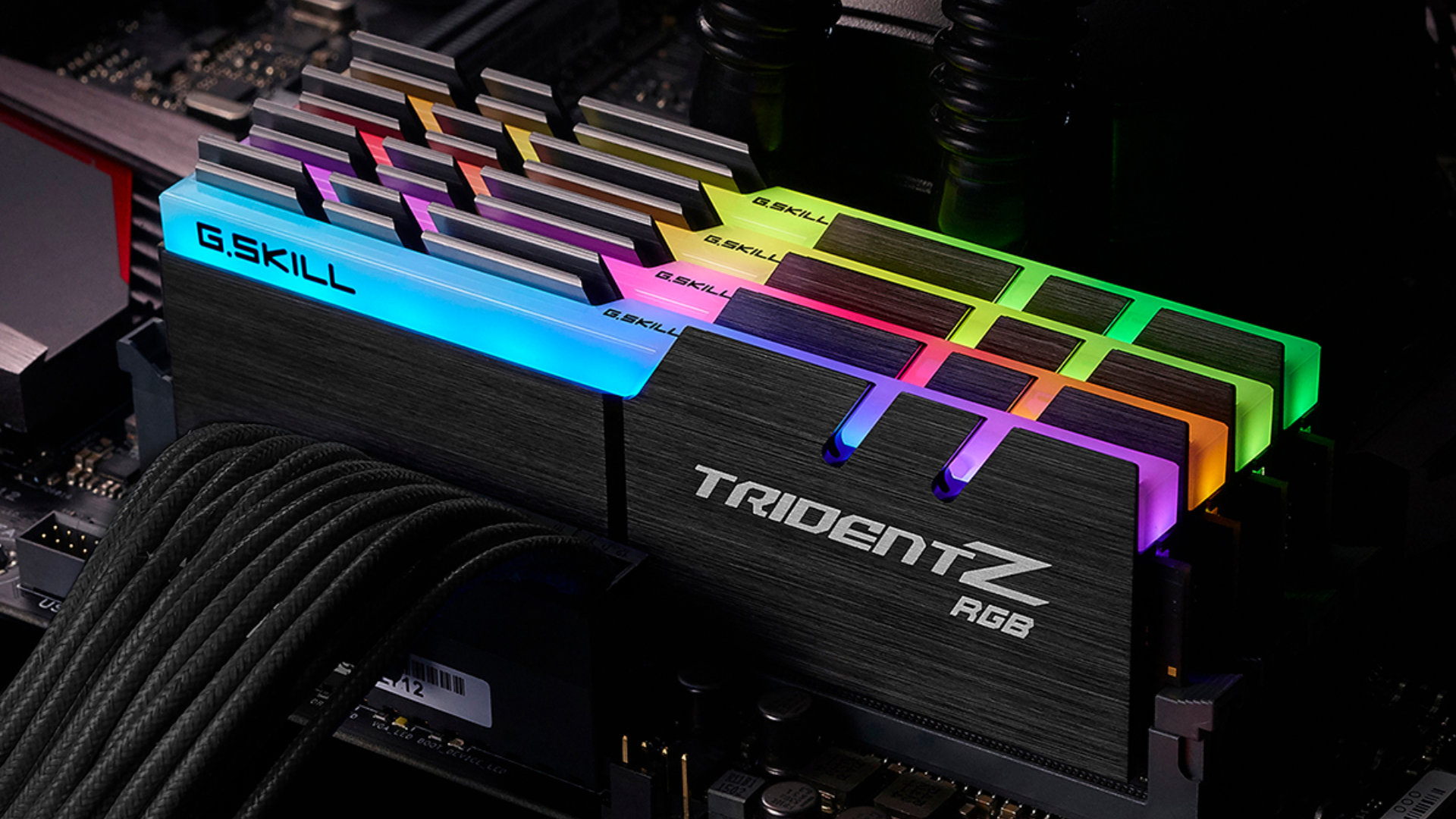

An old computer can feel slow for two very different reasons: it may need more memory, or it may simply be too old for the memory you are looking at. DDR3, DDR4, DDR5, desktop DIMMs, and laptop SODIMMs are not interchangeable, so the wrong kit can be useless even when its capacity looks right.
This Best RAM for PC Upgrade roundup covers the actual compatibility split. There are dependable DDR3 choices for older desktops and laptops, mainstream DDR4 kits for newer systems, and a high-capacity DDR5 option. Two GMKtec mini PCs are included as complete computers rather than loose memory modules, and we identify that distinction clearly.
Timetec 16GB DDR3 Desktop Kit is our top pick for the broadest number of older desktop upgrades. The list runs from an 8GB laptop module to 64GB of DDR5 desktop memory, with clear warnings about form factor and generation along the way.
| # | Product | Award | Capacity | Memory type | Form factor | Best for |
|---|---|---|---|---|---|---|
| 1 | Timetec 16GB DDR3 Desktop Kit | Best overall | 16GB | DDR3L / DDR3 1600MHz | 240-pin UDIMM | Older desktop upgrades |
| 2 | GMKtec M5 Ultra | Best complete mini PC | 32GB | DDR4 | Mini PC | A ready-to-use compact computer |
| 3 | TEAMGROUP Elite 32GB Laptop Kit | Best DDR4 laptop kit | 32GB | DDR4 3200MHz | 260-pin SODIMM | Laptop multitasking |
| 4 | A-Tech 64GB DDR5 Desktop Kit | Best high-capacity kit | 64GB | DDR5 5600MHz | 288-pin UDIMM | Heavy desktop workloads |
| 5 | GMKtec M6 Ultra | Best DDR5 mini PC | 32GB | DDR5 | Mini PC | Compact performance systems |
| 6 | Timetec Premium 16GB DDR3 Kit | Best alternate DDR3 kit | 16GB | DDR3L / DDR3 1600MHz | 240-pin UDIMM | Older Intel and AMD desktops |
| 7 | Timetec 8GB DDR3 Laptop Module | Best basic laptop upgrade | 8GB | DDR3L / DDR3 1600MHz | 204-pin SODIMM | Older laptops |
| 8 | TEAMGROUP Elite 32GB Laptop Module | Best single-module upgrade | 32GB | DDR4 3200MHz | 260-pin SODIMM | Laptops with one open slot |
| 9 | Timetec 32GB DDR3 Desktop Kit | Best maximum DDR3 capacity | 32GB | DDR3L / DDR3 1600MHz | 240-pin UDIMM | Older desktops with four slots |
| 10 | TEAMGROUP Elite 16GB DDR4 Desktop Kit | Best modern desktop starter kit | 16GB | DDR4 3200MHz | 288-pin UDIMM | DDR4 desktop systems |
1. Timetec 16GB DDR3 Desktop Kit: Best Overall
Pros
- Two 8GB modules for a 16GB total
- Works with DDR3L or DDR3 desktop systems
- Dual-voltage 1.35V or 1.5V operation
- Lifetime warranty and US-based technical support
Cons
- Desktop-only 240-pin UDIMM design
- DDR3 is limited to older systems
- CL11 and 1600MHz are not suited to newer platforms
Best for: owners of an older desktop that needs a straightforward 16GB memory replacement or expansion.
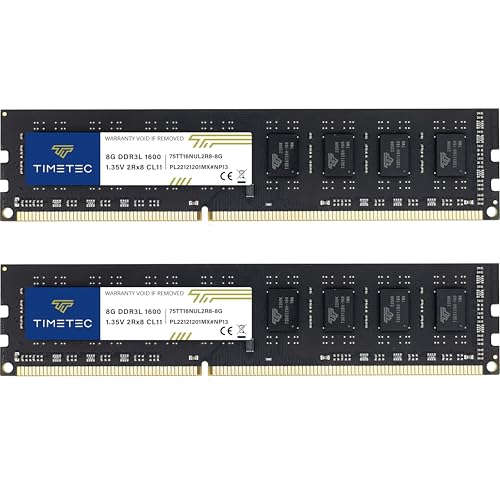
The Timetec 16GB DDR3 Desktop Kit is the product we would start with when the computer clearly takes full-size DDR3 memory. It avoids the most common upgrade mistake, which is buying laptop memory for a desktop, because these are two 240-pin UDIMMs rather than compact SODIMMs. The two-module layout also gives an older compatible system a matched pair instead of one replacement stick.
Its DDR3L and DDR3 support is unusually useful for an aging machine. The modules are rated for 1600MHz, use CL11 timing, and can operate at either 1.35V or 1.5V. That dual-voltage design does not make the kit compatible with every DDR3 motherboard, but it gives it a sensible range for systems that specify either DDR3L or standard DDR3. Timetec identifies it as non-ECC, unbuffered memory for Intel and AMD desktops.
The 16GB capacity is the practical middle ground in this group. It is more substantial than the 8GB Timetec laptop module, while avoiding the four-slot commitment of the 32GB Timetec kit. If you are working with a newer DDR4 system, the TEAMGROUP Elite 16GB DDR4 Desktop Kit is the right generation and its 3200MHz rating is much higher. This Timetec kit wins only when the motherboard is specifically a DDR3 platform.
The weakness is the platform age, not the module design. A 240-pin DDR3 kit cannot be installed in a DDR4 or DDR5 board, and its 1600MHz ceiling belongs to an older generation of computers. Check the motherboard manual before ordering, especially if the machine currently has a mix of memory. For readers trying to identify the correct generation for a Windows machine, how to match memory to an existing Windows computer is a useful next step.
This is the Best RAM for PC Upgrade pick for an older desktop because the capacity, dual-voltage support, and matched 2x8GB arrangement make sense together. Choose it for a DDR3 tower, not as a general-purpose kit for a new build.
2. GMKtec M5 Ultra: Best Complete Mini PC

Pros
- 32GB DDR4 installed in a dual-channel 2x16GB setup
- Supports expansion to 64GB
- Ryzen 7 7730U with eight cores and 16 threads
- Triple display support and dual 2.5GbE LAN
Cons
- This is a complete mini PC, not a loose RAM kit
- The installed memory is DDR4, not DDR5
- Storage and memory upgrades are separate from the base configuration
Best for: someone who wants a compact computer with substantial memory already installed rather than a replacement module.
The GMKtec M5 Ultra is the odd one out in a memory upgrade list, but it is still relevant to a reader deciding whether to upgrade an existing computer or replace it with a compact system. It arrives with 32GB of DDR4 in a dual-channel 2x16GB arrangement, so there is no separate memory installation step. GMKtec says the system can be expanded to 64GB.
The processor is an AMD Ryzen 7 7730U with eight cores and 16 threads. Its listed base speed is 2.00GHz in a power-saving mode, with turbo speeds up to 4.50GHz in performance mode through the BIOS. That gives this small computer a different role from the Timetec modules. Those products extend the life of an older tower, while the M5 Ultra is a new compact desktop with memory, storage, graphics, and networking already assembled.
Connectivity is a strong part of the design. The M5 Ultra includes a 512GB PCIe 3.0 M.2 2280 SSD, dual 2.5GbE ports, WiFi 6E, Bluetooth 5.2, USB-C, DisplayPort, HDMI 2.0, and enough display support for three screens. Its integrated Radeon graphics are specified with eight cores at 2000MHz, and the HDMI connection supports 4K at 60Hz. Those details make it more useful as a small office or media workstation than a simple memory replacement.
The drawback is obvious: buying a complete mini PC does not upgrade the desktop already sitting under your desk. It also uses DDR4, so it is not a path to the DDR5 platform represented by the A-Tech kit or the GMKtec M6 Ultra. The included 512GB drive may also be limiting for large libraries, although the listing says the system supports expansion to 4TB through its dual-slot design.
Readers building a small workstation rather than repairing an old tower should consider the M5 Ultra. It is not a substitute for the Best RAM for PC Upgrade modules in this list, but it is a sensible alternative when the existing computer needs more than memory.
3. TEAMGROUP Elite 32GB Laptop Kit: Best DDR4 Laptop Kit

Pros
- 32GB total from two 16GB modules
- DDR4 3200MHz rating
- Compact 260-pin SODIMM format
- Lifetime warranty and technical support
Cons
- Laptop-only form factor
- May run at 2933MHz or 2666MHz in some systems
- Requires a system with two compatible memory slots
Best for: laptop owners who need 32GB through a matched pair of DDR4 SODIMMs.
The TEAMGROUP Elite 32GB Laptop Kit is the cleanest DDR4 laptop upgrade here. It includes two 16GB modules, which gives a compatible notebook 32GB in a dual-channel arrangement. The small 260-pin SODIMM format is the key detail. These sticks are not for desktop motherboards, even though the product title also uses broad PC memory language.
The advertised speed is DDR4 3200MHz, with CL22 timing and 1.2V operation. TEAMGROUP cautions that the host system may set the memory to 2933MHz or 2666MHz depending on the processor, motherboard, BIOS, and supported configuration. That is normal behavior for laptop memory. The important point is that the module does not force a 3200MHz setting where the notebook cannot support it.
Capacity is where this kit separates itself from the 8GB Timetec laptop module and the single-module TEAMGROUP option. Two 16GB SODIMMs give a laptop room for heavier browser workloads, large documents, creative applications, and virtual machines, provided the computer supports 32GB. You should confirm the laptop's maximum supported capacity before ordering, since two open slots do not guarantee that 16GB modules will be accepted.
The main weakness is compatibility uncertainty. DDR4 laptops can use different maximum capacities, and some systems have memory soldered to the board or only one accessible slot. If the notebook has one open slot, the single 32GB TEAMGROUP module is a better fit, although mixing modules can affect the resulting memory mode and speed. The installation video mentioned by TEAMGROUP may help, but the laptop manual remains the authority.
This is the Best RAM for PC Upgrade choice for a DDR4 notebook with two usable slots and support for 32GB. It is a focused upgrade, not a universal laptop memory purchase.
4. A-Tech 64GB DDR5 Desktop Kit: Best High-Capacity Kit

Pros
- 64GB total from two 32GB modules
- DDR5 5600MHz specification
- Dual-rank 2Rx8 design
- 1.1V JEDEC DDR5 operation
- Limited lifetime warranty
Cons
- Requires a DDR5 desktop motherboard
- 64GB is more capacity than many everyday systems need
- Desktop UDIMM format is not compatible with laptops
Best for: a DDR5 desktop that needs large memory capacity for demanding multitasking or workstation applications.
The A-Tech 64GB DDR5 Desktop Kit is the most capable loose memory kit here, but it only makes sense when the rest of the computer is already built around DDR5. Its two 32GB modules provide 64GB total, which is a substantial step above the 16GB and 32GB kits elsewhere in the roundup. For large projects and heavy multitasking, capacity can matter more than chasing a small timing difference.
A-Tech rates the kit for 5600MHz, or PC5-44800, with CL46 timing. It uses 1.1V JEDEC DDR5 operation, non-ECC unbuffered memory, and a 2Rx8 dual-rank arrangement. Those details identify it as standard desktop UDIMM memory rather than registered workstation memory or laptop SODIMM memory. The 288-pin layout must match the motherboard's DDR5 slots.
The two-module configuration is the right shape for a typical dual-channel desktop. It also leaves additional motherboard slots available if the board supports further expansion, though the motherboard manual should determine the final capacity and supported module layout. The A-Tech kit is a clear step beyond the DDR4 TEAMGROUP desktop kit, but the difference comes from platform generation as much as from the memory itself.
Its real weakness is overqualification for a basic computer. If the system is still on DDR3 or DDR4, this kit cannot provide a drop-in upgrade. Even on DDR5, the motherboard and processor may impose a lower supported speed, and the CL46 timing is not a reason to buy it for every gaming machine. A reader planning a graphics-focused build should also consider which internal components affect a gaming PC most before putting the entire upgrade around memory capacity.
The A-Tech kit earns its place as the Best RAM for PC Upgrade for high-capacity DDR5 desktops. Buy it when 64GB is the requirement and the motherboard explicitly supports 32GB DDR5 modules.
5. GMKtec M6 Ultra: Best DDR5 Mini PC

Pros
- 32GB DDR5 in a dual-channel 2x16GB setup
- Supports expansion to 128GB
- Ryzen 5 7640HS with six cores and 12 threads
- USB4 and three-display support
- Dual 2.5GbE networking
Cons
- Complete mini PC rather than a standalone memory upgrade
- Integrated Radeon 760M graphics are not a discrete GPU
- Included memory and storage upgrades are not included beyond the listed configuration
Best for: buyers who want a compact DDR5 computer with room for unusually large memory expansion.
The GMKtec M6 Ultra makes the strongest case for choosing a new compact computer instead of upgrading an older desktop. It starts with 32GB of DDR5 in two 16GB SODIMMs and supports expansion to 128GB according to the listing. That is a much higher stated ceiling than the M5 Ultra, although the practical limit still depends on compatible modules and the system's firmware.
Its Ryzen 5 7640HS has six Zen 4 cores and 12 threads, with a listed 4.3GHz base speed and turbo up to 5.0GHz. The 45W to 60W TDP boost range explains why this mini PC is positioned above a low-power office box. Integrated Radeon 760M graphics with eight compute units and 512 shaders are specified at up to 2600MHz, with hardware encoding and decoding for AV1, HEVC, and AVC.
The port selection is unusually useful for a small computer. USB4 supports an 8K display at 60Hz in the listed configuration, while HDMI 2.0 and DisplayPort support 4K at 60Hz. There are also three USB 3.2 Gen 2 ports, a USB 2.0 port, WiFi 6, Bluetooth 5.2, and two 2.5GbE network ports. The 512GB PCIe storage is expandable through the stated dual-slot design, including support for a PCIe 4.0 8TB SSD.
The M6 Ultra's weakness is the same as the M5 Ultra's, but with a different trade-off. It is not a memory stick you can add to an existing PC, and integrated graphics remain less flexible than a desktop with a discrete graphics card. The M5 Ultra has a Ryzen 7 7730U with eight cores and 16 threads, so it may appeal more to CPU-heavy office work despite using DDR4.
Choose the M6 Ultra when the goal is a small, modern system with DDR5 and a very high future memory ceiling. It is a replacement computer, not a direct answer for someone searching for one module.
6. Timetec Premium 16GB DDR3 Kit: Best Alternate DDR3 Kit
Pros
- 16GB total in two 8GB modules
- Supports DDR3L and DDR3 systems
- Dual-voltage 1.35V or 1.5V design
- Dual-rank 2Rx8 construction
- Lifetime warranty and technical support
Cons
- Desktop-only 240-pin UDIMM format
- Limited to DDR3-era systems
- Similar specification to the standard Timetec 16GB kit
Best for: an older desktop owner who wants a second Timetec 16GB DDR3 option.
The Timetec Premium 16GB DDR3 Kit is closely related to the top-ranked Timetec kit. It also uses two 8GB desktop modules, 240 pins, a 1600MHz rating, CL11 timing, and non-ECC unbuffered construction. For a compatible DDR3 desktop, the practical installation experience should be defined more by the motherboard than by the word Premium in the product name.
Like the first Timetec kit, this set operates at either 1.35V or 1.5V and uses a dual-rank 2Rx8 layout based on 512x8. That matters when an older motherboard has a specific voltage expectation or behaves differently with single-rank and dual-rank modules. Timetec lists compatibility with Intel and AMD desktop processors and explicitly says it is not for laptops.
The two-stick configuration is preferable to adding a random single module when the existing system can use matched memory. Still, do not assume that two kits from separate purchases will behave identically. The safest upgrade is usually a complete matched kit, with the motherboard manual used to confirm maximum capacity and slot population.
The weakness is differentiation. The standard Timetec 16GB Desktop Kit offers essentially the same capacity and core specifications, so this version does not open a new compatibility category. Both also remain limited to DDR3 1600MHz, far below the DDR4 and DDR5 modules in this list. If your board has four slots and supports 32GB, the four-module Timetec kit may be a better fit than buying two 16GB kits.
This is the Best RAM for PC Upgrade alternative for a DDR3 tower when its exact listing and support terms suit your system. It should not be considered for a DDR4 or DDR5 motherboard.
7. Timetec 8GB DDR3 Laptop Module: Best Basic Laptop Upgrade

Pros
- Compact 204-pin SODIMM format
- DDR3L and DDR3 compatibility
- Dual-voltage 1.35V or 1.5V operation
- 8GB capacity for a single-slot upgrade
- Lifetime warranty
Cons
- Only 8GB in the package
- DDR3 laptop compatibility is required
- Single module may not create a matched dual-channel setup
Best for: an older laptop or mini PC that accepts one 8GB DDR3 SODIMM.
The Timetec 8GB DDR3 Laptop Module is the simplest product here, and that is its appeal. It is one 8GB stick for a DDR3 laptop, notebook, mini PC, or all-in-one device. The 204-pin SODIMM format makes it physically distinct from every desktop kit in the DDR3 portion of this roundup.
It runs at 1600MHz with CL11 timing and supports both 1.35V and 1.5V operation. Timetec identifies it as non-ECC, unbuffered, dual-rank 2Rx8 memory based on 512x8. Those details are useful for older notebooks that are particular about memory density or voltage, but they do not remove the need to check the exact machine model.
An 8GB module can be a sensible repair when the laptop has one empty slot or when a failed stick needs replacement. It is less attractive as a full capacity upgrade if the system supports two slots and the user regularly runs many applications. The TEAMGROUP 32GB Laptop Kit offers four times the total capacity, but it also requires a DDR4 notebook and two suitable slots.
The main limitation is the modest capacity and the possibility of losing dual-channel operation if it is paired with an incompatible or mismatched module. Laptop memory is especially dependent on the machine's maximum supported capacity, and some older systems will not accept the largest available sticks. Confirm the manual or manufacturer specification before installation.
For the right older notebook, this is the Best RAM for PC Upgrade choice when one 8GB DDR3 SODIMM is all the machine can use or all it needs. It is not a universal laptop module.
8. TEAMGROUP Elite 32GB Laptop Module: Best Single-Module Upgrade

Pros
- 32GB capacity in one module
- DDR4 3200MHz rating
- 260-pin SODIMM design for laptops
- Useful where one slot is available
- Lifetime warranty and technical support
Cons
- Laptop-only module
- May operate at 2933MHz or 2666MHz
- A single module may limit dual-channel performance
Best for: a DDR4 laptop with one open slot and support for a 32GB SODIMM.
The TEAMGROUP Elite 32GB Laptop Module solves a different problem from the two-module kit above. It puts the entire 32GB capacity on one 260-pin SODIMM, which is useful when a laptop has one accessible slot or already has soldered memory that cannot be removed. That makes it a more flexible physical upgrade, even though the result may not have the same memory-channel arrangement as a matched pair.
TEAMGROUP rates the module for DDR4 3200MHz at CL22 and 1.2V. The listing warns that actual operation can fall to 2933MHz or 2666MHz based on the system, processor, BIOS, and supported memory configuration. That warning should be treated as a compatibility instruction, not a fault. Laptop systems commonly select a lower supported speed automatically.
The single-module design also reduces the need to replace an existing compatible stick. If the laptop has 16GB already soldered or installed and supports a 32GB expansion module, the total system capacity could be substantially higher, but the laptop's documented maximum is decisive. The product's 2020 release date does not change the need to verify the current machine's memory limits.
Its weakness is the potential performance compromise from running without a matched pair. The 32GB two-module TEAMGROUP kit is the better choice when a laptop has two replaceable slots and supports 16GB modules. This single stick wins only when slot layout, soldered memory, or a desire for later expansion makes one module more practical.
Select this as the Best RAM for PC Upgrade for a DDR4 notebook with a single usable slot. Do not buy it for a desktop, and do not assume that a 32GB SODIMM will work simply because the laptop uses DDR4.
9. Timetec 32GB DDR3 Desktop Kit: Best Maximum DDR3 Capacity
Pros
- 32GB total from four 8GB modules
- DDR3L and DDR3 support
- 240-pin desktop UDIMM format
- Dual-voltage 1.35V or 1.5V operation
- Lifetime warranty
Cons
- Requires four compatible desktop memory slots
- Occupies every slot on many older motherboards
- DDR3 1600MHz limits it to older platforms
Best for: an older desktop with four memory slots and documented support for 32GB of DDR3.
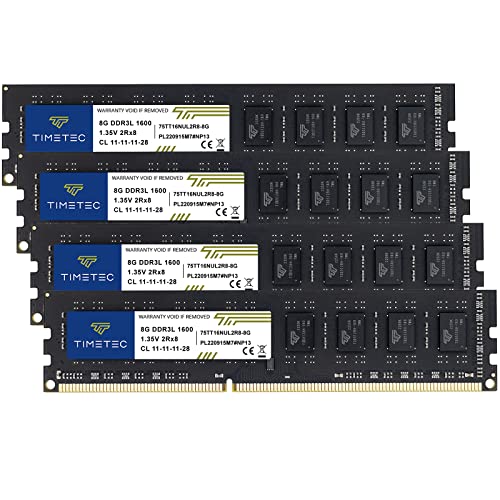
The Timetec 32GB DDR3 Desktop Kit is the capacity specialist among the older-platform options. It includes four 8GB 240-pin UDIMMs, giving a compatible desktop 32GB total. That can be useful for a workstation, file server, or older editing machine that still has life left but struggles when several large applications are open.
The modules are rated for DDR3L or DDR3 1600MHz, CL11, and use non-ECC unbuffered dual-rank 2Rx8 construction. Like the two 16GB Timetec kits, they can operate at 1.35V or 1.5V. The package is explicitly for Intel and AMD desktop systems and not for laptops, so the four-module layout should not be confused with compact notebook memory.
The capacity comes with a slot cost. Four sticks fill the typical four memory sockets on an older desktop, leaving no room for later expansion without replacing modules. Some motherboards also support less memory than the kit provides, or require a specific arrangement when all slots are populated. Check both the motherboard maximum and its four-DIMM support before ordering.
This kit loses to the A-Tech DDR5 kit for speed and platform longevity, but that is not the relevant comparison for a DDR3 owner. It beats the 16GB Timetec kits when the workload genuinely needs more memory and the system supports all four modules. It is a poor choice for a basic desktop that only needs a modest capacity increase.
For an older machine with four open or usable slots, this is the Best RAM for PC Upgrade option when 32GB is the target. The compatibility check matters more here than with a two-module kit because every slot will be occupied.
10. TEAMGROUP Elite 16GB DDR4 Desktop Kit: Best Modern Desktop Starter Kit

Pros
- 16GB total from two 8GB modules
- DDR4 3200MHz rating
- 288-pin desktop UDIMM design
- 1.2V non-ECC unbuffered memory
- Lifetime warranty and technical support
Cons
- Not compatible with DDR3 or DDR5 boards
- May run at 2933MHz or 2666MHz
- 16GB may be limiting for demanding workloads
Best for: a DDR4 desktop that needs a matched 16GB memory kit.
The TEAMGROUP Elite 16GB DDR4 Desktop Kit is the straightforward modern desktop option in this list. Its two 8GB modules provide 16GB total in a 288-pin UDIMM format, making it physically different from the 260-pin laptop modules and the 240-pin DDR3 kits. For a DDR4 motherboard with two open slots, the package is easy to understand.
The rated speed is DDR4 3200MHz with CL22 timing and 1.2V operation. TEAMGROUP notes that compatible systems may instead run the memory at 2933MHz or 2666MHz. That lower speed is determined by the host platform, so the kit should be judged by whether the motherboard and processor support the desired setting rather than by the rating alone.
A matched 2x8GB arrangement is a sensible starting point for a DDR4 desktop. It can provide the paired configuration many systems are designed around while leaving additional slots free on a four-slot board. The 32GB TEAMGROUP desktop alternative is not included in this dataset, so users who need more capacity should confirm whether larger modules are supported before choosing this kit.
The weakness is its ceiling. Sixteen gigabytes remains suitable for general desktop work, but demanding creative applications, large data sets, and heavy multitasking may call for more. It also cannot be carried forward to a DDR5 upgrade, just as the DDR3 modules cannot be moved into this platform. For a broader look at how memory fits into a complete gaming machine, planning the parts around a complete PC build can help prevent a mismatched upgrade.
This is the Best RAM for PC Upgrade choice for a conventional DDR4 desktop that needs a clean 16GB installation. Confirm the board's generation and slot type first.
How to choose best ram for pc upgrade
The right memory is determined first by the computer's motherboard and slot type, then by capacity, speed, and the way the modules are installed.
Memory generation
DDR3, DDR4, and DDR5 are different generations with different electrical and physical designs. A DDR3 desktop needs a DDR3 UDIMM, while a DDR4 laptop needs a DDR4 SODIMM. The notch position and pin count prevent many mismatched modules from fitting, but never use physical fit as your only compatibility test.
Check the existing system's manual, motherboard model, or current memory label. A DDR3L module may support both 1.35V and 1.5V, as the Timetec kits do, while DDR4 and DDR5 products in this roundup use 1.2V and 1.1V specifications respectively.
Desktop and laptop form factor
Full-size desktops generally use 240-pin DDR3 UDIMMs or 288-pin DDR4 and DDR5 UDIMMs. Laptops and many mini PCs use shorter 204-pin DDR3 or 260-pin DDR4 SODIMMs. The Timetec 8GB laptop module and the TEAMGROUP laptop products cannot replace the desktop sticks.
A computer can also use soldered memory, especially in compact systems. That may leave one upgrade slot rather than two, which is where a single 32GB SODIMM can make more sense than a two-module kit.
Capacity
Capacity determines how much data the computer can keep ready without relying as heavily on slower storage. Sixteen gigabytes is a sensible target for many ordinary desktops, while 32GB or 64GB is more appropriate for heavier multitasking and demanding applications when the platform supports it.
Do not assume that a motherboard accepts any capacity listed on a memory module. Confirm its maximum total memory, maximum capacity per slot, and supported number of modules. The Timetec 32GB kit, for example, uses four 8GB sticks and requires a board that supports all four.
Buy for the motherboard's documented limit, not for the largest number printed on the memory box.
Speed and timing
Higher memory speed can improve bandwidth, but only when the processor and motherboard support it. DDR3 kits here top out at 1600MHz, the TEAMGROUP DDR4 modules are rated at 3200MHz, and the A-Tech kit reaches 5600MHz under its DDR5 specification.
The host system may reduce a module's rated speed. TEAMGROUP specifically lists 2933MHz and 2666MHz as possible DDR4 operating speeds. CL timing also matters, but it should be compared within the same memory generation and speed range, not across DDR3, DDR4, and DDR5 as though the numbers meant the same thing.
Matched modules and slot layout
Two matching modules can be preferable to one when the motherboard supports a paired configuration. The 2x8GB and 2x16GB kits in this roundup are assembled around that use case. A single module is more practical when a laptop has one open slot or when the other memory is soldered.
Before opening the case, check which slots the motherboard recommends. Filling every slot can affect the supported speed or limit future expansion, while mixing old and new modules can cause the system to run at the slowest shared settings.
Frequently asked questions
Can DDR3 RAM fit in a DDR4 motherboard?
No. DDR3 and DDR4 use different physical layouts and electrical specifications. A DDR3 module such as the Timetec desktop kits is not a compatible replacement for the TEAMGROUP DDR4 desktop kit.
Are desktop DIMMs and laptop SODIMMs interchangeable?
No. Desktop memory is longer and uses a different pin arrangement from laptop SODIMMs. The 240-pin and 288-pin desktop modules in this roundup cannot replace the 204-pin or 260-pin laptop modules.
Is two 8GB modules better than one 16GB module?
A matched two-module kit can allow a compatible system to use a paired memory configuration. A single module may be the better physical choice when the computer has one accessible slot, so the motherboard or laptop layout should decide.
Can I mix DDR3L and DDR3 memory?
Some systems can use DDR3L and standard DDR3 together because DDR3L modules can operate at 1.35V or 1.5V. The motherboard's voltage support, existing module, and memory controller still determine compatibility, so mixing should not be assumed to work.
Will DDR4 3200MHz always run at 3200MHz?
No. The processor, motherboard, BIOS, and supported memory configuration can lower the operating speed. TEAMGROUP lists 2933MHz and 2666MHz as possible speeds for its DDR4 modules in compatible systems.
Do the GMKtec M5 Ultra and M6 Ultra count as RAM upgrades?
They are complete mini PCs with memory installed, not standalone modules for an existing desktop or laptop. The M5 Ultra includes 32GB DDR4, while the M6 Ultra includes 32GB DDR5, and both list expansion support within their own systems.
How much RAM does an older PC need?
That depends on the operating system, applications, and motherboard limit. The 16GB Timetec desktop kit is a practical target for many compatible DDR3 systems, while the 32GB kit makes more sense for a board that supports four 8GB modules and a heavier workload.
The bottom line
The Best RAM for PC Upgrade pick is Timetec 16GB DDR3 Desktop Kit for an older desktop that accepts 240-pin DDR3 or DDR3L memory. Its 2x8GB layout, 1600MHz rating, dual-voltage support, and desktop-specific design make it the clearest fit for the widest range of older tower upgrades.
For a newer platform, choose TEAMGROUP Elite 32GB Laptop Kit for a DDR4 notebook with two usable slots, or A-Tech 64GB DDR5 Desktop Kit when a DDR5 desktop genuinely needs 64GB. The GMKtec mini PCs are better treated as replacement computers, not as add-on memory for an existing machine.
If you are undecided, identify the memory generation, slot type, and maximum supported capacity before choosing a kit.
As an Amazon Associate we earn from qualifying purchases.