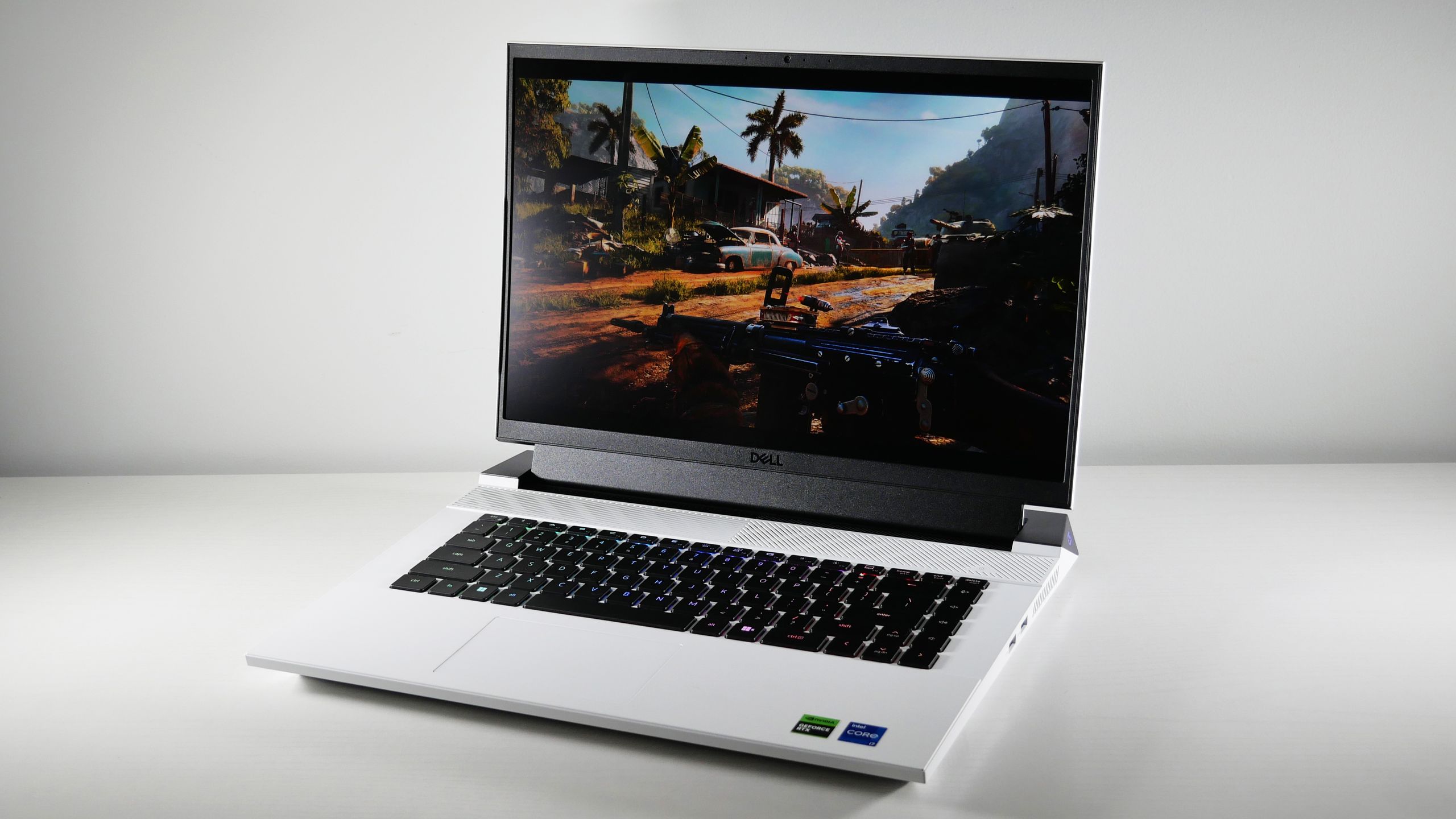

A gaming laptop has to do more than run a game once. It needs enough graphics power for modern releases, a screen that keeps motion clean, and enough memory to handle a browser, chat app, and game launcher at the same time. The wrong configuration can leave you with a fast-looking display attached to hardware that cannot use it.
Our Best Gaming Laptop Under 1500 is the ASUS ROG Strix G16 (2025), thanks to its RTX 5060 graphics, 165Hz panel, large SSD, and stronger processor. The other seven picks cover lighter creator machines, durable RTX 4050 systems, and more compact options for players who do not need dedicated gaming graphics.
The list ranges from high-refresh-rate gaming notebooks to integrated Radeon systems aimed at mainstream games and creative work.
Comparison table
| # | Product | Award | Display | Graphics | Best for |
|---|---|---|---|---|---|
| 1 | ASUS ROG Strix G16 (2025) | Best overall | 16-inch FHD+ 165Hz, 3ms | RTX 5060 | Demanding gaming and multitasking |
| 2 | ASUS TUF Gaming A16 | Best 16-inch RTX 4050 | 16-inch Full HD+ 145Hz | RTX 4050 | Smooth everyday gaming |
| 3 | ASUS TUF Gaming F16 | Best durable design | 16-inch FHD+ 144Hz, 16:10 | RTX 4050 | Gaming in a sturdy chassis |
| 4 | NIMO 17.3-inch Creator Laptop | Best large-screen creator laptop | 17.3-inch FHD | Radeon 780M | Multitasking and editing |
| 5 | HP Victus 15.6-inch | Best familiar-brand pick | 15.6-inch FHD 144Hz | RTX 4050 | General gaming and schoolwork |
| 6 | NIMO 15.6 Creator Laptop Blue | Best portable creator laptop | 15.6-inch FHD | Radeon 780M | Travel and creative workloads |
| 7 | NIMO 15.6 Creator Laptop Black | Best connected creator laptop | 15.6-inch FHD | Radeon 780M | USB4-based desk setups |
| 8 | ASUS TUF Gaming A15 | Best entry-level TUF laptop | 15.6-inch FHD 144Hz | RTX 3050 | Competitive games and older titles |
1. ASUS ROG Strix G16 (2025): Best Overall

Pros
- RTX 5060 graphics with Blackwell architecture
- 165Hz display with a 3ms response time
- 1TB PCIe Gen 4 SSD
- Advanced vapor-chamber and tri-fan cooling
- Wi-Fi 7 connectivity
Cons
- Heavier than the thinner creator-focused NIMO laptops
- 16GB memory is less generous than the NIMO models
- RGB lighting may not suit a quiet office
Best for: players who want the strongest dedicated gaming hardware in this group.
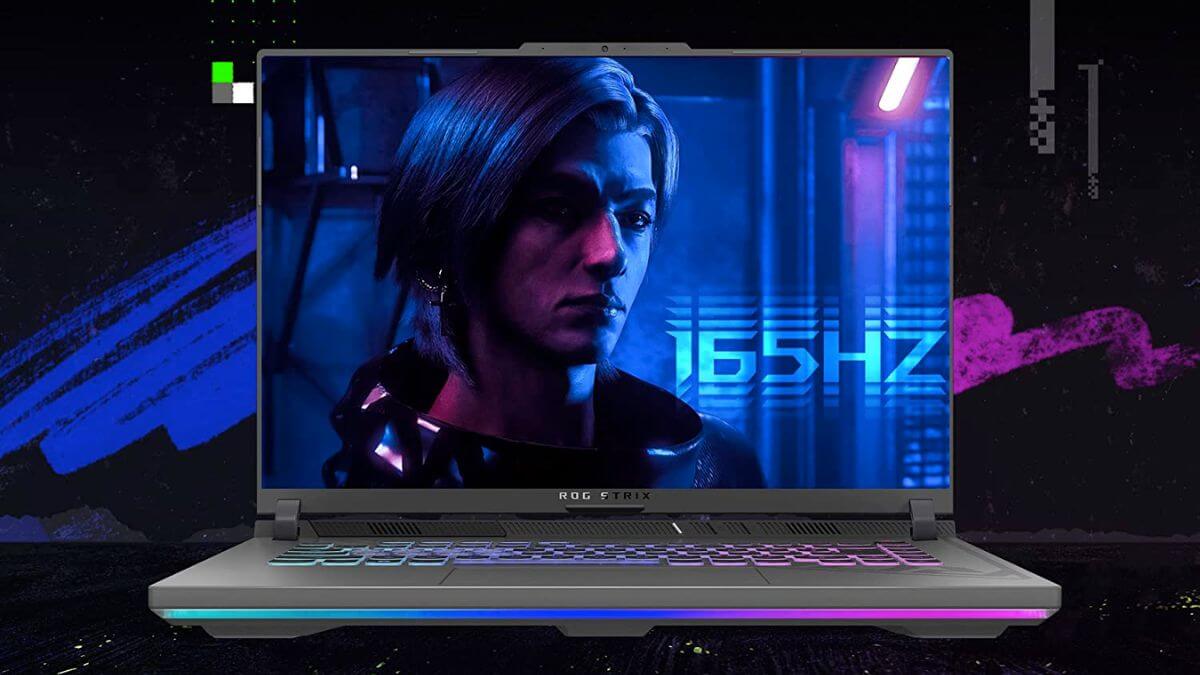
The ASUS ROG Strix G16 (2025) is the laptop here that feels designed around gaming first rather than adapted from a general-purpose notebook. Its dedicated GeForce RTX 5060 gives it a clear graphics advantage over every RTX 4050 and RTX 3050 system in this roundup, while the Intel Core i7-14650HX gives demanding games and heavier desktop work a substantial processor platform. It is the pick we would start with for someone who wants to play newer games without immediately running into the limits of an entry-level graphics chip.
The 16-inch display uses a 16:10 FHD+ format, a 165Hz refresh rate, and a stated 3ms response time. That combination matters in two ways. The tall aspect ratio provides more vertical room for menus, timelines, and web pages than a conventional 16:9 panel, while 165Hz keeps fast camera movement visibly smoother than standard laptop screens. The 3ms response specification is aimed at reducing visible trailing during quick motion. An ACR film is also designed to improve contrast and reduce glare, which should help in rooms where reflections are distracting.
ASUS gives this configuration 16GB of DDR5-5600MHz memory and a 1TB PCIe Gen 4 SSD. The memory is enough for gaming alongside common background applications, and the larger drive leaves more room for a game library than the 512GB storage used by the ASUS TUF Gaming A16, ASUS TUF Gaming F16, and HP Victus 15.6-inch. The ROG also includes Wi-Fi 7, a newer wireless standard that can be useful with a compatible network, though it does not make a slow internet connection faster by itself.
The cooling hardware is unusually ambitious for this field. ASUS lists an end-to-end vapor chamber, tri-fan technology, and Conductonaut Extreme liquid metal on the chipset. Those features are meant to help the processor and graphics hardware sustain performance during long sessions rather than briefly peak and then pull back. A 360-degree RGB light bar adds visual flair, with a Stealth Mode for turning the lighting off. The compromise is portability: the machine weighs about 5.84 pounds and is nearly an inch thick. The ASUS TUF Gaming F16 is lighter, but neither matches the travel-friendly NIMO 15.6 Creator Laptop Blue.
This is the right choice for a player who cares about graphics headroom, a high-refresh display, and sustained performance more than carrying weight. Skip it if you need a laptop that spends most of its life away from a desk. For everyone else, the ROG Strix G16 is the clearest all-around winner in this group.
2. ASUS TUF Gaming A16: Best 16-inch RTX 4050
Pros
- 16-inch Full HD+ screen
- 145Hz refresh rate
- Ryzen 7 7445HS processor
- Dedicated RTX 4050 graphics
- Backlit keyboard
Cons
- 512GB SSD leaves less room for large games
- Much heavier than the NIMO creator laptops
- Fewer detailed display specifications are provided
Best for: players who want a large, smooth gaming screen without stepping up to the ROG Strix configuration.
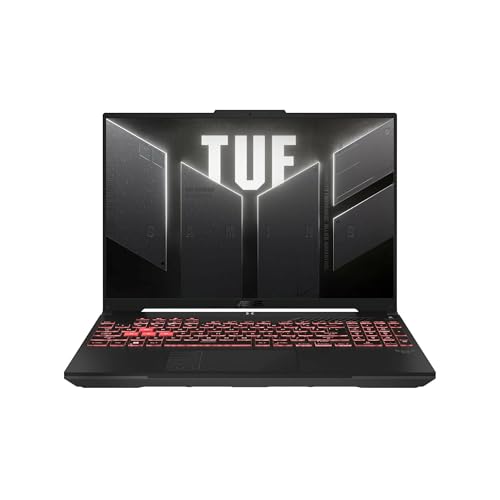
The ASUS TUF Gaming A16 is a straightforward gaming machine with the right broad ingredients: a Ryzen 7 processor, RTX 4050 graphics, 16GB of DDR5 memory, and a large 16-inch display. It does not try to compete with the ROG Strix G16 on graphics power. Instead, it makes a sensible case for players who want a spacious screen and dedicated GPU performance in a less elaborate configuration.
Its Full HD+ display runs at 145Hz. That refresh rate is high enough to make supported games feel fluid, especially in shooters and racing games where camera movement exposes sluggish panels. Full HD+ also keeps the graphics workload more manageable than a higher-resolution screen would, which suits the RTX 4050. The taller 16-inch format gives the desktop more vertical space, and the backlit keyboard is practical for evening sessions rather than just decorative.
The AMD Ryzen 7 7445HS handles the general workload, while the NVIDIA GeForce RTX 4050 takes care of the graphics. This is a balanced pairing for the category, though it sits well behind the RTX 5060 in the ASUS ROG Strix G16. The TUF A16 should appeal to someone whose priority is smooth play at the laptop's native resolution rather than maximum settings in every demanding release. Its 16GB of DDR5 memory is a comfortable starting point for gaming and everyday multitasking.
Storage is the less generous part of the configuration. The 512GB SSD is quick storage on paper, but modern games can consume a large portion of it quickly. That is not a reason to dismiss the laptop, but it does mean that users with a large installed library will need to manage space sooner than owners of the ROG Strix G16 or either NIMO 15.6 Creator Laptop. Its listed weight is 7 pounds, so the A16 is better suited to moving between a few regular locations than to daily commuting.
The ASUS TUF Gaming F16 is a close alternative with a more detailed 100% sRGB display claim and a lighter listed chassis, while this A16 has the appeal of its Ryzen 7 platform and 145Hz screen. Choose the A16 if the 16-inch format and familiar TUF layout matter most. It is a sensible pick for players who want dedicated graphics without chasing the highest performance in the group.
3. ASUS TUF Gaming F16: Best Durable Design

Pros
- 16:10 FHD+ display with 144Hz refresh rate
- 100% sRGB display claim
- RTX 4050 with up to 115W Max TGP
- Adaptive-Sync support
- MIL-STD-810H testing claim
Cons
- 512GB SSD can fill quickly
- Intel Core 5 is less distinctive than the ROG's Core i7
- Wi-Fi 6 is older than the ROG's Wi-Fi 7
Best for: gamers who want a sturdy 16-inch laptop with a well-specified display.
The ASUS TUF Gaming F16 is the most convincing choice here for someone who treats a laptop as equipment rather than a fragile desktop replacement. Its restrained cover, embossed TUF logo, and military-grade testing claim give it a more practical character than the illuminated ROG Strix G16. The listed chassis weight is about 4.85 pounds, which is notably easier to carry than the ASUS TUF Gaming A16 and HP Victus 15.6-inch.
The 16-inch display uses a 16:10 aspect ratio, FHD+ resolution, and a 144Hz refresh rate. ASUS also specifies IPS-level viewing and 100% sRGB coverage. That color information makes the panel more interesting for photo, video, and general creative work than a display described only by resolution and refresh rate. Adaptive-Sync is intended to reduce tearing and stutter when the frame rate changes, so the screen should remain coherent when a game cannot hold a constant output.
The Intel Core 5 210H is paired with an RTX 4050 laptop GPU configured with a listed maximum TGP of 115W. The higher power ceiling gives the graphics chip more room to operate, although real performance still depends on cooling, game settings, and power mode. Compared with the ASUS TUF Gaming A16, the F16 offers more specific display and graphics information. Compared with the ROG Strix G16, it has a less powerful GPU and a lower refresh rate, but it is also lighter and more understated.
Cooling is handled by Arc Flow fans, four exhaust vents, five dedicated heat pipes, and an anti-dust filter. Those are useful design choices for a gaming laptop because heat management affects sustained play and fan behavior over time. The laptop also includes Wi-Fi 6, which is perfectly serviceable for many home networks but not as forward-looking as the Wi-Fi 7 connection on the ROG. The 512GB PCIe Gen 4 SSD is another practical limitation, especially for players who install several large games.
The TUF Gaming F16 is not the fastest pick, but it is one of the most balanced. People who want a more portable 16-inch chassis, a color-conscious display, and a durable design should choose it over the heavier TUF A16. Skip it only if graphics headroom is your overriding concern, in which case the ROG Strix G16 is the more convincing machine.
4. NIMO 17.3-inch Creator Laptop: Best Large-Screen Creator Laptop

Pros
- Large 17.3-inch workspace
- 32GB memory and 1TB SSD
- Ryzen 7 8745HS processor
- Radeon 780M integrated graphics
- USB4, HDMI 2.1, and SD card reader
- Two-year warranty claim
Cons
- Integrated graphics are far weaker than the dedicated GPUs here
- Display refresh rate is not specified
- Large screen is less convenient in small bags
Best for: creators and multitaskers who want a large workspace and mainstream gaming support.
The NIMO 17.3-inch Creator Laptop is not a conventional gaming laptop, and that distinction matters. It uses integrated AMD Radeon 780M graphics rather than a dedicated RTX GPU, so it is aimed at mainstream games, streaming, and creative applications instead of the high graphics settings that suit the ASUS ROG Strix G16. Its appeal is the amount of working space and memory it provides for someone whose games share time with editing, research, or remote work.
The large 17.3-inch FHD display is the main attraction. NIMO also states that the screen supports 4K content, though the native display description is FHD. The physical size gives timelines, spreadsheets, and side-by-side windows more room than the 15.6-inch models. A 180-degree hinge allows the screen to lie flat for sharing, which is useful in a collaborative setting. The refresh rate is not specified, so competitive players should not assume it offers the high-speed motion handling of the 144Hz and 165Hz gaming panels.
Underneath, the Ryzen 7 8745HS is paired with 32GB of DDR5 memory and a 1TB PCIe 4.0 SSD. That is a generous multitasking configuration, particularly beside the 16GB and 512GB combinations in most of the dedicated gaming machines. NIMO says the memory can be upgraded to 64GB and that the laptop supports dual SSDs. Those expansion claims make the machine more attractive to creators who keep large project files locally. The Radeon 780M is suitable for mainstream games such as Valorant according to the listing, but it cannot be treated as a substitute for an RTX 4050 or RTX 5060.
Connectivity is one of the NIMO's strongest points. USB4 provides a route to fast peripherals and an external graphics dock, while HDMI 2.1, three USB-A ports, and an SD card reader reduce the need for adapters. A built-in fingerprint reader, adjustable backlit US keyboard, and 58 watt-hour battery add useful everyday features. The listed 4.6-pound weight is relatively reasonable for a 17.3-inch laptop, and the 100W USB-C power delivery adapter is more travel-friendly than a large proprietary brick.
The NIMO is the right machine for someone who wants a huge screen and substantial memory more than dedicated gaming performance. It should not be the first choice for demanding AAA gaming. If your work involves editing, coding, video calls, and lighter games, though, its workspace and port selection make it more useful than the dedicated gaming laptops in ways frame rate alone cannot capture.
5. HP Victus 15.6-inch: Best Familiar-Brand Pick
Pros
- RTX 4050 dedicated graphics
- 144Hz Full HD display
- Ryzen 7 processor
- 16GB DDR5 memory
- FreeSync Premium and anti-glare display
- Backlit keyboard
Cons
- Listed weight is about 7 pounds
- 512GB SSD is modest for a gaming library
- Processor details are inconsistent in the listing
Best for: buyers who prefer an understated HP notebook for gaming, school, and general use.
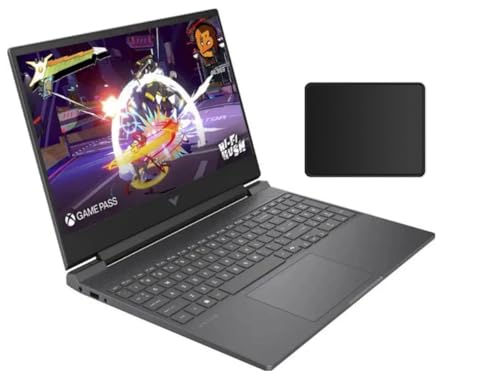
The HP Victus 15.6-inch is the most conventional-looking dedicated gaming laptop in this selection. It has the familiar combination of a 15.6-inch Full HD screen, RTX 4050 graphics, 16GB of DDR5 memory, and a 512GB SSD. That makes it easier to recommend to someone who wants one computer for games and regular work without the more overt styling of the ROG Strix line.
The 144Hz display is a sensible match for the RTX 4050. It gives fast games a smoother appearance than a conventional 60Hz panel, while the 1920 by 1080 resolution keeps the graphics workload in a range the GPU can reasonably target. The listing also identifies an IPS, micro-edge, anti-glare panel and support for AMD FreeSync Premium. FreeSync is designed to synchronize the screen with changing frame rates, which can reduce tearing and make uneven performance less distracting.
The graphics hardware is stronger than the Radeon 780M in both NIMO creator models and sits in the same broad class as the ASUS TUF Gaming A16 and ASUS TUF Gaming F16. The 16GB memory configuration is a more comfortable starting point than the 8GB in the ASUS TUF Gaming A15. Storage is less generous than the 1TB drive in the ASUS ROG Strix G16, so the Victus makes more sense for someone who rotates through a smaller number of installed games.
One caution is the processor information. The product title names a Ryzen 7 7445HS, while the feature text identifies a Ryzen 7 7435HS and describes eight Zen 3+ cores running from 3.1GHz to 4.5GHz. Because those details do not perfectly agree, buyers should verify the exact configuration on the listing before ordering. The laptop is also listed at about 7 pounds, placing it with the heavier systems rather than the lighter NIMO machines. A front-facing camera, built-in microphone, DTS:X Ultra, AI noise reduction, and a bundled mouse pad round out the setup.
Choose the HP Victus if brand familiarity, a subdued design, and a smooth 144Hz screen matter more than portability. The ASUS TUF Gaming F16 is lighter and provides clearer processor and display specifications, while the ROG Strix G16 is the stronger gaming choice. The Victus remains a reasonable middle ground for a household laptop that also happens to play current games.
6. NIMO 15.6 Creator Laptop Blue: Best Portable Creator Laptop

Pros
- 3.75-pound listed weight
- 32GB RAM and 1TB SSD
- Ryzen 7 8745HS with Radeon 780M graphics
- USB4 and HDMI 2.1
- 100W USB-C power delivery
- Fingerprint reader and backlit keyboard
Cons
- Integrated graphics limit demanding gaming
- Display refresh rate is not specified
- Creator-focused design is less suited to sustained high-end gaming
Best for: mobile creators who want enough graphics capability for mainstream games.
The NIMO 15.6 Creator Laptop Blue is the most portable computer in this roundup by a wide margin. Its listed weight is 3.75 pounds, and the chassis is described as 17.95mm thin. That makes it much easier to carry than the ASUS TUF Gaming A16 or HP Victus 15.6-inch. It is a creator laptop that can handle lighter gaming, not a gaming laptop that happens to be thin.
Its Ryzen 7 8745HS processor is specified with a 45W TDP and is paired with integrated Radeon 780M graphics based on RDNA 3. NIMO positions the system for AI tasks, design work, video editing, and 1080p streaming, while also highlighting games such as Valorant. That is a sensible use case for integrated graphics. The Radeon system should be considered for esports and mainstream play, but dedicated graphics in the ASUS TUF Gaming F16 or HP Victus 15.6-inch are the better route for graphically demanding games.
The hardware around the processor is generous. There is 32GB of DDR5 memory and a 1TB PCIe 4.0 SSD, with the listing claiming support for up to 64GB of memory and dual SSDs. That gives this NIMO an advantage for large creative projects and heavy multitasking. Fast USB-C charging is another unusual strength. The included 100W power delivery setup is designed to recharge the laptop quickly and can also work with compatible phones and tablets, reducing the number of chargers in a travel bag.
The port selection is well suited to a small workstation. USB4 supports fast accessories and external graphics docking, HDMI 2.1 is listed with 4K and 120Hz output support, and the machine includes several USB 3.2 ports, a Micro SD reader, and a 3.5mm combo jack. A fingerprint sensor in the touchpad makes quick logins easier, while the 180-degree hinge helps when showing work to another person. The display is a 15.6-inch FHD panel, but its refresh rate is not specified, so it should not be compared directly with the 144Hz and 165Hz gaming screens.
The Blue model is a good fit for a student, editor, or remote worker who wants occasional games without carrying a bulky machine. It is not the right choice for someone shopping primarily for AAA gaming performance. Readers deciding between it and the hardware needed for gaming below the entry level should be clear about that distinction: this NIMO's strengths are memory, storage, ports, and weight.
7. NIMO 15.6 Creator Laptop Black: Best Connected Creator Laptop
Pros
- USB4 and HDMI 2.1 connectivity
- 32GB memory and 1TB storage
- Lightweight 3.75-pound chassis
- Radeon 780M integrated graphics
- 100W USB-C charging
- Two-year warranty claim
Cons
- No dedicated gaming GPU
- Refresh rate is not specified
- Nearly identical hardware to the Blue model
Best for: users building a compact creator setup around fast external devices.
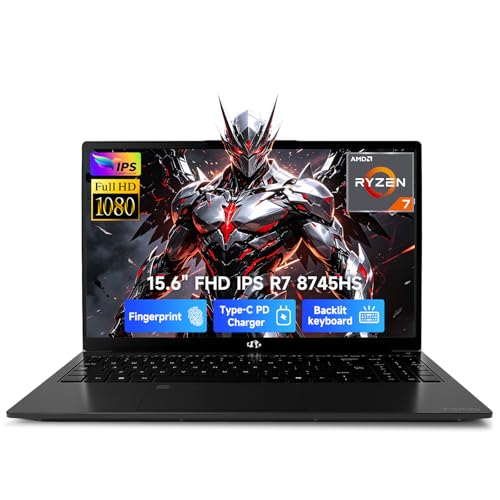
The NIMO 15.6 Creator Laptop Black is effectively the darker version of the NIMO 15.6 Creator Laptop Blue, with the same core hardware and feature set in the supplied information. That means its appeal is not a different performance tier. It is a lightweight 15.6-inch work machine with enough integrated graphics for mainstream gaming and a strong selection of connections for a mobile desk.
The Ryzen 7 8745HS is rated at 45W in the listing, and the Radeon 780M handles graphics duties. NIMO claims that the system can run games such as Valorant and stream at 1080p. Those claims describe the kind of gaming this machine is intended for. It is a poor substitute for the RTX 4050 in the ASUS TUF Gaming A16 when demanding games are the priority, but it uses less space and weight than every dedicated gaming laptop here.
For productivity, 32GB of DDR5 memory and a 1TB PCIe 4.0 SSD are the headline specifications. They leave room for large media projects, many browser tabs, code environments, and background applications. The listing also claims memory expansion to 64GB and support for dual SSDs. Those are useful upgrade paths for someone who expects a creative workload to grow. The 15.6-inch FHD screen has a 16:9 aspect ratio and a 180-degree hinge, though no refresh rate is provided.
Connectivity separates this NIMO from more basic thin laptops. USB4 can connect high-speed storage, docks, and an external graphics solution, while HDMI 2.1 is listed for 4K at 120Hz output. Multiple USB 3.2 ports, Micro SD, and a 3.5mm combo jack mean a creator can attach a camera card, drive, monitor, and headset without immediately reaching for a hub. A fingerprint sensor, backlit full-size US keyboard, and 100W power delivery complete the practical package.
The Black version makes sense when its finish suits your desk or when the specific listing is the one you prefer. It does not beat the Blue version on the supplied specifications, so the choice between them is cosmetic rather than technical. For a clearer look at the dedicated graphics trade-off, how different laptop graphics tiers affect game settings is a useful next step.
8. ASUS TUF Gaming A15: Best Entry-Level TUF Laptop

Pros
- 144Hz FHD display
- Dedicated RTX 3050 graphics
- Adaptive-Sync support
- Ryzen 5 7535HS processor
- Wi-Fi 6
- MIL-STD-810H testing claim
Cons
- 8GB memory is the lowest in the roundup
- RTX 3050 trails the RTX 4050 and RTX 5060
- Listed weight is about 7 pounds
Best for: players focused on esports, older games, and a familiar durable chassis.
The ASUS TUF Gaming A15 is the simplest dedicated gaming machine in this set. It uses an AMD Ryzen 5 7535HS processor, an RTX 3050 laptop GPU with up to 70W TGP and Dynamic Boost, 8GB of DDR5 memory, and a 512GB PCIe 4.0 NVMe SSD. That configuration is clearly behind the ASUS ROG Strix G16 and the RTX 4050 laptops, but it still has a real dedicated GPU rather than relying on integrated graphics.
The 15.6-inch FHD display runs at 144Hz. That is the feature most likely to be felt immediately in competitive games, where smooth motion and low perceived latency matter. Adaptive-Sync is intended to reduce tearing, stutter, and uneven frame presentation. The native resolution also avoids asking the RTX 3050 to push an unnecessarily large number of pixels. It is a sensible screen for the GPU, even if it does not offer the larger workspace of the TUF Gaming F16 or the faster 165Hz panel in the ROG Strix.
The largest concern is memory. With 8GB of DDR5-5600MHz, the A15 has less breathing room for modern games, background applications, and multitasking than every other dedicated gaming laptop here. The 512GB PCIe 4.0 SSD is also not expansive, so owners may need to manage both memory pressure and installed game space sooner. The RTX 3050 remains useful for lighter games and older releases, but the RTX 4050 in the HP Victus 15.6-inch or ASUS TUF Gaming F16 is a more capable long-term choice.
The TUF chassis still brings some worthwhile design traits. ASUS lists a pair of 84-blade Arc Flow fans, Adaptive-Sync, Wi-Fi 6, and MIL-STD-810H testing that covers drops, vibration, humidity, and extreme temperatures. Those features give it a sturdier identity than a generic notebook. The trade-off is portability, since the listed weight is about 7 pounds, matching the heaviest options in this roundup.
Choose the ASUS TUF Gaming A15 if your game library is centered on esports and older titles and you prefer the TUF construction. Skip it for demanding new releases, heavy multitasking, or content creation. The TUF Gaming F16 is the better step up when you want a stronger graphics configuration and more memory without moving to the ROG Strix.

How to choose the best gaming laptop under 1500
The right gaming laptop starts with the balance between graphics hardware, display demands, memory, and portability. A fast processor cannot make up for weak graphics in a modern game, and a high-refresh panel is less useful when the GPU cannot produce enough frames to feed it.
Dedicated graphics
The graphics processor has the greatest effect on gaming performance. The RTX 5060 in the ASUS ROG Strix G16 is the strongest option here, followed by the RTX 4050 systems and then the RTX 3050 in the ASUS TUF Gaming A15. Integrated Radeon 780M graphics in the NIMO laptops suit mainstream and esports games, but they are a different class of solution.
Look for a dedicated GPU if demanding games are central to the purchase. Integrated graphics make more sense when the laptop is primarily for school, office work, editing, or streaming with occasional lighter games.
A 165Hz screen cannot rescue a laptop whose graphics hardware cannot maintain smooth frame delivery.
Display refresh rate
Refresh rate determines how often the panel can update the image. The 144Hz to 165Hz screens in the ASUS and HP gaming laptops make fast movement clearer than a standard office display. A high refresh rate is most useful in competitive games, where quick camera pans and rapid target movement are common.
Resolution also affects the workload. FHD and FHD+ screens are a sensible match for the GPUs in this group because they avoid the heavy rendering demand of higher-resolution panels. The NIMO models have large FHD screens, but their refresh rates are not specified, so they should not be selected solely for fast gaming motion.
Processor and memory
The processor handles game logic, background applications, video calls, and creative software. The Core i7-14650HX in the ROG Strix G16 is the most substantial processor listed, while the Ryzen 7 chips in the TUF A16 and NIMO laptops offer strong multitasking potential. The Ryzen 5 7535HS in the TUF A15 is adequate for its entry-level role.
Memory affects how comfortably the laptop handles a game alongside chat, browser tabs, launchers, and recording software. Sixteen gigabytes is the sensible baseline across most of this list. The NIMO laptops go further with 32GB, while the TUF A15's 8GB is a clear limitation for heavier multitasking.
Storage capacity
A 512GB SSD can work, but large games and creative files consume it quickly. The ASUS ROG Strix G16 and NIMO laptops have 1TB drives, giving them more room for installed software and media. The 512GB machines are better for users who rotate games or are comfortable managing their library.
SSD generation affects loading and file transfers, but capacity often matters more day to day. The supplied listings identify PCIe Gen 4 storage in several configurations. Check expansion options when available, especially if the laptop will store video projects or a large game collection.
Chassis and cooling
Gaming hardware produces heat, so cooling design matters during long sessions. The ROG Strix G16 uses a vapor chamber, tri-fan cooling, and liquid metal, while the TUF models use Arc Flow fans and multiple heat pipes or exhaust vents. These systems are built around sustained workloads rather than brief bursts.
Weight is the other side of the decision. The TUF A16 and HP Victus are listed at about 7 pounds, while the TUF F16 is about 4.85 pounds. The NIMO 15.6 Creator laptops are listed at 3.75 pounds, but their integrated graphics make that portability possible. Decide whether the laptop will stay on a desk or travel several days each week before prioritizing performance.

Frequently asked questions
Is the ASUS ROG Strix G16 the fastest laptop in this roundup?
It has the strongest listed graphics hardware, with an RTX 5060, and it also uses an Intel Core i7-14650HX processor. Its 165Hz display and 1TB SSD make the configuration especially well matched to demanding gaming. The trade-off is a heavier chassis than the creator-focused NIMO laptops.
Are NIMO laptops suitable for gaming?
They are suitable for mainstream and esports gaming using integrated Radeon 780M graphics. They are not equivalent to the dedicated RTX 4050 or RTX 5060 laptops in this list. Choose a NIMO for portability, memory, storage, and creator work rather than demanding AAA performance.
Is 16GB of memory enough for a gaming laptop?
Sixteen gigabytes is a practical baseline for gaming with common background applications. It gives the ASUS TUF and HP systems more flexibility than the 8GB ASUS TUF Gaming A15. The NIMO models have 32GB, which is more useful for video editing, large projects, and extensive multitasking.
Does a 144Hz display matter for gaming?
A 144Hz panel can make fast movement appear smoother and can reduce the sense of blur compared with a conventional 60Hz display. The benefit is easiest to notice in competitive games. The computer still needs to produce enough frames to make full use of the refresh rate.
Is the RTX 4050 better than the Radeon 780M?
The RTX 4050 is a dedicated graphics processor and is the better fit for demanding games. Radeon 780M is integrated graphics, so it uses the laptop's shared system resources and is aimed at lighter gaming. The Radeon option can still be attractive when weight, battery convenience, and creator features matter more than maximum frame rates.
How much storage should a gaming laptop have?
A 1TB SSD is more comfortable for users with several large games, creative applications, and media files. A 512GB SSD is workable for a smaller library, but it can fill quickly. The ASUS ROG Strix G16 and NIMO models have the roomier listed storage configuration.
Which laptop is easiest to carry?
The NIMO 15.6 Creator Laptop Blue and NIMO 15.6 Creator Laptop Black are both listed at 3.75 pounds. The ASUS TUF Gaming F16 is listed at about 4.85 pounds, while the TUF A16 and HP Victus are listed at about 7 pounds. The lighter NIMO models give up dedicated graphics performance to achieve that portability.
The bottom line
The Best Gaming Laptop Under 1500 in this group is the ASUS ROG Strix G16 (2025). Its RTX 5060, Core i7 processor, 165Hz 3ms display, 1TB SSD, and extensive cooling give it the most complete gaming configuration. The ASUS TUF Gaming F16 is the better alternative for someone who wants a lighter, more restrained 16-inch machine with an RTX 4050 and a display that lists full sRGB coverage.
For creative work and travel, choose the NIMO 15.6 Creator Laptop Blue or NIMO 15.6 Creator Laptop Black. Their 32GB memory, 1TB SSD, USB4 connectivity, fingerprint reader, and low listed weight are compelling, but their integrated Radeon graphics make them poor substitutes for the dedicated gaming systems.
If you are undecided, choose the ROG Strix for demanding games, the TUF F16 for balance, or a NIMO when carrying weight and multitasking matter most.
As an Amazon Associate we earn from qualifying purchases.