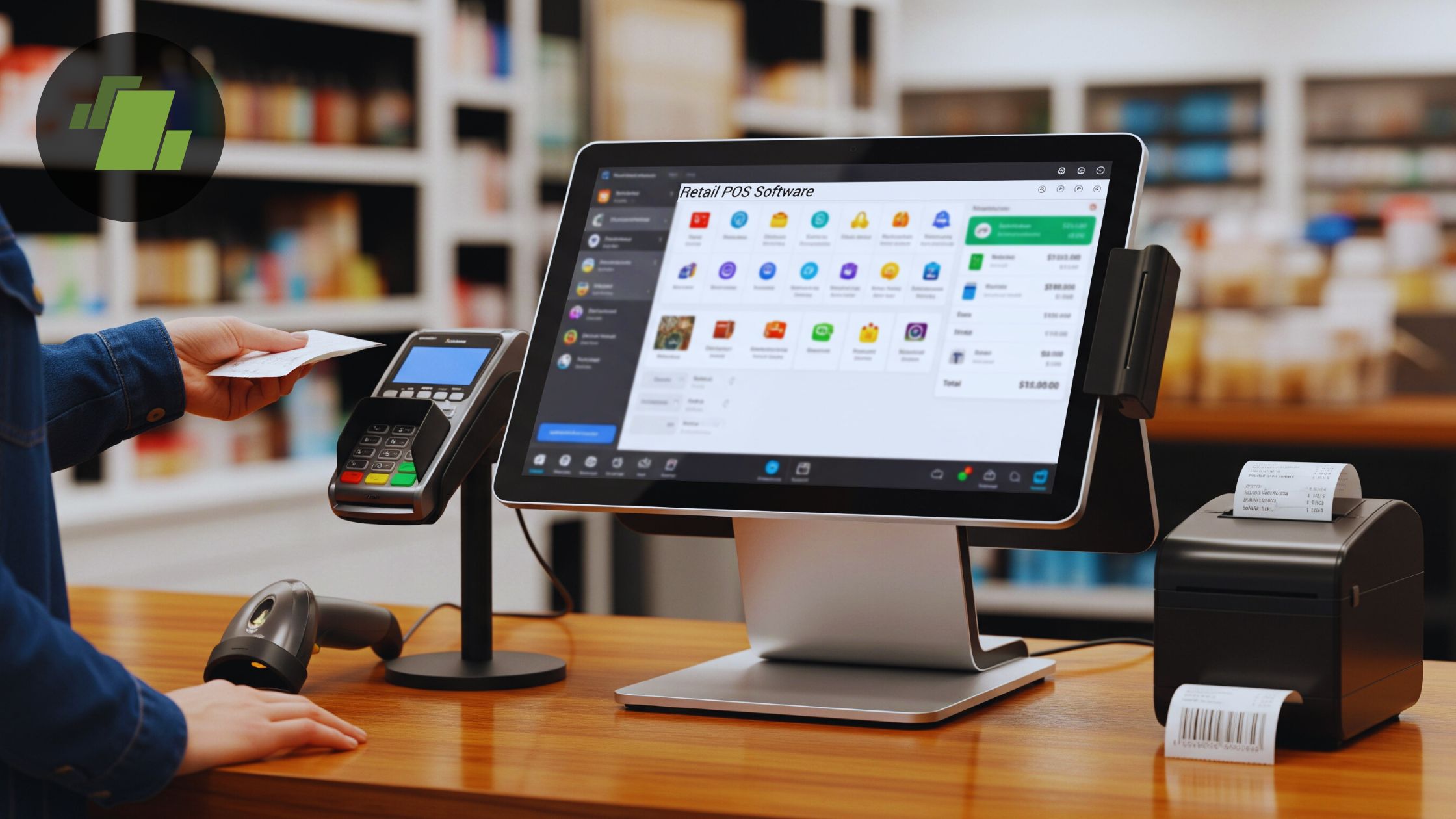

A retail checkout has very little patience for awkward hardware. Staff need a screen that responds quickly, scanners and printers need to connect without a fight, and customers should not have to stare at a blank counter while a transaction is being fixed. The Best POS System for Retail depends less on a flashy interface than on how well the terminal, software, cash handling, and peripherals fit the way your store actually works.
This list includes complete retail bundles, Windows terminals that leave software choice open, a scale-based system for produce sellers, and one cash drawer for stores that already have the rest of their setup. POS STORE M8W All-in-One POS Terminal is our top pick for most retailers, while the other nine cover dual-screen checkout, mobile payments, bundled support, and specialized weighing workflows.
Comparison of the best POS systems for retail
| # | Product | Award | Screen | Included or notable hardware | Best for |
|---|---|---|---|---|---|
| 1 | POS STORE M8W | Best overall | 15.6-inch touchscreen | Windows 11, USB, serial, Ethernet | Retailers choosing their own Windows POS software |
| 2 | NRS Small Business POS | Best complete bundle | 15-inch merchant screen plus customer display | Printer, scanner, cash drawer, software | Stores wanting a ready-made checkout |
| 3 | KONGQXIAA Dual Screen POS | Best built-in printer | Dual 15.6-inch touchscreens | 58mm receipt printer, four USB ports, LAN | Shops needing customer-facing checkout |
| 4 | ZHONGJI SET04 | Best software bundle | 15-inch touch screen plus 11.6-inch display | Printer, scanner, drawer, keyboard and mouse | Retail stores wanting a broad starter kit |
| 5 | Wangyingxu Weighing POS | Best for produce stores | 15.6-inch capacitive touchscreen | Integrated scale, printer, label editor | Fruit, vegetable, and grocery counters |
| 6 | Volcora Electronic Cash Drawer | Best add-on drawer | Not applicable | Four bill slots, five coin slots, RJ11/RJ12 | Existing POS setups needing cash storage |
| 7 | NRS POS System Plus | Best NRS locked model | Dual monitor setup | Printer, scanner, drawer, POS software | Businesses already committed to NRS Pay |
| 8 | Volcora Dual Screen Terminal | Best dual-screen hardware | 15.6-inch plus 11.6-inch touchscreen | Windows 11 Professional, Wi-Fi, USB, Ethernet | Retailers buying hardware separately |
| 9 | Square Handheld POS Bundle | Best mobile checkout | Handheld | Square account setup, EMV and contactless support | Pop-ups, food trucks, and mobile sellers |
| 10 | Volcora Single Screen Terminal | Best single-screen hardware | 15.6-inch touchscreen | Windows 11 Professional, two serial ports, four USB ports | Fixed counters with separate peripherals |
1. POS STORE M8W: Best Overall

Pros
- Windows 11 leaves software choice open
- 15.6-inch touchscreen is easy to read at a counter
- USB, serial, and Ethernet connections support common peripherals
- Aluminum alloy construction suits busy checkout areas
Cons
- Does not include a scanner, printer, or cash drawer
- The fifth-generation Intel Core i5 is an older processor
- Hardware setup and software selection are left to the buyer
Best for: retailers that want a capable Windows terminal and already know which POS software they will use.
The POS STORE M8W is the least restrictive system here, which is exactly why it leads the list. It is a terminal rather than a fully assembled checkout station, so you do not receive a scanner, receipt printer, or cash drawer. That may sound like a drawback, but it is a useful distinction for a retailer replacing one failed component at a time or standardizing several counters around software already in use.
Its 15.6-inch touchscreen gives staff a generous workspace for product buttons, inventory screens, and transaction details. Windows 11 provides a familiar environment, and the fifth-generation Intel Core i5 with 8GB of RAM and a 128GB SSD is aimed at ordinary POS workloads rather than demanding desktop applications. Those capacities are enough for POS software, sales records, and inventory tools, though the older processor makes this less appealing as a general-purpose office computer.
Connectivity is the M8W's strongest practical feature. USB, serial, and Ethernet ports let a retailer connect a barcode scanner, receipt printer, cash drawer, and card reader without having to rely on one proprietary accessory ecosystem. The stated 45 by 36 by 13 centimeter footprint also keeps it manageable on a crowded counter. Its aluminum alloy body adds a more commercial feel than a repurposed consumer tablet.
The tradeoff is that the M8W requires decisions. A complete bundle such as the NRS Small Business POS gets a new store operating sooner, while the M8W makes more sense for someone who values compatibility and control. It also lacks a customer display, and the older i5 should not be mistaken for a modern high-performance computer. Retailers who want a single box containing every checkout component should skip it. For stores with existing peripherals or a preferred Windows platform, this is the most adaptable pick.
2. NRS Small Business POS: Best Complete Bundle

Pros
- Includes monitor, customer-facing display, scanner, printer, and drawer
- Designed for inventory, analytics, and vendor payments
- English and Spanish setup support is included
- Credit card processing can be integrated
Cons
- Requires a hardwired internet connection
- Merchant services require a separate signup
- The 15-inch main display is smaller than several Windows terminals here
Best for: a small retailer that wants the main checkout hardware and POS software in one package.
The NRS Small Business POS is the most straightforward choice for a shop that does not want to assemble a checkout from separate pieces. The package includes a 15-inch merchant touchscreen, customer-facing display, barcode scanner, receipt printer, and durable metal cash drawer. That changes the buying experience considerably compared with the POS STORE M8W, which is better viewed as a terminal at the center of a system.
NRS describes the software as handling high-volume transactions, analytics, inventory management, and vendor payments. Those functions matter when a store has moved beyond simple cash sales and needs the register to inform restocking and day-to-day administration. The display size is sensible for a counter, though it gives staff less room than the 15.6-inch screens on the POS STORE M8W and KONGQXIAA systems.
Setup support is a genuine differentiator. The package can be installed independently, or the buyer can receive one-on-one training and setup support in English or Spanish. That should help a first-time owner avoid the common mistake of treating the hardware purchase as the whole project. Card processing is available through integration, but the processor is not included, so the payment arrangement still needs to be handled separately.
The hardwired internet requirement is the point to take seriously before buying. A store with a reliable wired network should have no problem, but this is not the right fit for a temporary booth or a counter where running network cable is difficult. The NRS POS System Plus is the more specialized NRS alternative, but its listing gives far less detail and identifies it as an NRS Pay locked model. This first NRS package is the safer pick for a new retail checkout that needs a complete hardware set and human setup help.
3. KONGQXIAA Dual Screen POS: Best Built-In Printer

Pros
- Two 15.6-inch touchscreens support staff and customer viewing
- Built-in 58mm receipt printer saves counter space
- Four USB ports, HDMI, and LAN support peripheral connections
- Adjustable-angle screen improves viewing flexibility
Cons
- The listing does not specify included scanner hardware
- Its 30.18-pound body needs a stable counter
- Software compatibility is less clearly defined than on the Windows terminals
Best for: retailers that want a dual-screen station with receipt printing built into the main unit.
The KONGQXIAA Dual Screen POS takes a tidy approach to the checkout counter. Instead of placing a separate receipt printer beside the terminal, it builds in a 58mm printer and pairs the main station with a second 15.6-inch touchscreen. The result is a customer-facing setup without the visual sprawl of several independent devices.
Both screens are 15.6 inches, so the customer display is not an afterthought squeezed into a narrow strip. The adjustable-angle design should make it easier to position the screens for different counters and sightlines. Behind the display, 8GB of RAM and a 128GB SSD are specified for POS applications and business data. Those figures match the memory and storage offered by the POS STORE M8W, though the M8W makes its Windows 11 platform and software flexibility more explicit.
The built-in printer is the central advantage. A 58mm receipt format is suited to ordinary transaction receipts, and the listing describes the printer as quiet with consistent output. Four USB ports, HDMI, and LAN give the system a useful connection base for scanners and other equipment. The product is listed with a cash drawer variant, but the supplied information does not establish that every scanner or peripheral is included, so buyers should check the configuration carefully.
This unit is larger and heavier than a simple terminal, measuring about 19.29 inches long, 14.17 inches wide, and 20.87 inches high, with a listed weight of 30.18 pounds. That is a serious counter fixture, not something to move between stalls. The ZHONGJI SET04 includes more explicitly named accessories, while the KONGQXIAA wins when integrated printing and two equally large touchscreens matter most. Choose it for a permanent retail counter, and skip it if you need a portable or highly modular setup.
4. ZHONGJI SET04: Best Software Bundle

Pros
- Includes touchscreen, customer display, printer, scanner, and drawer
- Six USB ports plus HDMI and VGA offer broad connectivity
- Retail POS software is described as lifetime use
- Keyboard, mouse, and thermal paper are included
Cons
- Uses Windows 10 rather than Windows 11
- The included software may not suit every retailer
- The listing refers to a default upgraded design, so configuration details need checking
Best for: a traditional retail store that wants a broad all-in-one starter kit with its own software.
The ZHONGJI SET04 is built around the old-fashioned idea of a complete checkout station. Its stated package includes a 15-inch touch screen, an 11.6-inch customer display, an 80mm thermal receipt printer, cash drawer, desktop scanner, POS software, keyboard, and mouse. For a new shop, that list is more useful than a vague claim that the terminal is compatible with accessories.
The hardware uses an Intel i5, 8GB of RAM, and a 128GB SSD, with Windows 10 specified in the product details. The 15-inch touch screen is slightly smaller than the 15.6-inch screens on the M8W and KONGQXIAA, but it remains a practical size for product lookup and checkout buttons. The second 11.6-inch display gives customers a clear view without taking up as much width as a second full-size panel.
Connectivity is unusually generous for a bundled register. Six USB ports, HDMI, VGA, a LAN port, and two audio outputs leave room for adding or replacing peripherals. ZHONGJI also describes its software as covering the functions required by retail stores, with lifetime use and free lifetime software service. That is attractive for an owner who wants one defined system rather than a chain of separate subscriptions and compatibility checks, though the software may be less suitable if you already rely on a particular platform.
Windows 10 is the main reason to rank this below the POS STORE M8W. It is not automatically a problem for a register, but it is an older operating system than the Windows 11 systems here. The listing also says SET04 will default to a new design, so confirm the exact hardware configuration before ordering. If the goal is a conventional retail station with every core accessory named, the SET04 is more complete than the M8W and more clearly bundled than the KONGQXIAA.
5. Wangyingxu Weighing POS: Best for Produce Stores

Pros
- Combines weighing, payment processing, printing, and scanning
- Integrated receipt printer and label editor
- 15.6-inch 10-point capacitive touch display
- Broad selection of USB, serial, HDMI, and network connections
Cons
- Single-screen design gives customers no separate display
- Large listed dimensions require substantial counter space
- The listing does not give the scale's weighing capacity or accuracy
Best for: produce, grocery, bakery, and other retail counters where products are sold by weight.
The Wangyingxu Weighing POS solves a problem that ordinary touchscreen registers cannot. A fruit and vegetable counter does not just need to scan a barcode and take payment. It needs to weigh goods, produce the appropriate label or receipt, and keep the transaction moving without sending staff to another station. This system puts those tasks into one single-screen unit.
Its 15.6-inch display uses capacitive touch with 10-point support, and the listing says it can be operated with fingers, gloves, styluses, or tools. That flexibility is useful around food counters where staff may not always have clean, bare hands. The scratch-resistant panel and HD 8-bit LED display should also make the interface easier to read during repeated daily use. The hardware includes 8GB of RAM and 128GB of storage, with a quad-core CPU described as supporting multiple applications.
The integrated printer and label editor are more meaningful here than a generic receipt printer. A retailer can manage weighing and labeling at the same counter, while the built-in scanning and payment workflow reduces the amount of equipment spread around the operator. Connectivity includes four USB ports, RJ45, Micro USB, RS232, dual audio, HDMI, and OTG. That gives the system room to connect to existing equipment, though the listing does not state the scale's maximum capacity or measurement accuracy.
The single-screen layout is less suitable for a checkout where customers need to review every item, and the listed dimensions are unusually large at about 23.62 inches on each side. The unit is also listed at roughly 33 pounds, so it should be treated as a fixed counter appliance. The KONGQXIAA Dual Screen POS is a better fit for customer-facing presentation, but the Wangyingxu is the obvious specialist pick for weighed merchandise. Buyers outside grocery and produce should avoid paying attention to its extra capabilities if they will never use the scale.
6. Volcora Electronic Cash Drawer: Best Add-On Drawer

Pros
- Four bill slots and five coin slots
- Removable coin compartment
- Three-position key lock supports manual, automatic, and locked modes
- RJ11/RJ12 cable connects through a compatible receipt printer
- Metal frame is designed for regular business use
Cons
- It is a cash drawer, not a complete POS system
- Cannot connect directly to a POS through USB
- Requires a compatible receipt printer for automatic opening
Best for: retailers replacing or adding a cash drawer to an existing checkout system.
The Volcora Electronic Cash Drawer is the outlier in this roundup, and it should be treated honestly as an accessory rather than a complete register. If your store already has a computer, POS application, scanner, and receipt printer, a dependable drawer can be the missing piece. It is also a sensible replacement for a worn drawer when replacing the whole system would be unnecessary.
The internal tray has four bill slots and five coin slots, with a removable coin compartment. A front media compartment holds larger bills, checks, or receipts without opening the main drawer. Those details make a difference during a busy shift because staff can separate denominations and keep paperwork out of the transaction area.
The three-position key lock supports manual opening, automatic opening through the printer or POS, and a fully locked mode. The drawer uses 12 to 24 VDC power and connects through an included RJ11 or RJ12 cable. Volcora lists compatibility with Star, Citizen, JAY, and Bixolon printers, along with other major thermal printer brands. The key limitation is clear: there is no USB port, so it cannot connect directly to the POS computer by USB.
At 13 by 13.25 by 4 inches, this is a relatively compact drawer, though the product information lists a larger package dimension and a weight of 9.28 pounds. Its heavy-duty metal frame is reassuring for regular use, and the included six keys provide spares. It has nothing to offer a buyer starting from zero, so choose the POS STORE M8W or NRS Small Business POS for a complete system. For an existing retail setup that needs secure cash storage, this is the right kind of narrowly focused purchase.
7. NRS POS System Plus: Best NRS Locked Model

Pros
- Includes a dual-monitor checkout setup
- Package includes printer, scanner, drawer, and POS software
- Designed for retail business use
- NRS Pay locked configuration may suit an existing NRS operation
Cons
- The listing provides very little technical detail
- NRS Pay lock limits platform flexibility
- Network and setup requirements are not clearly described
Best for: an established NRS Pay customer who needs another compatible station.
The NRS POS System Plus is difficult to evaluate as a general-purpose retail register because its listing offers only one feature detail: “NRS Pay locked model.” The title identifies a touchscreen dual-monitor system with printer, scanner, cash drawer, and POS software, so it is clearly intended as a bundled station. But unlike the other NRS package, it does not explain the screen sizes, processor, memory, connectivity, or setup support.
That lack of detail is not necessarily a problem for an existing NRS customer. A locked configuration can be useful when a store already runs NRS Pay and wants a second checkout that follows the same workflow. Staff training, software behavior, and peripheral arrangement may be more consistent than they would be with a separately assembled Windows terminal.
For a new buyer, the uncertainty is more serious. The NRS Small Business POS names its 15-inch merchant display, customer-facing screen, scanner, printer, and metal drawer, and it explains that setup support is available in English and Spanish. This NRS POS System Plus does not provide that same level of practical information. Its listed dimensions are about 17 by 17 by 16 inches, which also makes it a substantial fixed station.
Choose this model only when the NRS Pay lock is a deliberate requirement, not an incidental detail. Retailers wanting software freedom should look to the POS STORE M8W, and buyers who need to understand every component before ordering should choose the better-documented NRS bundle. The NRS POS System Plus earns a place for its likely fit inside an existing NRS environment, but it is not the flexible recommendation for most stores.
8. Volcora Dual Screen Terminal: Best Dual-Screen Hardware

Pros
- 15.6-inch staff display and 11.6-inch customer display
- Windows 11 Professional supports a wide range of POS software
- Built-in Wi-Fi, USB, and Ethernet connectivity
- Metal base is designed for a stable counter position
- Limited lifetime warranty and US-based support are included
Cons
- Hardware only, with no printer, scanner, or cash drawer
- Only 4GB of memory is specified
- The 1366 by 768 resolution is modest for a modern display
Best for: retailers who want a dual-screen Windows terminal and plan to source peripherals separately.
The Volcora Dual Screen Terminal is a cleaner hardware foundation than a complete register bundle. Its 15.6-inch capacitive touchscreen faces the operator, while an 11.6-inch capacitive screen faces the customer. That arrangement lets the customer see transaction information without turning the main screen around, which is useful for stores that want a more transparent checkout.
Windows 11 Professional is the platform advantage. Retailers can choose among compatible POS applications instead of being tied to a named package, and built-in Wi-Fi, USB 2.0, USB 3.0, and Ethernet offer several ways to connect the rest of the counter. The Intel Core i5 is described as a high-performance CPU, but the listed 4GB of memory is notably lower than the 8GB in the POS STORE M8W and KONGQXIAA systems.
Both screens use a 1366 by 768 resolution. That is adequate for buttons, product lists, and customer totals, but it leaves less room for dense inventory interfaces than a higher-resolution display would. Volcora says the screens can withstand more than 15, 000 hours of screen time, and the heavy-duty metal base is intended to keep the station stable while staff work.
The biggest compromise is the box contents. You receive the dual-screen terminal, power adapter, registration card, and manual, but not the printer, scanner, or cash drawer. The ZHONGJI SET04 is far more complete, while this Volcora is the better choice when you want to control the peripheral selection. Its limited lifetime warranty and US-based customer support make it easier to recommend than an anonymous bare terminal, but stores wanting a ready checkout should skip it.
9. Square Handheld POS Bundle: Best Mobile Checkout

Pros
- Portable handheld format
- Supports EMV chip, contactless, Apple Pay, and Google Pay
- Pre-programmed account setup reduces initial configuration
- White-glove onboarding and US-based support are included
- Fits retail, pop-up, food truck, salon, and service use
Cons
- Requires a Square account activated through the seller
- Not a traditional screen, printer, scanner, and drawer station
- Account and payment-platform dependence limits flexibility
Best for: mobile sellers and small retailers that need to take card payments away from a fixed counter.
The Square Handheld POS Bundle is the most portable option here and the least like a conventional cash register. It is aimed at businesses that take payments at a table, market stall, food truck, salon, pop-up shop, or service appointment. A handheld unit can also serve as a secondary checkout during a crowded event, where sending every customer to one fixed counter creates a queue.
The bundle arrives pre-programmed with account information and key settings, according to the listing. Advantage POS Store also offers remote setup assistance and ongoing US-based support, alongside Square's support resources. That onboarding can be useful for a small operator who wants to start accepting payments without configuring a Windows terminal, selecting a printer, and connecting a drawer first.
Payment support includes EMV chip cards, contactless payments, Apple Pay, Google Pay, and traditional credit and debit cards. Those options cover the main ways customers pay in a mobile retail setting. The product is sold as a Square accounts-only bundle, and the account must be activated through Advantage POS Store before the equipment ships to qualify for the stated setup arrangement.
That account dependency is the reason it belongs below the full retail systems. The POS STORE M8W gives a retailer more control over software and peripherals, while the Square bundle gives up that flexibility in exchange for a simpler mobile workflow. It is not the right replacement for a fixed store register with a cash drawer and barcode scanner. For a seller who needs to walk the payment to the customer, though, it is the most purpose-built choice in this group.
10. Volcora Single Screen Terminal: Best Single-Screen Hardware

Pros
- 15.6-inch capacitive touchscreen
- Windows 11 Professional supports different POS applications
- Two serial ports and four USB ports aid peripheral integration
- HDMI and Ethernet add expansion options
- Limited lifetime warranty and US-based support
Cons
- Hardware only
- No customer-facing display
- The specified 4GB memory is modest
- 1366 by 768 resolution leaves limited workspace
Best for: a fixed retail counter that needs one operator screen and separate checkout peripherals.
The Volcora Single Screen Terminal is the simpler sibling to the dual-screen Volcora. It has one 15.6-inch capacitive LCD touchscreen, Windows 11 Professional, and the same general idea of a compact terminal that becomes a complete checkout only after the retailer adds a printer, scanner, cash drawer, and payment equipment.
The display uses a 1366 by 768 resolution, which is sufficient for large touch targets and basic transaction screens. An Intel Core i5 and 4GB of memory are specified, along with 128GB of storage. The storage gives room for the operating system, POS software, and local business data, while the 4GB memory is less generous than the 8GB found in the M8W and KONGQXIAA.
Two serial ports, four USB ports, HDMI, an audio input, a 12V DC input, and Ethernet make this a practical connection hub. Serial ports are still useful in retail because some receipt printers, scales, and older peripherals use them. Volcora also includes a power adapter, registration card, and user manual, and lists US-based customer service plus a limited lifetime warranty.
The single-screen format keeps the counter less visually busy, but customers cannot review the transaction on a separate panel. The Volcora Dual Screen Terminal is the better match when customer visibility matters, and the POS STORE M8W is the stronger recommendation for buyers who want 8GB of memory and more clearly described Windows flexibility. Select this one for a straightforward fixed terminal, and do not choose it expecting a ready-to-run bundle.
How to choose best pos system for retail
The right retail register starts with the checkout workflow, not the screen size alone. Decide whether you need a complete station, a flexible Windows terminal, a mobile payment device, or a specialized tool such as an integrated scale.
Complete system or terminal
A complete system should include the hardware needed to transact, such as a display, scanner, printer, cash drawer, and software. The NRS Small Business POS and ZHONGJI SET04 take this route. A terminal such as the POS STORE M8W or either Volcora model gives you more control, but you must source compatible peripherals and choose software yourself.
Display arrangement
A single screen is enough when staff handle the entire transaction and customer visibility is not a priority. A second display is useful for showing item totals, payment prompts, or a receipt view without turning the operator screen. Dual-screen systems also take more counter space, so measure the checkout before choosing the larger format.
Software platform
Windows terminals support a wider range of POS applications, but that flexibility creates setup work. Bundled systems can be easier to deploy because the software and accessories are selected together. A locked system such as the NRS POS System Plus makes the most sense when it matches an existing NRS Pay environment.
Peripheral connections
Look for the ports your store actually uses. USB is common for scanners and other accessories, Ethernet helps with a stable network connection, and serial ports can support older retail equipment. The Volcora Electronic Cash Drawer is a useful reminder that connection standards matter: it uses RJ11 or RJ12 through a receipt printer and cannot connect directly by USB.
Specialized checkout tasks
A store selling weighed goods needs different equipment from a clothing boutique. The Wangyingxu system combines a scale, label editor, printer, and touchscreen, which can reduce repeated handling at a produce counter. For mobile selling, a handheld payment terminal is more appropriate than a fixed dual-screen station. If you are also organizing paper records around the register, a clearer way to sort and store transaction receipts can prevent the back office from becoming another bottleneck.
Buy the system that matches the slowest step in your checkout, whether that is weighing produce, printing receipts, connecting peripherals, or taking payment away from the counter.
Counter space and support
A complete dual-screen station may be heavy and deep, while a single terminal leaves room for a separate printer and drawer. Check the dimensions, then consider who will handle setup and troubleshooting. NRS offers English and Spanish training support, while Volcora lists US-based support and a limited lifetime warranty. A store with limited technical staff should give those support arrangements real weight.
Frequently asked questions
Do these POS systems include payment processing?
Not all of them. The NRS Small Business POS supports credit card processing integration, but the processor requires a separate merchant services signup. The Square Handheld POS Bundle is designed around Square payments, while the Windows terminals leave the payment software and hardware choice to the buyer.
Which system is easiest for a new retail store?
The NRS Small Business POS and ZHONGJI SET04 include the most checkout components in one package. NRS also offers one-on-one setup and training support in English and Spanish. The ZHONGJI package includes a keyboard and mouse as well as the main retail peripherals, but its Windows 10 platform should be considered before ordering.
Is the POS STORE M8W a complete cash register?
No. It is an all-in-one terminal with a touchscreen, Windows 11, memory, storage, and connection ports. You still need POS software and peripherals such as a scanner, receipt printer, cash drawer, and card reader.
Which POS system is best for a produce store?
The Wangyingxu Weighing POS is the specialist option because it combines a weighing function with payment processing, receipt printing, scanning, and label editing. Its single-screen design and large footprint make it less suitable for a compact boutique counter, but those concerns are secondary when products must be sold by weight.
Can the Volcora cash drawer connect directly to a computer?
No. The listing specifically says it has no USB port and cannot connect directly to a POS through USB. It connects to a compatible receipt printer through the included RJ11 or RJ12 cable, allowing the POS and printer to control automatic opening.
Are the Volcora terminals supplied with scanners and printers?
No. The single-screen and dual-screen Volcora terminals are hardware-only units. They include the terminal, power adapter, registration card, and manual, so a retailer must add the required scanner, receipt printer, cash drawer, and software.
Is a handheld POS suitable for a permanent retail counter?
It can work for a small mobile-first operation, but it is not a substitute for a full fixed checkout in every store. The Square Handheld POS Bundle is designed for card and contactless payments on the move and does not provide the same scanner, printer, customer display, and cash drawer arrangement as the NRS or ZHONGJI bundles.

The bottom line
The POS STORE M8W is our leading Best POS System for Retail because it combines a readable 15.6-inch touchscreen, Windows 11, 8GB of memory, 128GB of storage, and useful USB, serial, and Ethernet connectivity. It is not a complete checkout, but that makes it the better foundation for retailers that already have a software platform or want to select every peripheral themselves. The NRS Small Business POS is the stronger alternative for a new store that wants a scanner, printer, drawer, customer display, software, and setup support together.
For specific workflows, choose the Wangyingxu Weighing POS for produce and other weighed goods, the Square Handheld POS Bundle for mobile transactions, and the Volcora Electronic Cash Drawer only when you need an accessory for an existing setup. The KONGQXIAA and ZHONGJI systems are the more complete dual-screen options, while the Volcora terminals suit buyers assembling a Windows-based station.
If you are still undecided, choose the POS STORE M8W for flexibility or the NRS Small Business POS for the most complete starting point.
As an Amazon Associate we earn from qualifying purchases.