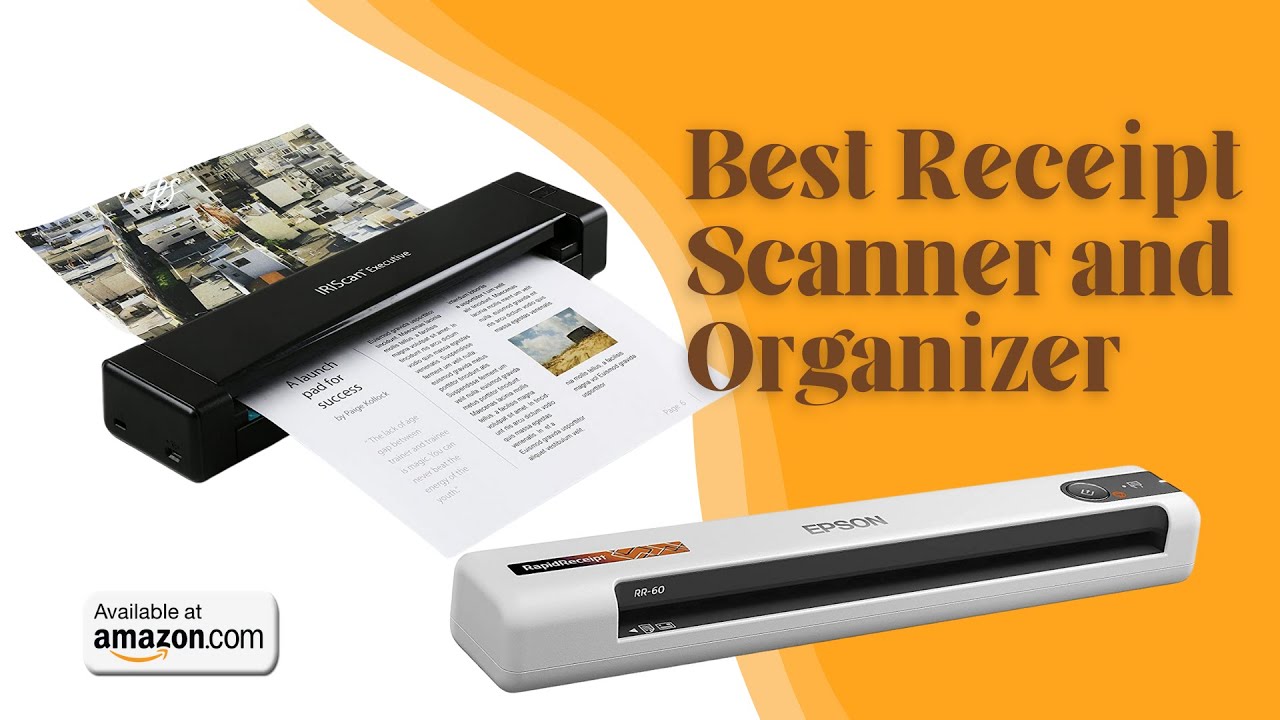

Receipts have a short useful life on paper. They fade in a wallet, disappear into a drawer, and become especially difficult to sort when tax season arrives. The Best receipt scanner and organizer should turn that pile into searchable files without making every scan feel like an office project.
The eight picks here split into two clear groups. Portable single-sheet scanners suit travelers and small desks, while desktop models use document feeders and receipt-recognition software to process a larger backlog. The ScanSnap iX2500 Receipt Edition is the single best pick, with the Epson RapidReceipt RR-620W close behind for buyers who want a similar high-throughput workflow. The rest range from ultraportable USB scanners to flatbed and legacy filing systems.
Comparison table
| # | Product | Award | Scanning workflow | Feeder and duplexing | Best for |
|---|---|---|---|---|---|
| 1 | ScanSnap iX2500 Receipt Edition | Best overall | Wireless or USB | 100-sheet feeder, double-sided | Receipt-heavy bookkeeping |
| 2 | Epson RapidReceipt RR-620W | Best for financial software | Wi-Fi or USB | 100-sheet feeder, double-sided | QuickBooks and tax workflows |
| 3 | Epson ES-50 | Best portable Epson | USB 2.0 | Single-sheet feed | Mobile receipt capture |
| 4 | Canon imageFORMULA R10 | Best portable duplex scanner | USB powered | 20-sheet feeder, double-sided | Small offices and remote work |
| 5 | Brother DS-640 | Best lightweight scanner | Micro USB 3.0 | Single-sheet feed | Bags, classrooms, and travel |
| 6 | Canon CanoScan LiDE 300 | Best flatbed option | USB | Flatbed, no feeder listed | Receipts plus occasional images |
| 7 | NeatDesk Macintosh | Best for Mac filing | Computer-based | Up to 50-page document, batch receipt feed | Mac users with existing paper files |
| 8 | NeatDesk Home Office | Best for simple desktop filing | Cloud-oriented workflow | 50-page feeder, one or two-sided | Home office document piles |
1. ScanSnap iX2500 Receipt Edition: Best Overall

Pros
- Receipt-focused data extraction
- Wireless and USB connectivity
- Large touchscreen with customizable profiles
- 100-sheet feeder and fast double-sided scanning
- Feed protection features for fragile paperwork
Cons
- Large and heavy for a portable scanner
- Its receipt-focused workflow is more than occasional users need
- Newer software and hardware may require a little setup time
Best for: households, freelancers, and small businesses processing receipts and invoices regularly.
The ScanSnap iX2500 Receipt Edition is the one that makes the strongest case for replacing a paper receipt routine altogether. Its central advantage is not simply fast scanning. The scanner is built around receipt and invoice processing, with features that extract information into reviewable, editable fields. That means the device is aimed at the tedious part after capture, when a scanned receipt still needs to become useful bookkeeping data.
The hardware is suited to a serious batch. It scans at up to 45 pages per minute, captures both sides in one pass, and holds up to 100 sheets in its feeder. The large touchscreen lets you choose profiles and send scans to a PC, Mac, mobile device, or cloud service. For a household sorting months of receipts, that combination removes repeated trips back to the computer. The QuickBooks workflow is a particularly direct fit for bookkeeping, since the scanner can send invoices and receipts into QuickBooks from a preconfigured touchscreen.
The feed system is more thoughtful than the basic portable models here. A brake roller is designed to feed paper smoothly, a multi-feed sensor can detect pages stuck together, and skew detection helps reduce paper damage and lost data. Those features matter when receipts are thin, curled, or mixed with ordinary documents. The Epson RapidReceipt RR-620W matches the iX2500 on the headline 45-page-per-minute speed and 100-sheet feeder, but the iX2500 has the more explicit receipt-oriented workflow in the supplied features.
There is a trade-off in the footprint. At 11.5 inches wide, 6.26 inches long, and 6.34 inches high, with a weight of 7.7 pounds, this is a dedicated desktop machine rather than something to carry between rooms. Its large feature set can also be unnecessary if you only digitize a handful of receipts each month. Buyers who want a compact USB device should look at the Epson ES-50 or Brother DS-640 instead.
For someone who needs a repeatable way to capture, classify, and move receipt data into a financial workflow, the iX2500 is the most complete package here. It is the pick we would keep for a sustained bookkeeping habit, especially when the pile includes invoices and double-sided documents as well as small receipts.
2. Epson RapidReceipt RR-620W: Best for Financial Software

Pros
- Up to 45 pages per minute
- Double-sided scanning in one pass
- 100-sheet automatic document feeder
- 4.3-inch color touchscreen
- Integrates with QuickBooks, TurboTax, and Excel
Cons
- Desktop-only design
- Heavier than portable alternatives
- Its strongest features suit high-volume users
Best for: people who want scanned receipts to feed directly into common accounting and tax software.
The Epson RapidReceipt RR-620W is designed around the moment a receipt stops being paper and becomes accounting information. Its ScanSmart AI PRO Technology is intended to extract and convert receipt and document information into data that newer AI applications can use. The practical appeal is clear for anyone who does not want to type merchant, date, or transaction details into a spreadsheet after scanning.
Its 45-page-per-minute rate is the same headline speed offered by the ScanSnap iX2500, and the two machines also share a 100-sheet automatic document feeder and single-pass double-sided scanning. This makes the RR-620W a strong choice for a mixed stack of receipts, invoices, and ordinary documents. The 4.3-inch color touchscreen adds a computer-free route to email, cloud storage, or a connected USB flash drive, so a scan does not always have to begin at a desk with scanning software already open.
The financial integrations are the model's defining feature. Epson lists direct syncing with QuickBooks, TurboTax, Excel, and other services. That gives it a slightly different emphasis from the iX2500. The ScanSnap has a more developed receipt edition workflow with receipt processing and QuickBooks access, while the RR-620W makes its range of financial destinations especially prominent. The choice between them comes down to which software environment you already use and how much you value a touchscreen-led routine.
At 11.6 inches wide, 6.7 inches long, and 6.6 inches high, the RR-620W needs a permanent place on a desk. Its listed weight is 8.2 pounds, making it the heaviest product in this roundup. That is not a concern for a home office station, but it rules out the kind of grab-and-go use that makes the Brother DS-640 or Epson ES-50 appealing. The scanner is also more machine than a casual user needs if the goal is only to archive a few paper slips.
The RR-620W is the right call for a tax-conscious household, independent worker, or office that wants a fast batch scanner with a clear path into financial applications. It is less compelling as a general-purpose portable document scanner, but its software connections make it one of the most capable receipt organizers in this group.
3. Epson ES-50: Best Portable Epson

Pros
- Extremely light and compact
- USB powered
- Handles receipts and ID cards
- Searchable PDF and editable file creation through OCR
- Works with Windows and Mac
Cons
- Single-sheet scanning is slower for large piles
- No wireless connectivity listed
- Requires a computer and USB connection
Best for: travelers and small workspaces that need occasional receipt scanning without a desktop feeder.
The Epson ES-50 is the uncomplicated option. It is only 10.7 inches wide, 1.8 inches long, and 1.3 inches high, and its listed weight is 0.59 pounds. That makes it easy to keep beside a laptop, slip into a work bag, or store in a drawer until a receipt needs to be digitized. There is no separate power adapter to manage because the scanner runs from USB.
This is a single-sheet-fed scanner, so it favors controlled, occasional capture rather than a huge backlog. Epson says a document can scan in as quickly as 5.5 seconds, and its automatic feeding mode accepts each new sheet as it is inserted. That is a useful rhythm for receipts, business cards, or a few pages after a trip. It also supports documents up to 8.5 by 72 inches, which gives it more flexibility than its small body suggests.
The software provides the organization features that make a basic mobile scanner useful. Epson ScanSmart lets you review and save scans, while included OCR can create searchable PDFs and editable Word and Excel files. The scanner can also send files to online storage accounts through the software, and the included TWAIN driver works with virtually any imaging software. Those capabilities help it compete with the Brother DS-640, which is similarly portable but emphasizes broader operating-system support and image optimization.
The limitation is throughput. You feed pages one at a time, and there is no wireless connection or built-in desktop workflow listed. A person cleaning up several months of receipts will spend much longer with the ES-50 than with the Epson RapidReceipt RR-620W. The device also depends on a computer, so it is not the choice for scanning directly to a cloud account or USB flash drive from the scanner itself.
Choose the ES-50 when portability matters more than batch speed. It is particularly sensible for a laptop-based workflow where searchable files and occasional cloud transfers matter, and it is easy to recommend to anyone who would rather scan a receipt immediately than let a small paper pile grow.
4. Canon imageFORMULA R10: Best Portable Duplex Scanner

Pros
- Double-sided scanning
- 20-sheet automatic feeder
- Handles receipts, cards, and legal documents
- USB powered and compatible with Windows and Mac
- Built-in scanning software
Cons
- Not intended for photographic media
- Heavier than the smallest mobile scanners
- Slower than the desktop picks
Best for: mobile users who need a feeder and duplex scanning in a compact USB-powered design.
The Canon imageFORMULA R10 occupies the useful middle ground between a wand-like single-sheet scanner and a full desktop unit. It is 11.2 inches wide, 3.75 inches long, and 1.57 inches high, with a listed weight of about 2.2 pounds. It remains portable, but the 20-sheet automatic feeder means you do not have to stand there feeding every receipt individually.
Canon lists a speed of up to 12 pages per minute in color or black and white, with both sides captured at the same time. Duplex scanning is the key reason to choose it over the Epson ES-50 or Brother DS-640. Receipts are usually one-sided, but business documents, forms, and reports often are not. The R10 can handle receipts, business cards, plastic or embossed cards, reports, and legal documents, giving it a broader paper routine than its size suggests.
The built-in software keeps setup straightforward. Canon says the software is already built in, needs no installation, and updates automatically. You can preview scans, straighten and trim files, or create buttons for custom scan settings and destinations. It produces searchable PDFs and can save JPEG files and other digital formats. Windows and Mac support also makes it easier to move between a home office computer and a work laptop.
There are a few boundaries to understand. The R10 is USB powered, so it needs a connected computer and cable. Its 20-sheet feeder is useful but nowhere near the capacity of the 100-sheet feeders in the ScanSnap iX2500 Receipt Edition and RR-620W. Canon also explicitly says this product is not intended for photographs on photo paper or photographic media. That makes the Canon CanoScan LiDE 300 a better fit when image scanning is part of the job.
The R10 is the portable pick for someone who wants a real feeder and duplex capture without moving to a permanent desktop scanner. It is not the fastest choice for a receipt archive, but its mix of media handling, simple software, and compact dimensions makes it a capable companion for remote offices and classrooms.
5. Brother DS-640: Best Lightweight Scanner

Pros
- About one pound
- Micro USB 3.0 power
- Up to 16 pages per minute
- Windows, Mac, and Linux support
- Image cleanup and OCR tools
Cons
- Single-sheet feed
- No duplex scanning listed
- Requires a computer connection
Best for: people who need the smallest practical scanner with broad computer compatibility.
The Brother DS-640 is built for the bag rather than the filing cabinet. Its listed dimensions are 11.9 inches long, 2.2 inches wide, and 1.4 inches high, and its listed weight is 1.029 pounds. That is small enough for a laptop bag or even a larger purse, which makes it a strong option for scanning receipts at a client's office, in a classroom, or while traveling.
Brother gives it a maximum speed of 16 pages per minute, with color scanning at the same speed as black and white. That is quicker on paper than the Epson ES-50's listed 5.5 seconds per page, though the two scanners still share the basic single-sheet workflow. The DS-640 accepts power through the included micro USB 3.0 cable, so it can work where there is no wall outlet as long as a suitable computer or USB power source is available.
Its software support is unusually broad for a compact model. Brother lists Windows, Mac, and Linux compatibility, along with TWAIN and WIA drivers for PC, ICA for Mac, and SANE drivers. The iPrint&Scan desktop app can send scans to a PC, network, cloud service, or email, while OCR and document-management software help turn receipts into more useful files. Automatic color detection, rotation on PC, background removal, bleed-through prevention, and text enhancement can improve the result when paper is less than pristine.
The main weakness is the lack of a feeder for a stack and the absence of duplex scanning in the listed features. That keeps it behind the Canon imageFORMULA R10 for mixed documents and behind the desktop models for any serious archive. It also has no wireless feature listed, so the cable remains part of the workflow. If you mostly scan one receipt or form at a time, those limits are easy to live with. If you regularly process batches, they become tedious quickly.
The DS-640 is a good fit for mobile workers who prioritize weight and operating-system flexibility. It is not the fastest route through a box of receipts, but it is one of the easiest scanners here to justify carrying wherever the paperwork happens.
6. Canon CanoScan LiDE 300: Best Flatbed Option

Pros
- Flatbed design for varied originals
- Auto Scan mode detects what is being scanned
- USB connectivity
- Useful for documents and images
- Compact, low-profile body
Cons
- No automatic document feeder listed
- No duplex scanning listed
- Less suited to large receipt batches
Best for: users who scan receipts occasionally and also need a flat surface for images or unusual originals.
The Canon CanoScan LiDE 300 is the outlier in this roundup because it is a flatbed rather than a sheet-fed receipt machine. That difference matters more than its low-profile shape. You place each original on the glass, close the lid, and scan it individually. For a few receipts, documents, or images, that can be perfectly manageable. For a drawer full of narrow slips, it is a slow process.
Canon lists USB as the connectivity method and includes an Auto Scan mode that detects what is being scanned. The stated uses are digitizing documents and images, and the model is described as a document scanner. Its dimensions are 14.5 inches long, 9.9 inches wide, and 1.7 inches high, with a listed weight of 3.6 pounds. It takes more horizontal desk space than the portable sheet-fed scanners, but its shallow height makes it easy to slide under a shelf.
The flatbed approach is useful when the originals are delicate, oddly shaped, or not suitable for a feeder. It also makes the LiDE 300 more versatile for someone who wants to scan images along with receipts. That is the gap between this model and the Canon imageFORMULA R10. The R10 is much better for a stream of documents because it has a 20-sheet feeder and duplex scanning, while the LiDE 300 is the more natural fit when the scanner must handle both flat originals and occasional paperwork.
There is no automatic document feeder or duplex function listed for the LiDE 300. Those omissions should shape expectations. It will not compete with the ScanSnap iX2500 Receipt Edition or Epson RapidReceipt RR-620W as an organizing engine, and it lacks the portable convenience of the DS-640. The Auto Scan mode reduces decisions, but it cannot remove the need to place each item on the glass.
Pick the LiDE 300 when receipts are only one part of a wider scanning routine. It makes sense for a home user who occasionally digitizes paper and images, but dedicated receipt organizers should choose a sheet-fed scanner with OCR and a document feeder instead.
7. NeatDesk Macintosh: Best for Mac Filing

Pros
- Receipt information extraction
- Exports to Quicken, Excel, and PDF
- Supports batches of receipts, cards, and documents
- IRS-accepted digital copies are listed
- Designed for OS X
Cons
- Macintosh-specific edition
- Older desktop design
- DVD-ROM format may complicate setup on newer Macs
Best for: Mac users with an established paper archive who want receipt extraction and desktop batch scanning.
The NeatDesk Macintosh is aimed at a very specific user: someone on a Mac who wants a digital filing system rather than a basic scanner. Its software is described as automatically extracting key information from scanned receipts and exporting it to Quicken, Excel, and PDF. That makes it more focused on organizing records than the portable scanners, which generally leave the user to choose a destination after capture.
The batch capacity is useful for a backlog. Neat says the scanner can process up to 10 receipts, 10 business cards, and 10 documents at once, or a single 50-page document. The system is also described as producing IRS-accepted digital copies, a meaningful feature for tax records. This is a different proposition from the Canon CanoScan LiDE 300, where the flatbed design requires placing each original by hand.
The Macintosh emphasis is both its attraction and its warning. The product was developed for OS X to look and feel like familiar Mac applications, and the technical details list a DVD-ROM format. That may be convenient for a user with an older compatible setup, but it deserves careful consideration before buying for a newer Mac. The supplied information does not establish current macOS compatibility, so buyers should confirm that the software and installation media fit their computer.
The hardware is also less flexible than the current desktop leaders. Its listed dimensions are 12.4 inches long, 8.9 inches wide, and 8.9 inches high, with a weight of 4.4 pounds. It does not list wireless connectivity or a touchscreen, unlike the ScanSnap iX2500 Receipt Edition and Epson RapidReceipt RR-620W. Those newer systems are better for cloud-first workflows and frequent multi-user scanning.
The NeatDesk Macintosh remains interesting for a Mac user who values its extraction and filing concept above modern connectivity. Skip it if you need current wireless features, a clear touchscreen workflow, or confidence that older software will run on a recent computer. For a compatible legacy setup and a defined archive project, its receipt-centered organization remains its strongest reason to exist.
8. NeatDesk Home Office: Best for Simple Desktop Filing

Pros
- Extracts information from receipts and documents
- Sends files to a chosen cloud service
- 24-page-per-minute scanning
- 50-page feeder
- One-sided and two-sided scanning
Cons
- Older software and hardware platform
- No touchscreen listed
- Used condition may affect the buying decision
Best for: a home office that wants a dedicated desktop document and receipt filing station.
The NeatDesk Home Office has a straightforward premise: feed paper in, let the system read the important information, and send the resulting files to a cloud service. It can scan receipts, business cards, and documents, then extract information for organized digital filing. That is more purpose-built than a general scanner paired with a folder full of PDFs.
The listed scanning rate is 24 pages per minute, and the feeder holds up to 50 pages. It can scan one or two-sided documents in color or black and white. Those capabilities make it a better desktop batch tool than the Epson ES-50, Brother DS-640, or Canon CanoScan LiDE 300, all of which require a more hands-on approach for a large pile. It is also less demanding than those portable models when the scanner will stay in one home office.
The Home Office edition has a compact desktop footprint, measuring 7.5 inches long, 7.3 inches wide, and 10.8 inches high, with a listed weight of 4.4 pounds. Its unusual shape and dedicated paper input tray make it a permanent appliance rather than a device to pack away. The supplied features do not list wireless connectivity, a touchscreen, or a computer-free scan mode, so its cloud workflow should not be confused with the wireless, touchscreen-led operation of the iX2500.
Its age is the main concern. The product information lists a CD-ROM format, and this particular listing is marked as used. That does not make the scanner unusable, but it does mean buyers should pay attention to software compatibility and the condition of the hardware. The NeatDesk Macintosh has a similar legacy character, while the current Epson and ScanSnap models offer a more modern path for wireless and cloud scanning.
The NeatDesk Home Office is most appealing when its filing software matches the way you already manage documents. It can still make sense for a home office with a compatible computer and a steady stream of paper, but buyers starting from scratch should look closely at the newer desktop scanners before committing to an older platform.
How to choose best receipt scanner and organizer
The right scanner depends on whether you need occasional capture, batch processing, or automatic extraction into financial software.
Feed design
A single-sheet scanner is easy to store and useful for a few receipts at a time, but it turns a large archive into a hands-on job. Automatic document feeders are better for stacks, with the 20-sheet Canon R10, 50-page NeatDesk models, and 100-sheet Epson and ScanSnap units covering different levels of batch work. For receipt-heavy use, a feeder is usually the first capability worth prioritizing.
Duplex scanning
Duplex scanning captures both sides of a document in one pass. It matters less for ordinary store receipts than for invoices, forms, statements, and multi-page records. The Canon R10, Epson RR-620W, and ScanSnap iX2500 list double-sided scanning, while the portable Epson ES-50 and Brother DS-640 are better understood as single-sheet capture tools.
OCR and data extraction
OCR turns an image into searchable text, which makes it much easier to find a receipt later. Epson's ES-50 includes OCR for searchable PDFs and editable Word and Excel files, while the RR-620W and both NeatDesk systems focus more directly on extracting receipt information. The ScanSnap iX2500 goes a step further with receipt and invoice processing that produces reviewable and editable fields.
A scanner only organizes receipts when its software saves useful information, not merely a picture of the paper.
Connectivity
USB is dependable and common on portable models. Wireless connectivity is more convenient for a shared office or a workflow that sends scans to computers, mobile devices, and cloud services. The ScanSnap iX2500 and Epson RR-620W list Wi-Fi, while the ES-50, DS-640, and Canon R10 depend on a connected computer.
For people who move between devices, the practical differences between wired and wireless scanning are worth considering before choosing a desktop model. A cable-based scanner can be perfectly reliable, but it is less convenient when several computers need access.
Portability and desk space
The ES-50 and DS-640 are the easiest to carry, with the ES-50 listed at 0.59 pounds and the Brother at about 1.029 pounds. The Canon R10 adds a feeder while remaining relatively compact, though its listed weight is about 2.2 pounds. Desktop machines such as the iX2500 and RR-620W need a permanent station, but their larger bodies make room for faster scanning and bigger feeders.
If scans will often happen away from a desk, how a mobile scanner fits into an iPad-based workflow can help clarify which combination of cable, computer, and software will be least disruptive.
Software compatibility
A scanner can be excellent on paper and still be frustrating if its software does not suit the computer. The Brother DS-640 has listed support for Windows, Mac, and Linux, while the Epson ES-50 supports Windows and Mac. The NeatDesk Macintosh is specifically developed for OS X, and both NeatDesk entries list optical-disc formats, so older software compatibility deserves extra attention.
For a Windows household, the software and driver details that matter on a modern PC are more useful than a headline scanning speed. Confirm the operating system, scan destinations, and OCR features before buying.
Frequently asked questions
Can a receipt scanner create searchable files?
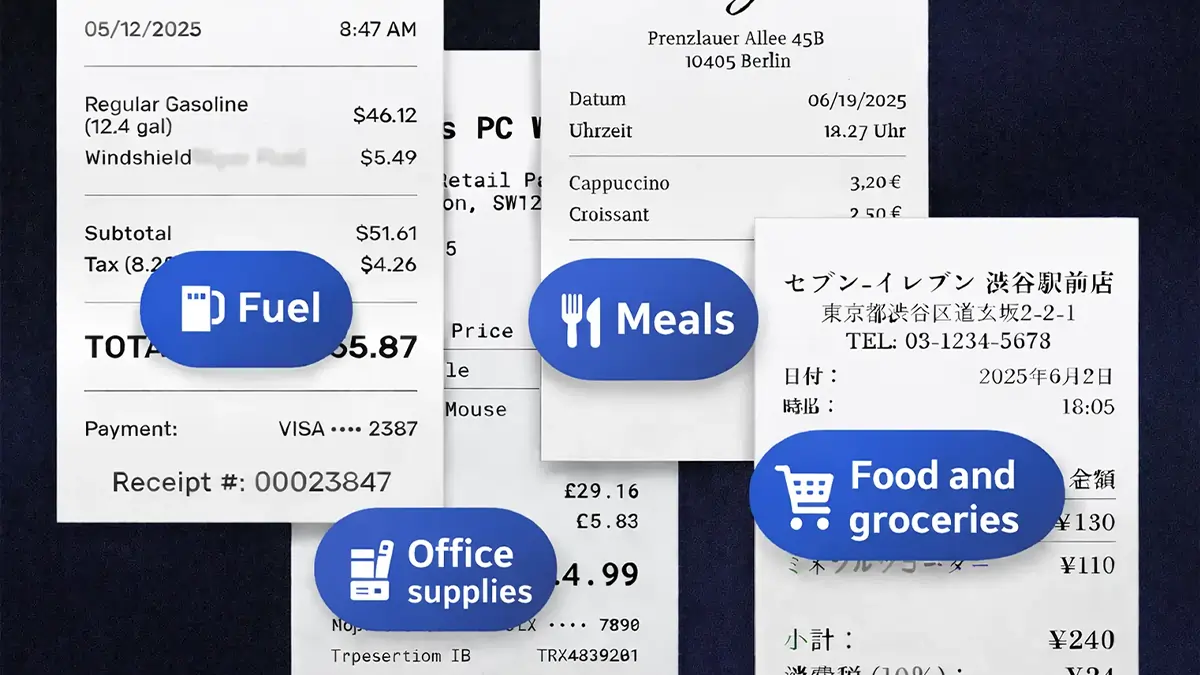
Yes. The Epson ES-50 lists OCR for searchable PDFs and editable Word and Excel files. Other models use receipt or document recognition to extract information into fields, which can be more useful than a searchable image alone.
Is a portable scanner enough for receipts?
A portable scanner is enough when you process a few receipts at a time and want to capture them immediately. The Epson ES-50 and Brother DS-640 are designed for that style of use. A desktop scanner with an automatic feeder is a better fit for a large backlog.
Do receipt scanners scan both sides?
Some do. The Canon imageFORMULA R10, Epson RapidReceipt RR-620W, ScanSnap iX2500, and NeatDesk Home Office list one-pass or two-sided scanning capabilities. The ES-50 and DS-640 are single-sheet models without duplex scanning listed.
Can these scanners send receipts to accounting software?
The Epson RR-620W lists integration with QuickBooks, TurboTax, and Excel. The ScanSnap iX2500 is configured for receipt and invoice processing and can send receipts into QuickBooks. The NeatDesk Macintosh lists exports to Quicken, Excel, and PDF.
Are wireless receipt scanners better than USB models?
Wireless models are more convenient when several devices or users need access, and they can send scans to cloud services without the same cable routine. USB models are often simpler for one computer and can be easier to carry. The better choice depends on where the scanning happens and how many devices need the files.
Can a flatbed scanner organize a receipt archive?
A flatbed scanner can digitize receipts, but the process is usually one item at a time. The Canon CanoScan LiDE 300 is more flexible for images and unusual originals, while a sheet-fed model is better for a large receipt archive.
Are older NeatDesk models suitable for a new computer?
Compatibility should be checked carefully. The NeatDesk Macintosh is designed for OS X and lists a DVD-ROM format, while the Home Office model lists a CD-ROM format. Buyers should confirm that the included software and installation media support the operating system on their computer.
The bottom line
The ScanSnap iX2500 Receipt Edition is the strongest all-around choice for the Best receipt scanner and organizer because it combines receipt-specific extraction, a 100-sheet feeder, fast duplex scanning, wireless connectivity, and a touchscreen workflow. The Epson RapidReceipt RR-620W is close behind and may be the better fit for users whose records already live in QuickBooks, TurboTax, or Excel.
For smaller jobs, the Epson ES-50 is the easiest compact choice, while the Canon imageFORMULA R10 adds a feeder and duplex scanning without becoming a full desktop appliance. The NeatDesk models remain relevant only when their older filing software fits the computer and workflow.
If you are undecided, choose the ScanSnap for recurring receipt batches, the Epson ES-50 for portability, and the Canon R10 for a compact setup that still needs duplex scanning.
As an Amazon Associate we earn from qualifying purchases.