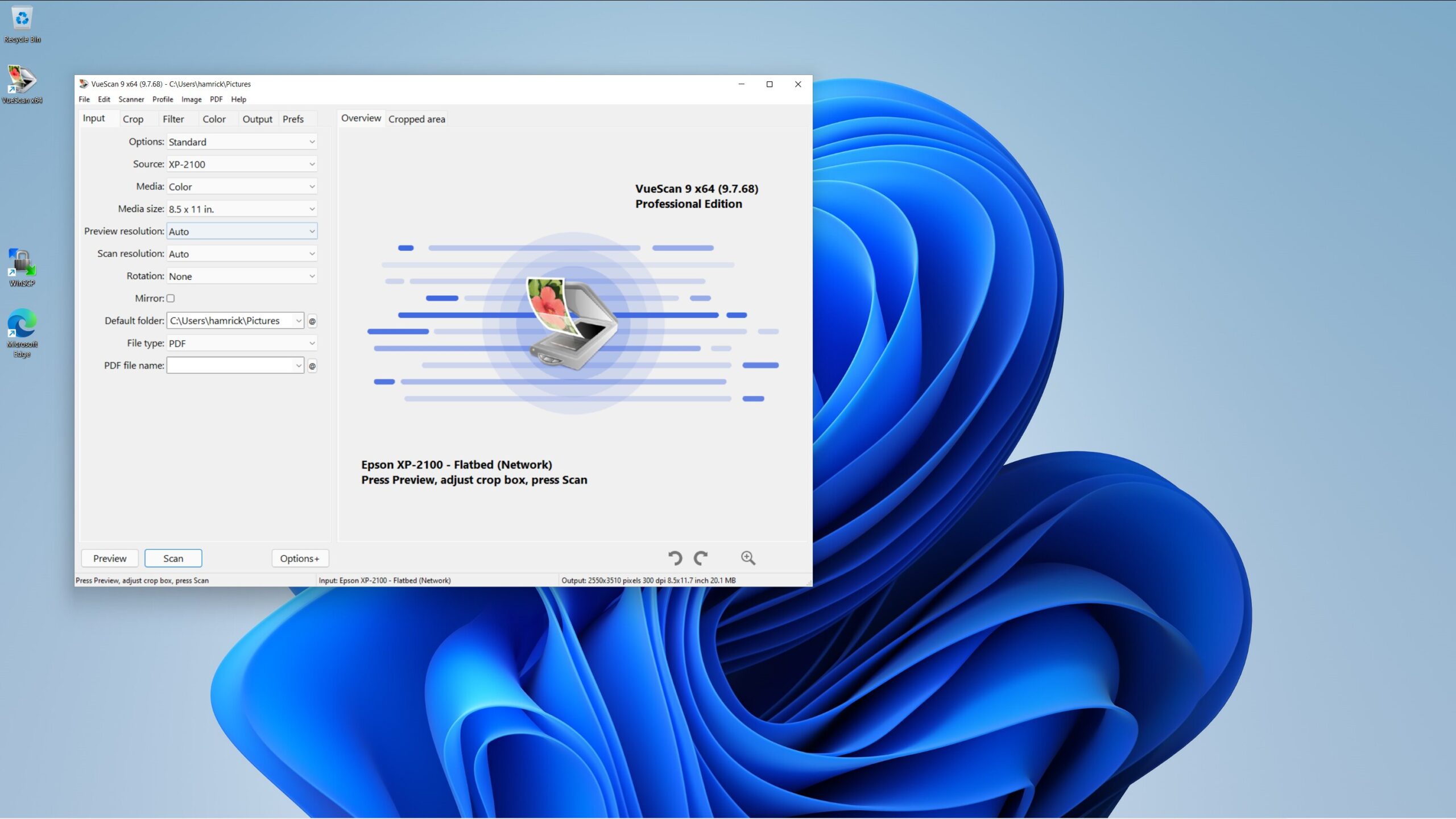

A Windows 11 scanner can mean very different things. You might need to digitize an oversized book, feed a stack of paperwork, read warehouse barcodes, or replace a password with a fingerprint. Choosing by the word “scanner” alone is a reliable way to end up with the wrong kind of device.
Our guide to the best scanners for Windows 11 separates those jobs instead of pretending a fingerprint reader and an A3 flatbed belong in the same lane. VIISAN 3120 A3 Flatbed Scanner is the best pick for demanding document and image work, while the Kensington VeriMark Desktop 2.0 is the strongest choice for Windows Hello login. The rest cover high volume paperwork, portable scanning, inventory work, and simple desktop security.
Comparison table
| # | Product | Award | Type | Key capability | Windows 11 support | Best for |
|---|---|---|---|---|---|---|
| 1 | VIISAN 3120 A3 Flatbed | Best overall | A3 flatbed | 1200 x 1200 dpi, 8 seconds at 200 dpi | Windows 7 to 11 | Books, artwork, and oversized pages |
| 2 | Arrvel I17J Rugged Tablet | Best for warehouse work | Windows tablet with barcode scanner | Honeywell 1D and 2D scan engine | Windows 11 Pro | Inventory, retail, and field work |
| 3 | MTAKYA USB Fingerprint Reader | Best simple fingerprint reader | USB biometric reader | Match in sensor, up to 10 fingerprints | Windows 10 and 11 | Shared household PCs |
| 4 | Plustek PS186 | Best for searchable paperwork | Desktop document scanner | 50 page ADF and OCR | Windows 7 to 11 | Home offices and records |
| 5 | Kensington VeriMark Desktop 2.0 | Best premium Windows Hello reader | USB biometric reader | ESS, SDCP, USB C, and USB A | Windows 11 | Secure desktop sign in |
| 6 | Plustek PS188 | Best for two sided batches | Duplex document scanner | 30 pages per minute, 50 page ADF | Windows 7 to 11 | Repeated office scanning |
| 7 | Kensington VeriMark Desktop 1.0 | Best for FIDO flexibility | USB biometric reader | Windows Hello, FIDO U2F, and FIDO2 | Windows 10 and 11 | Mixed login and security tasks |
| 8 | Plustek S410 Plus | Best portable document scanner | USB sheet fed scanner | OCR and automatic button free scanning | Windows 7 to 11 | Mobile paperwork |
| 9 | Kensington VeriMark IT 2.0 | Best compact USB C reader | USB C biometric key | ESS and 360 degree recognition | Windows 11, x86 and ARM | Newer Windows laptops |
| 10 | JIAN BOLAND USB Fingerprint Reader | Best for shared Windows PCs | USB biometric reader | Up to 10 fingerprints | Windows 10 and 11 | Family and shared workstations |
1. VIISAN 3120 A3 Flatbed: Best Overall

Pros
- Handles large books, artwork, and documents
- 1200 x 1200 dpi optical resolution
- Automatic scanning when the lid closes
- Four dedicated workflow buttons
- Frameless design accommodates thick material
Cons
- CIS sensor is intended for flat items
- Windows WIA scanning is limited to 600 dpi
- Large footprint needs a permanent workspace
Best for: anyone who needs high resolution scans of books, artwork, photos, or oversized pages on a Windows 11 desktop.
The VIISAN 3120 A3 Flatbed is the one to choose when ordinary letter size scanning is too restrictive. Its large bed is built for documents up to 304 x 426 mm, which gives it room for books, magazines, painting albums, newspapers, and CAD drawings that simply will not fit comfortably on the Plustek document scanners. The frameless, narrow boundary design also makes it easier to position thick books and large pages without fighting a deep plastic rim.
Its headline performance is a 1200 x 1200 dpi optical resolution with 48 bit color depth. That matters most for artwork, photographs, and detailed printed material, where smoother gradients and fine texture are more useful than a quick archive scan. At 200 dpi, an A3 color scan is listed at eight seconds. The LED light source requires no warm up, so the scanner is ready when you are rather than making you wait through a lamp cycle.
The Auto Scan function starts when the lid closes, which is a small feature that becomes useful when you are working through a book or album. Four panel buttons handle scanning, email, printing, and single or multipage PDF creation. On Windows 11, it supports TWAIN and WIA drivers, but the distinction matters: WIA is limited to 600 dpi, while the supplied ViiScan software is needed for full 1200 dpi scans. Mac support is present too, although this roundup is focused on Windows.
The weakness is physical and optical. This is a large flatbed, not a compact desk accessory, and its CIS sensor is designed for flat paper images. The manufacturer specifically warns against scanning three dimensional items such as clothing, CDs, or acrylic sleeves because the results can be blurred. The PS188 is a better fit for stacks of loose office pages, and the S410 Plus is much easier to move. Pick the VIISAN 3120 when page size and image quality matter more than a small footprint.
2. Arrvel I17J Rugged Tablet: Best for Warehouse Work
Pros
- Honeywell N4680 engine reads 1D and 2D barcodes
- IP65 sealing and four foot drop protection
- Removable 5, 000mAh battery
- Battery free USB C operating mode
- Bright 700 nit display
Cons
- It is a rugged tablet, not a general purpose document scanner
- Larger and heavier to carry than a dedicated reader
- Barcode scanning is tied to a Windows tablet workflow
Best for: warehouse, retail, logistics, and field teams that need barcode capture alongside Windows software.
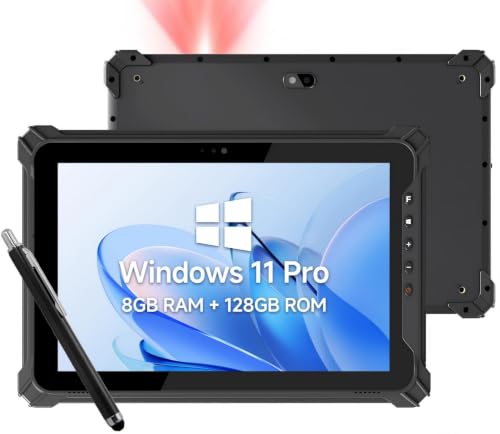
The Arrvel I17J Rugged Tablet belongs in a different part of this list, but it is a legitimate scanner for a Windows 11 workflow. Its built in Honeywell N4680 scan engine is designed to read 1D and 2D barcodes, including Code 128, UPC A, EAN 13, and PDF417. That makes it useful for inventory and asset tracking where the scanned code needs to move directly into an ERP, WMS, retail, or logistics application.
The tablet runs Windows 11 Pro on an Intel Celeron N5100 processor with 8GB of memory and 128GB of storage. Storage can be expanded to 512GB through an SD card. Those details make more sense here than they would on a normal scanner because this device is expected to run business software, capture records, and stay connected. Dual band Wi Fi, Bluetooth 5.0, and 4G LTE provide several ways to keep data moving, depending on the worksite.
Its 10.1 inch display reaches 700 nits, a useful specification for reading forms and inventory information outdoors. The IP65 rating protects against dust and water sprays, while the product is designed to withstand drops from four feet onto concrete. A removable 5, 000mAh battery is listed with up to eight hours of runtime, and the tablet can operate directly through USB C without a battery installed. That battery free mode makes particular sense for a mounted or fixed station.
The tradeoff is size and purpose. The Arrvel is overkill for scanning a receipt or signing into a home PC, and its tablet form adds bulk compared with a handheld barcode accessory. It also has no role in the photo and book work handled by the VIISAN 3120. Choose it when the scanner is part of a mobile Windows workstation, especially in a warehouse or field environment where protection, cellular connectivity, and on screen records matter as much as the scan engine.
3. MTAKYA USB Fingerprint Reader: Best Simple Fingerprint Reader

Pros
- Match in sensor processing
- Works through Windows Hello
- Supports up to 10 fingerprints
- Includes a four foot extension cable
- Angled surface encourages natural finger placement
Cons
- Windows 10 and 11 only
- Does not authenticate directly with websites or apps
- Requires Windows Hello to be enabled
Best for: people who want a straightforward fingerprint sign in device for a Windows 11 desktop or shared home computer.
The MTAKYA USB Fingerprint Reader is not a paper scanner, but it solves a common Windows 11 annoyance: repeatedly typing a password at a desktop keyboard. It is designed exclusively for Windows Hello on Windows 10 and 11 PCs, and its angled sensor gives a finger a more natural landing spot than a flat USB nub. The included four foot extension cable also lets you put the reader where your hand actually rests.
The important security feature is match in sensor processing. Fingerprint matching takes place inside the sensor, while the fingerprint data stays local to the computer. The device does not upload or sync fingerprint images, and it does not operate as a separate website authentication system. Windows Hello remains the layer that handles sign in, so the reader's usefulness depends on the Windows account and security settings already being configured correctly.
Up to 10 fingerprints can be stored. That is enough for several fingers on one person's account or for a shared household PC with multiple Windows user accounts. The plug and play design avoids third party software on official Windows systems, though Windows Hello may need a system update or configuration change if it is missing or disabled.
The limitation is narrow compatibility. This reader is explicitly for Windows 10 and 11, not Mac or Linux, and it cannot independently sign into a browser service. Kensington's VeriMark Desktop 2.0 is a more security focused choice with ESS and SDCP support, while the JIAN BOLAND reader offers similar shared computer appeal with a longer cable. The MTAKYA makes the most sense for a personal or family Windows desktop where simple local sign in is the entire job.
4. Plustek PS186: Best for Searchable Paperwork

Pros
- 50 page automatic document feeder
- Included OCR creates searchable PDFs
- Automatic rotation, cropping, deskew, and blank page removal
- Barcode based document categorization
- Sends files to FTP or a personal NAS
Cons
- Intel and AMD Windows computers only
- Not designed for books or thick originals
- No listed duplex speed advantage
Best for: home offices and small businesses turning recurring paper files into searchable digital records.
The Plustek PS186 is a practical office scanner for people who care about what happens after the page leaves the feeder. Its 50 page automatic document feeder is suited to invoices, forms, and routine paperwork, while the included OCR software turns scans into searchable PDFs rather than image files that sit uselessly in a folder. That distinction is central if you expect to retrieve a document by a word inside it months later.
Plustek's image processing tools handle automatic rotation, cropping, deskewing, and blank page removal. These are mundane features, but they reduce the cleanup that normally follows a batch scan. The scanner can also recognize 1D and 2D barcodes for automatic categorization, which could help when a filing system already uses barcode pages to separate records.
The software side is unusually configurable. Single Touch supports up to 255 favorite scan settings, so the same button can be assigned to different destinations and formats. Files can be sent as PDF, JPEG, TIFF, or PNG to an FTP server or personal NAS, and a driver is available from Plustek's website. It supports Windows 7, 8, 10, and 11 on Intel or AMD systems.
The PS186 is less compelling for a user who needs both sides of a page scanned in one pass. That is where the Plustek PS188 earns its place, with duplex scanning and a listed speed of 30 pages per minute. It also cannot replace the VIISAN 3120 for books, artwork, or oversized originals. Choose the PS186 when searchable archives, automatic cleanup, and repeatable filing workflows matter more than duplex throughput.
5. Kensington VeriMark Desktop 2.0: Best Premium Windows Hello Reader

Pros
- ESS and SDCP security certification
- Works with USB C and USB A
- On device fingerprint storage
- 360 degree recognition
- Supports Windows Hello and Microsoft 365 sign in
Cons
- More focused on security credentials than document scanning
- Wired placement is less flexible than a wireless accessory
- Enhanced security features require compatible Windows support
Best for: Windows 11 desktop users and organizations that want a more robust hardware isolated biometric sign in option.
The Kensington VeriMark Desktop 2.0 is the strongest fingerprint reader in this roundup for a security conscious Windows 11 desktop. Its major distinction is support for Microsoft's Enhanced Sign in Security and Secure Device Connection Protocol standards. Those certifications matter more in managed environments than at a casual home desk, but they give administrators a clearer security story than a generic Windows Hello accessory.
The reader supports both USB C and USB A, so it can move between a newer laptop dock and a traditional desktop without an adapter hunt. Fingerprint data stays on the device, and processing is handled on the reader rather than sending biometric information elsewhere. Kensington also specifies 360 degree fingerprint recognition, which should make finger placement less fussy during routine sign in.
Windows Hello handles password free access to Windows and Microsoft 365 accounts. The hardware is compact, measuring about 1.14 inches in both height and width, and weighs about 0.13 pounds. That small footprint makes it easy to keep beside a keyboard, though it is still a wired desktop reader rather than something intended to disappear into a laptop.
The Desktop 1.0 model below offers FIDO U2F and FIDO2 support and has a long cable, but it does not have the newer Desktop 2.0 security positioning or dual USB connector support. The VeriMark IT 2.0 is smaller and supports Windows 11 on ARM, making it more interesting for newer ultraportables. Pick the Desktop 2.0 for a Windows 11 workstation where certified security, flexible ports, and on device processing matter more than the smallest possible form.
6. Plustek PS188: Best for Two Sided Batches

Pros
- Scans both sides at once
- Listed speed of 30 pages per minute
- 50 page automatic document feeder
- Barcode numbers can become filenames
- Supports cards through long documents
Cons
- More scanner than a light paperwork user needs
- Feeder based design is not suitable for books
- Software setup takes time for advanced profiles
Best for: offices that repeatedly scan two sided forms, invoices, and mixed document batches.
The Plustek PS188 is the document scanner to choose when paper arrives in batches and much of it is printed on both sides. Its duplex design scans both sides at the same time, with a listed throughput of 30 pages per minute. That saves the manual page flipping that makes a basic feeder feel slow during a long archive project.
A 50 sheet automatic document feeder keeps the workflow moving, and the paper handling is broader than ordinary office sheets. Plustek lists support for cards and documents up to 200 inches long, giving the PS188 more flexibility for receipts, forms, and unusual originals. It is still a sheet fed machine, so bound books and delicate flat artwork belong on the VIISAN 3120 instead.
The software provides up to 255 customizable scan profiles. A profile can store the resolution, file size, format, and destination, then launch the complete task with a button press. Barcode recognition can also save the barcode number as the filename, which is a useful bridge between physical filing systems and digital folders. Its embedded file search engine is intended to help locate words inside scanned records.
The PS186 is a better fit for users who want OCR and automatic image cleanup without specifically needing duplex work. The PS188 is the more capable batch tool, but that capability brings a little more setup and a larger commitment to an organized workflow. Choose it for recurring two sided documents, not for occasional single pages or photos.
7. Kensington VeriMark Desktop 1.0: Best for FIDO Flexibility

Pros
- Windows Hello and Windows Hello for Business support
- FIDO U2F and FIDO2 compatibility
- Match in sensor processing
- 360 degree readability
- Long 3.9 foot USB cable
Cons
- Windows ARM computers are not supported
- Older design than the Desktop 2.0
- Website support depends on the service using compatible standards
Best for: users who want one wired reader for Windows sign in and compatible web authentication.
The Kensington VeriMark Desktop 1.0 remains interesting because it goes beyond Windows Hello. It supports FIDO U2F and FIDO2 WebAuthn, which opens the door to passwordless, multifactor, and tap and go authentication on services that support those standards. That makes it a more versatile security key than a reader that only supplies biometric input to the Windows login screen.
Its match in sensor technology processes the fingerprint inside the reader, with encrypted end to end security and anti spoofing technology. Kensington lists 360 degree readability, so the sensor does not require the finger to arrive at one exact angle. The listed false rejection and false acceptance figures are security specifications, but they should not be mistaken for a promise that every finger will authenticate perfectly in every condition.
Windows Hello certification includes Windows Hello for Business, and the reader also works with Microsoft services including Office365, Microsoft Entra ID, and Outlook. The 3.9 foot USB cable is long enough to put the sensor beside a monitor or keyboard rather than leaving it dangling from a rear port. The device measures 5.2 inches long and 4.6 inches wide, so it is less discreet than the tiny VeriMark IT 2.0.
The biggest compatibility warning is Windows ARM support, which is not available here. The newer Desktop 2.0 adds USB C and USB A compatibility plus ESS and SDCP positioning, while the MTAKYA is simpler if all you need is local Windows Hello. Choose the Desktop 1.0 when FIDO support and flexible desktop placement are more important than having the newest Kensington hardware.
8. Plustek S410 Plus: Best Portable Document Scanner
Pros
- Bus powered through USB
- Weighs less than one pound
- Handles letter, legal, cards, IDs, invoices, and receipts
- Automatic button free scanning
- OCR exports searchable PDF, Word, and Excel files
Cons
- Sheet fed design cannot scan books
- Requires a Windows computer
- Better for individual pages than large batches
Best for: mobile workers who need to capture receipts, forms, cards, and other loose pages away from a permanent office.
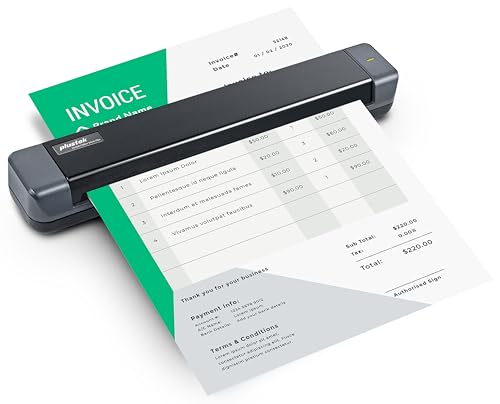
The Plustek S410 Plus is the easiest document scanner here to take with you. It is bus powered, so there is no battery or external power supply to pack, and its listed weight is less than one pound. The slim body is built around loose pages rather than a glass bed, making it a natural companion for field paperwork, receipts, invoices, and business cards.
Its automatic button free scanning is the defining convenience. Once connected to a Windows computer, it processes the page and saves it to the designated folder without requiring a physical button press or a click for every sheet. That is a modest improvement for one page, but it becomes much more pleasant when you are digitizing receipts during a trip or clearing a small stack at a temporary desk.
Paper handling includes letter and legal documents, business cards, plastic ID cards, invoices, and receipts. Plustek DocAction adds OCR, allowing scans to become searchable PDFs or editable Word and Excel files. Files can be saved to the local computer, an FTP destination, or a shared folder. If your work depends on a computer that travels with you, the questions to settle before choosing a portable scanning setup can help clarify whether a sheet fed model fits your routine.
The S410 Plus cannot compete with the PS188 for a high volume two sided archive, and it has no chance against the VIISAN 3120 for bound books or artwork. Its value is mobility, not broad media support. Choose it when the scanner needs to fit in a bag, run from a laptop USB connection, and turn scattered paper into searchable files wherever you are.
9. Kensington VeriMark IT 2.0: Best Compact USB C Reader

Pros
- Supports Windows 11 on x86 and ARM
- ESS and SDCP certification
- 360 degree fingerprint sensor
- Match in sensor processing
- Very small USB C form
Cons
- USB C connection limits older desktop compatibility
- Latest Windows 11 updates are required for enhanced security
- Tiny form can be awkward on a crowded port
Best for: Windows 11 laptop users who need a compact biometric key, especially on ARM based systems.
The Kensington VeriMark IT 2.0 is the smallest and most laptop friendly fingerprint reader in the group. It plugs directly into USB C and measures less than an inch in each dimension, so it avoids the cable and desktop footprint of the VeriMark Desktop models. That makes it a good fit for a Windows 11 laptop that lacks a built in fingerprint reader.
Its standout compatibility detail is support for Windows 11 on both x86 and ARM architectures. That separates it from the VeriMark Desktop 1.0, which does not support Windows ARM computers. It is certified for Enhanced Sign in Security and Secure Device Connection Protocol, although those enhanced Windows features require a Windows 11 PC with the latest updates.
Kensington uses match in sensor processing and a 360 degree fingerprint sensor, with AI enhanced accuracy listed among its features. The device supports Windows Hello and WebAuthn for password free login, while on device processing keeps biometric information within the key. The small dimensions are convenient for travel, but they also mean you need an available USB C port with enough clearance around it.
The Desktop 2.0 is easier to position at a traditional desk because it supports both USB C and USB A, and the MTAKYA includes an extension cable for flexible placement. The VeriMark IT 2.0 is the better specialist choice for a current USB C laptop or an ARM based Windows 11 machine. If your computer has only USB A ports, skip it and choose a desktop reader with the connector you already use.
10. JIAN BOLAND USB Fingerprint Reader: Best for Shared Windows PCs

Pros
- Windows Hello integration without third party software
- Stores up to 10 fingerprints
- Includes a five foot braided extension cable
- Aluminum alloy sensor housing
- Supports Windows 10 and 11 in 32 bit and 64 bit versions
Cons
- Windows focused and not designed for Mac or Linux
- Website authentication still depends on Windows Hello and service support
- No USB C support is listed
Best for: families, shared workstations, and Windows users who want several people to sign in by fingerprint.
The JIAN BOLAND USB Fingerprint Reader is aimed at the shared computer problem. It integrates with Windows Hello, stores up to 10 fingerprints, and is intended to let multiple users reach their own Windows accounts without typing a password every time. A five foot braided USB extension cable gives it more placement flexibility than a reader that must sit directly beside the PC.
The product supports Windows 10 and 11 in both 32 bit and 64 bit versions. It is designed as a plug and play device for genuine Windows systems, with no third party software required. The manufacturer also describes an available driver update for custom Windows builds, which may be useful if automatic recognition does not work as expected.
Its sensor housing uses aluminum alloy, and the reader is positioned as a device for regular use in offices, homes, and shared workstations. The listed authentication time is under half a second, while the advertised false acceptance and rejection figures describe the manufacturer's security targets. As with the other readers here, the practical sign in experience still depends on Windows Hello enrollment and the condition of the user's finger.
The MTAKYA reader offers similar support for 10 fingerprints and match in sensor processing, with a slightly more deliberately angled surface. Kensington's VeriMark Desktop 1.0 is the stronger pick if FIDO U2F and FIDO2 web authentication are priorities. Choose JIAN BOLAND for a conventional Windows 10 or 11 shared PC where the long cable, broad account support, and simple fingerprint sign in are the main requirements.
How to choose best scanners for windows 11
The right scanner starts with the material or credential you need to capture. A flatbed, document feeder, barcode tablet, and fingerprint reader solve separate problems, so compare capability before comparing convenience.
Scanner type
Flatbeds are the right design for books, photos, artwork, and pages that cannot be fed through rollers. The VIISAN 3120 is the only model here built around oversized A3 material and a large glass scanning area. Sheet fed models such as the Plustek S410 Plus and PS188 are better for loose pages, but they cannot scan a bound book without separating its pages.
Barcode scanners are a separate category again. The Arrvel I17J combines a barcode engine with a Windows tablet, which is useful when scanning must feed directly into inventory or enterprise software. Fingerprint readers do not digitize paper at all. They capture biometric input for Windows Hello and compatible authentication systems.
Paper capacity and throughput
An automatic document feeder reduces the work of scanning a stack. The PS186 and PS188 both accept up to 50 sheets, while the PS188 adds duplex capture and a listed speed of 30 pages per minute. That makes it the stronger option for two sided forms and recurring batches.
A portable scanner is judged differently. The S410 Plus is bus powered and weighs less than one pound, so it is easier to carry than a desktop feeder. It is a better fit for scattered receipts and occasional forms than for a large archive. If your documents already live across several computers, how to keep scanning workflows consistent across devices is worth considering before you choose a permanent setup.
Resolution and image handling
Resolution matters most when the original contains fine detail. The VIISAN 3120 reaches 1200 x 1200 dpi optical resolution and 48 bit color depth, making it the obvious choice for artwork and photographs in this group. For ordinary text, higher resolution alone does not guarantee a better workflow. OCR, deskew, blank page removal, and reliable file naming can matter more.
The PS186 includes OCR and automatic image adjustments, while the PS188 adds barcode based filenames and customizable scan profiles. Look for software that matches the way you store documents, not just a large resolution number on the box.
Windows compatibility
Check the exact Windows support before buying. The VIISAN 3120 supports Windows 7 through 11, but its WIA driver is limited to 600 dpi and full resolution requires ViiScan software. The Plustek PS186 specifies Intel and AMD Windows computers, while the Kensington VeriMark Desktop 1.0 does not support Windows ARM.
The VeriMark IT 2.0 is the exception among the biometric models, supporting Windows 11 on x86 and ARM. For broader PC planning, the hardware details that matter most for a Windows 11 computer can help identify port and processor compatibility before the scanner arrives.
Buy for the kind of thing you scan most often, not for the word scanner printed largest in the product title.
Security and authentication
Fingerprint readers should be judged by their Windows Hello compatibility, processing method, connector, and supported authentication standards. Match in sensor processing keeps biometric matching on the reader, while ESS and SDCP support adds a stronger hardware isolated security position on Kensington's newer models.
FIDO U2F and FIDO2 matter if the reader will authenticate with compatible websites or enterprise services. A simple Windows Hello reader is enough for local PC login, but it should not be assumed to work directly with every website. The service and operating system must support the relevant authentication flow.
Frequently asked questions
What is the best scanner for books and oversized pages on Windows 11?
The VIISAN 3120 A3 Flatbed is the best fit in this group. Its flatbed accommodates material up to 304 x 426 mm, and its frameless design helps with books, magazines, artwork, and other large originals. Its CIS sensor is intended for flat items, not three dimensional objects.
Which scanner is best for a large stack of office documents?
The Plustek PS188 is the strongest choice for repeated batches because it has a 50 sheet feeder, duplex scanning, and a listed speed of 30 pages per minute. The Plustek PS186 is a good alternative when OCR, image cleanup, and filing features matter more than scanning both sides at once.
Do fingerprint scanners work with Windows 11?
The fingerprint readers in this roundup are designed to work through Windows Hello on compatible Windows systems. Windows Hello must be enabled and configured, and some devices have specific limitations. For example, the VeriMark Desktop 1.0 does not support Windows ARM, while the VeriMark IT 2.0 supports Windows 11 on x86 and ARM.
Can a fingerprint reader sign into websites?
Some can support website authentication through FIDO U2F or FIDO2 WebAuthn, but only when the website or service supports those standards. A basic Windows Hello reader does not independently sign into websites. The operating system and the service control the authentication experience.
Which Windows 11 scanner is easiest to travel with?
The Plustek S410 Plus is the most portable document scanner here. It is bus powered, weighs less than one pound, and handles loose documents, receipts, cards, and IDs. It is not suitable for books or large batches.
What should warehouse workers choose?
The Arrvel I17J is the appropriate choice for warehouse, retail, inventory, and field work. Its Honeywell N4680 engine reads 1D and 2D barcodes, while Windows 11 Pro, a bright 10.1 inch display, cellular connectivity, and rugged protection support the wider workflow.
Do these scanners need extra software?
Several work with Windows drivers or Windows Hello, but advanced features may need the manufacturer's software. The VIISAN 3120 requires ViiScan for full 1200 dpi operation, and the Plustek models use software for OCR, scan profiles, filing, and image processing. Fingerprint readers depend primarily on Windows Hello enrollment and system support.
The bottom line
The Best scanners for Windows 11 are not one uniform product type, but the VIISAN 3120 A3 Flatbed is the clear top pick for books, artwork, photographs, and oversized pages. For office batches, the Plustek PS188 is the better specialist because its duplex feeder and customizable profiles reduce repetitive work.
If the goal is password free access rather than paper capture, choose the Kensington VeriMark Desktop 2.0 for a secure desktop or the VeriMark IT 2.0 for a USB C Windows 11 laptop, including ARM based systems. The Arrvel I17J is the right choice only when barcode scanning and a rugged Windows tablet need to operate together.
If you are still undecided, identify the material you need to scan first, then choose the scanner type built specifically for that job.
As an Amazon Associate we earn from qualifying purchases.