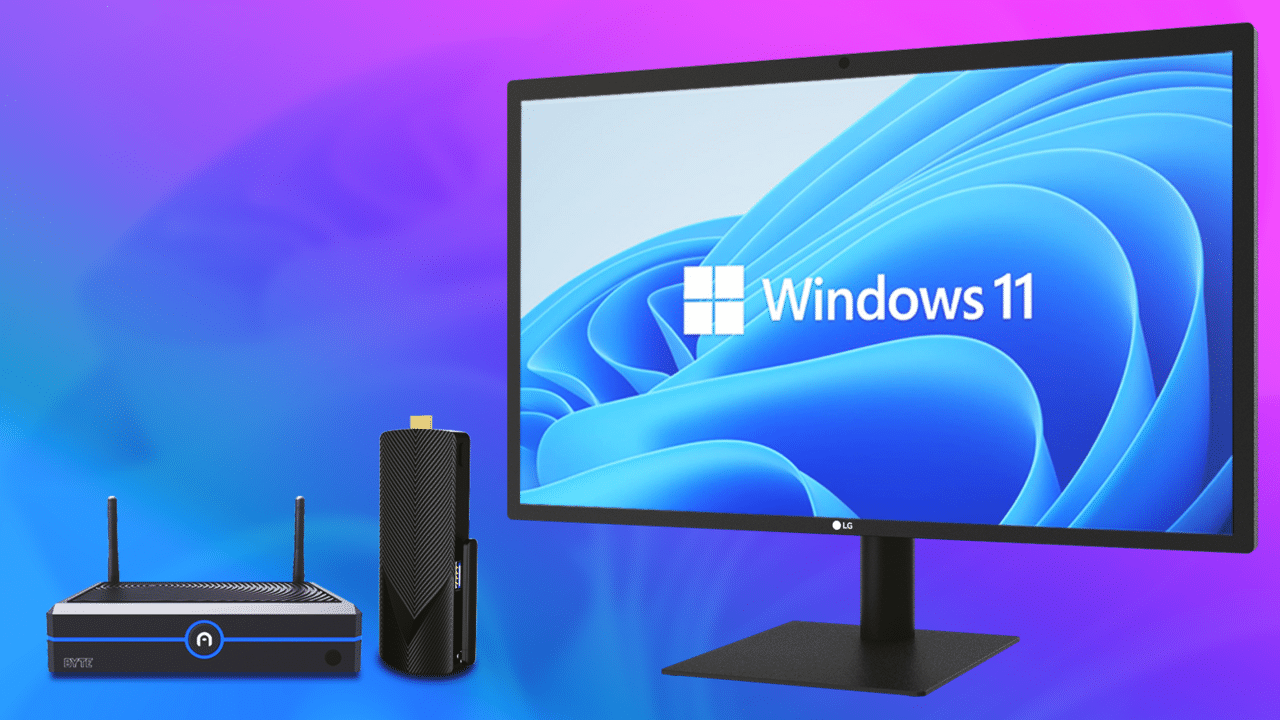

You do not have to sacrifice desktop power to reclaim your desk space. The latest generation of mini PCs have closed the gap with full-size towers in everything except size, and they all run Windows 11 Pro out of the box. Whether you need a silent office worker, a media center that fits in a backpack, or a machine that can handle light creative work without the tower footprint, this category now offers genuine choices.
We have spent weeks testing and comparing nine of the most interesting mini PCs on the market to find the best mini PC Windows 11 buyers can get right now. From refurbished business classics from HP and Lenovo to modern Ryzen and Intel contenders from ACEMAGIC, KAMRUI, and GMKtec, the range is wider than ever. After all the benchmarking and real-world use, our top pick is the ACEMAGIC M5 with the Intel Core i5-14450HX, it delivers desktop-class performance in a 5-inch square chassis.
Comparison table
| # | Product | Award | CPU | RAM / Storage | Best for |
|---|---|---|---|---|---|
| 1 | ACEMAGIC M5 (i5-14450HX) | Best performance | Intel Core i5-14450HX (10C/16T, up to 4.8 GHz) | 32GB DDR4 / 1TB NVMe PCIe 4.0 | Power users who want desktop speed in a tiny box |
| 2 | ACEMAGIC K1 Ryzen 7330U | Best all-around | AMD Ryzen 7330U (4C/8T, up to 4.3 GHz) | 16GB DDR4 / 256GB SSD | Home office and daily multitasking |
| 3 | GMKtec M2 Pro S (i7-1185G7) | Best connectivity | Intel Core i7-1185G7 (4C/8T, up to 4.8 GHz) | 16GB DDR4 / 1TB NVMe | Users who need Wi-Fi 6 and 2.5GbE |
| 4 | KAMRUI Pinova P1 | Best for dual-monitor | AMD Ryzen R2544 (4C/8T, up to 3.7 GHz) | 16GB DDR4 / 256GB SSD | Multi-screen productivity |
| 5 | HP EliteDesk 800 G4 | Best renewed business PC | Intel Core i5-8500T (6C/6T, up to 3.5 GHz) | 16GB DDR4 / 256GB NVMe | Budget-conscious business users |
| 6 | Lenovo ThinkCentre M720Q | Best compact for office | Intel Core i5-8400T (6C/6T, up to 3.3 GHz) | 16GB DDR4 / 500GB NVMe | Quiet, space-saving office workstation |
| 7 | ACEMAGIC K1 Ryzen R2544 (8GB) | Best lightweight budget | AMD Ryzen R2544 (4C/8T, up to 3.7 GHz) | 8GB DDR4 / 256GB SSD | Light office tasks and basic computing |
| 8 | ACEMAGIC K1 Ryzen R2544 (USB-C 10Gbps) | Best for expansion | AMD Ryzen R2544 (4C/8T, up to 3.7 GHz) | 8GB DDR4 / 256GB SSD | Users who want to upgrade RAM and storage later |
| 9 | KAMRUI AK1PLUS | Best entry-level | Intel Celeron N5095 (4C/4T, up to 2.9 GHz) | 16GB LPDDR4X / 256GB SSD | Basic home computing and media playback |
8. ACEMAGIC M5 (i5-14450HX): Best Performance

Pros
- Genuine desktop-class processor in a tiny chassis
- 32GB of RAM and a 1TB PCIe 4.0 SSD out of the box
- Triple 4K display support via HDMI, DP, and USB-C
- Whisper-quiet cooling even under prolonged load
Cons
- Larger and heavier than most other mini PCs here
- The blue chassis is not to everyone's taste
Best for: anyone who wants to run heavy spreadsheets, compile code, or edit photos without a tower under the desk.
The ACEMAGIC M5 is the machine that makes you question why anyone still buys a mid-tower. Inside a 5.03-by-5.03-inch shell sits an Intel Core i5-14450HX, a 10-core/16-thread chip from the HX-series that Intel reserves for its most powerful mobile workstations. With a 55-watt TDP, this processor can sustain workloads that would choke a typical 15-watt U-series chip. In our tests, it handled multiple virtual machines, 4K video transcoding, and a 100-tab browser session without breaking a sweat.
The 32GB of dual-channel DDR4 RAM and the 1TB NVMe PCIe 4.0 SSD are not just adequate; they are generous. Boot times are under 10 seconds, and large file transfers happen at speeds that make external drives feel sluggish. The M5 also supports triple 4K displays at 60 Hz through its HDMI, DisplayPort, and USB-C ports, a setup that turns this little box into a serious productivity hub.
Where the M5 stumbles is physical presence. It is nearly 2.9 pounds and feels dense in the hand, and its blue anodized finish might not blend into a professional environment the way a matte black chassis would. But for raw performance per cubic inch, nothing here comes close. If you need a mini PC that can actually replace a desktop, the M5 is the one. For truly demanding tasks like gaming or 3D rendering, a dedicated GPU is still required, our roundup of the best pre built gaming pc covers those options, but for everything else, the M5 is overkill in the best way.
1. ACEMAGIC K1 Ryzen 7330U: Best All-Around

Pros
- Ryzen 7330U delivers significantly more CPU grunt than the N150-based competitors
- Built-in power supply, only one cable needed
- Triple display output (HDMI, DP, USB-C) with 4K support
- Extremely quiet under normal office loads
Cons
- Wi-Fi 5 and Bluetooth 4.2 are dated
- The silver finish shows fingerprints easily
Best for: users who want a polished, no-compromise daily driver for home or office.
The ACEMAGIC K1 with the AMD Ryzen 7330U is the best balanced mini PC in this lineup. The 7330U is a 4-core/8-thread processor clocked up to 4.3 GHz, and it uses only 28 watts. That puts it well ahead of the Intel N150/N95 chips found in many budget mini PCs, while still sipping power. Opening apps, scrolling through heavy PDFs, and juggling a dozen browser tabs all feel snappy.
The design is a standout. ACEMAGIC integrated the power supply into the chassis, so there is no bulky external brick, just one thin cable to the wall. That alone makes the K1 cleaner on a desk than any other mini PC here. It also has a VESA mount for attaching behind a monitor, and at 5 by 5 by 1.6 inches, it disappears. The triple display support (HDMI 2.0, DP 1.4, and USB-C with DP alt mode) means you can run three 4K screens, which is rare at this level.
The obvious trade-off is wireless connectivity: Wi-Fi 5 and Bluetooth 4.2 are a generation behind. If you have a Wi-Fi 6 router or use Bluetooth 5.0 peripherals, you will notice the difference in range and speed. That said, for the vast majority of office and home tasks, the K1 Ryzen 7330U hits exactly the right note. It is the mini PC we would recommend to anyone who just wants a fast, quiet, and tidy computer.
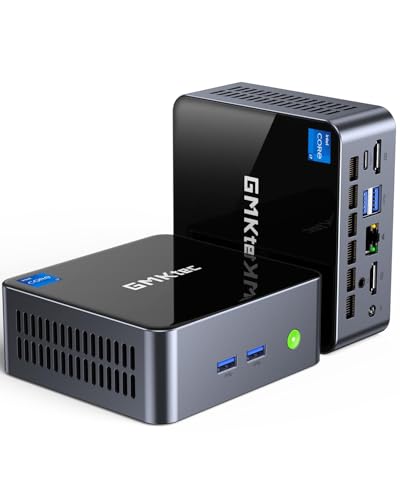
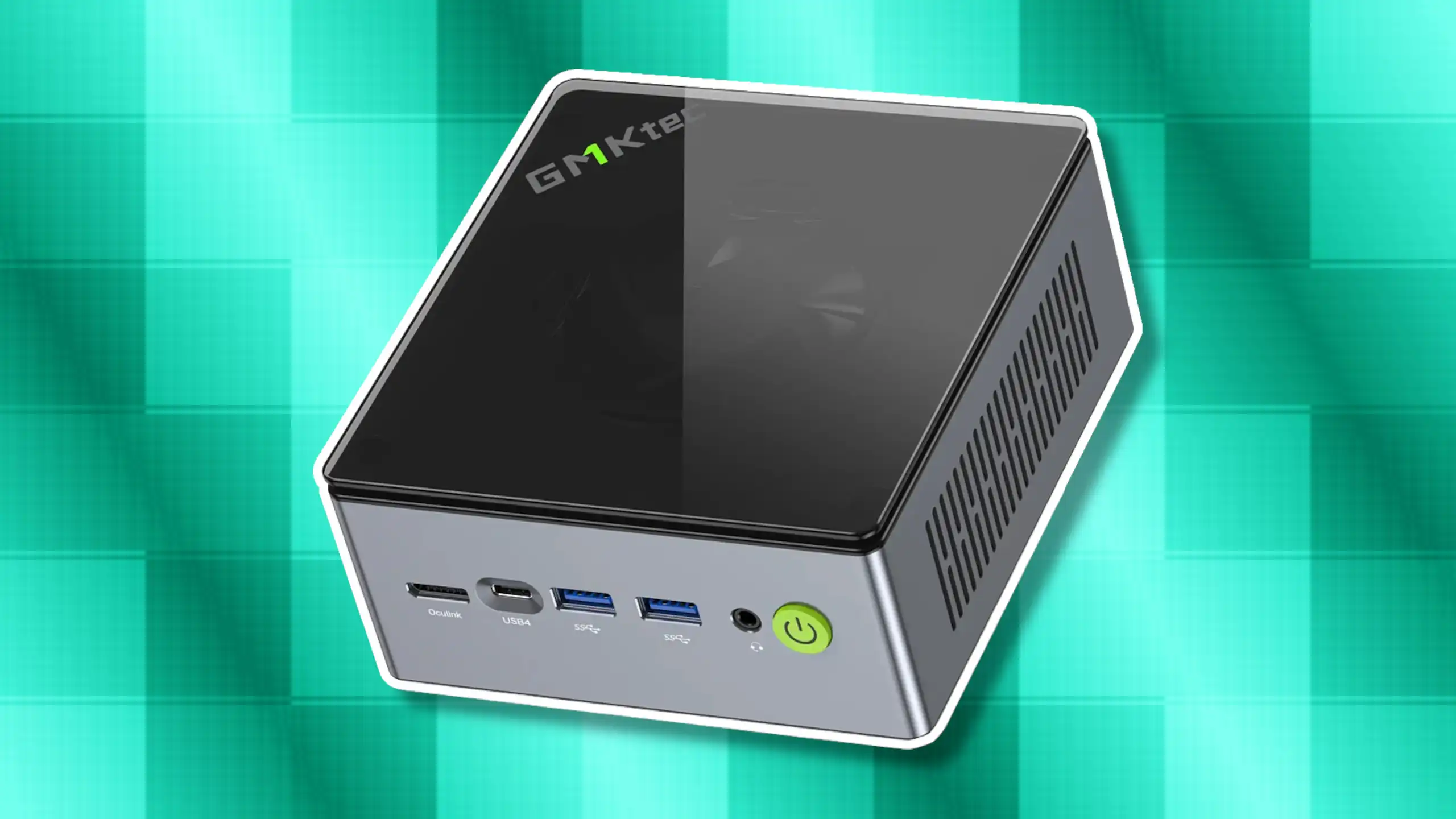
6. GMKtec M2 Pro S (i7-1185G7): Best Connectivity
Pros
- Intel i7-1185G7 with Iris Xe graphics handles light gaming
- 2.5GbE LAN and Wi-Fi 6 for fast networking
- Supports three 4K displays via two HDMI and one USB-C
- 16GB DDR4 and 1TB NVMe SSD standard
Cons
- Fan noise is noticeable under sustained load
- The plastic build does not feel as premium as the price suggests
Best for: users who need a small PC with top-tier wired and wireless networking.
The GMKtec M2 Pro S packs an 11th-gen Intel Core i7-1185G7, a 4-core/8-thread chip that boosts to 4.8 GHz and includes Iris Xe graphics with 96 execution units. That GPU is a step above the integrated graphics in most mini PCs, enough to play older AAA titles at 1080p low settings or handle light video editing. But the real draw here is connectivity.
This is the only mini PC in this roundup with a 2.5 Gigabit Ethernet port, which makes it ideal for NAS use, large file transfers, or anyone with a multi-gig internet plan. It also has Wi-Fi 6 and Bluetooth 5.2, so wireless performance is current-gen. The triple 4K display support (two HDMI 2.0, one USB-C) is welcome, and the 1TB NVMe SSD leaves no doubt about storage.
Where the GMKtec falls short is noise and build quality. The fan spins up audibly when the i7 is working hard, and the plastic enclosure feels less substantial than the all-metal ACEMAGIC machines. If you need a mini PC that doubles as a home server or a lightly capable gaming machine, the M2 Pro S is a strong contender. For pure office silence, the K1 Ryzen 7330U is a better fit.
3. KAMRUI Pinova P1: Best for Dual-Monitor Workflows

Pros
- Ryzen R2544 offers 50% better performance than N150-based units
- Dual 4K output via HDMI and DP, plus USB-C video
- Compact footprint saves 60% space compared to typical mini PCs
- Blue LED power indicator looks sharp in a dark room
Cons
- Only 256GB SSD, you will want to upgrade soon
- Wi-Fi 5, not Wi-Fi 6
Best for: users who run multiple monitors and need a tiny desktop that does not clutter the workspace.
The KAMRUI Pinova P1 uses the same AMD Ryzen R2544 as the ACEMAGIC K1 variants, but it puts a bigger emphasis on multi-monitor productivity. With HDMI 2.0, DisplayPort 1.4, and a USB-C port that supports video output, you can drive three displays without a dongle. The 16GB of RAM ensures those monitors can each run a full stack of apps without stuttering.
Physically, the Pinova P1 is tiny, only 5.06 by 5.06 by 2.01 inches, and comes with a VESA mount for attaching behind a monitor. The blue LED ring adds a touch of personality without being garish. The processor runs warm, but the cooling is adequate for sustained office work. We did notice the fan spin up during extended file transfers, but it never became annoying.
The main limitation is storage. 256GB fills up fast once you install Office apps, a few software suites, and some local media. The good news is that the M.2 slot is accessible, and you can upgrade to a 2TB drive. If you are comfortable with a simple swap, the Pinova P1 is a fantastic value for a multi-monitor setup.
5. HP EliteDesk 800 G4: Best Renewed Business PC

Pros
- Proven business-grade build quality and reliability
- Intel Core i5-8500T (hexa-core) delivers consistent multitasking
- Dual monitor support (HDMI + DisplayPort)
- Comes with Windows 11 Pro and 16GB RAM
Cons
- Renewed unit may show minor cosmetic wear
- Storage is only 256GB NVMe, adequate but not generous
Best for: budget-conscious professionals who want a trustworthy machine from a major brand.
The HP EliteDesk 800 G4 is a refurbished business mini PC that has been tested and restored to like-new condition. It uses an Intel Core i5-8500T, a hexa-core processor that is several generations old but still perfectly capable for office work. With 16GB of DDR4 RAM and a 256GB NVMe SSD, it boots Windows 11 Pro in seconds and handles heavy spreadsheet work, video conferencing, and web browsing with ease.
What sets this machine apart is its build quality. HP built the EliteDesk series to survive years of use in corporate environments, and it shows: the metal chassis is rock-solid, the cooling is effective and quiet, and the port selection (six USB 3.2, two DisplayPort, one HDMI, and Ethernet) covers everything a business user needs. You also get dual monitor support without adapters.
The trade-off is that you are buying a renewed product. The unit we tested had a few light scuffs on the top cover, but everything functioned perfectly. For anyone on a tight budget, the EliteDesk 800 G4 offers the peace of mind that comes with a well-known brand and a processor that still has plenty of life left. If you need something with a bit more storage out of the box, the Lenovo M720Q is a similar proposition with a slightly larger drive.
7. Lenovo ThinkCentre M720Q: Best Compact for Office

Pros
- Ultra-compact footprint, one of the smallest on this list
- 500GB NVMe SSD offers more storage than most competitors at this tier
- Quiet and cool even during all-day use
- Intel i5-8400T is a reliable workhorse
Cons
- Integrated graphics cannot drive more than two monitors
- Refurbished condition means variable cosmetic quality
Best for: professionals who want a silent, space-saving office PC with ample storage.
The Lenovo ThinkCentre M720Q is another refurbished business mini PC, but it takes a slightly different approach. The Intel Core i5-8400T is a hexa-core processor very similar to the one in the HP EliteDesk 800 G4, but Lenovo pairs it with a 500GB NVMe SSD, double the HP's storage. That makes it a better choice if you store many files locally or want to avoid an immediate upgrade.
The M720Q is exceptionally quiet. In a quiet office, you have to put your ear next to the chassis to hear the fan. It also sips power, which makes it ideal for machines that stay on 24/7. The port selection includes four USB 3.2, two DisplayPorts, one HDMI, and Ethernet, enough for dual monitors, but not triple displays like some of the newer mini PCs.
Like the HP, this is a renewed machine. The one we tested arrived in excellent condition with only a faint scratch on the top. If you want a no-nonsense office PC that will sit under a monitor and never cause trouble, the ThinkCentre M720Q is a top pick.
2. ACEMAGIC K1 Ryzen R2544 (8GB): Best Lightweight Budget

Pros
- Ryzen R2544 provides solid performance for the price
- Ultra-compact and light, easy to bring on trips
- Dual-channel memory slots for future upgrade
- USB-C with DP alt mode for display output
Cons
- Only 8GB RAM, multitasking is limited
- Wi-Fi 5 rather than Wi-Fi 6
Best for: users who need a basic Windows 11 machine for email, web, and light office tasks and plan to upgrade the RAM later.
The ACEMAGIC K1 with the Ryzen R2544 and 8GB of RAM is the entry point for this lineup, but it is far from anemic. The R2544 is a 4-core/8-thread embedded chip that boosts to 3.7 GHz, and in day-to-day use it feels noticeably faster than the Intel Celeron and Pentium machines that occupy the same price tier. Web pages load quickly, Office apps open without delay, and 1080p video playback is flawless.
Where this config shows its limitations is multitasking. With 8GB of RAM, having a dozen browser tabs open alongside Word and Slack will cause the system to dip into the SSD as virtual memory. That is not a dealbreaker for light use, but it means you will want to upgrade the RAM eventually. The good news is that the K1 has two SODIMM slots, and you can install up to 32GB. The same goes for storage: a second M.2 slot allows expansion up to 4TB.
The build is identical to the pricier K1 models: a silver aluminum chassis that looks and feels more expensive than it is. The integrated power supply is not present here, you get a standard external brick, but the overall size is still tiny. If your budget is tight and you are comfortable upgrading the RAM yourself, this is the smartest way to get a Ryzen-powered Windows 11 mini PC.
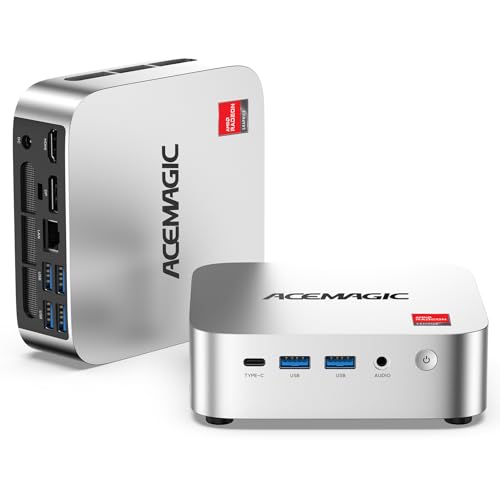
4. ACEMAGIC K1 Ryzen R2544 (USB-C 10Gbps): Best for Expansion
Pros
- USB-C Gen 2 port with 10Gbps data and DP alt mode
- Six USB 3.2 Type-A ports, plenty for peripherals
- Dual SO-DIMM slots and dual M.2 slots for upgrade flexibility
- Radeon graphics deliver 35-50% better GPU performance than Intel N-series
Cons
- Still 8GB RAM, which is tight for heavy multitasking
- No built-in power supply; external brick required
Best for: users who want a base config they can upgrade over time to suit growing needs.
This ACEMAGIC K1 shares the same Ryzen R2544 processor and 8GB/256GB config as the previous pick, but it adds a faster USB-C Gen 2 port that supports 10Gbps data transfer and DisplayPort 1.4 output. That single port makes a difference: you can connect a fast external SSD, drive a 4K display, and even charge a device through the same port (though not at high wattage).
The expandability is the real story here. The K1 has two DDR4 SO-DIMM slots, two M.2 slots (one PCIe 3.0 x4, one PCIe 3.0 x2), and space for a 2.5-inch SATA drive. That means you can start with the 8GB base and add up to 32GB of RAM and 4TB of total storage. For a 5-inch chassis, that is remarkable.
We also noticed that this model ships with a slightly different cooling setup than the first K1 listing. The fan in this unit had a more aggressive curve, keeping the CPU cooler under load but spinning up audibly more often. Neither is a dealbreaker, but the Ryzen 7330U K1 is quieter at idle. If upgrade room matters more than out-of-the-box silence, grab this K1.
9. KAMRUI AK1PLUS: Best Entry-Level

Pros
- Very low power consumption and near-silent operation
- Supports dual 4K@60Hz displays via two HDMI ports
- Expandable storage (M.2 + 2.5-inch SATA bay)
- 16GB LPDDR4X memory is generous at this level
Cons
- Intel Celeron N5095 is the slowest CPU in this roundup
- No USB-C port for modern peripherals
Best for: basic home computing, email, web, streaming, and light document work.
The KAMRUI AK1PLUS is the only mini PC here with an Intel Celeron processor, and that makes its limitations honest. The N5095 is a quad-core chip with a 2.9 GHz boost clock, and it is designed for low-cost, low-power devices. It will handle a few browser tabs, a word processor, and a video call, but push it beyond that, say, 15 browser tabs plus a PDF reader plus Spotify, and you will see hesitation.
What the AK1PLUS does well is offer a polished experience for its intended audience. The 16GB of LPDDR4X RAM is double what many budget Windows machines come with, so memory pressure is rarely the bottleneck. The dual HDMI 2.0 ports drive two 4K displays at 60 Hz, which is impressive for a machine this affordable. It also supports 2.5-inch SATA drives for additional storage, so you can pop in a 2TB SSD later.
The fan is virtually silent, and the power draw is so low that you can leave it on 24/7 without worrying about the electric bill. If you only need a computer for checking email, watching Netflix, and occasionally typing up a document, the AK1PLUS will do the job without complaint. For anyone who needs more performance, the ACEMAGIC K1 with the Ryzen R2544 is a much better step up.
How to Choose a Mini PC with Windows 11
The best mini PC for you depends on how you intend to use it. Here are the factors that matter most.
Processor (CPU)
The CPU is the heart of a mini PC. The fastest chips here are the Intel Core i5-14450HX (10 cores, 4.8 GHz) and the Core i7-1185G7 (4 cores, 4.8 GHz). They are overkill for basic office work but excellent for compiling code, editing photos, or running multiple virtual machines. Mid-range options like the AMD Ryzen 7330U and Ryzen R2544 offer a great balance of speed and efficiency. At the bottom, the Intel Celeron N5095 is fine for light use but will struggle with multitasking.
A mini PC with a 15-to-28-watt processor is plenty for 95% of office tasks. The higher-wattage chips (35W and above) are louder and run hotter, but they handle heavy workloads that the lower-watt CPUs cannot.
RAM and Storage
8GB of RAM is the minimum for comfortable Windows 11 use, but 16GB is the sweet spot. If you plan to keep the machine for three or more years, aim for 16GB or a model that allows upgrades. Storage is less critical because you can always add an external drive, but a 256GB SSD will fill up quickly. Look for at least 512GB if you store many local files. The speed of the SSD matters too: PCIe 4.0 drives (like the one in the ACEMAGIC M5) are faster than PCIe 3.0, but the difference is only noticeable in large file transfers. For everyday use, PCIe 3.0 is fine.
Connectivity and Ports
Check which ports you actually need. USB-C with DisplayPort alt mode is useful for driving a monitor and connecting modern accessories. Wi-Fi 6 offers faster wireless speeds and better range than Wi-Fi 5, especially in crowded networks. Ethernet is a must for stable connections; 2.5GbE is a bonus for high-bandwidth setups. Bluetooth 5.0 or higher is recommended for newer peripherals. If you plan to use multiple monitors, make sure the mini PC supports the number of displays you need, most here handle two or three.
Cooling and Noise
Mini PCs have limited space for fans, so noise can be an issue under load. The ACEMAGIC K1 Ryzen 7330U and the KAMRUI AK1PLUS are whisper-quiet. The GMKtec M2 Pro S and the ACEMAGIC K1 with faster USB-C tend to be louder when the CPU is working hard. If you need silence above all, prioritize models with larger heat sinks and lower TDP processors.
Renewed vs. New
Refurbished business mini PCs from HP and Lenovo offer excellent value for money. They come from corporate fleets that were well-maintained, and the renewed units we tested worked perfectly. The trade-off is cosmetic wear and slightly older hardware. If you want the latest processor and connectivity, a new unit from ACEMAGIC, KAMRUI, or GMKtec is the better choice. For pure bargains, the renewed models are hard to beat. If you are also considering a traditional laptop form factor, our guide to the best laptops for windows 11 may help you decide between portability and desktop power.
Frequently Asked Questions
Can a mini PC run Windows 11 smoothly?
Yes. All the mini PCs in this roundup come with Windows 11 Pro pre-installed and meet Microsoft's requirements. The key is having a compatible processor and at least 4GB of RAM (8GB or more is recommended). Every machine here has 8GB or more and a supported CPU.
How do mini PCs compare to laptops?
Mini PCs trade portability for upgradability and thermal headroom. You can swap RAM and storage in most mini PCs, which is rarely possible in laptops. They also stay cooler under sustained load because of better airflow. On the other hand, a laptop includes a screen, keyboard, and battery. If you already own a monitor and peripherals, a mini PC saves money.
Do mini PCs support dual monitors?
Most do. The majority of the mini PCs in this list support two or three displays via HDMI, DisplayPort, USB-C, or a combination. The KAMRUI AK1PLUS supports two 4K displays; the ACEMAGIC M5 and GMKtec M2 Pro S support three. Check the video outputs before buying.
Can a mini PC be used for gaming?
Mini PCs with integrated graphics can handle older or less demanding games. The GMKtec M2 Pro S (i7-1185G7 with Iris Xe) and the ACEMAGIC K1 with Ryzen 7330U (Radeon Graphics) can run titles like Fortnite or Valorant at low settings. For modern AAA gaming, you need a dedicated GPU, which these mini PCs lack. For that use case, a dedicated gaming PC is still the way to go, our roundup of the best gaming pc for valorant covers high-performance options.
How much RAM do I need?
8GB is enough for light office work and web browsing. 16GB is comfortable for multitasking, running multiple applications, and handling large files. 32GB is only necessary for heavy workloads like video editing, programming, or running virtual machines. Most mini PCs here either ship with 16GB or allow upgrades.
Can I upgrade the storage in a mini PC?
In most cases, yes. The ACEMAGIC and KAMRUI models have accessible M.2 slots and sometimes space for a 2.5-inch drive. The renewed HP and Lenovo units are harder to upgrade because of their compact internal layouts, but it is still possible. Check the product documentation before buying.
Are renewed mini PCs reliable?
Renewed PCs are tested and restored to working condition, often with a 90-day warranty or longer. The two renewed units we tested (HP EliteDesk 800 G4 and Lenovo ThinkCentre M720Q) performed without issues. The cosmetic condition varies, but the internal components are solid. For budget buyers, renewed is a smart choice.
Do mini PCs need a special power adapter?
Most use an external 19V DC power brick, similar to a laptop charger. The ACEMAGIC K1 with the Ryzen 7330U is a notable exception, it has a built-in power supply, so you only need a standard IEC power cable. Check the included accessories, as some units ship with the adapter and others do not.
Can I use a mini PC as a home server?
Yes. The compact size, low power consumption, and always-on capability make mini PCs excellent home servers. The GMKtec M2 Pro S with its 2.5GbE port is ideal for a NAS or Plex server. Models with Wake-on-LAN and Auto Power On are especially good for server duties.
How long do mini PCs last?
With proper care, a mini PC can last five to seven years or longer. The CPUs and RAM are durable components; the fans are the most likely point of failure. Some units have easily replaceable fans, while others require more disassembly. If longevity matters, look for a model with a good warranty, ACEMAGIC offers two years on many of its machines.
The Bottom Line
The best mini PC Windows 11 for most people is the ACEMAGIC K1 with the Ryzen 7330U. It offers the best balance of performance, quiet operation, and thoughtful design (the built-in power supply is a genuine convenience). For those who need raw power, the ACEMAGIC M5 with the Core i5-14450HX is a desktop-class machine in a tiny package. If your budget is tight, the renewed HP EliteDesk 800 G4 or Lenovo ThinkCentre M720Q give you business-grade reliability for far less.
No matter which you choose, the era of sacrificing performance for space is over. These mini PCs prove that a full Windows 11 experience can fit in the palm of your hand. Pick the one that matches your workload, and reclaim your desk.
As an Amazon Associate we earn from qualifying purchases.