

Old VHS tapes do not get easier to preserve. The tape can still play today, then develop dropouts, tracking problems, or a brittle shell before you have copied the family footage. The right Best VHS to Digital Converter makes the transfer manageable without turning every recording into a computer project.
This list covers two distinct approaches. Standalone recorders save MP4 files to USB drives or memory cards, while USB capture cards send the signal to a Windows PC or Mac for recording and editing. Our top pick is the Portta Video Recorder, followed by capable screen-equipped models, ClearClick options for broader audio work, and simple computer capture cards.
Comparison table
| # | Product | Award | Recording | Display | Inputs or storage | Best for |
|---|---|---|---|---|---|---|
| 1 | Portta Video Recorder | Best overall | MP4 up to 1080P 30Hz | 3.0-inch LCD | AV/RCA, S-Video, AUX, USB, TF | Straightforward standalone transfers |
| 2 | Portta VD22P | Best large-screen recorder | MP4 up to 1080p at 60fps | 5-inch HD LCD | AV, component, USB, TF, HDD, SSD | Monitoring transfers on the unit |
| 3 | Portta VD20P | Best S-Video option | MP4 up to 1080p at 60fps | 5-inch HD LCD | AV, S-Video, USB, TF, HDD, SSD | S-Video sources |
| 4 | ClearClick Video2Digital 2.0 | Best guided recording | MP4 at 640x480 or 720x480 | 3.5-inch screen | USB drive or SD card | Automatic stops and pause control |
| 5 | DigitPro Converter 2.0 | Best feature-rich compact model | MP4, MP3, or WAV up to 1080P 30Hz | 3.5-inch LCD | AV/RCA, S-Video, USB, TF | Scheduled and signal-aware recording |
| 6 | ClearClick Video2Digital 3.0 | Best for video and audio collections | MP4 at 720x480 or 640x480 | 5-inch screen | USB drive or microSD card | VHS, cassettes, and vinyl |
| 7 | Lvrzng 4-inch Converter | Best timed-recording alternative | Up to 1080P | 4-inch LCD | USB or TF up to 512GB | Sharing playback on a TV |
| 8 | ClearClick 3.0 Bundle | Best bundled workflow | MP4 at 720x480 or 640x480 | 5-inch screen | USB drive or microSD card | Transfers with included editing tools |
| 9 | Oassuose Capture Card | Best PC and Mac capture card | Up to 1080P at 30fps | USB-A, USB-C, RCA, S-Video | Computer-based capture | |
| 10 | VIXLW Capture Card | Best basic computer capture | 1920x1080 MJPEG or 720x576 YUV | USB, RCA | Simple PC or Mac conversions |
1. Portta Video Recorder: Best Overall

Pros
- Standalone recording needs no PC, software, or driver
- Records MP4 video and MP3 audio
- Accepts AV, S-Video, and AUX sources
- Includes a preview screen and built-in speaker
Cons
- The display is smaller than the 5-inch Portta models
- USB drive and TF card are not included
- It cannot play tapes or DVDs by itself
Best for: someone who wants a flexible standalone recorder for several analog sources.
The Portta Video Recorder is the one we would start with for a mixed box of home videos. It is a small capture and recording unit, not a tape deck, so you still need a working VCR, camcorder, DVD player, or other source. Once connected, its appeal is simple: select the input, start recording, and save the result without bringing a computer into the room.
It records video in MP4 at up to 1080P 30Hz and audio in MP3. The unit also supports uncompressed two-channel LPCM digital audio with sampling up to 48KHz, which gives the sound a sensible path from an analog source into the saved file. Those output claims do not make a VHS tape high definition. They describe the recording format and ceiling, while the actual picture remains limited by the source, tape condition, and player.
Connection flexibility is a real strength. The recorder accepts AV/RCA, S-Video, and AUX inputs, and supports NTSC and PAL variants listed by Portta. That makes it more adaptable than a basic RCA-only USB stick. It can save to a USB drive or TF card, and recorded files can be played back on the unit through its 3.0-inch preview LCD and built-in speaker. The storage devices are not included, and a high-capacity USB drive may need its own power supply.
Compared with the ClearClick Video2Digital 2.0, the Portta offers a wider stated recording ceiling and a more varied input arrangement, while ClearClick has more explicit pause, resume, and automatic-stop controls. The Portta VD22P is the better pick if a large preview is central to your setup, but its 5-inch screen makes the unit less compact. The Portta Video Recorder strikes the best balance for someone moving between VHS, Hi8, Mini DV, and a game console.
Its weakness is that the specifications can invite unrealistic expectations. A 1080P recording setting cannot restore detail that was never present on a worn VHS tape, and the unit does not replace the player required to read that tape. Buyers who want fine editing, scene-by-scene cleanup, or computer-based archival organization should choose a PC capture card instead. For a family archive where reliable, direct MP4 recording matters most, this is the Best VHS to Digital Converter in the group.
2. Portta VD22P: Best Large-Screen Recorder

Pros
- Large 5-inch screen for preview and playback
- Records MP4 up to 1080p at 60fps
- Accepts AV and component video
- Supports USB drives, TF cards, portable HDDs, and SSDs
Cons
- Requires a separate VHS player or camcorder
- Larger than the smaller Portta recorder
- No computer workflow for detailed editing
Best for: anyone who wants to watch and monitor transfers directly on the recorder.
The defining feature of the Portta VD22P is not hidden in a menu. Its 5-inch HD LCD gives you a useful view of the incoming picture and lets you play recorded files without immediately connecting a television. That matters when the VCR is in a spare room, when the main television is occupied, or when you want to confirm that a tape is actually producing a signal before leaving a long transfer unattended.
Portta lists MP4 recording up to 1080p at 60fps. As with every model here, that setting should be read as a capture format rather than a promise that VHS will look like modern footage. The source remains analog and low detail. The higher frame-rate setting can be useful for compatible inputs, but old tapes will not gain new motion detail simply because the recorder is set to 60fps.
The input selection is unusually broad for a standalone unit. It handles AV, component video, and left and right stereo audio, and it supports PAL, NTSC, and SECAM formats. Storage can go to USB flash drives, TF cards, portable hard drives, or SSDs. That gives it a more comfortable path for long recording sessions than a device tied to one small removable card, although the actual storage media still has to be supplied separately.
The Portta VD20P is the closest alternative. Both have a 5-inch screen and the same stated 1080p at 60fps recording capability, but the VD20P lists S-Video rather than component video. Choose the VD22P when your source hardware provides component output or when you want the broader format support. The smaller Portta Video Recorder is easier to tuck beside a VCR, but its 3.0-inch display is less convenient for checking faces, titles, and tracking errors.
There is no escaping the need for a working player, and the screen cannot fix a tape that is shedding, stretched, or badly tracked. The unit also makes less sense for an editor who wants to cut clips and correct color on a computer. Still, for a hands-off, screen-led workflow with a wide choice of storage devices, the VD22P is the most comfortable standalone pick. It is the Best VHS to Digital Converter for readers who want the transfer process visible from start to finish.
3. Portta VD20P: Best S-Video Option

Pros
- 5-inch LCD gives a clear local preview
- S-Video input can suit compatible players
- Records MP4 up to 1080p at 60fps
- Supports USB, TF, portable HDD, and SSD storage
Cons
- Does not include the source player
- The 1080p setting does not restore lost VHS detail
- Similar controls to the VD22P can make the choice confusing
Best for: transfers from a VCR or camcorder with S-Video output.
The Portta VD20P is almost a twin to the VD22P, but its input list gives it a specific reason to exist. It supports S-Video alongside AV, while also accepting left and right stereo audio. If your VCR or camcorder has a proper S-Video output, that connection can keep luminance and chrominance separate instead of carrying them together through composite video.
A 5-inch HD LCD is the other major attraction. It is large enough to inspect the picture from close range, see whether a tape has started, and review a finished recording without relying on a television. The built-in screen also makes setup less mysterious for someone who does not want a laptop beside the VCR. Portta lists brightness, contrast, and saturation adjustments, so there is some ability to compensate for a washed-out or overly dark source.
The unit records MP4 up to 1080p at 60fps and accepts NTSC, PAL, and SECAM formats. Those settings provide compatibility and a convenient digital file, but they do not upscale the original tape in the meaningful restoration sense. The quality ceiling is still set by the tape, its player, and the connection. For the cleanest possible signal from a compatible source, using S-Video is more important than selecting the largest output number.
The Portta VD22P is the better match for a source with component output, while the Portta Video Recorder is smaller and includes an AUX input in its stated feature set. The VD20P supports USB flash drives, TF cards, portable HDDs, and SSDs, which makes it suitable for a stack of long recordings. Storage is not included, and the VCR, DVD player, camcorder, or other source must be available separately.
The main drawback is overlap. If your equipment only has composite RCA output, the VD20P does not give you a clear advantage over the VD22P. It is also not the right tool for someone who plans to edit every clip on a computer, where a dedicated capture card may fit better. For an S-Video-equipped tape player and a reader who values a big preview, this is a precise, sensible choice.
4. ClearClick Video2Digital 2.0: Best Guided Recording

Pros
- Automatic stop options from 60 to 150 minutes
- Pause and resume during recording
- Improved audio and video sync protection
- Records directly to USB or SD media
Cons
- Records at SD resolutions, not HD
- USB or SD storage is required and not included
- Cannot play tapes independently
Best for: users who want a controlled transfer process with clear stop and pause functions.
The ClearClick Video2Digital 2.0 takes a less flashy approach than the Portta models. Its strongest argument is control over the recording session. You can set an automatic stop for 60, 90, 120, or 150 minutes, then let the tape run without worrying that the recorder will keep writing indefinitely after the program ends.
It records at 640x480 or 720x480, and ClearClick explicitly says it does not upscale to HD. That honesty is useful. VHS is a standard-definition source, so these dimensions are a reasonable match for the material rather than an artificial promise of restored detail. The resulting MP4 files are intended to be mobile-friendly, which should make ordinary playback and sharing less cumbersome.
The second-generation changes are practical. A 3.5-inch preview screen is larger than the first Portta model's display, and the unit adds pause and resume while recording. ClearClick also calls out protection against audio and video sync problems. None of that repairs a damaged tape, but it can make a long series of transfers less frustrating. The unit records directly to a USB flash drive or SD card up to 512GB, with the storage required separately.
Compared with the DigitPro Converter 2.0, ClearClick gives up the higher stated 1080P recording setting but has more specific session controls. The Portta VD20P has a larger 5-inch display and broader storage-device support, yet it does not present the same clear list of automatic stop intervals. This ClearClick is the one to choose when repeatable, unattended transfers matter more than a large screen or a high output label.
The limitations are straightforward. You need a working VCR or camcorder and working tapes, and there is no modern HDMI capture. The SD recording resolution also makes it less appealing for a source that is already higher quality than VHS. For home movies, recorded television, and camcorder tapes where you want each session to end predictably, this remains a well-organized standalone Best VHS to Digital Converter.
5. DigitPro Converter 2.0: Best Feature-Rich Compact Model

Pros
- Records video, MP3, and WAV audio
- Supports scheduled recording and signal-loss pause
- Includes a 3.5-inch preview screen and speakers
- HDMI output can connect to a larger display
Cons
- The unit requires external power
- Its screen is smaller than the 5-inch Portta and ClearClick models
- Storage media is not included
Best for: someone who wants extra recording controls in a compact standalone box.
The DigitPro Converter 2.0 is aimed at the reader who wants more than a single record button. It has a 3.5-inch LCD, built-in stereo speakers, a remote, and HDMI output for a larger screen. That combination lets you check the source locally, review a file, or move the viewing task to a television without first transferring the file elsewhere.
Its recording modes are broad. DigitPro lists MP4 video at up to 1080P 30Hz and separate MP3 or WAV recording, with AV/RCA and S-Video inputs. It supports NTSC and PAL, and the unit can save to USB or TF storage up to 512GB. The file choices are useful when the source is an audio recording rather than a videotape, although this is still an analog capture device and not a cleanup or restoration system.
The standout controls are signal-aware pause and resume, scheduled recording, a time watermark, and a long-press screenshot function. Signal-loss behavior could be useful when a source briefly drops out, while scheduled recording suits a planned transfer that should begin at a particular time. These features add flexibility that the simpler Lvrzng 4-inch Converter does not explicitly list, and the HDMI output gives DigitPro a more flexible viewing setup.
The trade-off is that the feature list asks more of the owner. You need to select the right input, check volume settings, provide external power, and understand how your USB or TF storage behaves. The ClearClick Video2Digital 2.0 is easier to recommend for someone who mainly wants dependable automatic stops, while the Portta Video Recorder is the cleaner pick for a simpler mix of inputs and recording.
DigitPro also cannot play a tape on its own, and its 1080P setting does not turn VHS into native high-definition footage. Skip it if you want a completely minimal interface or if you prefer to edit on a computer from the start. Choose it when scheduled sessions, separate audio files, and signal handling are more useful than absolute simplicity.
6. ClearClick Video2Digital 3.0: Best for Video and Audio Collections

Pros
- Captures VHS and audio sources
- Includes a 5-inch preview screen
- Built-in rechargeable battery
- Supports custom automatic stop times
Cons
- Video recording remains at 720x480 or 640x480
- Requires a working player or source device
- Storage media is not included
Best for: households digitizing VHS alongside cassettes and vinyl records.
The ClearClick Video2Digital 3.0 is the most versatile standalone recorder here because it treats old audio as a first-class source. It can record video from VHS, VCRs, DVDs, DVRs, camcorders, Hi8, and retro gaming systems, but it also handles cassette tapes and LP records through turntables. If the preservation project includes more than video, that wider remit matters.
Video saves as MP4 at 720x480 or 640x480, while audio saves as WAV or MP3. ClearClick does not claim to upscale the video to HD, which is the right expectation for VHS material. The audio choices are more meaningful for archiving: WAV keeps an uncompressed route for later editing, while MP3 is easier to store and share.
The hardware is more comfortable than the older 2.0 model. The 5-inch preview screen gives you a larger view, the built-in rechargeable battery can make the unit easier to position, and a USB-C charging port replaces a more dated charging arrangement. Custom automatic stop lets you enter an exact duration rather than choosing only from a short preset list. It records to a USB flash drive or microSD card up to 512GB, supplied separately.
The ClearClick 3.0 Bundle uses the same central third-generation feature set, so the standard version is the better fit when you already have storage and editing software. The bundle becomes more attractive for a larger project because it includes a 128GB USB flash drive and VideoPad editing software. The Portta VD22P records at a higher stated output setting and handles several storage types, but it does not list cassette or turntable capture.
There are still important boundaries. A turntable, cassette deck, VCR, or camcorder is required, and the recorder cannot read tapes independently. The video resolution also makes it less suited to non-VHS sources where a better capture path is available. But for a mixed family archive, this is the most capable standalone Best VHS to Digital Converter because it can preserve several kinds of analog media with one workflow.
If some of your project involves printed photographs rather than tapes, the capture process is different, and how to preserve photographs without losing small details will help you choose the right kind of device for that part of the archive.
7. Lvrzng 4-inch Converter: Best Timed-Recording Alternative

Pros
- 4-inch preview LCD and built-in speakers
- Supports HDMI output to a TV or monitor
- Offers timed recording and screenshots
- USB and TF storage can reach 512GB
Cons
- Requires a separate tape player or camcorder
- Recorded files may split by length or size
- The brand provides fewer generation cues than ClearClick
Best for: users who want a mid-size screen and several standalone recording controls.
The Lvrzng 4-inch Converter sits between the tiny capture boxes and the 5-inch standalone recorders. Its 4-inch LCD is large enough for local monitoring, while built-in speakers and HDMI output make it practical to review a transfer with other people. It is a good fit for a living-room setup where the converter may move between a VCR and a television.
The feature set covers both S-Video and CVBS video inputs, plus left and right audio and AUX recording. Lvrzng lists recording at 1080P or auto-detect and compatibility with NTSC and PAL. Again, those settings describe the digital file and compatibility handling, not a restoration of detail from a standard VHS tape. The ability to switch between automatic detection and a selected setting may help when a source does not behave consistently.
Storage flexibility is strong. The unit supports USB drives and TF cards up to 512GB, and it includes a USB and TF speed-test function intended to check whether the storage device can sustain recording. Files may split by length or size without affecting playback quality, according to the supplied information. That is worth knowing before a long tape becomes several separate files that need to be organized afterward.
The DigitPro Converter 2.0 has a similar focus on scheduling and smart recording, but it adds MP3 and WAV audio modes and signal-loss pause in its stated feature list. The Portta VD20P gives you a larger screen, while the Lvrzng is more compact and still provides HDMI output. Its stated 2-year warranty and lifetime technical support also make it a reasonable alternative for buyers who want direct manufacturer assistance.
The product cannot play VHS tapes by itself, despite its broad compatibility language. You also need to be comfortable with the possibility of split files and with connecting the right source cable. Skip it if you want an editing-first computer workflow. Choose it if you want a standalone recorder with a useful screen, timed recording, and a straightforward way to show the finished files on a larger display.
8. ClearClick 3.0 Bundle: Best Bundled Workflow

Pros
- Includes a 128GB USB flash drive
- Includes VideoPad editing software
- Captures video and audio sources
- Has a 5-inch screen and rechargeable battery
Cons
- Video output is SD, not HD
- Still requires a working source player
- Bundle software may be unnecessary for experienced editors
Best for: first-time archivists who want storage and editing software in the box.
The ClearClick 3.0 Bundle is the package to consider when the transfer project needs to start immediately. Its converter records video from VHS, VCRs, DVDs, DVRs, camcorders, Hi8, and retro gaming systems, and it can also digitize cassette tapes and vinyl records from a suitable connected source. The bundle adds a 128GB USB flash drive and VideoPad video editing software, reducing the number of separate pieces a new archivist must gather.
The converter itself records video as MP4 at 720x480 or 640x480 and audio as WAV or MP3. Those are appropriate formats for preserving standard-definition material and separating audio projects into files that are either easier to edit or easier to share. ClearClick explicitly says the device does not upscale video to HD, so a buyer can judge the result by the condition of the original tape rather than an inflated output claim.
A 5-inch preview screen is helpful during setup, and the built-in rechargeable battery lets the box sit where the cable arrangement works best. The microSD slot and USB-C charging port add modern convenience, while custom auto-stop allows an exact recording duration. The converter still needs a working VCR, camcorder, turntable, or cassette source. It is a recorder, not a playback machine.
The regular ClearClick Video2Digital 3.0 has the same core third-generation capabilities without the listed drive and VideoPad additions. That version makes more sense if you already own storage and prefer another editor. The Portta VD22P offers a higher stated recording ceiling and more storage-device choices, but the ClearClick bundle has the more coherent start-to-finish setup for someone who wants to capture, save, and make basic edits.
The bundle is not automatically the right answer for an experienced editor with a carefully planned computer workflow. VideoPad may duplicate software already installed, and the included drive does not eliminate the need for a backup strategy. For a beginner preserving a set of family tapes, though, it removes several early obstacles. It is the Best VHS to Digital Converter package for a reader who values a ready path from analog source to edited file.
9. Oassuose Capture Card: Best PC and Mac Capture Card

Pros
- USB-A and USB-C compatibility
- Works with Windows and Mac OS
- Accepts RCA and S-Video
- Supports brightness, contrast, hue, and saturation controls
Cons
- Requires a computer and capture software
- Does not include a standalone preview screen
- The source player is not included
Best for: people who want to record directly into a computer using familiar software.
The Oassuose Capture Card is a different kind of Best VHS to Digital Converter. It is a bridge between a VCR or camcorder and a computer, not a standalone recorder with its own display and storage slot. That makes it a better fit for someone who already organizes media on a Windows PC or Mac and wants to capture directly into a software library.
It accepts RCA and S-Video inputs and outputs through either USB-A or USB-C. Oassuose lists up to 1080P at 30fps and compatibility with NTSC, PAL, and other video formats. The capture card can expose brightness, contrast, hue, and saturation controls, which are more useful in a computer workflow than they would be on a basic one-button recorder because you can inspect and adjust the signal while recording.
The catch is the software requirement. Although the card is described as plug and play without a driver, it still needs acquisition software. The supplied information recommends OBS Studio or PotPlayer on Windows and QuickTime Player on Mac. That is not a flaw for a computer user, but it does add setup steps that the Portta Video Recorder avoids entirely.
The Oassuose is also a sensible companion for readers who want to edit or make multiple copies after capture. A computer gives you more control over file naming, trimming, audio adjustments, and backup. It also gives you more ways to make a mistake, including selecting the wrong input, recording the desktop instead of the capture source, or closing the software during a long tape.
The product cannot replace a working VCR or camcorder, and there is no local screen for confirming the signal without opening the capture application. Skip it if the goal is a living-room transfer with no computer nearby. Choose it when you already understand a PC or Mac recording workflow and want USB-C or USB-A flexibility with S-Video support.
A connected camera can be useful for other family-media projects too, but choosing a camera for recording people and events involves different priorities from preserving an analog tape.
10. VIXLW Capture Card: Best Basic Computer Capture

Pros
- Captures VHS, VCR, Hi8, and Mini DV sources
- Works with Windows and Mac OS
- Supports MP4 and other digital formats
- Includes an RCA cable and user instructions
Cons
- Requires capture software and a computer
- No standalone screen or storage
- USB and RCA connection only in the supplied feature list
Best for: a simple computer-based setup using OBS, PotPlayer, or QuickTime Player.
The VIXLW Capture Card keeps the hardware approach simple. Connect the RCA output from a VCR, camcorder, or other analog source to the capture device, then record on a Windows PC or Mac. It is a better match for someone who wants to handle files, trimming, and backups in software rather than manage them on a small standalone screen.
Its listed capture resolutions are 1920x1080 MJPEG or 720x576 YUV, with the final result dependent on the source. That qualification matters. A 1080 setting can define the capture frame, but the tape remains the limiting factor for picture detail. The device automatically detects NTSC, PAL, and PAL/60 video, and it can save to MP4 or other digital formats for later editing.
VIXLW recommends OBS or PotPlayer on Windows and QuickTime Player on Mac, and it describes the setup as driverless with step-by-step instructions. The included RCA cable is useful, as are the two CD-ROM items listed with the package, although modern computers may not have an optical drive. Planning to download or use compatible software is therefore sensible.
The Oassuose Capture Card is more flexible if your computer has USB-C or your player provides S-Video. The VIXLW has the advantage of a more direct RCA-only arrangement, and that can be enough for a basic VCR transfer. Standalone options such as the ClearClick Video2Digital 2.0 are easier for users who do not want a computer involved, but they provide less editing control after capture.
This is not the pick for a reader who expects one-touch recording or who does not already have a suitable computer. It also does not include a display for checking the picture independently. For a straightforward setup with an RCA-equipped tape player and a Mac or Windows computer, however, the VIXLW is an uncomplicated way to get the signal into software.
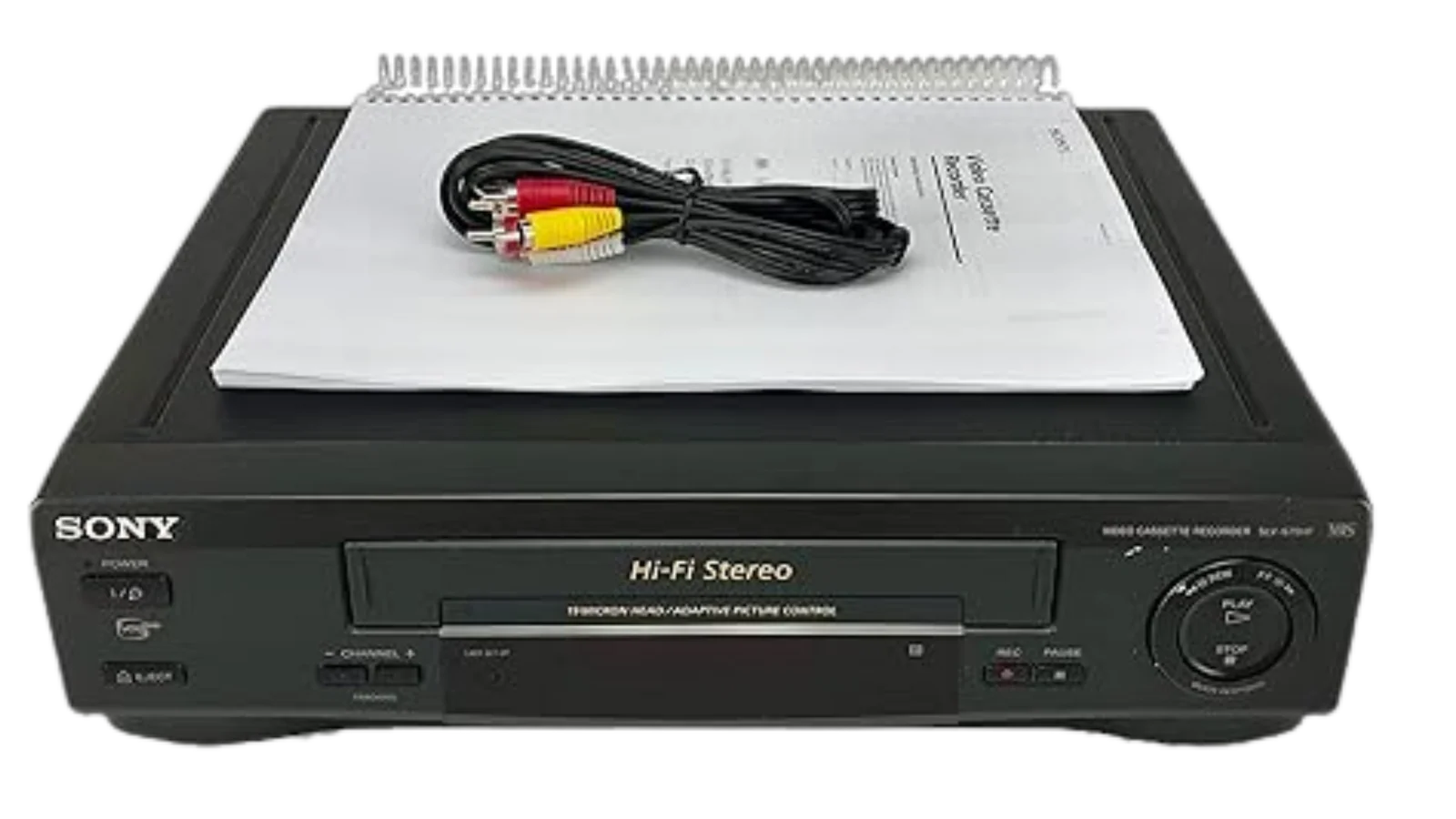
How to choose best vhs to digital converter
The key decision is whether you want a standalone recorder or a computer capture device. From there, focus on the connection, recording controls, storage, and the quality of the original tape.
Standalone or computer workflow
Standalone recorders such as the Portta Video Recorder and ClearClick Video2Digital 3.0 save directly to removable storage and do not need capture software. They are easier to leave running and better for a television-room setup. USB capture cards such as the Oassuose Capture Card and VIXLW Capture Card require a Windows PC or Mac, but they offer stronger control over file organization and editing.
Source connections
Composite RCA is common, but S-Video can be a meaningful upgrade when both the player and converter support it. Component input appears on the Portta VD22P, while S-Video appears on the Portta VD20P, DigitPro Converter 2.0, Lvrzng 4-inch Converter, and the Oassuose card. Check the outputs on the actual VCR or camcorder before choosing.
Recording resolution
Do not choose solely by the biggest number in a listing. The ClearClick models openly record VHS at 720x480 or 640x480, while several Portta and other standalone models list 1080P modes. VHS detail is still governed by the tape and playback hardware. A clean SD capture can be preferable to an oversized file that adds no meaningful information.
The converter preserves the signal it receives. It cannot repair a damaged tape or create detail that the original recording never held.
Preview and control
A built-in screen helps you confirm that the tape is playing and that the picture is not blank or badly misconnected. The Portta VD22P, Portta VD20P, and ClearClick 3.0 Bundle have 5-inch screens, while the Lvrzng 4-inch Converter and ClearClick Video2Digital 2.0 use smaller displays. Automatic stop, scheduled recording, pause and resume, and signal-loss handling can matter more than screen size during long transfers.
Storage and file handling
Standalone models save to USB drives, TF cards, or microSD cards, depending on the product. The Portta VD22P also lists portable HDD and SSD support, while the ClearClick models specify storage up to 512GB. Capture cards save through the computer, which makes renaming, trimming, and backup easier. Whichever route you choose, keep a second copy of irreplaceable recordings.
Audio and mixed-media support
If the archive includes cassette tapes or vinyl records, the ClearClick Video2Digital 3.0 and ClearClick 3.0 Bundle are the only products here that explicitly extend beyond video into those sources. DigitPro also supports MP3 and WAV audio recording. For photographs, use a dedicated scanner instead, since a tape converter is not designed to capture still images accurately.

Frequently asked questions
Do these converters play VHS tapes by themselves?
No. The standalone models are recorders and capture boxes, not VCRs. You need a working VCR, camcorder, DVD player, or other compatible source device, along with the tape or disc you want to transfer.
Is 1080P recording the same as upscaling VHS?
No. A 1080P setting describes the digital recording frame or output mode. It does not restore detail lost in a standard-definition VHS recording, and the final result still depends on the tape, player, signal, and connection.
Should I choose a standalone recorder or a USB capture card?
Choose a standalone recorder if you want to save files without a computer. Choose a USB capture card if you already use Windows or Mac software and want more control over editing, file naming, and backups.
Is S-Video better than RCA for VHS transfers?
It can be, when the VCR and converter both support it. S-Video carries picture information separately from composite RCA, which can reduce some of the artifacts associated with combining the signal. It cannot overcome a damaged tape or a poor player.
Do I need a memory card or USB drive?
Standalone products generally require separate storage, although the ClearClick 3.0 Bundle lists a 128GB USB flash drive. USB capture cards save through a connected computer instead. Check the supported storage type before starting a long recording.
Can these devices convert Hi8 and Mini DV tapes?
Several models list Hi8 and Mini DV among their compatible sources, including the Portta recorders, DigitPro, Lvrzng, and the USB capture cards. Compatibility still depends on having the correct working camcorder or player and the appropriate output cable.
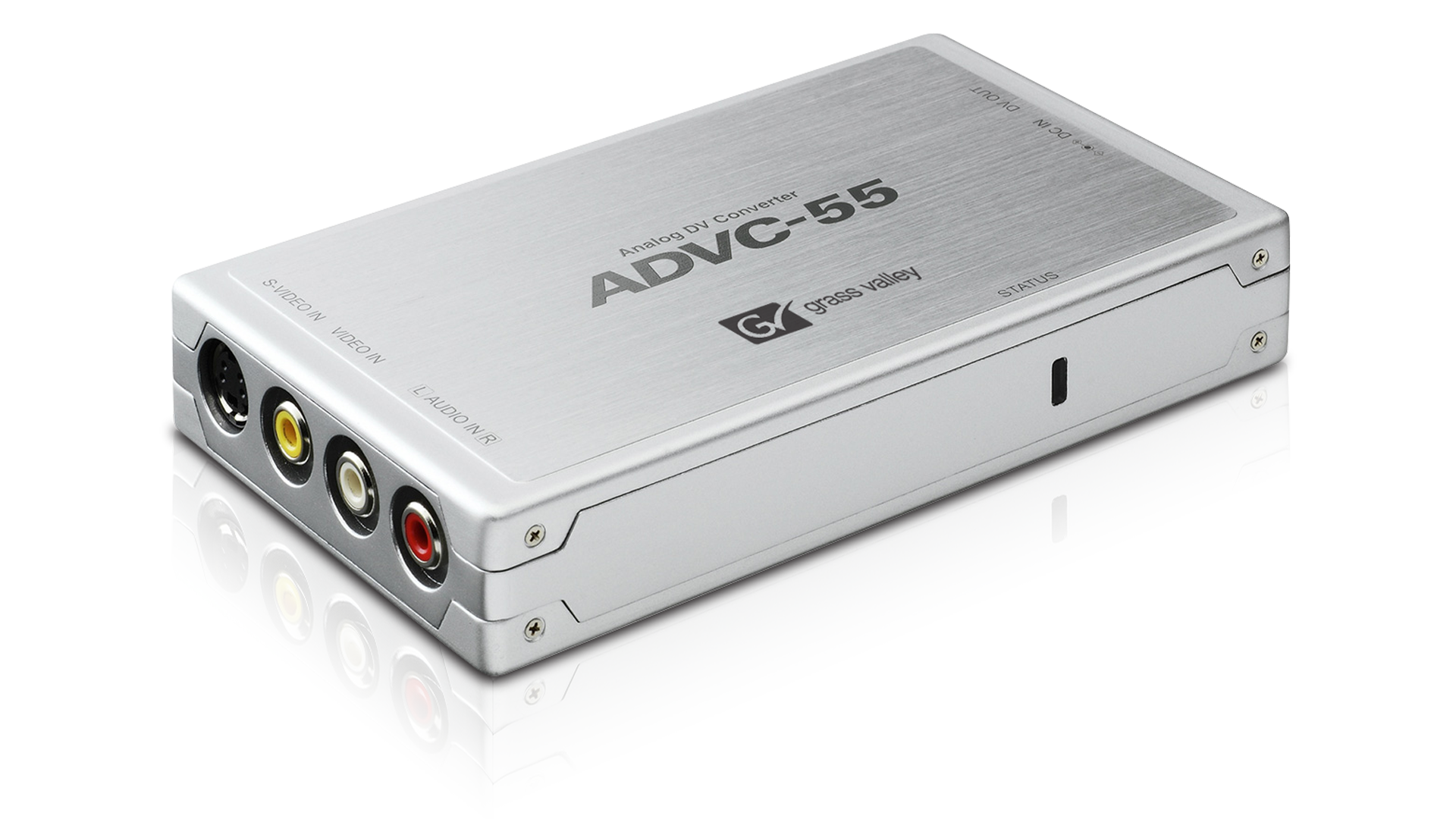
The bottom line
The Portta Video Recorder is the Best VHS to Digital Converter for most people because it combines standalone operation, MP4 recording, AV and S-Video inputs, and a useful local preview without forcing a computer into the process. The Portta VD22P is the better choice when a 5-inch screen, component input, and flexible storage matter most.
For a mixed archive containing cassette tapes or vinyl records, choose the ClearClick Video2Digital 3.0 or its ClearClick 3.0 Bundle version. PC and Mac users who want software control should look at the Oassuose Capture Card, especially if USB-C and S-Video support fit their setup.
If you are undecided, choose a standalone recorder for simplicity and a USB capture card only when you genuinely want to work inside computer software.
As an Amazon Associate we earn from qualifying purchases.