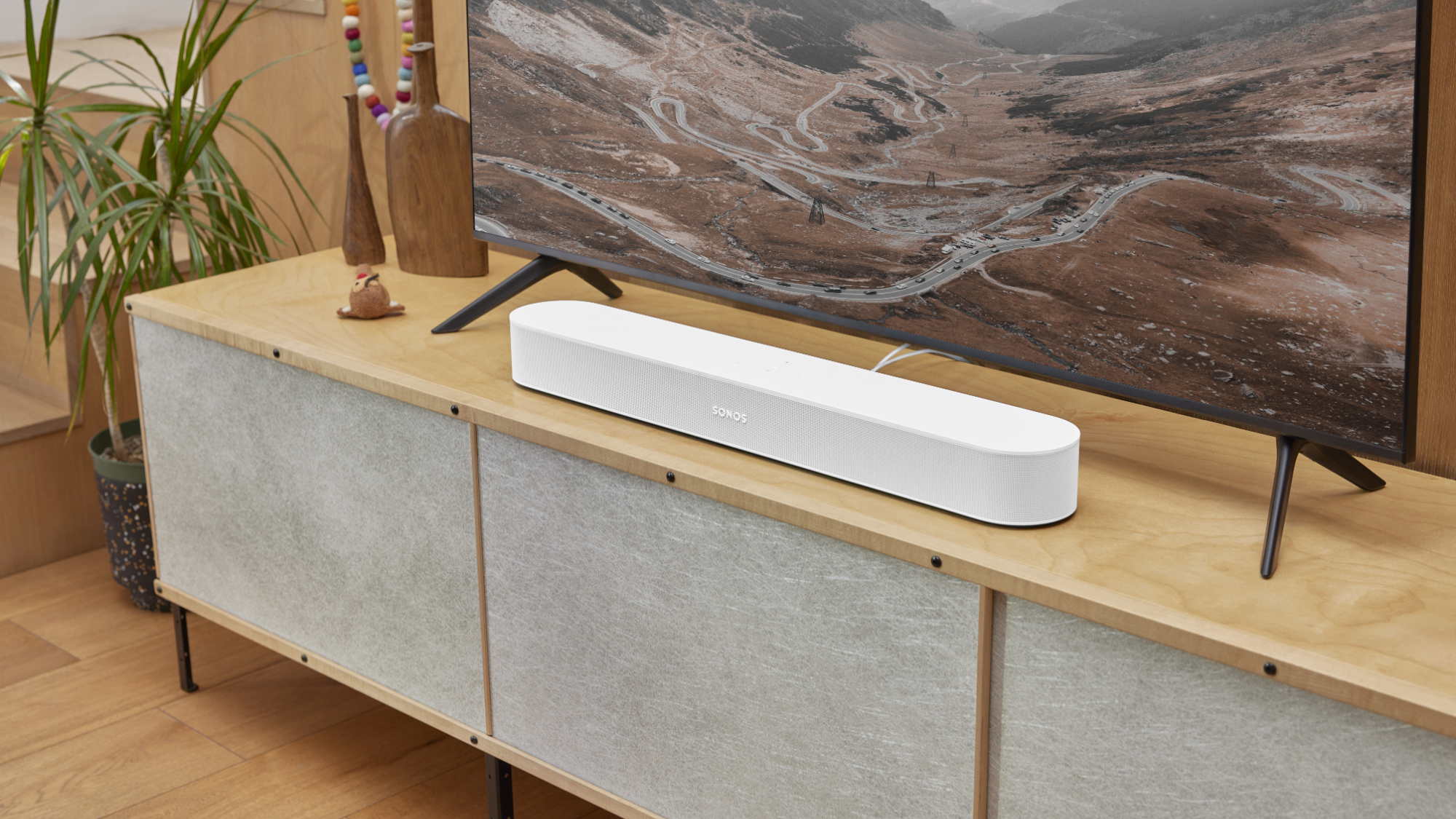

Thin TV speakers can make a quiet conversation disappear, then turn the next action scene into a harsh burst of noise. The Best best budget soundbar options solve that problem in very different ways, from compact two-channel bars to Dolby Atmos systems with separate subwoofers.
We compared the real strengths of all 10 models here, including dialogue modes, connection options, bass hardware, app controls, and placement flexibility. The TCL S55H is our top pick for most rooms, while the list also includes simpler compact bars, powerful surround systems, and models that work especially well with Fire TV.
Our single best pick is the TCL S55H, with the range extending from straightforward TV upgrades to full 5.1-channel home theater systems.
Comparison table
| # | Product | Award | Channels | Bass design | Best for |
|---|---|---|---|---|---|
| 1 | TCL S55H | Best overall | 2.1 | Wireless subwoofer | Most living rooms |
| 2 | ULTIMEA Poseidon M60 | Best surround system | 5.1 | Wired subwoofer | Dolby Atmos home theater |
| 3 | Amazon Fire TV Soundbar Plus | Best all-in-one | 3.1 | Built-in subwoofer | Fire TV households |
| 4 | ULTIMEA Wireless Subwoofer Soundbar | Best app control | 2.1 | Wireless subwoofer | Adjustable home theater sound |
| 5 | Bose TV Speaker | Best for dialogue | 2.0 | No separate subwoofer | Clearer voices in small rooms |
| 6 | Samsung HW B400F | Best Samsung setup | 2.0 | Built-in woofer | Samsung TV owners |
| 7 | Amazon Fire TV Soundbar | Best compact Fire TV bar | 2.0 | Dual speakers | Small TV stands |
| 8 | Assistrust 31-inch Soundbar | Best placement flexibility | 2.0 | Four drivers | TVs, PCs, and projectors |
| 9 | Sony S100F | Best home office bar | 2.0 | Bass reflex speaker | Desks and small rooms |
| 10 | ULTIMEA M20 Pro | Best tiny all-in-one | 2.1 | Built-in 3-inch subwoofer | Shelves and bedrooms |
1. TCL S55H: Best Overall

Pros
- Wireless subwoofer adds convincing low-end impact
- Dolby Atmos and DTS Virtual:X support
- AI Sonic auto room calibration
- HDMI eARC/ARC, optical, Bluetooth, and AUX connections
Cons
- Subwoofer needs its own floor space
- The 31.89-inch bar may be wide for very small TVs
- App setup is needed for room calibration
Best for: most viewers who want a balanced TV upgrade with clear dialogue and substantial bass.
The TCL S55H is the easiest recommendation here because it fixes the two problems that usually make a soundbar feel incomplete: weak dialogue and shallow bass. Its wireless subwoofer handles the low frequencies separately, leaving the main bar to focus on voices and effects. The result should suit a small or medium room better than a compact two-channel bar with no dedicated bass unit.
TCL lists the system as a 2.1-channel design with up to 220W of power, Dolby Atmos, and DTS Virtual:X. Those formats create a wider, more dimensional presentation from the front of the room, though they cannot reproduce the same rear placement as a system with actual rear speakers. AI Sonic auto room calibration adjusts the sound for the room and listening position through the TCL app, a useful feature when the bar sits in an unusually open or reflective space.
Connection choices are generous. HDMI eARC or ARC is the natural TV connection, while optical, Bluetooth, and AUX cover older televisions, phones, and other sources. The included HDMI cable and remote make setup less fussy. At 31.89 inches wide and 2.36 inches high, the bar has a low profile, but its width is worth checking against a bedroom TV stand before ordering.
The ULTIMEA Poseidon M60 offers more physical speaker hardware and stronger surround ambitions, while the Bose TV Speaker is simpler and more focused on speech. The TCL sits between them with fewer installation demands than a 5.1 system and more bass authority than Bose. Its weakness is the separate subwoofer, which adds a second box and another power connection. Choose it if you want cinematic scale without assembling a full surround layout.
2. ULTIMEA Poseidon M60: Best Surround System

Pros
- Five built-in speakers create a wide front soundstage
- Dolby Atmos and HDMI eARC support
- Dedicated wired wooden subwoofer
- Extensive app equalizer controls
Cons
- Wired subwoofer limits placement
- More equipment than a basic TV upgrade
- Claimed peak output does not describe everyday loudness by itself
Best for: movie watchers who want the fullest surround presentation in this group.
The ULTIMEA Poseidon M60 is the pick for someone who wants a serious home theater layout without adding rear speakers. Its five built-in speakers include two side-firing drivers, and the system pairs them with a dedicated wired subwoofer. That arrangement gives effects more room to spread than the Bose TV Speaker, Sony S100F, or either Amazon 2.0 bar.
ULTIMEA specifies a 5.1-channel system with Dolby Atmos, a peak output of 300W, a frequency response from 45 Hz to 18 kHz, and a maximum SPL of 99 dB. These figures point to a system designed for large, energetic movie sound, while the 5.3-liter tuned subwoofer cabinet and 18 mm high-excursion driver are the more meaningful details for bass performance. The subwoofer is wired to the system, so it can produce weighty effects but cannot be placed as freely as the TCL or ULTIMEA wireless-subwoofer models.
HDMI eARC is important here. ULTIMEA says it supports the bandwidth needed for lossless Dolby Atmos 5.1-channel audio, with CEC allowing unified control with a compatible TV. Bluetooth 5.4 handles wireless listening, and the app provides a 10-band graphic equalizer, 121 sound presets, and 13 adjustable surround levels. That is far more control than the fixed modes on the Sony or Bose.
The main compromise is installation. The soundbar itself is 31.5 inches wide, but the system also requires space for the subwoofer and a cable between the components. The TCL S55H is easier to place, while the Poseidon M60 is the better fit when surround scale matters more than cable simplicity. Skip it if your TV sits in a tight bedroom or on a small desk.
3. Amazon Fire TV Soundbar Plus: Best All-in-One

Pros
- Dedicated center channel improves dialogue
- Built-in bass keeps the setup tidy
- Dolby Atmos and DTS:X support
- One remote works naturally with Fire TV
Cons
- No separate subwoofer for flexible bass placement
- The 37.07-inch width needs a reasonably broad stand
- Fire TV integration is its strongest advantage
Best for: Fire TV users who want strong dialogue and bass without adding another speaker box.
The Amazon Fire TV Soundbar Plus takes a different route from the TCL S55H. Instead of placing the bass in a wireless subwoofer, it puts the woofer inside a single 3.1-channel bar. That keeps the floor clear and makes it a good match for a living room where a second cabinet would be inconvenient.
Its dedicated center dialogue channel is the most important part of the design. Center channels anchor voices in the middle of the screen, so speech is less likely to feel buried under music or effects. Dolby Atmos and DTS:X add height and positional processing, while Movie, Music, Sports, and Night modes give the remote a useful set of quick adjustments.
At 37.07 inches wide and 2.5 inches high, this is a long but low unit. HDMI eARC or ARC with the included HDMI cable provides the simplest route to a compatible TV, and Bluetooth covers music from a phone or tablet. Fire TV integration lets one remote control the television and soundbar, which is more convenient than switching between two control systems.
The built-in subwoofer cannot be moved toward a corner or adjusted independently like the TCL's wireless unit. Bass also shares the enclosure with the rest of the speaker hardware. Still, the Amazon bar is more self-contained than the ULTIMEA Wireless Subwoofer Soundbar and more dialogue-focused than the basic Amazon Fire TV Soundbar. It is the right choice for a Fire TV household that wants one clean bar and does not need a separate bass cabinet.
4. ULTIMEA Wireless Subwoofer Soundbar: Best App Control

Pros
- Wireless subwoofer is easy to position
- 10-band equalizer and 121 presets
- VoiceMX processing targets dialogue clarity
- Bluetooth 6.0 streaming
Cons
- Separate subwoofer increases setup complexity
- App controls may be excessive for casual viewers
- No Dolby Atmos claim in the supplied specifications
Best for: listeners who want to shape dialogue, bass, and music from a phone app.
The ULTIMEA Wireless Subwoofer Soundbar is built around adjustability. The wireless subwoofer can sit away from the bar without an audio cable, which gives it a practical advantage over the wired bass unit in the Poseidon M60. That flexibility matters when the TV is against a wall but the best bass position is closer to a corner.
ULTIMEA describes a 2.1-channel layout with up to 240W of peak output, a 45 Hz to 18 kHz frequency response, and a maximum SPL of 95 dB. Its 18 mm high-excursion subwoofer driver and 6.5-liter tuned cabinet are intended to produce stronger low-frequency effects than a bar with only small internal speakers. The mica-reinforced diaphragms are also designed to reduce unwanted resonance, though the specifications do not identify the exact driver count.
VoiceMX processing focuses on the 120 Hz to 6 kHz vocal range, where much of TV speech sits. The app adds a 10-band equalizer and 121 preset EQ matrices, so the system can be tuned for movies, music, or games rather than left in a single factory mode. Bluetooth 6.0 handles wireless streaming, and the system also supports the usual TV connections listed for this model.
The TCL S55H is the more complete pick for Atmos playback and automatic room adjustment, while the ULTIMEA gives hands-on control at a simpler 2.1-channel level. Its weakness is the reliance on app tuning for the best results. If you want to plug in a bar and never adjust it, the Bose TV Speaker is easier. If you enjoy shaping sound to suit a room, this is the more interesting buy.
5. Bose TV Speaker: Best for Dialogue
Pros
- Two angled drivers create a natural wide presentation
- Dedicated dialogue mode
- Bluetooth plus HDMI, optical, and AUX inputs
- Compact 2.21-inch height
Cons
- No separate subwoofer included
- HDMI cable is sold separately
- Fewer sound-shaping controls than ULTIMEA models
Best for: viewers who mainly want voices to sound clearer without building a theater system.
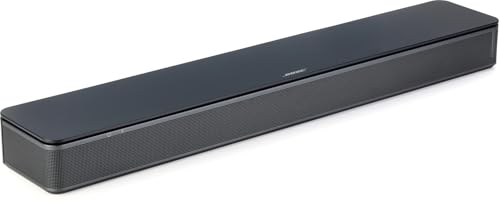
The Bose TV Speaker has a clear mission: make a television easier to understand without overwhelming the room with hardware. Its two angled full-range drivers create a wider presentation than the tiny speakers built into many TVs, and Bose gives dialogue a dedicated enhancement mode on the included remote.
The compact dimensions are a practical strength. At 23.38 inches wide, 2.21 inches high, and 4.02 inches deep, it can sit in front of a television without blocking much of the screen. It can also be wall mounted, although the required brackets are sold separately. The remote adds a bass boost when voices are not the only priority.
Setup is straightforward through optical audio or HDMI ARC. Bose includes an optical cable, and the speaker accepts Bluetooth for music and podcasts. It also supports HDMI, optical, and AUX inputs, with up to three connected devices and automatic connection to the first powered-on source. That is a useful arrangement for a TV, phone, and another audio device.
The Bose does not compete with the TCL S55H or ULTIMEA Poseidon M60 for bass or surround immersion. It is a 2.0 all-in-one bar, and the lack of a separate woofer is obvious in action-heavy films. It can be expanded with a compatible Bose Bass Module, but that adds another purchase and another component. Choose it for speech clarity and simple placement, not for room-shaking effects. Readers comparing TV-focused options can also see how dialogue-focused sound systems differ from cinematic setups.
6. Samsung HW B400F: Best Samsung Setup

Pros
- Built-in woofer adds bass without a second cabinet
- Voice Enhance mode helps bring speech forward
- Samsung TV remote control support
- Surround Sound Expansion processing
Cons
- Two-channel design is less immersive than TCL or ULTIMEA
- No separate subwoofer for placement flexibility
- Samsung-specific convenience matters most with Samsung TVs
Best for: Samsung TV owners who want a compact bar controlled by one remote.
The Samsung HW B400F is a sensible step up from TV speakers when simplicity matters. Its built-in woofer adds more body without requiring a wireless or wired subwoofer, and Samsung's Voice Enhance mode is aimed directly at the common problem of speech getting lost in busy scenes.
The bar uses a 2.0-channel layout and measures 25.23 inches wide, 2.62 inches high, and 4.21 inches deep. That footprint is still compact enough for many TV stands, though it is slightly taller than the Bose TV Speaker and the Amazon Fire TV Soundbar. Samsung's Surround Sound Expansion processing broadens the presentation, but it remains virtual processing rather than a true 5.1-channel speaker arrangement.
One Remote Control support is the standout convenience. With a compatible Samsung television, key functions such as power, volume, and sound effects can be handled from the TV remote. Samsung also describes a mode that lowers volume and minimizes bass for late-night viewing, a thoughtful feature in apartments or shared homes.
The Bose TV Speaker has a more focused dialogue identity, while the TCL S55H offers a much bigger sound field and a wireless subwoofer. The Samsung sits between those approaches, with more built-in bass than Bose and less installation than TCL. Its main limitation is the absence of HDMI ARC in the supplied feature list, so check the connection needs of your TV before choosing it. If you are matching Samsung equipment, the connection choices that matter for a Samsung television deserve a close look.
7. Amazon Fire TV Soundbar: Best Compact Fire TV Bar
Pros
- Compact 23.98-inch width
- DTS Virtual:X and Dolby Audio
- HDMI eARC/ARC cable setup
- Fire TV one-remote integration
Cons
- No separate or built-in subwoofer
- Power adapter and cable are not included
- Less bass depth than the Plus model
Best for: Fire TV users with limited stand space who want clearer, fuller sound.
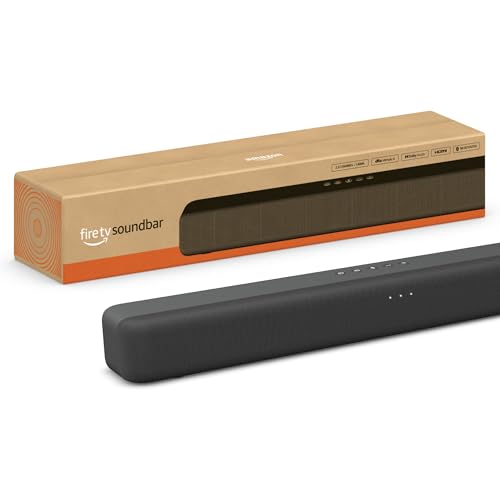
The Amazon Fire TV Soundbar is the neatest choice for a small entertainment center. Its 23.98-inch length and 2.5-inch height fit beneath many compact televisions, while dual speakers provide a clearer center image than the TV alone. It is a straightforward upgrade rather than a full home theater system.
This is a 2.0 speaker with DTS Virtual:X and Dolby Audio. Those formats can create a more spacious presentation from two front-facing channels, but the bar has no dedicated subwoofer. Bass is therefore more restrained than on the Fire TV Soundbar Plus, TCL S55H, or ULTIMEA models with separate low-frequency hardware.
Amazon includes HDMI eARC/ARC support and describes a plug-in setup designed to keep audio in sync. Bluetooth lets a phone or tablet stream music, and Fire TV Ready integration allows the TV and soundbar to share one remote. The bar is also compatible with smart TVs and televisions connected to streaming media players.
The lack of a subwoofer is the reason to choose the Bose TV Speaker or Sony S100F only if speech and small-room placement matter more than bass. The TCL is a better fit for movies in a larger room, but it needs a second speaker cabinet. This Amazon model makes more sense for a compact Fire TV setup where the main goal is a clean, low-effort improvement.
8. Assistrust 31-inch Soundbar: Best Placement Flexibility

Pros
- Can be used horizontally, vertically, on a tabletop, or wall mounted
- Four drivers and 80W output
- Bluetooth 5.0, ARC, optical, and AUX
- Movie, Music, and News modes
Cons
- No separate subwoofer
- Detachable design may require more placement decisions
- Brand-specific support is less established than Bose, Sony, or Samsung
Best for: users who need one soundbar for a TV, computer, projector, or gaming setup.
The Assistrust 31-inch Soundbar stands out because it is not locked into one physical arrangement. The two-in-one detachable design can be placed horizontally, vertically, on a tabletop, or on a wall. That makes it unusually adaptable for a desk, projector shelf, or TV that shares space with other equipment.
Assistrust lists four drivers and 80W of sound output, along with automatic volume boost intended to lift quieter details. The three equalizer modes are simple but practical: Movie emphasizes a more cinematic presentation, Music suits songs, and News prioritizes speech. The automatic boost could help with faint dialogue, though listeners who dislike processing may prefer to leave it off if the control allows.
Connectivity is one of its strongest points. Bluetooth 5.0 handles wireless playback, while ARC, optical, and AUX cover TVs, PCs, and older sources. In ARC mode, the soundbar can be controlled with the TV remote after setup. The bar measures 17 inches long, 3.5 inches wide, and 2.5 inches high, so the detachable arrangement is particularly useful when the available shelf is shallow.
The Amazon Fire TV Soundbar is more compact in a conventional TV setup, and the ULTIMEA M20 Pro has a built-in subwoofer for fuller bass. The Assistrust wins when placement and input variety matter more than low-frequency impact. Skip it if you want Dolby Atmos or a wireless subwoofer. It is best for a mixed-use setup that moves between television, computer, games, and projection.
9. Sony S100F: Best Home Office Bar

Pros
- Built-in tweeter and Bass Reflex speaker
- Voice enhancement for TV and conference calls
- HDMI ARC and Bluetooth
- Wall-mountable design
Cons
- Large listed dimensions make it less compact than expected
- No separate subwoofer
- Older design has fewer modern control options
Best for: home offices and small rooms where voice clarity matters more than theater bass.
The Sony S100F is a practical speaker for a room that serves several purposes. Sony specifically calls out home office use, and its voice enhancement feature is useful for both hushed television dialogue and conference call participants. It sounds like a better fit for spoken content than for someone chasing a dramatic movie soundtrack.
The 2.0-channel bar has an integrated tweeter and a Bass Reflex speaker. The tweeter helps preserve detail in voices and higher-frequency effects, while the reflex design gives the bass driver more room to work than a completely sealed enclosure. Sony also includes S-Force Pro Front Surround processing, which widens the front presentation without adding rear speakers.
HDMI ARC makes TV setup simple, and Bluetooth handles music or calls from a mobile device. The box includes a remote, batteries, an optical cable, an AC cord, a wall-mount template, and setup documentation. Sony lists it as wall-mountable, useful when desk or cabinet space is scarce.
The listed dimensions are unusual, with 37.5 inches of length and 6 inches for both height and width, while the supplied size field gives a smaller 3.5 by 35.5 by 2.5-inch format. That inconsistency means buyers should verify the physical fit carefully. The Bose TV Speaker is the safer compact dialogue pick, while the Sony makes sense for an office where HDMI ARC, Bluetooth, and voice enhancement are the priorities.
10. ULTIMEA M20 Pro: Best Tiny All-in-One

Pros
- Built-in 3-inch subwoofer
- Very short 15.75-inch bar
- Optical, AUX, Bluetooth 5.4, and USB
- App with six EQ modes and 10-band adjustment
Cons
- Smaller enclosure limits room-filling scale
- No separate subwoofer
- App features may take time to configure
Best for: bedrooms, shelves, desktops, and other spaces where a normal-length bar will not fit.
The ULTIMEA M20 Pro is the smallest soundbar here, but it avoids the thin bass that often comes with a very short enclosure by adding a built-in 3-inch subwoofer. At 15.75 inches long, it can fit on a shelf or under a small monitor where the TCL S55H or Sony S100F would be awkward.
ULTIMEA describes it as a 2.1-channel system with dual speakers, side-firing bass ports, and BassMX processing with adjustable bass. The side ports are intended to broaden the sound and reinforce low frequencies, while the built-in woofer keeps the whole system as one unit. That is convenient, but it cannot match the room-filling bass of the TCL's wireless subwoofer or the larger ULTIMEA systems.
The app is unusually capable for such a compact bar. It offers 121 preset EQ matrices, six modes for Movie, Music, Voice, Sport, Game, and Night, plus a 10-band equalizer for manual adjustments. Bluetooth 5.4, optical, AUX, and USB provide broad compatibility, and a SUB OUT port can connect an active subwoofer if the system later needs more bass.
The compact body measures 4.25 inches high and 2.76 inches wide, so shelf clearance deserves attention even though its footprint is short. The Assistrust 31-inch Soundbar offers more placement flexibility, while the Amazon Fire TV Soundbar is the easier choice for Fire TV control. Pick the M20 Pro when the physical space is the deciding factor and you still want app-based sound shaping. For another small-room comparison, the differences between a compact bar and a separate bass system are useful to understand.
How to choose best budget soundbar
The right soundbar depends less on a long feature list than on the room, the TV connection, and how much bass hardware you can accommodate.
Channel layout
A 2.0 soundbar uses two main channels and usually improves clarity and stereo width over built-in TV speakers. A 2.1 system adds a subwoofer, either inside the bar or in a separate cabinet, for stronger low-frequency effects. A 3.1 system adds a center channel that can hold dialogue more firmly in the middle, while 5.1 systems use more speaker channels to create a broader surround presentation.
A separate subwoofer changes the room more than a larger number printed on the box.
The TCL S55H and ULTIMEA Wireless Subwoofer Soundbar use separate bass units, while the Amazon Fire TV Soundbar Plus and ULTIMEA M20 Pro keep bass inside the main enclosure. Choose the former when placement flexibility and impact matter. Choose the latter when a clean, single-box setup matters more.
Dialogue processing
Dialogue modes raise or reshape the vocal range so speech stays intelligible when music and effects become busy. Bose, Samsung, Sony, and the ULTIMEA models all include features aimed at clearer voices, though they take different approaches. A dedicated center channel, as found in the Amazon Fire TV Soundbar Plus, is a hardware advantage for dialogue.
Look for a direct voice or dialogue mode if you watch news, dramas, or late-night television. A night mode can also reduce bass and sudden changes in volume, which helps in apartments and shared homes.
Bass hardware
A built-in woofer keeps a system tidy, but it shares the enclosure with the main speakers. A separate subwoofer can move closer to a corner or another location where low frequencies sound fuller. Wireless models such as the TCL S55H and ULTIMEA Wireless Subwoofer Soundbar reduce cable clutter, while the Poseidon M60 uses a wired subwoofer.
A compact 2.0 bar can still improve clarity, but it will not create the same physical weight as a 2.1 or 3.1 system. The ULTIMEA M20 Pro is a useful middle ground for a small room because its 3-inch subwoofer is built into the short bar.
TV connections
HDMI ARC or eARC is usually the most convenient TV connection because it can carry sound through the television and allow remote control. eARC is particularly useful for higher-bandwidth formats such as lossless Dolby Atmos. Optical is a reliable fallback for older TVs, while AUX and Bluetooth help with phones, computers, and other sources.
Check the ports on both the television and soundbar before buying. Fire TV users should also consider whether one-remote control matters more than extra input flexibility.
Size and placement
Measure the space below the TV, including the height between the stand and the screen. The Bose TV Speaker and Amazon Fire TV Soundbar are short enough for many compact setups, while the Amazon Fire TV Soundbar Plus and Sony S100F need more width. Wall mounting can solve a crowded stand, but confirm whether brackets are included or sold separately.
A subwoofer needs its own location and power outlet. If the room cannot accommodate another cabinet, an all-in-one model such as the Fire TV Soundbar Plus or M20 Pro is easier to live with.
Frequently asked questions
Do all soundbars need a subwoofer?
No. A 2.0 bar can make speech and general TV sound clearer without a separate bass unit. A subwoofer adds deeper and more physical low frequencies, which is most noticeable in action films, music, and games.
Is a 2.1 soundbar better than a 2.0 model?
A 2.1 model usually has an advantage with bass because it includes a dedicated woofer. A 2.0 model can be the better fit for a bedroom, office, or small TV where clarity and simple placement matter more than cinematic impact.
What is the easiest TV connection?
HDMI ARC or eARC is generally the simplest because it can support TV remote control and keep the setup tidy. Optical is a dependable alternative when the television lacks a compatible HDMI port.
Does Dolby Atmos require rear speakers?
No. Dolby Atmos can work through a soundbar using upward-firing or virtual processing. A bar-only Atmos system cannot create the same physical separation as speakers placed around the room, but it can still make the front soundstage feel wider and taller.
Can I connect a soundbar to a phone?
Most of the products here support Bluetooth, so a phone or tablet can stream music wirelessly. The Assistrust, Bose, Sony, Samsung, Amazon, and ULTIMEA models all list Bluetooth connectivity in their supplied features.
Where should a wireless subwoofer go?
Start near the front of the room, then try a corner or a side wall if the bass sounds weak. Keep it away from a position that blocks walkways, and remember that it still needs a power outlet even though it does not need an audio cable.
Are soundbars suitable for computer desks?
Some are. The Assistrust model supports PC use and flexible placement, while the Sony S100F is positioned for home office use. A short model such as the ULTIMEA M20 Pro is easier to fit on a desk or shelf than a 31-inch bar.
The bottom line
The TCL S55H is our top recommendation for the Best best budget soundbar because it combines a wireless subwoofer, dialogue-friendly processing, Atmos and DTS support, room calibration, and several useful connections. It gives most living rooms a fuller upgrade without the installation demands of a 5.1 system.
Choose the ULTIMEA Poseidon M60 when surround scale and app control matter most, or the Amazon Fire TV Soundbar Plus when you want strong dialogue and bass from one cabinet that works naturally with Fire TV. Smaller rooms should look to the Bose TV Speaker, Amazon Fire TV Soundbar, or ULTIMEA M20 Pro.
If you are undecided, choose the TCL S55H unless limited space makes a compact all-in-one bar the better fit.
As an Amazon Associate we earn from qualifying purchases.