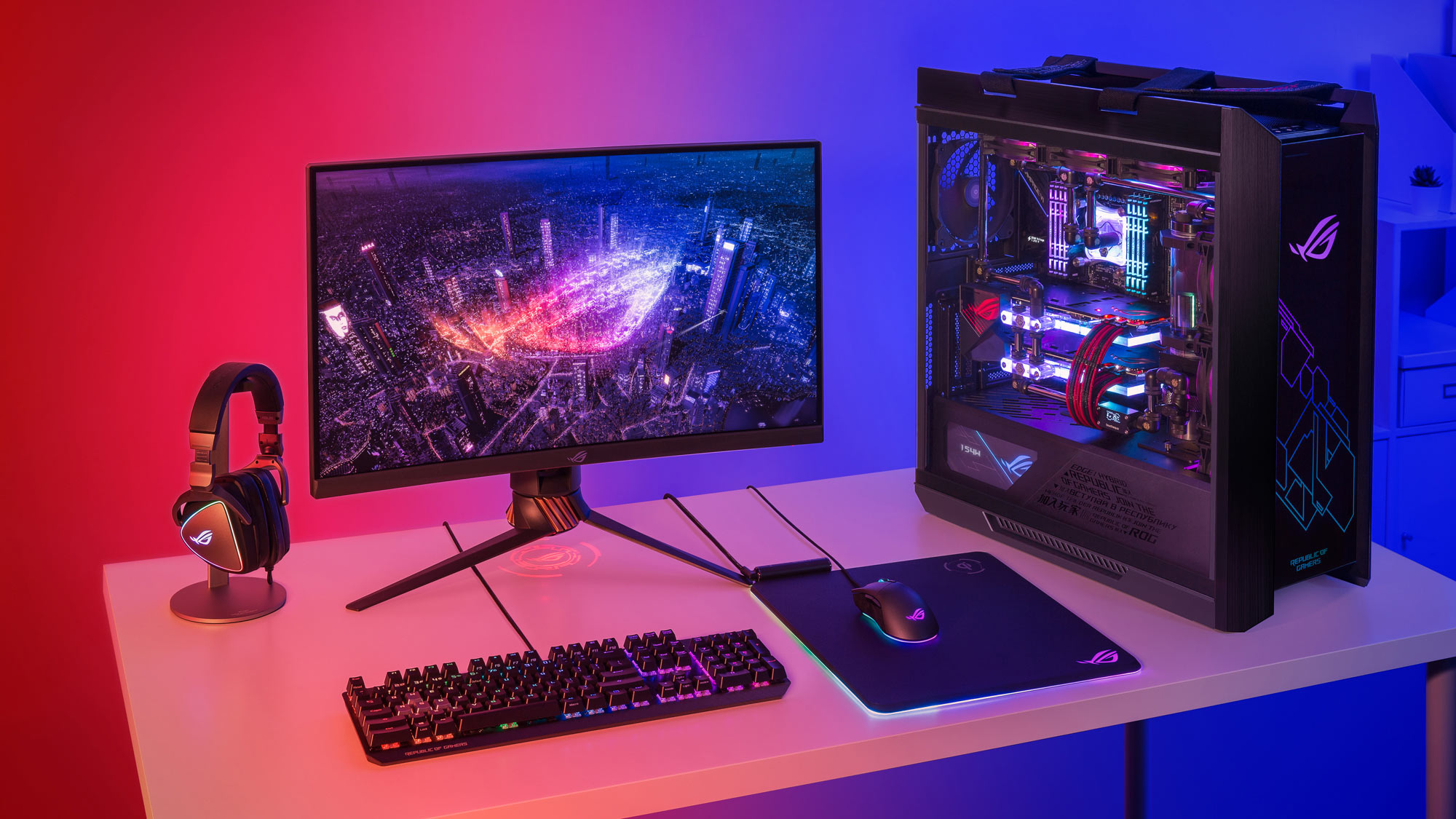

A gaming desktop should make the first launch simple, not turn your desk into a cable-management project. The graphics card matters most for modern games, but the processor, cooling system, memory, storage, and upgrade path decide how well that performance holds up.
Our Best gaming pc picks range from compact 1440p systems to powerful 4K machines with RTX 5080 graphics. KOTIN RTX 5070 Desktop is the top pick for its balanced hardware, fast memory, strong cooling, and useful built-in display, while the rest cover quieter office-friendly builds, larger storage, and higher-end graphics.
Comparison table
| # | Product | Award | GPU | CPU | Memory | Storage | Best for |
|---|---|---|---|---|---|---|---|
| 1 | KOTIN RTX 5070 Desktop | Best overall | RTX 5070 12GB | Ryzen 7 9700X | 32GB DDR5 6000MHz | 1TB PCIe 4.0 NVMe | 1440p and 4K gaming |
| 2 | MSI Codex Z2 | Best for simple setup | RTX 5070 | Ryzen 7 8700F | 32GB DDR5 | 2TB M.2 NVMe | A clean, familiar desktop |
| 3 | Lenovo Legion Tower 5i | Best for upgrades | RTX 5070 Ti | Core Ultra 7 265F | 32GB DDR5 5600MHz | 1TB | Expansion and connectivity |
| 4 | Alienware Aurora | Best design | RTX 5070 | Core Ultra 7 265F | Not listed | 1TB | A polished gaming room |
| 5 | Horizon Autherium Dragon | Best storage capacity | RTX 5070 OC 12GB | Core i9, up to 5.4GHz | 64GB | 1TB NVMe plus 4TB HDD | Large game libraries and creation |
| 6 | Skytech King 95 | Best 4K performance | RTX 5080 16GB | Ryzen 7 9850X3D | 32GB DDR5 6000 | 2TB NVMe | Demanding 4K gaming |
| 7 | MSI Aegis R2 | Best high-end air-cooled pick | RTX 5070 Ti | Core Ultra 9 285 | 32GB DDR5 | 2TB M.2 NVMe | CPU-heavy games and multitasking |
| 8 | iBUYPOWER Element | Best bundled starter | RTX 5070 12GB | Ryzen 9 7900X | 32GB DDR5 4800MHz | 1TB NVMe | New PC owners |
| 9 | KOTIN RTX 5060 Ti Desktop | Best compact 1440p pick | RTX 5060 Ti 8GB | Ryzen 7 8700F | 16GB DDR5 6000MHz | 1TB PCIe Gen4 NVMe | 1080p and 1440p gaming |
| 10 | CyberPowerPC Gamer Xtreme | Best for CPU-heavy workloads | RTX 5070 12GB | Core i9-14900KF | 32GB DDR5 | 2TB PCIe 4.0 NVMe | Gaming and heavy multitasking |
1. KOTIN RTX 5070 Desktop: Best Overall

Pros
- Strong balance of Ryzen 7 and RTX 5070 hardware
- 32GB of fast DDR5 memory
- 360mm liquid cooler and 850W Gold power supply
- Built-in display shows system information
- WiFi 7 support
Cons
- 1TB fills quickly with a large game library
- The unusual smart display adds complexity
- Larger and heavier than the compact KOTIN model
Best for: gamers who want a well-rounded desktop for high-refresh 1440p play and occasional 4K gaming.
The KOTIN RTX 5070 Desktop gets the important balance right. It pairs an eight-core Ryzen 7 9700X with an RTX 5070 carrying 12GB of GDDR7 memory, so the graphics card has enough headroom for demanding settings while the processor can handle streaming, background applications, and creative work without feeling like an afterthought. This is the kind of hardware combination that makes sense for someone buying a complete system rather than chasing one standout component.
The 32GB of DDR5 memory runs at 6000MHz, which is a particularly useful fit for a modern gaming desktop. It gives current games room to run alongside a browser, chat software, and capture tools, while the faster memory helps the system feel responsive outside games. The 1TB PCIe 4.0 NVMe SSD should make Windows and game launches quick, although a large library will eventually call for another drive.
Cooling is unusually substantial here. A 360mm liquid cooler is paired with an 850W 80 Plus Gold power supply, giving the system a sensible thermal and power foundation. WiFi 7 is a welcome modern touch for a wireless setup. The 11.3-inch integrated smart display is more than decoration, since it can show CPU and GPU temperatures, usage, and weather. It also makes this desktop more distinctive than the straightforward MSI Codex Z2.
The weakness is that the smart display and liquid cooler make this a more elaborate machine than everyone needs. Buyers who want the simplest possible tower should look at the Alienware Aurora or MSI Codex Z2 instead. The included 1TB drive is also less generous than the 2TB options in several competitors. KOTIN counters with a one-year limited warranty and lifetime technical support, which helps if the first setup raises questions.
For a main gaming desktop, this is the one we would keep. It has the graphics capability to suit a good 1440p monitor, enough memory for years of ordinary multitasking, and cooling that should not be immediately outgrown. Those planning a new desk should also consider how the right PC gaming setup affects monitor placement and desk space before choosing a tower this substantial.
2. MSI Codex Z2: Best for Simple Setup
Pros
- RTX 5070 graphics with 12GB-class modern performance
- 2TB M.2 NVMe storage
- Four-fan airflow layout
- USB Type-C and VR-ready design
- RGB controls through MSI Center
Cons
- Ryzen 7 8700F is less ambitious than the fastest CPUs here
- Windows 11 Home is not aimed at business use
- Air cooling is less elaborate than the liquid-cooled alternatives
Best for: someone who wants a recognizable, orderly desktop with generous storage and minimal setup decisions.
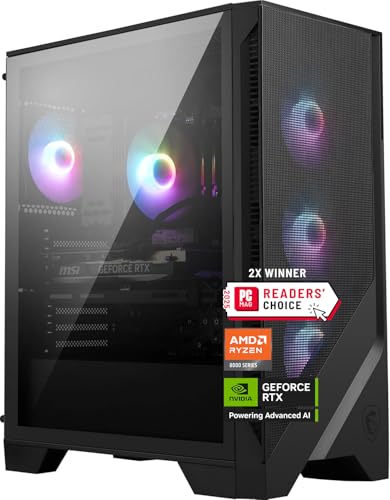
The MSI Codex Z2 is the easygoing choice in this group. It does not try to turn the tower into a showcase of unusual features. Instead, it uses a familiar combination of an eight-core, 16-thread Ryzen 7 8700F, an RTX 5070, and 32GB of DDR5 memory. The processor boosts up to 5.0GHz, giving it plenty of speed for current games and the background tasks that tend to accumulate around them.
Its strongest practical feature is the 2TB M.2 NVMe SSD. That gives the Codex Z2 twice the listed capacity of the KOTIN RTX 5070 Desktop and Lenovo Legion Tower 5i, which matters when modern games occupy a substantial amount of storage. More room also means fewer decisions about which titles to uninstall. The RTX 5070 is the main reason to choose it over lower-tier systems, since it is built for demanding visual settings rather than only competitive 1080p play.
MSI uses three front fans and one rear fan to move air through the case, along with an ARGB air cooler for the processor. That is a conventional arrangement, but conventional can be a virtue in a desktop meant to be easy to understand and maintain. The system also includes USB Type-C, VR-ready support, and Windows 11 Home. RGB lighting can be changed with the LED button or customized further in MSI Center.
The Codex Z2 is not the pick for buyers chasing the strongest processor or a serious custom-upgrade project. Lenovo's Legion Tower 5i has a more clearly explained expansion path and faster networking, while the MSI Aegis R2 brings a Core Ultra 9 processor and RTX 5070 Ti graphics. The Codex Z2's air cooling is also less imposing than the 360mm systems from KOTIN and Skytech.
That leaves it in a useful middle position. It is a good match for someone who wants to connect a monitor, install games, and avoid immediately thinking about storage expansion. The restrained layout also suits a gaming room that needs to serve as an everyday computer.
3. Lenovo Legion Tower 5i: Best for Upgrades

Pros
- RTX 5070 Ti graphics
- Memory expandable to 128GB
- Tool-less transparent side panel
- 2.5G Ethernet and WiFi 6E
- Includes three months of PC Game Pass and EA Play
Cons
- Only 1TB of listed storage
- Large, heavy tower
- Air cooling is less elaborate than liquid-cooled rivals
Best for: gamers who want a strong starting configuration they can expand later.
The Lenovo Legion Tower 5i is aimed at the buyer who does not want a prebuilt desktop to become a dead end. Its Core Ultra 7 265F processor and RTX 5070 Ti graphics place it above the RTX 5070 systems in raw graphics class, while the 32GB of DDR5 memory is enough for current gaming and streaming. Lenovo also specifies that memory can expand to 128GB, which makes this a more flexible foundation than many closed-feeling towers.
The upgrade story is visible rather than buried in a product page. A transparent, tool-less side panel makes it easier to reach the internals, and the RGB lighting gives the hardware some visual presence. The machine uses 5600MHz DDR5, a little below the 6000MHz memory in the KOTIN models, but the difference is less important than having a clear route to more capacity. For anyone who edits video, runs virtual machines, or keeps multiple demanding applications open, that ceiling is useful.
Connectivity is another reason to choose Lenovo. The system includes 2.5G Ethernet and WiFi 6E, giving wired users a faster local-network option and wireless users access to a newer standard than the WiFi 5 in the Skytech King 95 or CyberPowerPC Gamer Xtreme. Cooling is described as up to 180W optimized air cooling, with an emphasis on keeping the system quiet. That avoids the maintenance questions some buyers associate with a liquid cooler, though it does not have the visual or thermal excess of a 360mm AIO.
The compromise is storage. The 1TB drive can feel restrictive beside the 2TB MSI Codex Z2 and MSI Aegis R2, especially if this is also a creative-work machine. The tower is also 19.31 inches long and weighs 33.07 pounds, so measure the space under or beside the desk first. If you want to understand where the next meaningful improvement would come from, choosing PC components around the graphics card and processor is a useful exercise.
Lenovo makes the most sense for a buyer who expects the computer to evolve. The RTX 5070 Ti gives it a strong start, while the tool-less access and 128GB memory limit leave room to grow. It beats the MSI Codex Z2 on upgrade potential, but the Codex remains the simpler choice if you want more storage from day one.
4. Alienware Aurora: Best Design
Pros
- Distinctive Aurora chassis
- Customizable AlienFX lighting
- RTX 5070 graphics
- Performance profiles through Alienware Command Center
- One-year onsite service
Cons
- Storage is limited to 1TB
- Memory details are not listed
- Less transparent hardware specification than several rivals
Best for: gamers who care as much about a polished room-friendly design as the component list.
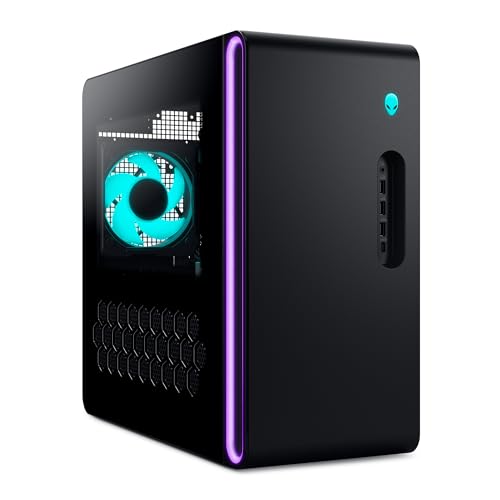
The Alienware Aurora is the design-led option. Its matte basalt black chassis and stadium-style lighting give it a more finished appearance than the typical glass-sided RGB tower. It should fit naturally into a gaming room where the desktop remains visible, rather than looking like a collection of generic components behind a desk.
Inside, the known core is straightforward: an Intel Core Ultra 7 265F processor and an NVIDIA RTX 5070 graphics card. That puts it in the same broad performance class as the KOTIN RTX 5070 Desktop, MSI Codex Z2, and iBUYPOWER Element. Alienware positions it for gaming, livestreaming, and multitasking, and the RTX 5070's Blackwell architecture gives the graphics side modern ray-tracing capability.
Alienware Command Center is the main software differentiator. It controls AlienFX lighting, lets users select performance modes across distinct power states, and supports custom profiles for a game library. That is more useful than lighting software that only changes colors, particularly for someone who wants a single application to manage the visual identity and behavior of the machine.
The drawback is incomplete information about the configuration. The listing identifies 1TB of storage, but it does not provide a memory figure, making a direct comparison harder. The Codex Z2 offers a clearer 32GB memory specification and twice the storage, while the Lenovo Legion Tower 5i spells out its expansion limits and networking. Alienware does provide one-year onsite service, a meaningful support feature for buyers who prefer help at home when a covered hardware problem cannot be resolved remotely.
Choose the Aurora for its chassis, lighting, and support experience, not because it has the most generous specification sheet. It is the attractive, managed alternative to the more enthusiast-oriented KOTIN and Lenovo designs. Buyers who plan to open the case frequently or specify every component should look elsewhere.
5. Horizon Autherium Dragon: Best Storage Capacity

Pros
- 64GB of DDR5 memory
- 5TB combined storage
- Factory-overclocked RTX 5070
- 360mm liquid cooler
- Extensive fan layout and long warranty coverage
Cons
- Very large footprint
- RTX 5070 remains below the RTX 5070 Ti and RTX 5080 systems
- Combined storage includes a slower 7200RPM hard drive
Best for: users who need room for a large game library, media files, and demanding multitasking.
The Horizon Autherium Dragon is less about subtlety than capacity. It combines a Core i9 unlocked overclockable processor, 64GB of memory, and 5TB of total storage. That is twice the memory listed by most of the systems here and substantially more storage than any other desktop in this group. For a player who keeps a large library installed or uses the computer for media work, those numbers change the day-to-day experience.
The storage is split between a 1TB M.2 NVMe SSD and a 4TB 7200RPM hard drive. The SSD is the right place for Windows and frequently played games, where fast access matters. The hard drive provides the bulk capacity for less frequently used games, recordings, projects, and archives, though it will not feel as quick when loading a title as the all-NVMe 2TB drives in the MSI Codex Z2 and CyberPowerPC Gamer Xtreme.
Graphics come from a factory-overclocked RTX 5070 with 12GB of memory. The overclock is intended to provide higher and more consistent frame rates, but the GPU still sits below the RTX 5070 Ti in the Lenovo Legion Tower 5i and MSI Aegis R2, and below the RTX 5080 in the Skytech King 95. The Dragon therefore makes more sense for a mixed gaming and storage-heavy workload than for someone focused solely on the highest 4K frame rates.
The cooling setup is substantial, with a 360mm liquid cooler and a total of 11 fans. Connectivity includes USB-C, eight USB 3 ports, Ethernet up to 2.5GB/s as listed, WiFi up to 2.4GB/s, and Bluetooth. The system also has an 850W 80 Plus Gold power supply and extra SATA connectors. Those details support the idea of a tower built for multiple drives and peripherals, but the 18-inch height and 18-inch width demand unusually generous desk or floor space.
The Horizon is a specialist pick. It beats the rest on memory and total capacity, but Skytech is the stronger choice for maximum graphics performance and KOTIN is the cleaner all-around option. Choose the Dragon when moving files, keeping many games installed, and running large applications matters as much as playing them.
6. Skytech King 95: Best 4K Performance

Pros
- RTX 5080 with 16GB of GDDR7 memory
- Ryzen 7 9850X3D processor
- 2TB NVMe SSD
- 360mm ARGB liquid cooler
- 850W Gold ATX 3 power supply
Cons
- WiFi 5 is dated beside newer wireless standards
- Graphics card brand may vary
- Large 11.8-inch-wide chassis
Best for: players targeting demanding 4K gaming with high visual settings.
The Skytech King 95 is the clear graphics specialist. Its RTX 5080 has 16GB of GDDR7 VRAM, giving it more graphics headroom than the RTX 5070 and RTX 5070 Ti desktops in this roundup. That matters most at 4K, where higher resolution and demanding texture settings put more pressure on the GPU. Skytech specifically describes the system for Ultra settings and 4K Ultra HD gaming with smooth 60-plus frame rates, though actual results will vary by game and settings.
The processor is no supporting actor. AMD's Ryzen 7 9850X3D runs at 4.7GHz and boosts to 5.6GHz, while the 32GB of DDR5 memory runs at 6000MHz. That combination is well suited to games that respond to strong CPU performance, and it leaves enough memory for streaming and ordinary multitasking. The 2TB NVMe M.2 SSD is also a sensible capacity for a system aimed at large modern games.
Skytech uses a 360mm AIO cooler with ARGB fans and an 850W Gold ATX 3 power supply. The cooler is designed to keep the processor from being held back by heat during sustained use. The King 95 case has a bold presentation, and the included keyboard and mouse make the initial setup more complete. USB 2.0, 3.0, and 3.2 ports are listed, along with HDMI and DisplayPort output options.
There are two caveats. The system uses WiFi 5, which is behind the WiFi 7 in the KOTIN RTX 5070 Desktop and KOTIN RTX 5060 Ti Desktop, as well as the WiFi 6E in the Lenovo. Skytech also says the graphics card brand may vary, so buyers who require a particular board partner should look carefully at the listing. At 17.4 inches tall, 18.7 inches long, and 11.8 inches wide, this is not a small tower.
If the monitor is 4K and the priority is graphics performance, the King 95 is the straightforward pick. It is more GPU than the MSI Aegis R2 needs for many players, but that extra capability is exactly why it earns this spot. Buyers playing mainly at 1080p or 1440p should consider KOTIN or Lenovo instead.
7. MSI Aegis R2: Best High-End Air-Cooled Pick

Pros
- Core Ultra 9 285 processor
- RTX 5070 Ti graphics
- 2TB M.2 NVMe SSD
- Four-fan air-cooling layout
- USB Type-C and VR-ready support
Cons
- Air cooling is less elaborate than the liquid-cooled competition
- Memory speed is not listed
- Large chassis
Best for: users who want a powerful processor and RTX 5070 Ti without a liquid cooler.
The MSI Aegis R2 takes a different route from the liquid-cooled desktops. Its Core Ultra 9 285 processor is the most ambitious CPU in the MSI pair, and it is matched with an RTX 5070 Ti and 32GB of DDR5 memory. That makes the Aegis a strong fit for games that lean on the processor, along with streaming, compiling, editing, and other multitasking workloads.
Storage is more generous than the 1TB drives in the KOTIN RTX 5070 Desktop and Alienware Aurora. The 2TB M.2 NVMe SSD gives the system room for a broader game collection without immediately requiring an expansion drive. MSI also includes USB Type-C, VR-ready support, Windows 11 Home, and RGB lighting controlled through the LED button or MSI Center.
The cooling system uses an RGB CPU air cooler and four system fans, with three at the front and one at the rear. That layout is easier to understand and maintain than a liquid loop, and it avoids adding a pump to the system. The trade-off is that it does not have the same large cooling reserve described for the 360mm AIO in the Skytech King 95 or the KOTIN RTX 5070 Desktop.
The listing does not identify the memory speed, so it is harder to compare this machine directly with the 6000MHz memory in the KOTIN desktops or Skytech. It is also a large tower, measuring 19 inches high and 19.4 inches long. The Lenovo Legion Tower 5i has a better-documented memory upgrade path, while the Aegis counters with the stronger Core Ultra 9 processor and 2TB drive.
This is the right MSI for a buyer who wants a high-end CPU, a capable graphics card, and conventional air cooling. It is not the quietest-looking specification on paper, but it is a sensible alternative to an AIO-equipped system for anyone who values simpler long-term maintenance.
8. iBUYPOWER Element: Best Bundled Starter

Pros
- Ryzen 9 7900X processor
- RTX 5070 with 12GB graphics memory
- 32GB DDR5 memory
- Keyboard and RGB gaming mouse included
- Six USB 3.1 ports
Cons
- 1TB storage fills quickly
- DDR5 runs at 4800MHz
- WiFi 5 is older than newer options here
Best for: first-time desktop buyers who need a usable keyboard and mouse in the box.
The iBUYPOWER Element is built around a strong processor and a complete starter package. Its Ryzen 9 7900X gives it 12 cores, according to the listed model class, while the RTX 5070 supplies the graphics power for modern gaming. The 32GB of DDR5 memory is enough for a gaming session with streaming, voice chat, and other applications running together.
The included keyboard and RGB gaming mouse matter for a new PC owner. A desktop is not much use until it has input devices, and this bundle removes one more decision from the setup process. The tempered-glass RGB case also gives the system a visible gaming identity without requiring immediate accessory purchases. Windows 11 Home is installed, and the listing says there is no bloatware.
Connectivity is generous for the category. Six USB 3.1 ports provide room for controllers, storage, headsets, and other devices, while Gigabit Ethernet and 802.11ac WiFi cover wired and wireless connections. The 1TB NVMe SSD should make the operating system and frequently used games feel responsive, but the capacity is modest beside the 2TB drives in the MSI Codex Z2, MSI Aegis R2, and CyberPowerPC Gamer Xtreme.
The main technical compromise is the 4800MHz memory speed. That is still DDR5, but it is slower on paper than the 5600MHz or 6000MHz memory listed elsewhere. WiFi 5 is also less current than the WiFi 6E and WiFi 7 options. The KOTIN RTX 5070 Desktop has a more elaborate cooling and power specification, while the iBUYPOWER's advantage is the bundled keyboard and mouse.
Choose the Element when the goal is to get a complete gaming station running quickly. It is less compelling for an enthusiast who already owns peripherals or wants the fastest memory and newest wireless connection. For a first desktop, though, the combination of Ryzen 9, RTX 5070, and included accessories is straightforward.
9. KOTIN RTX 5060 Ti Desktop: Best Compact 1440p Pick

Pros
- Compact 15.59-inch-high chassis
- RTX 5060 Ti with DLSS 4 and ray tracing
- WiFi 7 and Bluetooth
- Three M.2 SSD slots
- Digital CPU temperature display
Cons
- 16GB memory is the lowest capacity here
- RTX 5060 Ti has less graphics headroom than RTX 5070 models
- 1TB storage
Best for: gamers who want a smaller tower for high-refresh 1080p and sensible 1440p play.
The smaller KOTIN is the most approachable desktop for a tighter gaming space. Its case measures 15.59 inches high, 12.36 inches long, and 8.5 inches wide, making it notably easier to place than the large Lenovo, MSI, and Horizon towers. It still has enough hardware for the resolutions most PC players use, with a Ryzen 7 8700F and RTX 5060 Ti carrying 8GB of graphics memory.
KOTIN describes the system for high-refresh 1080p and responsive 1440p gaming. DLSS 4 and ray tracing support can help compatible games balance image quality and frame rate, while the eight-core processor also suits streaming and light content creation. It is not the graphics powerhouse that the Skytech King 95 is, but it is a more sensible match for a 1080p or 1440p display.
The 16GB of DDR5 memory runs at 6000MHz. That is fast memory, but 16GB leaves less room than the 32GB standard used by nearly every other desktop here. The good news is that KOTIN specifies support for up to 256GB across four memory slots. It also lists three M.2 SSD slots, so the 1TB PCIe Gen4 NVMe drive can be supplemented later rather than replaced.
Cooling includes a CPU air cooler with six copper heat pipes, five 120mm ARGB fans, and a digital display showing CPU temperature. WiFi 7 and Bluetooth are useful modern connectivity features, and the 650W 80 Plus Gold power supply is intended to support stable operation and future upgrades. This is a more compact and expandable approach than the MSI Codex Z2, though MSI starts with twice the memory and storage.
The key question is whether 16GB is enough for your games and applications. Buyers who stream heavily or keep demanding tools open should move to the KOTIN RTX 5070 Desktop or iBUYPOWER Element. Everyone else who values a smaller footprint and mostly plays at 1080p or 1440p can choose this model without paying for graphics capability they may not use.
10. CyberPowerPC Gamer Xtreme: Best for CPU-Heavy Workloads

Pros
- Core i9-14900KF with 24 cores
- RTX 5070 with 12GB graphics memory
- 2TB PCIe 4.0 NVMe SSD
- Two USB-C ports
- Keyboard and mouse included
Cons
- WiFi 5 and Bluetooth 4.2 are older standards
- Very heavy at 42.7 pounds
- Core i9 platform is less current than the newer Core Ultra systems
Best for: users who combine gaming with demanding processor-intensive applications.
The CyberPowerPC Gamer Xtreme is the CPU-heavy alternative to the graphics-first systems. Its Intel Core i9-14900KF is listed with 24 cores, paired with an RTX 5070 and 32GB of DDR5 memory. For games, the graphics card remains the main driver of high-resolution performance, but the processor gives this tower plenty of capacity for rendering, streaming, encoding, and heavy multitasking.
The 2TB PCIe 4.0 NVMe SSD is a strong practical feature. It matches the larger capacity found in the MSI Codex Z2 and Aegis R2, giving the system more breathing room than the 1TB KOTIN RTX 5070 Desktop, Alienware Aurora, and iBUYPOWER Element. The graphics card provides one HDMI output and three DisplayPort outputs, which is useful for a multi-display desk.
Connectivity is broad, with two USB-C 3.2 ports, four USB-A 3.2 ports, four USB-A 2.0 ports, Ethernet, WiFi 5, Bluetooth 4.2, and 7.1-channel audio. A liquid-cooled CPU and tempered side panel complete the familiar gaming desktop formula. A keyboard and mouse are included, and CyberPowerPC lists a one-year parts and labor warranty with lifetime technical support.
The age of the platform is the main weakness. The Core i9-14900KF remains a powerful processor, but Lenovo's Core Ultra 7 265F, MSI's Core Ultra 9 285, and the newer AMD processors give this list more current alternatives. WiFi 5 and Bluetooth 4.2 are also dated beside the newer wireless standards in the KOTIN and Lenovo systems. At more than 42 pounds, the Gamer Xtreme is also the heaviest tower here.
This is a good pick when processor performance and storage matter more than having the newest platform. For mainly gaming, the Lenovo Legion Tower 5i or Skytech King 95 is more targeted. For gaming beside CPU-intensive work, CyberPowerPC's 24-core processor and 2TB SSD remain compelling.
How to choose best gaming pc
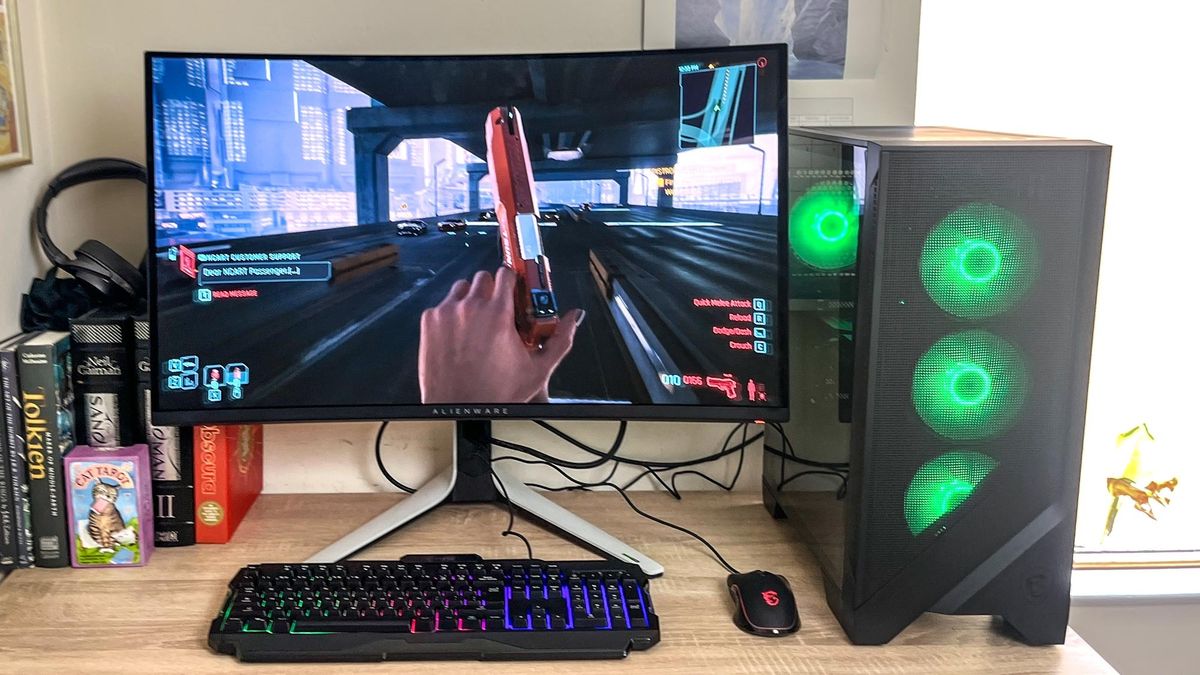
The right gaming desktop starts with the games and display you intend to use, then works outward to cooling, memory, storage, and connectivity.
Graphics card
The GPU has the biggest effect on gaming resolution, visual settings, ray tracing, and frame rate. The RTX 5060 Ti in the smaller KOTIN is aimed at 1080p and 1440p, while the RTX 5070 cards in the KOTIN, MSI Codex Z2, Alienware, iBUYPOWER, and CyberPowerPC systems offer more headroom. The RTX 5070 Ti in the Lenovo and MSI Aegis R2 steps up again, and the RTX 5080 in the Skytech King 95 is the clear choice for demanding 4K play.
Graphics memory matters too. An 8GB card has less room for very high-resolution textures than a 12GB or 16GB model. Match the GPU to the monitor rather than buying the largest number in isolation.
For 4K gaming, choose the graphics card first. The processor cannot compensate for an undersized GPU.
Processor
The CPU affects game logic, minimum frame rates, streaming, simulation, and non-gaming applications. Eight-core processors such as the Ryzen 7 9700X and Ryzen 7 8700F are sensible gaming choices, while the Ryzen 9 7900X, Core Ultra 9 285, and Core i9-14900KF make more sense when the PC will also handle demanding workloads.
A faster processor is not automatically a better gaming purchase if the graphics card is the limiting component. The Skytech pairs a Ryzen 7 9850X3D with an RTX 5080, while the CyberPowerPC puts a large Core i9 beside an RTX 5070. Those are different priorities, and each suits a different buyer.
Memory capacity
Most of these desktops include 32GB of DDR5, which is a comfortable starting point for modern games, streaming, browsers, and chat applications. The KOTIN RTX 5060 Ti Desktop has 16GB, enough for a more focused gaming setup but less comfortable for heavy multitasking. The Horizon Autherium Dragon goes the other direction with 64GB.
Memory speed can matter on platforms sensitive to it, but capacity is usually the first issue to solve. Lenovo lists expansion to 128GB, and the smaller KOTIN lists support up to 256GB across four slots. Those details are more useful than a fast memory number if you expect to keep the desktop for several upgrade cycles.
Storage
A 1TB SSD is workable for a small game collection, but modern installations can consume it quickly. A 2TB NVMe drive, as found in the MSI Codex Z2, MSI Aegis R2, Skytech King 95, and CyberPowerPC Gamer Xtreme, reduces the need for constant housekeeping. NVMe SSDs are particularly useful for quick boot and load times.
The Horizon's 5TB arrangement is different. Its 1TB NVMe drive handles active software, while the 4TB 7200RPM hard drive provides bulk capacity. If you need to store recordings, media, or archived projects, that layout is useful. If every game must load from fast storage, an all-NVMe system is simpler.
Cooling and case size
A large liquid cooler can help a high-performance processor sustain demanding workloads, but it also adds components to the system. The KOTIN RTX 5070 Desktop and Skytech King 95 use 360mm AIO coolers, while the MSI Codex Z2, MSI Aegis R2, and smaller KOTIN use air cooling with multiple case fans.
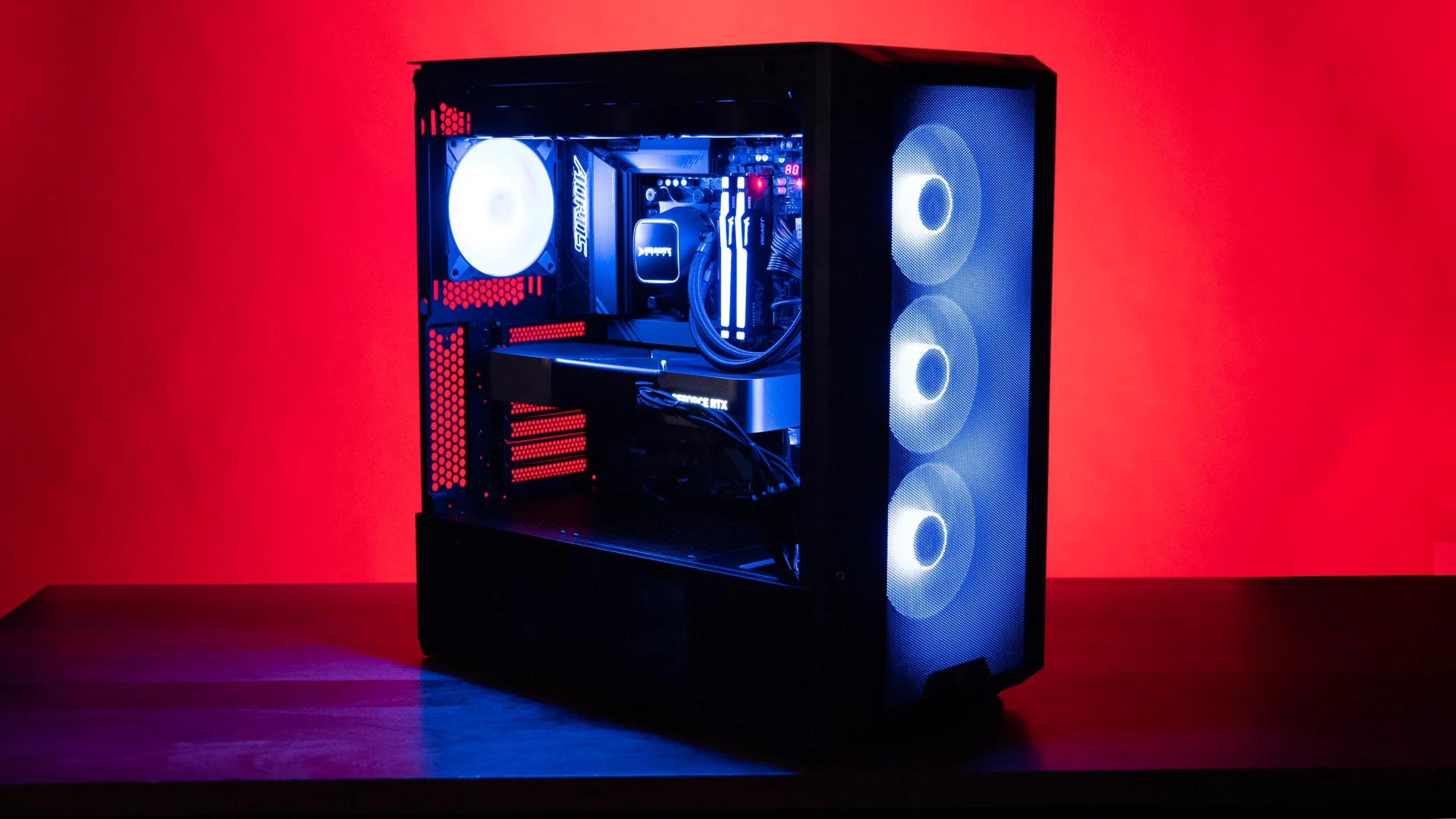
Case dimensions affect more than appearance. The compact KOTIN is easier to place than the 19-inch-tall MSI and Lenovo towers, while the Horizon's 18-inch width needs a generous area. Before buying, measure the intended location and leave room for airflow around the vents.
Frequently asked questions
Is an RTX 5070 gaming desktop enough for 4K?
An RTX 5070 can support 4K gaming, but the best settings and frame rates depend on the individual game. The RTX 5070 Ti systems provide more graphics headroom, while the RTX 5080 in the Skytech King 95 is the strongest choice here for demanding 4K settings.
How much memory should a gaming PC have?
A 32GB configuration is a comfortable target for modern gaming with streaming, browser tabs, and voice chat open. The 16GB KOTIN RTX 5060 Ti Desktop can work well for focused gaming, but its lower capacity leaves less room for demanding multitasking.
Is a liquid cooler necessary for a gaming desktop?
No. A well-designed air cooler and multiple case fans can be a sensible choice, especially for buyers who prefer a simpler cooling system. Liquid cooling becomes more attractive with high-performance processors and sustained workloads, as seen in the KOTIN RTX 5070 Desktop, Horizon, and Skytech systems.
Should I choose 1TB or 2TB storage?
Choose 2TB if you plan to keep many large games installed at once. A 1TB SSD works for a smaller library, but the available space can disappear quickly after installing several major releases and applications.
Can these desktops be upgraded?
Upgrade options vary by model. Lenovo specifies memory expansion to 128GB, while the smaller KOTIN lists four memory slots and three M.2 SSD slots. Other systems may support upgrades, but the listing does not provide the same level of detail, so check the specific configuration before planning a component swap.
Is WiFi 7 important in a gaming PC?
WiFi 7 can provide newer wireless capability and may help in a compatible network, but a wired Ethernet connection remains a strong option for low-latency play. The KOTIN desktops include WiFi 7, Lenovo lists WiFi 6E, and the Skytech and CyberPowerPC use WiFi 5.
The bottom line
The Best gaming pc for most buyers is the KOTIN RTX 5070 Desktop. Its Ryzen 7 9700X, RTX 5070, 32GB of fast DDR5 memory, 360mm cooler, WiFi 7, and useful system display create the most balanced package in this group. The Lenovo Legion Tower 5i is the better alternative for anyone who values a stronger RTX 5070 Ti, documented expansion, and faster networking.
Choose the Skytech King 95 when 4K graphics performance is the priority, or the KOTIN RTX 5060 Ti Desktop when a smaller tower and 1440p gaming matter more than maximum power. If you are undecided, match the graphics card to your monitor first, then choose the processor and storage around the way you actually use the PC.
As an Amazon Associate we earn from qualifying purchases.