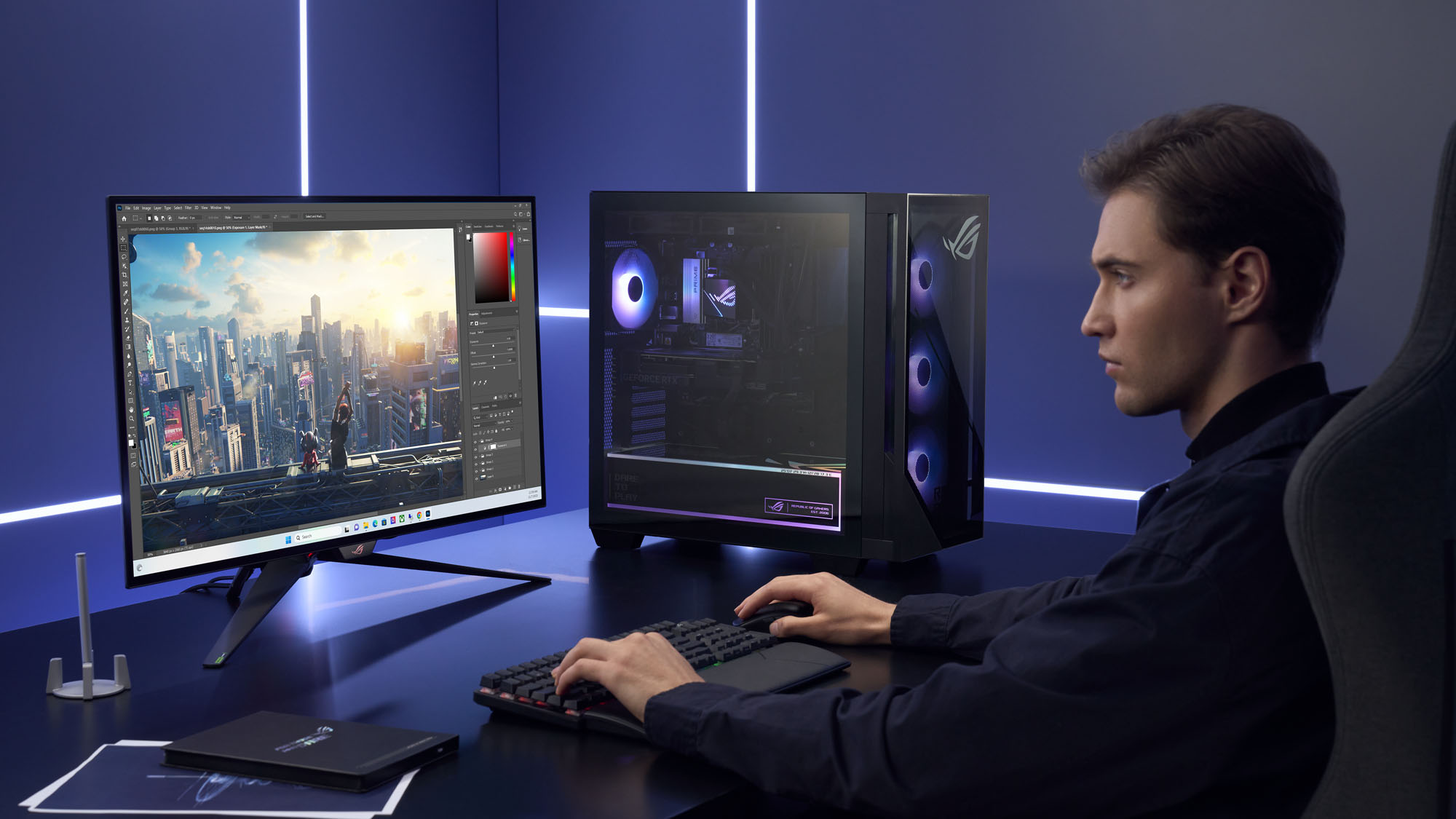

A gaming desktop should remove the fiddly parts of PC ownership, not replace them with a different set of compromises. The processor, graphics card, memory, cooling, storage, and power supply all need to make sense together, especially when the target is smooth 1440p play rather than a flattering product photo.
Our Best best prebuilt gaming pc picks range from sensible 1080p towers to high-end systems with RTX 5080 graphics. The KOTIN Ryzen 7 9700X is the best all-rounder here, while the list also includes stronger CPU alternatives, more storage, a serious enthusiast option, and simpler entry-level machines.
Comparison table
| # | Product | Award | Graphics | Processor | Memory and storage | Best for |
|---|---|---|---|---|---|---|
| 1 | KOTIN Ryzen 7 9700X | Best overall | GeForce RTX 5070 12GB | Ryzen 7 9700X, 8 cores | 32GB DDR5, 1TB PCIe 4.0 NVMe | 1440p and 4K gaming |
| 2 | MSI Codex Z2 | Best for storage | GeForce RTX 5070 | Ryzen 7 8700F, 8 cores, 16 threads | 32GB DDR5, 2TB M.2 NVMe | A tidy, roomy gaming tower |
| 3 | iBUYPOWER Element Ryzen 9 | Best for multitasking | GeForce RTX 5070 12GB | Ryzen 9 7900X | 32GB DDR5, 1TB NVMe | Gaming and demanding desktop work |
| 4 | KOTIN Ryzen 7 8700F | Best for 1440p | GeForce RTX 5060 Ti 8GB | Ryzen 7 8700F, 8 cores | 16GB DDR5, 1TB PCIe Gen4 NVMe | High-refresh 1080p and 1440p |
| 5 | CyberPowerPC Gamer Xtreme | Best connectivity | GeForce RTX 5070 12GB | Core i9-14900KF, 24 cores | 32GB DDR5, 2TB PCIe 4.0 NVMe | Ports, storage, and CPU-heavy work |
| 6 | YAWYORE Ryzen 7 5700X | Best DDR4 system | GeForce RTX 5060 8GB | Ryzen 7 5700X, 8 cores | 32GB DDR4, 1TB M.2 NVMe | Mainstream gaming and multitasking |
| 7 | STORMCRAFT Phantom RTX 5080 | Best enthusiast pick | GeForce RTX 5080 16GB | Ryzen 7 9800X3D, 8 cores | 32GB DDR5, 2TB Gen4 NVMe | High-end 4K gaming |
| 8 | KOTIN Ryzen 7 7800X3D | Best gaming CPU | GeForce RTX 5070 12GB | Ryzen 7 7800X3D | 32GB DDR5, 1TB PCIe 4.0 NVMe | High-refresh competitive gaming |
| 9 | ZYNEEX Ryzen 5 5500 | Best starter tower | GeForce RTX 3050 6GB | Ryzen 5 5500, 6 cores | 16GB DDR4, 1TB NVMe | Everyday 1080p gaming |
| 10 | ZER-LON Core i7 RTX 3050 | Best bundled setup | GeForce RTX 3050 8GB | Core i7, up to 3.9GHz | 16GB, 512GB SSD | A ready-made starter desk |
1. KOTIN Ryzen 7 9700X: Best Overall

Pros
- RTX 5070 graphics with 12GB memory
- 32GB DDR5 6000MHz memory
- 360mm liquid cooler
- Useful built-in system display
- WiFi 7 and an 850W Gold power supply
Cons
- Only 1TB of included storage
- Large liquid cooler adds complexity
- The case takes substantial desk or floor space
Best for: someone who wants a balanced modern tower for demanding gaming and creative work.
The first thing that separates the KOTIN Ryzen 7 9700X is how complete the build feels. It does not lean on a single headline component while quietly trimming everything around it. The Ryzen 7 9700X and GeForce RTX 5070 12GB form a sensible pairing for demanding games, and 32GB of memory gives current multitasking plenty of room.
The processor has eight cores, while the memory runs at 6000MHz DDR5. That combination matters when a game is open beside a browser, voice chat, recording software, or a creative application. The 1TB PCIe 4.0 NVMe drive should make Windows and game loading feel quick, though a large modern library will eventually call for another drive.
Cooling is unusually elaborate for this group. KOTIN specifies a 360mm AIO liquid cooler, an 850W 80 Plus Gold power supply, and an ARGB mid-tower case. The built-in 11.3-inch smart display is more than decoration because it can show CPU and GPU temperatures, usage, and weather. It gives the machine a distinctive look while making basic monitoring visible at a glance.
Compared with the KOTIN Ryzen 7 7800X3D, this model has a newer Ryzen 7 9700X platform and the same class of RTX 5070 graphics, while the STORMCRAFT Phantom RTX 5080 is the clear step up for uncompromising 4K performance. The weakness is the limited 1TB starting point and the added maintenance considerations of liquid cooling. Someone who wants a simple air-cooled tower should look at the MSI Codex Z2 instead. For the reader who wants a strong center-of-the-desk gaming system with modern connectivity and visible monitoring, this is the most rounded choice.
2. MSI Codex Z2: Best for Storage
Pros
- RTX 5070 graphics
- 2TB M.2 NVMe storage
- 32GB DDR5 memory
- Four-fan air-cooling layout
- USB Type-C and configurable RGB
Cons
- Ryzen 7 8700F is less ambitious than several rivals
- No stated memory speed
- The 19-inch height needs planning
Best for: gamers who want a clean, conventional tower with more room for a growing library.
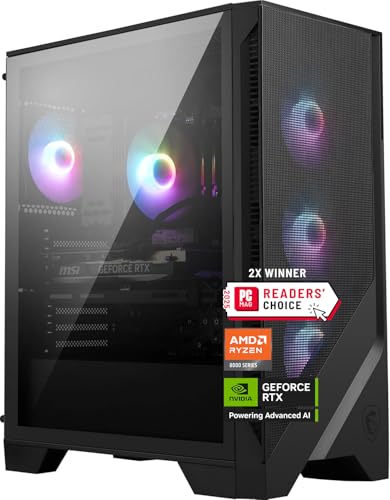
The MSI Codex Z2 is the least flashy recommendation in the upper half of this list, and that is part of its appeal. It looks like a familiar gaming tower rather than a showcase build, with an air cooler and four system fans arranged with three at the front and one at the rear. That layout is easy to understand and easier to live with than a more elaborate cooling system.
Its eight-core, 16-thread Ryzen 7 8700F boosts to 5.0GHz according to the supplied specifications. The RTX 5070 provides the graphics muscle for high-detail gaming, while 32GB of DDR5 keeps the rest of the system responsive. The standout practical feature is the 2TB M.2 NVMe SSD. That is twice the capacity offered by several comparable picks and gives a player more breathing room before storage management becomes part of the routine.
MSI includes USB Type-C, Windows 11 Home, VR-ready positioning, and RGB lighting controlled through the MSI LED button and MSI Center software. The case measures 19 inches high, 16 inches long, and 8.38 inches wide. Those dimensions are not extreme for a tower, but the height is worth checking against a shelf or enclosed desk compartment before ordering.
The KOTIN Ryzen 7 9700X has a more advanced cooling and monitoring package, and the iBUYPOWER Element Ryzen 9 has a stronger processor for heavily threaded work. The Codex Z2 answers with easier storage capacity and a straightforward fan layout. Its main limitation is that the Ryzen 7 8700F does not stand out as much as the CPUs in those alternatives. Choose it when a tidy, recognizable desktop with 2TB of fast storage matters more than owning the most elaborate build in the room.
3. iBUYPOWER Element Ryzen 9: Best for Multitasking

Pros
- Ryzen 9 7900X processor
- RTX 5070 12GB graphics
- 32GB DDR5 memory
- Six USB 3.1 ports
- Keyboard and RGB mouse included
Cons
- 1TB storage fills faster than the MSI's 2TB
- Heavy 36-pound chassis
- WiFi is listed as 802.11ac rather than WiFi 7
Best for: players who also render, stream, edit, or run several demanding applications.
The iBUYPOWER Element Ryzen 9 makes its case with the processor rather than a novelty feature. Its Ryzen 9 7900X is the most workstation-minded CPU among the RTX 5070 systems here, and it is paired with 32GB of DDR5 memory and the same 12GB graphics capacity found in the KOTIN and CyberPowerPC alternatives. That makes it a particularly interesting choice for someone whose desktop is both a game machine and a work machine.
The 1TB NVMe SSD provides quick access to Windows and applications, but it is not especially generous for a system intended to host a large game collection and creative files. The useful counterpoint is connectivity. Six USB 3.1 ports, wired Ethernet, onboard audio, and included WiFi give the tower a practical foundation for a desk crowded with peripherals.
The tempered glass RGB case and 16-color lighting give it the expected gaming identity without changing the underlying purpose. This is a sizeable system at 17.4 inches high, 20 inches long, 9.1 inches wide, and 36 pounds. It includes a gaming keyboard and RGB mouse, so a new setup can be assembled without immediately adding those basic peripherals.
The CyberPowerPC Gamer Xtreme offers a 24-core Core i9-14900KF and twice the storage, making it the stronger alternative for CPU-heavy work and a broad installed library. The KOTIN Ryzen 7 9700X is more interesting if you want WiFi 7 and a 360mm cooler. The iBUYPOWER's weakness is its 1TB drive and older 802.11ac wireless specification. It remains the better fit for the gamer who edits, streams, or works with multiple applications and wants a powerful CPU without moving to the RTX 5080 tier.
4. KOTIN Ryzen 7 8700F: Best for 1440p

Pros
- RTX 5060 Ti 8GB graphics
- Ryzen 7 processor with eight cores
- Five 120mm ARGB fans
- WiFi 7 and Bluetooth
- Three M.2 SSD slots
Cons
- 16GB memory is less comfortable for heavy multitasking
- 8GB graphics memory gives less headroom than RTX 5070 systems
- 650W power supply leaves less upgrade margin
Best for: high-refresh 1080p or sensible 1440p gaming without stepping into flagship hardware.
The KOTIN Ryzen 7 8700F is the point where this roundup moves from premium 5070 systems to a more focused mainstream gaming machine. The RTX 5060 Ti 8GB is aimed at 1080p and 1440p play, and the supplied specifications mention DLSS 4 Multi Frame Generation and ray tracing support in compatible games. It is a sensible match for a high-refresh display without pretending to be an unrestricted 4K tower.
The eight-core Ryzen 7 8700F boosts to 5.0GHz, and the 16GB of DDR5 6000MHz memory is enough for gaming and ordinary background tasks. Players who stream, edit, or keep numerous large applications open should regard the memory as the first likely upgrade. The 1TB PCIe Gen4 NVMe SSD is a better starting point than a small boot drive, with listed read speeds of up to 6, 000 MB/s.
KOTIN has put real thought into the cooling package. A CPU air cooler with six copper heat pipes works with five 120mm ARGB fans, and a digital display shows the CPU temperature. There are four DIMM slots supporting up to 256GB of DDR5 and three M.2 slots for expansion. WiFi 7 and Bluetooth are welcome modern touches, while the 650W 80 PLUS Gold power supply is appropriate for this configuration.
The YAWYORE Ryzen 7 5700X also uses an RTX 5060-class GPU, but its older DDR4 platform is less forward-looking. The MSI Codex Z2 is the better pick when RTX 5070 performance or 2TB storage is the priority. This KOTIN's real weakness is the 8GB graphics memory and modest 16GB system memory. It is the right choice for someone who wants a compact, upgradeable foundation for fast 1080p and 1440p play.
5. CyberPowerPC Gamer Xtreme: Best Connectivity

Pros
- Core i9-14900KF with 24 cores
- RTX 5070 12GB graphics
- 2TB PCIe 4.0 NVMe SSD
- USB-C, USB-A, DisplayPort, and HDMI
- Liquid CPU cooling and bundled peripherals
Cons
- Very heavy at about 42.7 pounds
- WiFi 5 and Bluetooth 4.2 are dated
- The CPU is more than many games require
Best for: a desk with many accessories or work that benefits from a high-core-count processor.
The CyberPowerPC Gamer Xtreme is a substantial machine in every sense. Its Core i9-14900KF has 24 cores, which gives it a clear advantage for heavily threaded workloads, while the RTX 5070 12GB keeps the gaming side from becoming an afterthought. For a player who also compiles, renders, records, or runs virtualized tasks, this is the most forceful CPU combination in the RTX 5070 group.
Storage is a strong point. The 2TB PCIe 4.0 NVMe SSD gives the system room for a large selection of games and applications, and the graphics card provides one HDMI output plus three DisplayPort outputs. Two USB-C 3.2 ports join four USB-A 3.2 ports and four USB-A 2.0 ports. That is enough flexibility for external drives, controllers, audio gear, and other desk hardware without reaching for a hub immediately.
CyberPowerPC lists liquid cooling for the CPU, a tempered side panel, custom RGB lighting, and a keyboard and mouse. The case is not described with full dimensions, but its listed weight is about 42.7 pounds, making it the least convenient system here to move around. The wireless specification is also older than the WiFi 7 systems from KOTIN, although wired LAN remains available.
The iBUYPOWER Element Ryzen 9 offers a similarly capable gaming platform in a lighter but still large chassis, while the STORMCRAFT Phantom RTX 5080 is the more compelling choice if graphics performance matters above all else. The CyberPowerPC's weakness is balance: many players will never use all 24 cores, and its wireless standards lag behind newer alternatives. For a workstation-minded gamer with a peripheral-heavy desk, the port selection and 2TB drive are persuasive.
6. YAWYORE Ryzen 7 5700X: Best DDR4 System

Pros
- Eight-core, 16-thread Ryzen 7 processor
- RTX 5060 with 8GB GDDR7
- 32GB of system memory
- Built-in WiFi and Bluetooth
- MSI B550M-A PRO motherboard
Cons
- Uses DDR4 rather than DDR5
- 650W 80 Plus Bronze power supply
- Graphics card brand may vary
Best for: a straightforward gaming and multitasking tower built around a mature DDR4 platform.
The YAWYORE Ryzen 7 5700X takes a different route from the newer DDR5 desktops. Its Ryzen 7 5700X has eight cores and 16 threads, and the RTX 5060 brings 8GB of GDDR7 graphics memory. That is a reasonable combination for mainstream gaming, particularly when the goal is a responsive 1080p experience rather than maximum settings at 4K.
The machine includes 32GB of DDR4 3200MHz memory, which is useful for multitasking even though the memory generation is older. A 1TB M.2 NVMe SSD handles the operating system and game storage, while the MSI B550M-A PRO motherboard provides a known platform for the processor. The supplied listing also includes built-in WiFi and Bluetooth, which keeps the setup simple.
Power comes from a 650W 80 Plus Bronze supply. It is a less efficient and less upgrade-oriented specification than the Gold-rated supplies in the KOTIN systems, so buyers planning a major graphics upgrade should inspect the complete component layout before making that move. Another caveat is that the graphics card brand may vary, which makes the exact board design and cooler harder to predict.
The KOTIN Ryzen 7 8700F is the better forward-looking pick because it uses DDR5, WiFi 7, and includes more explicit storage expansion. The YAWYORE counters with 32GB already installed and a familiar eight-core CPU. Readers comparing platform longevity should consider the component choices that matter most in a gaming desktop. Skip this model if you want the newest memory standard, but it makes sense for someone who wants a simple, capable tower and does not need a cutting-edge upgrade path.
7. STORMCRAFT Phantom RTX 5080: Best Enthusiast Pick

Pros
- RTX 5080 with 16GB GDDR7
- Ryzen 7 9800X3D gaming processor
- 32GB DDR5 6000MHz memory
- 2TB Gen4 NVMe SSD
- 360mm AIO and seven ARGB fans
Cons
- Much larger performance envelope than many players need
- Large 17-inch by 9.25-inch by 17-inch case
- Heavy cooling and fan setup may not suit quiet-room builds
Best for: enthusiasts who want a high-end 4K gaming tower with substantial graphics headroom.
The STORMCRAFT Phantom RTX 5080 is the obvious specialist in this group. Its RTX 5080 has 16GB of GDDR7 memory and a 256-bit interface, giving it more graphics headroom than every other system here. The Ryzen 7 9800X3D is also designed with gaming in mind, using eight cores, 16 threads, and a boost speed of up to 5.2GHz.
The supporting hardware is appropriately substantial. There is 32GB of DDR5 6000MHz memory and a 2TB Gen4 NVMe SSD, so the system does not force an immediate storage or memory decision. A 360mm AIO liquid cooler works with seven ARGB fans, and the 850W Gold-certified power supply is rated for a higher-performance build.
This is a large tower, measuring 17 inches by 9.25 inches by 17 inches. That size gives the cooling hardware and graphics card room to breathe, but it also means this should be treated as a floor or dedicated desk system rather than a machine to slide into a narrow cubby. The supplied warranty information specifies two years for parts, three years for labor, one year of shipping coverage, and lifetime technical support.
The KOTIN Ryzen 7 7800X3D is a more focused gaming choice with RTX 5070 graphics, while the CyberPowerPC Gamer Xtreme is better equipped for CPU-heavy work through its 24-core processor. The Phantom's weakness is not capability but proportion. If you play at 1080p on a modest display, much of this system's appeal will go unused. For a high-refresh 1440p or 4K enthusiast who wants the strongest graphics card in this roundup, it is the clear pick.
8. KOTIN Ryzen 7 7800X3D: Best Gaming CPU

Pros
- Ryzen 7 7800X3D with 3D V-Cache
- RTX 5070 12GB graphics
- 32GB DDR5 6000MHz memory
- 850W Gold power supply
- Built-in monitoring display and liquid cooling
Cons
- 1TB SSD is modest for a large library
- The older 7800X3D platform is less new than the 9700X
- Integrated display adds visual complexity
Best for: competitive players who care about frame-rate stability and a gaming-focused processor.
The KOTIN Ryzen 7 7800X3D is built around a processor with a very specific strength. Its 3D V-Cache gives the Ryzen 7 7800X3D a larger game cache, which can help responsiveness and frame-rate consistency in supported titles. The RTX 5070 12GB then handles the visual workload, making the combination suited to high-refresh esports as well as demanding AAA games.
The rest of the configuration is strong. It includes 32GB of DDR5 6000MHz memory and a 1TB PCIe 4.0 NVMe SSD. The drive will keep loading times snappy, but players with a large installed collection will want to think about expansion earlier than they would with the MSI or CyberPowerPC systems.
KOTIN uses the same distinctive 11.3-inch smart display concept found on its Ryzen 7 9700X machine. It can show CPU and GPU usage and temperatures, along with memory and SSD usage. The ARGB liquid cooler has its own temperature display, and the system includes WiFi, Bluetooth, an 850W 80 PLUS Gold power supply, and a glass side panel.
The KOTIN Ryzen 7 9700X is the better all-round platform for a mix of gaming and general work, while the STORMCRAFT Phantom RTX 5080 has far more graphics capacity for 4K. The 7800X3D model's weakness is that its processor focus does not automatically make it the best machine for every workload. Choose it for competitive gaming, high refresh rates, and a system that puts game performance ahead of office-style multitasking.
9. ZYNEEX Ryzen 5 5500: Best Starter Tower

Pros
- Six-core Ryzen 5 5500
- RTX 3050 6GB graphics
- 16GB DDR4 memory
- 1TB NVMe SSD
- WiFi and multiple display outputs
Cons
- Older DDR4 platform
- RTX 3050 has less graphics headroom
- Air cooling is less elaborate than higher-ranked systems
Best for: a first gaming desktop aimed at everyday 1080p play.
The ZYNEEX Ryzen 5 5500 is the most straightforward gaming PC in the roundup. Its six-core, 12-thread Ryzen 5 5500 works with an RTX 3050 6GB graphics card, putting the emphasis on accessible 1080p gaming rather than high-resolution performance. The supplied specifications also mention ray tracing support, though the limited graphics memory means settings will need more care in demanding games.
There is 16GB of DDR4 3200MHz memory and a 1TB NVMe SSD. That is a sensible starting combination for a new player, with enough memory for ordinary gaming and daily computing and enough solid-state storage for a selection of games. The machine also includes WiFi, HDMI, and DisplayPort outputs, making it easier to connect to an existing monitor.
The ARGB air-cooling system uses multiple fans, and the listing positions it as suitable for gaming, streaming, and editing. Those broader claims should be read in context. The six-core processor and RTX 3050 can handle lighter versions of those tasks, but the newer RTX 5060 Ti and RTX 5070 systems have much more room for demanding workloads.
The ZER-LON Core i7 RTX 3050 offers more graphics memory and a wider bundle, while the KOTIN Ryzen 7 8700F is a much stronger step for 1440p play and future expansion. Readers who want a smaller first commitment can also compare the practical trade-offs in entry-level prebuilt towers. The ZYNEEX is the better fit when a clean, ready-to-use 1080p desktop matters more than chasing advanced effects or a newer platform.
10. ZER-LON Core i7 RTX 3050: Best Bundled Setup

Pros
- RTX 3050 with 8GB GDDR6
- Core i7 processor listed up to 3.9GHz
- Five RGB fans
- Keyboard, mouse, mouse pad, and card holder included
- HDMI, DisplayPort, and DVI outputs
Cons
- 512GB SSD is the smallest drive here
- Processor model is not specified
- Older platform details limit upgrade confidence
Best for: someone who needs a complete starter setup with basic gaming accessories included.
The ZER-LON Core i7 RTX 3050 is less about a carefully documented platform and more about getting a full desk setup in one box. It pairs a Core i7 processor listed at up to 3.9GHz with an RTX 3050 carrying 8GB of GDDR6 memory. That graphics capacity is higher than the ZYNEEX's 6GB version, although the unspecified Core i7 makes direct processor comparisons harder.
The listing specifies 16GB of memory and a 512GB SSD. The solid-state drive should keep basic startup and loading responsive, but it is the first limitation a game-heavy user will notice. Several large modern games can consume a substantial portion of that capacity, so storage expansion should be part of the plan rather than an afterthought.
Connectivity is unusually broad for a starter tower. There are two USB 3.0 ports, six USB 2.0 ports, wired networking, built-in WiFi, HDMI, DisplayPort, and DVI. Five RGB fans provide the visual treatment, and the package includes a keyboard, mouse, mouse pad, and graphics card holder. Those extras make the machine easier to deploy in a room that does not already have PC peripherals.
The ZYNEEX Ryzen 5 5500 is easier to evaluate because its processor and storage are specified more clearly, and its 1TB NVMe drive is twice the capacity. The KOTIN Ryzen 7 8700F is a much better gaming foundation when performance and expansion matter. The ZER-LON should be skipped by buyers who want a clearly identified modern platform. It is aimed at the reader who needs a complete starter desk and expects to play primarily at 1080p.
How to choose best prebuilt gaming pc
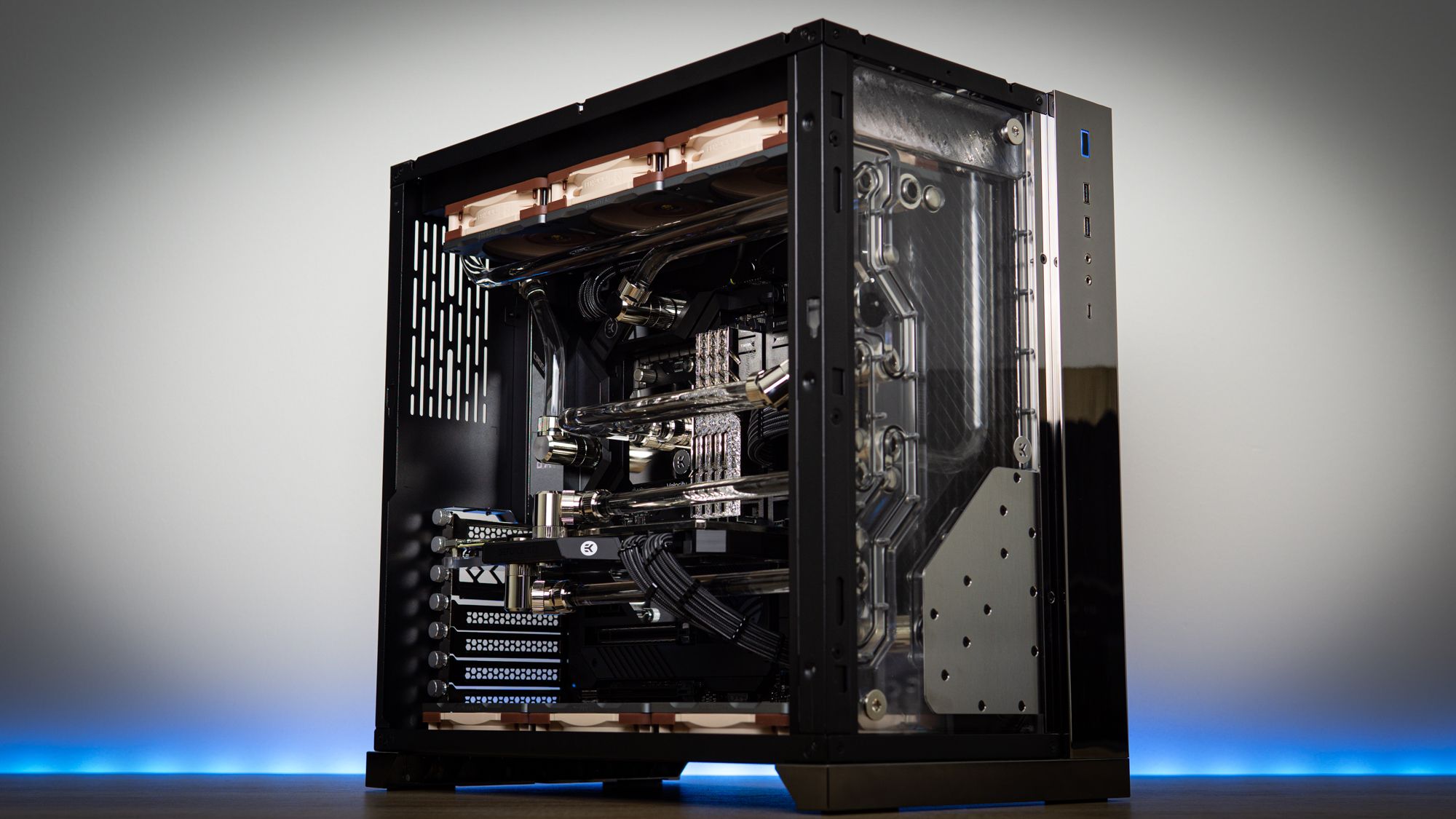
The right desktop starts with the games and display you intend to use, then works outward to the processor, graphics card, memory, storage, and upgrade path.
Graphics card
The graphics card has the largest effect on gaming performance. An RTX 3050 system such as the ZYNEEX Ryzen 5 5500 or ZER-LON Core i7 RTX 3050 is aimed at 1080p, while the RTX 5060 and RTX 5060 Ti systems are better suited to high-refresh 1080p and sensible 1440p play. RTX 5070 machines offer more headroom, and the RTX 5080 in the STORMCRAFT Phantom is the clear enthusiast option.
Graphics memory matters as well. The 8GB cards here offer more breathing room than the 6GB RTX 3050, while the 12GB RTX 5070 and 16GB RTX 5080 are more comfortable for high-resolution textures and demanding settings.
Choose the graphics card for the display you will actually use, not for the processor name printed beside it.
Processor design
A gaming CPU with strong per-core performance can matter more than a high core count in many games. The Ryzen 7 7800X3D is specifically focused on gaming cache, while the Ryzen 7 9700X offers a newer all-round eight-core design. The Ryzen 9 7900X and Core i9-14900KF make more sense when rendering, streaming, compiling, or other heavily threaded work shares the machine.
The ZER-LON Core i7 RTX 3050 is difficult to judge as precisely because its listing does not identify the Core i7 model. A clearly specified processor is preferable when upgrade planning matters.
Memory capacity
Sixteen gigabytes remains a workable starting point for ordinary gaming, as shown by the KOTIN Ryzen 7 8700F and ZYNEEX Ryzen 5 5500. Thirty-two gigabytes is more comfortable for current multitasking, streaming, browser tabs, and creative applications. DDR5 is the newer memory standard in most of the stronger systems, while the YAWYORE Ryzen 7 5700X and entry-level ZYNEEX use DDR4.
Memory speed is also part of the picture. The KOTIN systems specify DDR5 6000MHz, while the YAWYORE specifies DDR4 3200MHz. Capacity should come first, but the newer platform gives you a stronger starting point for later upgrades.
Storage capacity
A 1TB NVMe SSD is a reasonable baseline for Windows, applications, and a rotating game library. The MSI Codex Z2 and CyberPowerPC Gamer Xtreme stand out with 2TB drives, which reduces the need to uninstall games regularly. The ZER-LON's 512GB SSD is much tighter and should be treated as a boot and active-game drive.
Drive interface also matters for responsiveness. PCIe 4.0 and Gen4 NVMe drives appear throughout the upper half of this list and offer fast loading. Look for additional M.2 slots if you expect your library to grow. The KOTIN Ryzen 7 8700F includes three M.2 slots, which is unusually helpful for a prebuilt.
Cooling and power supply
A strong processor and graphics card need sensible cooling. Air cooling is easier to understand and maintain, while a 360mm AIO liquid cooler can provide substantial thermal capacity but adds a pump and radiator to the system. KOTIN, STORMCRAFT, and CyberPowerPC use more elaborate cooling arrangements than the entry-level towers.
The power supply affects both stability and future expansion. The 850W Gold units in the higher-performance KOTIN and STORMCRAFT systems provide more headroom than the 650W supplies in the RTX 5060 machines. The YAWYORE uses a 650W Bronze supply, so major future graphics upgrades deserve closer inspection.
Case size and connections
Measure the space before choosing a tower. The MSI Codex Z2 is 19 inches high, the KOTIN Ryzen 7 9700X is 14.25 inches high, and the STORMCRAFT Phantom measures 17 inches in each of its listed height and length dimensions. A glass side panel and RGB fans look good, but ventilation and access to the ports matter more in daily use.
Connection needs vary. USB-C appears on the MSI and CyberPowerPC systems, while the CyberPowerPC also supplies multiple DisplayPort and USB-A connections. If your desk already has a keyboard, mouse, external drive, microphone, and controller, count the ports before buying. For a complete room setup, the peripherals and desk details that shape a usable gaming station are worth considering alongside the tower.
Frequently asked questions
Is an RTX 5070 prebuilt good for 1440p gaming?
Yes. The RTX 5070 systems in this roundup are positioned above the RTX 3050 and RTX 5060 machines and include 12GB of graphics memory. Actual performance depends on the game, resolution, settings, and use of supported features such as ray tracing and DLSS.
Is 32GB of memory better than 16GB for a gaming PC?
Thirty-two gigabytes gives more room for streaming, browser tabs, recording tools, and other background applications. Sixteen gigabytes is still a workable starting point for gaming, but it leaves less margin when several demanding programs run at once.
Does a gaming PC need liquid cooling?
No. A well-designed air cooler can be suitable for a gaming desktop, especially one using a mainstream processor. Liquid cooling can provide more thermal capacity, but it adds a pump, radiator, and additional component to the system.
How much storage should a prebuilt gaming PC have?
A 1TB NVMe SSD is a practical starting point for Windows, applications, and several games. A 2TB drive, such as those in the MSI Codex Z2 and CyberPowerPC Gamer Xtreme, is more convenient for a large library. A 512GB drive will require more frequent storage management.
Can these prebuilt gaming PCs be upgraded?
The answer depends on the motherboard, power supply, case clearance, and available slots. The KOTIN Ryzen 7 8700F explicitly includes four DIMM slots and three M.2 slots, making its expansion path unusually clear. Other systems may support upgrades, but the complete internal component list should be checked first.
Is the Ryzen 7 7800X3D still useful for gaming?
Yes. Its 3D V-Cache design is focused on gaming responsiveness and frame-rate stability in supported titles. It is less specifically suited to heavily threaded workstation tasks than a Ryzen 9 or Core i9, so choose it primarily for a gaming-first desktop.
Do these computers include Windows?
The supplied specifications list Windows 11 Home for the KOTIN, MSI, iBUYPOWER, CyberPowerPC, STORMCRAFT, and some other systems. The ZER-LON and ZYNEEX listings provided here do not state a Windows edition in their feature summaries, so confirm the current product details before ordering.
The bottom line
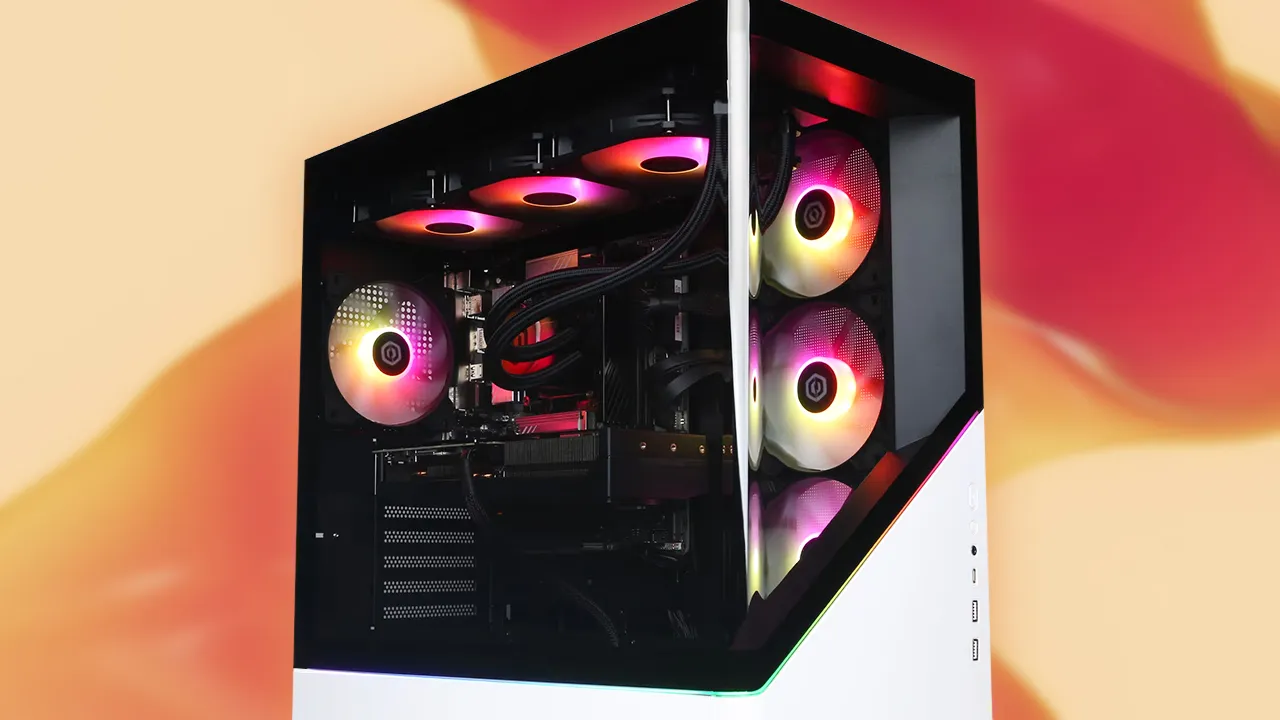
The KOTIN Ryzen 7 9700X is the Best best prebuilt gaming pc for most buyers who want a modern RTX 5070 system without a glaring weakness. It combines 32GB of DDR5, a fast 1TB drive, WiFi 7, a 360mm cooler, and useful temperature monitoring. The MSI Codex Z2 is the better alternative when 2TB of storage and a simpler air-cooled layout matter more.
For enthusiast 4K gaming, the STORMCRAFT Phantom RTX 5080 is the obvious step up, with the strongest graphics card and 2TB of storage. The KOTIN Ryzen 7 8700F is the more sensible mainstream option for high-refresh 1080p and 1440p play, while the ZYNEEX and ZER-LON are aimed at starter systems.
If you are undecided, choose the KOTIN Ryzen 7 9700X unless you specifically need the MSI's 2TB drive or the STORMCRAFT's RTX 5080 performance.
As an Amazon Associate we earn from qualifying purchases.