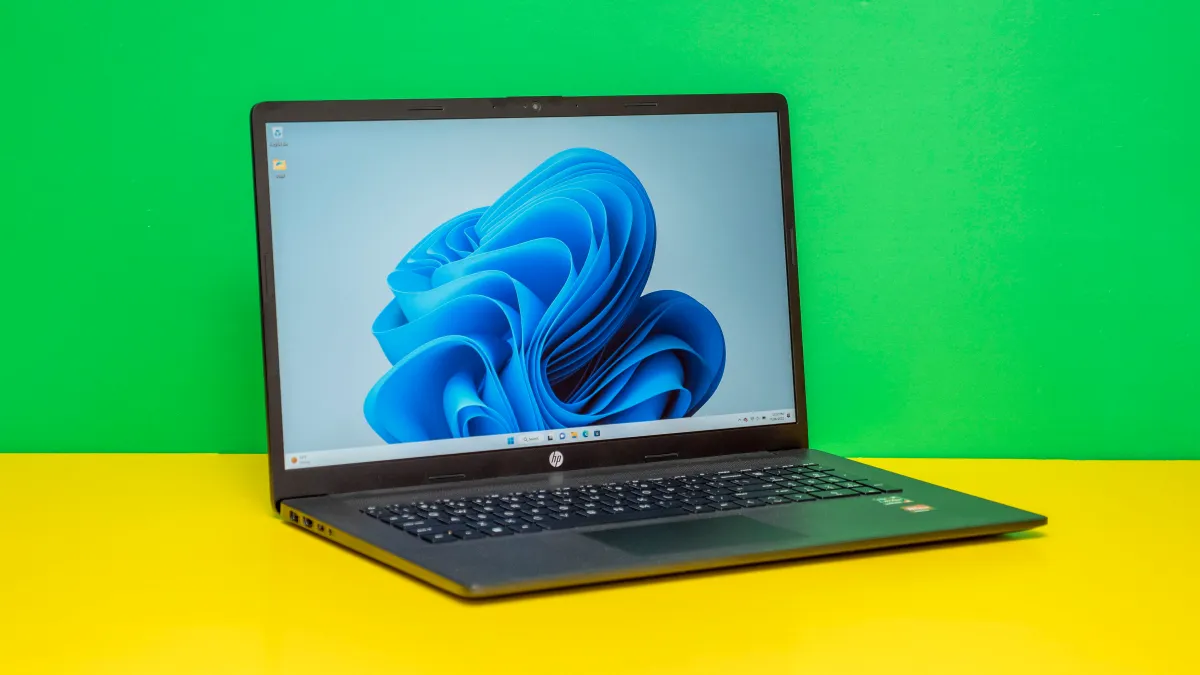

A laptop can look perfectly adequate on a product page and still feel cramped once you have a browser full of tabs, a video call, and a spreadsheet open together. HP's current lineup makes that choice harder because it spans compact 14-inch machines, big 17.3-inch desktops in disguise, and newer Snapdragon models with OLED screens.
We compared these 10 options by processor, memory, storage, display, portability, connectivity, and the details that affect everyday use. The Best HP laptop for most people is the HP OmniBook 3 17.3-inch Laptop, while the range also includes a lightweight student model, a high-end OLED option, and several large-screen business machines.
Comparison table
| # | Product | Award | Display | Processor | Memory and storage | Best for |
|---|---|---|---|---|---|---|
| 1 | HP OmniBook 3 17.3-inch Laptop | Best overall | 17.3-inch FHD IPS | AMD Ryzen 3 30 | 8GB, 512GB SSD | Large-screen everyday computing |
| 2 | HP Essential 15.6-inch Laptop | Best everyday value | 15.6-inch FHD anti-glare | Intel N100, 4-core | 8GB, 256GB SSD | Home and office work |
| 3 | HP OmniBook 5 16-inch Laptop | Best OLED display | 16-inch 1920 by 1200 OLED touch | Snapdragon X Plus | 16GB, 512GB SSD | Premium mobile productivity |
| 4 | HP 17.3-inch Ryzen 5 Business Laptop | Best business screen | 17.3-inch FHD anti-glare | AMD Ryzen 5 | 16GB, 512GB SSD | Office multitasking |
| 5 | HP 17-inch FHD Business Laptop | Best for heavy multitasking | 17.3-inch FHD IPS | AMD Ryzen 5 7430U | 32GB, 1TB SSD | Large files and demanding workflows |
| 6 | HP 17.3-inch Touchscreen Laptop | Best large touchscreen | 17.3-inch 1600 by 900 touch | Intel N100, quad-core | 8GB, 128GB UFS | Touch-friendly home use |
| 7 | HP 17.3-inch Touchscreen Laptop with Fingerprint Reader | Best secure touchscreen | 17.3-inch 1600 by 900 touch | Intel N100, quad-core | 8GB, 128GB SSD | Shared family spaces |
| 8 | HP 14-inch Windows 11 Pro Laptop | Best bundled workstation | 14-inch display | Intel N150, quad-core | 16GB, 128GB UFS plus 500GB external | Students with accessories |
| 9 | HP 14-inch Intel N150 Laptop | Best compact Windows laptop | 14-inch 1366 by 768 anti-glare | Intel N150, quad-core | 8GB, 256GB SSD plus 128GB UFS | Portable basic computing |
| 10 | HP 14-inch Chromebook | Best for cloud-based study | 14-inch 1366 by 768 anti-glare | Intel Celeron N4500 | 4GB, 64GB eMMC | Google Workspace and web use |
1. HP OmniBook 3 17.3-inch Laptop: Best Overall

Pros
- Spacious 17.3-inch Full HD IPS screen
- 512GB PCIe NVMe SSD
- Wi-Fi 6 and Bluetooth 5.4
- FHD camera with HDR auto-switch
- Fast charging and strong stated battery life
Cons
- Larger and heavier than the 14-inch models
- 8GB memory leaves less headroom than premium picks
- Ryzen 3 graphics are not intended for demanding games
Best for: people who want a comfortable large screen for work, study, and streaming.
The HP OmniBook 3 17.3-inch Laptop is the easiest recommendation here because it gets the fundamentals right without trying to be a gaming machine or an ultraportable. The large screen gives documents, web pages, and video calls room to breathe, and the 17.3-inch chassis is still a practical fit for a desk or kitchen table. At 4.43 pounds, it is portable enough to move around the house, but it is not the laptop we would choose for a daily train commute.
Its 1920 by 1080 IPS panel is a meaningful step above the 14-inch HD displays lower in this list. The 178-degree viewing angles help when two people are looking at the screen, while the anti-glare treatment makes long work sessions less distracting. The AMD Ryzen 3 30 processor, 8GB of LPDDR5 memory, and 512GB PCIe NVMe SSD form a sensible everyday combination. The SSD keeps Windows and applications responsive, while the processor is suited to browsing, office work, streaming, casual games, and light photo editing.
The feature set is unusually well rounded. Wi-Fi 6 and Bluetooth 5.4 cover modern wireless connections, and the FHD camera includes HDR auto-switching to help balance difficult backlighting. Advanced AI noise reduction is aimed at keeping your voice clear during calls. HP also quotes up to 14 hours and 15 minutes of battery life, with Fast Charge taking the battery from zero to 50 percent in about 45 minutes. Those are useful claims, though actual runtime will depend on brightness, applications, and wireless use.
Compared with the HP Essential 15.6-inch Laptop, this model gives you a sharper, larger display and twice the solid-state capacity, but the Essential is lighter and includes a numeric keypad. The HP 17.3-inch Ryzen 5 Business Laptop has more memory and a stronger processor, making it preferable for heavier office workloads. The OmniBook 3 remains the better all-rounder for a household that wants a broad, clear screen without moving into a more specialized category.
Its weakness is the 8GB memory configuration. It is enough for normal work, but people who keep many browser tabs, large spreadsheets, and creative applications open together should move to one of the 16GB or 32GB models. For everyone else, this is the most balanced screen, storage, battery, and connectivity package in the group.
2. HP Essential 15.6-inch Laptop: Best Everyday Value

Pros
- Full HD anti-glare display
- Numeric keypad on the full-size keyboard
- Wi-Fi 6, USB-C, HDMI, and two USB-A ports
- 256GB PCIe NVMe SSD
- Stated battery life of more than eight hours
Cons
- Less storage than the large-screen SSD models
- 8GB memory is modest for demanding multitasking
- Product information lists conflicting weight details
Best for: home users and remote workers who want a straightforward 15.6-inch Windows laptop.
The HP Essential 15.6-inch Laptop is the sensible middle ground. It does not have the massive screen of the OmniBook 3 or the premium panel of the OmniBook 5, but its 15.6-inch format is easy to live with and its Full HD resolution avoids the cramped workspace found on the smaller HD models. The anti-glare finish also makes it a better desk companion for documents and spreadsheets than a glossy entertainment-first screen.
An Intel N100 processor with four cores and speeds up to 3.4GHz is aimed at everyday work rather than intensive creation. With 8GB of DDR4 memory, it can handle browser tabs, video calls, document editing, and streaming without demanding too much attention. The 256GB PCIe NVMe SSD should make startup and application launches feel much faster than a basic eMMC drive, although the capacity can fill quickly if you keep a large photo or video library locally.
Connectivity is one of its strongest points. There is USB-C, two USB-A ports, HDMI, a headphone jack, Wi-Fi 6, and Bluetooth 5.3. That gives you a practical route to an external monitor, wired accessories, and older USB devices without immediately reaching for a hub. The full-size keyboard includes a numeric keypad, which is helpful for data entry and financial documents.
The HP 14-inch Intel N150 Laptop is easier to carry and offers extra secondary storage, but its 1366 by 768 display is less comfortable for dense work. The HP OmniBook 3 17.3-inch Laptop is a better choice when screen area matters most. The Essential wins when you want a conventional 15.6-inch footprint and a sharper screen without the physical bulk of a 17-inch model.
The listing claims a weight of 3.64 pounds in its features, while the product information contains a conflicting one-pound entry. We would not rely on the lighter figure. That uncertainty aside, its real limitation is the 8GB memory and 256GB drive. It suits ordinary office and school work very well, but users planning to edit video or keep dozens of large applications installed should step up.
3. HP OmniBook 5 16-inch Laptop: Best OLED Display

Pros
- 1920 by 1200 OLED touchscreen
- 16GB LPDDR5x memory and 512GB SSD
- Stated battery life of up to 34 hours
- Wi-Fi 6E and Bluetooth 5.3
- FHD IR camera with privacy shutter
Cons
- Snapdragon software compatibility deserves attention
- OLED brightness is listed at 300 nits
- Touch hardware adds a feature not everyone needs
Best for: mobile professionals who prioritize screen quality, battery endurance, and quiet productivity.
The HP OmniBook 5 16-inch Laptop is the most distinctive machine in this group. Its OLED touchscreen is the first thing you notice, but the more important advantage is how much information the 1920 by 1200 resolution puts on screen. The extra vertical space helps with long documents, web pages, and timelines, while OLED's rich contrast makes films and photos look more involving than on the standard LCD panels here.
The Snapdragon X Plus processor is paired with 16GB of LPDDR5x memory and a 512GB PCIe Gen4 NVMe SSD. That is a stronger memory and storage configuration than the OmniBook 3, and the faster memory is well matched to a thin productivity laptop. Qualcomm Adreno graphics are intended for responsive everyday graphics, mobile applications, and light entertainment rather than demanding gaming. Buyers should still confirm that any specialist Windows software they depend on runs properly on the Snapdragon platform.
Battery life is the headline specification. HP states up to 34 hours, and Fast Charge can restore the battery from zero to 50 percent in about 30 minutes. Those figures make this the most promising option for long stretches away from an outlet, though they represent ideal conditions rather than a guarantee for every workload. At 3.52 pounds, the 16-inch computer is also lighter than the 17.3-inch options.
The camera is more advanced than most of the group. The FHD IR camera has a privacy shutter and supports Windows Hello, while Wi-Fi 6E and Bluetooth 5.3 provide current wireless connectivity. A dedicated Copilot key and Otter.ai features add meeting and assistant tools, although those features will matter more to some users than others.
Compared with the HP Essential 15.6-inch Laptop, the OmniBook 5 is a substantial step up in screen quality, memory, wireless capability, and battery ambition. The HP 17-inch FHD Business Laptop has much more memory and storage, and it is the safer choice for large local files or heavier traditional Windows workloads. Choose the OmniBook 5 for its display and mobility, not simply because it has the newest processor design.
The main reason to skip it is software compatibility. If your day revolves around standard web apps, documents, meetings, and media, the Snapdragon platform is appealing. If you rely on older drivers, niche utilities, or specialized desktop applications, an AMD or Intel model is the safer purchase.
4. HP 17.3-inch Ryzen 5 Business Laptop: Best Business Screen

Pros
- 17.3-inch Full HD anti-glare display
- AMD Ryzen 5 processor and 16GB memory
- 512GB SSD
- Full-size keyboard with numeric keypad
- Windows 11 and Copilot access
Cons
- Large chassis is not ideal for frequent travel
- Office access is through the web
- Camera details are less extensive than on the OmniBook models
Best for: office users who want a broad display and ample memory for multitasking.
The HP 17.3-inch Ryzen 5 Business Laptop is built around the simple idea that a large screen can make office work less tiring. The 17.3-inch Full HD anti-glare panel gives spreadsheets and side-by-side windows usable scale, while the slim bezel keeps the chassis from feeling even larger. It is a laptop for a desk, not a small bag, but that is exactly the point for people who want a desktop-style workspace without buying a separate monitor.
The AMD Ryzen 5 processor is supported by 16GB of memory and a 512GB SSD. That combination is more comfortable than the 8GB configurations for browser-heavy work, video calls, document editing, and multiple business applications. The listing does not provide a detailed Ryzen 5 model number, so we would not treat it as a workstation for rendering or professional video production. For ordinary office workloads, the memory and solid-state storage are the more important strengths.
A full-size keyboard with a 10-key pad is useful for accounting, inventory, and data entry. Windows 11 is preloaded, with Copilot integrated for assistant features. Office 365 for the web is included rather than a full local desktop Office installation, which matters if you need offline Word or Excel access. The laptop also includes Wi-Fi and a 720p camera with digital microphones for calls.
The HP 17-inch FHD Business Laptop has a named Ryzen 5 7430U processor, 32GB of memory, and a 1TB SSD, so it is the stronger choice for heavier workloads. The HP OmniBook 3 17.3-inch Laptop is a better general-purpose pick for many households because it has more detailed camera and battery specifications. This HP 17 remains attractive for office users who want 16GB memory and a large Full HD screen without moving to the biggest memory configuration.
Its weaknesses are practical rather than mysterious. The large body takes up desk space, and the web-based Office arrangement may frustrate anyone expecting installed desktop apps. It also lacks the richer camera and battery detail supplied for the OmniBook models. Choose it when a spacious work surface is the priority and your applications live mainly in Windows and the browser.
5. HP 17-inch FHD Business Laptop: Best for Heavy Multitasking

Pros
- 32GB DDR4 memory
- 1TB SSD
- Ryzen 5 7430U with six cores and 12 threads
- 17.3-inch Full HD IPS panel
- Windows 11 Pro and numeric keypad
Cons
- Heavy 4.6-pound design
- Not a compact travel computer
- Display is less advanced than the OmniBook 5 OLED panel
Best for: users who keep many applications and large files open at once.
The HP 17-inch FHD Business Laptop is the capacity specialist of the roundup. Its 32GB of DDR4 memory is far beyond the 8GB found in several other models, and that changes how comfortable it should feel with large spreadsheets, many browser tabs, virtual meetings, and multiple productivity applications open together. The 1TB SSD also gives you room for substantial local files without constantly managing free space.
Its AMD Ryzen 5 7430U processor has six cores, 12 threads, and speeds up to 4.3GHz. That is the clearest processor specification among the business-focused options and gives this model a stronger foundation for demanding multitasking than the Ryzen 3 OmniBook 3. It is still using integrated graphics, so this is not a gaming laptop or a dedicated creative workstation. The hardware is aimed at fast general computing and business productivity.
The 17.3-inch IPS display runs at 1920 by 1080, with anti-glare treatment and 178-degree viewing angles. That is the right resolution for the screen size, especially for documents and presentations. Wi-Fi 6 and Bluetooth 5.4 handle wireless accessories, while USB-C, USB-A, and HDMI support external equipment. Windows 11 Pro adds business-oriented security and management features, and the keyboard includes a numeric keypad.
If you need a more mobile machine, the HP OmniBook 5 16-inch Laptop is much lighter and has a far more eye-catching OLED touchscreen. If you want a balanced large-screen laptop for family use, the HP OmniBook 3 17.3-inch Laptop is easier to recommend. This model is the one to choose when memory and storage capacity matter more than portability or display refinement.
At 4.6 pounds, it is not a lightweight computer, and the large chassis demands a proper surface. The panel is also conventional compared with the OmniBook 5. For office users, analysts, students with large local projects, and anyone who dislikes closing applications to free memory, those compromises make sense.
6. HP 17.3-inch Touchscreen Laptop: Best Large Touchscreen

Pros
- Large 17.3-inch touchscreen
- Fingerprint reader and backlit numeric keyboard
- Wi-Fi 6 and Bluetooth 5.4
- USB-C, two USB-A ports, and HDMI
- Fast Charge reaches 50 percent in about 45 minutes
Cons
- 1600 by 900 resolution is below Full HD
- 128GB UFS storage is limited
- Original seal was opened for upgrading
Best for: home users who want a large touch interface for browsing and basic productivity.
The HP 17.3-inch Touchscreen Laptop makes the most sense from a sofa, kitchen counter, or permanent home office. Its large display gives websites and video content plenty of room, and touch input is handy for scrolling, selecting items, and casual navigation. The 1600 by 900 resolution is not as crisp as the Full HD screens on the OmniBook 3 or the business models, but it keeps text and controls comfortably sized.
An Intel N100 quad-core processor and 8GB of DDR4 memory target everyday tasks. The laptop should suit email, documents, web browsing, video calls, streaming, and online learning. Its 128GB UFS storage is the constraint. It can hold the operating system and core applications, but users who store photos, videos, or a large collection of offline files will need external storage or cloud services sooner than they would with a 512GB SSD.
The physical features are thoughtful. A backlit full-size keyboard includes a numeric keypad, and the fingerprint reader simplifies sign-in. Wi-Fi 6 and Bluetooth 5.4 provide modern wireless connections, while the port selection includes USB-C for data, two USB-A ports, HDMI, and a headphone and microphone combo jack. Microsoft 365 Personal apps are included with subscription activation required, and Windows 11 Home includes a dedicated Copilot key.
The HP 17.3-inch Touchscreen Laptop with Fingerprint Reader is nearly the same basic design, so the storage type and included configuration are the deciding details. The HP 17.3-inch Ryzen 5 Business Laptop has a sharper Full HD screen and more memory, while the HP OmniBook 3 17.3-inch Laptop offers a better display and a larger SSD. Choose this model for the touch capability and home-friendly interface.
The listing says the original seal was opened for upgrading, with one-year coverage for the upgraded RAM and SSD and the remaining components retaining manufacturer coverage. That is important to understand before buying. The limited 128GB storage and lower-than-Full-HD resolution are the reasons to skip it if you want a long-term primary computer rather than a simple large-screen home laptop.
7. HP 17.3-inch Touchscreen Laptop with Fingerprint Reader: Best Secure Touchscreen

Pros
- Fingerprint sign-in
- Webcam privacy shutter
- Backlit keyboard with numeric keypad
- Large touchscreen
- Wi-Fi 6 and Bluetooth 5.4
Cons
- 128GB UFS storage is limited
- 1600 by 900 display is not Full HD
- Large 4.6-pound chassis
Best for: families and home offices that want touch input plus quick device security.
The HP 17.3-inch Touchscreen Laptop with Fingerprint Reader is the security-focused version of HP's large touchscreen design. The fingerprint reader is useful on a shared household computer because it avoids repeatedly typing a password, while the webcam shutter provides a simple physical privacy measure. The purple finish is distinctive, but the practical features matter more than the color.
Its 17.3-inch LED touchscreen uses a 1600 by 900 resolution, 250 nits brightness, anti-glare coating, and a 16:9 aspect ratio. That is comfortable for browsing and video, but it offers less workspace and sharpness than the 1920 by 1080 screen on the HP OmniBook 3 17.3-inch Laptop. Touch makes the interface more immediate, especially for scrolling and selecting large on-screen controls.
The Intel N100 quad-core processor, 8GB of DDR4 memory, and 128GB UFS storage are aimed at ordinary productivity. The hardware should handle web apps, video calls, documents, and streaming, but the storage is not generous. Wi-Fi 6, Bluetooth 5.4, USB-C, two USB-A ports, HDMI, and a headphone combo jack make it easy to connect common peripherals.
Its keyboard is a genuine strength for a home office. The full-size layout includes a number pad and backlighting, so late-night work and data entry are less awkward. Microsoft 365 Personal is included with activation required, and Windows 11 Home includes a Copilot key. The camera can be closed when not in use, and dual-array microphones and dual speakers support ordinary video calls.
The HP 17.3-inch Touchscreen Laptop offers the same broad concept with a different listing configuration, while this model's fingerprint reader and webcam shutter make it the better fit for shared spaces. It is not the right pick for large local media libraries or demanding applications. Buyers who want a secure, touch-friendly home computer and can live with limited storage should find its feature mix appealing.
8. HP 14-inch Windows 11 Pro Laptop: Best Bundled Workstation

Pros
- 16GB DDR4 memory
- Windows 11 Pro
- Quad-core Intel N150 processor
- Includes a 500GB external drive and USB-C hub
- Compact 3.24-pound design
Cons
- Main internal storage is 128GB UFS
- Bundle accessories add complexity
- Display specifications are limited
Best for: students and small-office users who need accessories alongside a compact Windows laptop.
The HP 14-inch Windows 11 Pro Laptop is less about a single standout component and more about the complete bundle. The compact 14-inch chassis weighs 3.24 pounds, making it easier to carry than every 17.3-inch model here. It also includes Windows 11 Pro, 16GB of DDR4 memory, a USB-C hub, a 500GB external drive, a mouse, a mouse pad, an HDMI cable, and a USB extension cable.
The Intel N150 is a quad-core processor with speeds up to 3.6GHz, four threads, and 6MB of L3 cache. That puts it in the everyday productivity class. The 16GB memory is a welcome match for Windows 11 Pro and helps when several browser tabs and office applications are open. The internal 128GB UFS storage is less impressive, but the included external drive provides a straightforward place for documents and media.
Windows 11 Pro is the notable software distinction. It includes features aimed at security, encryption, and business management, which can matter in a small office or school environment. The listing also includes Lifetime Microsoft Office 2024, though buyers should verify the activation and licensing details at purchase. The 14-inch display has minimal published detail, so we would not choose this model primarily for screen quality.
The HP 14-inch Intel N150 Laptop is a cleaner portable choice with a specified 256GB SSD and additional 128GB UFS storage, while this bundle gives you more memory and a useful collection of peripherals. The HP Essential 15.6-inch Laptop has a more clearly specified Full HD display and stronger built-in connectivity story. The HP 14-inch Windows 11 Pro Laptop is better when the included accessories save you from assembling a setup separately.
The main caution is that external storage is not the same as a spacious internal SSD. It is another device to carry and another item to keep connected when files are needed. This is a good fit for a student or small business user who will actually use the hub and external drive, but a less convincing pick for someone who simply wants the cleanest laptop configuration.
9. HP 14-inch Intel N150 Laptop: Best Compact Windows Laptop

Pros
- Compact 14-inch design
- Intel N150 quad-core processor
- 256GB SSD plus 128GB UFS storage
- Wi-Fi 6 and Bluetooth 5.4
- Privacy shutter and AI noise reduction
Cons
- Display is 1366 by 768
- Windows 11 Home is supplied in S Mode
- Product information contains conflicting weight details
Best for: students and home users who need a portable Windows machine for basic tasks.
The HP 14-inch Intel N150 Laptop is the most conventional small Windows option in the group. Its 14-inch screen keeps the laptop manageable in a backpack, while the 8GB of DDR4 memory and Intel N150 processor are suitable for web browsing, documents, streaming, and online learning. It is not trying to replace a workstation. Its appeal is that it covers routine tasks without the physical footprint of a 15.6-inch or 17.3-inch computer.
The N150 has four cores, a maximum turbo speed of 3.6GHz, and integrated Intel UHD Graphics. That is enough for office applications and HD video playback, but not a reason to buy this for modern games or demanding editing. Storage is more flexible than the title alone suggests. The primary 256GB SSD should keep Windows and applications responsive, while the additional 128GB UFS storage can hold files and media.
Its 14-inch HD panel runs at 1366 by 768, reaches 250 nits, and uses an anti-glare coating. The resolution is a clear compromise next to the Full HD display on the HP Essential 15.6-inch Laptop, especially when working with wide spreadsheets. Still, the smaller size makes the laptop easier to position in tight spaces. Wi-Fi 6, Bluetooth 5.4, one USB-C port, two USB-A ports, HDMI, and a combined headphone and microphone jack cover the essentials.
The camera is a useful detail for school and remote work. It is a 720p HD camera with a privacy shutter, and the dual microphones use AI noise reduction. Microsoft 365 Personal is included for one year, and the Copilot key provides quick access to the assistant. Windows 11 Home is installed in S Mode, so users who need applications outside the Microsoft Store should understand that restriction before buying.
The HP 14-inch Windows 11 Pro Laptop is stronger for memory and business features, while the HP 14-inch Chromebook is lighter in its operating demands but much more limited in memory and storage. This model is the better fit for someone who specifically needs Windows and wants a sensible compact format. The listing also has conflicting weight information, so treat it as portable rather than relying on the lighter product-information entry.
10. HP 14-inch Chromebook: Best for Cloud-Based Study

Pros
- Chrome OS with automatic updates
- 3.35-pound compact design
- Wi-Fi 6 and Bluetooth 5.3
- USB-C supports Power Delivery and DisplayPort
- 720p camera and dual microphones
Cons
- 4GB memory limits multitasking
- 64GB eMMC storage is small
- Not a Windows laptop
Best for: students whose work is centered on browser apps, Google Workspace, and video calls.
The HP 14-inch Chromebook is the outlier here because it runs Chrome OS rather than Windows. That is not a flaw if your work happens in Google Docs, Sheets, Slides, Gmail, Meet, and browser-based learning platforms. Chrome OS boots quickly, updates automatically, and includes built-in virus protection, which makes it particularly straightforward for school accounts and shared household use.
The Intel Celeron N4500 is a dual-core processor with burst speeds up to 2.8GHz. It is designed for web browsing, video streaming, document editing, and light multimedia rather than heavy local applications. The 4GB of LPDDR4x memory is enough for a modest number of browser tabs, but it will feel constrained sooner than the 8GB models. The 64GB eMMC drive is similarly limited, though Chrome OS expects many files to live in cloud storage.
The 14-inch display has a 1366 by 768 resolution, micro-edge bezels, and an anti-glare coating. It is suitable for classroom documents and video, but not as spacious as the Full HD panel on the HP Essential 15.6-inch Laptop. The compact body weighs 3.35 pounds. Wi-Fi 6 and Bluetooth 5.3 provide current wireless connectivity, while USB-C supports Power Delivery and DisplayPort 1.4, alongside two USB-A ports and HDMI.
The camera is a 720p HP True Vision model with dual-array digital microphones. That is a useful combination for Meet, Zoom, and online classes. The laptop also includes a full-size keyboard and HP Imagepad touchpad. Those details make it a practical school tool, provided the student's applications are available through the web or Chrome OS.
The HP 14-inch Intel N150 Laptop is the safer pick for Windows software and local storage, while this Chromebook is simpler for cloud-first use. Do not choose it expecting desktop Windows programs or extensive offline storage. For a student who lives in Google Workspace and values automatic maintenance, its limitations are manageable and its operating system is the main attraction.
How to choose the best hp laptop
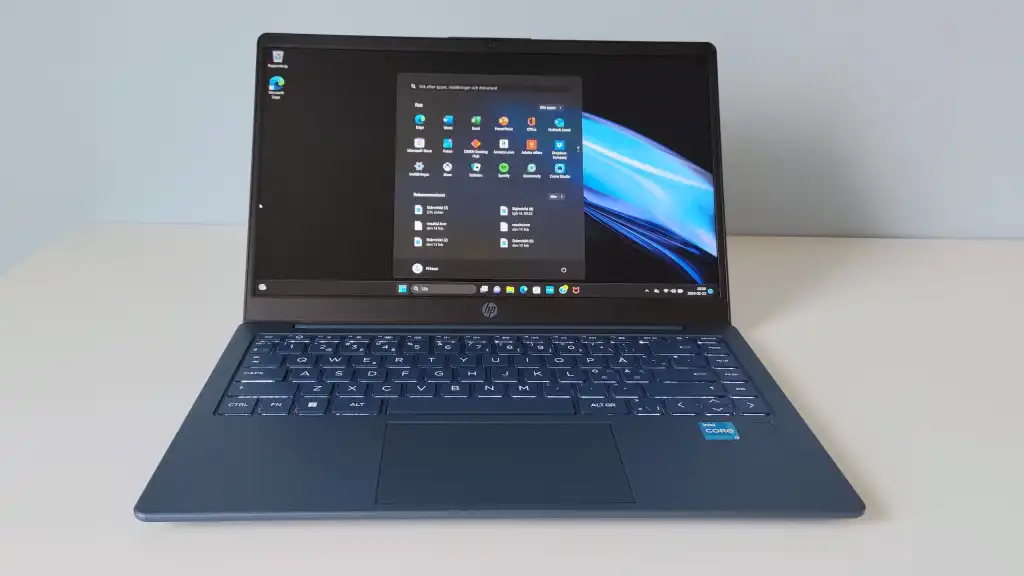
The right HP laptop depends less on the logo than on the balance between screen size, processor class, memory, storage, and the software you actually use.
Screen size and resolution
A 14-inch laptop is easier to carry, but the 1366 by 768 panels in this group provide less workspace than the Full HD screens. A 15.6-inch Full HD display is a useful middle ground. A 17.3-inch screen is best for spreadsheets, documents, and entertainment at a desk, while the OmniBook 5's 1920 by 1200 OLED panel adds stronger contrast and extra vertical space.
Processor platform
Intel N100 and N150 chips are intended for everyday applications, browsing, calls, and streaming. The Ryzen 3 OmniBook 3 adds useful general performance, while the Ryzen 5 models are better suited to heavier multitasking. Snapdragon X Plus offers excellent battery potential and efficient performance, but software compatibility should be checked before committing.
Memory capacity
8GB is adequate for ordinary home and school use. Choose 16GB if you regularly work with many browser tabs, meetings, and office applications. The 32GB configuration in the HP 17-inch FHD Business Laptop is the most comfortable option for sustained multitasking and large projects.
A large screen helps you see more, but memory determines how much work you can keep open.
Storage type and capacity
A PCIe NVMe SSD generally gives the quickest application launches and system response in this group. UFS and eMMC storage can work well for cloud-first use, but smaller capacities require more file management. A 512GB SSD is a comfortable starting point for a primary Windows computer, while a 1TB drive is better for large local libraries.
Operating system and software
Windows 11 is the safer choice for traditional desktop applications. Windows 11 Pro adds business-oriented controls, while Windows 11 in S Mode is more restricted. Chrome OS works well for Google Workspace and browser-based schoolwork. Snapdragon Windows laptops can be excellent mobile systems, but confirm support for specialist applications and peripherals first.
Ports, camera, and privacy
USB-C, USB-A, HDMI, and a headphone jack make a laptop easier to use with existing accessories. A privacy shutter is preferable to software-only camera controls, and fingerprint readers simplify sign-in on shared devices. For frequent meetings, camera resolution, microphone noise reduction, and a physical shutter matter more than a decorative design feature.
For readers comparing Windows machines beyond HP, how processor, memory, and screen choices affect Windows use can help narrow the specification priorities. If your laptop is headed into an office, the features that matter in a work computer are also worth considering before you choose a large-screen model.

Frequently asked questions
Which HP laptop is best for most people?
The HP OmniBook 3 17.3-inch Laptop is the strongest all-round choice in this group. It combines a Full HD IPS display, 512GB SSD, modern wireless connectivity, useful camera features, and a stated battery life of up to 14 hours and 15 minutes. Its main compromise is the 8GB memory configuration.
Is a 17.3-inch HP laptop too large for daily use?
It is large for regular travel, but that size is helpful at a desk. A 17.3-inch screen gives spreadsheets, documents, and video much more room than a 14-inch HD display. Choose a 14-inch model if you expect to carry the computer frequently.
How much memory should an HP laptop have?
8GB is suitable for browsing, documents, streaming, and video calls. 16GB is a better choice for heavier multitasking, while 32GB is useful when large files and many applications remain open together. Memory matters more than a flashy feature when a laptop will be used for work every day.
Is the HP OmniBook 5 compatible with Windows software?
The OmniBook 5 uses a Snapdragon X Plus processor, so it runs Windows on an ARM-based platform. Many everyday applications work well, but specialist software, older utilities, and some peripherals may require compatibility checks. Buyers who depend on unusual desktop programs may prefer an Intel or AMD model.
Is Chrome OS suitable for college or school?
Chrome OS is a good fit when coursework uses Google Docs, Sheets, Slides, Gmail, Meet, browser portals, and web-based learning systems. It is less suitable when a class requires traditional Windows-only software. The HP 14-inch Chromebook is best treated as a cloud-first computer.
Does a 14-inch HP laptop have enough screen space?
A 14-inch laptop is comfortable for basic documents, browsing, and video calls, but the HD models show less content at once than the Full HD 15.6-inch and 17.3-inch options. The smaller size is the trade-off for easier carrying. An external monitor can make a compact model more useful at a permanent desk.
What storage should I choose for a Windows HP laptop?
A 256GB SSD is workable for basic use, while 512GB gives considerably more breathing room for applications and files. A 1TB SSD is preferable for large local collections. UFS and eMMC storage can suit cloud-based workflows, but their smaller capacities require more careful file management.

The bottom line
The Best HP laptop in this selection is the HP OmniBook 3 17.3-inch Laptop. It has the most convincing balance of display quality, storage, battery claims, camera features, and everyday performance. The HP Essential 15.6-inch Laptop is the better fit for someone who wants a smaller conventional screen with a numeric keypad, while the HP OmniBook 5 16-inch Laptop is the premium choice for OLED quality and long battery potential.
For heavy multitasking, choose the HP 17-inch FHD Business Laptop with 32GB memory and a 1TB SSD. For a cloud-first student, the HP 14-inch Chromebook is simpler and more focused than the Windows alternatives. If you are undecided, choose the OmniBook 3 unless portability, OLED quality, or large memory points you elsewhere.
As an Amazon Associate we earn from qualifying purchases.