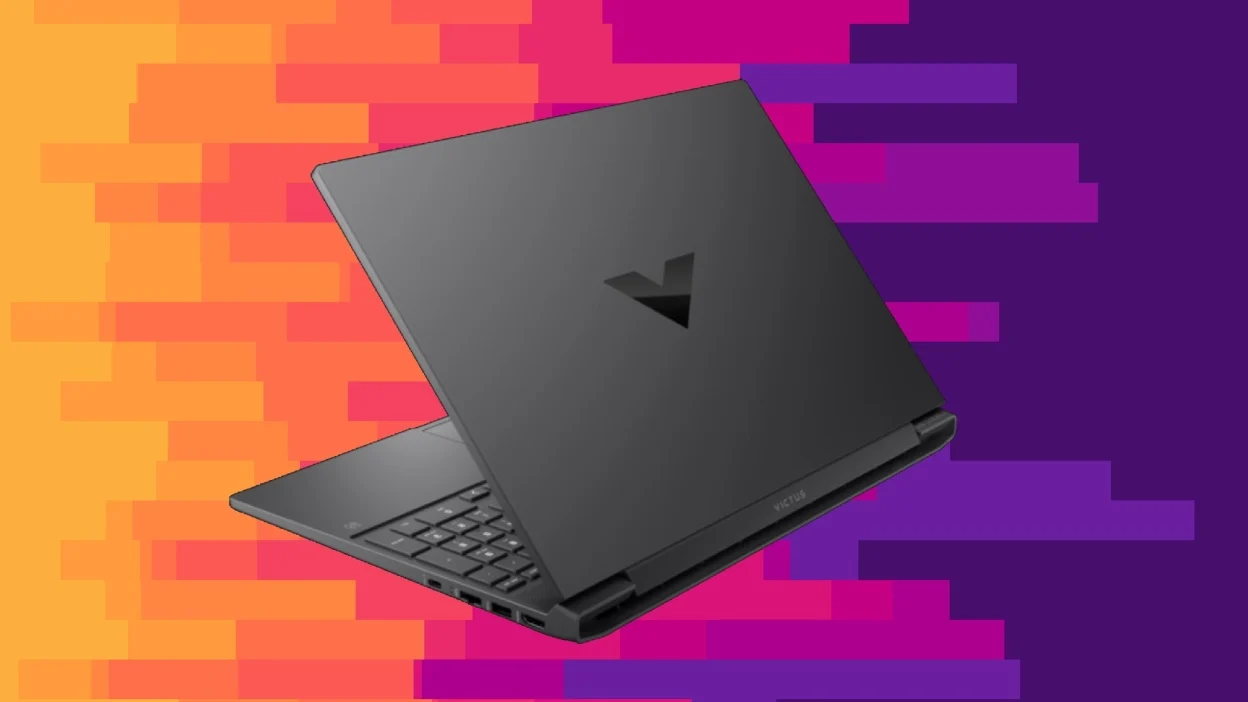

A gaming laptop has to do more than run a game once. It needs enough graphics power for consistent play, a screen that does not make motion look muddy, and storage that will not fill after a handful of large installs. The hard part is separating genuinely capable machines from ordinary laptops with “gaming” in the title.
This guide to the Best affordable gaming laptop options covers everything from RTX-equipped systems with fast displays to lighter integrated-graphics laptops for casual games, school, and work. The ASUS ROG Strix G16 is the strongest overall pick, while the Acer Nitro V and ASUS TUF Gaming F16 models offer compelling alternatives.
Comparison table
| # | Product | Award | Processor and graphics | Display | Memory and storage | Best for |
|---|---|---|---|---|---|---|
| 1 | ASUS ROG Strix G16 | Best overall | Core i7-14650HX, RTX 5060 | 16-inch FHD+, 165Hz, 3ms | 16GB DDR5, 1TB Gen 4 SSD | Serious gaming and demanding multitasking |
| 2 | Acer Nitro V ANV16 | Best display and connectivity | Core 7 240H, RTX 5050 | 16-inch WUXGA, 180Hz, 3ms | 16GB DDR5, 1TB Gen 4 SSD | Fast action games and external displays |
| 3 | ASUS TUF F16 RTX 5050 | Best durable design | Core i5-13450HX, RTX 5050 | 16-inch FHD+, 165Hz | 16GB DDR5, 512GB Gen 4 SSD | Students and daily gaming |
| 4 | ASUS TUF F16 RTX 4050 | Best 144Hz option | Core 5 210H, RTX 4050 | 16-inch FHD+, 144Hz | 16GB DDR5, 512GB Gen 4 SSD | Mainstream 1080p gaming |
| 5 | KAIGERR RX16 | Best integrated-graphics performance | Ryzen 7 H255, Radeon RX Vega 8 | 16-inch IPS | 24GB DDR5, 512GB NVMe SSD | Casual gaming and heavy multitasking |
| 6 | NIMO 15.6-inch Gaming Laptop | Best portable productivity pick | Ryzen 7 7735HS, Radeon graphics | 15.6-inch FHD | 16GB DDR5, 512GB PCIe 4.0 SSD | Light gaming, travel, and school |
| 7 | Lenovo 15 Gaming Laptop | Best simple gaming entry | Ryzen 5 7535HS | 15.3-inch Full HD+ | 8GB DDR5, 256GB PCIe SSD | Basic games and general use |
| 8 | YOZISUAN 15.6-inch Laptop | Best everyday laptop | Core processor up to 3.40GHz | 15.6-inch FHD, 1920 x 1080 | 16GB RAM, 512GB SSD | School, commuting, and older games |
| 9 | Acer Aspire 3 | Best lightweight basic laptop | Ryzen 3 7320U, Radeon graphics | 15.6-inch Full HD IPS | 8GB LPDDR5, 128GB NVMe SSD | Everyday computing and very light gaming |
1. ASUS ROG Strix G16: Best Overall

Pros
- RTX 5060 graphics provide the most headroom here
- 165Hz display with a 3ms response time
- 1TB Gen 4 SSD gives games room to grow
- Strong cooling design with vapor chamber and tri-fan technology
Cons
- Heaviest laptop in this group at 5.84 pounds
- 16GB memory is less generous than the KAIGERR's listed configuration
- RGB lighting is not for every setting
Best for: someone who wants the most capable gaming system in this group without stepping into a larger desktop replacement.
The ASUS ROG Strix G16 is the pick for buyers who want a real gaming machine rather than a general laptop that can handle a few games. Its Intel Core i7-14650HX processor and RTX 5060 Laptop GPU give it the clearest performance advantage in this list. The graphics platform also includes Blackwell architecture, DLSS 4, and Max-Q technologies, which are more meaningful for demanding modern games than the integrated Radeon graphics found in the KAIGERR RX16 and NIMO 15.6-inch Gaming Laptop.
The 16-inch FHD+ display uses a 16:10 layout and runs at 165Hz with a listed 3ms response time. That combination makes fast camera movement and competitive play look cleaner than a conventional 60Hz office panel. The ACR film is intended to improve contrast and reduce glare, a useful touch when the laptop is used in a bright room. It is not a high-resolution screen, but the refresh rate is the more relevant feature for this class of gaming.
ASUS also gives this model a practical foundation for a larger game library. The 1TB PCIe Gen 4 SSD provides twice the listed capacity of the 512GB systems here, while 16GB of DDR5 memory is enough for gaming alongside ordinary background applications. Its end-to-end vapor chamber, tri-fan system, and Conductonaut Extreme liquid metal cooling are unusually elaborate compared with the simpler cooling arrangements in the lower-ranked models.
The tradeoff is physical. At 5.84 pounds, the ROG Strix G16 is not the laptop we would choose for a daily commute, and its RGB light bar can look conspicuous in a classroom or office. The Acer Nitro V is lighter and has a faster 180Hz panel, while the ROG Strix remains the better choice when graphics performance is the priority. Choose this one if you want the strongest gaming foundation and can live with carrying a substantial machine.
2. Acer Nitro V ANV16: Best Display and Connectivity

Pros
- 180Hz WUXGA display with 3ms overdrive response time
- RTX 5050 graphics with DLSS 4 support
- Thunderbolt 4, HDMI 2.1, Ethernet, and microSD reader
- 1TB Gen 4 SSD and two DDR5 memory slots
Cons
- Weighs 5.29 pounds
- RTX 5050 sits below the ROG Strix G16's RTX 5060
- Larger chassis is less convenient for frequent travel
Best for: gamers who care about a fast screen, a broad port selection, and room to expand storage or memory.
The Acer Nitro V ANV16 gets the details right for a desk-based gaming setup. Its 16-inch WUXGA panel has a 1920 x 1200 resolution, a 16:10 aspect ratio, 180Hz refresh rate, and 3ms overdrive response time. That gives it a slightly taller workspace than the 16:9 panels common on older laptops, while the 180Hz rate makes it the quickest display in this roundup on paper.
Its Intel Core 7 240H processor works with an RTX 5050 Laptop GPU built on NVIDIA's Blackwell architecture. DLSS 4 brings frame generation and other AI-assisted rendering features to supported games. The ROG Strix G16 still has the more powerful RTX 5060, but the Nitro V offers a strong balance for gamers who would rather have a fast screen and useful connectivity than the highest graphics tier.
Acer makes this particularly flexible around a desk. The Thunderbolt 4 USB-C port supports DisplayPort and charging up to 65W, while HDMI 2.1, Ethernet, several USB ports, and a microSD reader cover peripherals, external displays, wired networking, and media transfers. Its 1TB PCIe Gen 4 SSD is spacious, and the two DDR5 slots support up to 32GB according to the listing. Those are practical advantages over the 512GB ASUS TUF configurations.
The weakness is portability. At 5.29 pounds, it is lighter than the ROG Strix G16 but still more of a transportable desktop than a casual backpack laptop. Dual-fan cooling with quad intake and quad exhaust should help during long sessions, though the larger chassis and gaming hardware still make this a machine best used near an outlet. For a desk setup with multiple accessories, the ports that matter for a flexible gaming desk are a strong reason to consider the Nitro V.
3. ASUS TUF F16 RTX 5050: Best Durable Design
Pros
- RTX 5050 graphics with a listed 115W maximum TGP
- 165Hz display with 100% sRGB coverage
- Adaptive-Sync helps reduce tearing and stutter
- MIL-STD-810H testing and full-width cooling hardware
Cons
- 512GB storage leaves less room for a large library
- Core i5 processor is behind the ROG Strix's Core i7
- No detailed port list is provided in the listing
Best for: students and home users who want a sturdy gaming laptop with a restrained appearance.
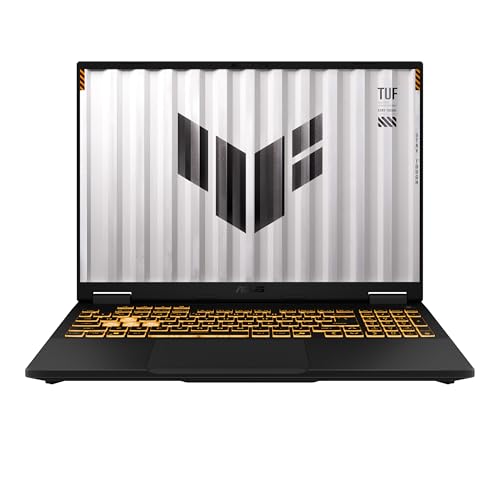
The ASUS TUF F16 RTX 5050 is the sensible middle ground in ASUS's lineup. It has the same broad 16:10 format as the ROG Strix G16, but its Intel Core i5-13450HX processor and RTX 5050 graphics place it below that model for demanding games. The RTX 5050 listing specifies a maximum TGP of 115W and NVIDIA Advanced Optimus, two details that matter because laptop graphics performance depends on how much power the design allows.
Its FHD+ display runs at 165Hz and covers 100% of the sRGB color space. That is a good fit for games, schoolwork, and general media, with more consistent color than an unspecified basic panel. Adaptive-Sync is also included, reducing visible tearing and stutter when the frame rate changes. The Acer Nitro V reaches 180Hz and adds a 3ms overdrive specification, but the TUF F16 remains a strong screen choice.
The TUF identity matters here. ASUS says the chassis has undergone MIL-STD-810H testing, and the cooling system uses second-generation Arc Flow Fans, a full-width heatsink, and a full-width vent. Those features do not make it indestructible, but they point to a laptop designed for more than occasional gaming at a desk. The understated cover also avoids the bright lighting treatment used by the ROG Strix G16.
The main limitation is its 512GB PCIe Gen 4 SSD. That is adequate for a starting library, but modern games can consume a large portion of it quickly. The Nitro V solves that with 1TB, while the ASUS TUF F16 RTX 4050 offers similar durability with a less powerful graphics tier. Pick this model when the display, RTX 5050, and rugged design matter more than maximum storage.
4. ASUS TUF F16 RTX 4050: Best 144Hz Option

Pros
- RTX 4050 graphics with a listed 115W maximum TGP
- 144Hz FHD+ display with 100% sRGB coverage
- Adaptive-Sync and five dedicated heat pipes
- MIL-STD-810H testing
Cons
- Graphics power is below the RTX 5050 models
- 512GB SSD may fill quickly
- Core 5 processor is less ambitious for heavy multitasking
Best for: someone focused on mainstream 1080p gaming who wants the TUF chassis and a smooth display.
The ASUS TUF F16 RTX 4050 shares the family resemblance and durability focus of the RTX 5050 version, but it takes a step down in graphics capability. Its Intel Core 5 210H processor and RTX 4050 Laptop GPU are aimed at 1080p gaming rather than pushing the highest settings in every new release. NVIDIA Advanced Optimus is included, which can help the system switch intelligently between integrated and discrete graphics.
The 16-inch FHD+ display has a 16:10 aspect ratio, a 144Hz refresh rate, and 100% sRGB coverage. It is not as quick as the 165Hz and 180Hz panels above, but 144Hz is still a meaningful improvement over ordinary laptop screens for responsive games. Adaptive-Sync helps keep motion coherent when frame rates fluctuate.
ASUS uses Arc Flow Fans, four exhaust vents, five dedicated heat pipes, and an anti-dust filter in this configuration. That is a more specific cooling setup than many ordinary laptops provide. The MIL-STD-810H testing claim and muted styling also make it easier to use for school or work without looking like a brightly lit gaming accessory.
The buyer needs to be realistic about the RTX 4050. The ASUS TUF F16 RTX 5050 is the better long-term choice if the two models are close in capability for your needs, and the ROG Strix G16 is clearly ahead for demanding games. This version makes sense when you want a proven layout, a color-capable display, and solid cooling for standard 1080p play.
5. KAIGERR RX16: Best Integrated-Graphics Performance

Pros
- Ryzen 7 H255 processor with 8 cores and 16 threads
- Listed boost speed up to 4.9GHz
- 24GB DDR5 memory in the supplied configuration
- Dual-fan cooling and upgrade support
Cons
- Radeon RX Vega 8 is integrated graphics
- Display refresh rate is not specified
- Brand and long-term software support are less established here
Best for: casual gamers and multitaskers who do not need dedicated RTX graphics.
The KAIGERR RX16 is not a direct rival to the RTX laptops. It uses Radeon RX Vega 8 integrated graphics, so it is better suited to lighter games and everyday workloads than graphically demanding releases. Its appeal comes from the rest of the platform: the Ryzen 7 H255 is listed with eight cores, 16 threads, and a boost speed up to 4.9GHz.
The supplied configuration lists 24GB of DDR5 memory and a 512GB NVMe SSD. That memory capacity is unusually generous beside the 16GB systems here, and it should help with many browser tabs, office applications, streaming, and light creative work at once. The listing also says the dual-channel memory can be upgraded to 64GB and the SSD can be expanded to 4TB, though those upgrades would need to be handled separately.
A 16-inch IPS display gives it more room than the 15.6-inch NIMO and Acer Aspire 3. The listing mentions a wide color gamut and high refresh rate, but it does not provide a specific refresh-rate figure. That missing detail matters to gamers, especially when the ASUS and Acer models state their refresh rates clearly. Wi-Fi 6 and a backlit keyboard round out the everyday features.
The dual-fan cooling system is a welcome inclusion for a relatively powerful integrated-graphics laptop, but it cannot change the limits of the Radeon RX Vega 8. The NIMO 15.6-inch Gaming Laptop has a similar integrated-graphics idea with better documented USB-C features, while the KAIGERR gives you more memory and a larger screen. Choose KAIGERR for multitasking first and light gaming second, not as a substitute for an RTX machine.
6. NIMO 15.6-inch Gaming Laptop: Best Portable Productivity Pick

Pros
- Ryzen 7 7735HS with eight cores and 16 threads
- Two full-function USB-C ports
- 100W USB-C Power Delivery support
- Upgradeable memory and M.2 storage
- Fingerprint reader and 2MP camera
Cons
- Integrated Radeon graphics limit demanding gaming
- Display refresh rate is not specified
- 512GB storage is modest for a large game library
Best for: a student or commuter who wants a light laptop for work and casual gaming.
The NIMO 15.6-inch Gaming Laptop is better understood as a portable productivity laptop with gaming ability. Its Ryzen 7 7735HS has eight cores, 16 threads, and a boost speed up to 4.75GHz, giving it a useful performance base for school software, office work, photo editing, and multitasking. The integrated AMD Radeon graphics are described for lighter games such as League of Legends, CS2, and Minecraft.
The feature list is unusually useful for a laptop at this level. Both USB-C ports support data, display output, and 100W Power Delivery, so the laptop can connect to two 4K monitors according to the listing while charging through one cable. It also includes a 100W PD charger, a microSD card reader, a backlit keyboard, and a fingerprint reader built into the touchpad.
Portability is another strength. NIMO lists the laptop at 3.75 pounds and 19.2mm thick, making it substantially easier to carry than the ASUS TUF and Acer Nitro models. The 15.6-inch FHD screen has a 178-degree viewing angle and a hinge that opens to 180 degrees, which is convenient when sharing a screen in class or at a table. A 2MP front camera and dual microphones are also more useful for video calls than the usual basic webcam.
The missing gaming detail is the display refresh rate. NIMO does not specify one, so buyers should not assume it matches the 144Hz or faster panels on the dedicated-gaming models. If your priority is a portable work machine that can handle lighter games, this is more practical than the KAIGERR. If you need dedicated graphics, the difference between casual gaming hardware and a true gaming system is worth keeping in mind before choosing it.
7. Lenovo 15 Gaming Laptop: Best Simple Gaming Entry

Pros
- Ryzen 5 7535HS processor
- Full HD+ display for games and productivity
- Wi-Fi 6 and Bluetooth 5.3
- HDMI and USB-C connectivity
Cons
- 8GB DDR5 memory is limited for modern multitasking
- 256GB SSD leaves little room for large games
- Graphics hardware is not specified in the listing
Best for: buyers who want a straightforward laptop for lighter games and general computing.
The Lenovo 15 Gaming Laptop is a fairly simple proposition. It uses an AMD Ryzen 5 7535HS processor, an 8GB DDR5 configuration, and a 256GB PCIe SSD. That combination can cover everyday work and lighter gaming, but the limited memory and storage make it less comfortable for a large modern game library than the NIMO, KAIGERR, or dedicated RTX laptops.
The display is described as a 15.3-inch Full HD+ panel. That gives it a useful balance for documents and games, although the listing does not identify the panel type or refresh rate. The absence of a specified graphics processor is also important. Buyers should treat this as an entry-level gaming laptop for less demanding titles rather than assume it performs like the ASUS TUF F16 RTX 4050.
Connectivity is straightforward. Wi-Fi 6 supports current wireless networking, Bluetooth 5.3 handles peripherals, and HDMI allows an external display. The listing also mentions a fast-charging Type-C port and a built-in webcam, which help it work as a general-purpose laptop away from a gaming desk.
Lenovo describes the machine as lightweight, but the supplied dimensions list a weight of one pound, which is unusually low for a 15-inch laptop and should be treated cautiously. The 8GB memory and 256GB SSD are the clearer limitations. Choose this model only if your games are modest and your daily workload is light, or if you are prepared to manage storage carefully.
8. YOZISUAN 15.6-inch Laptop: Best Everyday Laptop

Pros
- 16GB memory and 512GB SSD
- 15.6-inch 1920 x 1080 anti-glare display
- Compact 3-pound chassis
- Two-year manufacturer warranty listed
Cons
- Graphics processor is not specified
- Core processor speed is listed only up to 3.40GHz
- Gaming performance is less clear than on every RTX model
Best for: students, commuters, and office users who may play older or less demanding games.
The YOZISUAN 15.6-inch Laptop is the clearest example of a general laptop included in this group. Its feature list emphasizes browsing, documents, business applications, streaming, and portability. The processor is described as a Core chip reaching up to 3.40GHz, but the exact model and graphics processor are not provided, so there is no honest way to place it alongside the RTX 4050 or RTX 5050 systems for gaming performance.
For ordinary use, the configuration is reasonable. It has 16GB of memory and a 512GB SSD, giving it more breathing room than the Lenovo 15 Gaming Laptop and Acer Aspire 3. The 15.6-inch display runs at 1920 x 1080, uses a 16:9 aspect ratio, and has an anti-glare coating. That is useful for long classes, office sessions, and rooms with overhead lighting.
The listed dimensions are 14.06 by 8.98 by 0.75 inches, and the weight is three pounds. That makes it easier to carry than the heavier ASUS and Acer gaming systems. A 38Wh battery is listed, along with Wi-Fi and Bluetooth 5.0, while a two-year manufacturer warranty and 90-day return or exchange policy provide more support detail than some of the other lesser-known entries.
The right expectation is modest gaming, not current high-demand releases. The NIMO has a much stronger documented processor and more useful USB-C capabilities, while the YOZISUAN is lighter and more focused on school or office work. Readers comparing general-purpose machines should also consider how much storage everyday laptop use really needs before settling for a smaller drive.
9. Acer Aspire 3: Best Lightweight Basic Laptop

Pros
- 15.6-inch Full HD IPS display
- Ryzen 3 7320U quad-core processor
- Wi-Fi 6
- Thin, light design with a useful webcam
Cons
- 8GB onboard memory cannot be treated as a generous gaming configuration
- 128GB SSD is the smallest drive here
- Radeon graphics are intended for basic use, not demanding games
Best for: everyday computing, streaming, and very light games.
The Acer Aspire 3 is the least gaming-focused laptop in this roundup, but it is a credible basic computer. Its Ryzen 3 7320U is a quad-core processor with integrated Radeon graphics, making it suitable for browsing, documents, streaming, and lighter games. It should not be confused with the dedicated RTX machines, which have substantially more graphics capability.
Its 15.6-inch Full HD IPS screen is one of the better-documented displays among the general-purpose models. The 16:9 panel uses narrow bezels and is intended to provide sharp details and crisp colors. It lacks the high refresh-rate specification of the gaming models, so motion will not look as fluid in fast games, but the resolution is well suited to everyday work and video.
The 8GB LPDDR5 memory is onboard, and the 128GB NVMe SSD is compact. That storage capacity can fill quickly after installing applications and saving media, so this is not the right choice for anyone planning to keep a large game library on the internal drive. Wi-Fi 6 helps with modern wireless networks, and Acer includes a front camera with temporal noise reduction plus voice noise reduction for online meetings.
The appeal is its thin, light design and familiar Acer construction. The YOZISUAN offers twice the listed storage and memory capacity, while the NIMO is much better equipped for light gaming and expansion. Choose the Aspire 3 when basic computing is the real job and gaming means occasional lightweight titles.
How to choose best affordable gaming laptop
The Best best affordable gaming laptop choice depends less on a long feature list than on the balance between graphics hardware, screen speed, cooling, and storage.
Dedicated graphics
A dedicated GPU is the clearest dividing line in this group. The RTX 5060 in the ASUS ROG Strix G16 is the strongest option, followed by the RTX 5050 systems and then the RTX 4050 ASUS TUF. Integrated Radeon graphics in the KAIGERR and NIMO are better suited to lighter games, while models with unspecified graphics should be treated cautiously.
Display refresh rate
Refresh rate describes how often the screen can update each second. The 144Hz ASUS TUF F16 is already much smoother than a standard office panel, while the 165Hz ASUS models and 180Hz Acer Nitro V are more appealing for competitive games. Resolution matters too, but a sharp FHD or WUXGA panel with a fast refresh rate is usually a better gaming fit than a higher-resolution screen with slow motion handling.
Processor and memory
The processor affects game logic, loading, multitasking, and creative applications. The ROG Strix's Core i7-14650HX and the Acer Nitro V's Core 7 240H are the strongest general-purpose choices here, while the Ryzen 7 chips in KAIGERR and NIMO offer useful multitasking power despite their integrated graphics. Aim for at least 16GB of memory when possible, since the 8GB Lenovo and Acer Aspire configurations leave less room for games and background applications.
Storage capacity
A 512GB SSD is a workable starting point, but a 1TB drive is more comfortable for a gaming library. The ASUS ROG Strix G16 and Acer Nitro V both include 1TB Gen 4 SSDs. The 128GB Acer Aspire 3 and 256GB Lenovo 15 require much more careful storage management.
Cooling and portability
Gaming hardware generates heat, and cooling design helps maintain performance during longer sessions. Vapor chambers and tri-fan hardware make the ROG Strix distinctive, while Acer and ASUS use multi-fan systems with multiple vents or heat pipes. Lighter models such as the NIMO are easier to carry, but they use integrated graphics and are not intended to sustain the same gaming load.
A fast processor cannot compensate for weak graphics when the game is GPU-limited, so check the graphics hardware before getting distracted by memory or storage.
Frequently asked questions
Can an affordable gaming laptop run modern games?
Some can, but performance depends heavily on the graphics processor. The ASUS ROG Strix G16, Acer Nitro V, and ASUS TUF models have dedicated RTX graphics and are the appropriate choices for modern 3D games. The KAIGERR and NIMO use integrated Radeon graphics and are better suited to lighter titles.
Is 16GB of memory enough for gaming?
For most current gaming and everyday multitasking, 16GB is a sensible starting point. It gives the ASUS ROG Strix G16, Acer Nitro V, and ASUS TUF models enough room for a game plus ordinary background applications. The 8GB configurations in the Lenovo and Acer Aspire 3 are more restrictive.
Does a high refresh rate matter on a laptop?
Yes, especially in action and competitive games. A 144Hz, 165Hz, or 180Hz screen can show motion more smoothly than a conventional 60Hz panel when the laptop is producing enough frames. The ASUS TUF F16 RTX 4050 already provides a useful 144Hz panel, while the Acer Nitro V reaches 180Hz.
Is integrated Radeon graphics suitable for gaming?
Integrated graphics can work well for lighter games, older releases, and lower visual settings. The NIMO listing specifically identifies games such as League of Legends, CS2, and Minecraft as suitable examples. They are not the right choice for buyers who expect the performance of the RTX laptops.
How much SSD storage should a gaming laptop have?
A 512GB SSD is a practical minimum for a mixed library of games and applications, though it may require regular cleanup. A 1TB SSD, as found in the ROG Strix G16 and Acer Nitro V, gives substantially more room. The 128GB Aspire 3 and 256GB Lenovo 15 are better suited to basic use than extensive game collections.
Are gaming laptops suitable for school or work?
Yes, provided the weight, appearance, and battery expectations fit the user. The NIMO is the easiest gaming-capable option here to carry, while the ASUS TUF models use a more restrained design and offer stronger dedicated graphics. The ROG Strix G16 and Acer Nitro V are capable work machines, but their heavier chassis are more noticeable in a backpack.
The bottom line
The Best affordable gaming laptop in this group is the ASUS ROG Strix G16. Its RTX 5060 graphics, Core i7 processor, 165Hz display, 1TB SSD, and serious cooling system give it the most complete gaming platform. The Acer Nitro V ANV16 is the better alternative for buyers who want a 180Hz WUXGA display, Thunderbolt 4, HDMI 2.1, and flexible expansion.
For a lighter workload, the NIMO 15.6-inch Gaming Laptop is more practical to carry and has excellent USB-C features, but its integrated graphics make it a casual-gaming machine. The ASUS TUF F16 RTX 5050 is the strongest middle ground for buyers who want dedicated graphics and a more durable, understated chassis.
If you are undecided, choose the ROG Strix G16 for demanding games, the Nitro V for display and connectivity, or the NIMO when portability matters more than graphics power.
As an Amazon Associate we earn from qualifying purchases.