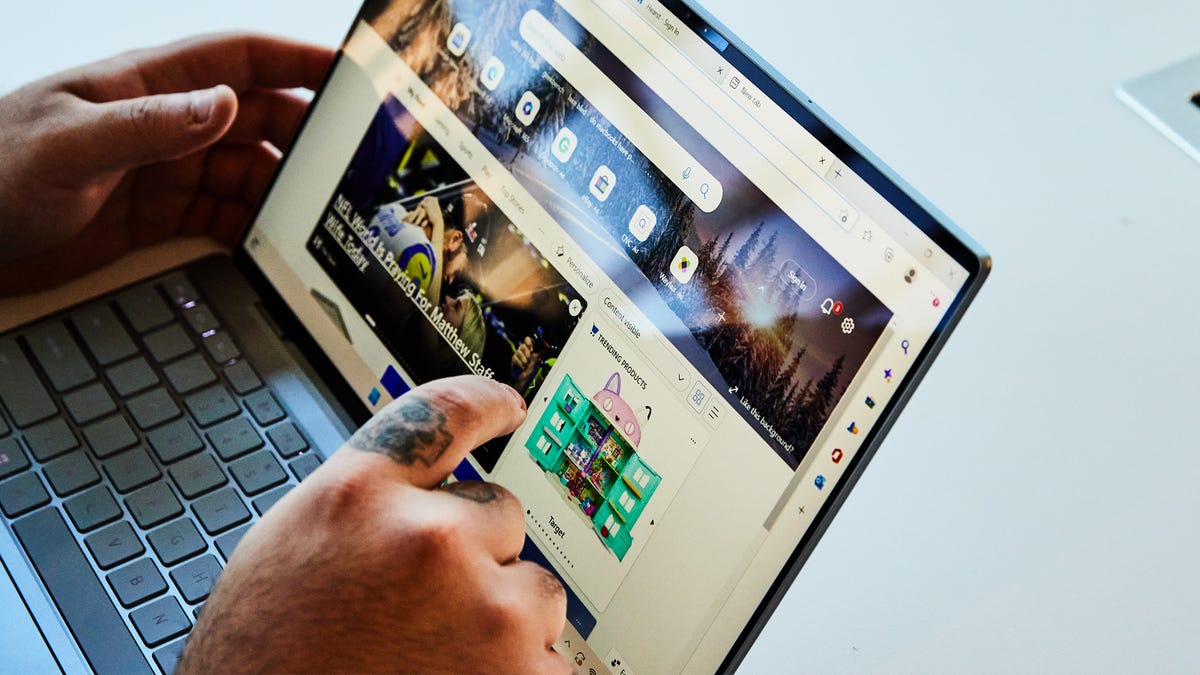

A touchscreen laptop is only useful when the screen, hinge, and software make reaching out feel natural. A dim panel, cramped keyboard, or sluggish processor can turn an appealing touch interface into a feature you stop using after the first week. The right model should make browsing, note-taking, document work, and casual entertainment easier without compromising the basics.
Our Best touchscreen laptops picks cover large 17.3-inch Windows machines, sharper 2K displays, a genuine 360-degree Chromebook convertible, and compact everyday notebooks. HP 15.6-inch Core 5 Business Laptop is the strongest all-rounder, while the HP OmniBook 3 16 is the pick for anyone who puts screen quality first.
Comparison table
| # | Product | Award | Display | Processor | Memory and storage | Best for |
|---|---|---|---|---|---|---|
| 1 | HP 15.6-inch Core 5 Business Laptop | Best overall | 15.6-inch Full HD touch, 300 nits | Intel Core 5 120U | 16GB, 512GB SSD | Everyday work and multitasking |
| 2 | HP OmniBook 3 16 | Best display | 16-inch 2K touch, 1920 x 1200 | AMD Ryzen 3 30 | 8GB, 256GB SSD | Clearer work and entertainment |
| 3 | HP 17.3-inch Ryzen 5 Business Laptop | Best for demanding multitasking | 17.3-inch HD+ touch, 250 nits | AMD Ryzen 5 7430U | 20GB, 1TB SSD | Large-screen productivity |
| 4 | ASUS Chromebook Flip CX1 | Best convertible | 14-inch Full HD 360-degree touch | Intel Celeron N4500 | 8GB, 128GB eMMC | Tablet-style ChromeOS use |
| 5 | HP 17.3-inch 16GB Touchscreen Laptop | Best large-screen storage | 17.3-inch HD+ touch, 250 nits | Intel N100 | 16GB, 512GB SSD and 128GB UFS | Home office work |
| 6 | HP OmniBook 17.3-inch Touchscreen Laptop | Best large-screen basics | 17.3-inch HD+ touch, 250 nits | Intel N100 | 8GB, 128GB UFS | Simple home computing |
| 7 | HP 15.6-inch Ryzen 3 Laptop | Best compact Windows pick | 15.6-inch HD touch, 1366 x 768 | AMD Ryzen 3 7320U | 8GB, 256GB SSD | School and everyday tasks |
| 8 | HP 14-inch N150 Touchscreen Notebook | Best for basic portability | 14-inch HD touch | Intel N150 | 4GB, 128GB SSD | Light web and office use |
| 9 | HP 17.3-inch 128GB Touchscreen Laptop | Best for secure login | 17.3-inch HD+ touch, 250 nits | Intel N100 | 8GB, 128GB SSD | Large-screen personal use |
1. HP 15.6-inch Core 5 Business Laptop: Best Overall

Pros
- Sharp Full HD touchscreen
- Strong multitasking hardware
- Wi-Fi 6 and useful ports
- Quiet design and long battery life positioning
Cons
- Microsoft 365 access is web-based
- No 360-degree hinge is listed
- Display is smaller than the 17.3-inch HP models
Best for: someone who wants a capable Windows touchscreen for work, study, and everyday multitasking.
The HP 15.6-inch Core 5 Business Laptop gets the fundamentals right without chasing a gimmick. Its 15.6-inch Full HD touch display gives documents, web pages, and video a more comfortable workspace than the HD panels on the HP 15.6-inch Ryzen 3 Laptop and HP 14-inch N150 Touchscreen Notebook. The anti-glare coating and stated 300 nits brightness should also make it easier to work near a window than a dimmer basic panel.
The Intel Core 5 120U is the meaningful upgrade here. It has 10 cores and 12 threads, with speeds up to 4.6 GHz, giving this machine considerably more headroom for browser tabs, office documents, video calls, and background utilities than the N100-based 17.3-inch models. Its 16GB of memory and 512GB SSD are a sensible pairing. The memory helps when several applications are open, while the SSD leaves room for a substantial working library without relying immediately on cloud storage.
Connectivity is well judged for a work machine. Wi-Fi 6 and Bluetooth 5.3 cover modern wireless accessories, while USB Type-C, USB Type-A, HDMI, and a headphone and microphone combo jack make it practical at a desk. The listing also describes an ultra-quiet design and long battery life, though it does not provide a precise battery estimate. Microsoft 365 is available online through Office.com, so buyers who need locally installed desktop applications should factor that limitation into the decision.
The weakness is less about performance than flexibility. This is a traditional laptop, not a folding 2-in-1, and the display resolution is good rather than exceptional. The HP OmniBook 3 16 has a more detailed 2K panel, while the ASUS Chromebook Flip CX1 offers genuine tablet and tent modes. Still, for a Windows buyer who wants a responsive touchscreen, a comfortable display, and enough memory for serious daily work, this is the most balanced machine here.
2. HP OmniBook 3 16: Best Display

Pros
- Detailed 1920 x 1200 2K touchscreen
- Claimed battery life of up to 14 hours and 15 minutes
- FHD camera with HDR auto-switch
- Advanced AI noise reduction
Cons
- Only 8GB of memory
- Ryzen 3 processor is not aimed at heavy workloads
- No convertible hinge is listed
Best for: anyone who cares more about display clarity and video-call features than maximum processing power.
The HP OmniBook 3 16 is the screen specialist in this group. Its 16-inch IPS touchscreen uses a 1920 x 1200 resolution, which provides more vertical room than a standard 1920 x 1080 panel. That extra space is useful when reading long pages, editing documents, or keeping a larger portion of a spreadsheet visible. Text should look cleaner than it does on the 1366 x 768 displays used by several of the more basic HP laptops.
The AMD Ryzen 3 30 processor and Radeon 610M graphics are aimed at everyday computing. They should suit browsing, streaming, casual gaming, photo editing, and regular office work, but the 8GB of LPDDR5 memory leaves less breathing room than the 16GB HP 15.6-inch Core 5 Business Laptop. The 256GB PCIe NVMe SSD is quick for starting Windows and opening applications, though users with a large photo or video library may need external or cloud storage sooner.
HP gives this model a stronger communications package than most of the list. Its FHD camera includes HDR auto-switching to balance contrast and color in difficult backlighting, while advanced AI noise reduction can focus on the speaker's voice during calls. Wi-Fi 6 and Bluetooth 5.4 keep wireless connections current. The claimed battery life of up to 14 hours and 15 minutes is unusually specific, although actual endurance will depend on workload and screen brightness. Fast Charge is stated to restore 0 to 50 percent in about 45 minutes.
This laptop is thinner and lighter than the large HP 17.3-inch machines, at a listed 3.61 pounds and 0.6 inches high. That makes it easier to move between rooms while retaining a generous work area. Its weakness is the fixed laptop design and modest memory ceiling. Choose the HP 15.6-inch Core 5 Business Laptop for heavier multitasking, but choose the OmniBook 3 16 if sharper text, a taller screen, and better video calls matter more.
3. HP 17.3-inch Ryzen 5 Business Laptop: Best for Demanding Multitasking

Pros
- Six-core Ryzen 5 processor
- 20GB of DDR4 memory
- 1TB PCIe SSD
- Full-size backlit keyboard with number pad
Cons
- Heavy at 4.82 pounds
- HD+ display is less detailed than the OmniBook 3 16
- No precise battery runtime is provided
Best for: a home office user who wants a large screen and generous multitasking capacity.
The HP 17.3-inch Ryzen 5 Business Laptop is built around the idea that a laptop can serve as a desk replacement. The 17.3-inch HD+ anti-glare touchscreen gives spreadsheets and side-by-side windows plenty of physical room, and its stated 250 nits brightness should be adequate for ordinary indoor use. It is not the sharpest display in the group, but the large canvas is more comfortable than a compact screen for users who spend hours in documents.
Its six-core AMD Ryzen 5 7430U processor, with speeds up to 4.3 GHz, is the most substantial CPU specification in this roundup. Combined with 20GB of DDR4 memory, it has a clear advantage over the 8GB machines when many browser tabs, office applications, and communication tools are open together. The 1TB PCIe SSD is equally practical, providing fast application loading and much more local room for work files than the 128GB and 256GB options.
The business-focused extras are useful rather than ornamental. There is a full-size backlit keyboard with a numeric keypad, which helps with spreadsheets and frequent number entry. Wi-Fi 6 and Bluetooth 5 support wireless connections, and the port selection includes USB Type-C, two USB Type-A ports, HDMI 1.4b, and a headphone and microphone combo jack. The HP True Vision 720p camera includes noise reduction for calls, and the listing also mentions fast charging and an AI Copilot key.
The trade-off is obvious when you pick it up. At 4.82 pounds, it is the heaviest laptop here, and its size makes it better suited to a table than a commuter bag. The HP 15.6-inch Core 5 Business Laptop is easier to carry and has a sharper Full HD display, while the HP 17.3-inch 16GB Touchscreen Laptop offers a similar large format with less processing headroom. Pick this Ryzen 5 model when memory capacity, storage, and sustained multitasking matter more than portability.
4. ASUS Chromebook Flip CX1: Best Convertible

Pros
- 360-degree hinge with four working modes
- Full HD NanoEdge touchscreen
- USB-C ports support display and power delivery
- Claimed battery life of up to 11 hours
Cons
- ChromeOS is not Windows
- Celeron N4500 is suited to lighter tasks
- 128GB eMMC storage is limited
Best for: someone who wants a compact touchscreen that can switch between laptop, tent, stand, and tablet modes.
The ASUS Chromebook Flip CX1 is the only product here that treats touch as a central part of the design rather than an added screen option. Its 14-inch Full HD NanoEdge display sits on a 360-degree hinge, allowing traditional clamshell, tent, stand, and tablet modes. That flexibility is genuinely useful for recipes, casual reading, presentations, and cramped surfaces where a conventional laptop lid is awkward.
The Intel Celeron N4500 and 8GB of memory are designed for ChromeOS tasks such as web browsing, Google Docs, streaming, and lightweight multitasking. ChromeOS also handles Microsoft Office files through Google Docs, Sheets, and Slides, but this is not a direct substitute for a Windows machine with desktop applications. The 128GB eMMC storage is slower and less spacious than the SSDs in the HP 15.6-inch Core 5 Business Laptop and HP OmniBook 3 16, so cloud storage will be part of the normal routine.
ASUS gives it a practical collection of ports. Two USB 3.2 Type-C ports support display and power delivery, alongside two USB Type-A ports, a Micro SD card reader, and audio connections. Wi-Fi 6 and Bluetooth 5.2 cover wireless accessories. The company claims up to 11 hours of battery life, and the listed weight is 3.59 pounds. It is also described as meeting the MIL-STD 810H standard, although that designation should not be treated as a guarantee against every drop or spill.
The main reason to skip it is software. If you need Windows-only programs, the HP models are safer choices. The screen is also smaller than the 16-inch and 17.3-inch alternatives, and the Celeron chip is not intended for demanding creative work. For readers who want a touch-first, travel-friendly computer and are comfortable with ChromeOS, though, the Flip CX1 has a kind of versatility none of the fixed-hinge HP laptops can match. Readers comparing school-focused machines may also find how screen size affects a student's daily setup useful before choosing between a convertible and a traditional notebook.
5. HP 17.3-inch 16GB Touchscreen Laptop: Best Large-Screen Storage

Pros
- Large anti-glare touchscreen
- 16GB RAM and 512GB SSD
- Additional 128GB UFS storage
- Fingerprint reader and backlit number-pad keyboard
Cons
- Intel N100 is an entry-level processor
- HD+ resolution is not especially sharp at 17.3 inches
- USB-C does not support charging or external monitors
Best for: home users who want a big display and plenty of room for files without stepping up to the Ryzen 5 model.
The HP 17.3-inch 16GB Touchscreen Laptop makes a strong case for a large home workstation. Its 17.3-inch display uses 1600 x 900 resolution, anti-glare treatment, 250 nits brightness, and a 16:9 aspect ratio. The size is excellent for email, forms, spreadsheets, and watching video from across a room, though fine text will look less crisp than on the Full HD HP 15.6-inch Core 5 Business Laptop or the 2K HP OmniBook 3 16.
The Intel N100 is a modest quad-core processor, so expectations should stay grounded. It is appropriate for web browsing, office work, online learning, streaming, and routine video calls. The 16GB of DDR4 RAM gives it more comfort with multiple applications than the 8GB version of this same broad design. Storage is the standout: a 512GB SSD provides the responsive primary drive, and the additional 128GB UFS expands the available space.
The input and security features are well suited to shared or family workspaces. A full-size backlit keyboard includes a number pad, and the fingerprint reader reduces the need to type a password each time. Wi-Fi 6 and Bluetooth 5.4 are newer than the wireless standards on some competing budget models. Ports include USB-C, two USB-A connections, HDMI 1.4b, and a headphone and microphone combo jack. The USB-C port supports data transfer only, not charging or external monitors, which is an important desk setup limitation.
HP claims Fast Charge can take the battery from 0 to 50 percent in about 45 minutes, and the chassis is listed at 4.6 pounds. The HP 17.3-inch Ryzen 5 Business Laptop is a better fit for heavier applications, while the 8GB HP OmniBook 17.3-inch Touchscreen Laptop is the simpler alternative for basic use. This model sits between them, offering useful memory and storage while accepting a slower processor and a less detailed panel.
6. HP OmniBook 17.3-inch Touchscreen Laptop: Best Large-Screen Basics
Pros
- Expansive 17.3-inch anti-glare screen
- Wi-Fi 6 and Bluetooth 5.4
- Fingerprint reader and backlit numeric keyboard
- Fast Charge support
Cons
- Only 8GB of RAM
- 128GB UFS storage fills quickly
- USB-C lacks charging and monitor support
Best for: basic browsing, documents, online learning, and entertainment on a large stationary screen.
The HP OmniBook 17.3-inch Touchscreen Laptop is the straightforward member of the large-screen group. Its 17.3-inch HD+ LED panel has 1600 x 900 resolution, anti-glare treatment, 250 nits brightness, and a 16:9 aspect ratio. Touch makes scrolling through pages and selecting large on-screen controls more direct, while the broad display gives older users and home-office users more room to work.
An Intel N100 quad-core processor and 8GB of DDR4 memory form the performance core. That combination is suitable for everyday productivity, online classes, streaming, and moderate browser use, but it is not the model to choose for extensive multitasking. The 128GB UFS storage is also restrictive once Windows updates, applications, and personal files accumulate. The HP 17.3-inch 16GB Touchscreen Laptop is a better match for users who keep many files locally or regularly run several programs at once.
The hardware around the processor is more appealing. HP includes a full-size backlit keyboard with a number pad and a fingerprint reader, useful features for evening work and quick sign-in. There are two USB-A ports, USB-C, HDMI 1.4b, and a headphone and microphone combo jack, plus Wi-Fi 6 and Bluetooth 5.4. The webcam has a privacy shutter, and dual-array microphones and dual speakers support ordinary video calls.
At 4.6 pounds, it is not a tiny laptop, though the listing describes that weight as light for a 17-inch model. Fast Charge is stated to reach 50 percent in about 45 minutes. The lack of local storage is the real reason to skip it, especially if photos, downloads, and school files will live on the machine. For a reader who mainly wants a large touch display for web and document work, it is a sensible basic pick. Those building a shared household setup can also compare the features that matter in a computer for everyday home use before settling on a screen this large.
7. HP 15.6-inch Ryzen 3 Laptop: Best Compact Windows Pick

Pros
- AMD Ryzen 3 7320U processor
- Fast 256GB PCIe NVMe SSD
- Lighter 3.52-pound chassis
- Windows 11 Home
Cons
- 1366 x 768 display is less sharp
- Only 8GB of memory
- No backlit keyboard or fingerprint reader is listed
Best for: students and home users who need a conventional Windows touchscreen in a manageable size.
The HP 15.6-inch Ryzen 3 Laptop is easier to carry than the 17.3-inch machines and has enough screen area for ordinary school or home work. Its micro-edge touchscreen responds to taps, pinches, and swipes, while the flicker-free panel should be more comfortable for longer sessions. The compromise is resolution: 1366 x 768 is usable, but it does not provide the same crisp workspace as the Full HD business model.
AMD's Ryzen 3 7320U gives this laptop a more capable foundation than the Intel N100 models above. The 8GB of LPDDR5 memory is efficient and adequate for a focused set of browser tabs, documents, and streaming, but it does not leave much margin for very heavy multitasking. The 256GB PCIe NVMe M.2 SSD is a better fit than 128GB UFS for installing applications and keeping school files available offline. AMD Radeon graphics support everyday entertainment and casual games, not demanding modern titles.
At 3.52 pounds, the chassis is the lightest Windows laptop among the main 15.6-inch and 17.3-inch options listed here. That difference matters when the computer moves between a bedroom, classroom, kitchen table, or office. Windows 11 Home provides the familiar desktop environment, and the hardware is uncomplicated enough for users who do not need business-focused security or a convertible hinge.
The HP 15.6-inch Core 5 Business Laptop beats it on display quality, memory, connectivity details, and multitasking. The HP 14-inch N150 Touchscreen Notebook is smaller but has a more basic 4GB memory configuration. This Ryzen 3 model is the middle ground for someone who wants Windows and a reasonably quick SSD in a portable traditional laptop, but buyers who read a lot or keep dense spreadsheets open should move up to a Full HD display.
8. HP 14-inch N150 Touchscreen Notebook: Best for Basic Portability

Pros
- Compact 14-inch touchscreen
- Intel N150 processor
- 128GB SSD
- Copilot key and Fast Charge
Cons
- Just 4GB of RAM
- Display resolution is not specified
- Listed dimensions and weight are unusually high for a 14-inch notebook
Best for: light web browsing, basic documents, and users who want a small Windows machine with Microsoft 365 access.
The HP 14-inch N150 Touchscreen Notebook is aimed at uncomplicated computing. Its thin-and-light description, micro-edge display, and 14-inch touchscreen make it a natural fit for browsing, email, forms, and basic writing. HP also includes a wireless mouse and a one-year Microsoft 365 subscription, so it is positioned as a ready-to-use home or school computer rather than a performance workstation.
The Intel N150 processor is intended for everyday tasks, and the 128GB SSD should make Windows startup and application loading more responsive than eMMC storage. The major constraint is 4GB of RAM. That is enough for a modest number of open tabs and simple documents, but multitasking will be less comfortable than on the 8GB HP 15.6-inch Ryzen 3 Laptop or the 16GB HP 15.6-inch Core 5 Business Laptop. Buyers who routinely keep many tabs, video calls, and spreadsheets open should skip this model.
The listing emphasizes long battery life, HP Fast Charge, and a charge time from 0 to 50 percent of approximately 45 minutes. A precision touchpad with multi-touch support helps navigation, and a dedicated Copilot key provides one-button access to Microsoft's assistant. The product is also described as EPEAT Gold with Climate+ registered and ENERGY STAR certified, with post-consumer recycled plastics in the construction.
There is one data point to examine carefully before buying: the listed product dimensions and 5.6-pound weight do not sound especially portable for a 14-inch notebook. The display resolution is also not supplied, so buyers should not assume Full HD. This is a reasonable choice for light Windows use, but the HP 15.6-inch Ryzen 3 Laptop offers more memory and storage headroom for users who can accept a larger chassis. For broader school comparisons, the hardware that helps a laptop handle a full day of classes is more relevant than a bundled accessory.
9. HP 17.3-inch 128GB Touchscreen Laptop: Best for Secure Login

Pros
- Large anti-glare touchscreen
- Fingerprint reader
- Backlit keyboard with number pad
- Webcam privacy shutter and Copilot key
Cons
- 128GB eMMC storage is limited
- Intel N100 is suited to basic workloads
- USB-C does not support charging or external monitors
Best for: home users who want a large Windows screen with convenient biometric sign-in.
The HP 17.3-inch 128GB Touchscreen Laptop shares the broad outline of HP's other large-screen N100 machines, but its security and privacy features are the reason to consider it. The 17.3-inch HD+ panel uses 1600 x 900 resolution, 250 nits brightness, anti-glare treatment, and a 16:9 aspect ratio. It is a comfortable size for documents, browsing, and video, although it cannot match the sharper image on the HP OmniBook 3 16.
The Intel N100 quad-core processor and 8GB of DDR4 memory are appropriate for ordinary Windows tasks. This laptop should handle web browsing, office work, online learning, and video calls, but its 128GB eMMC storage is the limiting factor. It offers less room and generally less storage performance than the SSD-based HP 15.6-inch Ryzen 3 Laptop, so users with a large media library or many installed applications will need to manage space carefully.
The feature set is unusually complete for a basic large laptop. A fingerprint reader makes sign-in quick, while the full-size backlit keyboard and numeric keypad suit late-night work and data entry. The webcam includes a physical shutter, and dual-array digital microphones and dual speakers support calls. Wi-Fi 6, Bluetooth 5.4, two USB-A ports, USB-C, HDMI 1.4b, and a headset combo jack cover the essentials.
The USB-C connection carries data at up to 5Gbps but does not charge the laptop or drive an external monitor, which limits one-cable desk setups. HP says Fast Charge reaches 50 percent in 45 minutes, and the computer weighs 4.6 pounds. The HP OmniBook 17.3-inch Touchscreen Laptop offers a similar basic experience, while the HP 17.3-inch 16GB Touchscreen Laptop gives much more storage and memory. Choose this version when the fingerprint reader, webcam shutter, and backlit numeric keyboard matter more than capacity.
How to choose best touchscreen laptops
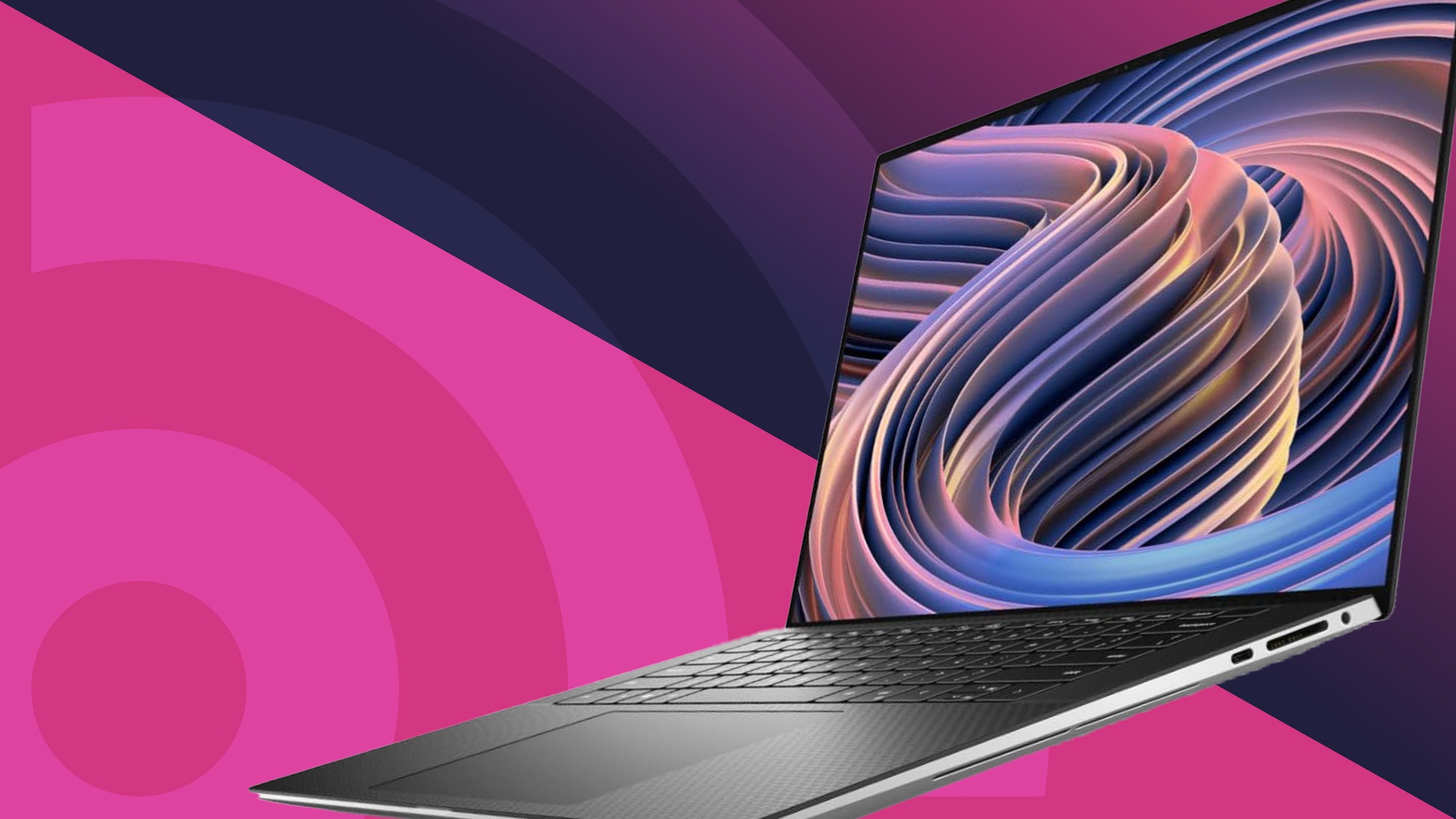
The touch layer is only one part of the buying decision. Screen clarity, processor headroom, storage, hinge design, and the operating system determine whether touch improves the experience or simply adds another way to open the same apps.
Display resolution and brightness
A 15.6-inch or 17.3-inch touchscreen with 1366 x 768 resolution can handle basic documents, but text and interface elements are less refined than on Full HD or 2K panels. The HP OmniBook 3 16 stands out with 1920 x 1200 resolution, while the HP 15.6-inch Core 5 Business Laptop offers Full HD and 300 nits brightness. Anti-glare treatment helps with reflections, but brightness still matters in a sunlit room.
Processor and memory
The processor controls how quickly the laptop handles active tasks, while RAM determines how many of those tasks can remain open comfortably. An Intel N100 or N150 is suitable for light browsing and office work. AMD Ryzen 3 and Intel Core 5 models offer more room for multitasking, and 16GB or 20GB of memory is a safer target for large spreadsheets, many tabs, and frequent video calls.
A sharp touchscreen cannot rescue a laptop that runs out of memory every time you open a video call beside a spreadsheet.
Storage type and capacity
SSD storage makes Windows and applications feel more responsive than eMMC or UFS storage. Capacity matters just as much. The 128GB machines in this roundup suit cloud-first users, but a 256GB SSD is more comfortable for school files and applications, while 512GB or 1TB gives a home office far more room. Check whether the listed capacity is one drive or a combination of storage types.
Hinge and operating system
A standard touchscreen laptop still offers tapping and swiping, but it does not become a tablet. The ASUS Chromebook Flip CX1 is the only model here with a 360-degree hinge and four working modes. ChromeOS is streamlined and works well with browser-based services, while Windows 11 is the safer choice for desktop programs and familiar local workflows.
Ports and wireless connections
USB-C is not automatically a full-featured connection. On several HP models it handles data but not charging or external monitors. The ASUS Flip CX1 specifically lists display and power delivery support through its USB-C ports. Wi-Fi 6 is useful in busy wireless environments, and HDMI, USB-A, and an audio combo jack reduce the need for adapters.
Frequently asked questions
Are touchscreen laptops useful for office work?
They can be, especially for scrolling, selecting cells, signing forms, and navigating presentations. A touchscreen is most useful when paired with a bright, sufficiently sharp display and a comfortable keyboard. It does not replace a mouse for every precise desktop task.
Is Full HD necessary on a touchscreen laptop?
It is not essential for basic email and browsing, but Full HD looks noticeably cleaner on a 15.6-inch screen than 1366 x 768. The difference is even easier to appreciate when reading small text or placing two windows side by side. The HP OmniBook 3 16 goes further with 1920 x 1200 resolution.
Is 8GB of RAM enough for a Windows touchscreen laptop?
Eight gigabytes is adequate for browsing, documents, streaming, and light schoolwork. It becomes restrictive when many tabs, video calls, and larger applications run together. The 16GB HP 15.6-inch Core 5 Business Laptop and 20GB HP 17.3-inch Ryzen 5 Business Laptop are better suited to sustained multitasking.
Can a Chromebook replace a Windows touchscreen laptop?
A Chromebook can replace Windows for browser-based work, Google services, streaming, and many school tasks. It is less suitable when you depend on Windows-only desktop software or local applications. The ASUS Chromebook Flip CX1 is the most flexible touch design here, but its ChromeOS environment should be the deciding factor.
Are 17.3-inch touchscreen laptops portable?
They can be moved around a home or office, but they are less comfortable in a small bag than 14-inch and 15.6-inch models. The HP 17.3-inch machines in this list weigh about 4.6 pounds or more, so they are better treated as movable desktop replacements. A smaller laptop is more practical for daily commuting.
Does USB-C always charge a touchscreen laptop?
No. The HP 17.3-inch models specify that USB-C supports data transfer but not charging or external monitors. The ASUS Chromebook Flip CX1 lists display and power delivery support. Check the individual port description rather than assuming every USB-C port has the same capabilities.
The bottom line
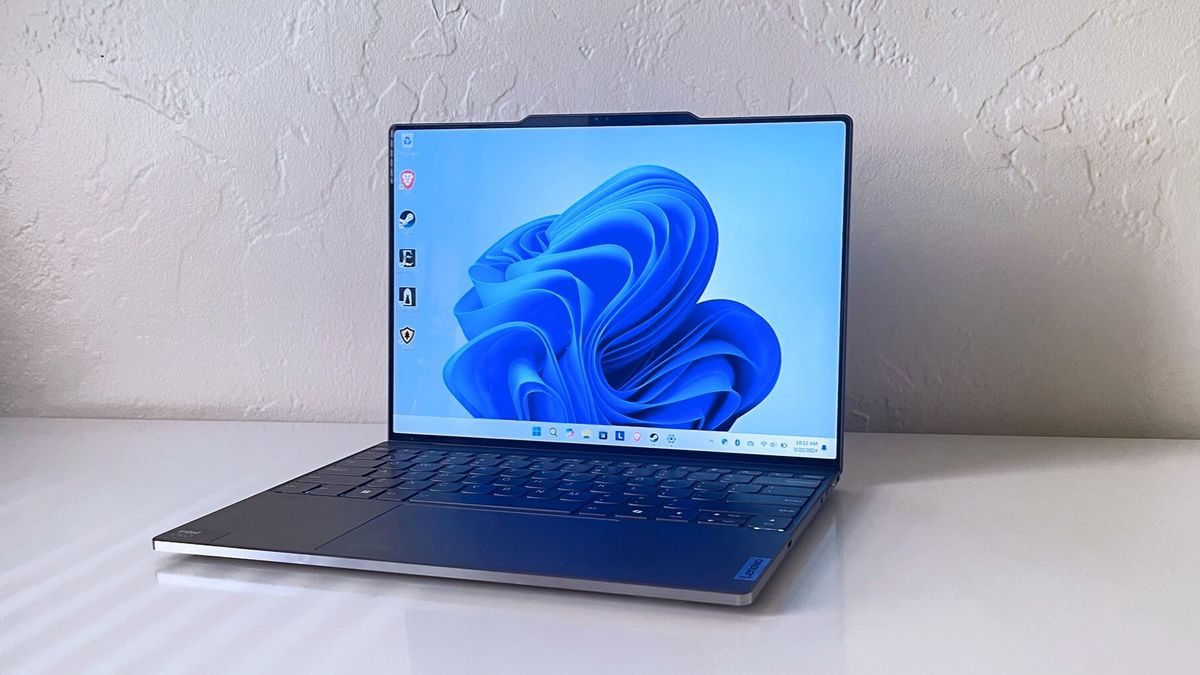
The Best touchscreen laptops pick for most Windows users is the HP 15.6-inch Core 5 Business Laptop. Its Full HD 300-nit touchscreen, 16GB of memory, 512GB SSD, modern wireless connectivity, and Core 5 processor give it the best balance of everyday responsiveness and practical features.
Choose the HP OmniBook 3 16 if display detail, a taller 1920 x 1200 workspace, battery-life claims, and better video-call features matter most. If touch-based tablet modes are the priority, the ASUS Chromebook Flip CX1 is the clear alternative because its 360-degree hinge changes how the computer can be used.
If you are undecided, choose the HP 15.6-inch Core 5 Business Laptop unless you specifically need a 2-in-1 hinge, a larger 17.3-inch screen, or ChromeOS.
As an Amazon Associate we earn from qualifying purchases.