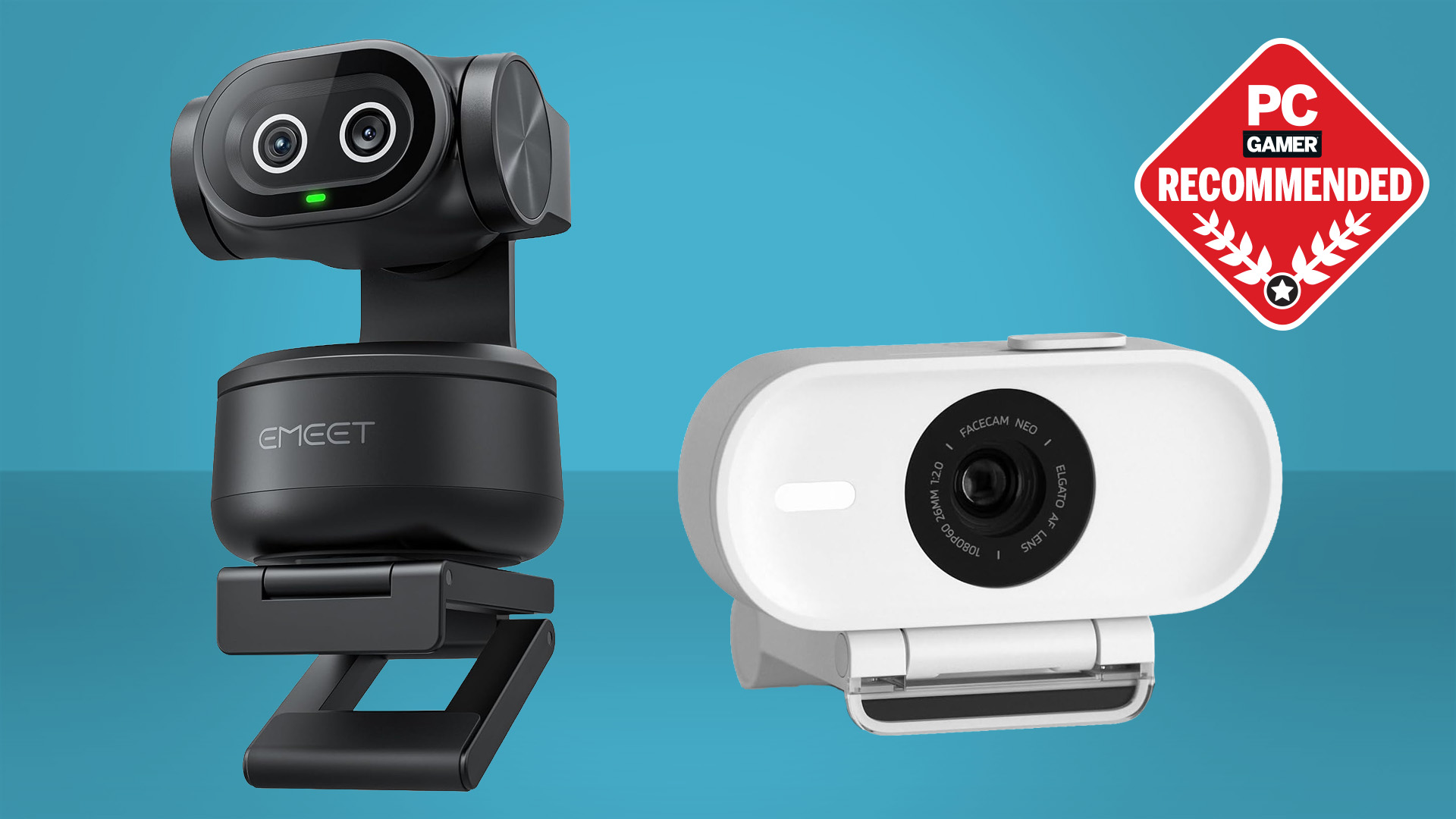

A built-in laptop camera can make a bright office look gray, turn a dim room into a blur, and leave your voice fighting the keyboard. A dedicated webcam fixes the first impression without requiring a complicated camera setup. The Best webcam for pc should also be easy to mount, reliable across calling apps, and private when the meeting ends.
This list covers straightforward 1080p cameras, flexible 2K models, and 4K options with autofocus and software controls. Some are better for a fixed desk, while others suit streaming, teaching, or a wider meeting table. Our top pick is the Logitech C920x, with the range running from simple plug and play models to the feature-rich Logitech MX Brio.
| # | Product | Award | Resolution | Focus | Microphones | Best for |
|---|---|---|---|---|---|---|
| 1 | Logitech C920x | Best overall | 1080p at 30fps | Autofocus | Dual stereo mics | Everyday calls and streaming |
| 2 | Logitech Brio 101 | Best simple setup | 1080p | Not specified | Built-in mic | Meetings with privacy |
| 3 | Shcngqio TWC29 | Best wide-angle 1080p | 1080p at 30fps | Not specified | Noise-reducing mic | Group calls and classes |
| 4 | Logitech MX Brio | Best premium 4K | 4K at 30fps, 1080p at 60fps | Autofocus | Dual beamforming mics | Streaming and collaboration |
| 5 | EMEET C960 1080p | Best wide field of view | 1080p | Fixed focus | Two omnidirectional mics | Small group meetings |
| 6 | EMEET NOVA | Best compact 4K | 4K at 30fps | PDAF autofocus | Two omnidirectional mics | Detailed desk video |
| 7 | EMEET S600 | Best for streamers | 4K at 30fps, 1080p at 60fps | PDAF autofocus | Noise-canceling mics | Content creation |
| 8 | NexiGo N60 | Best fixed-focus option | 1080p at 30fps | Fixed focus | Noise-canceling mic | Video calls at a desk |
| 9 | Anker PowerConf C200 | Best framing controls | 2K | Not specified | Dual AI noise-canceling mics | Offices and shared rooms |
| 10 | EMEET C960 4K | Best focused 4K view | 4K | PDAF autofocus | Dual omnidirectional mics | Solo calls and teaching |
1. Logitech C920x: Best Overall

Pros
- Full HD video at 30fps
- Autofocus and automatic lighting adjustment
- Dual stereo microphones
- Works with Windows 11
- Includes XSplit VCam access
Cons
- No physical privacy shutter
- Limited to 1080p at 30fps
- Older design than the newer 4K models
Best for: someone who wants a dependable webcam for calls, classes, and casual streaming.
The Logitech C920x is the webcam we would put on the average PC monitor first. It avoids the fuss that can make a camera upgrade annoying: connect it, position it, and the 1080p image is ready for calls or recording. Its autofocus helps when you lean toward the screen or hold something up to the camera, while automatic lighting adjustment keeps the picture from collapsing as the room gets darker.
Video is captured at 1920 by 1080 and 30 frames per second. That is enough for polished meetings and ordinary streaming, though it will not have the extra motion smoothness of the MX Brio or EMEET S600 at 1080p and 60fps. The C920x uses dual stereo microphones, so it has a more natural left and right audio arrangement than a basic single-mic webcam. The result is useful for calls, but anyone who needs especially controlled voice quality should consider how a dedicated microphone changes PC call quality instead of relying on any webcam mic.
The included advanced capture software is useful for recording and sharing video, and the three-month XSplit VCam license can remove, replace, or blur a background without a green screen. That gives the C920x more creative flexibility than the Brio 101 and NexiGo N60. It is also listed as fully compatible with Windows 11, and the camera works well as a general desktop or monitor webcam.
There is one weakness that matters: the C920x has no privacy shutter. You can cover the lens separately, but that is less convenient than sliding the cover on the Brio 101 or rotating the integrated cover on the MX Brio. The camera also has a mature design and does not offer the high-resolution crop room of the 4K EMEET models. Still, for a buyer who wants consistent 1080p video, autofocus, stereo audio, and a familiar setup, this remains the safest all-round recommendation.
2. Logitech Brio 101: Best Simple Setup

Pros
- Full HD video for meetings and streaming
- Integrated sliding privacy cover
- Automatic light balance
- Plug and play USB-A connection
- Camera controls through Logi Options+
Cons
- Built-in microphone is basic
- No autofocus specification
- Limited to 1080p
Best for: office users who want a compact camera with an easy privacy solution.
The Logitech Brio 101 is designed around the small conveniences people notice every day. Its integrated cover slides across the lens rather than hanging from a cable or requiring tape, so privacy is a one-handed action between calls. The USB-A cable is built in, and the camera is intended to work with Microsoft Teams, Zoom, and Google Meet without a driver hunt.
Its Full HD 1080p output is well suited to a laptop dock or desktop monitor. Logitech's RightLight system is designed to boost brightness and reduce shadows, with the product information claiming up to a 50 percent improvement compared with previous-generation Logitech webcams. That should help in a room where the light is not perfectly placed, though it does not replace a lamp or solve every harsh backlight problem.
The Logi Options+ app lets you adjust zoom, framing, and camera settings. That is a useful advantage over the uncomplicated Shcngqio TWC29, whose appeal is mostly plug and play operation. The Brio 101 is also compact at about 2.62 inches high, 2.87 inches wide, and 1.26 inches deep, with a listed weight of 0.31 pounds. It will not dominate a narrow monitor bezel.
The trade-off is that this camera is less ambitious than the C920x. The product information does not specify autofocus, and its built-in microphone is intended for ordinary calls rather than serious recording. The C920x has more established imaging features, including autofocus and stereo microphones, while the Brio 101 wins on the integrated cover and simple controls. Choose the Brio 101 when privacy and easy office use matter more than advanced framing or high-resolution video.
3. Shcngqio TWC29: Best Wide-Angle 1080p

Pros
- 1080p video at 30fps
- Wide-angle lens
- Noise-reducing built-in microphone
- Automatic light correction
- Included privacy cover
- Supports USB 2.0, 3.0, 3.1, and OTG
Cons
- Brand provides fewer detailed camera controls
- No autofocus specification
- Fixed five-foot USB cable
Best for: families, students, and small groups that need more room in the frame.
The Shcngqio TWC29 takes a practical approach to the webcam problem. Its wide-angle lens is the key feature, giving a little more space for two people, a whiteboard, or a teaching setup than a tightly framed solo camera. At 1080p and 30fps, it targets the same basic video standard as the C920x and Brio 101.
Automatic light correction is designed to adapt brightness and color across dim rooms, strong light, and uneven conditions. That can make a real difference when the camera faces a window or a desk lamp sits off to one side. The product description also calls out a noise-reducing built-in microphone, which should help keep ordinary room sound from overwhelming speech, although the data does not provide a pickup range or a detailed microphone specification.
The setup is deliberately broad. It supports USB 2.0, USB 3.0, USB 3.1, and OTG, and the five-foot USB cable gives some freedom when the computer is not directly under the monitor. No additional drivers are required. A sliding privacy cover protects the lens when the camera is idle, a feature that the C920x lacks.
The limitations are just as clear. There is no stated autofocus system, so the camera is a better fit for a stable desk position than for someone who frequently moves around or demonstrates objects close to the lens. The wide view can also include more background than a solo caller wants. Compared with the EMEET C960 1080p, it offers a similar group-friendly idea but less detailed mounting and compatibility information. It is the sensible pick when the frame needs to fit more than one person and simple operation is the priority.
4. Logitech MX Brio: Best Premium 4K

Pros
- 4K at 30fps or 1080p at 60fps
- Larger pixels for improved image detail
- Autofocus and AI-enhanced image controls
- Dual beamforming noise-reducing microphones
- Show Mode for desk sharing
- Rotating integrated privacy cover
Cons
- Larger and heavier than basic webcams
- Advanced controls require software
- USB-C connection may need an adapter on some PCs
Best for: streamers, presenters, and professionals who need detailed video and flexible framing.
The Logitech MX Brio is the clearest step up in this group. It is not merely a 1080p webcam with a sharper setting. It can record or stream in 4K at 30fps, or switch to 1080p at 60fps when smoother motion matters more than fine detail. Its sensor uses pixels that Logitech says are 70 percent larger than those in the previous generation, a design choice intended to help the camera retain detail in difficult light.
That extra resolution is useful when a stream includes product demonstrations, handwriting, or a crop of the original frame. Autofocus keeps the subject clear, while automatic exposure, white balance, noise reduction, and face visibility processing handle much of the adjustment work. People who prefer manual control can tune ISO, shutter speed, tint, and vibrance. The EMEET S600 also offers software customization, but the MX Brio gives a more extensive set of named image controls.
The dual beamforming microphones use noise reduction to make speech easier to hear in a busy room. The camera also has Show Mode, which tilts downward to share notes and sketches on a desk. That is a genuinely useful collaboration feature rather than a resolution number with little consequence. Compatibility covers Windows, macOS, Chrome OS, and Linux, with certification for Zoom, Microsoft Teams, Google Meet, Streamlabs, and other common workflows.
The MX Brio is not the effortless choice for every PC. Its listed weight is 0.84 pounds, considerably more than the C920x or EMEET S600, and the USB-C connection may require an adapter on a desktop that has only USB-A ports. It is also physically larger, at about 5.5 inches long and wide according to the product information. The integrated cover is excellent, but the camera's best features make most sense to someone who will actually use 4K, 60fps video, Show Mode, or manual image controls. For that buyer, it is the most complete webcam here. For routine calls, the C920x is easier to justify.
5. EMEET C960 1080p: Best Wide Field of View

Pros
- 1920 by 1080 video
- 90-degree wide-angle lens
- Two omnidirectional microphones
- Removable privacy cover
- USB-A and A-to-C adapter connections
- Foldable design and tripod-ready clip
Cons
- Fixed focus
- Best results require normal or strong room lighting
- Not compatible with Windows Hello, TVs, tablets, or game consoles
Best for: group calls where a standard narrow webcam frame feels cramped.
The EMEET C960 1080p makes its purpose obvious: it is built to include more people. Its 90-degree field of view is wider than the focused 73-degree view of the EMEET C960 4K, and that difference matters around a small conference table or when a teacher wants to stand beside a board. The image is Full HD at 1920 by 1080, with a five-layer anti-glare lens intended to keep the picture smooth and clear.
This model uses fixed focus across a stated range of 11.8 to 118.1 inches. Fixed focus is not automatically a problem for video calls. At a normal monitor distance, it can remain stable and avoid the visible refocusing behavior of some autofocus cameras. It is less suitable for showing objects close to the lens, however, and the C920x is more adaptable when the subject's distance changes.
Two built-in omnidirectional microphones pick up voices from around the camera. The camera also applies automatic exposure, color adjustment, and exposure optimization. EMEET recommends normal or well-lit conditions for the clearest image, which is an important qualification. This is not the low-light specialist in the group. For a shared room, the wide frame is more valuable than a narrow portrait composition, but the extra background should be intentional.
The hardware is flexible for its class. It includes USB Type-A and an A-to-C adapter, a foldable design, and a universal clip that is ready for a tripod. It works with Windows 10 and 11, macOS 10.14 or later, Android TV 7.0 or later, and common calling services, with several exclusions that buyers should take seriously. Compared with the Shcngqio TWC29, it provides more explicit mounting and compatibility details. Skip it if you need autofocus or Windows Hello, but choose it when several faces need to fit comfortably in one frame.
6. EMEET NOVA: Best Compact 4K

Pros
- 4K video at 30fps
- PDAF autofocus
- Two omnidirectional microphones
- 73-degree field of view
- Privacy cover and local USB connection
- 360-degree horizontal rotation
Cons
- Defaults to 1080p
- USB 2.0 connection
- Autofocus cannot be disabled
- No adjustable field of view
Best for: a compact 4K webcam for solo calls, presentations, and desk recording.
The EMEET NOVA is a small camera with a surprisingly ambitious feature set. It records 4K at 30fps from a CMOS sensor and uses PDAF autofocus, a phase-detection system intended to lock focus quickly when the subject moves. Its 73-degree field of view is narrower than the 90-degree EMEET C960 1080p, so the composition puts more emphasis on one speaker and less on the room.
One detail is easy to miss: the camera defaults to 1080p. You must switch to 4K through the built-in camera software or an application such as PotPlayer or OBS. That is not a defect, but it means the camera will not automatically use its highest mode in every calling application. The PDAF system works within a stated range of 7.9 to 118 inches, and manual focus is not supported.
The two omnidirectional microphones are specified for voice pickup up to eight feet away. EMEET recommends keeping them unobstructed and positioning them near the speaker, especially if you want the stated 100Hz to 10kHz performance range. EMEETLINK can adjust brightness, contrast, saturation, and backlight compensation. Those controls make it more configurable than the basic Brio 101, though the MX Brio still offers deeper image adjustments.
Its compact body weighs about 0.29 pounds and offers 360-degree horizontal rotation, 15 degrees of vertical adjustment, a 180-degree adjustable stand, and a standard quarter-inch tripod thread. The USB 2.0 connection is adequate for the stated modes, but some buyers may prefer the S600's more flexible 4K and 1080p options. The NOVA is a good fit for a solo caller who wants sharp detail in a small package, provided that person is willing to change the resolution setting when needed.
7. EMEET S600: Best for Streamers

Pros
- Sony 1/2.55-inch sensor
- 4K at 30fps and 1080p at 60fps
- PDAF autofocus
- Adjustable field of view in 1080p
- Integrated privacy cover
- EMEETLINK customization
Cons
- Field of view is fixed at 73 degrees in 4K
- 4K resolution depends on the camera app
- Noise cancellation is enabled by default
Best for: creators who want sharp 4K video and smoother 1080p streaming.
The EMEET S600 is the webcam in this group that makes the strongest case for a creator's desk. Its Sony 1/2.55-inch sensor supports 4K at 30fps for detailed video and 1080p at 60fps for smoother movement. That choice is more useful than a single maximum-resolution number. A streamer can use 4K for a sharp static presentation, then switch to 60fps when hand movement and gameplay commentary need to look fluid.
PDAF autofocus is designed to respond quickly and hold focus across changing scenes. The camera also includes automatic light adjustment to balance shadows and highlights in difficult conditions. In 1080p, the field of view can be adjusted from 40 to 73 degrees, which lets a creator choose between a tight face shot and a little more of the surrounding setup. At 4K, the field of view is fixed at 73 degrees to limit distortion.
The microphones use a noise-filtering algorithm, and noise cancellation can be turned off in EMEETLINK. That switch is useful because aggressive processing can sometimes remove the character from a voice or affect music and ambient sound. EMEETLINK also provides image and sound customization, while ordinary use remains plug and play through USB 2.0 or 3.0.
A built-in privacy cover protects the lens, and the body is designed for flexible rotation and tilting. The camera's main limitation is software dependence for its highest modes and adjustments. The EMEET NOVA is smaller and has a similar 4K target, while the S600 is the better tool for someone who will use 1080p at 60fps or change framing regularly. Pick it for streaming and content work. Skip it if every call must be effortless at default settings.
8. NexiGo N60: Best Fixed-Focus Option

Pros
- 1080p video at 30fps
- Two-megapixel CMOS sensor
- Noise-canceling microphone
- Privacy cover
- USB 2.0 and USB 3.0 support
- Broad Windows, macOS, Linux, and Chrome OS compatibility
Cons
- Fixed focus
- Not compatible with Xbox or PlayStation consoles
- Audio delay may require a firmware update
Best for: a stationary desktop setup that needs a no-driver 1080p camera.
The NexiGo N60 is a straightforward desk camera with unusually clear focus guidance. Its 2-megapixel CMOS sensor outputs up to 1920 by 1080 at 30fps, and the fixed-focus 3.6mm glass lens is optimized for distances from 19.6 inches to 13 feet. That range covers most monitor positions, so a person who sits in one place should not miss autofocus.
The fixed lens also keeps the camera's behavior predictable. The C920x is more flexible when you move toward the camera, but the N60 can stay locked on a normal seated position without repeatedly searching. Its built-in noise-canceling microphone reduces ambient noise for calls, school, and basic streaming. The product information warns that a firmware update may be needed if audio delay appears, which is worth remembering during setup.
Plug and play operation works over USB 2.0 or 3.0, and the camera is listed as compatible with macOS X 10.7 and later, Windows 7 through 11, Android 4.0 or later, Linux, Chrome OS, and Ubuntu. The privacy cover blocks the lens when the camera is not being used. It is a more complete everyday package than a bare fixed-focus camera without a cover.
The N60 is not the right pick for consoles, since the product specifically excludes Xbox, PS4, and PS5 compatibility. It also has less framing flexibility than the Anker PowerConf C200, which offers three software-selectable views from 65 to 95 degrees. The NexiGo is best when the camera will remain at a normal desk distance and the buyer wants broad computer compatibility without extra setup.
9. Anker PowerConf C200: Best Framing Controls

Pros
- 2K resolution
- Low-light correction
- Three selectable viewing angles
- Dual AI noise-canceling microphones
- Integrated privacy cover
- Windows and macOS support
Cons
- Heavier than several compact webcams
- No autofocus specification
- Software is needed to select the viewing angle
Best for: people who need to switch between a tight solo frame and a wider room view.
The Anker PowerConf C200 occupies a useful middle ground. Its 2K output gives more detail than the 1080p models without requiring the full workflow of a 4K camera. More important for many desks, its software can switch the field of view among 65, 78, and 95 degrees. That lets one camera frame a single speaker tightly, include a second person, or show more of a workspace.
Low-light correction is another practical strength. It is intended to keep the image crisp in dim settings without an extra light, though no webcam can completely overcome a dark room. The dual microphones use AI noise cancellation to make voices clearer in shared spaces. For a quiet home office, that may be less important than the adjustable framing. For a kitchen table or room near a hallway, it can matter more.
An integrated privacy cover slides over the lens between calls. The camera supports Windows 7 or later and macOS 10.11 or later, giving it broad coverage for a PC or Mac workstation. Its listed weight is 0.44 pounds, so it is not the lightest model here, but that added heft can help the camera stay settled on a monitor.
The C200 has a different priority from the EMEET NOVA. The NOVA puts its emphasis on 4K detail and PDAF autofocus, while the C200 gives you more control over composition at 2K. It also avoids the fixed 73-degree view of the EMEET C960 4K. Choose the C200 when the same desk serves solo calls, group conversations, and demonstrations. Skip it if 4K cropping or autofocus is central to your workflow.
10. EMEET C960 4K: Best Focused 4K View

Pros
- True 4K CMOS video
- PDAF autofocus
- Automatic light correction
- Fixed 73-degree field of view
- Dual omnidirectional microphones
- Privacy cover and tripod thread
Cons
- Defaults to 1080p
- 4K requires a compatible application setting
- Narrower view than the 1080p C960
Best for: solo presenters who want 4K detail without a broad background.
The EMEET C960 4K is a focused alternative to the wider 1080p C960. Its true 4K CMOS sensor is intended to preserve fine detail for business meetings, teaching, and presentations, while the 73-degree field of view keeps the frame centered on one person. That narrower view is helpful when the room behind you is cluttered or you do not want to show a large amount of background.
PDAF autofocus is the main functional upgrade over the fixed-focus C960 1080p. It is designed to keep a moving speaker or a briefly raised object sharp, and automatic light correction helps in both overexposed and dim settings. The camera defaults to 1080p, however, so the owner must switch to 4K through the camera software or an application such as PotPlayer or OBS.
Dual omnidirectional microphones capture voice from the camera area, and the product recommends selecting the EMEET SmartCam C960 4K as the default microphone in the calling application. USB plug and play keeps the connection simple, with no Wi-Fi, Bluetooth, or cloud storage involved. EMEETLINK adds image customization, while a privacy cover provides a physical block when the camera is not in use.
The C960 4K is less suitable for a group than its 90-degree namesake. The EMEET NOVA offers a similar 4K and PDAF combination with a more flexible stand, while the EMEET S600 is the stronger streaming choice because it adds 1080p at 60fps and adjustable 1080p framing. This model makes sense for a solo caller who wants a clean, centered composition and the option of 4K detail without needing a broad room view.
How to choose best webcam for pc
The right webcam depends less on the maximum number in its title than on how you sit, how much of the room needs to fit, and how much control you want over focus, light, and sound.
Resolution and frame rate
1080p is enough for most video calls because meeting platforms often compress the feed. It also keeps file sizes and processing demands manageable. A 2K camera such as the Anker PowerConf C200 gives extra detail, while 4K models such as the Logitech MX Brio and EMEET S600 make more sense when you crop the image, record presentations, or want a sharper stream.
Frame rate affects motion. At 30fps, normal conversation and seated presentations look natural. A 60fps mode, available at 1080p on the MX Brio and S600, makes hand movement and demonstrations look smoother. Do not choose 4K automatically if your main use is fast motion at a desk.
Autofocus and focus range
Autofocus is useful when you move toward the camera, hold products up, or alternate between a seated call and a presentation. PDAF on the EMEET NOVA, EMEET S600, and EMEET C960 4K is designed for faster focus changes. The Logitech C920x also has autofocus.
Fixed focus can be perfectly serviceable for a stable desk. The NexiGo N60 specifies a useful range from 19.6 inches to 13 feet, while the EMEET C960 1080p lists 11.8 to 118.1 inches. A fixed-focus camera is a weaker fit for frequent close-ups, but it can avoid visible focus hunting in a stationary call.
Field of view
A narrow field of view keeps attention on one face and hides more of the room. The 73-degree views on the EMEET NOVA and EMEET C960 4K are suited to solo calls. The EMEET C960 1080p uses a 90-degree lens, and the Shcngqio TWC29 also emphasizes a wide-angle view for groups and teaching.
The Anker PowerConf C200 is especially flexible because its software offers 65, 78, and 95 degrees. Wider is not automatically better. A broad frame can reveal distracting background clutter and make a single face appear smaller.
Pick the field of view for the room you want to show, not the room you happen to have.
Microphone design
Webcam microphones are convenient, but their performance depends on distance, keyboard noise, room reflections, and software processing. Dual microphones appear on the C920x, Anker PowerConf C200, EMEET NOVA, and EMEET C960 models. Noise reduction or AI cancellation can help in a shared room, while the MX Brio uses dual beamforming microphones.
If voice quality is central to a stream, class, or recorded presentation, a separate microphone remains the more controllable option. A webcam mic is most useful when simplicity matters and the camera can sit close to the speaker.
Lighting and image controls
Automatic exposure and light correction can prevent a face from becoming too dark when a window is nearby. The C920x, Brio 101, EMEET models, Shcngqio TWC29, and Anker C200 all include some form of automatic lighting support. The MX Brio goes furthest with controls for ISO, shutter speed, tint, and vibrance.
Software controls are also useful for changing brightness, contrast, saturation, or framing. Check whether the camera defaults to 1080p. The EMEET NOVA and both EMEET C960 4K models require a software or application setting to switch to 4K.
Privacy and mounting
A physical cover is preferable to relying on an on-screen indicator. The Brio 101, MX Brio, Shcngqio TWC29, EMEET NOVA, EMEET S600, NexiGo N60, Anker C200, and EMEET C960 4K include privacy covers. The C920x is the notable exception in this list.
A flexible stand helps when the monitor is unusually thick or the camera needs to move between a screen and a tripod. The EMEET NOVA and C960 4K include a quarter-inch tripod thread, while the C960 1080p has a tripod-ready universal clip. Also check the cable: USB-A is convenient for many desktops, while the MX Brio uses USB-C.
Frequently asked questions
Is 1080p enough for a PC webcam?
Yes. 1080p is suitable for most meetings, classes, interviews, and ordinary streams. A 2K or 4K webcam is more useful when you crop the image, record fine details, or want extra resolution for content creation.
Is autofocus important on a webcam?
Autofocus matters when you move closer to the camera or hold objects up for viewers. It is less important if you remain at a stable distance from the monitor. Fixed-focus models such as the NexiGo N60 can work well in a consistent desk setup.
Which webcam has the widest view?
The EMEET C960 1080p lists a 90-degree field of view. The Anker PowerConf C200 can reach 95 degrees through software, while the EMEET C960 4K and EMEET NOVA use a 73-degree view that is better suited to one speaker.
Do these webcams work with Zoom and Teams?
The product information lists Zoom and Teams compatibility for several models, including the Logitech Brio 101, Logitech MX Brio, EMEET NOVA, EMEET C960 models, and NexiGo N60. Most connect through USB and appear as selectable camera and microphone devices. App permissions may still need to be enabled on the computer.
Can a webcam microphone replace a separate microphone?
A webcam microphone can be sufficient for ordinary calls, especially when it has dual microphones or noise reduction. A separate microphone gives you more control over distance, direction, gain, and room noise. For streaming or frequent recording, a dedicated microphone is the safer choice.
Does 4K webcam video always run in 4K?
No. The EMEET NOVA and both EMEET C960 4K product descriptions say the cameras default to 1080p and require a compatible camera application or software setting for 4K. The Logitech MX Brio also offers several modes, so the selected resolution depends on the calling or recording application.
Do I need a privacy cover?
A privacy cover is useful if the webcam remains attached to the monitor. It physically blocks the lens when the camera is not in use. The Logitech C920x does not include one, while the Brio 101, MX Brio, and most of the EMEET, NexiGo, Anker, and Shcngqio models do.
The bottom line
The Best webcam for pc for most people is the Logitech C920x. It combines 1080p at 30fps, autofocus, automatic lighting adjustment, stereo microphones, and dependable Windows compatibility without forcing the buyer into a complicated workflow. Its missing privacy shutter is a real flaw, but the balance of everyday features makes it the strongest general recommendation.
Choose the Logitech MX Brio when 4K detail, 1080p at 60fps, Show Mode, and manual image controls justify a larger camera. Streamers should look closely at the EMEET S600 for its Sony sensor, PDAF autofocus, adjustable 1080p framing, and 60fps mode. For a group desk, the EMEET C960 1080p and Anker PowerConf C200 provide more useful framing than a narrow solo camera.
If you are undecided, buy the Logitech C920x for ordinary calls, or step up to the Logitech MX Brio only when you know you need 4K, smoother motion, or detailed control.
As an Amazon Associate we earn from qualifying purchases.