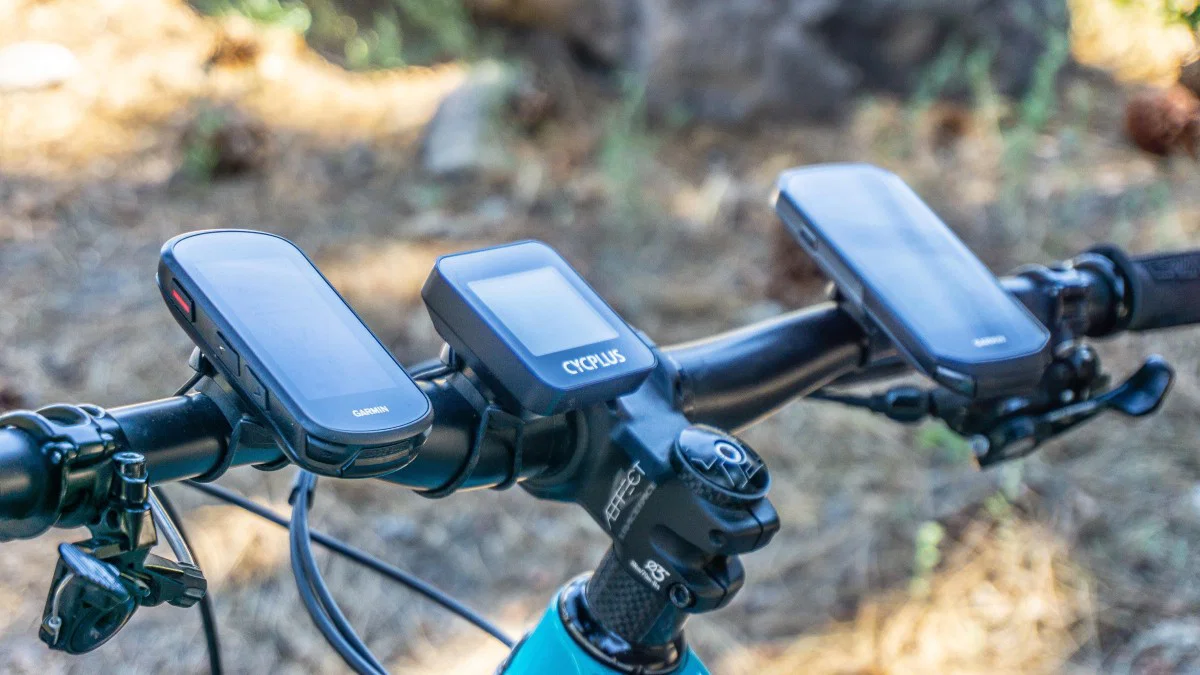

A cycling computer should answer three questions without making you stop: how fast am I going, where am I headed, and how much farther can I ride? The challenge is that a simple commuter display and a training-focused GPS unit are very different tools.
We compared ten options spanning wired speedometers, long-running GPS units, color navigation computers, and advanced training platforms. The Best cycling computer for most serious riders is the Garmin Edge 540, while the Garmin Edge 1050 is the feature-packed choice for riders who want a large touchscreen and connected features.
Comparison table
| # | Product | Award | Navigation | Display | Battery | Best for |
|---|---|---|---|---|---|---|
| 1 | Garmin Edge 540 | Best overall | Multi-band GNSS, maps | Button-controlled display | Up to 26 hours, or 42 in battery saver mode | Structured training and dependable navigation |
| 2 | Wahoo ELEMNT Bolt V3 | Best for route-focused riders | Turn by turn, rerouting | Map display with LEDs | Not specified | Fast route setup and radar integration |
| 3 | Garmin Edge 1050 | Best premium touchscreen | Color maps, rerouting | Vivid color touchscreen | Up to 20 hours, or 60 in battery saver mode | Advanced connected riding |
| 4 | iGPSPORT BSC500 | Best large-screen alternative | Dual-band maps, voice prompts | 3.3-inch touchscreen | Not specified | Riders who want clear maps and easy controls |
| 5 | iGPSPORT BSC200S | Best midrange feature set | Route, turn, and back-to-start navigation | 2.4-inch color screen | Up to 25 hours | Everyday riders using sensors |
| 6 | CYCPLUS G1 | Best long-battery GPS | GPS route tracking | 2-inch FSTN screen | More than 55 hours | Long rides with basic data needs |
| 7 | Bikevee Wireless GPS Computer | Best simple GPS setup | Built-in GPS tracking | 2.4-inch LCD | Up to 28 hours | Commuting and casual outdoor rides |
| 8 | GEOID CC600 | Best data customization | Color maps with rerouting | 2.4-inch color screen | Not specified | Riders who like configurable data pages |
| 9 | CATEYE Urban Wireless | Best wireless simplicity | No GPS navigation listed | Compact display | Battery life not specified | Basic rides without wires |
| 10 | CATEYE Velo 7 | Best wired starter computer | No GPS navigation listed | Compact display | Up to three years | First-time cyclists |
1. Garmin Edge 540: Best Overall

Pros
- Multi-band GNSS improves positioning in difficult areas
- ClimbPro works on every ride without requiring a course
- Strong training, navigation, and sensor support
- Up to 42 hours in battery saver mode
Cons
- Button controls take longer to learn than a touchscreen
- The richest training features require compatible sensors
- Not the largest display in this group
Best for: riders who want one computer for navigation, training, and long-distance riding.
The Edge 540 is the computer we would put on the most handlebars because it does not force a choice between training depth and practical navigation. Its compact body stays visually unobtrusive, yet the feature set is aimed at riders who care about structured workouts, climbing effort, recovery, and route planning. The button controls are deliberate rather than flashy. They take some adjustment, but they remain usable when fingers are cold, wet, or gloved.
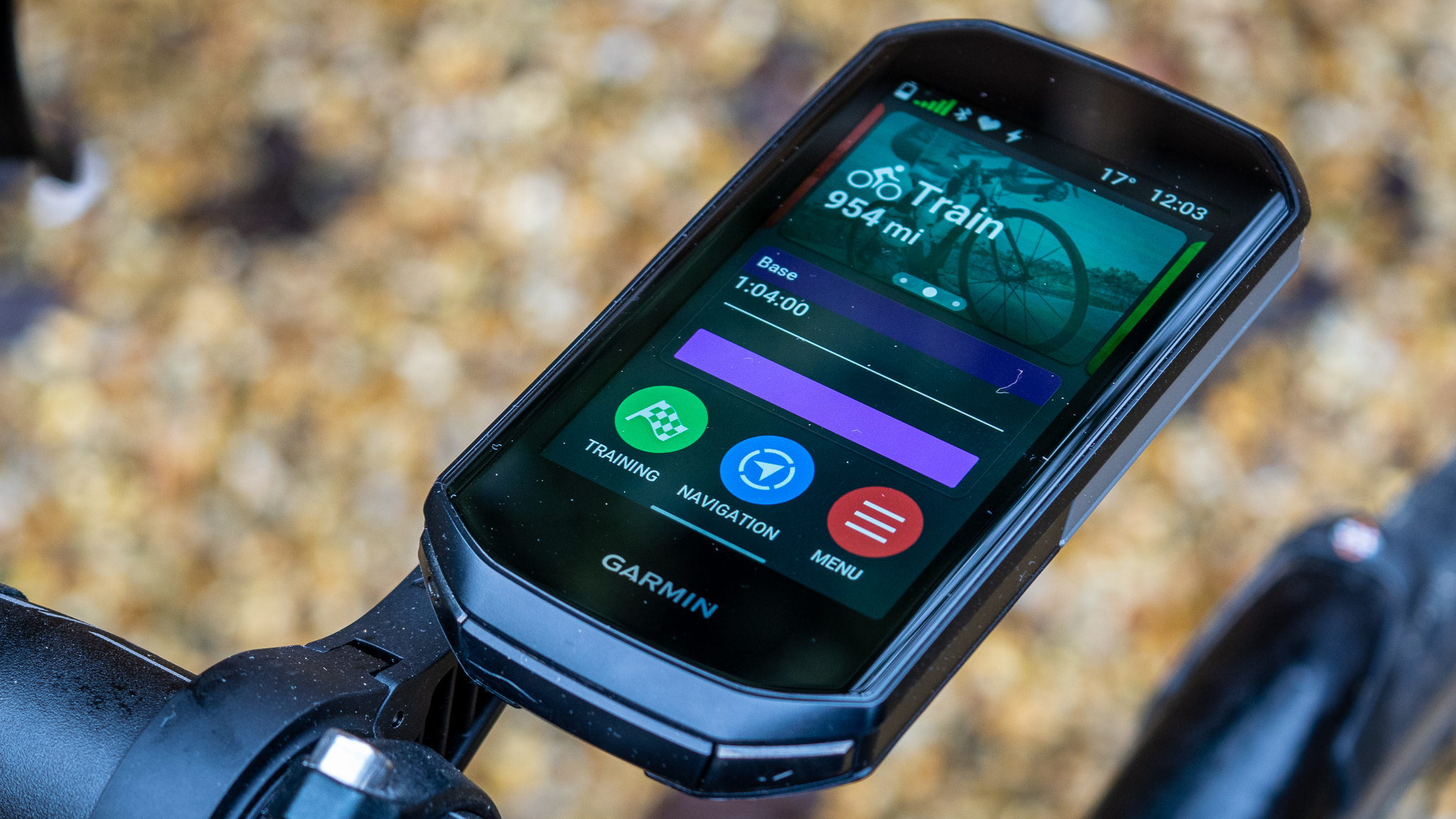
Its multi-band GNSS is the important navigation detail. The unit can use multiple satellite signals and frequency bands to improve positioning accuracy in challenging environments, which matters on wooded roads, among tall buildings, or on twisting mountain routes. Garmin's maps highlight popular roads and trails and include searchable points of interest. ClimbPro shows remaining ascent and grade on every ride, even when you are not following a course, turning a surprise hill into a more manageable effort.
The Edge 540 also makes the strongest case for training. Daily suggested workouts and training prompts appear on the device, while personalized coaching can adapt to training load and recovery when paired with a compatible power meter and heart rate monitor. Power Guide recommends targets across a course, and stamina insights help show how much effort remains. Those features are more substantial than the basic speed, distance, and altitude data offered by the CYCPLUS G1 or Bikevee Wireless GPS Computer.
Battery life is up to 26 hours in demanding use cases and up to 42 hours in battery saver mode. That is enough for long events without turning charging into a routine concern. The weakness is the learning curve. Riders who mainly want a clean speed and distance display will not use much of what makes this model special, and the button-only interface is less immediately approachable than the iGPSPORT BSC500. For anyone building a training system around heart rate, power, or structured routes, though, the Edge 540 is the Best cycling computer in this group.
2. Wahoo ELEMNT Bolt V3: Best for Route-Focused Riders

Pros
- Turn by turn prompts include visual and audible cues
- Automatic route downloads reduce setup work
- On-demand route generation from the device or app
- ANT+ radar integration with on-screen vehicle proximity
Cons
- Smartphone is central to several connected features
- Battery capacity is not specified in the available data
- Training features are less extensively described than Garmin's
Best for: cyclists who want route management and clear off-course alerts without a complicated setup.
The ELEMNT Bolt V3 has a clear personality: it is built around getting a rider onto a route and keeping that route understandable. The computer automatically generates turn by turn prompts for GPX and TCX files, along with routes imported from Strava, Ride With GPS, and Komoot. Top LEDs and audible cues reinforce the next turn, so the rider does not need to stare at the map every few seconds.
Route creation is flexible. You can pan and zoom on the map page, select a saved location, or use the ELEMNT Companion App to enter a destination, address, or point of interest. The result syncs to the computer with turn by turn directions. Automatic downloads for saved routes and automatic uploads for completed rides make it particularly appealing to cyclists whose route library already lives across several services.
The Bolt V3 is also the most convincing pick here for riders who use a rear radar. With an ANT+ rearview radar paired, approaching vehicles appear on the computer's screen, while LEDs indicate cars or a clear channel. Smart notifications cover calls, texts, email, and several messaging services when a phone is connected. LiveTrack is available through the companion app, which gives family or riding partners a way to follow the day's ride.
Compared with the Garmin Edge 540, the Bolt V3 puts less emphasis on personalized coaching and climbing analysis in the supplied feature set. Compared with the iGPSPORT BSC200S, it offers a more developed route ecosystem and stronger emphasis on automatic syncing. The dependence on a smartphone for notifications, LiveTrack, and some route creation is the central limitation. Riders who want a self-contained training assistant should look at Garmin, but route-focused cyclists who want straightforward guidance will find the Bolt V3 unusually coherent.
For a wider look at the category, the features that matter when choosing a ride computer are more useful than comparing screen size alone. The Bolt V3 earns its place by making navigation feel like the main event rather than an added function.
3. Garmin Edge 1050: Best Premium Touchscreen

Pros
- Vivid color touchscreen makes map interaction easier
- Built-in speaker handles prompts and a bike bell
- Road hazard alerts and group ride features
- Garmin Pay and adaptive coaching support
Cons
- Heavier and larger than the Edge 540
- Demanding-use battery life is up to 20 hours
- Many training features need compatible sensors
Best for: riders who want the richest Garmin navigation and connected experience on the bike.
The Edge 1050 is the most ambitious computer here, and its defining advantage is not a single training metric. It is the way the vivid color touchscreen, mapping, audio, safety tools, and connected functions fit together. Creating a course directly on the device is easier when you can touch the map, and seeing road surface type while planning helps distinguish a paved route from a rougher alternative.
The built-in speaker gives the 1050 a more active presence than the Edge 540. It plays workout and navigation prompts and can act as a loud bike bell for alerting riders and pedestrians. Road hazard alerts reported by other cyclists add another layer of awareness when a compatible smartphone is connected. Group ride tools include in-ride messaging, live locations, incident detection alerts, leaderboards for climbs, and postride awards.
Garmin's performance tools remain central. ClimbPro shows remaining ascent and grade on every ride, while Power Guide recommends targets and can adjust them using real-time stamina and wind when paired with a compatible power meter. Personalized coaching adapts to training load and recovery with compatible heart rate and power equipment. The result is a computer that can serve a recreational rider on a familiar route and a data-focused athlete preparing for a specific event.
The trade-off is physical size and endurance. The listed dimensions are 4.7 inches long, 2.4 inches high, and 0.6 inches wide, with a listed weight of 0.35625 pounds. Battery life reaches up to 20 hours in demanding use and up to 60 hours in battery saver mode. The Edge 540 is smaller, lighter, and better suited to riders who prefer buttons. The 1050 is the Best cycling computer for riders who will actually use the touchscreen, speaker, hazard alerts, payments, and group features. Skip it if you only need speed, distance, and occasional route guidance.
4. iGPSPORT BSC500: Best Large-Screen Alternative

Pros
- Large 3.3-inch screen shows up to 12 data fields
- Touchscreen and buttons can both control the unit
- Dual-band positioning supports five satellite systems
- Voice navigation and automatic rerouting
Cons
- Battery information is not specified in the available data
- Training functions depend on the app and connected equipment
- Larger body than compact button-controlled units
Best for: riders who prioritize map visibility and flexible controls.
The BSC500's selling point is easy to understand from the saddle: its 3.3-inch touchscreen gives maps and data fields more room than the compact computers in this roundup. It can show up to 12 cycling data points per page, which suits riders who want speed, grade, distance, and training information visible without cycling through several screens. Touch controls are available, but buttons remain an option when the weather or gloves make swiping inconvenient.
Positioning uses dual-band reception and supports GPS, BeiDou, GLONASS, Galileo, and QZSS. That combination is intended to improve accuracy and resistance to interference. Routes can be sent from the iGPSPORT app, imported from Strava or Komoot, or loaded from route files. Turn reminders adjust their warning distance according to speed, so a faster approach produces an earlier prompt.
The BSC500 also handles the moment when a planned route stops matching reality. Its yaw planning automatically creates a new route after going off course. Voice alerts for key navigation cues reduce the need to look down, and the continue-last-ride function protects ride data if a long outing has to be interrupted. iClimb 2.0 previews hills and helps distribute effort, while the training analysis functions add more depth than the basic CATEYE computers.
The Edge 1050 has a more mature connected feature set and the Edge 540 offers a deeper Garmin training ecosystem. The BSC500 counters with a larger display and a simpler touchscreen and button compromise. Its available data does not specify battery life, so riders planning very long, remote rides have less information to work with than they do for the CYCPLUS G1 or iGPSPORT BSC200S. Choose it for readable maps and flexible operation, not for the smallest possible cockpit setup.
5. iGPSPORT BSC200S: Best Midrange Feature Set

Pros
- Route, turn, and back-to-start navigation
- Up to 25 hours of battery life
- More than 100 riding data options
- Bluetooth and ANT+ support
Cons
- Smaller display than the BSC500
- Route setup depends on the iGPSPORT app or imported files
- Some advanced features require compatible lights or radar
Best for: riders who want navigation, sensor support, and long battery life in a compact unit.
The BSC200S is the sensible middle ground in the iGPSPORT range here. Its 2.4-inch semi-transparent, semi-reflective color display is designed to remain readable in sunlight, while the 25-hour battery rating makes it suitable for long weekend rides. It is not as spacious as the BSC500, but the smaller screen keeps the computer less imposing on the handlebar.
Navigation is more capable than the basic display suggests. Routes can be created in the official app or imported from Strava, Ride With GPS, and Komoot. One-touch navigation sends saved locations to the computer, and the unit supports back-to-start navigation, riding record navigation, turn reminders, yaw reminders, and directional guidance. That is a useful collection for riders who want to explore without moving to a top-tier training platform.
The BSC200S supports more than 100 riding data fields, including speed, distance, grade, cadence, calories, time, temperature, and FTP. Data pages can be customized in the app, and the unit can store up to 400 hours of ride data. Bluetooth and ANT+ support lets it work with compatible sensors, while connections to iGPSPORT front lights and radar lights add control and proximity information.
Its main limitation is that the device is less independent than the Garmin Edge 540. Riders who want adaptive coaching, ClimbPro-style planning on every ride, or a broad safety and group ecosystem should move up to Garmin. The BSC200S is also not as immediately map-friendly as the BSC500. Still, its long stated battery life, broad data selection, and navigation tools make it the Best cycling computer for riders who want substantial capability without a large touchscreen.
6. CYCPLUS G1: Best Long-Battery GPS

Pros
- More than 55 hours of stated operating time
- Automatic backlight aids day and night reading
- IPX6 water resistance
- Wireless setup with automatic sleep mode
Cons
- No route navigation or training ecosystem is listed
- 2-inch display is smaller than several color-screen alternatives
- Basic data set compared with Garmin and iGPSPORT models
Best for: riders who want GPS ride data and very infrequent charging.
The CYCPLUS G1 is the antidote to feature overload. It gives you the core information most riders glance at during a ride, including time, distance, total ride mileage, altitude, and clock, then stays out of the way. Its wireless design keeps the handlebar free from sensor cables, and it automatically enters sleep mode after ten minutes of inactivity while retaining the last cycling data.
The standout specification is the battery. The 1, 200mAh battery is rated for more than 55 hours of operating time, which is substantially longer than the stated endurance of the Garmin Edge 540, Garmin Edge 1050, and iGPSPORT BSC200S. That makes the G1 appealing for touring, commuting, and riders who may leave a computer mounted for weeks between charges.
Its 2-inch FSTN screen uses automatic backlighting and is described as glare-free and visible in sunlight. The tempered glass is intended to resist scratches, while IPX6 water resistance covers wet-weather riding. At 0.1543235834 pounds, it is also light enough that it will not feel like a substantial addition to a minimalist cockpit.
There is no route navigation, voice guidance, sensor ecosystem, or structured training platform listed for the G1. That is the clear reason to choose something else. The Bikevee Wireless GPS Computer offers a larger 2.4-inch display, while the BSC200S adds navigation and a much broader data menu. Choose the G1 when long battery life and essential GPS tracking matter more than maps and training analysis.
7. Bikevee Wireless GPS Computer: Best Simple GPS Setup

Pros
- Sensor-free GPS setup
- 2.4-inch display with automatic backlight
- Up to 28 hours of operating time
- IPX7 waterproof design
Cons
- No route navigation is listed
- Less data and connectivity detail than the iGPSPORT models
- Battery life is shorter than the CYCPLUS G1
Best for: commuters and casual riders who want GPS data without a separate wheel sensor.
The Bikevee Wireless GPS Computer is designed for a quick installation. Its built-in GPS means there is no wheel sensor, spoke magnet, or connecting cable to position, and the standard mount, rubber pad, mounting rings, USB-C cable, and manual are included. Auto start and stop makes it suitable for everyday rides where the computer should begin recording without a ritual at the curb.
The 2.4-inch LCD shows current, average, and maximum speed, riding distance, ride time, total mileage, temperature, altitude, gradient, and accumulated ascent. Automatic backlighting helps with early morning, evening, and nighttime rides. That collection is more informative than a traditional wired speedometer, especially for riders who want elevation and gradient without pairing extra equipment.
The 650mAh rechargeable battery is rated for up to 28 hours, and IPX7 waterproofing is intended for rainy and wet conditions. The listed dimensions are 2.76 inches high, 1.77 inches long, and 0.63 inches wide, with a listed weight of 0.110231131 pounds. It is a reasonably compact computer, though the shape is not as small as the CATEYE units.
The limitation is the absence of listed route guidance. The CYCPLUS G1 lasts much longer, and the iGPSPORT BSC200S adds route navigation, sensor support, and more than 100 data options. Bikevee makes more sense for a commuter or recreational cyclist who wants GPS-derived ride data and a clean installation, not for someone planning unfamiliar mountain routes.
8. GEOID CC600: Best Data Customization

Pros
- Color route navigation with automatic rerouting
- WiFi and Bluetooth data transfer
- Up to 108 supported data items
- Indoor training support with a smart trainer
Cons
- Physical dimensions in the supplied data appear inconsistent
- Battery life is not specified
- Three-button control is less direct than a touchscreen
Best for: data-focused riders who want configurable screens and indoor training support.
The CC600 is an unusual option because it gives customization nearly as much attention as navigation. Its 2.4-inch color screen uses Asahi glass and a three-button design. Riders can create up to ten pages, show up to ten data items per page, choose from 29 display layouts, and use numerical charts, circular dials, line graphs, or bar charts. That is far more flexibility than the CATEYE Velo 7 or Urban Wireless.
Navigation uses color routes, turn reminders, zooming, and notifications at intersections. GPX files can be uploaded through the phone app, and automatic rerouting is available after going off track. The device supports GPS, BeiDou, GLONASS, QZSS, and Galileo. When WiFi is used to sync AGNSS, the listed positioning acquisition time is five seconds, with AGNSS data valid for 14 days under the stated conditions.
WiFi is a practical advantage here. It can sync riding records, update firmware directly, and transfer information more quickly than Bluetooth. The computer stores up to 100 hours of ride data and can export FIT files for synchronization with Strava and TrainingPeaks. Bluetooth and ANT+ support allows connections with up to nine types of devices, while indoor training works with a smart trainer and supports power targets, resistance levels, and gradients.
The CC600's battery life is not specified in the available information, so riders planning long trips should be cautious. The supplied product dimensions also list unusually large length and width values, which makes the physical data difficult to interpret confidently. The BSC200S is a safer choice for a known battery rating and compact navigation, while the CC600 is the more interesting pick for riders who enjoy shaping every data screen around a particular style of riding.
9. CATEYE Urban Wireless: Best Wireless Simplicity

Pros
- Wireless installation
- Current, average, and maximum speed data
- Automatic stop detection
- Manual odometer setting and calorie tracking
Cons
- No GPS or route navigation is listed
- Battery life is not specified
- Less training data than GPS computers
Best for: urban riders who want simple ride statistics without a wire on the handlebar.
The Urban Wireless is for the cyclist who wants a small display to answer basic questions and nothing more. It tracks current, average, and maximum speed, total and trip distance, elapsed time, pace arrow, clock, and calorie consumption. The wireless design keeps the front of the bike tidy and avoids the visible cable associated with the CATEYE Velo 7.
Automatic stop detection is useful in town. The unit stops counting time and averaging speed when you are waiting at a light or have pulled over, so the ride data is not distorted by every brief interruption. That behavior makes the Urban Wireless more pleasant for commuting than a computer that expects you to pause recording manually.
The FlexTight Bracket is one of the practical details that separates it from generic basic computers. It can be mounted, adjusted, and moved by hand, which helps if the same computer moves between bikes. The manual odometer setting is also welcome because changing the battery does not require starting the total distance from zero.
The Urban Wireless does not provide GPS tracking, route guidance, altitude, gradient, or the extensive sensor connectivity found in the iGPSPORT BSC200S. The CATEYE Velo 7 provides a similarly focused set of ride statistics through a wired connection, while the Bikevee adds GPS without requiring a sensor. Choose the Urban Wireless when a clean, uncomplicated speedometer is enough and navigation belongs on your phone.
10. CATEYE Velo 7: Best Wired Starter Computer

Pros
- Straightforward wired setup
- Current, maximum, and average speed readings
- Automatic stop detection
- Battery life of up to three years
Cons
- No GPS navigation
- Wire is less tidy than the Urban Wireless
- No calorie, altitude, or sensor connectivity features are listed
Best for: new cyclists who need the basic numbers and little else.
The Velo 7 is the simplest computer in this roundup, and that simplicity is its appeal. It displays current, maximum, and average speed, total distance, trip distance, elapsed time, pace arrow, and clock. There is no GPS setup, route import, app account, or training menu to distract a rider who is just learning how to read ride data.
Automatic stop detection keeps the numbers sensible during red lights and short coffee stops. The computer stops counting time and averaging speed when the bike is stationary, which is a small but important convenience. Its listed dimensions are 2.17 inches high, 1.46 inches long, and 0.71 inches wide, and its listed weight is 0.066 pounds.
The wired connection is the main compromise. It takes more care during installation than the wireless CATEYE Urban, and it gives the handlebar a less minimal appearance. In exchange, the battery is rated to last up to three years, which is excellent for a device designed to be installed and forgotten. The Velo 7 is also positioned as an entry-level computer, and its controls and information set match that role.
The CYCPLUS G1 or Bikevee Wireless GPS Computer makes more sense if you want GPS-derived data, while the CATEYE Urban is the cleaner choice if you want the same general simplicity without a wire. The Velo 7 remains a sensible first computer for riders who only need speed, distance, and elapsed time. It is not the right tool for route discovery, structured workouts, or performance analysis.
How to choose best cycling computer
The right Best cycling computer choice depends on whether you need simple ride figures, reliable route guidance, or a training platform that can work with sensors.
Navigation and positioning
GPS computers vary greatly in how they handle routes. Basic GPS models such as the CYCPLUS G1 and Bikevee Wireless GPS Computer record position and ride data, but the supplied features do not list turn by turn navigation. Models such as the Wahoo ELEMNT Bolt V3, iGPSPORT BSC200S, and Garmin Edge 540 add route guidance, while the Garmin Edge 1050 and iGPSPORT BSC500 make map interaction more prominent.
Multi-band or multi-satellite positioning can help in areas where buildings, trees, or terrain make reception difficult. Rerouting matters if you regularly change plans midride. If you mainly ride familiar roads, recorded GPS data may be enough. If you explore unfamiliar areas, prioritize clear turns, off-course alerts, and a route system you will actually use.
A bright display is useful, but a computer that warns about the next turn at the right moment is safer than one that merely shows a detailed map.
Display and controls
Screen size affects how much information you can see without switching pages. The 3.3-inch BSC500 is the largest listed display in this group, while the Edge 1050 adds a vivid color touchscreen. The 2-inch CYCPLUS G1 and compact CATEYE displays use less handlebar space but show less map detail.
Touchscreens are convenient for creating courses and moving around maps. Buttons are usually easier when wearing gloves or riding through wet conditions. The BSC500 offers both, while the Edge 540 uses button controls. Consider the kind of riding you do before choosing the more modern interface.
Battery endurance
Long battery life matters most when rides stretch beyond a normal training session or when you do not want another device to charge every night. The CYCPLUS G1 is rated for more than 55 hours, the Bikevee for up to 28 hours, the Edge 540 for up to 26 hours in demanding use, and the BSC200S for up to 25 hours.
Battery saver modes change the picture. The Edge 540 reaches up to 42 hours in that mode, while the Edge 1050 reaches up to 60 hours. The display and navigation features you use will affect real endurance, so treat a stated maximum as a planning reference rather than a promise for every ride.
Sensor and training support
A basic speedometer needs no broader ecosystem. A training computer becomes more useful when it can connect to compatible heart rate monitors, power meters, cadence sensors, lights, or radar. The Garmin Edge 540 and Edge 1050 offer the deepest training features in this group, including coaching, workout prompts, climbing analysis, and power guidance when paired with compatible equipment.
The iGPSPORT BSC200S and GEOID CC600 support Bluetooth and ANT+ connections, while the Wahoo ELEMNT Bolt V3 supports ANT+ radar integration. Think about the equipment you already use. If you do not own compatible sensors, paying attention to every training feature may only add menu complexity.
Weather resistance and installation
Rain protection is important for a computer that stays on the bike. The CYCPLUS G1 is rated IPX6, while the iGPSPORT BSC200S and Bikevee are rated IPX7. The other models in the supplied data do not list an IP rating, so do not assume identical protection.
Installation also changes the daily experience. GPS computers reduce the need for a wheel sensor, and the Bikevee specifically lists a sensor-free setup. The CATEYE Urban uses a FlexTight Bracket that can be moved by hand. The Velo 7 uses a wire, which takes more care to route but supports its straightforward design.

Frequently asked questions
Do cycling computers need a phone?
No. Basic ride recording and displayed data can work without a phone, depending on the model. Connected features such as route creation, LiveTrack, notifications, and account syncing may require a smartphone, as they do for several features described for the Garmin, Wahoo, and iGPSPORT computers.
Is GPS navigation better than a wired cycling computer?
GPS navigation is better for recording routes, tracking altitude, and following unfamiliar roads. A wired computer such as the CATEYE Velo 7 is simpler and focuses on speed and distance. Choose GPS if route history or elevation matters, and choose wired if you only want basic ride figures.
Are touchscreens practical on a bike?
Touchscreens are useful for map interaction and course creation, especially on the Garmin Edge 1050 and iGPSPORT BSC500. Buttons can be easier with gloves, in rain, or when you want to make a quick change without swiping. A computer with both touch and button controls offers the most flexibility.
How much battery life does a cycling computer need?
That depends on your longest rides and charging habits. Up to 20 to 28 hours covers many training and touring needs, while the CYCPLUS G1's more than 55-hour rating suits riders who want very infrequent charging. Battery saver modes can extend the Garmin computers much farther.
Can these computers connect to a heart rate monitor or power meter?
The Garmin Edge 540 and Edge 1050 use compatible heart rate monitors and power meters for personalized coaching, power guidance, stamina insights, and related training features. The iGPSPORT BSC200S and GEOID CC600 list Bluetooth and ANT+ support. Compatibility depends on the specific sensor and connection standard.
What is the difference between ANT+ and Bluetooth?
Both are wireless connection standards used by cycling sensors and accessories. ANT+ is common for cycling sensors and can support several device connections, while Bluetooth is also widely used for phones, apps, and accessories. A computer supporting both gives you more flexibility when building a sensor setup.
Should a commuter buy a GPS cycling computer?
A commuter should buy one if route recording, altitude, or navigation is useful. The Bikevee Wireless GPS Computer and CYCPLUS G1 provide GPS ride data without a separate wheel sensor. If you only need current speed, distance, and elapsed time, the CATEYE Urban Wireless or Velo 7 may be easier to live with.
The bottom line
The Best cycling computer for the widest range of riders is the Garmin Edge 540. It combines multi-band positioning, useful maps, ClimbPro, structured training prompts, sensor support, and strong battery endurance without taking up as much space as the Edge 1050. The Wahoo ELEMNT Bolt V3 is the better fit for riders who care most about route management, turn alerts, and radar integration.
For a larger touchscreen, voice prompts, hazard alerts, and connected group features, choose the Garmin Edge 1050. Riders who want a simpler display should look at the CYCPLUS G1 for exceptional stated battery life or the CATEYE Urban Wireless for uncomplicated speed and distance tracking.
If you are undecided, choose the Garmin Edge 540 for a serious all-purpose computer, or the CYCPLUS G1 when long battery life matters more than maps.
As an Amazon Associate we earn from qualifying purchases.