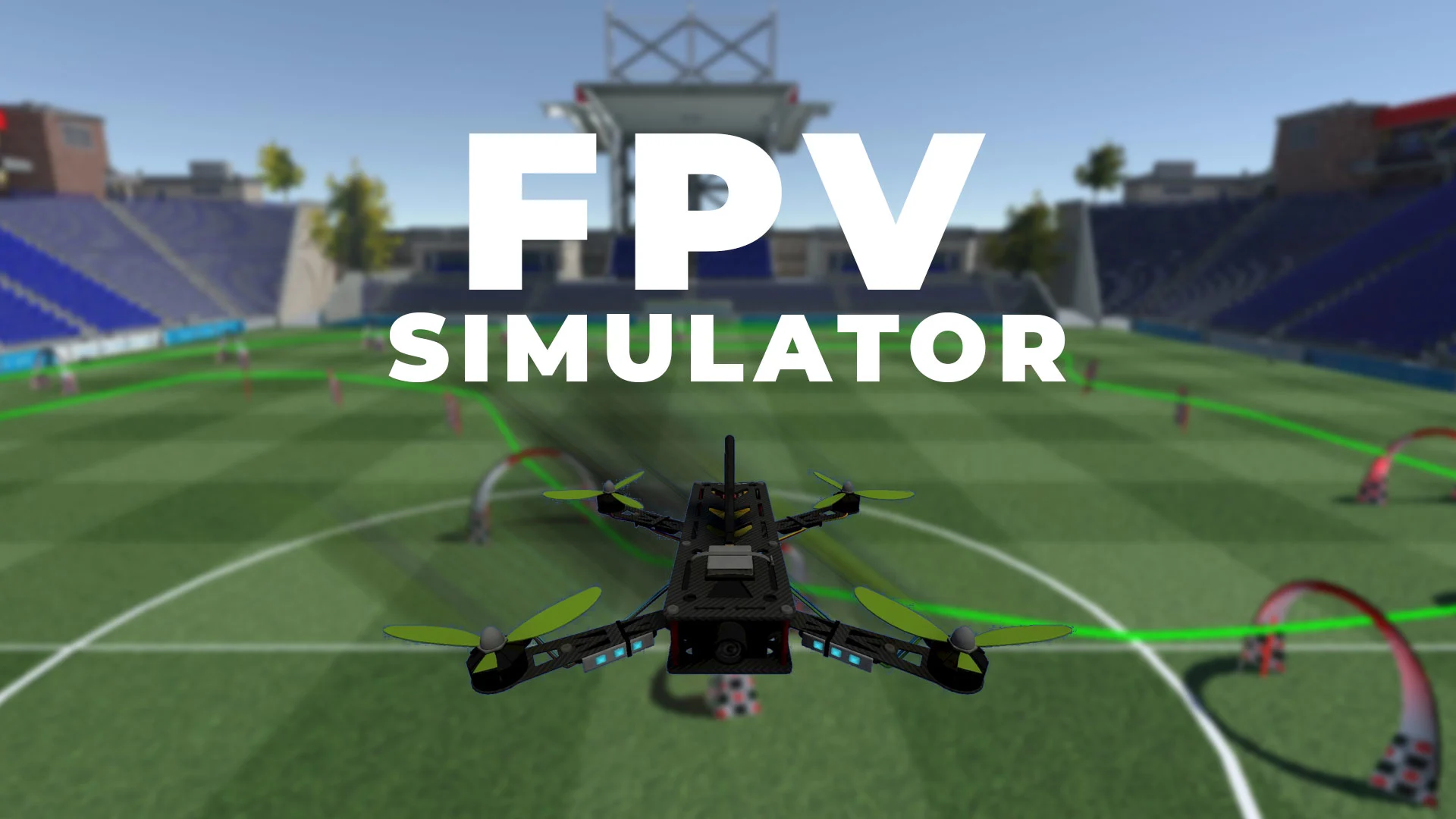

Learning FPV flight on real hardware means crashes, repairs, and a steep first session. A simulator controller can teach throttle discipline and stick coordination at a desk, while a complete kit lets you carry those skills into actual indoor or outdoor flight. The useful distinction is not the shape of the remote. It is whether the controller has a non-centering throttle, which software it supports, and whether the package is simulator-only or ready to fly.
Our Best best fpv drone simulator picks include dedicated USB controllers from STARDRONE and FLYDrone, the versatile Radiomaster T8L, and complete BETAFPV and HISINGY kits. The Radiomaster T8L is the one we would choose for the widest path from simulator practice to a real FPV aircraft, while the STARDRONE S8 White is the simplest dedicated PC training option.
Comparison table
| # | Product | Award | Connection | Weight | Key capability | Best for |
|---|---|---|---|---|---|---|
| 1 | Radiomaster T8L | Best overall | USB-C and ELRS 2.4GHz | 204g | Hall-effect gimbals, Web-UI | Simulator and real-drone users |
| 2 | STARDRONE S8 White | Best dedicated controller | Wired USB-C | 140g | Non-centering throttle, 30+ simulators | Beginners practicing on several platforms |
| 3 | FLYDrone S8 Pro Grey | Best PC training feel | Wired USB-C | 160g | Mode 2, 8 channels | Windows simulator learners |
| 4 | STARDRONE S8 Black | Best Windows starter | Wired USB-C | 140g | Plug and play, calibration mode | New FPV pilots |
| 5 | FLYDrone S8 White | Best cross-platform FLYDrone | Wired USB-C | 160g | Windows, macOS, Android support | Multi-device households |
| 6 | BETAFPV Cetus Pro | Best assisted flight kit | Radio transmitter and FPV goggles | 3.09lb package | Three flight modes, altitude hold | Beginners moving beyond simulation |
| 7 | BETAFPV Meteor75 Pro | Best racing kit | Radio transmitter and VR03 goggles | 300g goggles | 80.8mm whoop, 6-minute flight | Racing and outdoor freestyle |
| 8 | HISINGY Firefly | Best app-connected kit | Remote, app, and FPV goggles | 0.134lb drone | Altitude hold, camera, Liftoff support | Kids and casual beginners |
1. Radiomaster T8L: Best Overall

Pros
- Hall-effect gimbals are designed for consistent stick movement
- Works as both a simulator controller and an ELRS transmitter
- USB-C supports charging, firmware updates, and simulator connection
- Lightweight 204g body with compact dimensions
- Browser-based Web-UI avoids a built-in screen menu
Cons
- Battery is not included
- Screenless setup may feel less immediate to experienced radio users
- More configuration than a simulator-only controller
Best for: someone who wants one compact radio for simulator practice and compatible real FPV aircraft.
The Radiomaster T8L is the most convincing long-term choice here because it does not stop at simulator duty. Its Mode 2 layout feels like a proper FPV transmitter, yet USB-C lets it connect directly to a computer for virtual practice. When the pilot is ready to leave the simulator, the same radio can use ExpressLRS 2.4GHz with a compatible receiver. That makes it more useful than the STARDRONE S8 White and FLYDrone S8 Pro Grey, both of which are explicitly training controllers.
The hardware is unusually specific for this group. Quad-bearing X5 Hall-effect nano gimbals are intended to avoid the mechanical wear associated with conventional contact-based sensing, so stick input should remain consistent over time. The 204g weight is light enough for a desk session or a trip to the field, and the stated 165 by 120 by 70mm build gives it a compact footprint. It is a practical middle ground between a small gamepad and a full-size radio.
There is no screen to navigate. Instead, configuration happens through a Web-UI in Chrome or Edge, where the pilot can adjust button and switch functions and trim settings. That keeps the physical controller uncluttered, but it also means a new user has to understand the browser setup. The USB-C port handles charging, firmware updates, and a direct simulator connection, although the package does not include a battery or other accessories.
The T8L supports the major simulator names listed for the other radios, including VelociDrone, Liftoff, TRYP, DRL, DCL, and Virtual Flight. Its limitation is not control capability but commitment. If the only plan is occasional PC practice and no real drone will follow, the simpler STARDRONE S8 Black is easier to justify. The T8L is the one to skip only if a dedicated wired controller is all you need.
For anyone who wants a controller that can grow with an FPV setup, the T8L is the clear lead pick. It gives beginners a credible simulator input device without forcing them to replace it when they start exploring real aircraft.
2. STARDRONE S8 White: Best Dedicated Controller

Pros
- Non-centering throttle supports realistic FPV muscle memory
- Listed compatibility with more than 30 simulators
- 140g body and anti-slip PU grip suit long sessions
- USB-C connection needs no batteries
- Includes calibration guidance
Cons
- USB cable connection is required
- Does not offer wireless Bluetooth PC connection
- It is a simulator controller rather than a real-drone radio
Best for: beginners who want a light, wired controller for several FPV simulator platforms.
The STARDRONE S8 White gets the central FPV control detail right: its throttle is non-centering. A regular game controller can encourage habits that do not transfer cleanly to a real FPV radio, where the throttle stick stays where you leave it. The S8 is built around that behavior, so a learner can practice altitude changes and controlled descents with a more familiar FPV layout.
Its 140g body is lighter than the FLYDrone S8 Pro Grey, and the contoured shell has a non-slip PU grip. That combination should be comfortable for repeated sessions, especially for younger pilots or anyone who finds a full-size transmitter tiring. The product includes an 8-channel metal joystick arrangement, a Mode 2 layout, a USB-C cable, and a manual with simulator connection instructions. Those are useful details for a first controller because there is less hardware to identify before training begins.
Compatibility is one of the S8 White's strongest claims. The listed software includes Uncrashed, Liftoff, DCL, DRL Racing, RealFlight Evolution, TRYP FPV, Velocidrone, FPV Logic, Aerofly RC 10, DJI Virtual Flight, and other FPV and RC titles. It is described as working across Windows, macOS, and Android, although the connection note is important: it supports the included USB-C cable and does not support wireless Bluetooth connection to a PC.
Calibration is not entirely automatic. The instructions call for briefly pressing the central function button, holding it for three seconds until the blue indicator flashes, moving the throttle through its maximum and minimum positions, and keeping the other sticks centered. That is a small setup chore, but it can prevent a simulator from interpreting neutral input incorrectly. The non-centering throttle also means a beginner should not mistake the left stick's behavior for a fault.
The white finish is the only meaningful difference from the STARDRONE S8 Black in this list, and the core control design is the same. The T8L is more capable beyond the simulator, while the FLYDrone S8 White offers a similar training idea with a different listed device emphasis. Choose the S8 White when the goal is straightforward, wired practice across several simulators rather than a radio for an actual quadcopter.
3. FLYDrone S8 Pro Grey: Best PC Training Feel
Pros
- Non-centering throttle encourages real FPV control habits
- USB-C connection avoids batteries and wireless pairing
- Listed support for Liftoff, DRL, DCL, Uncrashed, and more
- 160g body with anti-slip grip
- Calibration process is clearly described
Cons
- Simulator use only
- The product is aimed at Windows PC training
- No wireless connection or built-in battery
Best for: a Windows user who wants a dedicated controller with a clear simulator-only purpose.
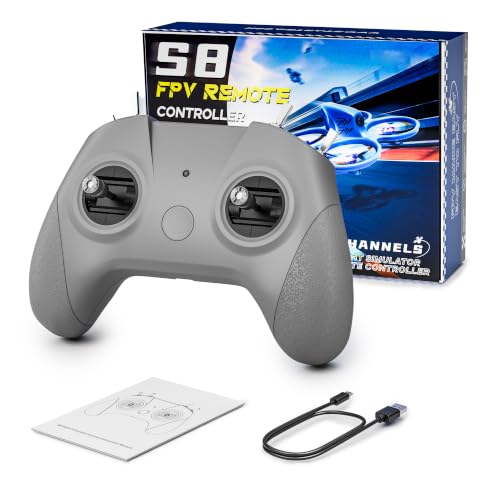
The FLYDrone S8 Pro Grey is a focused training tool rather than a general-purpose gamepad. Its Mode 2 arrangement and non-centering throttle are meant to teach the two habits that matter most early on: coordinated stick movement and deliberate throttle control. That makes it a better fit for serious simulator practice than a conventional controller with spring-loaded sticks on both axes.
At 160g, it remains light without being the lightest option here. The compact body and anti-slip texture are designed for longer sessions, and the layout is aimed at teens, adults, classes, and hobby pilots. It connects over the included USB Type-C cable, starts without charging or pairing, and is intended to be recognized by a computer when the simulator launches. That simplicity is useful when the controller will live beside a desktop or laptop.
The software list is broad. FLYDrone names Liftoff, DRL, DCL, Uncrashed, VelociDrone, TRYP FPV, RealFlight Evolution, Aerofly RC 10, Phoenix RC, and FPV Logic among its compatible programs. The key qualifier is that this S8 Pro is made for flight simulator training and does not control real drones. The Radiomaster T8L is the right alternative if the same radio needs to bind to an aircraft later.
Calibration follows a familiar procedure. The central button enters calibration mode after a three-second hold, the blue indicator blinks, and the throttle must be moved through its full travel while the other sticks remain centered. The process is not difficult, but it is worth doing before judging the controller's feel. Non-centering throttle takes a session or two to feel natural if the pilot has only used ordinary console controllers.
Compared with the STARDRONE S8 White, the Pro is a slightly heavier dedicated alternative with a similarly realistic control philosophy. The STARDRONE advertises broader cross-platform use, while FLYDrone keeps the S8 Pro description centered on Windows PC training. Skip it if a real-drone transmitter is part of the plan. For a learner who wants a stable, wired practice device and nothing more, this is one of the clearest fits in the group.
4. STARDRONE S8 Black: Best Windows Starter

Pros
- Familiar Mode 2 layout with a non-centering throttle
- 140g design is easy to hold and carry
- USB-C plug and play operation needs no battery
- Supports major FPV simulator titles
- Includes a manual and calibration instructions
Cons
- Windows-focused compatibility in the product description
- Wired operation only
- Cannot operate a real drone
Best for: a first-time Windows pilot who wants a simple controller for learning FPV basics.
The STARDRONE S8 Black is the straightforward version of the dedicated simulator controller. It has the same useful non-centering throttle concept as the S8 White, which means the left throttle stick stays in position instead of returning to the middle. That is the control behavior a learner will encounter on many real FPV radios, so practice here should build more relevant muscle memory than a standard console pad.
The 140g weight and contoured body keep the controller easy to manage during longer sessions. Its anti-slip PU handle is intended to reduce hand movement, while the button arrangement follows a real remote control layout. This is not a radio with an onboard battery or wireless link. It powers on automatically through USB-C, and the indicator light confirms the computer connection.
The listed simulator support includes Uncrashed, Liftoff, DCL, DRL, RealFlight Evolution, TRYP FPV, Velocidrone, FPV Logic, Aerofly RC 10, Phoenix RC, DJI Virtual Flight, FeelFPV, SkyDive, and FPV Battlefield. That gives a beginner room to try racing, freestyle, and basic hovering without replacing the controller. The product description emphasizes Windows systems, so macOS or Android users should look more closely at the STARDRONE S8 White or FLYDrone S8 White.
The setup remains simple, but calibration is part of the experience. Hold the central button for three seconds until the blue light flashes, move the throttle from maximum to minimum, keep the other sticks centered, and wait for the light to stay solid. A non-centering throttle can seem unusual at first, particularly if the simulator's initial calibration expects spring return. Following the supplied process matters.
The Black and White STARDRONE models are functionally close, so the choice is mainly finish and listing-specific compatibility language. The FLYDrone S8 Pro Grey feels like a direct rival, with a 160g body and a more explicit Windows PC focus. The T8L is substantially more flexible because it can serve a real FPV aircraft, but it also brings more configuration. Pick the S8 Black for an uncomplicated first step into simulator flying.
5. FLYDrone S8 White: Best Cross-Platform FLYDrone
Pros
- Non-centering throttle has a realistic FPV feel
- Listed Windows, macOS, and Android compatibility
- 140g body with non-slip handle texture
- USB-C plug and play operation
- Supports a wide range of simulator software
Cons
- Wired USB-C use is required
- No real-drone control capability is listed
- Calibration may be needed before use
Best for: households that switch between Windows, macOS, and Android simulator devices.
The FLYDrone S8 White is the most device-flexible of the small wired controllers in this roundup. It follows the same Mode 2 formula as the other S8 models, with a non-centering throttle and an 8-channel layout, but its compatibility description explicitly includes Windows, macOS, and Android. That matters when simulator practice moves between a desktop, a laptop, and a mobile device.
The controller uses a high-precision joystick intended to reduce slack and operational lag. The stated 140g weight keeps it easy to hold, and the textured handle is designed to stop the shell from shifting during stick inputs. It connects through USB Type-C and needs no internal battery, so there is no charging cycle or wireless pairing step to interrupt a practice session.
The software list includes Uncrashed, Liftoff, DCL, DRL, RealFlight Evolution, TRYP FPV, Velocidrone, FPV Logic, Aerofly RC 10, DJI Flight Simulator, FeelFPV, SkyDive, and FPV Battleground. That is a useful spread for learners who want racing, freestyle, or basic flight exercises. The controller can help with simulator input, but the listing does not present it as a transmitter for an actual drone.
The throttle is the feature that requires the most adjustment. It stays where the pilot leaves it, which is appropriate for FPV muscle memory but unlike a typical gamepad. Calibration uses the central button, a three-second hold, full throttle travel, and centered auxiliary sticks. A new pilot should treat that as part of setup rather than assuming the controller is defective when the stick does not spring back.
The STARDRONE S8 White is a close comparison, with nearly the same weight and an equally broad compatibility claim. FLYDrone's S8 Pro Grey is the better match for a Windows-only setup, while the T8L is a better investment for anyone who expects to fly a real ELRS-equipped aircraft. The FLYDrone S8 White makes the most sense when flexibility across devices matters more than extending into a full radio system.
6. BETAFPV Cetus Pro: Best Assisted Flight Kit

Pros
- Complete beginner-oriented FPV kit
- Normal, Sport, and Manual flight modes
- Altitude hold in Normal mode
- Emergency landing and self-protection functions
- Turtle Mode can turn the drone after an upside-down landing
Cons
- Altitude hold is limited to Normal mode
- It is a real-flight kit, not just a simulator controller
- The package is heavier than the small dedicated remotes
Best for: a beginner who wants assisted real flight after learning basic inputs virtually.
The BETAFPV Cetus Pro belongs in this roundup because it addresses the next step after simulator practice. It is a brushless whoop kit built for beginners, with a transmitter and VR02 FPV goggles included. Rather than asking a new pilot to assemble a radio, aircraft, video system, and safety features separately, it puts the main pieces into one starter package.
Its three flight modes create a sensible progression. Normal mode provides altitude hold, Sport mode increases the pace, and Manual mode removes the assistance that keeps the quad hovering. Each mode also offers Slow, Mid, and Fast speed settings. That gives a learner room to build confidence without immediately dealing with the full workload of manual FPV flight.
Altitude hold is available only in Normal mode, where the barometer and laser positioning help the quad maintain its current height when the pilot releases the sticks. The restriction is important. A buyer expecting the drone to hold altitude in Sport or Manual mode will be disappointed, but the limitation is also a useful way to understand the difference between assisted and more demanding flight.
The safety features are unusually helpful for a first kit. If the signal is lost or the battery is low, the drone can make an emergency landing. After a strong collision it can automatically disarm and drop rather than continuing to spin against an obstacle. Turtle Mode can turn the drone over after it lands upside down, reducing the need to walk across a room or field to retrieve it.
The HISINGY Firefly is more app-oriented and friendly to casual camera flying, while the BETAFPV Meteor75 Pro is the sharper choice for racing and outdoor freestyle. The Cetus Pro is the calmer bridge between a simulator and a real aircraft. Its weakness is that it cannot replace the focused desk practice of the STARDRONE S8 Black, and pilots who want maximum speed should move toward the Meteor75 Pro.
If the goal is to learn FPV in stages, the Cetus Pro offers the clearest safety net. Start with the simulator, use Normal mode to learn the physical aircraft, then work toward Sport and Manual as the controls become familiar.
7. BETAFPV Meteor75 Pro: Best Racing Kit

Pros
- 80.8mm whoop platform built for agile flight
- 1102 22000KV motors provide strong thrust
- Includes transmitter, VR03 goggles, and carry bag
- Flight times are listed up to 6 minutes
- VR03 goggles have a 4.3-inch 800 by 480 display
- Flight recording to microSD is supported
Cons
- More demanding than an assisted beginner kit
- The flight time is limited to up to 6 minutes
- Racing-oriented hardware may be excessive for casual indoor use
Best for: pilots who want a complete kit for racing, tight turns, and outdoor freestyle.
The BETAFPV Meteor75 Pro is the most capable real-flight package here for a pilot who has already spent time in a simulator. It combines an 80.8mm wheelbase whoop with 1102 22000KV motors, a LAVA II 1S 580mAh battery, LiteRadio 2 SE transmitter, VR03 goggles, and a carry bag. The stated goal is not gentle hovering. It is quick response, tight turns, climbs, and freestyle movement.
The motor and battery pairing is intended to provide a strong thrust-to-weight ratio for a small 1S aircraft. BETAFPV lists flight times up to 6 minutes, which is enough for focused practice but not a substitute for carrying spare charged batteries. The reinforced whoop frame should help with the everyday bumps that come with learning, and the ducted form remains better suited to close quarters than a larger racing quad.
The VR03 goggles are more than a simple viewing accessory. Their 4.3-inch LCD has an 800 by 480 resolution and high brightness, with a replaceable 5.8 3dBi omnidirectional antenna for video reception. The goggles can record flights to a microSD card and replay footage on the headset. At 300g, they are light enough to carry, and the foam faceplate and adjustable three-sided headband address the fit issues that can make FPV viewing uncomfortable.
The LiteRadio 2 SE transmitter has a built-in 1000mAh 1S battery and is listed for up to 8 hours of continuous use. It supports VelociDrone, Liftoff, TRYP, DRL, DCL, and Virtual Flight, as well as desktops, Android devices, and tablets. That makes the transmitter useful before and between outdoor flights, although the small STARDRONE and FLYDrone controllers remain more narrowly focused on desk simulation.
The Cetus Pro is easier for a first physical flight because its Normal mode provides altitude hold and its self-protection features soften mistakes. The Meteor75 Pro asks more from the pilot, but it rewards that input with a more agile platform. The HISINGY Firefly is a better fit for app control, camera play, and younger beginners. Skip the Meteor75 Pro if the user has no interest in racing or freestyle movement.
For a pilot who has learned the basics and wants a complete route into faster FPV flying, this kit has the right combination of power, video equipment, and portability. It is the serious flying choice, not the gentlest introduction.
8. HISINGY Firefly: Best App-Connected Kit

Pros
- Altitude hold helps new pilots maintain a steady hover
- Can be controlled with a remote or smartphone app
- Camera video can be recorded and downloaded with a TF card
- Liftoff simulator compatibility extends practice options
- Modular design and DIY spare-parts ecosystem
Cons
- More toy-like than the dedicated FPV racing kits
- App control is not the same as a full FPV radio experience
- The listing does not specify camera resolution or flight time
Best for: kids, casual beginners, and families wanting camera flight with a gentle learning curve.
The HISINGY Firefly is aimed at a different beginner than the BETAFPV kits. Its appeal is the combination of a small camera drone, app control, altitude hold, and an included FPV viewing experience. A child or casual flyer can start with a more forgiving control setup, then explore first-person video without immediately taking on the demanding manual handling of a racing whoop.
Altitude hold and automatic emergency stop are the practical features to notice first. Altitude hold helps the aircraft stay at a steady height, while the emergency stop gives a new pilot a direct way to end a worrying flight. Multi-speed modes provide a gradual path from basic indoor practice to quicker movement. Those assists make it more approachable than the Meteor75 Pro, which is designed around agile manual-style flight.
The HISINGY app can connect to the micro drone for smartphone control, speed adjustments, flight-data collection, and OTA upgrades. The drone can also be flown with a remote control. Video can be recorded and downloaded through a TF card, making it more useful for families who care about seeing and saving footage. The listing does not provide a camera resolution or flight-time figure, so expectations should remain modest.
Its simulator connection is a notable bonus. The remote can connect to Liftoff and other FPV simulators, allowing the same kit to provide virtual practice before a flight. That is a more complete beginner pathway than a toy drone with no training option, though the STARDRONE S8 White and FLYDrone S8 White remain more purpose-built for desk control. For broader camera-focused comparisons, readers deciding between this kind of aircraft and a dedicated imaging model can consider how a small drone handles casual aerial video.
The modular design and stated DIY spare-parts ecosystem may appeal to curious beginners who want to customize the drone. Still, the product is not a substitute for the control precision or racing feel of the Meteor75 Pro. It is also not as structured a learning platform as the Cetus Pro, whose three flight modes and turtle function are designed around progressing toward manual flight.
Choose the Firefly for app convenience, camera play, and a younger or more casual audience. Skip it if the main goal is to build serious racing reflexes. In that case, a dedicated simulator controller followed by the Meteor75 Pro is the cleaner route.
How to choose best fpv drone simulator
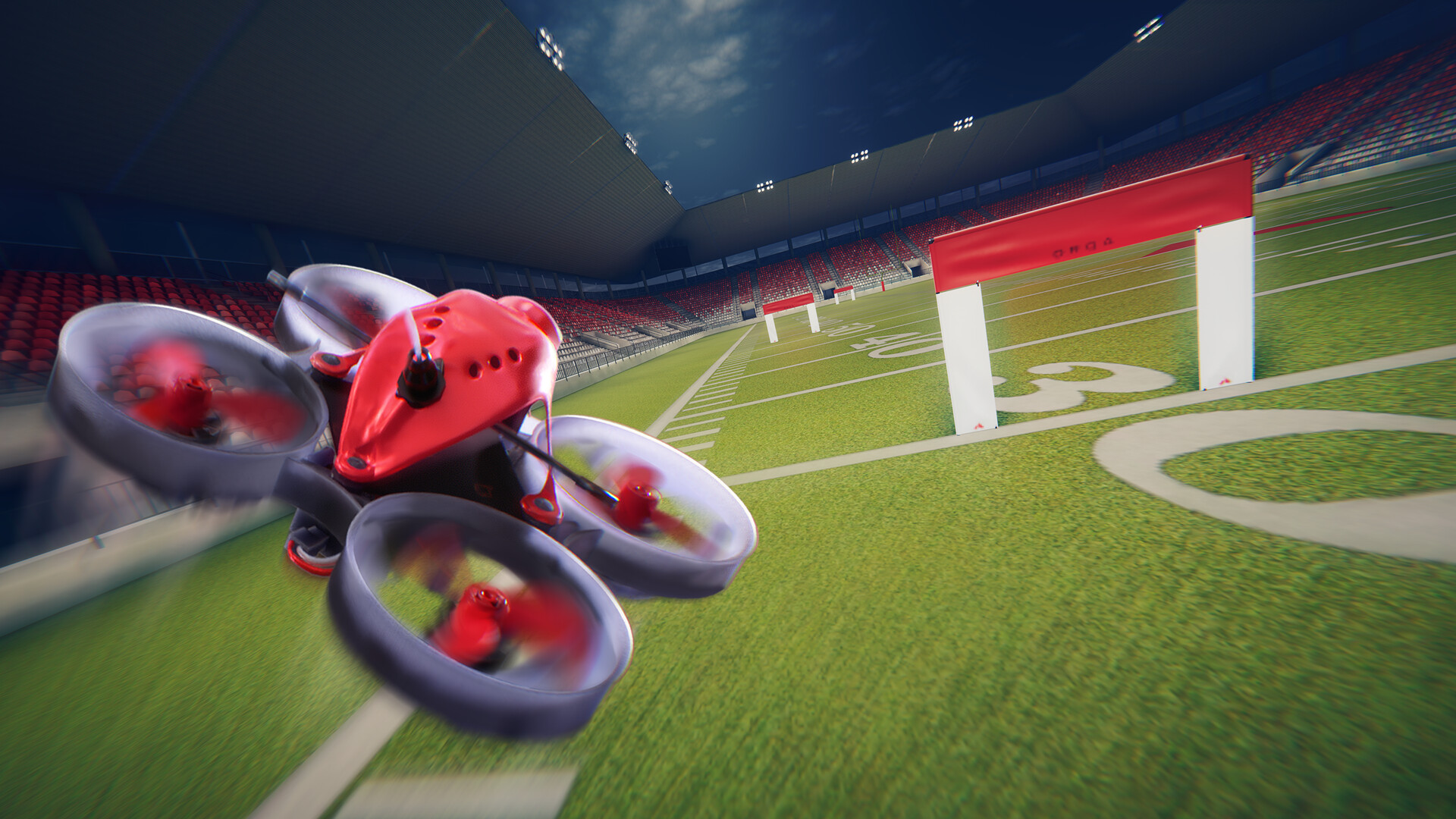
The Best best fpv drone simulator depends on whether you need a desk controller, a real-flight starter kit, or one device that can do both.
Throttle behavior
A non-centering throttle stays in the position where you leave it instead of springing back to the middle. That is central to FPV muscle memory because throttle controls altitude and speed continuously. The STARDRONE S8, FLYDrone S8, and Radiomaster T8L all use layouts intended to feel closer to a real FPV transmitter.
A conventional game controller may be easier for a few minutes, but it can teach habits that do not transfer well. Look for a clear Mode 2 layout and confirm which stick is non-centering before starting calibration.
The throttle should feel unfamiliar at first. That unfamiliarity is often the point of a proper FPV trainer.
Simulator compatibility
A controller is only useful if the chosen simulator recognizes it. Liftoff, DRL, DCL, Uncrashed, Velocidrone, TRYP FPV, and RealFlight Evolution appear across the listings, but platform support differs. The STARDRONE S8 White and FLYDrone S8 White list Windows, macOS, and Android, while the S8 Black and S8 Pro Grey emphasize Windows PC use.
USB-C connection is generally simple and stable, but it is not wireless. Check the computer or mobile device before buying, and allow time for calibration inside both the controller and the simulator.
Real-flight capability
Dedicated simulator controllers cannot operate a real drone. They are useful for building coordination without exposing an aircraft to a crash, but the pilot will eventually need a compatible transmitter and aircraft. The Radiomaster T8L is the only product here explicitly positioned to cover both direct simulator use and ExpressLRS 2.4GHz aircraft control.
The BETAFPV Cetus Pro, Meteor75 Pro, and HISINGY Firefly are complete flying kits instead. They let the user practice in the real world, but they are not interchangeable with a desk-only USB controller.
Flight assistance
Altitude hold, speed modes, emergency landing, and automatic disarm can make a first real flight much less intimidating. The Cetus Pro provides altitude hold in Normal mode, along with Normal, Sport, and Manual settings. HISINGY adds altitude hold, emergency stop, and multiple speed modes.
Assistance should be treated as a progression tool, not a permanent replacement for control practice. A simulator controller teaches stick coordination, while assisted flight teaches the physical aircraft and the consequences of real wind, obstacles, and orientation.
Gimbals and long-session comfort
Stick smoothness matters during repeated simulator sessions. The Radiomaster T8L uses Hall-effect gimbals, while the dedicated S8 controllers emphasize high-precision joysticks and contoured, non-slip bodies. Weight ranges from the 140g STARDRONE models to the 160g FLYDrone S8 Pro, so all remain relatively light for desk use.
A comfortable grip helps prevent fatigue from changing the pilot's input style late in a session. If the controller will be used for hours, prioritize the body shape and throttle feel over extra buttons.
Video equipment
A complete FPV kit needs more than a transmitter. The Meteor75 Pro includes VR03 goggles with a 4.3-inch 800 by 480 LCD, a replaceable 5.8 3dBi antenna, and microSD recording. The Cetus Pro includes VR02 goggles, while HISINGY focuses on camera video, app viewing, and TF-card downloads.
Video specifications are less important for initial stick training than reliable control, but they matter once the pilot begins flying through the goggles. A simulator controller alone does not provide any live video system.
Frequently asked questions
Can a simulator controller fly a real FPV drone?
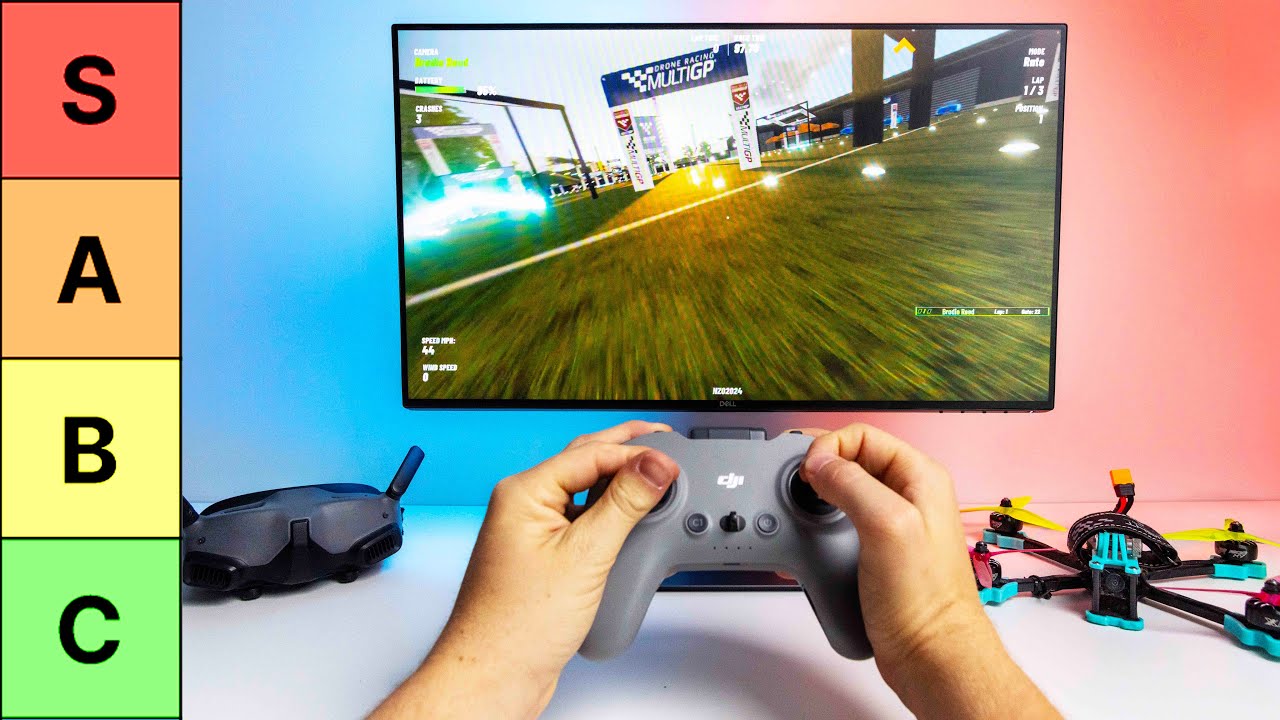
Not usually. The STARDRONE S8 and FLYDrone S8 products in this roundup are described as simulator controllers, so they are intended for computer training rather than aircraft control. The Radiomaster T8L is different because it supports ExpressLRS 2.4GHz with a compatible receiver.
Is a non-centering throttle necessary for FPV practice?
It is strongly preferable when the goal is to build habits that transfer to a real FPV radio. The throttle stays where the pilot leaves it, allowing continuous altitude and speed control. A spring-centered game controller can still teach coordination, but its throttle behavior is less representative.
Which pick is easiest for a complete beginner?
The BETAFPV Cetus Pro is the most structured real-flight introduction because Normal mode includes altitude hold, and the kit also has emergency and self-protection functions. For simulator-only learning, the STARDRONE S8 Black is the simpler starting point because it connects by USB-C and includes calibration guidance.
Can these controllers work with Liftoff?
Liftoff is listed as compatible with the STARDRONE S8 controllers, both FLYDrone S8 controllers, the Radiomaster T8L, and the HISINGY remote. The exact setup can vary by operating system and simulator configuration. Calibration may be required before the sticks respond correctly.
Is the Meteor75 Pro suitable for indoor flying?
It is a small whoop with an 80.8mm wheelbase, so its form is suitable for confined practice, but its racing-oriented power and agile handling require care indoors. Its 1102 22000KV motors are designed for strong climbs and tight turns. Beginners may find the Cetus Pro's assisted Normal mode easier inside a home.
Do the simulator controllers need batteries?
The STARDRONE S8 and FLYDrone S8 controllers do not. They power through the included USB-C cable, which also keeps the connection wired. The Radiomaster T8L supports USB-C charging, but its battery is not included.
Which kit is better for recording flight video?
The Meteor75 Pro's VR03 goggles can record flights directly to a microSD card and replay them on the goggles. The HISINGY Firefly can record and download camera video through a TF card. The available product information does not specify a camera resolution for the Firefly.
The bottom line
The Radiomaster T8L is our top pick for the Best best fpv drone simulator because it is useful before and after the first real flight. Hall-effect gimbals, USB-C simulator support, Web-UI configuration, and ExpressLRS compatibility give it a longer useful life than a simulator-only controller.
For a dedicated training setup, the STARDRONE S8 White is the easier recommendation. It is light, wired, broadly compatible, and built around a non-centering throttle. The BETAFPV Cetus Pro is the better next step when the pilot wants assisted real flight, while the BETAFPV Meteor75 Pro is the more exciting choice for racing and freestyle.
If you are undecided, choose the Radiomaster T8L for a controller that can grow with your FPV setup, or the STARDRONE S8 White for uncomplicated simulator practice.
As an Amazon Associate we earn from qualifying purchases.