
A tablet for an older adult has to make the everyday tasks feel straightforward. Reading messages, joining a video call, checking photos, and watching a show should not require patience with sluggish menus or a cramped display. The harder question is deciding which features genuinely help and which simply add complexity.
Our Best iPad for Seniors picks include current Apple models, renewed iPads, two Android alternatives, and two books that can make the learning curve less intimidating. The Apple iPad 11-inch A16 is the strongest all-around tablet, while the iPad mini A17 Pro makes more sense for readers who prioritize a lighter design.
Our top pick is Apple iPad 11-inch A16, with options ranging from compact portability and cellular connectivity to practical step-by-step help.
Comparison table
| # | Product | Award | Display | Storage | Connectivity | Best for |
|---|---|---|---|---|---|---|
| 1 | Apple iPad 11-inch A16 | Best overall | 11-inch Liquid Retina | 128GB | Wi-Fi 6 | Most seniors |
| 2 | Apple iPad mini A17 Pro | Best compact iPad | 8.3-inch Liquid Retina | 128GB | Wi-Fi 6E | Readers and travelers |
| 3 | Apple iPad 8th Gen | Best basic renewed iPad | 10.2-inch Retina | 32GB | Wi-Fi 5 | Simple home use |
| 4 | COLORROOM 11-inch Android Tablet | Best Android alternative | 11-inch HD, 1280 x 800 | 128GB | Wi-Fi | Streaming and reading |
| 5 | iPad Seniors Guide | Best step-by-step manual | Paperback guide | Not stated | Not applicable | First-time iPad owners |
| 6 | iPad For Seniors For Dummies | Best reference book | Printed guide | Not stated | Not applicable | Ongoing help |
| 7 | Apple iPad 11-inch A16 Cellular | Best for staying connected | 11-inch Liquid Retina | 128GB | Wi-Fi 6, 5G cellular | Use away from home Wi-Fi |
| 8 | Apple iPad 9th Gen Cellular | Best cellular classic | 10.2-inch Retina | 64GB | Wi-Fi, cellular | Familiar Apple basics |
| 9 | WXUNJA 11-inch Android Tablet | Best expandable storage | 11-inch HD, 1280 x 800 | 128GB, expandable to 1TB | Dual-band Wi-Fi | Media libraries |
| 10 | Apple iPad 9th Gen Wi-Fi Premium | Best renewed Wi-Fi iPad | 10.2-inch Retina | 64GB | Wi-Fi | Familiar Apple interface |
1. Apple iPad 11-inch A16: Best Overall

Pros
- Large 11-inch Liquid Retina display
- Touch ID keeps unlocking simple
- 128GB gives room for photos and apps
- Wi-Fi 6 and USB-C connectivity
- Center Stage supports comfortable video calls
Cons
- Wi-Fi model cannot connect independently away from a network
- Apple Pencil and keyboard accessories are separate
- Larger than the iPad mini for one-handed reading
Best for: someone who wants the simplest full-size Apple tablet for daily use.
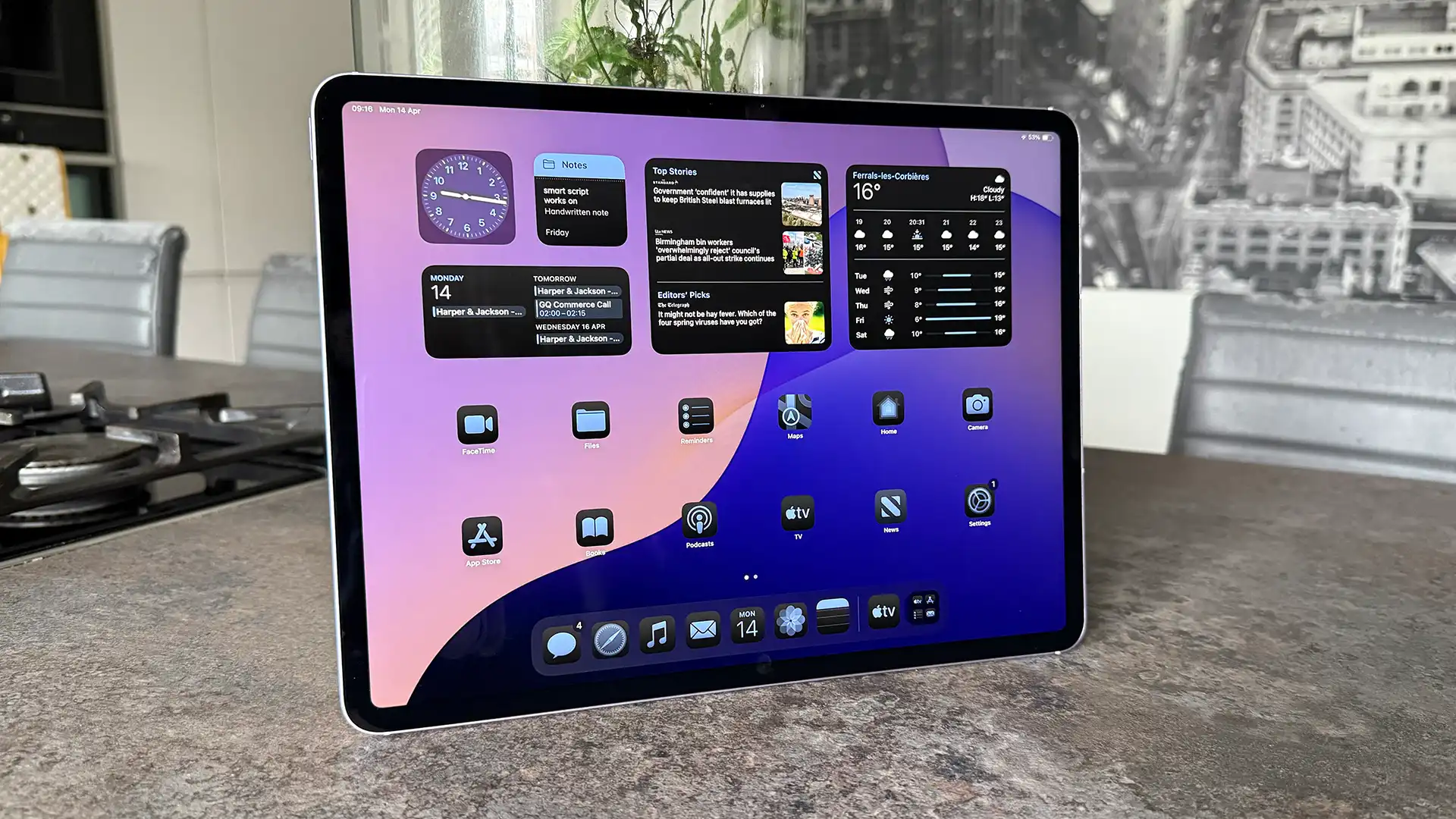
The Apple iPad 11-inch A16 is the one we would give to most seniors. It has enough screen area for larger text, a familiar iPadOS interface, and the kind of speed that keeps taps and app launches feeling predictable. Its 1.05-pound body is light enough to move around the house, though a stand or folio case will make long reading sessions more comfortable.
The 11-inch Liquid Retina display is the key advantage over the smaller Apple iPad mini A17 Pro. True Tone adjusts the display to the room, which can make evening reading easier on the eyes. The 128GB of storage also gives a new owner useful breathing room for photos, downloaded apps, documents, and entertainment without immediately needing to manage every file.
Apple’s A16 chip is far more power than is needed for email, browsing, video calls, and streaming, but that headroom matters over time. The tablet includes Wi-Fi 6, a USB-C connector, and Touch ID in the top button. Touch ID is particularly useful for someone who dislikes typing passwords repeatedly. The 12MP front camera supports Center Stage during video calls, while the 12MP rear camera can scan documents and capture 4K video.
Compared with the Apple iPad 8th Gen, this model has a newer chip, more storage, a newer connector, and a larger display. The Apple iPad 11-inch A16 Cellular adds 5G, but most people who mainly use a tablet at home do not need that extra flexibility. The weakness is that the tablet still feels like a large glass slate, and the best ergonomic setup may require a case with a stand.
For anyone choosing the Best iPad for Seniors without a very specific constraint, this is the safest recommendation. It is large enough to read comfortably, fast enough to stay useful, and simple enough that a family member can explain the basics quickly.
2. Apple iPad mini A17 Pro: Best Compact iPad

Pros
- Much lighter than the full-size iPads
- Sharp 8.3-inch Liquid Retina display
- Touch ID and USB-C
- 128GB storage
- Wi-Fi 6E and Apple Pencil support
Cons
- Smaller display can make text and controls harder to see
- More expensive than larger basic iPads
- Compact body is less comfortable for split-screen use
Best for: a senior who reads often and wants a tablet that is easy to hold.
The Apple iPad mini A17 Pro is a very different proposition from the top pick. Its 0.65-pound body is easy to carry from room to room and comfortable to hold in one hand. That makes it appealing for reading recipes, checking messages, or taking a tablet on a trip, but the compact design also limits how large text and interface controls can appear at once.
Its 8.3-inch Liquid Retina display has True Tone, P3 wide color, and low reflectivity. Those features help photos and video look polished, while the smaller screen keeps the tablet physically manageable. Someone with weaker eyesight may prefer the 11-inch screen of the Apple iPad 11-inch A16, since increasing text size leaves less room for content on the mini.
The A17 Pro chip gives this iPad plenty of performance for ordinary tasks and more demanding creative work. It includes 128GB of storage, Wi-Fi 6E, USB-C, and Touch ID in the top button. The 12MP Ultra Wide front camera supports Center Stage, and the 12MP rear camera can scan documents or record 4K video. Apple Pencil Pro and Apple Pencil USB-C compatibility make it useful for handwritten notes, though stylus use is not essential for most buyers.
The mini is lighter than every iPad here, and it is much more portable than the Apple iPad 9th Gen models. The trade-off is obvious when reading a newspaper page or trying to use two apps together. For advice on handwriting and annotations, the features that make an iPad comfortable for handwritten notes can help clarify whether its compact format suits the intended user.
Skip this model if the main priority is a large, forgiving interface. Choose it when holding a full-size tablet feels tiring or when portability matters more than spacious layouts.
3. Apple iPad 8th Gen: Best Basic Renewed iPad

Pros
- Familiar 10.2-inch Retina display
- Touch ID fingerprint sensor
- Stereo speakers
- Apple Pencil and Smart Keyboard support
- Straightforward iPadOS experience
Cons
- Only 32GB of storage
- Uses an older Lightning connector
- Older 1.2MP front camera
Best for: light home use when storage demands are modest.
The Apple iPad 8th Gen remains recognizable as an iPad in every important way. Its 10.2-inch Retina display is large enough for browsing and video, and Touch ID provides the familiar fingerprint unlock found on several other picks. The renewed condition means buyers should pay attention to the listing details, but the underlying model is still easy to understand and operate.
The A12 Bionic chip with Neural Engine handles common tasks such as reading, email, web browsing, video calls, and streaming. Its 802.11ac Wi-Fi 5 is older than the Wi-Fi 6 connection in the Apple iPad 11-inch A16, but it is suitable for ordinary home networks. Stereo speakers make spoken content easier to follow than a single small speaker would.
Storage is the important limitation. With 32GB, the owner will need to be selective about downloaded video, large games, and photo libraries. The rear camera is 8MP and the FaceTime HD front camera is 1.2MP, so it is functional for calls but less capable than the newer 12MP front cameras on current models.
The Lightning connector also sets this iPad apart. It works with the accessories designed for that connector and supports the first-generation Apple Pencil, but it is less convenient if the household already uses USB-C charging cables. Compared with the Apple iPad 9th Gen Wi-Fi Premium, this model has less storage and an older processor.
This is a reasonable choice for a senior who mainly uses a few web pages, email, and streaming apps. It is not the tablet we would choose for a large photo collection or someone likely to keep many downloaded apps.
4. COLORROOM 11-inch Android Tablet: Best Android Alternative
Pros
- Large 11-inch screen
- Face unlock
- 128GB internal storage
- MicroSD expansion up to 1TB
- 8000mAh battery and 18W charging
Cons
- Display resolution is 1280 x 800
- Android setup may be less familiar to iPad users
- Camera specifications are not provided
Best for: someone who wants a large Android screen for reading and streaming.
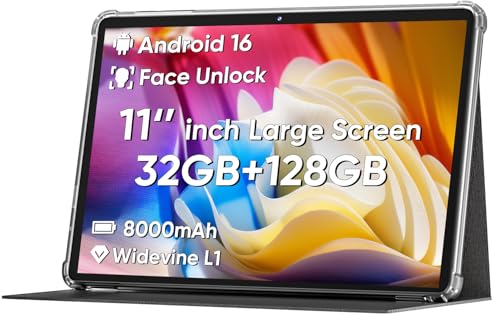
The COLORROOM 11-inch Android Tablet is the clearest alternative for a senior who is not committed to Apple. Its 11-inch size gives text and video plenty of room, and the stated anti-blue-light design with automatic brightness adjustment aims to make extended viewing more comfortable. The tablet weighs 0.55 pounds according to the listed product information, which is notably light for its screen size.
A Unisoc octa-core CPU runs Android 16, and the tablet lists 32GB of RAM as a combination of 4GB and 28GB. The expandable memory claims should be read as a mixture of built-in memory and virtual expansion, not as a replacement for physical performance. For browsing, reading, video chats, and basic entertainment, the listed configuration should cover the intended tasks.
The 128GB of internal storage is useful, and a MicroSD card can expand capacity up to 1TB. That is a practical advantage over the Apple iPad 8th Gen, whose 32GB capacity is fixed. The COLORROOM also has dual stereo speakers, an 8000mAh battery, and 18W fast charging.
The main compromise is the 1280 x 800 screen resolution. It is adequate for large text and streaming, but it will not look as crisp as the Liquid Retina displays on the Apple models. Face unlock may be convenient, though Touch ID on the Apple iPads gives a more established authentication method. A senior already using an iPhone may find iPadOS easier because the interface and account settings will feel familiar.
Choose the COLORROOM for a large Android screen, expandable storage, and a simple entertainment setup. Skip it if family members will provide technical support primarily from Apple devices.
5. iPad Seniors Guide: Best Step-by-Step Manual

Pros
- Written specifically for non-tech-savvy users
- Step-by-step format
- Useful alongside an iPad purchase
- Physical reference that does not require a working internet connection
Cons
- It is a guidebook, not a tablet
- Features and instructions may not match every iPadOS version
- Dataset does not provide a detailed contents list
Best for: a first-time iPad owner who wants printed instructions.
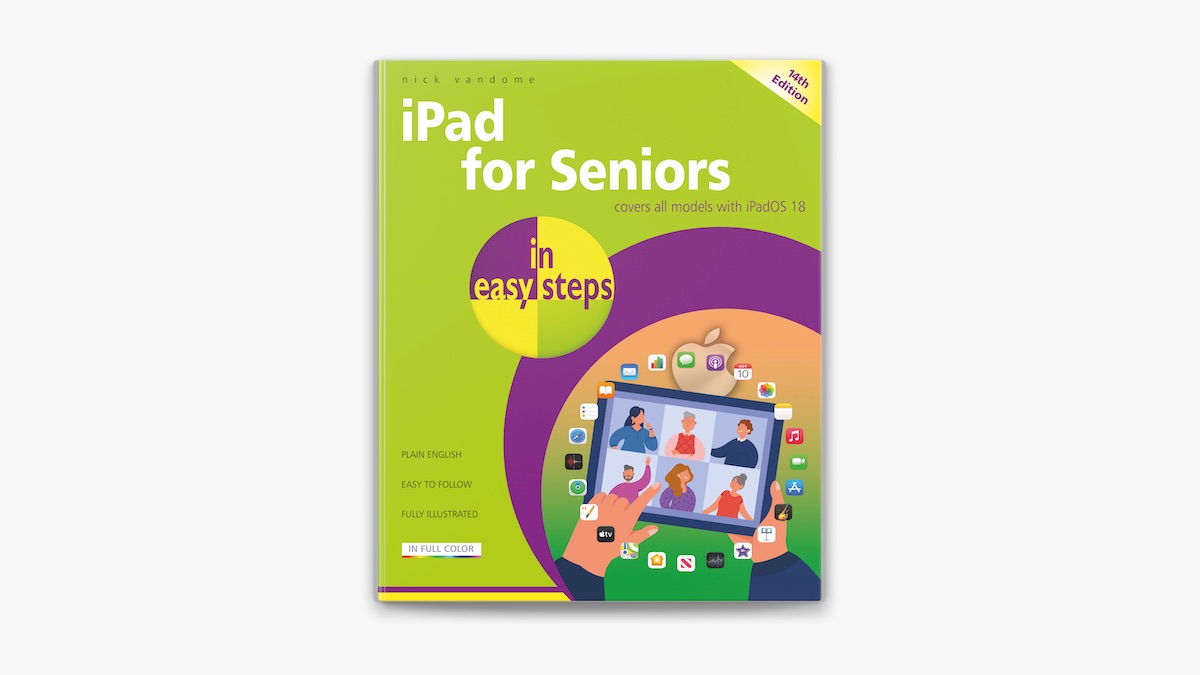
The iPad Seniors Guide is included as a learning companion rather than a substitute for the tablets above. Its stated purpose is to help non-tech-savvy users master an iPad through a complete step-by-step manual. That makes it relevant for a family member buying an iPad for someone who is nervous about setup, navigation, or everyday tasks.
A printed guide can be less frustrating than trying to search for instructions on the same device that is causing confusion. The reader can keep it beside the Apple iPad 11-inch A16 or an older renewed model and work through instructions at a comfortable pace. The listed product information gives the book dimensions as 11 by 8.5 inches, with a 0.25-inch thickness.
The limitation is that the dataset does not identify individual chapters or specific iPadOS features. We cannot claim that it covers a particular app, accessibility setting, or model-specific procedure. Buyers should treat it as general instructional support and check that the edition suits the software on the chosen iPad.
Compared with iPad For Seniors For Dummies, this guide has a more direct, manual-like title and positioning. The For Dummies book may be better as a broad reference, while this one sounds more suited to a reader who wants to follow a sequence from the beginning. Someone who is already comfortable with tablets probably does not need either book.
Pair this guide with the Apple iPad 11-inch A16 when the goal is a gentle introduction. It is especially useful when a relative cannot be available for every small question.
6. iPad For Seniors For Dummies: Best Reference Book

Pros
- Dedicated to older iPad users
- Current 2025 to 2026 edition
- Suitable as an ongoing reference
- Physical format is easy to keep nearby
Cons
- It is a book, not an iPad
- Specific coverage is not listed in the dataset
- The physical book is less portable than a tablet guide on a device
Best for: readers who prefer a broad reference book they can return to.
iPad For Seniors For Dummies is the more conventional reference option in this list. The 2025 to 2026 edition is clearly aimed at current iPad owners, although the supplied data does not provide a contents page or feature breakdown. Its role is to explain the device in approachable language rather than to add any hardware capability.
The book is listed at roughly 9.1 by 7.3 inches and about 1 pound. That makes it a substantial reference to keep on a desk or side table, not something most people will carry with an iPad. The physical format has one important benefit: it remains available while the tablet is being reset, configured, or used to follow instructions.
This is a better fit for a reader who wants to look up a question later rather than complete a single setup sequence. It can sit beside the Apple iPad 9th Gen Wi-Fi Premium, the Apple iPad mini A17 Pro, or a current iPad and provide a separate place to check terminology. We cannot verify from the available data whether every current feature is covered, so expectations should remain practical.
The iPad Seniors Guide sounds more focused on a start-to-finish learning path. This book is the pick for someone who likes the familiar For Dummies approach and expects to revisit help as new questions arise. A tablet-confident user will likely find both books unnecessary.
If the recipient is anxious about making a mistake, adding a printed reference can make the first week less stressful. It is a companion purchase, not one of the hardware choices in the Best iPad for Seniors list.
7. Apple iPad 11-inch A16 Cellular: Best for Staying Connected

Pros
- 5G cellular connectivity
- 11-inch Liquid Retina display
- 128GB storage
- Touch ID and USB-C
- 12MP Center Stage camera
Cons
- Renewed condition requires careful listing review
- Cellular service setup adds another account to manage
- Heavier than the iPad mini
Best for: seniors who need an iPad to work beyond home Wi-Fi.
The Apple iPad 11-inch A16 Cellular has the same core strengths as the top pick, but its defining feature is 5G cellular connectivity. That can be useful for someone who visits family, travels, spends time outdoors, or lives somewhere with inconsistent home Wi-Fi. The tablet can stay connected away from a known network when a suitable data plan is added.
Its 11-inch Liquid Retina display uses True Tone, and the A16 chip provides ample power for communication, browsing, photos, and streaming. Storage is 128GB, while Wi-Fi 6 handles fast connections when the tablet is at home. Touch ID is built into the top button, so unlocking does not depend on remembering a passcode every time.
The 12MP front camera supports Center Stage for video calls, and the 12MP rear camera handles document scanning and 4K video. USB-C is convenient for charging and accessories. The listed weight is about 1.06 pounds, almost the same as the Wi-Fi Apple iPad 11-inch A16.
The key distinction from that Wi-Fi model is freedom from local networks, not a different everyday interface. The Apple iPad 9th Gen Cellular also provides cellular connectivity, but this newer model has the larger current display, A16 chip, 128GB storage, and USB-C. The weakness is the added complexity of cellular service, especially for someone who wants a device with no recurring setup decisions.
Pick this model for a senior who frequently uses a tablet away from home. If the iPad will remain on a kitchen table or living-room stand, the regular Apple iPad 11-inch A16 is the cleaner choice.
8. Apple iPad 9th Gen Cellular: Best Cellular Classic

Pros
- 10.2-inch Retina display
- Wi-Fi plus cellular connectivity
- 64GB storage
- Familiar iPadOS interface
- Renewed option with Touch ID
Cons
- Older A13 generation hardware
- Product data lists only one display feature
- Older design than the current 11-inch iPad
Best for: someone who wants a familiar Apple tablet with mobile connectivity.
The Apple iPad 9th Gen Cellular occupies a useful middle ground. It has a 10.2-inch Retina display and both Wi-Fi and cellular connectivity, so it can remain useful during visits, travel, or time away from a home network. The 64GB capacity is more comfortable than the 32GB in the Apple iPad 8th Gen, though it still calls for some storage discipline.
The listed product data is sparse, identifying the display as a 10.2-inch Retina panel and the body at about 1.07 pounds. That is enough to establish the basic experience, but not enough to make claims about cameras, battery behavior, or accessory compatibility beyond what is provided. It is sensible to view this as a straightforward renewed iPad rather than a feature-rich current model.
Its cellular connection is the main reason to choose it. Compared with the Apple iPad 11-inch A16 Cellular, it has an older design and less storage, but it retains the familiar Apple approach that many families already know. Compared with the Apple iPad 8th Gen, it offers more storage and mobile connectivity.
The compromise is age. Someone who wants the fastest app launches, the newest connector, and the longest runway should choose a current A16 model instead. Someone who wants a known Apple interface and a tablet that can connect outside the home may find this older generation more appropriate.
This is a sensible pick for a senior who values cellular access but does not need the newest iPad design. Confirm the renewed listing details before ordering, especially if condition or included accessories matter.
9. WXUNJA 11-inch Android Tablet: Best Expandable Storage
Pros
- 11-inch display
- 128GB storage with expansion up to 1TB
- 8000mAh battery
- Dual-band Wi-Fi
- Face recognition, headphone jack, and FM radio
Cons
- Display resolution is 1280 x 800
- Listed 28GB RAM includes virtual expansion
- Android may require more family support for an iPad household
Best for: storing lots of music, photos, and downloaded video.
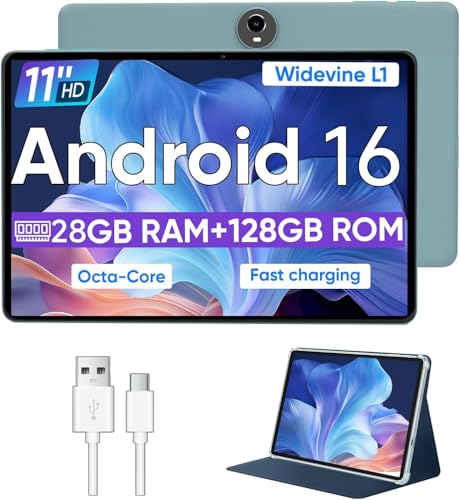
The WXUNJA 11-inch Android Tablet is built around storage and entertainment. It has an 11-inch 1280 x 800 display, 128GB of internal storage, and support for a MicroSD card up to 1TB. That makes it more flexible than the fixed-capacity Apple iPad 8th Gen for a senior who keeps a large library of photos, music, or offline video.
The Unisoc T606 octa-core processor runs Android 16, and the product describes 28GB of RAM as 4GB plus 24GB of expansion. That wording matters because virtual memory is not the same as physical RAM. The tablet should be viewed as an everyday media device, not a high-performance computer.
The 8000mAh battery is listed for 8 to 10 hours of playback, and PD 18W fast charging is supported. Connectivity includes dual-band 2.4GHz and 5GHz Wi-Fi, Bluetooth 5.0, and a 3.5mm headphone jack. Face recognition, wireless casting, split-screen support, FM radio, and a one-year repair and replacement service are also listed.
Its 5MP front and 8MP rear cameras are more modest than the 12MP cameras on the current Apple iPads. The WXUNJA also weighs 1.21 pounds, making it the heaviest tablet in this group. The COLORROOM is lighter and has a similar large-screen Android focus, while the WXUNJA wins on its stated storage expansion and headphone jack.
Choose it for media storage and familiar wired headphones. Skip it if crisp text, lighter handling, or seamless integration with an iPhone matters more than expandable capacity.
10. Apple iPad 9th Gen Wi-Fi Premium: Best Renewed Wi-Fi iPad

Pros
- 10.2-inch Retina display with True Tone
- A13 Bionic chip
- 64GB storage
- 12MP Center Stage front camera
- Touch ID and stereo speakers
Cons
- Wi-Fi only
- Older Lightning connector
- Renewed condition requires attention to listing details
Best for: a senior who wants a familiar Apple tablet for home use.
The Apple iPad 9th Gen Wi-Fi Premium is a solid home tablet with a useful collection of features. Its 10.2-inch Retina display includes True Tone, which adjusts the display to the surrounding light. That is a welcome feature for reading and photo viewing, especially when the tablet moves between rooms.
The A13 Bionic chip with Neural Engine is capable of ordinary iPad tasks, and 64GB provides a reasonable starting point for apps and documents. The product lists a 12MP Ultra Wide front camera with Center Stage, an 8MP Wide rear camera, Touch ID, and stereo speakers. Those details make it more versatile for calls and media than the older Apple iPad 8th Gen.
The Wi-Fi-only connection is suitable for a tablet that stays at home. It is less flexible than the Apple iPad 9th Gen Cellular and the Apple iPad 11-inch A16 Cellular, but it avoids the extra step of arranging mobile service. The model weighs 1 pound and uses the older Lightning connector.
The Apple iPad 11-inch A16 is faster, larger, and newer, while the iPad mini is far lighter. This 9th-generation model makes its case through a familiar layout, True Tone, 64GB storage, and a capable front camera. Since this is renewed, buyers should check the condition description and included accessories rather than assuming every package is identical.
It is a good fit for a senior who mainly wants email, video calls, browsing, and streaming from home. For guidance on other connected devices, the practical differences between staying with an iPhone or choosing another phone can help a family set up a consistent device ecosystem.
How to choose best ipad for seniors
The right tablet depends less on raw performance than on readability, familiarity, authentication, and how much support the owner will need after setup.
Screen size and readability
A larger display makes text, buttons, photos, and video calls easier to see. The 11-inch Apple iPad 11-inch A16 gives more room than the 8.3-inch iPad mini, while the Android alternatives use 11-inch screens with 1280 x 800 resolution. Look for a display that remains comfortable with enlarged text and does not force constant zooming.
Interface familiarity
iPadOS is a strong choice when relatives already use Apple devices and can help with setup, passwords, and calls. Android can work well, especially for streaming and expandable storage, but the owner may need different instructions. A consistent phone and tablet ecosystem often matters more than a small difference in hardware.
The easiest tablet to support is usually the one that matches the phone the owner already understands.
Storage capacity
Storage determines how many apps, photos, documents, and downloaded shows can remain on the tablet. The 32GB Apple iPad 8th Gen needs more housekeeping, while the 64GB iPad 9th Gen models give more space. The 128GB iPads provide a more relaxed starting point, and the COLORROOM and WXUNJA add MicroSD expansion.
Authentication
Touch ID lets the owner unlock an iPad with a fingerprint instead of entering a passcode repeatedly. Face unlock appears on the COLORROOM and WXUNJA. Choose the method the user is most likely to remember and use consistently, then enable a trusted family member's help during initial setup without sharing unnecessary account credentials.
Connectivity
Wi-Fi works well when the tablet stays at home or visits familiar networks. Cellular iPads can connect in more places, but they involve a separate data-plan setup. A senior who travels frequently or spends time away from home may benefit from the Apple iPad 11-inch A16 Cellular, while a living-room tablet usually does not need mobile connectivity.

Frequently asked questions
Is an iPad easier for seniors than an Android tablet?
It can be, especially when the owner already uses an iPhone or has family members who use Apple devices. The interface, account system, and support process may feel more familiar. Android tablets such as the COLORROOM and WXUNJA offer useful storage expansion, but they may require a different setup routine.
What screen size is easiest to read?
An 11-inch screen generally gives more room for enlarged text, large icons, and video calls. The 8.3-inch iPad mini is easier to hold, but it may require more scrolling or zooming. Someone with limited hand strength may prefer the mini, while someone focused on readability may prefer a full-size model.
Is cellular connectivity necessary?
No. Wi-Fi is sufficient when the tablet is used at home or on familiar networks. Cellular connectivity is helpful for travel, appointments, or locations where reliable Wi-Fi is not available.
How much storage should a senior have?
The 128GB models are the most comfortable choices for a mixture of apps, photos, documents, and downloaded media. A 64GB iPad can work well for lighter use. The 32GB Apple iPad 8th Gen is best reserved for someone willing to remove unused apps and manage downloads.
Can these tablets be used for video calls?
The Apple iPad models in this list include front cameras suited to video calling, and several feature Center Stage. The Android models also include cameras, though the supplied specifications differ. A stable internet connection and a simple stand may matter just as much as the camera.
Are the books suitable for someone who has never used an iPad?
Yes, both books are positioned as instructional companions for seniors and beginners. The iPad Seniors Guide emphasizes a step-by-step manual, while iPad For Seniors For Dummies is positioned as a broader reference. The dataset does not provide their full contents, so buyers should check the listing for edition and coverage details.

The bottom line
The Best iPad for Seniors is the Apple iPad 11-inch A16 for most people. Its 11-inch Liquid Retina display, Touch ID, 128GB storage, USB-C, Wi-Fi 6, and strong A16 chip create a forgiving everyday experience. Choose the Apple iPad mini A17 Pro instead when low weight and one-handed portability matter more than a large workspace.
For use away from home Wi-Fi, the Apple iPad 11-inch A16 Cellular is the better fit. The COLORROOM and WXUNJA make sense for Android users who want large screens and expandable storage, while the two books can reduce the anxiety of learning a new tablet.
If you are undecided, choose the 11-inch A16 model unless portability or cellular connectivity is the clear priority.
As an Amazon Associate we earn from qualifying purchases.