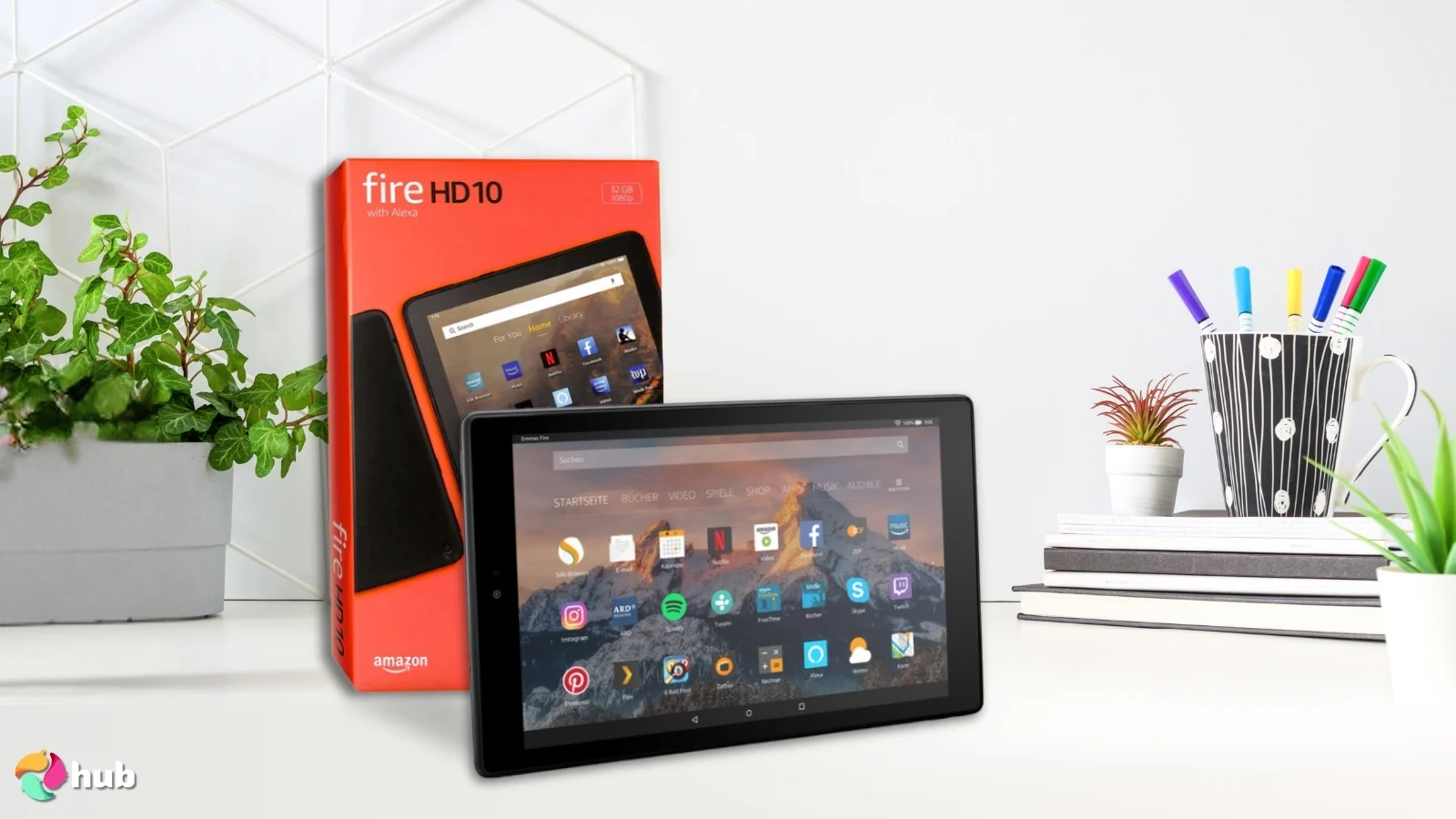

Roblox can turn a tablet into a frustration machine when the screen is cramped, apps reload between sessions, or the battery fades before the game does. The Best tablet for roblox needs more than a large memory number. It needs a responsive display, dependable everyday performance, enough storage for games and updates, and controls that make sense for the player using it.
The Samsung Galaxy Tab A11+ 256GB is our top pick because it combines the strongest established tablet platform here with an 11-inch screen, up to 90Hz refresh rate, quad speakers, and enough storage for a busy family tablet. The rest of the list ranges from a child-focused COLORROOM model to keyboard bundles and lower-cost Android tablets with generous expansion options.
Comparison table
| # | Product | Award | Screen | Memory and storage | Battery | Best for |
|---|---|---|---|---|---|---|
| 1 | Samsung Galaxy Tab A11+ 256GB | Best overall | 11-inch, up to 90Hz | 8GB RAM, 256GB | Long-lasting, fast charging | Families wanting the most polished option |
| 2 | Samsung Galaxy Tab A11+ 128GB | Best streamlined pick | 11-inch, up to 90Hz | 6GB RAM, 128GB | Long-lasting, fast charging | Players who want Samsung quality with less storage |
| 3 | TABWEE T90 | Best screen and bundle | 11-inch, 1920 x 1200 | 24GB listed, 128GB | 8000mAh | Gaming plus school and home tasks |
| 4 | WXUNJA C5 Blue | Best battery life | 11-inch, 1280 x 800 | 28GB listed, 128GB | 8000mAh | Long play sessions and streaming |
| 5 | Relndoo 11 Tablet | Best keyboard bundle | 11-inch, 90Hz, 2K | 24GB listed, 256GB | 8000mAh | Older players who also need a work setup |
| 6 | FEONAL 11 Tablet | Best connected option | 11-inch, 1280 x 800 | 20GB listed, 128GB | 7000mAh | Families that need cellular connectivity |
| 7 | URAO 10.1 Tablet | Best compact Android pick | 10.1-inch, 1280 x 800 | 36GB listed, 128GB | Up to 8 hours mixed use | Casual play in a smaller body |
| 8 | COLORROOM Kids Tablet | Best for younger children | 10.1-inch, 1280 x 800 | 10GB listed, 64GB | 6000mAh | Managed play for younger children |
| 9 | WXUNJA C5 Black | Best media extras | 11-inch, 1280 x 800 | 28GB listed, 128GB | 8000mAh | Players who want a headphone jack and FM radio |
| 10 | ECOPAD 10.1 Tablet | Best basic tablet | 10.1-inch, 1280 x 800 | 12GB listed, 64GB | 6000mAh | Simple Roblox play and video use |
1. Samsung Galaxy Tab A11+ 256GB: Best Overall

Pros
- 11-inch display with refresh rate up to 90Hz
- 8GB of memory and 256GB of storage
- Quad speakers powered by Dolby Atmos
- Slim, light design
- Google Gemini and Circle to Search features
Cons
- The display resolution is not provided
- Battery capacity and charging time are not specified
- More tablet than a young child may need
Best for: families that want one tablet for Roblox, streaming, schoolwork, and shared home use.
The Samsung Galaxy Tab A11+ 256GB is the easiest tablet here to recommend without qualifications. It feels like a family device rather than a generic Android slab, and that matters when several people will use it for games, video, browsing, and calls. The 11-inch display gives Roblox room for controls and menus without making the device awkwardly large, while the slim, light design is easier to pass around than many older full-size tablets.
Its strongest gaming detail is the refresh rate of up to 90Hz. That does not make a demanding game run beyond what the hardware can produce, but it can make scrolling, camera movement, and touch response feel more fluid when an app supports it. The 8GB of memory should also give this version more breathing room when moving between Roblox, a browser, and other family apps. Its 256GB of storage is useful for keeping games, downloads, photos, and school files on the tablet without immediately relying on an expansion card.
The quad speakers with Dolby Atmos give it an advantage over the single or dual speaker designs elsewhere in this roundup. Players can hear game audio more clearly without reaching for headphones, and the same hardware is better suited to movies and music. Samsung also includes Google Gemini and Circle to Search, features that are not central to Roblox but make the tablet more useful for homework and general questions.
The weakness is that the supplied information does not identify the battery capacity, display resolution, or exact chipset. That makes it harder to predict performance in the most demanding Roblox experiences from specifications alone. Still, compared with the Samsung Galaxy Tab A11+ 128GB, this model gives multitaskers twice the listed storage and more memory. It is the one we'd keep for a household that wants a dependable all-rounder rather than a tablet bought only for one game.
2. Samsung Galaxy Tab A11+ 128GB: Best Streamlined Pick

Pros
- 11-inch screen with refresh rate up to 90Hz
- 6GB of memory and 128GB of storage
- Quad Dolby Atmos speakers
- Fast charging support
- Slim, light construction
Cons
- Less memory and storage than the 256GB version
- Battery capacity is not specified
- Exact processor details are not provided
Best for: players who want Samsung's polished family tablet experience without choosing the larger storage configuration.
The Samsung Galaxy Tab A11+ 128GB has the same basic character as the top pick, which is why it sits so close behind it. Its 11-inch screen is a comfortable size for Roblox, and the up to 90Hz refresh rate should make supported motion feel cleaner than a conventional 60Hz panel. The tablet weighs 1.05 pounds and measures 10.12 by 6.64 by 0.27 inches, so it is slim enough for couch use without becoming a tiny gaming screen.
The 6GB of memory is a sensible amount for ordinary play and everyday apps. The 128GB internal capacity can hold a useful collection of games and media, though families sharing the device will fill it sooner than they would the 256GB model. Samsung says the upgraded chipset keeps daily tasks responsive, but the supplied data does not identify the chipset, so we would not treat this as a specialist high-performance gaming device.
Sound is a real advantage. Four speakers with Dolby Atmos are better suited to shared play and video than the basic audio hardware on the ECOPAD 10.1 Tablet. The long-lasting battery and fast charging support also make it more practical for a child who remembers to plug in only when the battery warning is already visible.
The main choice is between this model and the Samsung Galaxy Tab A11+ 256GB. The latter is the stronger long-term family pick because its extra memory and storage reduce the chance of slowdowns and cleanup later. This version makes more sense when the tablet will mainly handle Roblox, streaming, and a modest set of other apps. Readers weighing screen comfort against portability may also want to consider how a larger display changes handheld tablet use.
3. TABWEE T90: Best Screen and Bundle

Pros
- 11-inch 1920 x 1200 fully laminated display
- 24GB listed memory and 128GB storage
- Keyboard, mouse, and stylus included
- 8000mAh battery
- Widevine L1 support
Cons
- Much of the listed memory is virtual expansion
- Roblox performance is not independently specified
- The keyboard bundle is unnecessary for younger players
Best for: families that want Roblox on a larger, sharper screen alongside schoolwork and light productivity.
The TABWEE T90 stands out because it is not shaped around gaming alone. It comes with a keyboard, mouse, and stylus, so it can shift from Roblox to notes, email, or a homework document without requiring extra accessories. That makes it a more convincing shared family machine than most of the generic tablets here.
The 11-inch display is one of the clearest advantages in the list. Its 1920 by 1200 resolution gives text, game interfaces, and videos more detail than the 1280 by 800 screens on the WXUNJA C5 and FEONAL 11 Tablet. The fully laminated TDDI construction is intended to reduce the visual gap between the glass and the image, while the stated 380-nit brightness is suited to indoor use. Widevine L1 support also makes it a stronger streaming tablet.
TABWEE lists 24GB of memory, made up of 8GB built-in memory and 16GB of virtual expansion. That distinction matters. Virtual memory can help with app management, but it is not the same as faster physical memory, so the headline number should not be used to assume premium gaming performance. The Unisoc T615 octa-core processor, 128GB of internal storage, and support for up to 2TB through the TF card slot give it a capable everyday foundation.
Its 8000mAh battery is rated for up to 11 hours of video playback, with lower figures listed for general entertainment. The supplied data does not promise a Roblox runtime, so long sessions will vary with screen brightness and game complexity. Compared with the Samsung Galaxy Tab A11+ 256GB, the T90 offers a sharper display and more included accessories, but Samsung has the stronger established family software experience and better speaker setup. Pick the TABWEE when the tablet must also serve as a compact work device.
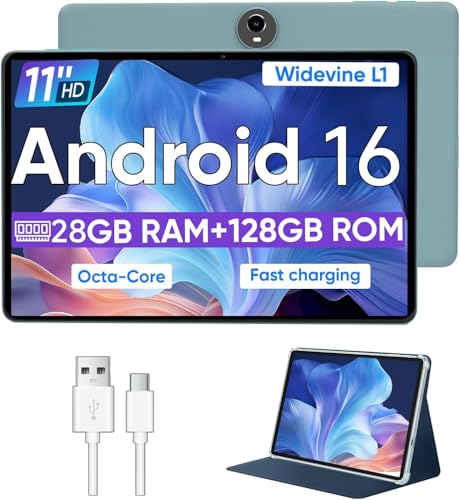
4. WXUNJA C5 Blue: Best Battery Life
Pros
- 8000mAh battery with stated 8 to 10 hours of playback
- 11-inch display
- Octa-core Unisoc T606 processor
- Widevine L1 certification
- Case included
Cons
- 1280 x 800 resolution is modest for an 11-inch screen
- Listed memory includes 24GB of expansion
- The supplied data does not specify Roblox frame performance
Best for: players who want a large tablet and a substantial battery for travel, streaming, and casual gaming.
The blue WXUNJA C5 is a straightforward entertainment tablet with a useful set of extras. Its 11-inch screen gives Roblox plenty of physical space, and the included case makes it easier to hand to a child or carry in a bag. The tablet weighs 1.21 pounds, which is reasonable for this size but noticeably heavier than the TABWEE T90.
An Unisoc T606 octa-core processor powers the device. The listing positions it for everyday apps and most games, which is a sensible description rather than a promise of high-end graphics. Roblox experiences vary widely, so this tablet should suit ordinary play better than graphically intense worlds with many simultaneous effects. The 128GB internal storage is practical, and a card can add up to 1TB for downloaded media and other files.
The 8000mAh battery is the reason to consider it. WXUNJA gives an 8 to 10 hour playback estimate and supports PD 18W fast charging. Those figures are not a guarantee for Roblox, but the capacity gives this model a better starting point for road trips and long stretches away from an outlet than the ECOPAD 10.1 Tablet. Widevine L1 certification also improves its role as a video device.
The compromise is the 1280 by 800 screen resolution. It is adequate for Roblox and casual video, but the TABWEE T90's 1920 by 1200 panel looks crisper for text and detailed scenes. The C5 also lists 28GB of memory through 4GB plus 24GB expansion, so buyers should not mistake the expanded figure for 28GB of physical RAM. It is a practical pick for families who care more about battery endurance and a protective case than the sharpest image.
5. Relndoo 11 Tablet: Best Keyboard Bundle

Pros
- 11-inch 90Hz 2K display
- 8000mAh battery
- 256GB internal storage
- Keyboard, mouse, stylus, case, and screen protector included
- Widevine L1 support
Cons
- Listed memory includes virtual expansion
- The bundle is bulky for simple Roblox play
- Exact display resolution is not stated beyond the 2K description
Best for: older children, students, and adults who want Roblox alongside typing and everyday productivity.
The Relndoo 11 Tablet is the most complete workstation-style bundle in this group. A Bluetooth keyboard, mouse, stylus, case, and screen protector are included, and the case doubles as a stand. Roblox is only one part of the appeal here. This is the model to consider when the same tablet will be used for documents, browsing, notes, and video calls.
Its 11-inch IPS display is described as a 2K panel with a 90Hz refresh rate. Higher resolution makes small interface elements and written work easier to read, while 90Hz can make scrolling and supported touch movement feel more fluid. Widevine L1 certification gives it a better role for streaming too. The display specifications are more ambitious than those of the WXUNJA C5, though the supplied data does not give an exact pixel count.
Relndoo lists 24GB of memory, consisting of 6GB physical memory and 18GB expandable memory, with a Unisoc T615 1.8GHz octa-core processor. Again, the expandable part is not equivalent to physical memory, but the processor and 256GB internal storage provide a reasonable base for switching between Roblox and productivity apps. Storage can be expanded by up to 2TB with a microSD card.
The 8000mAh battery should help with long sessions, and dual-band Wi-Fi plus Bluetooth 5.0 covers the expected accessories. The 13MP rear camera, 5MP front camera, and Google Lens are useful for school and calls, not gaming. Compared with TABWEE T90, Relndoo offers more internal storage and a broader physical bundle, while TABWEE provides a clearly specified 1920 by 1200 screen and a stated 2-year warranty. The Relndoo is the better fit when the keyboard is central to the purchase, not an accessory that will sit in a drawer.
6. FEONAL 11 Tablet: Best Connected Option

Pros
- Dual SIM 4G LTE support
- 11-inch screen
- 7000mAh battery
- 128GB storage with up to 1TB expansion
- 13MP rear and 8MP front cameras
Cons
- 1280 x 800 resolution is basic for this screen size
- Cellular service requires a separate SIM and compatible plan
- Listed memory includes virtual expansion
Best for: families that need mobile data as well as Wi-Fi for travel and away-from-home play.
The FEONAL 11 Tablet's defining feature is connectivity. Its dual SIM slot and 4G LTE support give it an option that the Samsung Galaxy Tab A11+ models do not list. That can be useful on a trip or in a home where Wi-Fi is unreliable, though cellular access still depends on a compatible SIM and service.
The tablet uses an 11-inch Incell display at 1280 by 800. It is large enough for Roblox controls and split-screen use, but not as detailed as the TABWEE T90 or Relndoo 11 Tablet. FEONAL includes reading, eye protection, and dark modes, and the dual stereo speakers make it suitable for casual video. Wireless projection is also supported for showing the screen elsewhere.
Its MTK8786 octa-core processor runs Android 16, with GMS certification and 20GB listed memory made up of 8GB physical and 12GB virtual memory. The 128GB storage can be expanded by up to 1TB. The processor details are more useful than the memory headline because they identify the underlying platform, but the listing does not provide Roblox-specific performance information.
A 7000mAh battery, Type-C charging, GPS, Bluetooth 5.0, and dual-band Wi-Fi make it a versatile travel tablet. The cameras are unusually strong on paper for this group, with a 13MP rear camera and 8MP front camera. The FEONAL is a better fit than WXUNJA C5 when mobile data matters, but WXUNJA has the larger listed battery and Widevine L1 support. Choose FEONAL for the connection flexibility, not simply for gaming performance.
For families planning a trip, how children use tablets away from home can be just as important as the processor choice.
7. URAO 10.1 Tablet: Best Compact Android Pick

Pros
- 10.1-inch IPS display
- Octa-core processor
- 128GB storage with up to 1TB expansion
- Wi-Fi 6 and Bluetooth 5.4
- 18W fast charging
Cons
- No GPS
- 1280 x 800 resolution is modest
- The tablet lists 36GB through physical and expanded memory
Best for: casual Roblox players who prefer a smaller tablet and need modern wireless connections.
The URAO 10.1 Tablet is easier to hold than the 11-inch models and still gives Roblox enough screen area for comfortable play. Its 10.1-inch IPS display uses 1280 by 800 resolution, which is perfectly serviceable for game menus and video but less crisp than the TABWEE T90's panel. The low-blue-light design is intended to reduce irritating blue light and flicker during longer sessions.
An 1.8GHz octa-core processor handles the tablet, and the listing gives it 36GB of memory as 6GB plus 30GB expansion. The 128GB internal storage is a sensible amount for apps and games, with up to 1TB available through a TF card. As with the other generic Android tablets here, the expanded memory should be viewed as a software feature rather than a substitute for a large amount of physical RAM.
Battery life is listed as up to eight hours of mixed reading, video, games, and web use, with standby up to three days. The 18W charging support and USB Type-C port make it easier to recover between sessions. Wi-Fi 6 and Bluetooth 5.4 are notable wireless features, giving it a newer connection standard than the Bluetooth 5.0 models.
The missing GPS is an important limitation, and the listing specifically says the tablet cannot directly share accounts with iOS. That does not prevent Roblox play, but it may complicate a household where account management crosses platforms. Compared with COLORROOM Kids Tablet, URAO is the more capable general Android device. Compared with Samsung Galaxy Tab A11+ 128GB, it gives up software polish and audio hardware. It suits casual players who want a compact screen and modern wireless support.
8. COLORROOM Kids Tablet: Best for Younger Children

Pros
- Google Kids Space included
- Parental controls with content and time settings
- 10.1-inch anti-blue-light display
- 6000mAh battery
- Up to 1TB storage expansion
Cons
- 64GB internal storage is the lowest capacity here
- 1280 x 800 display resolution is basic
- The kid-focused interface is less suited to older users
Best for: younger children whose parents want controls and kid-friendly content around Roblox.
The COLORROOM Kids Tablet is the clearest choice for a young player because its main strength is supervision, not raw hardware. Google Kids Space comes pre-installed, and the parental controls allow adults to filter content, set educational targets, and establish time restrictions. Those features address the practical problem of handing a connected tablet to a child more directly than a larger memory figure does.
Its 10.1-inch display uses 1280 by 800 resolution, automatic brightness adjustment, and an anti-blue-light design. The screen is wide enough for Roblox, while the smaller size keeps the tablet more manageable for little hands. Dual stereo speakers are included for games and videos, though headphones may still be preferable in shared rooms.
COLORROOM lists 10GB of memory as 4GB plus 6GB expansion and 64GB of internal storage. The internal capacity is enough for a focused selection of apps, but it leaves less room than the 128GB tablets in this roundup. A microSD card can expand storage to 1TB, though added storage does not make games run faster.
The 6000mAh battery is rated for 8 to 12 hours of reading or video use, with actual Roblox time depending on brightness and game load. Compared with URAO 10.1 Tablet, COLORROOM gives up newer wireless details and some general-purpose flexibility but adds a much more useful child environment. Parents who need the broadest performance should choose Samsung Galaxy Tab A11+ 256GB. Parents prioritizing supervision and a simpler child setup should choose COLORROOM.
9. WXUNJA C5 Black: Best Media Extras

Pros
- 8000mAh battery
- Widevine L1 support
- 3.5mm headphone jack
- FM radio and Google Kids support
- Case included
Cons
- Same modest 1280 x 800 resolution as the blue version
- Listed memory includes virtual expansion
- No meaningful hardware difference from the blue version is provided
Best for: families that want Roblox, streaming, wired headphones, and extra media features.
The WXUNJA C5 Black is effectively the dark-finish counterpart to the WXUNJA C5 Blue in this list. Its 11-inch display, Unisoc T606 octa-core processor, 128GB storage, and up to 1TB expansion give it the same basic platform for Roblox and everyday Android use. The included case adds some welcome protection for family handling.
The display is 1280 by 800 and supports Widevine L1. That resolution is acceptable for play, but the image will not look as refined as the 2K Relndoo 11 Tablet or the 1920 by 1200 TABWEE T90. Widevine L1 is more relevant to streaming than Roblox, allowing compatible services to provide higher-quality playback. The 5MP front and 8MP rear cameras cover calls and simple snapshots.
An 8000mAh battery is rated for 8 to 10 hours of playback, and PD 18W charging is supported. The 3.5mm headphone jack is useful for children with wired headphones, and it avoids the pairing and charging routine required by Bluetooth models. Google Kids, face recognition, split-screen, wireless casting, and FM radio broaden the device's appeal beyond gaming.
There is no stated performance difference between this black version and the WXUNJA C5 Blue. Choose based on the finish you prefer, since both have the same listed core hardware and features. Compared with ECOPAD 10.1 Tablet, WXUNJA has a larger display, a stronger listed processor, a larger battery, and Widevine L1. It is a reasonable media-focused alternative when Samsung's more polished software is not the priority.
10. ECOPAD 10.1 Tablet: Best Basic Tablet

Pros
- 10.1-inch IPS display
- 64GB storage with up to 1TB expansion
- 6000mAh battery
- Android 15 and Google Mobile Services
- Case included
Cons
- Quad-core processor is less ambitious than the octa-core models
- 2GB front camera is basic
- The tablet weighs 2.01 pounds
Best for: simple Roblox sessions, video playback, and basic tablet use without demanding multitasking.
The ECOPAD 10.1 Tablet is the simplest device in this roundup, and that can be useful when expectations are modest. It has a 10.1-inch IPS screen, Android 15, Google Mobile Services, and a case. For a player using Roblox casually alongside videos and reading, it covers the basic tablet duties without adding a keyboard or a large accessory bundle.
The 1280 by 800 display is typical of this class. It gives games enough room for touch controls, though text and fine details will not look as crisp as they do on TABWEE T90. The quad-core processor is also a step down from the octa-core hardware in URAO, WXUNJA, FEONAL, and the keyboard models. That makes it the least convincing option for complex multitasking or more demanding Roblox experiences.
ECOPAD lists 12GB of memory as 4GB plus 8GB expansion, along with 64GB of internal storage. The storage can be expanded to 1TB with a card, which helps with videos and photos but does not change the tablet's processing capability. Its 6000mAh battery is rated for up to eight hours of video playback, and Bluetooth 5.0 plus dual-band Wi-Fi cover common accessories and network connections.
The weight is listed at 2.01 pounds, considerably heavier than the COLORROOM Kids Tablet and heavier than the other products in this group. That may matter if a child will hold it for long sessions. Compared with COLORROOM, ECOPAD offers a more ordinary Android setup, while COLORROOM provides stronger parental tools. Choose ECOPAD only when basic play and media use are enough, not when you want room for demanding games or extensive multitasking.
How to choose best tablet for roblox
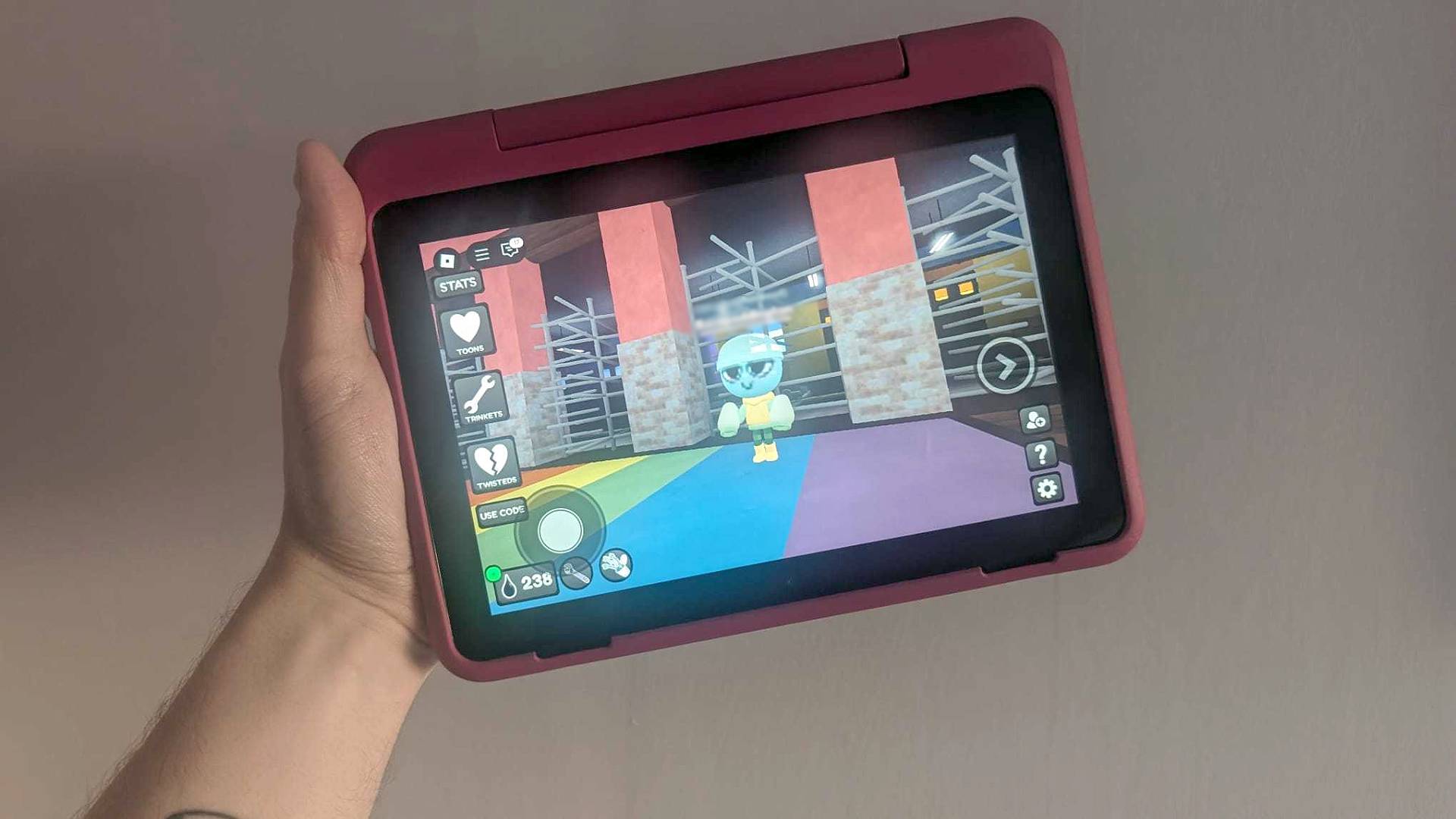
The right tablet for Roblox depends on the balance between touch response, game performance, family controls, and the way the device will be used outside the game.
Processor and physical memory
Roblox experiences vary from simple obstacle courses to busy worlds with many objects and effects. An octa-core processor such as the Unisoc T615 or T606 gives a more useful starting point than the quad-core hardware in ECOPAD. Physical memory matters more than inflated totals that combine built-in memory with virtual expansion.
A tablet with 6GB or 8GB of physical memory should have more breathing room for switching between games, browsers, and video apps. Larger listed totals are not automatically evidence of faster gaming.
For Roblox, a known processor and responsive touch screen matter more than a headline memory number built from virtual expansion.
Screen size and resolution
An 11-inch screen gives game controls more room and makes multiplayer scenes easier to inspect. A 10.1-inch tablet is usually easier for a child to hold, but the difference is noticeable when reading chat or managing a crowded game interface.
Resolution affects clarity rather than raw game speed. The 1920 x 1200 TABWEE display and the sharper screen described for Relndoo should make text and fine details cleaner than the 1280 x 800 panels used by several lower-ranked options.
Refresh rate and touch response
A refresh rate up to 90Hz can make scrolling and supported motion appear smoother. It does not guarantee a higher frame rate in Roblox, since the game, processor, and software all contribute to the result.
Fully laminated screens can also make touch interaction feel more direct by reducing the apparent distance between the image and the glass. These details are useful for games, but they also improve ordinary browsing and drawing.
Battery capacity
Battery figures should be treated as estimates because manufacturers often measure video playback rather than Roblox. The 8000mAh tablets from TABWEE, WXUNJA, and Relndoo have more capacity than the 6000mAh ECOPAD and COLORROOM models, while FEONAL sits at 7000mAh.
Look for fast charging support when possible. A tablet that can recover quickly is easier to keep ready for play, even when the child forgets to charge it after use.
Storage and expansion
Roblox itself is only one part of a tablet's storage needs. Updates, downloaded videos, photos, school files, and multiple user profiles can consume space quickly. The Samsung Galaxy Tab A11+ 256GB and Relndoo 11 Tablet have the most comfortable built-in capacity here.
MicroSD expansion helps with media and files, but it should not be treated as a substitute for internal storage in every app. Confirm that the tablet supports the type of expansion you intend to use and remember that the cards are not included with every model.
Parental controls and accessories
Younger children may benefit more from content filters and time limits than from a faster display. COLORROOM includes Google Kids Space and parental controls, while WXUNJA lists Google Kids support. Those features can make supervision simpler.
Keyboard, mouse, stylus, and case bundles are useful when the tablet will also handle schoolwork. They add bulk, though, and offer little benefit to a child who only wants to play Roblox.
Frequently asked questions
Can these tablets run Roblox?
The products are Android tablets, and the listings describe them as suitable for gaming or everyday apps. Actual Roblox performance will vary by experience, graphics settings, processor, software, and network conditions. The Samsung Galaxy Tab A11+ models provide the strongest general-purpose platform in this group, while the quad-core ECOPAD is better suited to simpler use.
Is an 11-inch screen better for Roblox?
An 11-inch screen gives touch controls and game scenes more room, which can be helpful in busy experiences. A 10.1-inch tablet is easier for smaller hands and remains large enough for casual play. The best size depends on whether comfort during handheld use or visual space is the higher priority.
Does more listed RAM mean better Roblox performance?
Not necessarily. Several tablets list memory totals that combine physical RAM with virtual expansion, and virtual memory does not replace faster physical RAM. Pay attention to the physical memory and processor rather than comparing the largest number in each title.
Do these tablets need Wi-Fi for Roblox?
Roblox generally needs an internet connection for account access and online play. The tablets here primarily use Wi-Fi, while FEONAL also lists dual SIM 4G LTE support. A cellular tablet still needs compatible service and a SIM card.
Which tablet is best for a younger Roblox player?
The COLORROOM Kids Tablet is the most focused option for younger children because it includes Google Kids Space and parental controls for filtering content and setting time limits. The Samsung Galaxy Tab A11+ 256GB is stronger as a shared family device, but it may offer more general capability than a young child needs.
Is a keyboard useful with a Roblox tablet?
A keyboard is not necessary for ordinary touch-based Roblox play. It becomes more useful when the same tablet will be used for homework, documents, email, or browsing. TABWEE T90 and Relndoo 11 Tablet include keyboard bundles, but those packages are less compact than a tablet alone.
Which tablet has the sharpest screen?
TABWEE T90 lists an 11-inch display with 1920 x 1200 resolution, while Relndoo describes its screen as an 11-inch 2K panel. Both should show finer detail than the 1280 x 800 displays on WXUNJA, FEONAL, URAO, COLORROOM, and ECOPAD.
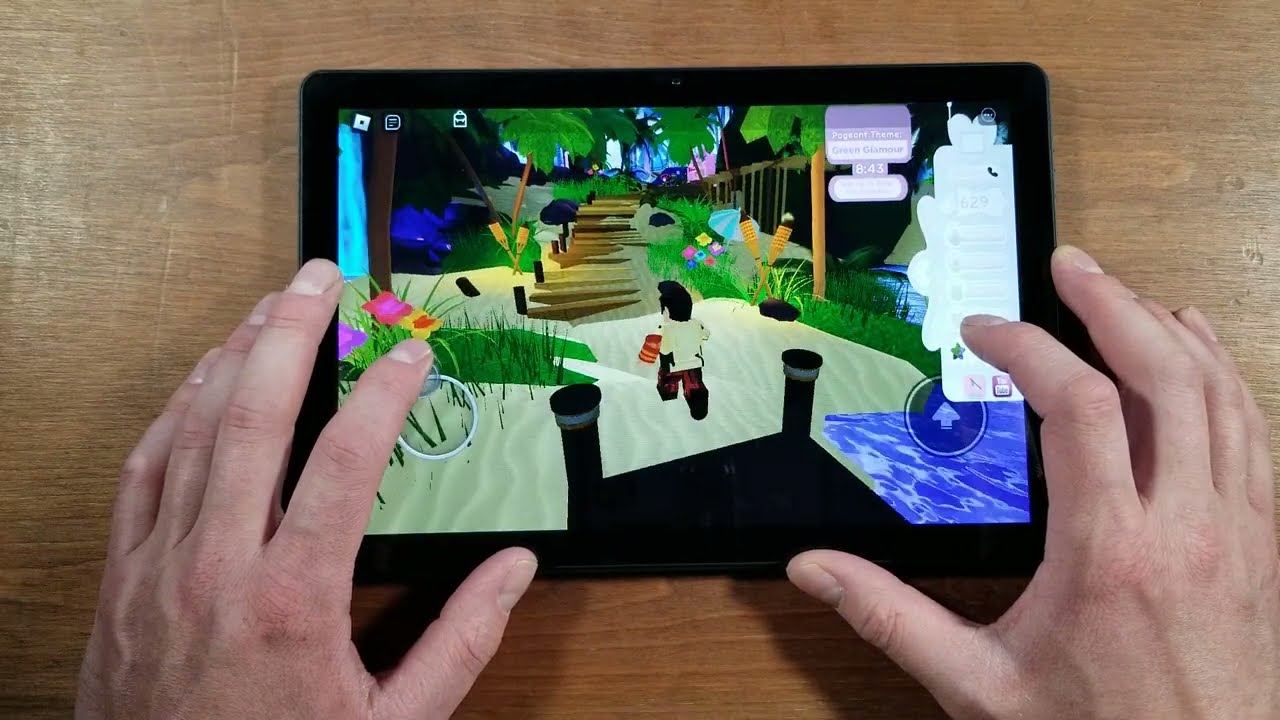
The bottom line
The Best tablet for roblox in this group is the Samsung Galaxy Tab A11+ 256GB. Its 11-inch screen, refresh rate up to 90Hz, 8GB of memory, 256GB of storage, quad Dolby Atmos speakers, and slim design make it the most complete family tablet. The Samsung Galaxy Tab A11+ 128GB is the sensible alternative when the same polished experience is wanted with less storage.
For a sharper display and included productivity accessories, choose TABWEE T90. For younger children who need supervision tools, COLORROOM Kids Tablet is the more focused choice. Buyers who mainly want long battery life should look at WXUNJA C5 Blue or WXUNJA C5 Black, while FEONAL is the unusual pick for families that need 4G LTE.
If you are undecided, choose Samsung for the broadest everyday experience, or choose COLORROOM when parental controls matter more than maximum capability.
As an Amazon Associate we earn from qualifying purchases.