

An iPad is easy to use until you need to type for an hour, watch from bed, write notes without dragging your palm across the screen, or keep fingerprints off the display. The right accessory fixes one of those annoyances without turning a slim tablet into a desktop appliance.
Our Best iPad Accessories picks cover desk stands, lap supports, a floor stand, two styluses, a screen protector, and a keyboard case. The Lamicall Adjustable Stand is the best all-round choice, while the other nine are better suited to specific rooms, iPad models, and ways of working.
Comparison table
| # | Product | Award | Compatibility or range | Notable feature | Best for |
|---|---|---|---|---|---|
| 1 | Lamicall Adjustable Stand | Best overall | 4 to 13 inch devices | 18 mm hook, vertical or horizontal viewing | Everyday desk use |
| 2 | Brookstone Lap Cushion | Best for bed and travel | iPad, Kindle, and Galaxy tablets | Memory foam cushion | Hands-free lounging |
| 3 | Metapen Air8 Pro X | Best for quiet writing | Compatible iPad models from 2018 to 2026 | Palm rejection, 26-hour battery | Notes and drawing |
| 4 | Ailun iPad Screen Protector | Best screen protection | iPad A16 and 10th generation | Two-pack tempered protection | Everyday scratch resistance |
| 5 | Hamile Keyboard Case | Best keyboard case | iPad A16 and 10th generation | Detachable backlit keyboard | Tablet typing |
| 6 | LISEN Aluminum Stand | Best heavy-duty stand | 4.7 to 12.9 inch devices | 360-degree rotation | Stable desk setups |
| 7 | Penlike iPad Pencil | Best for tilt-sensitive writing | Compatible iPad models from 2018 to 2026 | 15-minute USB-C charge | Sketching and annotations |
| 8 | ERGONOV Pillow Stand | Best lap organizer | 4.7 to 9.8 inch clip range | Removable three-compartment bowl | Sofa use |
| 9 | Elekpopu Floor Stand | Best overhead viewing | 4.7 to 11 inch devices | 27.5 to 55 inch height range | Bedside viewing |
| 10 | LISEN Portable Desk Stand | Best portable stand | 4 to 15.9 inch devices | Folds flat with gravity support | Travel and remote work |
1. Lamicall Adjustable Stand: Best Overall

Pros
- Aluminum alloy and steel construction
- Supports portrait and landscape viewing
- Rubber pads help prevent sliding and scratches
- Works with tablets and phones from 4 to 13 inches
Cons
- The device or case must be no more than 18 mm thick
- Larger tablets may be steadier in landscape orientation
- Less suited to lap or bedside use
Best for: anyone who wants one dependable stand for reading, video calls, typing, and watching.
The Lamicall Adjustable Stand is the one that makes the most sense for the widest range of iPad owners. It has a compact footprint, a useful mix of vertical and horizontal positioning, and enough material under the tablet to feel like a permanent desk accessory rather than a temporary prop. It is the stand we would choose for a kitchen counter, home office, or bedside table where the iPad needs to stay put.
Its compatibility range is broad, covering devices from 4 to 13 inches. The important limitation is the 18 mm hook width. That is generous for a bare iPad, but a bulky protective case can push the total thickness beyond the supported amount. The stand uses rubber pads on the feet and contact points, so a compatible tablet gets protection from both sliding and everyday scratches.
The adjustment is practical rather than elaborate. You can switch between portrait and landscape orientation, which suits reading, video calls, recipe viewing, and typing. For tablets larger than 12 inches, Lamicall recommends using landscape orientation for greater stability. That tells you where this stand sits in the lineup: it is versatile, but it is not a massive studio support.
Compared with the LISEN Portable Desk Stand, the Lamicall feels like the better choice when the iPad will live on one desk. LISEN folds smaller and accepts a wider stated device range, but its gravity-based design needs a low angle for the most stable typing. The LISEN Aluminum Stand is more substantial and rotates fully, while the Lamicall is easier to place and less visually imposing.
The weakness is the fixed 18 mm clearance. Owners of thick rugged cases should skip it unless they are willing to remove the case. It also does not solve the problem of holding an iPad over your lap or above a bed. For ordinary desk use, though, this is the most balanced accessory in the group and the clearest starting point for shoppers comparing Best iPad Accessories.
2. Brookstone Lap Cushion: Best for Bed and Travel

Pros
- Soft memory foam supports long sessions
- Holds an iPad or Kindle hands-free
- Suitable for beds, laps, desks, and travel
- Designed to keep the screen at a comfortable angle
Cons
- Takes more room in a bag than a folding stand
- Does not offer the rigid adjustment of a desk stand
- Its cushion format is specialized for relaxed viewing
Best for: readers and streamers who use an iPad on a lap, bed, tray, or airplane seat.
The Brookstone Lap Cushion is a very different answer to the iPad stand problem. Instead of asking a small metal frame to support a tablet on a flat desk, it gives you a soft base that rests on your legs or a mattress. That makes it much more comfortable for reading in bed or watching a show without clenching your wrists around the iPad.
The memory foam construction is the main attraction. Brookstone describes the cushion as supporting extended reading and streaming while helping reduce wrist and neck strain. Its stated dimensions are 10 inches by 10 inches by 6 inches, and it weighs about 1.04 pounds. Those proportions make it stable enough for lap use while remaining plausible for travel, although it will occupy more bag space than the Lamicall or either LISEN stand.
The holder works with iPad, iPad Pro, Kindle Paperwhite, and Samsung Galaxy devices. The angled design is intended to keep the display at a useful viewing position for hands-free use. It can also sit on a desk, but its real advantage appears when a hard desk stand would feel cold, awkward, or too low.
The ERGONOV Pillow Stand is the more feature-heavy alternative because it adds an adjustable arm and a removable snack bowl. Brookstone is simpler and more comfortable for straightforward reading. The Elekpopu Floor Stand is better if the screen needs to float beside a bed, but it is a much larger piece of equipment and cannot travel as naturally.
This is not the right pick for someone who wants precise typing angles or a minimal office setup. The soft base also means it will not feel as rigid as the Lamicall when you tap aggressively on the screen. Choose the Brookstone when comfort and hands-free lounging matter more than compact storage or desk precision.
3. Metapen Air8 Pro X: Best for Quiet Writing

Pros
- Air-Flex tip is rated for quiet operation at 25 dB
- Up to 26 hours of battery life
- Fully charges in 45 minutes
- Palm rejection and no Bluetooth pairing
- Three-color LED power display
Cons
- Does not support tilt or pressure sensitivity
- Uses USB-C charging rather than magnetic charging
- The included adhesive holder is needed for storage on an iPad case
Best for: students, note-takers, and writers who want a light, quiet stylus with long battery life.
The Metapen Air8 Pro X is built around the small irritations that make a stylus less pleasant than a pencil. Its Air-Flex tip is designed to add gentle resistance against the glass, and Metapen rates its operating noise at 25 dB. That makes it a particularly interesting option for classrooms, libraries, and shared offices where a hard tip clicking across a screen can become distracting.
Battery performance is a clear strength. The stylus charges fully in 45 minutes and is rated for up to 26 hours of use. A five-minute charge is said to provide four hours of use, which is useful when the pen has been left unused before a lecture or meeting. A three-color LED display shows the power status, and the pen shuts off automatically after five minutes of inactivity.
The Air8 Pro X weighs 11 grams and supports palm rejection, so you can rest your hand on the iPad while writing. It does not need a Bluetooth connection, which keeps setup simple. The catch is important for artists: it does not support tilt or pressure sensitivity. It is therefore more naturally suited to handwriting, markup, and basic sketching than to a workflow that depends on expressive brush width.
For a more complete look at the accessory side of iPad drawing, the features that matter when choosing a drawing stylus are worth considering before you buy. The Penlike iPad Pencil below is the better match for shoppers who specifically want tilt sensitivity, while Metapen is the quieter and longer-running tool.
The USB-C charging requirement is the main inconvenience, and there is no magnetic attachment for charging. Metapen includes an adhesive pen holder, but that is not as elegant as storing a compatible pen directly on the tablet. Skip this one if pressure and tilt control are essential. For notes and long writing sessions, its light weight, quiet tip, and battery indicator make it the more thoughtful stylus.
4. Ailun iPad Screen Protector: Best Screen Protection

Pros
- Tempered surface helps resist scratches and daily wear
- High transparency preserves the display view
- Oleophobic coating helps reduce fingerprints
- Designed to retain touch response
- Includes two screen protectors
Cons
- Only fits specified iPad A16 and 10th generation models
- Installation depends on careful dust removal and alignment
- It protects the display surface, not the tablet body
Best for: owners of the iPad A16 or 10th generation iPad who want basic display protection.
A screen protector is less exciting than a stand or stylus, but it is often the accessory that prevents the most irritating kind of damage. The Ailun iPad Screen Protector is made specifically for the iPad A16 11th generation model and the 10th generation 10.9-inch model. That narrow fit is a benefit only if your model number matches.
The package contains two protectors, giving you a spare if the first installation traps dust or ends up slightly misaligned. Ailun says the surface uses tempered processing for scratch resistance and daily wear protection. It is not a substitute for a case, and it cannot guarantee protection from a serious drop, but it creates a sacrificial surface between the glass and keys, pens, grit, and other objects in a bag.
Transparency is another important part of the design. The protector is intended to preserve the original viewing experience, while an oleophobic coating helps reduce fingerprints and smudges. Ailun also states that touch response remains sensitive for typing, games, video, Face ID, and Apple Pencil use. Those claims matter more here than decorative extras because a protector that interferes with touch defeats its purpose.
The Hamile Keyboard Case protects more of the iPad and adds typing hardware, but it is only for the same tightly defined model family. Ailun is the better choice if you already have a case and want to keep the tablet thin. If you are building a complete setup, the ways a case changes access to ports and buttons can help you avoid pairing a protector with an ill-fitting cover.
Installation is the real weak point. The supplied guidance emphasizes removing dust and aligning the protector before placing it. That is standard for this category, but there is no room for casual application. Check the iPad model in Settings or on the device before ordering, and choose Ailun when scratch prevention and a spare protector matter more than full-body protection.
5. Hamile Keyboard Case: Best Keyboard Case

Pros
- Wireless keyboard detaches magnetically
- Rated for at least 230 hours of use
- Three viewing grooves
- Seven-color backlit keyboard
- Dedicated pencil holder
Cons
- Fits only iPad A16 11th generation and 10th generation models
- Stylus is not included
- Keyboard needs separate USB-C charging
Best for: iPad owners who want a laptop-like typing setup without giving up a detachable keyboard.
The Hamile Keyboard Case is the most complete productivity accessory in this group. It combines a protective PU case, a flexible TPU interior, a detachable wireless keyboard, and several viewing positions. The result is more useful than a keyboard that simply sits in front of a naked iPad because the tablet and typing surface travel together.
Compatibility needs careful checking. It fits the iPad A16 11th generation and the iPad 10th generation 10.9-inch model, with the relevant model numbers listed in the product information. It is not a universal iPad case. The precise cutouts are intended to preserve access to ports, speakers, microphones, cameras, and sensors, but that fit also means an older or differently sized iPad should be ruled out before purchase.
The keyboard has a built-in 420 mAh battery, takes about two hours to charge through USB-C, and is rated for at least 230 hours of use. Its magnetic connection lets you remove or reposition it, while three grooves provide viewing angles for typing, reading, or video. The laser-etched keys have seven backlight colors, and the scissor-style mechanism is designed to reduce noise and offer rebound during longer sessions.
This setup is a stronger choice for documents and messages than the LISEN Adjustable Stand, but it is less flexible as a general viewing accessory. The Lamicall can support many devices and orientations, while Hamile is tied to two iPad generations. Readers comparing keyboard layouts and tablet typing should also consider how much key travel matters during long writing sessions before choosing a case-mounted design.
The case is not light travel gear, and the keyboard adds another component to keep charged. The tablet and stylus shown in product imagery are not included, and the stylus holder is only useful if you already own one. Choose Hamile if your iPad is compatible and you want a self-contained typing station. Skip it if you switch between several tablet models or mostly use the iPad for video.
6. LISEN Aluminum Stand: Best Heavy-Duty Stand

Pros
- All-aluminum construction with a wider weighted base
- 360-degree rotation
- Adjustable height and viewing angle
- Foldable for storage and travel
- Supports devices from 4.7 to 12.9 inches
Cons
- Heavier than the portable LISEN stand
- Phones are supported only in landscape orientation
- Larger tablets still need careful positioning
Best for: users who want a sturdy adjustable stand for a large iPad or a busy desk.
The LISEN Aluminum Stand is the serious desk support of the two LISEN options here. Its all-metal construction, wider base, and anti-slip silicone surfaces are intended to keep a tablet steady when the desk is being used for typing, calls, or frequent tapping. It feels more like a permanent workstation component than a lightweight travel prop.
LISEN states compatibility with devices from 4.7 to 12.9 inches, including iPads, Galaxy Tabs, Surface devices, Kindles, and drawing tablets. The holder rotates through 360 degrees, allowing portrait and landscape viewing without lifting the stand. The adjustment mechanism also includes a bridge screw that can be tightened when the joints become too loose or loosened when movement becomes difficult.
The foldable design is a useful compromise. This is not the smallest stand in the group, but it can fold into a pocket-sized shape for a business trip or remote-work bag. Its main advantage over the LISEN Portable Desk Stand is stability and material strength. The portable model is lighter and uses a gravity-based support system, while this one is the better platform for a larger tablet that stays on a desk.
The product information lists a weight of about 0.93 pounds, which explains both the steadiness and the reduced portability. It is still easier to move than a floor stand, but it is not something most people will want to carry alongside a tablet every day. The phone limitation is also specific: LISEN says phones work only in landscape mode.
Choose this stand for a desk where the iPad needs to stay secure and adjustable. Owners of compact iPads who prioritize minimal carry weight should choose the Lamicall or portable LISEN instead. The Aluminum Stand earns its place by offering the strongest combination of rotation, adjustment, and broad tablet support.
7. Penlike iPad Pencil: Best for Tilt-Sensitive Writing

Pros
- Supports tilt sensitivity and palm rejection
- Fully charges in 15 minutes
- Up to nine hours of use
- Magnetic attachment to compatible iPads
- Includes three replacement nibs
Cons
- Magnetic attachment does not provide charging
- Compatibility still needs model verification
- Battery life is shorter than the Metapen stylus
Best for: people who annotate, sketch, or want tilt-based line variation on a compatible iPad.
The Penlike iPad Pencil is the more artist-oriented of the two styluses in this roundup. Its key feature is tilt sensitivity, which lets the angle of the pencil change line thickness or shading. That is a meaningful distinction from the Metapen Air8 Pro X, whose feature list explicitly says tilt and pressure sensitivity are not supported.
Penlike states compatibility with iPad models from 2018 through 2026, including several iPad Pro, iPad Air, iPad mini, standard iPad, and A16 models. The long list is useful, but it also makes checking the exact model especially important. The product information directs shoppers to Settings, General, and About before ordering.
Charging is quick. A USB-C connection takes about 15 minutes for a full charge, with up to nine hours of use afterward. Three indicator lights show remaining battery in broad ranges, and the stylus sleeps after five minutes of inactivity. Palm rejection allows a hand to rest on the display, while the 1.5 mm tip is intended to provide precise writing and drawing.
The pen magnetically attaches to iPads released from 2018 through 2026, but it does not charge magnetically. That makes the attachment useful for storage rather than a complete power solution. It includes three replacement nibs, a practical addition for anyone who writes often. The Metapen Air8 Pro X lasts much longer between charges and is lighter, but Penlike is the stronger fit for tilt-aware marks.
The nine-hour battery rating is the obvious limitation against Metapen's 26 hours. Artists who need pressure sensitivity should confirm that this stylus provides the controls they expect before buying. For annotations, diagrams, shading, and casual sketching, Penlike offers the most expressive writing behavior among these Best iPad Accessories.
8. ERGONOV Pillow Stand: Best Lap Organizer

Pros
- Adjustable arm with dual 180-degree joints
- 360-degree rotating device clip
- Removable silicone bowl with three compartments
- Converts into a cup holder when the arm is removed
- Supports devices from 4.7 to 9.8 inches in the clip
Cons
- Bulky compared with a folding desk stand
- The clip range may exclude larger iPad setups
- More specialized than a simple cushion
Best for: sofa users who want an iPad holder with a place for snacks, drinks, or small items.
The ERGONOV Pillow Stand is the most unusual product here because it treats the sofa as a workspace. Its removable silicone bowl has three compartments for snacks, drinks, glasses, remotes, or other small items. With the tablet arm removed, the base becomes a cup holder, so the accessory is not limited to screen support.
The tablet arm uses dual 180-degree adjustable joints with metal screws. That gives it more positioning control than the fixed angled support on the Brookstone Lap Cushion. A spherical joint connects to a clip that rotates 360 degrees, allowing portrait and landscape orientation. For someone reading, following a recipe, or watching from a couch, those adjustments can be more useful than a rigid lap pillow.
The clip supports devices from 4.7 to 9.8 inches, while the listing describes compatibility with 4.7 to 13-inch phones, tablets, Kindles, and portable monitors. Those two stated ranges create a reason to check the dimensions of your particular iPad and case carefully. A large iPad may fall within the broader compatibility description but still exceed the clip's stated size.
The Brookstone Lap Cushion remains the simpler comfort choice. It is easier to understand and better suited to a bed or airplane tray, while ERGONOV is more compelling for a fixed sofa position where the bowl will be used. The Elekpopu Floor Stand offers much more height, but it cannot provide this accessory's integrated storage.
Its 16.9-inch length and 10.8-inch width make it a substantial object, not a discreet stand to leave beside a laptop. The extra parts also mean more adjustment and more to clean. Choose ERGONOV when the lap is your main viewing surface and the snack bowl solves a real problem. For a simple, packable reading support, Brookstone is the better fit.
9. Elekpopu Floor Stand: Best Overhead Viewing

Pros
- Height adjusts from 27.5 to 55 inches
- 360-degree rotating bracket
- Carbon steel construction and reinforced base
- Supports phones and tablets up to 11 inches
- Can be installed and disassembled without tools
Cons
- Heavy tablets with cases may need added base weight
- Requires floor space beside a bed or sofa
- The arm and base need to stay aligned for stability
Best for: hands-free viewing beside a bed, sofa, music stand, or reading chair.
The Elekpopu Floor Stand solves a problem that none of the small desk stands can touch: getting the iPad high enough to watch without holding it. Its height range runs from 27.5 to 55 inches, and the bracket rotates 360 degrees. That makes it suitable for a bedside viewing position, a sofa, or a standing setup where a tabletop is not available.
The holder supports phones and tablets from 4.7 to 11 inches that weigh less than 1.5 pounds. The listing recommends adding weight to the base for heavier tablets or tablets in cases. That qualification is important because a tall, flexible stand has more leverage than a low desktop holder. The carbon steel arm and reinforced base provide the structure, but placement still matters.
Assembly does not require tools, and the stand can be disassembled for storage or transport. The product information lists a 5.75-pound overall weight, so it is stable enough to stay planted but not a casual accessory to move room to room. The base is 13.2 inches long and 9 inches wide, which is a meaningful amount of floor space beside a bed.
Compared with the ERGONOV Pillow Stand, Elekpopu is the better choice for an elevated screen and a more conventional bedside arrangement. Brookstone is far easier to pack, and Lamicall is more appropriate for a desk. Elekpopu earns its position because the height adjustment changes the viewing posture rather than merely changing the screen angle.
The weakness is stability at the upper end of the height range, especially with a heavy iPad and case. The listing advises keeping the arm and base in the same direction, and spring positions can be swapped to improve support for heavier tablets. Choose this stand if you have the floor area and genuinely need overhead or bedside viewing. Skip it if a compact desk stand can solve the problem.
10. LISEN Portable Desk Stand: Best Portable Stand

Pros
- Folds flat for travel
- Gravity-based support needs no clips or magnets
- Adjustable height and angle
- Metal panel and silicone base help prevent slipping
- Supports devices from 4 to 15.9 inches
Cons
- Heavy cases wider than 0.7 inches are not supported
- Phones work only in landscape orientation
- Lowest angle is recommended for stable typing
Best for: remote workers and travelers who need a small stand for different tablets.
The LISEN Portable Desk Stand is built for the person who moves between desks. It folds flat, weighs about 15.2 ounces according to the product information, and takes up little room in a bag. The ABS plastic body is reinforced by a metal panel and anti-slip silicone at the base, giving it more structure than a completely lightweight plastic prop.
Its gravity-based support system uses the tablet's own weight and the rear tilt rather than clips or magnets. That makes it quick to use with different devices, and there is no side clamp to block buttons. LISEN recommends its lowest angle when tapping or typing because the reduced leverage improves stability.
The stated compatibility range is broad at 4 to 15.9 inches, but the case limitation is narrower. Devices wider than 0.7 inches are not supported, and heavy-duty cases are specifically excluded. Phones can be used only in landscape mode. Those details matter more than the headline range for anyone who keeps an iPad in a thick protective cover.
The Lamicall Adjustable Stand is the better permanent desk accessory because its aluminum construction and 18 mm hook offer a more reassuring platform for daily use. The LISEN Aluminum Stand is stronger and rotates fully, but it is heavier. This portable LISEN wins when folding size and quick setup matter more than maximum rigidity.
It is not the best option for constant typing at a steep angle or for a ruggedly cased iPad. It also lacks the plush comfort of the Brookstone and ERGONOV designs. Choose it for travel, remote work, and occasional desk use, especially if you switch between tablets and can meet the width requirement.
How to choose best ipad accessories
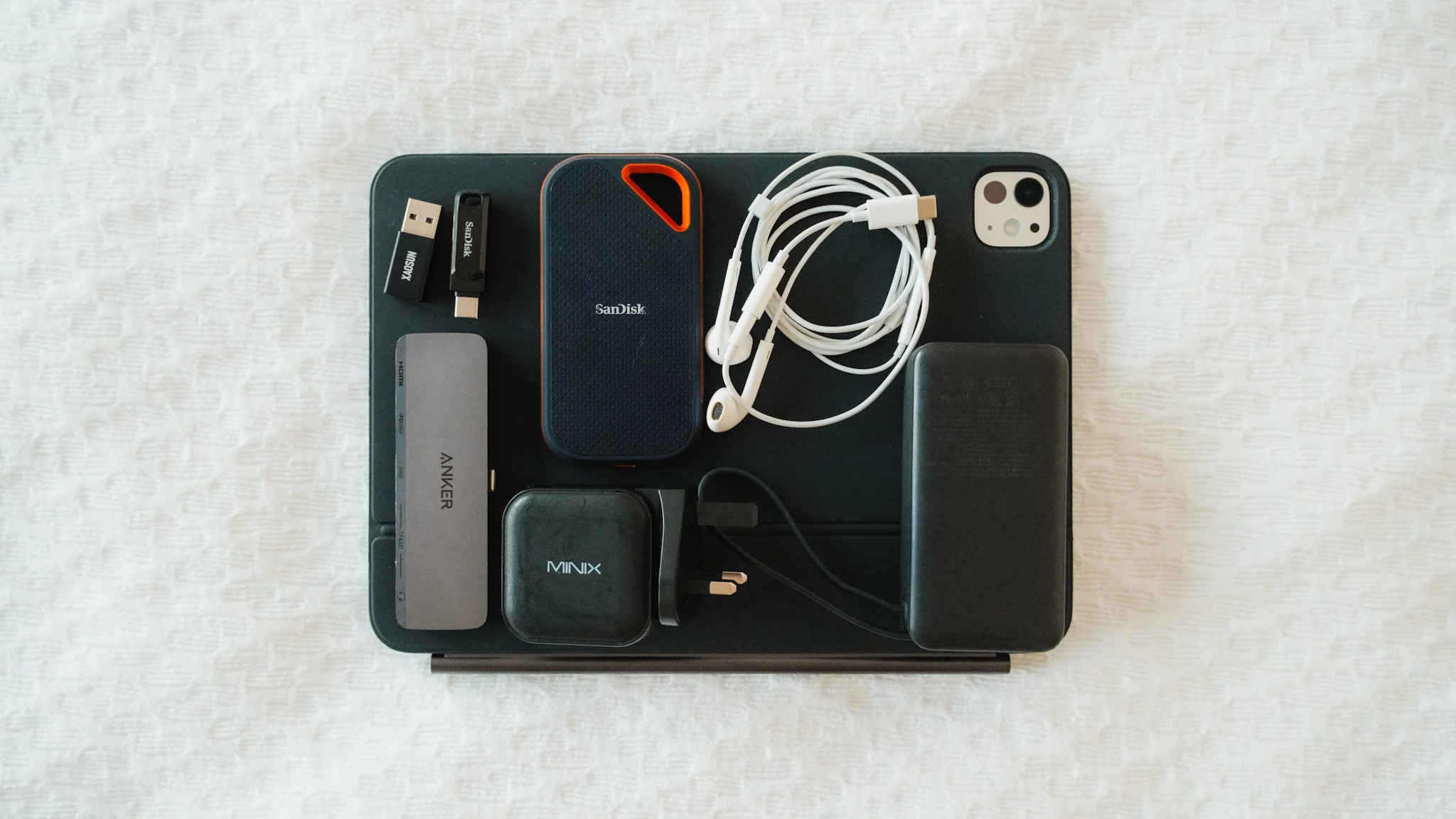
The right accessory depends less on the iPad name than on where you use it, how thick the case is, and whether you need support, input, or protection.
Compatibility and fit
Start with the exact iPad generation and model number. The Ailun protector and Hamile Keyboard Case are designed for the iPad A16 11th generation and 10th generation iPad, while the styluses list compatibility across many generations. A broad compatibility claim is not a substitute for checking the model in Settings, General, and About.
Stand fit also depends on thickness. Lamicall accepts devices or cases up to 18 mm, LISEN's portable stand excludes devices wider than 0.7 inches, and Elekpopu is intended for devices under 1.5 pounds. A case that protects the iPad can also make an accessory unusable.
Viewing position
A desk stand should provide enough angle adjustment for typing and enough stability for tapping. Portrait mode is useful for documents and video calls, while landscape mode is usually more stable for larger tablets. A lap cushion or pillow stand is better when the iPad needs to sit on a bed or legs.
The best stand is the one that puts the screen where your neck is comfortable, not the one with the widest adjustment claim.
For bedside or overhead viewing, a floor stand changes the entire setup. Elekpopu reaches up to 55 inches, while the smaller Lamicall and LISEN models are meant for a tabletop.
Build and stability
Metal construction generally gives a stand a firmer base, but it also adds weight. Lamicall uses aluminum alloy and strengthened alloy steel, while the larger LISEN stand uses an all-metal design with a wider weighted base. The portable LISEN uses ABS plastic with a metal panel, prioritizing carrying convenience.
Look for rubber or silicone contact surfaces to reduce sliding and protect the iPad. With a tall floor stand, base placement and tablet weight matter more because the raised arm creates leverage. Elekpopu may need extra base weight with a heavy tablet or case.
Stylus features
Palm rejection is essential for comfortable handwriting because it lets you rest your hand on the screen. Tilt sensitivity matters for shading and variable line width, which gives the Penlike iPad Pencil an advantage for drawing. Metapen instead focuses on a soft, quiet tip, long battery life, and a lighter 11-gram design.
Charging behavior affects daily use. Metapen takes 45 minutes to charge and runs for up to 26 hours, while Penlike charges in 15 minutes and runs for up to nine hours. Neither should be chosen without confirming the charging and attachment details that matter to you.
Keyboard and protection
A screen protector should match the exact display size and preserve touch sensitivity. Ailun uses a transparent tempered surface with an oleophobic coating and includes two protectors, but installation still requires careful dust removal and alignment.
A keyboard case adds more capability but also more bulk and model restrictions. Hamile offers a detachable wireless keyboard, three viewing grooves, backlighting, and a pencil holder. It is a better fit for writing and schoolwork than a stand alone, but it is unnecessary for an iPad used mainly for reading or video.
Frequently asked questions
Which accessory is best for everyday iPad desk use?
The Lamicall Adjustable Stand is the most versatile choice for a desk. It supports portrait and landscape viewing, uses rubber pads, and works with devices from 4 to 13 inches as long as the total thickness stays within 18 mm.
Can these stands hold an iPad with a case?
It depends on the stand and the case thickness. Lamicall supports up to 18 mm, while the portable LISEN stand does not support devices wider than 0.7 inches. Check the case and iPad together rather than relying only on the tablet size.
Which stylus is better for drawing?
The Penlike iPad Pencil is the stronger choice if tilt sensitivity matters because it can vary line thickness and shading based on angle. Metapen is better suited to quiet writing and notes because its Air-Flex tip is designed for low noise, but it does not support tilt or pressure sensitivity.
Do the styluses need Bluetooth pairing?
Metapen and Penlike are both designed to work without Bluetooth pairing. Each uses a top button to turn on, though you should still confirm that the stylus supports your exact iPad model.
Which stand is best for using an iPad in bed?
The Brookstone Lap Cushion is the simplest choice for a lap or mattress because its memory foam base provides angled support. The Elekpopu Floor Stand is better if you want the screen raised beside the bed rather than resting on your legs.
Is the Hamile Keyboard Case compatible with every iPad?
No. It is made for the iPad A16 11th generation and the 10th generation 10.9-inch iPad. Check the model number on the back of the tablet before ordering because the case is not designed for other iPad generations.
Does a screen protector replace an iPad case?
No. The Ailun protector covers the display surface and helps resist scratches, smudges, and daily wear. It does not protect the back, corners, buttons, or edges from drops.
The bottom line
The Lamicall Adjustable Stand is the best starting point among the Best iPad Accessories because it handles ordinary desk life without being overly specialized. It supports a broad range of devices, switches between portrait and landscape, and has the right combination of compact size and sturdy materials.
Choose the Brookstone Lap Cushion for comfortable reading in bed or during travel, or the Metapen Air8 Pro X if handwriting is the main reason you want an accessory. The Penlike iPad Pencil is the better stylus for tilt-sensitive marks, while the Hamile Keyboard Case turns a compatible iPad into a more practical typing station.
If you are undecided, buy the accessory that fixes the place and task you find most frustrating first, then verify your iPad model and case thickness before ordering.
As an Amazon Associate we earn from qualifying purchases.