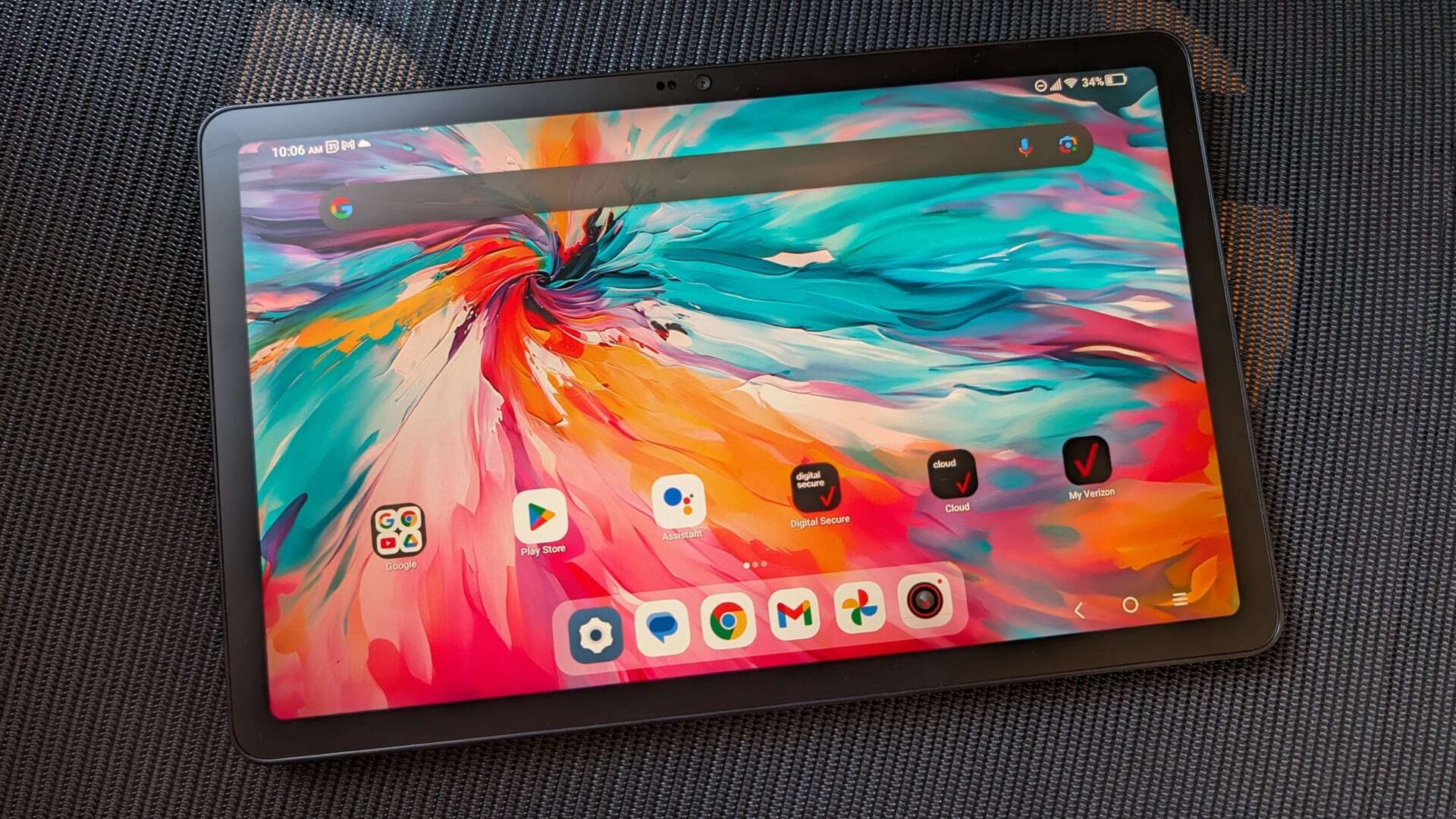

A tablet can be the simplest screen in the house, but the wrong inexpensive model can turn basic tasks into a test of patience. Slow app launches, cramped storage, dim displays, and limited software support are the problems to avoid.
The Best inexpensive tablets in this guide range from compact Lenovo models to large Android tablets with expandable storage, newer operating systems, keyboard bundles, and family-friendly controls. We ranked them by the capabilities that matter most in daily use, not by headline memory claims alone.
Lenovo Idea Tab is our top pick, while the Lenovo Tab One is the better compact choice. The rest cover streaming, schoolwork, keyboard-assisted productivity, family use, and basic browsing.
| # | Product | Award | Screen | Storage | Best for |
|---|---|---|---|---|---|
| 1 | Lenovo Idea Tab | Best for note-taking | 11-inch 2.5K IPS, 90Hz | 128GB | Students and general use |
| 2 | Lenovo Tab One | Best compact tablet | 8.7-inch HD, 60Hz | 64GB | Travel and children |
| 3 | Amazon Fire HD 10 | Best for streaming | 10.1-inch 1080p Full HD | 32GB | Video and reading |
| 4 | URAO 10.1-inch Tablet | Best Android 16 option | 10.1-inch 1280 by 800 IPS | 128GB | App flexibility |
| 5 | Evermyth 10-inch Tablet | Best wireless features | 10-inch 1280 by 800 IPS | 64GB | Wireless accessories |
| 6 | ECOPAD 10.1-inch Tablet | Best basic 10-inch tablet | 10.1-inch 1280 by 800 IPS | 64GB | Simple home use |
| 7 | ECOPAD Tablet Set | Best tablet set | 10.1-inch 1280 by 800 IPS | 64GB | Keyboard-assisted tasks |
| 8 | SVITOO 10-inch Tablet | Best for family use | 10.1-inch 1280 by 800 IPS | 32GB | Kids and shared use |
| 9 | COOPERS 10-inch Tablet | Best GPS-equipped option | 10-inch 1280 by 800 IPS | 32GB | Basic navigation and media |
1. Lenovo Idea Tab: Best for Note-Taking

Pros
- Sharp 11-inch 2.5K display
- Smooth 90Hz refresh rate
- Tab Pen and folio case included
- Stronger Dimensity 6300 processor
- Useful study software and Google search tools
Cons
- Only 4GB of memory
- Larger and less pocketable than the Tab One
- Its extra display sharpness matters less for casual video
Best for: students and anyone who wants a tablet for handwriting, reading, and everyday entertainment.
The Lenovo Idea Tab is the one to choose when an inexpensive tablet needs to feel like a real study tool rather than a disposable media screen. Its 11-inch display gives documents and split app layouts more room than the Lenovo Tab One, and the bundled Tab Pen makes handwritten notes, diagrams, and markups practical from the first day. The folio case is useful here too because it turns the wide screen into a more comfortable desk setup.
The display is the standout feature. Its 2.5K resolution puts considerably more detail into text and diagrams than the 1280 by 800 panels used by most of the other Android models in this group. The 90Hz refresh rate also makes scrolling through long pages feel more fluid than the 60Hz Lenovo Tab One. The panel uses IPS technology, and Lenovo lists 72% NTSC color coverage plus hardware-level TÜV Rheinland low-blue-light features. Those details matter during long reading sessions, especially when the tablet is being used for notes rather than short video clips.
Performance comes from a MediaTek Dimensity 6300 processor, paired with 4GB of memory and 128GB of storage. That is a more convincing combination for switching between study apps, web pages, and streaming than the basic quad-core tablets here. Lenovo also includes Lenovo AI Note, Squid, Nebo, and MyScript Calculator, along with Circle to Search. These are specific advantages for schoolwork, though the 4GB memory limit means it is not a substitute for a full laptop when many demanding applications are open.
Battery life is listed at up to 12 hours of YouTube use, and the included 20W charger is intended to shorten top-up time. Quad Dolby Atmos-tuned speakers help when the tablet is used without headphones. The weakness is simple: the Idea Tab is not the smallest option, and its 1.05-pound weight is noticeable next to the 0.704-pound Tab One. If you only want a small screen for travel or reading in bed, the compact Lenovo is easier to live with. For students, though, the Idea Tab's sharper screen, pen, storage, and study tools make it the most complete pick in this group.
2. Lenovo Tab One: Best Compact Tablet

Pros
- Compact 8.7-inch form factor
- Less than one pound
- Folio case with built-in stand included
- Up to 12.5 hours of YouTube streaming
- Dolby Atmos speakers
Cons
- Smaller HD screen than the 10-inch models
- 64GB storage is less generous than the Idea Tab
- 60Hz refresh rate
Best for: commuters, children, and readers who want a tablet that fits easily in a small bag.
The Lenovo Tab One gets the most important compact-tablet decision right: it is genuinely easy to carry. At 8.31 by 4.91 inches and 0.704 pounds, it feels closer to a large reader than a small laptop substitute. That makes it more comfortable for holding one-handed, slipping into a purse, or handing to a child in the back seat. The included folio case adds protection and a built-in stand without making the basic package feel incomplete.
Its 8.7-inch HD display is smaller and less detailed than the Idea Tab's 11-inch 2.5K panel, but the reduced size is the point. Lenovo lists 480 nits of brightness, which should help with ordinary indoor viewing and makes the screen more useful in brighter rooms than a particularly dim budget panel. The 60Hz refresh rate is standard for this class. Browsing and video playback are perfectly sensible uses, but scrolling will not look as fluid as it does on the Idea Tab.
A MediaTek Helio G85 processor, 4GB of memory, and 64GB of storage give it a straightforward everyday setup. It is suited to browsing, reading, streaming, and lighter games rather than serious multitasking. Lenovo claims up to 12.5 hours of unplugged YouTube streaming and support for 15W charging. Those figures make the Tab One a strong travel companion, while its dual Dolby Atmos speakers give it more audio presence than its size suggests.
The software choice is another reason this model stands out for families. It runs Android 14, includes Google Kids Space, and comes with two years of security patches. Google Kids Space can surface teacher-approved content and age-appropriate books and videos, but this is not the same as a fully managed child account by itself. The main compromise is the screen area. Reading comics, editing documents, or watching with someone else is more comfortable on the Amazon Fire HD 10. Pick the Tab One when portability matters more than workspace.
3. Amazon Fire HD 10: Best for Streaming

Pros
- 10.1-inch 1080p Full HD display
- Up to 13 hours of battery life
- 4GB RAM configuration
- Alexa and Amazon Kids controls
- Strengthened aluminosilicate glass
Cons
- 32GB internal storage in this configuration
- Amazon software is different from standard Android
- Stylus is sold separately
Best for: people who mainly want a larger screen for shows, books, Alexa, and casual games.
The Amazon Fire HD 10 is the least complicated recommendation for a household tablet used mostly for entertainment. Its 10.1-inch screen gives video and magazines a much more relaxed layout than the Lenovo Tab One, and the 1080p Full HD resolution is a clear advantage over the 1280 by 800 panels on the smaller-brand Android tablets. It is also light enough at 0.96 pounds to move around the house without feeling like a laptop.
Amazon pairs the screen with an octa-core processor and 4GB of RAM in this configuration. The company says performance is 25 percent faster than the prior generation, though that comparison does not tell us exactly how it will compare with the Lenovo Idea Tab's Dimensity 6300. In practical terms, the Fire HD 10 is aimed at streaming, reading, casual games, and ordinary app use. Its 13-hour battery claim gives it strong endurance for long viewing sessions.
Storage is the main point to understand before buying. This version has 32GB built in, while the Fire HD 10 supports up to 1TB of additional storage through a microSD card. That expansion is useful for downloaded shows, books, and photos, but the card is sold separately. The Amazon app environment is also its own experience rather than the standard Android interface found on the Lenovo and other models. It offers familiar services through Amazon's ecosystem, but someone who relies on a specific Google app should check compatibility first.
The tablet has a 5MP front camera for Zoom and social apps, and Amazon offers a Made for Amazon Stylus Pen with 4, 096 levels of pressure sensitivity. That pen is optional, so the Fire HD 10 is not as ready for handwritten notes as the Lenovo Idea Tab. Strengthened aluminosilicate glass and Amazon Kids parental controls make it a sensible shared household device. Choose the Fire HD 10 over the Idea Tab for its simpler entertainment focus and display, but choose Lenovo if handwriting, Google tools, or a sharper panel matters more.
4. URAO 10.1-inch Tablet: Best Android 16 Option

Pros
- Android 16 with Google Play Store
- 128GB internal storage
- Wi-Fi 6 and Bluetooth 5.4
- 5MP front and 8MP rear cameras
- 18W fast charging
Cons
- No GPS
- 1280 by 800 display is less sharp than the Idea Tab
- Battery claim is lower than Lenovo's streaming claims
Best for: buyers who want a current Android interface, generous built-in storage, and modern wireless connectivity.
The URAO 10.1-inch Tablet makes a strong case for shoppers who want the standard Android app experience without moving to a premium tablet. Google Play is pre-installed, and the tablet runs Android 16. That combination gives it a more familiar software path than the Fire HD 10 for people who already use Google's apps and services. Its 10.1-inch size is a comfortable middle ground for video, web pages, and online learning.
The 1280 by 800 IPS display is serviceable, but it is not in the same league as the Lenovo Idea Tab's 2.5K panel or the Fire HD 10's 1080p screen. Text and icons will look less crisp at close range, while the IPS construction should preserve viewing angles for shared video watching. URAO also adds low-blue-light technology intended to reduce the effect of flicker and harsh blue light. That may be useful for evening reading, though it does not change the panel's basic resolution.
The specification sheet lists 36GB of RAM, broken down as 6GB physical and 30GB virtual, alongside 128GB of storage. The split matters because virtual memory uses storage rather than providing the same benefit as physical RAM. Even so, the 128GB starting capacity is convenient, and the tablet supports up to 1TB through a TF card. An octa-core processor running at 1.8GHz is intended for multitasking, app launches, and light gaming. The 5MP front and 8MP rear cameras are more useful for calls and document snapshots than for serious photography.
URAO claims up to eight hours of mixed reading, video, gaming, and browsing, plus 18W fast charging that can fully charge the tablet in 1.5 hours. Wi-Fi 6 and Bluetooth 5.4 are welcome modern touches, especially if the tablet will use newer headphones or accessories. There is no GPS, and URAO specifically says the device cannot directly share accounts with iOS. That makes it a poor choice for in-car navigation and less convenient for an Apple-heavy household. It is a good fit for Android users who value app access and storage more than screen sharpness.
For readers comparing this model with other Android tablets for school, streaming, and everyday tasks, the key question is not the large virtual-memory figure. It is whether the 128GB storage and newer wireless standards are more useful than the Lenovo models' stronger display and more established tablet design.
5. Evermyth 10-inch Tablet: Best Wireless Features

Pros
- Android 16 with Google Play access
- Wi-Fi 6 and Bluetooth 5.4
- 64GB storage with up to 1TB expansion
- 5MP front and 8MP rear cameras
- 6000mAh battery
Cons
- Five-core processor is less substantial than the Idea Tab's chip
- 1280 by 800 display
- A large share of listed memory is virtual
Best for: homes that connect the tablet to current wireless headphones, speakers, or networks.
The Evermyth 10-inch Tablet is built around connectivity rather than display refinement. It runs Android 16, is GMS-certified, and supports direct Play Store downloads. That makes it a straightforward alternative to the Fire HD 10 for users who want standard Android apps. The 10-inch form factor is useful for casual browsing and video, though the tablet's 1280 by 800 resolution is shared with most of the lower-ranked Android models here.
Its wireless hardware is a genuine differentiator. Wi-Fi 6 supports both 2.4GHz and 5GHz bands, and Bluetooth 5.4 should pair cleanly with current accessories. Those standards cannot fix a slow internet connection or weak router, but they can make the tablet a better fit for a newer home network. The 5MP front camera and 8MP rear camera cover video calls and simple photos, with low-blue-light features on the display for more comfortable reading.
Evermyth lists 24GB of RAM, but the breakdown is 3GB physical and 21GB virtual. That is important context. The tablet may use storage to keep more tasks available, but it should not be treated like a device with 24GB of conventional memory. Its 1.8GHz five-core processor is aimed at browsing, streaming, light productivity, and casual games. With 64GB of internal storage and support for up to 1TB through a TF card, it has a workable place for downloaded files.
The 6000mAh battery is rated for up to eight hours of mixed use and up to three days of standby. Charging happens through USB-C. Compared with the URAO tablet, Evermyth offers the same broad screen resolution and similar camera layout, but URAO has an octa-core processor and a larger internal storage starting point. The Evermyth wins when Wi-Fi 6 and Bluetooth 5.4 are the priorities. Skip it if you want a sharper screen or if you prefer proven physical memory over a large virtual-memory headline.
6. ECOPAD 10.1-inch Tablet: Best Basic 10-inch Tablet

Pros
- 10.1-inch IPS display
- Android 15 with Google services
- 6000mAh battery
- Up to 1TB microSD expansion
- 1-year warranty
Cons
- Quad-core processor
- 1280 by 800 screen is not especially sharp
- Listed weight is more than two pounds
Best for: simple video, reading, web browsing, and family tasks at home.
The ECOPAD 10.1-inch Tablet is a basic home tablet with a sensible feature mix and few distractions. Its 10.1-inch IPS panel is large enough for shows, web pages, and video calls, while Android 15 and Google Mobile Services provide access to the Play Store and familiar Android apps. It is not trying to compete with the Lenovo Idea Tab on display quality or the URAO on wireless standards. Its appeal is straightforward functionality.
The screen uses a 1280 by 800 resolution. That is adequate for casual viewing, but readers who spend hours on small text will see more detail on the Fire HD 10 or Idea Tab. The 2MP front camera and 8MP rear camera are typical for this tier. They are appropriate for basic video calls and snapshots, not for replacing a phone camera. Bluetooth 5.0 and dual-band Wi-Fi provide the expected connections for headphones, speakers, and home networks.
Storage is 64GB internally, with support for up to 1TB through an SD card. That expansion is useful if the tablet will hold photos, downloaded videos, or a growing collection of reading material. ECOPAD lists 12GB of RAM as a 4GB plus 8GB configuration, so the physical and expanded portions should not be interpreted as equivalent. Processing comes from a quad-core chip, which makes this a better match for one or two ordinary tasks at a time than for intensive multitasking.
The 6000mAh battery is rated for up to eight hours of uninterrupted video playback. That is a reasonable target for a home media tablet, and USB charging keeps the setup familiar. The biggest concern is weight. The listed 2.0106-pound figure is substantially heavier than the Lenovo Tab One and Amazon Fire HD 10, so this is not the model we would choose for long one-handed reading. It makes more sense propped on a table or used by someone who wants a large screen and expandable storage without needing advanced performance.
If your household is also weighing a laptop for writing or file-heavy work, how much screen and keyboard space everyday tasks need can clarify whether a tablet is enough. The ECOPAD is best when the answer is browsing and media, not sustained typing.
7. ECOPAD Tablet Set: Best Tablet Set

Pros
- Keyboard and mouse included
- Android 15 and GMS certification
- Wi-Fi 6 support
- 1TB microSD expansion
- 8MP rear camera
Cons
- Heavy listed package weight
- 1280 by 800 display
- Keyboard bundles can be less comfortable than a laptop
Best for: occasional typing, email, school forms, and tablet use that benefits from included accessories.
The ECOPAD Tablet Set is the practical choice for someone who wants to type occasionally without assembling a separate accessory kit. The included keyboard and mouse let it shift between a handheld tablet and a small workstation. That is useful for email, short documents, online forms, and simple school tasks. It is not a full laptop replacement, but it is more ready for typing than the otherwise similar ECOPAD 10.1-inch Tablet.
The 10.1-inch IPS display has a 1280 by 800 resolution, so the usable workspace is limited compared with the Lenovo Idea Tab. Text should be readable for ordinary documents, but the display does not provide the same crispness or vertical room for multitasking. Android 15 and GMS certification give it access to Google Play, and the tablet supports Wi-Fi 6 plus Bluetooth 5.0. Those connections are useful for the included peripherals and for wireless headphones.
The tablet lists 12GB of RAM and 64GB of internal storage, with support for a 1TB microSD card. As with the other large memory claims in this roundup, the headline figure does not mean 12GB of physical RAM. The available description does not identify a processor, so we would keep expectations to basic productivity, media, and web use rather than demanding games or complex editing. The 2MP front and 8MP rear cameras are suitable for calls and simple photos.
ECOPAD also lists a 6000mAh battery. The tablet's dimensions are close to a standard 10-inch Android model, but the listed 2.76-pound weight suggests that the full set is better used on a desk than carried around all day. The keyboard and mouse are the reason to select it over the regular ECOPAD. If typing is only occasional and screen quality matters more, the Amazon Fire HD 10 is the cleaner media choice. If school notes are central, the Lenovo Idea Tab's pen support and sharper display are much better suited.
8. SVITOO 10-inch Tablet: Best for Family Use

Pros
- Android 16 Go Edition
- Protective case with magnetic bracket
- Parental controls and night mode
- 8MP rear and 2MP front cameras
- Widevine L1 for HD streaming
Cons
- Android Go Edition limits some multitasking
- No split-screen support
- No GPS
Best for: families that want a shared entertainment tablet with basic controls and a case included.
The SVITOO 10-inch Tablet is one of the more transparent options about its limits. It runs Android 16 Go Edition, a lighter version of Android intended for modest hardware. That can help keep the interface manageable, but it also means the tablet does not support split-screen use. Families should know that before expecting it to behave like a larger productivity tablet.
The 10.1-inch IPS display uses a 1280 by 800 resolution and a 16:10 aspect ratio. It is a reasonable shape for video, reading, and browsing, with wide viewing angles listed as part of the display design. Widevine L1 certification is a meaningful benefit for supported streaming services because it allows HD playback where the service permits it. The tablet also includes eye-care night mode, which is useful for evening reading.
SVITOO lists 20GB of RAM, divided into 3GB physical and 17GB virtual, alongside only 32GB of internal storage. A microSD card can expand storage to 1TB, but the limited built-in space makes that expansion more important than it is on the URAO or Lenovo models. The Allwinner A333 is identified as a penta-core processor. It should be kept to ordinary apps, web use, video, and light games rather than demanding multitasking.
The family features are stronger than the raw performance. Parental controls can manage time and content, face unlock offers quick access, and the included protective case has a magnetic bracket that wakes the tablet when opened. The 6000mAh battery is rated for up to eight hours of video playback or web browsing. SVITOO also includes dual speakers, a 3.5mm headphone jack, USB-C, Wi-Fi across 2.4GHz and 5GHz bands, and Bluetooth 5.3. There is no GPS and no split screen, so choose this for controlled shared use, not navigation or school productivity.
For a smaller child, the Lenovo Tab One is easier to hold and includes Google Kids Space. For a shared family screen, SVITOO's case, parental controls, and Widevine L1 support make it more compelling than its storage figure suggests.
9. COOPERS 10-inch Tablet: Best GPS-equipped Option

Pros
- Built-in GPS
- Android 15 with Google Play
- Up to 1TB storage expansion
- 6000mAh battery
- Headphone jack and FM radio
Cons
- Quad-core processor
- Older Bluetooth 4.2
- 1280 by 800 display
Best for: basic Android media and reading when built-in GPS is a required feature.
The COOPERS 10-inch Tablet earns its place by including a feature most of the inexpensive Android models omit: built-in GPS. That makes it the one to consider for location-aware apps and basic navigation, although a tablet's usefulness in a car will still depend on its mounting and data connection. For ordinary home use, it is a conventional 10-inch Android tablet with Google Play access.
The IPS screen measures 10 inches and uses an 800 by 1280 resolution, equivalent to the 1280 by 800 layout used by the other HD panels here. Text is clear enough for reading and web pages, while the larger screen is more comfortable for video than the Lenovo Tab One. The 2MP front camera and 8MP rear camera are adequate for calls and simple photos. A headphone jack and dual speakers give it useful wired and built-in audio options.
The quad-core processor is paired with 8GB of listed RAM, broken down as 3GB plus 5GB expanded memory, and 32GB of internal storage. The tablet supports expansion to 1TB through an SD card. That configuration is aimed at basic app launches, reading, video, music, and light multitasking. It does not have the processing headroom of the Lenovo Idea Tab, and the storage figure makes a memory card particularly useful if the tablet will carry many files.
COOPERS lists a 6000mAh battery with eight to ten hours of mixed use. The tablet supports 2.4GHz Wi-Fi and Bluetooth 4.2, plus an FM radio. Those are practical extras, though Bluetooth 4.2 is older than the Wi-Fi 6 and Bluetooth 5.4 combinations on URAO and Evermyth. COOPERS includes a USB Type-C cable and lists a 365-day warranty. Pick it specifically for GPS, the headphone jack, or FM radio. If none of those matter, the Fire HD 10 has a better screen for video and the Lenovo Tab One is lighter to carry.
How to choose best inexpensive tablets
The Best inexpensive tablets are separated less by oversized memory claims than by screen quality, software, storage, battery behavior, and the accessories that come in the box.
Display size and resolution
An 8.7-inch screen such as the Lenovo Tab One is easier to hold and carry, but a 10-inch or 11-inch panel is more comfortable for split app layouts, documents, and shared video. Resolution matters most when reading small text. The 1280 by 800 displays in many of these tablets are suitable for casual use, while the Amazon Fire HD 10's 1080p panel and Lenovo Idea Tab's 2.5K panel look sharper.
Refresh rate also affects movement. The Idea Tab's 90Hz screen should make scrolling feel smoother than the 60Hz Tab One, though refresh rate does not improve the detail in a low-resolution panel.
Processor and physical memory
A tablet's processor determines how quickly apps open and how well it handles several tasks. The Lenovo Idea Tab's Dimensity 6300 and the URAO's octa-core processor are more convincing for multitasking than the quad-core chips in the ECOPAD and COOPERS models.
Be cautious with memory figures such as 36GB, 24GB, 20GB, or 12GB. The listings explain that these numbers combine physical RAM with virtual memory. Virtual memory uses internal storage and does not provide the same performance as physical RAM. The physical portion and the processor are better clues to how the tablet will feel.
A large virtual-memory number cannot make a low-resolution screen sharper or turn a basic processor into a laptop chip.
Operating system and app access
The Amazon Fire HD 10 uses Amazon's Fire software environment, while the other models use Android versions. Fire tablets can be convenient for households already using Amazon services, Alexa, and Amazon Kids. Standard Android models with Google Mobile Services provide direct access to the Google Play Store.
The Android version is only part of the decision. The SVITOO runs Android Go Edition and does not support split screen, so its Android 16 label does not mean it offers the same multitasking experience as every other Android 16 tablet. Check the specific app and feature requirements before choosing based on the version number alone.
Storage and expansion
Internal storage affects how many apps, downloads, photos, and updates the tablet can hold without extra hardware. The Lenovo Idea Tab's 128GB and URAO's 128GB give them more room from the start than models with 32GB or 64GB.
MicroSD or TF card expansion can add up to 1TB on several models, but the card is not included where the listing says it is sold separately. Expansion is most useful for media and personal files. It does not always solve an app-storage problem because some applications still need to remain on the internal drive.
Battery and charging
Battery claims vary by activity, so treat streaming figures and mixed-use figures as different measurements. Lenovo lists up to 12.5 hours of YouTube streaming for the Tab One, while the Idea Tab is listed at up to 12 hours. Several 10-inch models list up to eight hours of mixed use or video playback.
Charging speed matters if the tablet is used throughout the day. URAO lists 18W fast charging, Lenovo includes a 20W charger with the Idea Tab, and the Tab One supports 15W charging. A larger battery does not automatically mean longer real-world use because screen brightness, Wi-Fi, processor load, and software all affect endurance.
Accessories and family features
The included extras can change how a tablet fits into daily life. The Lenovo Idea Tab comes with a Tab Pen and folio case, the Lenovo Tab One includes a folio case with a stand, and the ECOPAD Tablet Set includes a keyboard and mouse. Those are meaningful differences for note-taking, hands-free viewing, or occasional typing.
For children and shared use, look for controls rather than assuming any Android tablet is child-ready. Lenovo includes Google Kids Space on the Tab One, Amazon offers parental controls through Amazon Kids, and SVITOO lists parental controls plus a protective case. Those features are more useful than a raw storage number when the tablet will be shared.
Frequently asked questions
Which tablet is best for school notes?
The Lenovo Idea Tab is the strongest fit because it includes a Tab Pen, a folio case, a 2.5K display, and study-focused apps. Its 11-inch screen also gives notes and documents more room than the 8.7-inch Lenovo Tab One.
Which tablet has the sharpest display?
The Lenovo Idea Tab has the sharpest listed display, with an 11-inch 2.5K IPS touchscreen. The Amazon Fire HD 10 follows with a 10.1-inch 1080p Full HD screen, while most of the other models use 1280 by 800 panels.
Can these tablets use a microSD card?
Several can. The Amazon Fire HD 10, URAO, Evermyth, both ECOPAD models, SVITOO, and COOPERS listings describe expandable storage, with capacities reaching up to 1TB on the supported models. Check the individual listing and use a compatible card.
Which tablet is easiest to carry?
The Lenovo Tab One is the easiest to carry because it has an 8.7-inch display and a listed weight of 0.704 pounds. Its folio case also provides protection and a stand without requiring a separate accessory.
Which tablet includes a keyboard?
The ECOPAD Tablet Set includes both a keyboard and a mouse. It is intended for occasional typing and simple productivity, but its 1280 by 800 display and basic hardware are not a substitute for a conventional laptop.
Do any of these tablets have GPS?
The COOPERS 10-inch Tablet lists built-in GPS. URAO and SVITOO explicitly state that they do not have GPS, so location-based use should be an important consideration before choosing either of those models.
Is the Amazon Fire HD 10 a regular Android tablet?
It uses Amazon's Fire software environment rather than the standard Android interface used by the other tablets in this roundup. It is a good fit for Amazon services, Alexa, streaming, and Amazon Kids, but people who depend on a particular Google app should confirm compatibility first.

The bottom line
The Best inexpensive tablets choice for most people is the Lenovo Idea Tab. Its 11-inch 2.5K display, 90Hz refresh rate, included pen, 128GB storage, and Dimensity 6300 processor give it the broadest range of useful roles, from handwritten notes to streaming and web browsing.
Choose the Lenovo Tab One when portability and family use matter more than workspace. The Amazon Fire HD 10 is the better entertainment pick for its 1080p display and long battery claim, while the URAO and Evermyth models make sense for shoppers who want newer Android software and modern wireless standards.
If you are undecided, choose the Lenovo Idea Tab for school and mixed use, or the Lenovo Tab One for a smaller tablet that you will carry everywhere.
As an Amazon Associate we earn from qualifying purchases.