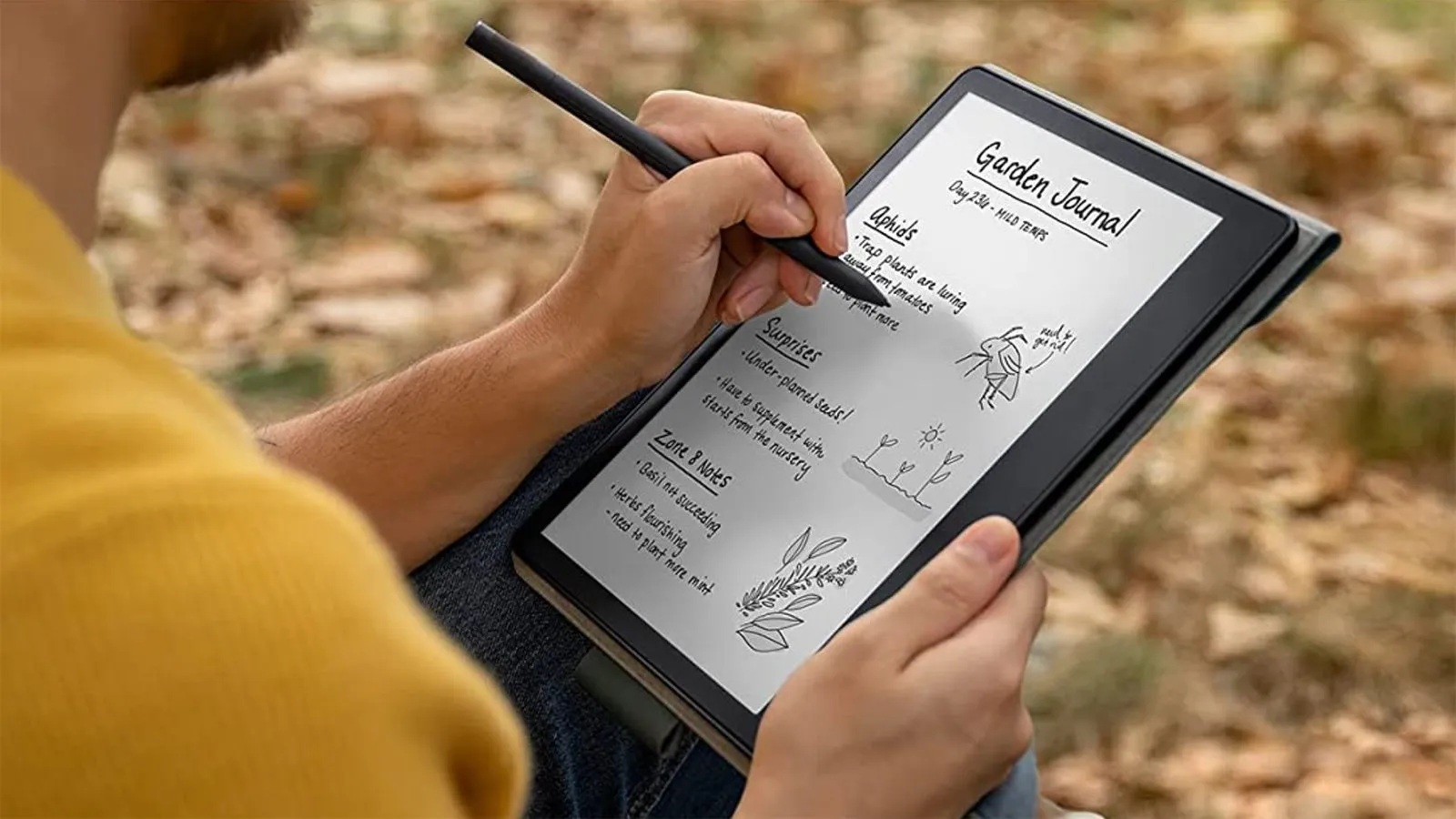

A writing tablet can mean very different things. Some are full Android tablets with apps, cameras, and pressure-sensitive pens. Others are simple LCD boards that erase with one button, while drawing tablets connect to a computer and put pen input on its screen.
Our Best writing tablet picks separate those categories instead of pretending a reusable doodle board can replace a Kindle Scribe. The Lenovo Idea Tab 8GB is the best all-around choice for most people, with a sharp 11-inch display, included pen, useful note-taking apps, and enough power for study and everyday tablet work.
The lineup runs from serious digital notebooks and e-readers to compact computer graphics pads and large children's writing boards.
Comparison table
| # | Product | Award | Display or active area | Pen and input | Best for |
|---|---|---|---|---|---|
| 1 | Lenovo Idea Tab 8GB | Best overall | 11-inch 2.5K IPS, 90Hz | Tab Pen included | Students who want a complete tablet |
| 2 | Amazon Kindle Scribe | Best for focused writing | 11-inch glare-free display | Premium Pen included | Reading and handwritten notes |
| 3 | XPPen Magic Note Pad | Best Android note pad | 10.95-inch LCD, 90Hz | X3 Pro Pencil 2, 16K sensitivity | Color notes and document work |
| 4 | Lenovo Idea Tab 4GB | Best streamlined study tablet | 11-inch 2.5K IPS, 90Hz | Tab Pen included | Students with lighter workloads |
| 5 | HUION Inspiroy H640P | Best computer drawing pad | 6 by 4 inches | Battery-free, 8192 pressure levels | Notes and drawing on a computer |
| 6 | XPPen StarG640 | Best compact computer pad | 6 by 4 inches | Battery-free stylus | Remote work and signatures |
| 7 | Ksequ LCD Writing Tablet | Best simple adult notepad | 11.5-inch double-sided LCD | Included pen and erase key | Quick disposable-style notes |
| 8 | TIQUS LCD Writing Pad 2-Pack | Best shared note boards | 9.25-inch LCD boards | Stylus or finger input | Messages and everyday reminders |
| 9 | QIAOBUQI 16-Inch Kids Tablet | Best rechargeable kids board | 16-inch color LCD | Two styluses included | Preschool practice and travel |
| 10 | Kayoubi 14.5-Inch Kids Tablet | Best large basic doodle board | 14.5-inch LCD | One-click erase and lock | Mess-free drawing at home |
1. Lenovo Idea Tab 8GB: Best Overall

Pros
- Sharp 11-inch 2.5K IPS display
- Smooth 90Hz refresh rate
- Includes Tab Pen and folio case
- Four useful learning and note apps
- Stronger multitasking hardware than the 4GB version
Cons
- A conventional LCD is less paper-like than the Kindle Scribe
- Android notifications can interrupt focused writing
- The tablet is heavier than a dedicated e-reader
Best for: students and general users who want handwritten notes alongside a full Android tablet.
The Lenovo Idea Tab 8GB is the one we'd hand to a student who has not fully decided what kind of writing tablet they need. It is not restricted to a notebook app or a single reading ecosystem. The included Tab Pen works with the writing tools, while the folio case makes it easier to carry between class, a desk, and the sofa. It feels like a practical tablet first, with handwriting built into the experience rather than bolted on.
Its 11-inch 2.5K IPS touchscreen gives written notes a roomy canvas and keeps ordinary text sharp. The 90Hz refresh rate matters when scrolling through lecture material or moving around a document because the interface feels more fluid than a basic 60Hz panel. Lenovo also specifies TÜV Rheinland Low Blue Light hardware solutions, a useful comfort feature for long study sessions. The display is bright and colorful enough for video and web work, but it does not have the glare-free, front-lit reading character of the Kindle Scribe.
The MediaTek Dimensity 6300 and 8GB of memory give this version the clearest advantage over the Lenovo Idea Tab 4GB. Both models share the 11-inch 2.5K display, 90Hz refresh rate, Tab Pen, folio case, and the same family of learning apps. The extra memory on this model is the better fit for switching between a browser, a PDF, a note app, and a video call. Lenovo lists 256GB of storage here, which leaves more room for documents and installed apps than the smaller configuration.
Lenovo includes AI Note, Squid, Nebo, and MyScript Calculator, so the tablet covers handwriting, organization, sketching, and calculations without requiring an immediate search for software. Circle to Search can also turn a handwritten or selected subject into a quick web lookup or translation. Battery life is listed at up to 12 hours of YouTube playback, and the 20W charger is designed for quicker top-ups. Quad Dolby Atmos-tuned speakers make it more useful for lectures and entertainment than the dedicated writing devices below.
The weakness is distraction. Android gives you flexibility, but it also gives you messages, browsers, video apps, and every other temptation that comes with a general-purpose tablet. The writing surface is smooth glass rather than a true paper-textured e-ink panel, and the 1.05-pound body is not as light as the Kindle Scribe. Choose the Lenovo Idea Tab 8GB when one device needs to handle notes, schoolwork, reading, and ordinary tablet tasks without feeling cramped.
2. Amazon Kindle Scribe: Best for Focused Writing

Pros
- Glare-free 11-inch paper-like display
- Front light with automatic brightness adjustment
- Premium Pen needs no charging
- Writes in notebooks, books, and documents
- Weeks of battery life are designed into the experience
Cons
- Less flexible than an Android tablet
- Not the right choice for drawing on a computer
- The writing system is closely tied to Amazon's ecosystem
Best for: readers and writers who want a quiet device for books, documents, and handwritten notebooks.
The Amazon Kindle Scribe understands that a writing device should sometimes get out of the way. Its 11-inch glare-free display is built around reading and handwriting, not app switching. The textured surface is intended to feel more like paper under the included Premium Pen, and the pen has an eraser plus a shortcut button for tools such as the highlighter. There is no charging routine for the pen, which removes one small but irritating interruption.
The display's front light makes the Scribe more adaptable than a paper notebook. Brightness can adjust automatically, and warmth can be changed for nighttime comfort. That combination is more suitable for reading in bed or taking notes beside a window than the unlit LCD boards in this roundup. The screen is also 5.4mm thin, and the listed weight is 400g, so it is notably easier to hold for long reading sessions than the Lenovo Idea Tab.
Writing is not confined to a blank notebook. Kindle books can accept handwritten notes, and imported documents from Google Drive or Microsoft OneDrive can be marked up and exported as PDFs. Notes can also be sent to Microsoft OneNote. The built-in AI tools can search handwritten material, clean up handwriting, convert it to text, and generate summaries. Those features make the Scribe more useful for reviewing a long document than a simple erase-and-repeat LCD board.
The trade-off becomes clear beside the Lenovo Idea Tab 8GB. Lenovo is the stronger choice for apps, video, web research, and multitasking, while the Scribe is the more disciplined tool for reading and writing. Its battery is designed to last weeks on one charge, but the device does not replace a full Android tablet. People who want drawing software, broad app support, or a flexible media device should look elsewhere. Readers who want fewer distractions will find the limitation is the point.
For anyone weighing a dedicated notebook against a full tablet, the larger question is how handwritten notes fit into a wider reading workflow. The Scribe is right for people who want that workflow to stay calm, uncluttered, and centered on text.
3. XPPen Magic Note Pad: Best Android Note Pad

Pros
- 10.95-inch anti-glare LCD with 90Hz refresh rate
- Three display modes, including monochrome
- X3 Pro Pencil 2 has 16K pressure sensitivity
- Handwriting-to-text and PDF tools
- Android 14 with Google Play access
Cons
- It is an LCD tablet, not an e-ink device
- Narrow viewing angle favors straight-on use
- The maker advises avoiding many simultaneous apps
Best for: people who want colorful Android note-taking features with a more paper-like screen surface.
The XPPen Magic Note Pad is an unusual middle ground. It looks toward the Kindle Scribe with its paper-like ambitions, but it is explicitly a normal Android tablet rather than an e-ink reader. That distinction matters. You get color, Google Play apps, a front camera, speakers, and microphones, but you also get the brighter, more conventional behavior of an LCD screen.
Its 10.95-inch AG nano-etched display uses TCL NXTpaper 3.0 technology. XPPen says the surface reduces up to 95 percent of ambient light interference, and the screen supports 16.7 million colors, 400 nits of brightness, and a 90Hz refresh rate. In use, those numbers point to a better choice for colored annotations, diagrams, and ordinary Android content than the monochrome Kindle. The etched surface is intended to reduce glare, though XPPen recommends viewing it from the front because the design has a narrow viewing angle.
The included X3 Pro Pencil 2 uses a smart chip and 16K pressure sensitivity. That gives handwriting and annotation more room for pressure-based stroke changes than a basic LCD writing board. The pen attaches magnetically and includes a shortcut key, so it is better suited to sustained note work than the stylus bundled with the simple boards. XPPen Notes supports handwriting-to-text conversion, audio recording, PDF importing and editing, multiple brushes, automatic saving, and cloud uploads to OneDrive or Google Drive.
The software is the more compelling reason to choose this over the Amazon Kindle Scribe for some buyers. XPPen also describes MyScript Notes and MyScript Math after a system update, with handwriting recognition in 66 languages and tools for handwritten equations and functions. Android 14 and 128GB of storage extend it beyond a dedicated notebook. An 8000mAh battery and 20W charger support the portable format, while the 13-megapixel front camera, two speakers, and two microphones make it a capable meeting companion.
There are caveats. The display is not e-ink, and the maker specifically advises avoiding multiple software programs at the same time for a better experience. The 495g body is portable but heavier than the Scribe. People who mainly read books and want the least distracting screen should choose Amazon's device instead. Pick the XPPen Magic Note Pad when color, handwriting conversion, PDFs, and Android apps matter more than a pure reading environment.
4. Lenovo Idea Tab 4GB: Best Streamlined Study Tablet

Pros
- 11-inch 2.5K IPS display
- Smooth 90Hz refresh rate
- Tab Pen and folio case included
- Same core learning apps as the larger-memory model
- Up to 12 hours of YouTube playback listed
Cons
- Less memory and storage than the 8GB model
- LCD screen is not paper-textured
- Android can bring distractions to study time
Best for: students who want a capable pen tablet for notes, reading, and everyday school tasks.
The Lenovo Idea Tab 4GB has the same basic design as the top-ranked Lenovo, so the choice between them is more about workload than handwriting feel. It includes the Tab Pen and folio case, giving students a ready-made setup for taking notes, marking up class material, and carrying the tablet between rooms. The 11-inch format provides enough space for split-screen work without becoming unwieldy.
Its 2.5K IPS touchscreen is a strong foundation for written notes. The 90Hz refresh rate keeps scrolling and pen movement feeling smooth, while the hardware-based TÜV Rheinland Low Blue Light solution is aimed at reducing eye fatigue. Lenovo also lists 72 percent NTSC color coverage and quad Dolby Atmos-tuned speakers, so this is not a single-purpose slab. It can handle video, browsing, and casual entertainment when the schoolwork is finished.
The MediaTek Dimensity 6300 processor supports AI-enhanced multitasking, and Lenovo includes Lenovo AI Note, Squid, Nebo, and MyScript Calculator. Circle to Search adds a useful way to identify or translate something without leaving the current task. Battery life is listed at up to 12 hours of YouTube playback, with a 20W charger for replenishing it. These details put it well ahead of basic LCD boards, which can only display a temporary mark and cannot save or organize a page.
The important comparison is with the Lenovo Idea Tab 8GB. This model has 4GB of memory and 128GB of storage, while the larger configuration has 8GB and 256GB. For handwritten notes, browsing, and a few education apps, the smaller configuration is the simpler fit. If a student regularly keeps many apps open, downloads large documents, or expects to use the tablet for several years, the 8GB version gives more breathing room.
This is not the best pick for someone seeking the quiet visual quality of the Kindle Scribe, nor for a digital artist who needs a dedicated computer pad. The display is reflective compared with e-ink, and notifications need managing. Students who want a full Android tablet with a pen and a sensible collection of study tools should choose this version when their multitasking needs are modest.
5. HUION Inspiroy H640P: Best Computer Drawing Pad

Pros
- 6 by 4-inch active drawing area
- Battery-free PW100 stylus
- 8192 pressure levels
- Six customizable shortcut keys
- Works with Mac, Windows, Linux, and Android
Cons
- Does not support iOS
- Requires a connected computer or Android device
- Smaller active area than a standalone tablet screen
Best for: writers, artists, and remote workers who want precise pen input on a computer.
The HUION Inspiroy H640P is not a standalone writing tablet. It is a compact graphics pad that turns a computer into a more natural writing surface. That makes it a good fit for signing documents, writing on a virtual whiteboard, annotating in OneNote, or drawing in creative software. The pen maps to the computer screen, so the tablet itself does not show your notes.
The 6 by 4-inch active area is large enough for precise writing without taking over a small desk. HUION lists the pad at 0.3 inches thick and 1.41 pounds, although the product dimensions also identify a 0.6-pound item weight. The useful takeaway is its compact footprint and travel-friendly shape. It includes six programmable press keys, which can be assigned to shortcuts for different applications through the Huion driver.
The battery-free PW100 stylus has 8192 pressure levels, side buttons, and a shape intended to feel like a standard pen. Pressure sensitivity is more significant for drawing and varied strokes than for ordinary signatures, but it helps the pad feel less like a mouse replacement when writing. Compatibility covers Mac, Windows, and Linux computers plus Android devices running version 6.0 or later. HUION also lists support for Photoshop, SAI, Medibang Paint, OneNote, Microsoft Whiteboard, and Zoom.
Compared with the XPPen StarG640, the H640P offers the more customizable physical workflow. Both use a 6 by 4-inch format and battery-free pens, but HUION adds six express keys and broader operating system support. The StarG640 is thinner and lighter in the listed dimensions, making it appealing for travel, while the H640P is the stronger desk tool for users who will build shortcuts into their routine. Neither replaces the direct writing experience of the Lenovo or Kindle.
The biggest limitation is the connection requirement. You need a computer or compatible Android device, and iOS is not supported. It is also less immediately intuitive than writing directly on a screen because your hand is on the pad while the result appears elsewhere. If that hand-eye adjustment is acceptable, the H640P is a capable choice for computer-based notes, signatures, teaching, and creative work.
People comparing this category should first decide how a screenless pad changes the way you draw and write. That distinction prevents an expensive mismatch between a computer accessory and a standalone notebook.
6. XPPen StarG640: Best Compact Computer Pad

Pros
- Compact 6 by 4-inch working area
- Battery-free PN01 stylus
- Only 2mm thick
- Supports Mac, Windows, and Chromebook
- Useful for signatures, online teaching, and remote work
Cons
- Requires a connected device
- No display on the tablet itself
- Fewer workflow controls are described than on the HUION H640P
Best for: anyone who needs a thin, portable pen pad for computer notes, signatures, and online work.
The XPPen StarG640 is the straightforward computer accessory in this group. It replaces a mouse for tasks where a pen is more comfortable, including digital signatures, handwritten notes, diagrams, and online teaching. The 6 by 4-inch active area gives enough room for controlled strokes while keeping the device easy to place beside a laptop.
Its standout physical trait is the 2mm thickness. That makes the StarG640 especially easy to slip into a laptop bag, and the listed dimensions keep it suitable for a crowded desk. The PN01 stylus is battery-free, so there is no separate charging cable or dead-pen pause in the middle of a meeting. The product is aimed at drawing, e-learning, remote working, photo editing, and Microsoft Office programs such as Word, PowerPoint, and OneNote.
Chromebook support gives it a useful advantage for school and browser-based work. XPPen also names Google Jamboard, Google Keep, and Google Canvas as compatible uses, along with Zoom and Xsplit. It is not just an art pad, although creative applications are a natural fit. A writer who needs to sign a PDF or sketch an idea during a video call can use it as a more precise alternative to a trackpad.
The HUION Inspiroy H640P is the better choice when shortcut keys and Linux support are priorities. The StarG640 is thinner and its listed item weight is about 0.37 pounds, so it is easier to carry. It does not have a built-in display, and the product details do not describe the kind of customizable key set HUION provides. This is a simple tool rather than a configurable control surface.
Skip it if you want to write directly on a standalone screen or save notes without a computer. The StarG640 makes the most sense for a laptop or Chromebook owner who wants an unobtrusive pen input device that can travel easily and never needs a stylus battery.
7. Ksequ LCD Writing Tablet: Best Simple Adult Notepad

Pros
- Double-sided full-screen LCD design
- Large 11.5-inch writing format
- One-click erase key
- Lock function for preserving notes
- Very thin and light design
Cons
- Handwriting is difficult to see in weak light
- Not designed to save or transfer notes
- Product information gives mixed size descriptions
Best for: quick reminders, scratch work, messages, and paper-saving notes around the home or office.
The Ksequ LCD Writing Tablet is best understood as reusable scratch paper, not a digital notebook in the Lenovo or Kindle sense. You write with the included pen, tap the erase key, and start again. That simplicity makes it useful beside a phone, on a kitchen counter, or at a desk where a small reminder needs to stay visible without using a sheet of paper.
The listing describes an upgraded double-sided full-screen LCD design and an 11.5-inch size, while the product information lists dimensions of 11.3 by 7.7 inches. It also states that the tablet is 0.2 inches thick and weighs 6.8 ounces. Those details suggest a highly portable board with a broad writing surface. It is thin enough to store in a drawer and large enough for a short list, a diagram, or a math problem.
A lock switch helps prevent accidental deletion, and the one-click clear key handles deliberate erasing. The listing says the surface can be written on 50, 000 to 100, 000 times. That is useful for repeated temporary work, but there is no indication that notes can be stored, exported, converted to text, or sent to another device. What you write remains on the board until you erase it.
This puts it below the TIQUS LCD Writing Pad 2-Pack for shared use, since TIQUS supplies two separate boards, but ahead of a computer graphics pad for pure convenience. It is also more suitable for adult desk notes than the large children's models. The important limitation is lighting. Ksequ warns that handwriting may be difficult to see in weak light, so it should not be treated as a backlit screen.
Choose it for reminders and disposable-style scratch work. Skip it if your notes need to survive an erased screen, appear in an app, or travel with you as a searchable archive.
8. TIQUS LCD Writing Pad 2-Pack: Best Shared Note Boards

Pros
- Two separate LCD writing boards
- 9.25-inch format suits quick notes
- Finger or stylus input
- Lock button helps preserve handwriting
- Erase control keeps reuse simple
Cons
- Not intended for children under 15
- Notes cannot be digitally saved
- Smaller writing area than the Ksequ board
Best for: households, offices, and study spaces that need two simple message boards.
The TIQUS LCD Writing Pad 2-Pack solves a small but real problem: one writing board is often in use when somebody else needs it. Two 9.25-inch LCD pads can live in different rooms, or one can stay at home while the other travels to school or the office. They are designed for short-lived information, not permanent digital notes.
TIQUS says this upgraded version has brighter handwriting and thicker lines than its older LCD writing board. The lock button is a welcome inclusion because a temporary reminder is not useful if it disappears when the board is bumped. Both the included stylus and a finger can be used for writing, which makes quick messages less formal and easier to leave for someone else.
The boards are suited to math homework, messages, and recording an important reminder. A remove button clears the content, while the reusable LCD surface cuts down on paper and ink for repeated scratch work. The dimensions are about 9.65 by 6.3 inches, and the listed item weight is about 0.33 pounds, so each one should be easy to move around a desk or pack for travel.
Compared with the Ksequ LCD Writing Tablet, TIQUS gives you two boards but a smaller format. Ksequ's larger surface is more comfortable for a longer note, while TIQUS is better when separate users need their own board. Neither saves content or connects to an app. The XPPen StarG640 is a better writing tool for a computer, but it requires a connected device and does not offer the instant, standalone erase-and-reuse experience.
TIQUS includes a clear age warning: it is not applicable to children under 15. That makes it a better fit for adults and older students than the Kayoubi or QIAOBUQI boards. Choose it for two-person households, office reminders, and quick calculations where a paper notebook would be overkill.
9. QIAOBUQI 16-Inch Kids Tablet: Best Rechargeable Kids Board

Pros
- Large 16-inch colorful LCD writing area
- Two styluses included
- Lock switch protects drawings
- Rechargeable battery
- Designed for children ages 3 to 8
Cons
- LCD is non-luminous and needs suitable ambient light
- Not intended for saving or transferring drawings
- Large size is less convenient for small bags
Best for: young children who need a roomy, reusable surface for drawing and early school practice.
The QIAOBUQI 16-Inch Kids Tablet is a big canvas for a child who fills smaller doodle boards quickly. Its 16-inch screen leaves room for drawing, spelling practice, simple math, notes, and shared activities between a parent and child. The colorful LCD presentation is more inviting for play than the plain adult message boards, while the reusable design avoids the cleanup associated with paints and markers.
A front erase button clears the board in one tap, and a rear lock switch keeps a drawing from being deleted accidentally. QIAOBUQI includes two styluses, which is a thoughtful detail for parent-child activities or siblings working together. The product is intended for ages 3 to 8, and its child-safe ABS body is described as protecting the sealed battery from little hands.
The rechargeable battery is the major distinction from the other children's board here. QIAOBUQI claims up to nine months of playtime on one charge, followed by recharging rather than battery replacement. The board is listed at 0.6 pounds and is described as suitable for planes, road trips, camping, and restaurant waits. Its 13.39 by 9.84-inch dimensions are still substantial, so travel convenience comes from its light weight rather than a truly small footprint.
The Kayoubi 14.5-Inch Kids Tablet is a little smaller and uses the more familiar one-button erase and lock arrangement. QIAOBUQI is the better choice for shared drawing and for parents who prefer a rechargeable design. Neither board stores a child's work, and both are writing surfaces rather than app-enabled tablets. Families wanting saved drawings or educational software need a full Android tablet instead.
The biggest practical caution is lighting. QIAOBUQI explains that LCD writing tablets for kids are non-luminous, so the board still needs a room where the marks are easy to see. For a preschooler who wants a large, mess-free canvas and a parent who wants fewer loose art supplies, this is the stronger children's pick.
10. Kayoubi 14.5-Inch Kids Tablet: Best Large Basic Doodle Board

Pros
- Spacious 14.5-inch drawing area
- One-click erase
- Lock switch prevents accidental clearing
- No mess and no paper waste
- Intended for children ages 3 to 8
Cons
- Basic LCD board cannot save drawings
- Requires enough ambient light to see the screen
- Less flexible for travel than a smaller writing pad
Best for: young children who want a large, simple board for doodling, tracing, and early writing practice.
The Kayoubi 14.5-Inch Kids Tablet is a classic doodle board with one useful advantage: plenty of room. A child can draw, write, or make up a story without constantly running out of canvas. The board is aimed at children from 3 to 8, but the large surface can also work for a parent helping with letters, shapes, or simple practice.
The LCD display is designed to avoid blue light and glare, and the board does not need paint, ink, or paper. That makes it easier to use in a car, at a table, or during a quiet indoor activity. One press erases the screen, while the lock function preserves a drawing during transport or stops an accidental hand from clearing it.
The product information lists a size of 13 inches wide by 9.8 inches high, while the feature description calls the writing screen 14.5 inches. Either way, it is substantially larger than the TIQUS boards and more generous for children's freehand work. The listed product dimensions are 13 by 13 inches, so buyers should expect a broad board rather than something that slips neatly into a small bag.
The QIAOBUQI 16-Inch Kids Tablet is the more versatile children's option because it includes two styluses and a rechargeable battery. Kayoubi keeps the design simpler. It is a better match for a child who needs one board for drawing and learning rather than a shared creative tool. Like QIAOBUQI, it does not save artwork or connect to a computer, so it should not be confused with a digital art tablet.
Kayoubi is also not illuminated. It needs adequate room light for the marks to be clear, which is normal for this type of LCD board but easy to overlook when shopping online. Pick it for a large, low-mess drawing surface at home, and choose a full tablet or computer graphics pad when the writing needs to be saved, edited, or shared digitally.
How to choose best writing tablet
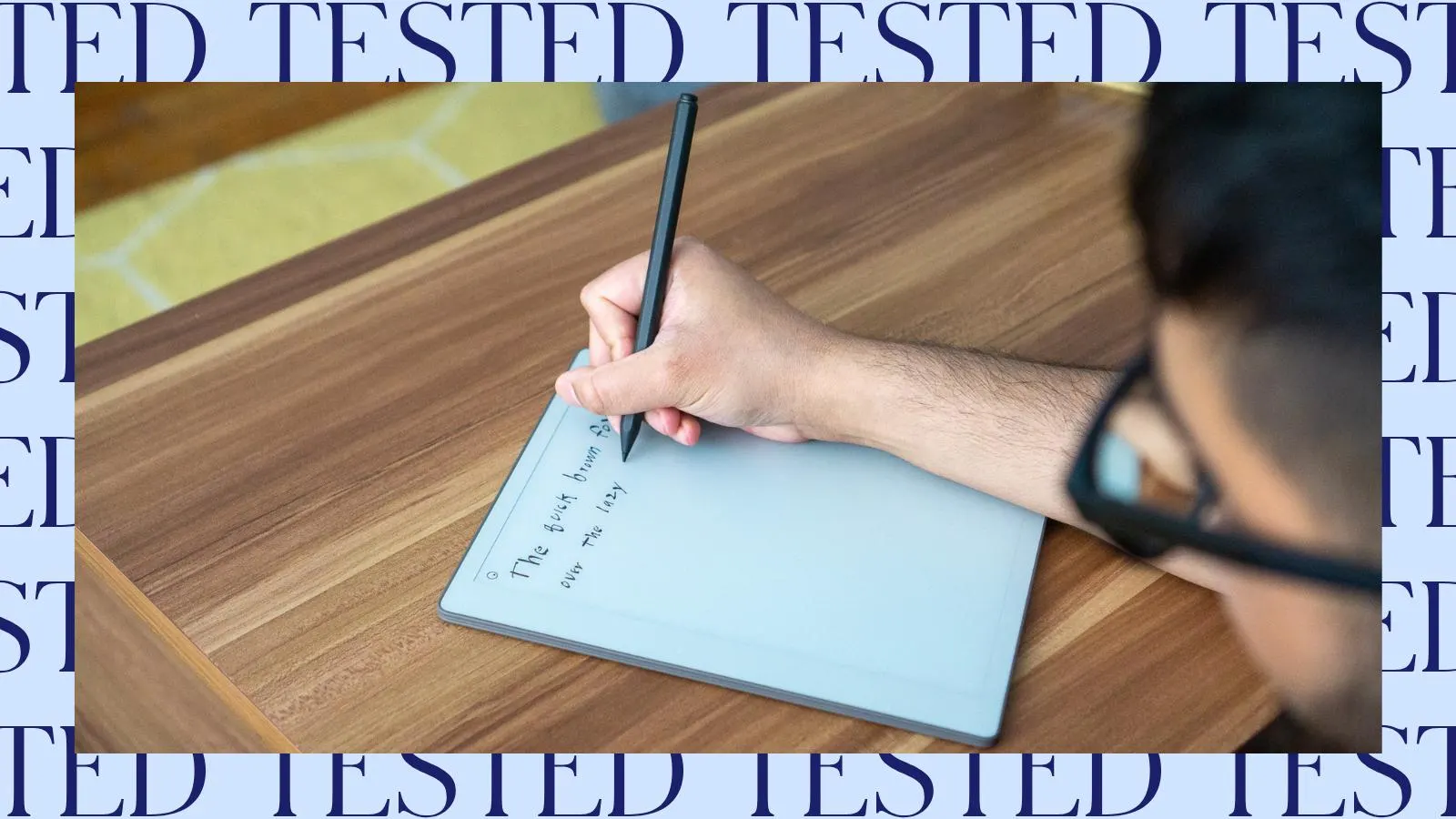
Start by deciding whether you need a full tablet, a dedicated reading notebook, a computer accessory, or a reusable LCD board. Those formats solve different problems.
Standalone operating system
A full Android tablet such as the Lenovo Idea Tab 8GB or XPPen Magic Note Pad can run apps, browse the web, open documents, and store notes. That flexibility is useful for students and office workers, but it brings notifications and a more complicated interface. A Kindle Scribe is narrower by design, which can make it better for focused reading and writing.
Display surface
LCD, e-ink, and simple writing-board displays feel and behave differently. The Kindle Scribe uses a glare-free, paper-like display with a front light, while the Lenovo models use sharp 2.5K IPS panels with 90Hz refresh rates. Basic LCD writing boards are non-luminous and need ambient light, but they erase instantly and avoid the setup of an app or operating system.
The first buying decision is not screen size. It is whether your notes need to survive the erase button.
Pen input
Pressure sensitivity matters most for drawing, expressive handwriting, and annotation. The XPPen Magic Note Pad lists 16K pressure sensitivity, the HUION H640P lists 8192 levels, and the StarG640 uses a battery-free stylus without a pressure figure in the supplied details. Simple LCD boards are intended for broad strokes and quick notes, not nuanced digital brush control.
Active area and portability
An 11-inch standalone tablet gives enough room for documents and split-screen work, while a 6 by 4-inch graphics pad is more efficient when desk space is limited. The 14.5-inch and 16-inch children's boards offer a generous canvas but take up more room in a bag. Check the actual listed dimensions, not just the advertised diagonal, especially for kids' boards.
Storage and software
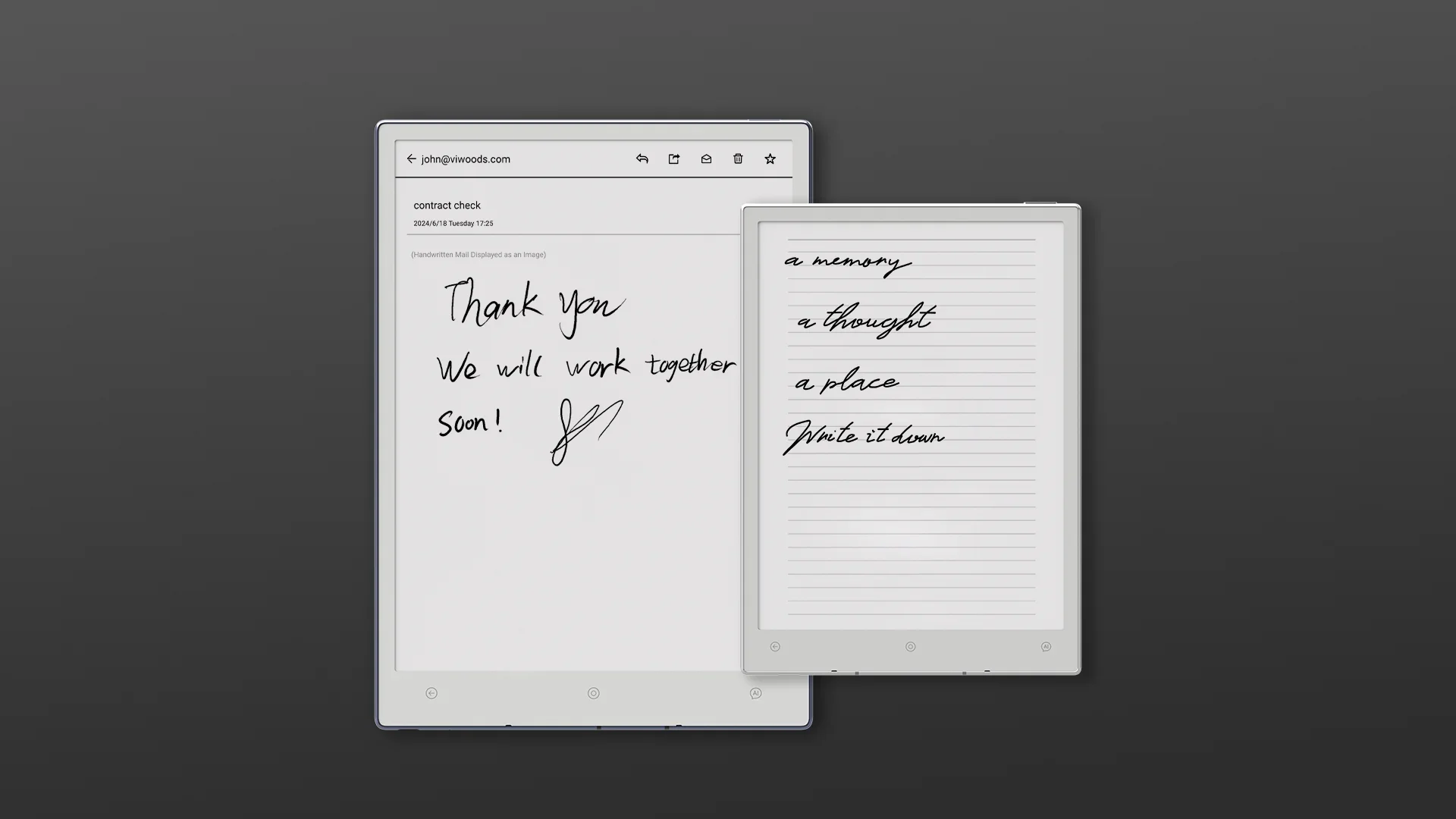
If you need searchable notes, PDF markup, handwriting recognition, or cloud transfers, choose a connected tablet. The XPPen Notes app supports handwriting conversion, recording, PDF editing, and cloud uploads, while Lenovo includes AI Note, Squid, Nebo, and MyScript Calculator. Kindle Scribe supports notebooks, Kindle books, imported documents, PDF export, and Microsoft OneNote, but it is not a general Android device.
Frequently asked questions
What is the best writing tablet for students?
The Lenovo Idea Tab 8GB is the strongest all-around student choice in this group. It includes a Tab Pen and folio case, has an 11-inch 2.5K display with a 90Hz refresh rate, and includes several learning and note-taking apps. The 4GB version is suitable for lighter workloads, while the 8GB model is better for frequent multitasking.
Is the Kindle Scribe a regular tablet?
No. The Kindle Scribe is a dedicated reading and writing device rather than a general Android tablet. It supports Kindle books, notebooks, document markup, PDF export, cloud imports, and OneNote transfers, but it is not intended to run the broad selection of apps found on the Lenovo Idea Tab.
Are LCD writing tablets good for taking notes?
They are good for temporary notes, reminders, messages, and scratch work. Products such as the Ksequ and TIQUS boards erase for reuse, but the supplied information does not indicate that they can save, search, or transfer handwriting. Choose a Lenovo, XPPen, or Kindle device when notes need to be preserved.
What is the difference between a drawing tablet and a writing tablet?
A drawing tablet such as the HUION H640P or XPPen StarG640 connects to a computer or compatible Android device and sends pen input to that device. A standalone writing tablet has its own display and operating system, while a basic LCD board is a self-contained surface that only shows temporary marks.
Which writing tablet is best for reading books?
The Amazon Kindle Scribe is the clearest fit for reading books while making handwritten notes. Its 11-inch glare-free display has a front light, adjustable warmth, and a paper-like textured surface. The Lenovo tablets are more flexible for web pages and apps, but their LCD screens are less focused on distraction-free reading.
Are children's LCD writing tablets illuminated?
The supplied details for the QIAOBUQI board state that LCD writing tablets for kids are non-luminous. Kayoubi also describes an eye-friendly display, but does not provide a built-in light specification. Children should use these boards in enough ambient light to see the writing clearly.
Do these tablets convert handwriting to typed text?
The XPPen Magic Note Pad supports handwriting-to-text features through XPPen Notes and describes MyScript Notes after a system update. The Kindle Scribe also supports handwriting conversion and handwriting cleanup. The Lenovo models include note-taking apps, but the supplied product details do not promise a specific handwriting conversion result for every app.
The bottom line
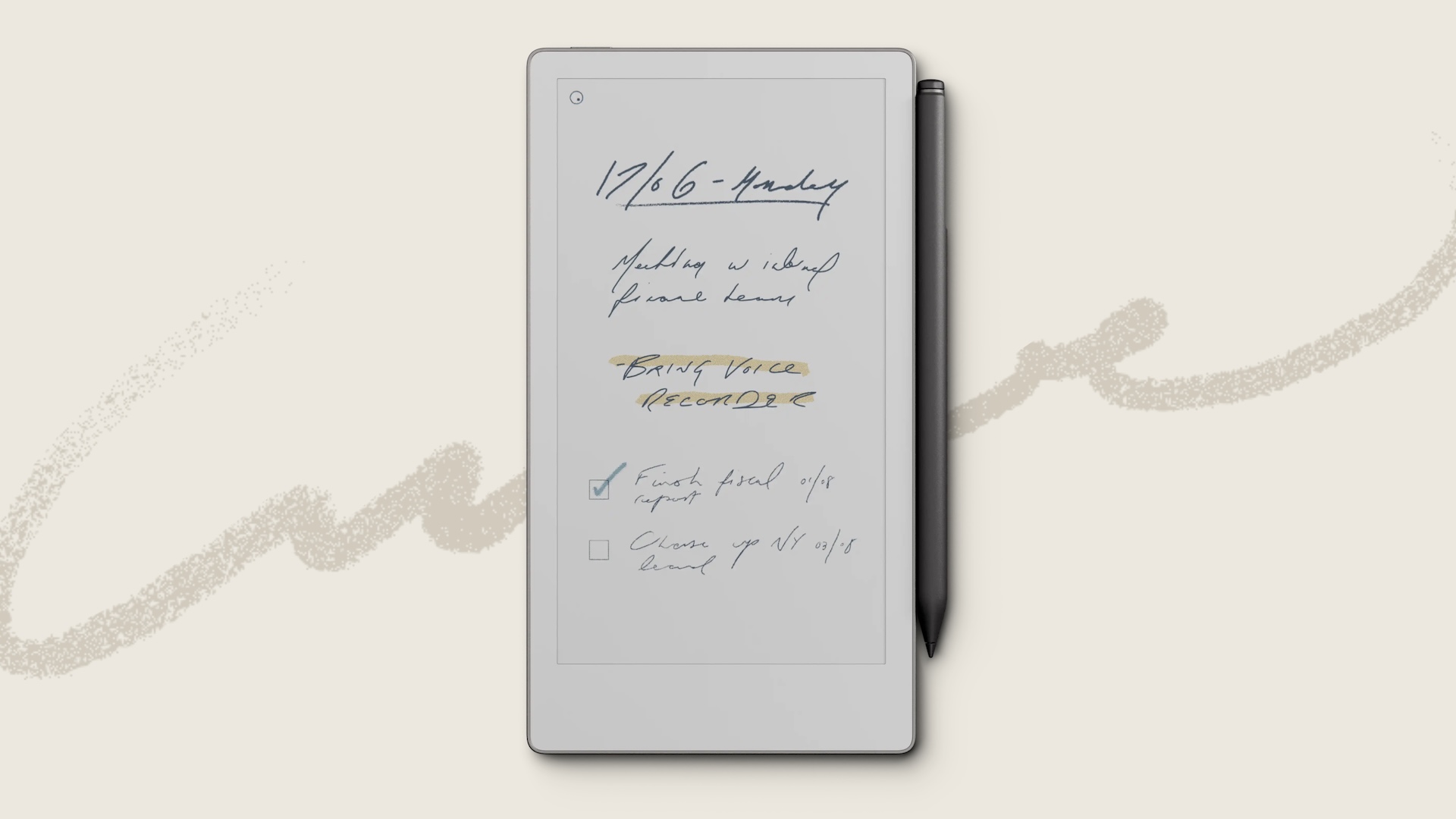
The Best writing tablet for most students and general users is the Lenovo Idea Tab 8GB. Its 11-inch 2.5K screen, 90Hz refresh rate, included pen, folio case, Android apps, and stronger memory configuration give it the broadest range of useful jobs. The Amazon Kindle Scribe is the better second choice for readers who want a glare-free, focused notebook that handles books and documents without the noise of a general tablet.
For computer-based writing and drawing, choose the HUION Inspiroy H640P when shortcut keys and operating system flexibility matter, or the XPPen StarG640 when a thinner, simpler pad is the priority. For children, the QIAOBUQI 16-Inch Kids Tablet offers the most capable reusable canvas, while the Kayoubi keeps things basic and spacious.
If you are undecided, choose the Lenovo for flexibility, the Kindle for focused reading, and a simple LCD board only when temporary notes are all you need.
As an Amazon Associate we earn from qualifying purchases.