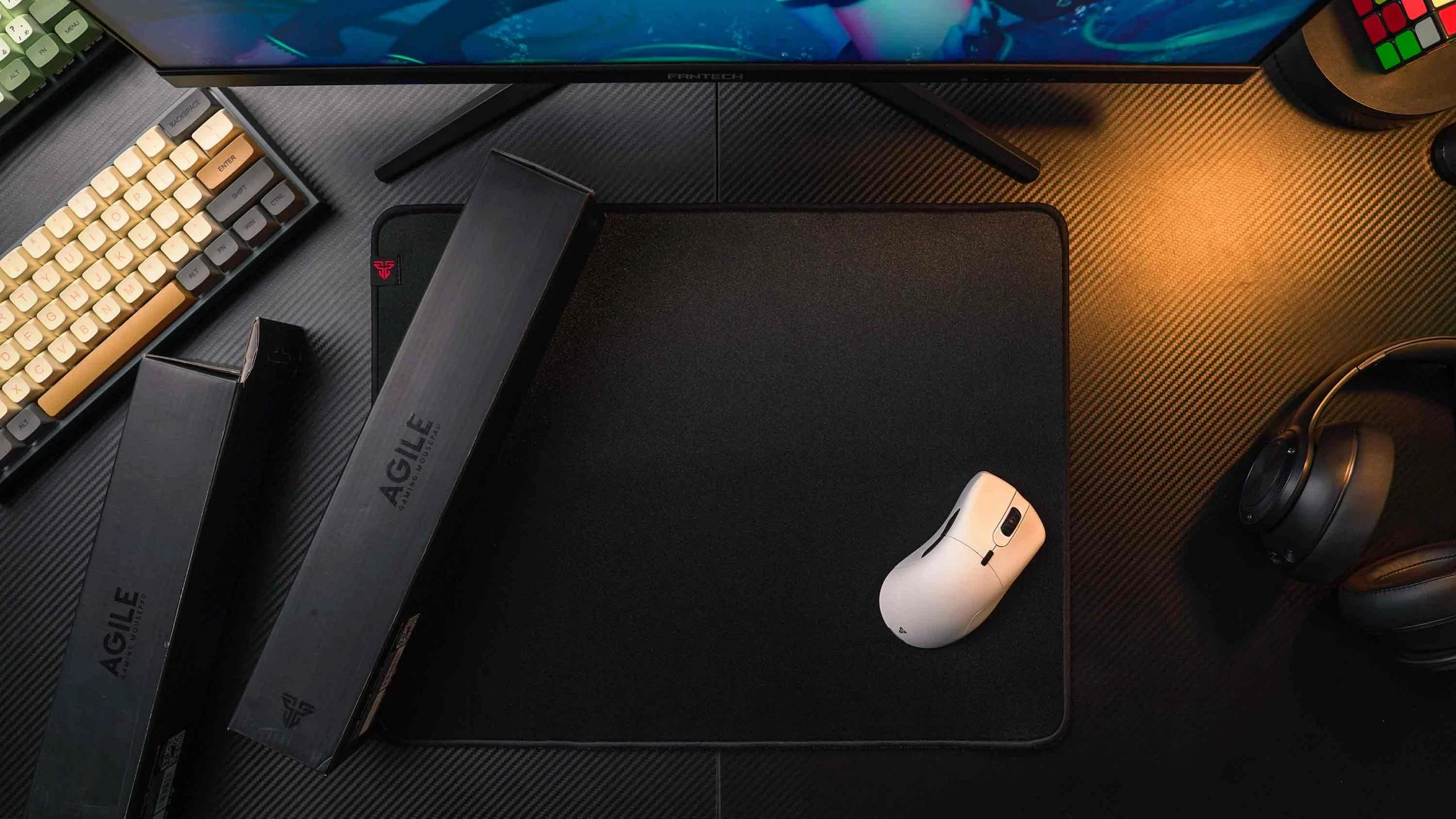

A mouse that tracks perfectly can still feel wrong when the pad catches, shifts, or runs out of room during a wide turn. The surface under your hand affects stopping control, low DPI movement, wrist comfort, and how cleanly your keyboard fits beside it. The Best gaming mousepad is not automatically the biggest one. It is the surface that matches your desk and the way you aim.
We compared ten cloth, hard, and extended mats, from compact control surfaces to full desk coverage. The SteelSeries QcK XXL is the safest recommendation for most players, while the Logitech G440 is the sharper choice for hard-pad fans and the SteelSeries QcK Performance Speed favors fast, low-friction movement.
Our top pick is the SteelSeries QcK XXL, with options ranging from compact medium pads to huge, spill-resistant desk mats.
Comparison table
| # | Product | Award | Surface | Dimensions | Best for |
|---|---|---|---|---|---|
| 1 | SteelSeries QcK XXL | Best overall | Micro-woven cloth | 35.43 x 15.75 inches, 0.08 inches thick | Full desk coverage |
| 2 | SteelSeries QcK Large | Best classic cloth pad | Micro-woven cloth | 17.72 x 15.75 inches, 2 mm thick | Everyday FPS and mixed play |
| 3 | Logitech G440 | Best hard surface | Low-friction hard surface | 13.39 x 11.02 inches, 5 inches thick | Fast starts and stops |
| 4 | Corsair MM350 PRO | Best spill-resistant mat | Micro-weave cloth | 36.6 x 15.7 inches, 4 mm thick | Large desks and messy setups |
| 5 | ASUS ROG Sheath | Best stitched-edge mat | Woven cloth | 35.4 x 17.3 inches, 0.11 inches thick | Keyboard and mouse coverage |
| 6 | SteelSeries QcK Medium | Best compact cloth pad | Micro-woven cloth | 12.6 x 10.8 inches, 2 mm thick | Small desks |
| 7 | Razer Gigantus V2 XXL | Best thick XXL pad | Micro-weave cloth | 37.04 x 16.15 inches, 4 mm thick | Uneven desks and broad swipes |
| 8 | SteelSeries QcK Performance Speed | Best for fast glide | Extra-density cloth | 19.29 x 16.54 inches, 3.5 mm thick | High-speed movement |
| 9 | DIGSOM Topographic | Best desk mat design | Smooth coated fabric | 31.5 x 11.8 inches, 3 mm thick | Keyboard and mouse combos |
| 10 | Razer Pro Glide XXL | Best white desk mat | Micro-weave cloth | 37 x 16.14 inches, 3 mm thick | Bright desk setups |
1. SteelSeries QcK XXL: Best Overall

Pros
- Smooth micro-woven cloth works with optical and laser sensors
- Broad surface leaves room for keyboard and low DPI swipes
- Non-slip rubber base keeps the mat planted
- Thin profile makes the transition onto the pad unobtrusive
Cons
- Less cushioned than thicker extended mats
- Large footprint needs a genuinely deep desk
Best for: players who want a dependable cloth surface with room for broad mouse movement.
The SteelSeries QcK XXL is the pad we would put on the most gaming desks. Its 35.43 by 15.75 inch footprint gives a keyboard and mouse separate room without turning the entire desk into an oversized mat. The familiar micro-woven cloth feels controlled rather than slick, so a low DPI player has space to make large movements while still getting a predictable stop.
The surface is designed to optimize tracking for optical and laser sensors, which matters more than flashy graphics when you are trying to keep a crosshair steady. The 0.08 inch profile is also easy to live with. It does not create a tall fabric ledge at the desk edge, though it offers less wrist cushioning than the Corsair MM350 PRO or Razer Gigantus V2 XXL. That trade-off makes the QcK feel more neutral for work, browsing, and games.
Stability is another reason it takes the top spot. The rubber base is made to resist unwanted movement, and the generous dimensions mean you are less likely to run off the edge during a wide sweep. The ASUS ROG Sheath is deeper, and the Corsair MM350 PRO adds spill resistance, but the QcK XXL has the simpler, less opinionated surface. It is the easy recommendation for a mixed library of FPS, MOBAs, and strategy games.
The weakness is its plain construction. There is no spill-proof coating called out in the product details, and the thin cloth will not disguise a rough or uneven desktop as well as a 4 mm mat. It is also too large for a shallow desk. If you want a hard surface with a more abrupt, low-friction feel, the Logitech G440 is the better fit.
For everyone else, the QcK XXL gets the important things right without distracting from the mouse. It is the Best gaming mousepad for a player who wants broad coverage, stable tracking, and a surface that does not force a specialized play style.
2. SteelSeries QcK Large: Best Classic Cloth Pad

Pros
- Familiar micro-woven cloth has a controlled glide
- 450 by 400 mm surface suits ordinary desks
- Rubber base helps stop creeping during play
- Works with optical and laser sensors
Cons
- No keyboard coverage for broad layouts
- Thin 2 mm build offers limited cushioning
Best for: anyone who wants the classic QcK feel without an extended desk mat.
The SteelSeries QcK Large is the straightforward choice for a normal mouse area. Its listed surface measures 450 by 400 mm, or about 17.72 by 15.75 inches, enough for comfortable mouse movement without consuming the space needed by a keyboard, speakers, or notebook. That makes it easier to fit into a compact workstation than the QcK XXL.
The micro-woven cloth is the main attraction. It provides a smooth, consistent path for the mouse and is designed for both optical and laser sensors. The glide has enough resistance to help with controlled aiming, but it does not feel sticky when you need to move quickly. Players who use moderate sensitivity will find the balance more forgiving than the Logitech G440's hard, low-friction surface.
At 2 mm thick, this is a notably low-profile mat. It lies close to the desk and does not substantially change wrist position, which can be useful if your existing setup already feels dialed in. The non-slip rubber base gives it a solid platform, although its smaller footprint means a dramatic low DPI sweep can still reach the edge.
The QcK Large lacks the extra depth and keyboard coverage of the ASUS ROG Sheath. Its edges also do not have the stitched construction highlighted on the Corsair MM350 PRO, so buyers looking for a plush, highly finished desk mat should move up the list. The thin build can feel less comfortable across long sessions if your wrist rests heavily on the front edge.
This is the pad to choose when you want a known, uncomplicated cloth surface and have no need for a keyboard mat. It also makes sense for a desk where every inch counts. For many players, it is the most practical expression of the Best gaming mousepad idea, provided large swipes are not part of your setup.
3. Logitech G440: Best Hard Surface

Pros
- Hard surface supports quick starts and stops
- Consistent texture gives the sensor a predictable field
- Rigid construction stays stable during intense movement
- Compact size fits smaller mouse areas
Cons
- Much less room than the extended cloth mats
- Hard surface provides little wrist cushioning
Best for: competitive players who prefer a rigid, fast surface and use a higher sensitivity or smaller mouse range.
The Logitech G440 feels different from every cloth pad in this group. Its rigid surface gives the mouse a clean, immediate glide, with enough resistance at the mouse feet for sudden starts and stops. That character suits players who dislike fabric drag and want their movements to begin decisively.
The listed dimensions are 13.3858 by 11.0236 inches, with a 5 inch thickness stated in the product information. The size is compact compared with the 35 inch and 37 inch desk mats here, so it is not a natural match for low DPI play that demands repeated arm sweeps. It does make sense for a smaller desk, a travel setup, or a player whose sensitivity keeps movement within a tight area.
Logitech describes the surface texture as consistent and close to the company's sensor testing environment. In practical terms, that means the pad is trying to remove texture variation from the tracking path. Its polymer core and rigid construction also keep the surface from flexing, while the no-slip base helps prevent the pad from moving when a quick correction turns into a hard stop.
The drawback is comfort. Cloth pads such as the SteelSeries QcK Large are softer against the wrist, and the Razer Gigantus V2 XXL is better at smoothing out an imperfect desk. The G440's limited area also leaves little margin for a mouse that is routinely lifted and repositioned. Skip it if you play low sensitivity or want your keyboard and mouse to share one surface.
Choose the G440 for its distinct hard-pad feel, not because it resembles the cloth options. Pairing it with a precise mouse that stays controllable during rapid flicks makes the most sense, since the surface rewards deliberate starts, stops, and quick direction changes.
4. Corsair MM350 PRO: Best Spill-Resistant Mat

Pros
- Spill-proof and stain-resistant coating is easy to wipe clean
- 930 by 400 mm area covers keyboard and mouse
- 4 mm rubber construction adds wrist comfort
- Stitched edges help resist fraying
Cons
- Large and relatively heavy for a desk mat
- Coated surface may feel less airy than plain cloth
Best for: gamers who want a large, cushioned mat that can handle everyday drink spills.
The Corsair MM350 PRO is built around the realities of a gaming desk. Its 36.6 by 15.7 inch surface gives a keyboard, mouse, and some additional gear a shared landing area, while the spill-proof, stain-resistant coating is meant to let liquid slide off instead of soaking straight into the fabric. That feature is more useful than it sounds for anyone who keeps a drink beside the mouse.
The micro-weave fabric is described as dense and tuned for a faster, smoother glide. It should feel quicker than the traditional QcK cloth, though still softer and more forgiving than the Logitech G440. The 4 mm plush rubber construction adds padding under the wrist and can help bridge small irregularities on a desk. The extra thickness does mean a more noticeable edge than the 2 mm QcK Large.
Corsair also reinforces all four sides with stitched anti-fray edges. That construction gives the mat a more finished border and protects against the surface peeling away from the base. It is a heavier design at about 1.43 pounds, so it is not the one we would fold into a backpack or move between desks frequently.
The MM350 PRO's biggest limitation is simply its footprint. It is close in width to the Razer Pro Glide XXL and QcK XXL, but its 15.7 inch depth is less generous than the ASUS ROG Sheath's 17.3 inches. Check your desk depth before choosing it, especially if a monitor stand or front edge already consumes space. Buyers who never eat or drink at the desk may also prefer the simpler feel of the QcK XXL.
This is the mat for a full-size setup that needs comfort and practical protection. It is a stronger fit than the QcK XXL for messy desks, while the QcK XXL remains the cleaner pick for a thinner, more neutral surface.
5. ASUS ROG Sheath: Best Stitched-Edge Mat

Pros
- Deep 35.4 by 17.3 inch surface supports broad arm movement
- Smooth woven surface is designed for pixel-precise tracking
- Raised anti-fray stitching protects the perimeter
- Textured rubber underside grips the desk
Cons
- Red edge detail is more visually assertive than plain black mats
- Extra depth can crowd shallow desks
Best for: players who want a large, comfortable cloth mat with carefully finished edges.
The ASUS ROG Sheath is one of the roomiest mats here, particularly from front to back. Its 35.4 by 17.3 inch surface leaves room for a full-size keyboard and a wide mouse path, with enough depth to make low sensitivity less restrictive. It feels closer to a desktop foundation than a simple mouse accessory.
ASUS uses an intricately woven surface intended to provide a smooth glide and pixel-precise tracking. The product also calls out compatibility with a range of gaming settings, so the surface is not tied to one narrow type of aim. Compared with the SteelSeries QcK Large, the Sheath offers substantially more workspace. Compared with the Corsair MM350 PRO, it gives a little more depth but does not list a spill-proof coating.
Its construction is a clear strength. The raised edge is reinforced with seamless anti-fray stitching, which should help protect the cloth where the wrist and mouse repeatedly cross the boundary. A textured, non-slip rubber underside keeps the mat anchored. At 0.11 inches thick and about 1.53 pounds, it adds more cushioning than the low-profile QcK models without reaching the bulk of an especially thick desk mat.
The design is not completely neutral. The black and red finish is more conspicuous than the plain black SteelSeries and Razer options, and the mat's depth may crowd a shallow work surface. The QcK XXL is a better choice if you want a quieter look and a slightly thinner profile, while the MM350 PRO is more suitable when spilled drinks are a primary concern.
For a large cloth pad that emphasizes comfort, stability, and edge durability, the Sheath is compelling. It is the mat we would choose for a broad keyboard and mouse layout when the desk has enough depth to let the extra surface breathe.
6. SteelSeries QcK Medium: Best Compact Cloth Pad

Pros
- Compact 320 by 270 mm footprint
- Micro-woven cloth offers precise, consistent glide
- Non-slip base works across desk surfaces
- Supports optical and laser mice
Cons
- Not suitable for very low sensitivity
- Limited room for keyboard placement
Best for: players with limited desk space or a small, focused mouse area.
The SteelSeries QcK Medium keeps the same basic surface idea as the QcK Large and XXL, but puts it into a much smaller footprint. Its stated dimensions are 320 by 270 mm, or about 12.6 by 10.8 inches. That is enough for a focused mouse zone, but it leaves no ambiguity about who should buy it: this is for a compact desk, not sweeping arm aim.
The micro-woven cloth is designed for precision and consistent glide with optical and laser sensors. It has the controlled character that makes the QcK family easy to recommend, and the 2 mm construction stays close to the desk. The rubber base is intended to prevent sliding, which is especially important when a small pad gives you little spare room around the mouse.
The Medium is also a sensible option for a secondary setup. It can fit beside a laptop or on a narrow desk where the QcK XXL would be absurdly large. But the size changes how you play. At low sensitivity, you will hit the edge sooner and need to lift the mouse more often than you would on the QcK Large.
That is the real weakness, rather than the surface itself. There is no extended keyboard area, no thick cushion, and no stitched-edge feature highlighted in the supplied details. If you have space, the QcK Large gives your arm more freedom. If you want a hard, fast pad within a similar general area, the Logitech G440 offers a more distinct glide.
The QcK Medium is the right answer when the desk dictates the format. It is also a useful reminder that the Best gaming mousepad for a small setup may be a well-made compact cloth pad, not an XXL mat forced into a cramped corner.
7. Razer Gigantus V2 XXL: Best Thick XXL Pad

Pros
- 4 mm high-density rubber foam cushions the desk
- XXL surface supports broad, fluid swipes
- Micro-weave cloth suits fast and controlled play
- Anti-slip base adds stability over imperfect surfaces
Cons
- Heavier and thicker than the QcK XXL
- Takes up substantial desk depth
Best for: low DPI players who want a thick, stable mat that can smooth over an imperfect desktop.
The Razer Gigantus V2 XXL is the cushioned alternative to the thinner QcK XXL. Its 37.04 by 16.15 inch surface gives a little more width, while the 4 mm high-density rubber foam creates a softer foundation under the hand. That thickness is useful when the desk has small imperfections or when a bare, hard edge becomes uncomfortable during long sessions.
Razer describes the micro-weave surface as suitable for both fast and controlled play. It is calibrated for pixel-precise tracking across mouse sensors, and the broad area reduces the need to lift and reposition during a large movement. Compared with the SteelSeries QcK XXL, the Gigantus feels like the more forgiving physical object, though the QcK's thinner profile is less noticeable when moving from desk to mat.
The anti-slip base matters on a mat this large. A broad surface can still creep if its underside does not grip, particularly during repeated arm sweeps. The product details describe the base as crucial for competitive stability and say the dense foam remains uniformly flat even over imperfect surfaces. That is a meaningful advantage over a thin pad on a less-than-perfect desk.
The cost of that comfort is bulk. The Gigantus weighs about 2.01 pounds and is 0.16 inches high in the listed dimensions. It can dominate a shallow desk, and the edge is more apparent than on the QcK XXL. The Corsair MM350 PRO is a better fit if you also want a spill-resistant coating and stitched edges, while the Razer is more appealing when cushioning and a stable foundation come first.
Choose it for broad movements and a softer hand feel. Skip it if you prefer a barely-there profile or have limited desk depth. For a player who wants an XXL mat that feels substantial rather than floppy, the Gigantus V2 is one of the strongest options here.
8. SteelSeries QcK Performance Speed: Best for Fast Glide

Pros
- Extra-density surface is made for quick movement
- 3.5 mm base adds comfort without extreme bulk
- Low-profile stitched edges feel smooth under the wrist
- Neoprene rubber base is designed to stay put
Cons
- Speed-focused glide is less controlled than classic QcK cloth
- Large footprint may not suit compact desks
Best for: players who prioritize quick swipes and a low-friction cloth feel.
The SteelSeries QcK Performance Speed is not just another size variant of the classic QcK. It is designed around a faster play style, with an ultra-smooth surface intended for quick movements and split-second responsiveness. If the standard QcK feels slightly too deliberate when you flick or track a fast target, this is the SteelSeries option to consider.
Its listed dimensions are 19.29 by 16.54 inches, making it a large mouse area without the full keyboard coverage of the QcK XXL or Corsair MM350 PRO. The 3.5 mm base gives the wrist more padding than the 2 mm QcK Large and Medium. That extra density should also make the surface feel more consistent across the desk, while the low-profile stitched edges reduce the chance of a rough fabric boundary becoming distracting.
The base uses soft non-slip neoprene rubber. SteelSeries positions it as a stable foundation that does not compromise movement, which is exactly the balance a speed pad needs. The Razer Gigantus V2 XXL offers more total coverage and a thicker 4 mm foundation, but the Performance Speed is more purpose-built for a quicker glide and occupies less horizontal space.
The faster surface will not suit everyone. Players who depend on heavy stopping resistance may prefer the classic QcK Large, and the Performance Speed does not offer the spill-proof treatment found on the Corsair. Its size also leaves the keyboard outside the mat, so it is not a full desk solution.
This is the specialist pick in the list. It makes sense for a player who knows that a smooth, fast surface matches their sensitivity and aim habits. If you are unsure, the QcK XXL is the safer starting point because it is less opinionated.
9. DIGSOM Topographic: Best Desk Mat Design

Pros
- 31.5 by 11.8 inch keyboard and mouse surface
- Topographic line pattern adds visual character
- Water-resistant coating helps with small spills
- 3 mm fabric construction provides moderate cushioning
- Rubber underside helps hold the mat in place
Cons
- Less depth for large arm movements
- Surface finish and decoration are more style-specific
Best for: players who want a coordinated keyboard mat with a distinctive desktop pattern.
The DIGSOM Topographic approaches the category as a desk mat first and a competitive surface second. Its 31.5 by 11.8 inch layout gives a keyboard and mouse a shared platform, while the black surface with white topographic lines adds more visual identity than the plain black pads. It is a good match for a setup where the mat is part of the room's look.
The smooth cloth cover is intended to let the mouse glide while preserving accurate control. DIGSOM also lists a 3 mm soft fabric construction and a fine spill-proof coating. That gives it a useful middle ground between the thin QcK models and the thicker Razer Gigantus V2 XXL. A damp cloth can be used to wipe away a spill, according to the supplied product details.
The non-slip rubber bottom is designed to grip the desk, and stitched edges are called out as part of the design. The 31.5 inch width is enough for a keyboard and mouse in many arrangements, but the 11.8 inch depth is the key limitation. It is far shallower than the ASUS ROG Sheath, so very low DPI players may run out of room during broad horizontal or diagonal movements.
The DIGSOM also has a more specific visual style than the SteelSeries QcK XXL or Razer Pro Glide XXL. If you want a completely plain mat, its white lines will not be a selling point. Its surface details are less performance-focused than the SteelSeries QcK Performance Speed, and players who care most about a fast, specialized glide should choose that model instead.
For a keyboard-and-mouse setup that needs a little personality and basic spill protection, the DIGSOM is a practical choice. It is not the one we would choose for the widest arm movement, but it uses its long, narrow format well.
10. Razer Pro Glide XXL: Best White Desk Mat

Pros
- Large 37 by 16.14 inch surface
- Textured micro-weave cloth supports smooth swipes
- 3 mm high-density rubber foam adds cushioning
- Grip-textured underside helps prevent shifting
Cons
- White finish will show dirt more readily
- No stitched-edge or spill-proof feature is listed
Best for: players building a bright setup who want a broad, soft cloth surface.
The Razer Pro Glide XXL is the broad white option in a field dominated by black mats. Its 37 by 16.14 inch dimensions provide plenty of mouse room and can accommodate a keyboard, although the 16.14 inch depth is a little less generous than the ASUS ROG Sheath. The white finish changes the desk's appearance substantially, so this is a choice about setup design as much as surface coverage.
Razer uses a textured micro-weave cloth designed for quick swipes and accurate tracking across mouse sensors. The glide should feel familiar to anyone who prefers cloth, with more cushioning and softness than the Logitech G440's hard surface. Its 3 mm high-density rubber foam gives the hand a padded place to rest and helps create a sturdy base under the mouse.
The underside uses a special grip texture intended to keep the mat from shifting. That is important with an XXL format, where a small amount of movement becomes noticeable over a long session. The Pro Glide is also thinner than the 4 mm Corsair MM350 PRO and Razer Gigantus V2 XXL, so it lands between low-profile QcK mats and heavily cushioned extended pads.
The white surface is the obvious concern. It will make dust, marks, and everyday grime easier to see than on a black mat, and the supplied details do not list a spill-proof coating or stitched anti-fray edges. The Corsair MM350 PRO is the more practical choice for a spill-prone desk, while the QcK XXL is better if you want a plain, low-profile black surface.
The Pro Glide XXL earns its place for the right setup, not for universal appeal. Choose it when a light desktop look matters and you are willing to keep the surface clean. Its size, soft feel, and sensor-friendly cloth make it a capable gaming mat beneath the distinctive finish.
How to choose best gaming mousepad
The right pad comes down to movement style, desk dimensions, surface feel, and how much comfort or protection you need during long sessions.
Surface friction
Cloth pads generally provide a more gradual glide and easier stopping control, while hard surfaces such as the Logitech G440 tend to feel quicker and more immediate. A speed-focused cloth pad, such as the SteelSeries QcK Performance Speed, sits between those extremes but leans toward rapid movement. If you play low DPI FPS games, look for enough surface area first, then choose the friction level that lets you stop consistently.
Size and desk coverage
Measure the usable desk area, not just the desktop's advertised width. Extended mats such as the SteelSeries QcK XXL, Corsair MM350 PRO, and Razer Gigantus V2 XXL can hold a keyboard and mouse together, while the QcK Medium is intended for a focused mouse zone. More depth is especially helpful for low sensitivity, but a mat that presses against the desk edge or monitor stand will be awkward regardless of its surface.
Thickness and wrist comfort
The pads here range from thin 2 mm cloth to 4 mm rubber foam. Thin designs create a subtle transition from desk to mat and can preserve an existing wrist position. Thicker pads add cushioning and can smooth minor desk imperfections, though their front edge is more noticeable. The Razer Gigantus V2 XXL and Corsair MM350 PRO are the comfort-oriented choices, while the QcK Large and Medium are more discreet.
A larger mat only helps low DPI aim if its depth is usable on your actual desk.
Base stability
A mousepad that shifts changes the relationship between your hand and the screen, which makes consistent aim harder. Look for a rubber or neoprene underside that grips the desk, especially if you use broad arm movements. The product descriptions for the SteelSeries QcK family, ASUS ROG Sheath, Razer pads, and DIGSOM all emphasize non-slip bases, but desk dust and uneven surfaces can still affect how well any mat holds.
Edge and surface protection
Stitched edges reduce the chance of the cloth separating from the base over time. A water-resistant or spill-proof coating is useful if drinks are near the keyboard, with the Corsair MM350 PRO and DIGSOM Topographic calling out protection against spills. White cloth, such as the Razer Pro Glide XXL, can make marks easier to see, so cleaning habits should influence the finish you choose.

Frequently asked questions
Is a larger gaming mousepad better for FPS games?
A larger pad gives low sensitivity players more room for wide turns and tracking movements. It is not automatically better if your desk is shallow or you use high sensitivity, since unused surface only creates clutter. The SteelSeries QcK XXL and ASUS ROG Sheath are good large-format choices when the desk can accommodate them.
Should I choose a cloth or hard gaming mousepad?
Choose cloth for a softer feel, gradual stopping resistance, and broad compatibility with different play styles. Choose a hard pad if you prefer a rigid surface with low friction and quick starts and stops. The Logitech G440 is the hard-surface option here, while the QcK models cover the more controlled cloth side.
How thick should a gaming mousepad be?
Thickness is mostly a comfort and desk-condition decision. A 2 mm pad stays close to the desk, while 3 mm to 4 mm designs add more cushioning and can help mask small imperfections. Thicker mats may create a more noticeable edge, so consider how your wrist sits at the front of the desk.
Do gaming mousepads work with optical sensors?
The SteelSeries QcK models specifically describe optimization for optical and laser sensors, and the Razer products describe accurate tracking across mouse sensors. Most modern gaming mice will track on a suitable cloth or hard surface. The more important decision is whether the pad gives you enough space and the friction level you can control.
Can an extended mousepad hold a keyboard?
Yes. Extended mats such as the Corsair MM350 PRO, ASUS ROG Sheath, SteelSeries QcK XXL, and Razer Gigantus V2 XXL are designed to provide room for both a keyboard and mouse. Check the mat's depth against your keyboard and desk before ordering, since a long width does not guarantee enough front-to-back room.
How do I keep a cloth gaming mousepad clean?
Follow the care instructions supplied with the specific mat and avoid treating an ordinary cloth surface as waterproof. A spill-resistant model can be wiped more easily, but it still benefits from prompt cleaning. White surfaces like the Razer Pro Glide XXL will show marks sooner than black cloth.
The bottom line
The Best gaming mousepad for most people is the SteelSeries QcK XXL. Its 35.43 by 15.75 inch surface gives low DPI players usable room without making the surface overly specialized, and its micro-woven cloth offers a steady, sensor-friendly glide. The ASUS ROG Sheath is the better alternative when extra depth and stitched edges matter, while the Logitech G440 is the clear pick for a rigid, fast hard surface.
For a spill-prone desk, choose the Corsair MM350 PRO. For a compact setup, the SteelSeries QcK Medium avoids wasting space. Players who want a faster cloth glide should look at the SteelSeries QcK Performance Speed, and those choosing a bright desktop can take the Razer Pro Glide XXL.
If you are undecided, choose the SteelSeries QcK XXL unless your desk size or preferred surface feel points clearly elsewhere.
As an Amazon Associate we earn from qualifying purchases.