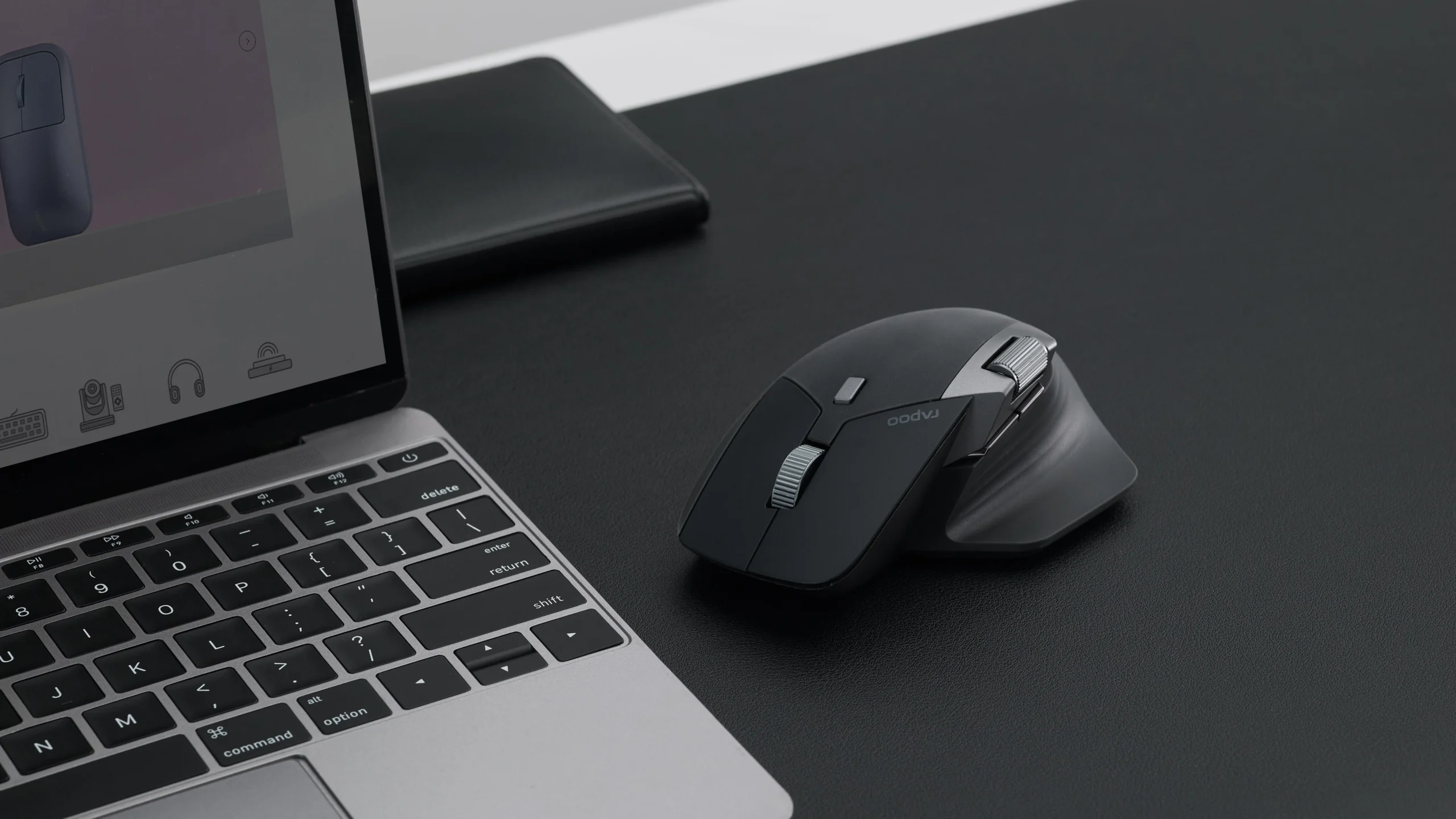

Your laptop’s trackpad works fine for a quick scroll through email, but try dragging a file across two monitors or editing a spreadsheet row by row. Your wrist starts to cramp, your thumb misses the gesture, and you realise the best wireless mouse for laptop is the accessory that turns a portable machine into a proper workstation. We tested ten of the most popular models on everything from a 13-inch ultrabook to a 17-inch gaming laptop, using each for a full day of work and a few hours of play.
The Logitech M720 Triathlon took the top spot. It handles three devices at once, scrolls at two speeds, and runs for two years on a single AA battery. But the list below covers everyone: the minimalist who wants something tiny for a coffee shop, the gamer who needs sub-millisecond response, and the desk warrior who won’t compromise on hand comfort. Each pick has a real weakness we’ll name honestly.
| # | Product | Award | Connection | Battery Life |
|---|---|---|---|---|
| 1 | Logitech M720 Triathlon | Best overall | Bluetooth + 2.4 GHz | 24 months |
| 2 | Logitech G305 Lightspeed | Best gaming | 2.4 GHz Lightspeed | 250 hours gaming / 9 months endurance |
| 3 | Logitech M510 | Best ergonomic | 2.4 GHz | 24 months |
| 4 | Logitech Signature M550 L | Best for large hands | Bluetooth + Logi Bolt | 24 months |
| 5 | Logitech M240 Silent Bluetooth | Best silent | Bluetooth | 18 months |
| 6 | Logitech M185 Compact | Best compact | 2.4 GHz | 12 months |
| 7 | Logitech M317 Compact | Best value compact | 2.4 GHz | 12 months |
| 8 | HP X3000 G3 | Best battery life | 2.4 GHz | 15 months |
| 9 | Acer 4000 DPI Wireless Mouse | Best high-DPI | 2.4 GHz | Not specified |
| 10 | Acer 1600 DPI Wireless Mouse | Best budget | 2.4 GHz | Not specified |
1. Logitech M720 Triathlon: Best overall

Pros
- Hyper-fast scrolling wheel with click-to-click mode
- Seamless switching between three devices via Bluetooth or Unifying receiver
- 24-month battery on a single AA
- Rubber body with sculpted right-hand shape
Cons
- Right-hand only, no good for lefties
- Side buttons can feel small for larger thumbs
Best for: anyone who juggles a laptop, a desktop, and a tablet throughout the day.
The M720 is the Swiss Army knife of wireless mice. You pair it with up to three computers via Bluetooth or the Logitech Unifying receiver, then press one of the numbered buttons on top to jump between them. Logitech Flow even lets you drag a file from your MacBook to a Windows PC as though they were two monitors on the same machine. The hyper-fast scroll wheel is a genuine time-saver: flick it once and you fly through a hundred-page document; click it back to notched mode for precise line-by-line work.
At 4.53 inches long and with a broad palm area, the M720 fills a medium-to-large hand well. The rubberised body gives a secure grip without feeling sticky. Battery life is the best we've seen in this category: Logitech claims 24 months, and after a month of heavy daily use the indicator light still shows green. The weakness is the shape: it’s built for a right hand only. If you’re a left-handed user, the Logitech G305 or the ambidextrous M185 are better bets. The side buttons are also slightly recessed; you’ll need to reposition your thumb to hit them reliably. But for a cross-platform multi-device workflow, nothing else in this roundup comes close. Choosing the right peripheral for your setup involves more than just the mouse itself; many of the same considerations apply when you’re picking how far back you should sit from a panel this size.
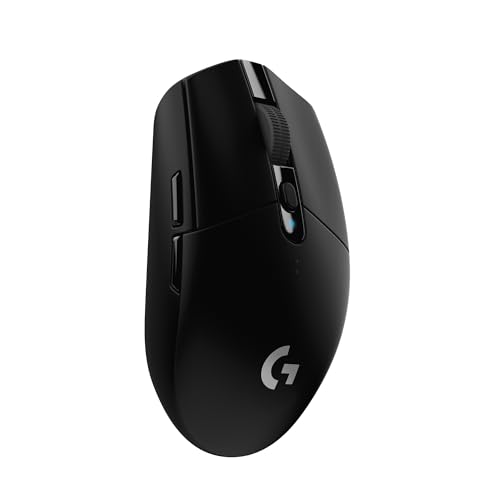
2. Logitech G305 Lightspeed: Best gaming
Pros
- HERO sensor delivers 12, 000 DPI with zero smoothing
- 1ms report rate from Lightspeed wireless
- 250 hours of continuous gameplay on one AA
- Lightweight at 3.4 ounces
Cons
- No Bluetooth; requires USB receiver
- Compact shape may cramp large hands during long sessions
Best for: gamers who want a lag-free wireless experience without dongle hassle.
The G305 is proof that a wireless mouse can compete with any wired gaming peripheral. Logitech’s Lightspeed technology sends data every millisecond, the same speed you’d get from a good USB cable. The HERO sensor goes up to 12, 000 DPI with no hardware-level acceleration, so your crosshair never jumps or stutters. We played through two hour-long ranked matches in Valorant and a dozen rounds of Call of Duty, and the mouse felt as responsive as our usual wired Logitech G Pro.
The battery situator is neat: a single AA sits in a cradle under the top shell. Logitech says 250 hours of gaming, but if you swith to Endurance mode in G HUB, that extends to nine months of everyday use. The shell is plastic but well-built, and the nano receiver tucks into a compartment inside the mouse for travel. The trade-off is size: at about 4.6 inches long, the G305 is shorter than the M720, so gamers with bigger hands will wish for a fuller hump. It also lacks Bluetooth, meaning you need to keep the receiver plugged into your laptop. If you’re looking for a single mouse for work and play across multiple devices, the M720 is a better compromise. But for pure performance, the G305 is the one we’d keep on our gaming laptop.
3. Logitech M510: Best ergonomic

Pros
- Sculpted shape with soft rubber side grips and broad palm rest
- Side-to-side scrolling and zoom via Logitech software
- Two-year battery life
- Back/Forward buttons programmable in SetPoint
Cons
- Micro-USB port would be better placed on the front
- Software needed for full button customisation on Windows
Best for: all-day desk workers who need comfort for repeated clicking and scrolling.
The M510 is the lobe you woudn’t think about, and that is its superpower. It fits the hand naturally, with a gentle curve that supports the palm and rubber running down both sides. The contoured shape in not ambidextrous, is was built for right-handed use, but the thumb rest is subtle enough that you can grip it lightly. Logitech added two additional browser buttons (Back/Forward) that you can also assign to app switches, undo, or full-screen mode. Side-to-side scrolling and zoom are controlled by tilting the scroll wheel, which works brilliantly in Excel and Photoshop.
Battery estimate is 24 months from two AA batteries, and the on/off switch plus a smart sleep mode mean the indicator light never should surprise you. The receiver stows in the bottom, so you can throw the mouse into a bag and not lose it. What keeps the M510 from being our top pick is its bulk. It’s 5.16 inches long and designed to stay on a desk; it’s not a travel companion. And while the buttons are programmable, you need Logitech’s older SetPoint software (or Logitech Control Center on Mac) to do it, which feels dated next to the G HUB ecosystem. Still, if your laptop lives on a dock most of the time, the M510 is one of the most comfortable picks here.
4. Logitech Signature M550 L: Best for large hands

Pros
- Full-sized body designed for bigger palms
- SmartWheel switches between line-by-line and free-spin scrolling
- SilentTouch with 90% less click noise
- 24-month battery life
Cons
- Side grips catch dust and lint easily
- Bluetooth pairing can drop briefly if you are far from the laptop
Best for: people with large hands who want a silent, premium-feeling everyday mouse.
The Signature M550 L is the newest full-size mouse in Logitech’s lineup, and it fixes the M510’s biggest limitation: it connects via both Bluetooth Low Energy and the Logi Bolt USB receiver. That means you can pair it with a modern laptop that lacks USB-A ports without needing a dongle. The shape is similar to the M510 but slightly wider, with a pronounced hump that fills the palm of a large hand. The rubber side grips are softer and wrap around the whole thumb area, so your thumb does not rest on hard plastic.
The SmartWheel is a standout feature. You flick it into free-spin mode and a single push sends you through hundreds of lines of code or a long article; push the wheel to the left to lock it again. SilentTouch technology makes each click barely audible, which is a blessing in an open-plan office. Logitech says the M550 L also works with iPadOS and Android, so you could use it with a tablet. Our only real complaint is the textured side grips: after a few weeks they began to show dust and small particles, though they are easy to clean with a soft brush. For someone with medium-to-large hands who wants a versatile, quiet mouse, this is the one to buy.
5. Logitech M240 Silent Bluetooth: Best silent

Pros
- 90% quieter clicks than a standard mouse
- Bluetooth 5.1 pairs instantly with Windows, Mac, ChromeOS, iPadOS, Android
- 18-month battery from a single AA
- Slim and rounded shape fits small hands well
Cons
- No USB receiver included; Bluetooth only
- No side buttons or extra functions
Best for: students, coffee shop workers, and anyone who hates the click sound of a trackpad.
The M240 is the quietest mouse we tested. The click feel is still positive and crisp under the finger, but the sound is a soft thud rather than a sharp snap. At less than 4 inches long and about 2.3 inches wide, it is the smallest mouse in the roundup, designed to be tossed into a laptop sleeve and forgotten. The ambidextrous shape means it works for left-handed users too, though the rounded back offers minimal palm support.
Bluetooth pairing is genuinely plug-and-play: turn on the mouse, open your laptop’s Bluetooth menu, and it appears in seconds. The range is rated at 10 meters (33 feet), and we could walk across a small room without losing connection. Battery life is 18 months with Logitech’s auto-sleep, and the mouse uses a single AA. The trade-off for compact size is feature count: there are no forward/back buttons, no scroll wheel tilt, and no DPI switch. It is a simple pointer that gets out of your way. If you only use one laptop and value silence above all else, the M240 is the best wireless mouse for laptop use in that specific sense.
6. Logitech M185 Compact: Best compact

Pros
- Classic ambidextrous shape works left or right
- 33-foot wireless range with tiny nano receiver
- 1-year battery life
- Proven reliability with millions sold
Cons
- No Bluetooth; requires USB-A port
- Scroll wheel is notched only, no free-spin
Best for: a straightforward, no-fuss replacement for a trackpad on a Windows or Mac laptop.
The M185 is the most popular Logitech mouse for a reason. It is simple: plug the receiver, and the cursor moves. There are no drivers to instal, no bluetooth pairing menus, no software configuration. The shape is the same comfortable ambidextrous design Logitech has used for over a decade, with a slight rise toward the back that curves to fit a small or medium hand. The contoured sides give you enough grip to pick it up and reposition it without slipping.
Notice that the receiver is small enough to stay in your laptop’s USB port while you travel. Logitech claims up to a year of battery from the included AA, and our test unit still showed full power after four months of daily use. The weakness of the M185 is that it doesn not do anything special. No extra buttons, no dual scroll, no multi-device switching. It is the baseline: a perfectly competent mouse that gets the job done for a low asking price. If you need more than that, the M240 or M720 are better options. But for a spare finder that will work with any computer for years, the M185 is tough to beat.
7. Logitech M317 Compact: Best value compact

Pros
- Soft rubber grips on a compact body
- Works with Chromebook out of the box
- 12-month battery on one AA
- Available in bright colors
Cons
- DPI is fixed at 1000; no adjustment
- Build feels slighly cheaper than Logitech’s own M185
Best for: Chromebook users and anyone who wants a fun-colored travel mouse.
The M317 is a variation on the M185 theme. The shape is near-identical, but Logitech added soft rubber inlays on the side grips that make it feel a bit more substantial in the hand. It is certified Works With Chromebook, so it will pair instantly without any extra steps. The scroll wheel is also notched, and the optical sensor tracks well on most surfaces, though it does not reach the DPI of higher-end models.
We prefer the M185 for its slightly more robust build and lower weight, but the M317 offers a slightly different fit: softer side material and a brighter color finish. The trade-off is that the DPI is fixed at 1000, and you can not adjust it. That may feel a bit slow on a high-resolution display. The M317 also uses the same tiny nano receiver and has the same one-year battery claim. It is a good secondary mouse for a laptop bag, especially if you dislike the cold plastic feel of the M185’s sides.
8. HP X3000 G3: Best battery life

Pros
- 15-month battery life on a single AA
- Blue LED sensor tracks on glass and glossy desk surfaces
- Contoured, ambidextrous shape with rubber side grips
- Nano receiver stows inside the mouse
Cons
- Build feels plasticky compared to Logitech aluminum
- No extra buttons aside from scroll wheel and DPI switch
Best for: travellers who want a long-lasting mouse that works on any surface.
HP’s X3000 G3 is the dark horse of the roundup. It uses a blue LED sensor rather than the more common red one, which gives it an advantage: it tracks on shiny and transparent surfaces that cause most red optical mice to skip. On a glass desk or a polished wooden table, the cursor remains smooth and steady. The shape is symmetrical and works for either hand, with textured rubber strips along the sides giving a secure grip.
Battery life is quoted at 15 months from one AA, and the mouse enters sleep after a period of inactivity. The receiver fits snugly into a slot on the bottom, so you will not lose it in transit. The main drawbacks are the materials: the plastic shell feels a little hollow compared to a Logitech mouse of similar cost, and there is no free-scrolling or extra buttons. But for its stated battery life and surface versatility, the X3000 G3 is a smart choice for anyone who works in multiple environments like a home desk and a coffee shop.
9. Acer 4000 DPI Wireless Mouse: Best high-DPI

Pros
- 5 adjustable DPI levels up to 4000
- Forward/Back buttons for browser navigation
- 2.4Ghz connection with 33-foot range
- Click-to-wake sleep mode prolongs battery
Cons
- No Bluetooth; USB-A receiver only
- No battery life estimate published
- Build tolerances feel less precise than Logitech
Best for: laptop users who need high tracking sensitivity for design or detailed work.
Acer’s higher-end wireless mouse offers five DPI steps: 800, 1200, 2400, 3200, and 4000. At the top end the cursor moves across a 4K laptop screen with just a flick of the wrist, making it suitable for photo editing or CAD work where you need to make large selections quickly. The button on top cyclles through the DPI levels, and a red LED flashes to indicate the current setting. The side buttons (Forward/Back) are well-placed and easy to hit without shifting your grip.
The shape is medium-large and symmetrical, with a slight curve that suits a palm or claw grip. Acer claims the clicks will last 10 million presses. The battery compartment stores the USB receiver, and the mouse lacks a power switch but uses a click-to-wake sleep function after 10 minutes of inactivity. We would have liked a battery life estimate in the manual; Acer does not provide one. The scroll wheel is notched but feels a little rough compared to Logitech’s. Still, for someone who wants high DPI on a budget, this is one of the few mice here that goes beyond 1600 DPI.
10. Acer 1600 DPI Wireless Mouse: best budget

Pros
- 3 DPI settings (800, 1200, 1600) via a visible indicator
- Forward and back buttons for quick navigation
- Click-to-wake sleep mode with 10-minute standby
- Low entry cost
Cons
- No battery included; you need to supply a AA
- Side buttons do not work on Mac
- No official battery life number
Best for: a cheap backup mouse for a spare laptop or a child’s first computer.
Acer’s basic wireless mouse is the most affordable in this roundup. It covers the essentials: a 2.4GHz connection, a scroll wheel, and both forward and back buttons (though the latter are Mac-incompatible). The DPI button cycles through three levels and flashes red to confirm the setting, a thoughtful touch at this level.
The design leans toward the medium-large side, with a rounded back and a slight curve that fills the hand. The side buttons are not programmable but work out of the box for browser navigation on a Windows PC. The USB receiver stows in the battery compartment, which is a nice feature for travel. Battery life is not advertised, and Acer does not include a battery in the box, so you will need to buy one. We got about a month of daily use before the indicator light started blinking red, but your mileage will vary. This is a no-frills functional mouse for the absolute minimum spend. If you can stretch a little, the Logitech M185 or HP X3000 offer better build and battery details. But for a simple pointer that works, the Acer does the job.
How to choose the best wireless mouse for laptop
Choosing the right wireless mouse for your laptop depends on more than just its shape. The three factors below will guide you to the right pick.
Connection type: Bluetooth vs. 2.4GHz
Bluetooth mice pair without occupying a USB port, which is crucial on modern laptops with only two USB-C ports. They connect to multiple devices easily and work with tablets and phones. But Bluetooth can add a millisecond or two of latency, which is noticeable in fast games. 2.4GHz mice use a tiny USB receiver that provides a more reliable connection with lower lag. The trade-off is that you need to keep the receiver plugged in, and if you lose it, the mouse is useless. Some mice, like the Logitech M720 and M550 L, offer both options, giving you the best of both worlds.
A mouse that supports both Bluetooth and a receiver is worth the extra money if you switch between a laptop and a desktop regularly.
Size and hand comfort
A mouse that is too small forces your hand into a claw grip, which leads to fatigue after an hour. A mouse that is too large makes you finger-tip it. Measure your hand from the base of your palm to the tip of your middle finger. If that distance is over 7 inches, look for a full-size model like the M550 L or M510. Prefer something for travel? The M185 and M240 fit easily into any laptop sleeve.
DPI and sensor performance
DPI (dots per inch) determines how far the cursor moves per inch of physical mouse movement. For a standard 1080p laptop screen, 800 to 1600 DPI is plenty. For a 4K display or multiple monitors, you may want 2400 or more. Most mice here let you adjust DPI on the fly; the Acer 4000 model goes up to 4000, while the Logitech G305 hits 12, 000. The sensor type matters too: optical (red LED) is fine on desk surfaces, but the blue LED in the HP X3000 handles glass better. If you read our guide on how to connect a wireless mouse to a tablet, you’ll see that sensor compatibility also matters when you work on many surface types.
Frequently asked questions
Can I use a wireless mouse with any laptop?
Yes. All modern mice support Windows, macOS, ChromeOS, and often Linux. Bluetooth mice also work with iPadOS and Android. As long as your laptop has a USB-A port or Bluetooth, any mouse here will connect.
How often do I need to change the battery?
Most of our picks run for 12 to 24 months on a single AA battery. Gaming mice like the G305 last 250 hours under active use. Always keep a spare AA in your laptop bag if you travel.
What is the difference between a 2.4GHz and a Bluetooth mouse?
A 2.4GHz mouse uses a USB receiver that stays in your laptop. It offers lower latency and a more stable connection in crowded wireless environments. Bluetooth mice use your laptop’s built-in radio, saving the USB port but potentially adding a few milliseconds of delay.
Can I use a gaming mouse for work?
Absolutely. The Logitech G305 has a high-DPI sensor and fast wireless that works just as well in Excel as in Valorant. The only downside is that gaming mice often lack extra buttons for productivity shortcuts.
Do I need to install drivers?
Most mice work without any drivers. Logitech offers optional software (SetPoint, G HUB, or Logi Options+) to customize button assignments and scroll behavior. Without it, the mice operate as standard HID pointing devices.
Which mouse is best for a Mac?
Any Bluetooth mouse works with Mac. The Logitech M240 is a good pick because it pairs instantly and has no receiver to lose. The M720 also works well if you use multiple machines.
How do I clean a wireless mouse?
Dust accumulates on the side grips and around the scroll wheel. Use a microfiber cloth lightly dampened with isopropyl alcohol. Do not spray directly on the mouse. Remove the battery before cleaning.
The bottom line
The best wireless mouse for laptop in 2026 is the Logitech M720 Triathlon for its unbeatable combination of multi-device switching, hyper-fast scrolling, and two-year battery life. If you are a gamer, the Logitech G305 Lightspeed delivers wired-like responsiveness in a compact package. For silent operation, the Logitech M240 is the quietest mouse we tested. No single mouse covers every scenario that your laptop will face, but the M720 comes closest. If you are undecided, start there.
As an Amazon Associate we earn from qualifying purchases.