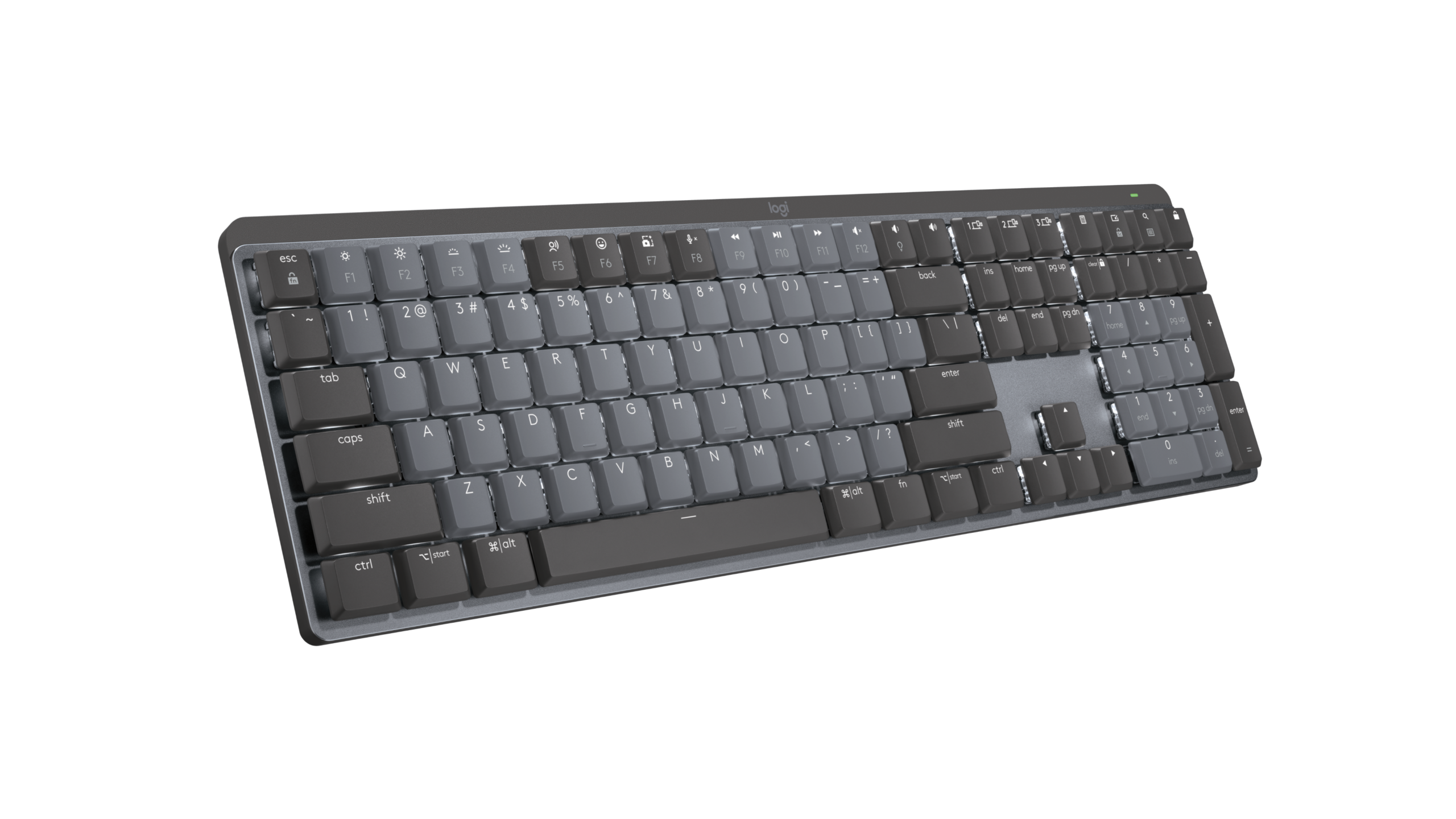

A keyboard can make a fast game feel sluggish when keys are crowded, switches are too stiff, or a full-size board leaves no room for your mouse. The right layout and switch type matter just as much as flashy lighting.
We compared ten real gaming keyboards across wired, wireless, full-size, compact, hot-swappable, and Hall Effect designs. The Best mechanical gaming keyboard for most players is the ASUS ROG Strix Scope II 96, while the other picks target specific needs such as quiet rapid inputs, compact desks, wireless flexibility, or dedicated macro controls.
Comparison table
| # | Product | Award | Layout | Switches | Connectivity | Best for |
|---|---|---|---|---|---|---|
| 1 | ASUS ROG Strix Scope II 96 | Best overall | 96%, full-size function | Pre-lubed ROG NX Snow linear | USB, 2.4GHz, Bluetooth | A flexible gaming and work setup |
| 2 | AULA F75 Pro | Best wireless compact | 75%, 81 keys | Pre-lubed Reaper switches | USB-C, 2.4GHz, Bluetooth 5.0 | Wireless play with a compact footprint |
| 3 | Razer BlackWidow V4 X | Best for quiet speed | Full-size | Yellow linear | Wired USB | Rapid inputs and macro-heavy games |
| 4 | AULA WIN68 HE | Best Hall Effect | 60%, 68 keys | Hall Effect magnetic | Wired USB-C | Competitive players who tune actuation |
| 5 | Redragon K580 | Best macro controls | Full-size, 104 keys | Hot-swappable Blue | Wired USB | Dedicated macros and media control |
| 6 | SteelSeries Apex 5 | Best display | Full-size | Hybrid Blue | Wired USB | On-board information and sturdy construction |
| 7 | Redragon K671 | Best starter hot-swap board | Full-size | Hot-swappable linear Red | Wired USB | Easy switch experimentation |
| 8 | Redragon K668 | Best shortcut keys | Full-size, 108 keys | Hot-swappable linear Red | Wired USB | Extra one-touch desktop commands |
| 9 | Logitech G413 SE | Best restrained design | Full-size | Tactile mechanical | Wired USB | A solid board without RGB effects |
| 10 | Logitech G213 Prodigy | Best spill-conscious design | Full-size | Tuned tactile keys | Wired USB | Gaming and everyday desktop use |
1. ASUS ROG Strix Scope II 96: Best Overall

Pros
- Keeps a number pad in a compact 96% layout
- Tri-mode connections cover PC, Mac, and multiple devices
- Pre-lubed switches and dampening improve acoustics
- Hot-swappable design supports switch changes
- Detachable wrist rest and adjustable tilt positions
Cons
- Larger than a 75% or 60% board
- Wireless features add configuration complexity
- Linear switches may not suit tactile typists
Best for: players who want one keyboard for gaming, work, and several connection types.
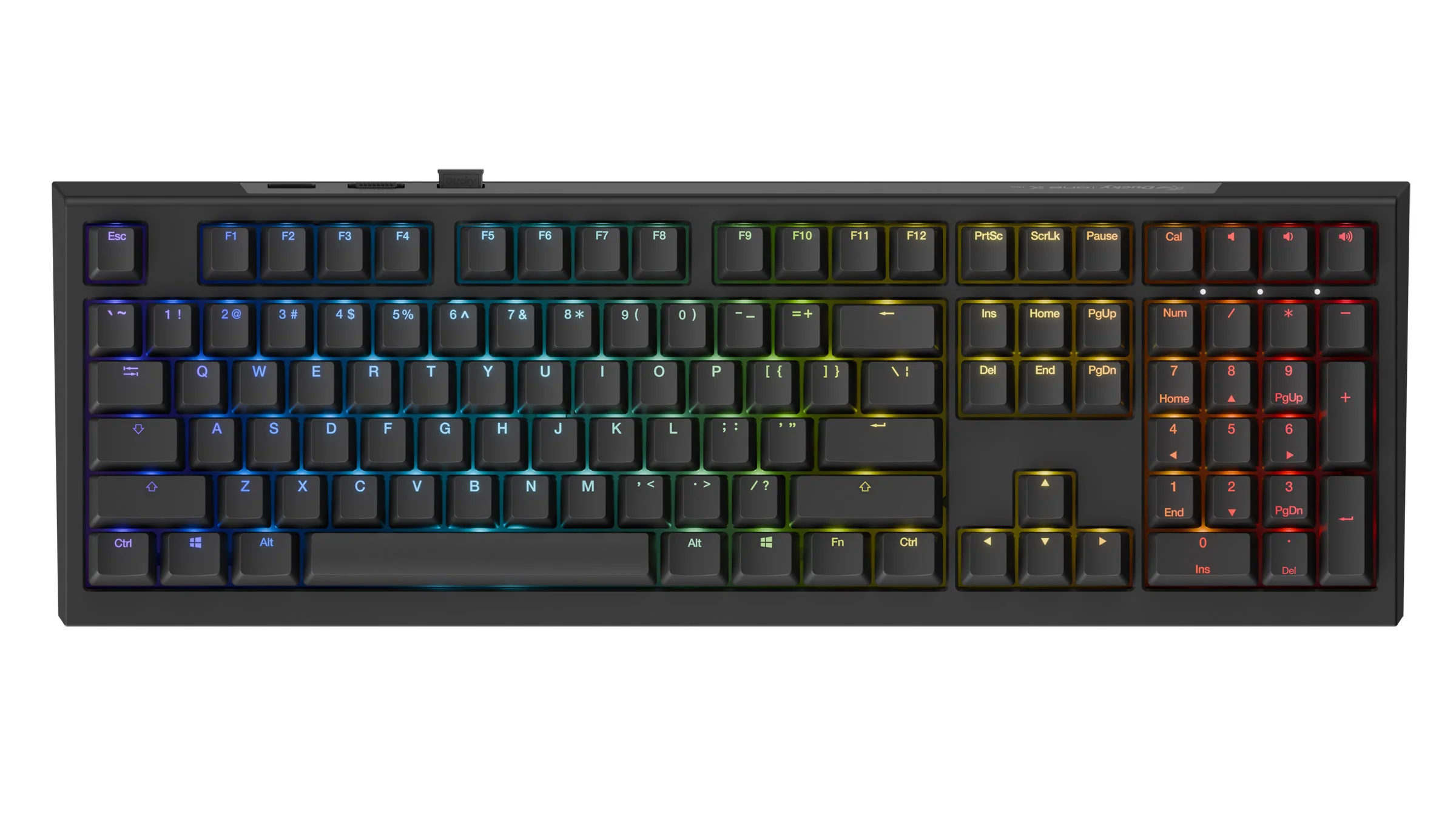
The ASUS ROG Strix Scope II 96 is the one we'd keep for a mixed gaming and work desk. Its 96% layout preserves the number pad and full-size functionality while trimming the empty space found on many traditional boards. At 14.84 inches long, it is still compact enough to leave more room for a mouse than a conventional full-size keyboard.
The pre-lubed ROG NX Snow linear switches are aimed at smooth, uninterrupted key travel. Sound-dampening foam and switch-dampening pads address the hollow resonance that can make some mechanical keyboards tiring to use in a shared room. Per-key RGB lighting remains available, but the more meaningful upgrade is the combination of switch preparation and acoustic treatment.
Connectivity is unusually broad. USB, Bluetooth for up to three devices, and low-latency 2.4GHz wireless let this board move between a desktop, laptop, and tablet without changing keyboards. The claimed 1, 500-hour battery life applies in 2.4GHz mode, giving wireless users a long stretch between charges. All keys are macro-programmable, and the multi-function wheel handles media or lighting adjustments without reaching for software.
Compared with the AULA F75 Pro, the ASUS gives up some compactness but keeps the number pad. It also feels more adaptable than the wired Razer BlackWidow V4 X when several devices are involved. The weakness is its size relative to genuinely compact boards, and linear switches are not the right answer for someone who wants a pronounced tactile bump. Choose it if you need a single, polished keyboard that can handle games, spreadsheets, and wireless devices.
2. AULA F75 Pro: Best Wireless Compact

Pros
- 75% layout retains arrow keys
- USB, 2.4GHz, and Bluetooth 5.0 connectivity
- 3-pin and 5-pin hot-swap support
- 4000mAh battery
- Knob controls lighting, media, or volume
Cons
- No dedicated number pad
- Side-printed keycaps may take adjustment
- Driver features are needed for deeper customization
Best for: anyone who wants a compact wireless keyboard without giving up arrow keys.
The AULA F75 Pro gets the compact layout decision right. Its 81-key 75% arrangement removes the number pad and some navigation spacing, but keeps arrow keys and the functions most gamers use. That makes it easier to position beside a large mouse pad while remaining comfortable for documents and ordinary desktop work.
Its pre-lubricated Reaper switches are paired with pre-lubricated stabilizers, five layers of filling, an integrated silicone pad, and PCB single-key slotting. Those details are not just decoration. They aim to reduce cavity noise, add resilience under the keys, and give larger keys a less rattly feel. The side-printed PBT keycaps are designed to resist fading and let the lighting show through their legends.
Wireless flexibility is the main reason to choose this board. It supports USB-C, 2.4GHz wireless, and Bluetooth 5.0, with connections for up to five devices and a 4000mAh rechargeable battery. The knob can switch between gaming and office modes, then adjust lighting or volume depending on the selected mode. That is more useful at a desk than a row of decorative controls.
The ASUS ROG Strix Scope II 96 is the more complete choice if you need a number pad, while the AULA WIN68 HE is much smaller and more focused on competitive tuning. The F75 Pro sits between them, with better everyday flexibility than the wired compact board and a more relaxed layout than a 60% design. Skip it if you need dedicated function keys or dislike switching between layers. For a compact wireless setup, it is an easy recommendation.
3. Razer BlackWidow V4 X: Best for Quiet Speed

Pros
- Yellow linear switches actuate at 1.2mm
- 45g actuation force supports quick presses
- Six dedicated macro keys
- Media roller and secondary media controls
- Dampeners, foam, and lubricated stabilizers
Cons
- Wired only
- Full-size body takes substantial desk space
- Linear feel lacks a tactile confirmation
Best for: players who want quiet, fast linear inputs and easy access to macros.
The Razer BlackWidow V4 X is built around speed without the sharp click of a Blue switch. Its Yellow linear switches require 45g of force and have a 1.2mm actuation point. That short distance makes repeated inputs feel immediate, while the built-in sound dampeners keep the board more neighbor-friendly than a clicky alternative.
The six dedicated macro keys are the standout feature for games with layered abilities, editing shortcuts, or custom commands. They sit outside the standard key grid, so the main keys remain familiar rather than being replaced by an unusual layout. A multi-function roller and secondary media keys cover volume, playback, and brightness without requiring a software window.
Razer also pays attention to the sound of the board. A foam layer under the circuit board and lubricated stabilizers are intended to reduce hollow noise and unwanted movement on larger keys. Doubleshot ABS keycaps use thick walls and molded legends designed to resist wear. Per-key Chroma RGB lighting offers 16.8 million colors and can react with compatible games, though that ecosystem is most useful to people already using Razer peripherals.
The Razer is quicker and quieter than the SteelSeries Apex 5, whose hybrid Blue switches are designed around tactile clicking. The ASUS is more versatile because it adds wireless connectivity and a compact full-function layout. The BlackWidow V4 X remains the better fit for a player who wants six physical macros and a familiar full-size board. Avoid it if your desk is tight or you specifically want hot-swappable switches.
4. AULA WIN68 HE: Best Hall Effect

Pros
- Adjustable actuation from 0.02mm to 3.44mm
- 8000Hz polling rate
- 0.3ms stated latency
- Compact 68-key design retains arrow keys
- Web driver supports advanced gaming functions
Cons
- Wired only
- Customization driver is Windows-only
- Compact layout requires function combinations
Best for: competitive players who want adjustable magnetic-switch behavior.
The AULA WIN68 HE is the specialist keyboard in this group. Hall Effect magnetic switches detect key movement differently from conventional mechanical switches, allowing the actuation point to be adjusted rather than fixed. Here, the range runs from 0.02mm to 3.44mm in 0.1mm increments, so a player can favor extremely early inputs or a deeper press with more travel.
Its 8000Hz polling rate and stated 0.3ms latency are aimed squarely at fast competitive play. The software also exposes rapid trigger, SOCD, DKS, MT, and TGL functions, along with key mapping and macro editing. Those options can be powerful, but they require a willingness to configure the keyboard rather than simply plug it in and play.
The 68-key layout saves space while retaining arrow keys and basic function access through combinations. A detachable USB cable makes the wired board easier to carry, and 14 preset RGB effects provide visual customization. The physical size is useful for a low-clutter competitive setup, but the missing dedicated function row and number pad are real trade-offs for work or productivity.
The WIN68 HE offers a kind of input control that the Redragon K671 and Logitech G413 SE cannot match. The Razer BlackWidow V4 X is easier to understand out of the box, with a conventional layout and fixed linear switches. Choose AULA when adjustable actuation is the reason you are shopping. Skip it if you use macOS for configuration or prefer a standard full-size keyboard.
5. Redragon K580: Best Macro Controls

Pros
- Five dedicated G1 to G5 macro keys
- Dedicated media controls and wheel
- Hot-swappable switch socket
- Blue switches provide audible click
- 104-key anti-ghosting
Cons
- Clicky switches can disturb nearby users
- Wired-only connection
- Full-size layout needs a wide desk
Best for: players who want physical macros and media controls without software dependence.
The Redragon K580 is a straightforward full-size board with an unusually generous control area. Five G keys sit to the left of the standard layout, while dedicated playback controls and a media wheel keep music and volume changes close at hand. The extra controls make sense for MMO commands, streaming shortcuts, or repeated desktop tasks.
Its stock Blue switches provide a tactile bump and audible click. That feedback is satisfying for typists who want to feel each actuation, but it is a poor match for a shared room or microphone placed close to the desk. The switch socket is hot-swappable and accepts the upgraded design's compatible switches without soldering, giving the board a path to a different feel later.
All 104 keys are designed to register during rapid multi-key combinations, which matters when several movement and action keys are held at once. The keyboard can record combos on the fly without software, while companion software is available for deeper RGB effects and macro profiles. Double-shot keycaps are intended to resist fading through heavy use.
Compared with the Redragon K668, the K580 has a more useful media interface and clearer macro focus, though the K668 adds four shortcut keys and supports both 3-pin and 5-pin switches. The Razer BlackWidow V4 X is quieter and offers six macros, but its switch feel is linear. Choose the K580 for physical controls and clicky feedback. Do not choose it for a quiet office or a narrow desk.
6. SteelSeries Apex 5: Best Display

Pros
- OLED Smart Display for game and message information
- Aircraft-grade aluminum alloy frame
- Per-key RGB illumination
- Hybrid Blue switches
- Magnetic wrist rest
Cons
- Older hybrid switch design
- Full-size frame is wide
- Clicky feedback is not ideal for quiet rooms
Best for: users who want a sturdy full-size keyboard with on-board visual information.
The SteelSeries Apex 5 takes a different route from the feature-heavy wireless boards. Its most distinctive part is the OLED Smart Display, which can show game information, GIFs, Discord messages, and other supported content. That screen is useful when you want a small amount of information on the keyboard without switching away from a game.
The hybrid Blue switches combine the tactile click of a mechanical Blue switch with a smooth membrane element. The result is a familiar clicky feel, but it is not the same design as the fully mechanical switches used in the Redragon K580 or Razer BlackWidow V4 X. The feature list rates the switches for 20 million keypresses, and per-key RGB lighting provides detailed illumination.
Construction is the other reason to consider it. The aircraft-grade aluminum alloy frame is designed to add rigidity, while the included magnetic wrist rest supports the palms across the broad 900 by 300 by 4 millimeter frame. That footprint is substantial, so measure the available space before choosing it. The 2.04-pound weight is manageable, but the board is not a compact travel option.
The Razer is the better pick for rapid, quiet linear input, and the ASUS is more capable if you need wireless connections. The Apex 5 wins when its OLED display and sturdy frame matter more than switch modernity. Skip it if you want hot-swapping, a compact layout, or a quieter key press.
7. Redragon K671: Best Starter Hot-Swap Board
Pros
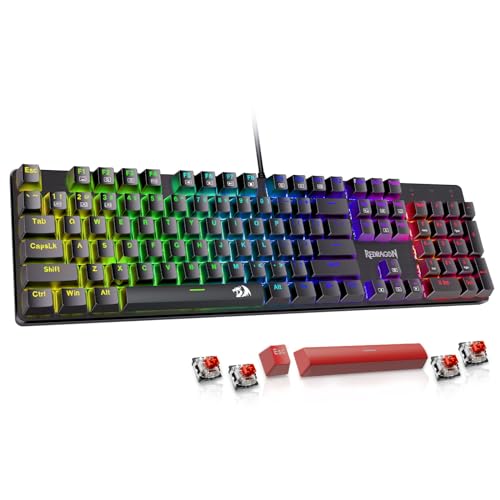
- Hot-swappable Red linear switches
- Four spare switches included
- Full-key anti-ghosting
- Eleven backlight modes
- Macro editing and 12 media shortcuts
Cons
- Backlight color cannot be changed
- Wired only
- Full-size footprint limits mouse space
Best for: newcomers who want to try different switches without soldering.
The Redragon K671 is approachable because it does not make switch experimentation feel like a specialist project. It arrives with linear Red switches and four spare switches, while the hot-swap design lets owners replace compatible switches without soldering. That makes it a practical first step for someone still deciding between linear, tactile, and clicky typing.
The Red switches require less force and are described as smooth, which suits games that use repeated movement or action inputs. Full-key anti-ghosting allows simultaneous key presses to register, and 12 multimedia shortcuts cover volume, playback, calculator, email, and related commands. It is a conventional wired board, so setup is simple and connection stability is predictable.
Lighting is more limited than the headline suggests. There are 11 backlight modes, with five brightness levels and adjustable speed, but the feature data says the color cannot be changed. The double-injection keycaps are intended to keep legends clear under illumination. Macro editing can remap functions, shortcuts, or multi-key combinations through software.
The K671 is less flexible visually than the Redragon K668, and the AULA F75 Pro has a more modern compact layout with tri-mode wireless support. The K671 still makes sense for someone who values a familiar full-size arrangement and wants to learn about switch changes. Skip it if per-key RGB color control or wireless use is essential.
8. Redragon K668: Best Shortcut Keys

Pros
- Four dedicated shortcut keys
- 3-pin and 5-pin hot-swap support
- Up to 19 preset lighting modes
- Quiet linear Red switches
- Two-stage feet and extra keycap sets
Cons
- Wired only
- Shortcut keys need software for reassignment
- Full-size format is not space-saving
Best for: desktop users who want dedicated mute, calculator, lock, and desktop shortcuts.
The Redragon K668 adds four keys that many full-size keyboards leave out. They are assigned by default to mute, calculator, screen lock, and desktop access, which makes the board useful beyond gaming. Those commands are especially handy when the keyboard doubles as a work control surface.
The stock Red linear switches are intended to keep clicks discreet, making them easier to live with than the Blue switches on the K580. The socket supports both 3-pin and 5-pin switches, so the board can evolve with the owner's preferences. Full-size anti-ghosting is designed to keep the 104 standard keys accurate during fast combinations.
RGB lighting includes up to 19 preset modes, adjustable brightness and flow speed, plus a music-sync mode. Software allows the four shortcut keys to be reassigned, custom lighting to be created, and macros to be programmed. Two-stage feet offer a choice of typing angle, while the included mixed-color keycap sets provide a way to change the board's appearance.
The K671 is the simpler Redragon option, with 11 lighting modes and a similar linear starting point. The K668 is more useful for shortcut-heavy desktops, while the K580 is better for dedicated media controls and audible click. It is a sensible choice for a full-size user who wants more direct commands, but not for anyone trying to reclaim desk space.
9. Logitech G413 SE: Best Restrained Design

Pros
- PBT keycaps resist heat and wear
- Brushed aluminum-magnesium alloy top case
- Tactile mechanical switches
- White LED backlighting
- FN media controls
Cons
- No RGB lighting
- Six-key rollover is less comprehensive than full-key designs
- Wired only
Best for: users who want a clean full-size mechanical keyboard with tactile switches.
The Logitech G413 SE avoids the usual gaming excess. Its black brushed aluminum-magnesium alloy top case and white LED lighting create a restrained appearance, while the full-size layout keeps the number pad and familiar navigation cluster. It is a good match for a desk that has to look acceptable during work hours.
Tactile mechanical switches provide a bump before the key bottoms out, giving more confirmation than a smooth linear Red switch. PBT keycaps are designed to resist heat and wear, which is useful on frequently pressed movement keys and the spacebar. The top case also serves as the keyboard's backbone, with a robust body designed to minimize flex.
The FN row handles volume, playback, mute, lighting, and Windows lock functions. Its six-key rollover anti-ghosting design is intended to improve reliability over ordinary non-gaming keyboards, though it does not make the same full-key claim as the K580 or K668. White illumination is clear and functional, but there is no per-key RGB or broad color customization.
The Logitech G213 Prodigy offers RGB zones, spill resistance, a palm rest, and more software control, while the Redragon K671 gives you hot-swappable switches. The G413 SE is the calmer choice for someone who values materials and tactile feedback over customization. Skip it if you want wireless connectivity, RGB effects, or the broadest anti-ghosting coverage.
10. Logitech G213 Prodigy: Best Spill-Conscious Design

Pros
- Five customizable RGB lighting zones
- Liquid, crumb, and dirt-resistant construction
- Dedicated media controls
- Integrated palm rest
- Adjustable keyboard feet
Cons
- Not a mechanical switch design
- Lighting is zone-based rather than per-key
- Wired only
Best for: households that want gaming controls and easier everyday cleanup.
The Logitech G213 Prodigy is the outlier here. It is marketed as a gaming keyboard with keys tuned for tactile response, but it does not use mechanical switches like the other nine boards. That distinction matters if the feel, sound, and replaceability of a true mechanical keyboard are the reason you are shopping.
Its strengths are practical. The full-size layout includes dedicated media controls, an integrated palm rest, and adjustable feet. Construction is designed to repel liquids, crumbs, and dirt, which makes it a more forgiving choice for a busy desk. The anti-ghosting gaming matrix is tuned to keep control during combinations of keys.
Lighting is divided into five customizable zones with more than 16.8 million colors, and Logitech G Hub can synchronize effects with other Logitech G devices. The software also handles game mode and macro programming. It is less precise than per-key lighting on the ASUS, Razer, or SteelSeries boards, but it still gives the setup a coordinated appearance.
The G413 SE is the closer Logitech comparison if mechanical switches are non-negotiable. The G213 is easier to recommend to someone who prioritizes spill resistance, palm support, and familiar media controls. Choose it only if you are comfortable with a non-mechanical feel. If mechanical switch feedback is your central requirement, every other keyboard in this roundup is a better fit.
How to choose best mechanical gaming keyboard
The right keyboard depends on how much control, space, and switch customization you actually need. Start with the layout, then examine switch behavior, connection type, rollover, and the software behind the extra features.
Layout and desk space
Full-size keyboards keep the number pad, function row, navigation cluster, and arrow keys in their familiar positions. The ASUS ROG Strix Scope II 96 trims wasted spacing while keeping full-size functionality, whereas the AULA F75 Pro removes the number pad but retains arrow keys in an 81-key layout.
A 60% or 68-key board such as the AULA WIN68 HE saves the most space, but many commands move behind FN combinations. That is excellent for a low-clutter competitive setup and less convenient for spreadsheets or frequent function-row use. Before choosing a compact board, consider how often you use dedicated navigation and media keys.
Switch feel and actuation
Linear switches press smoothly without a tactile bump. They suit fast repeated inputs and are found on the Razer BlackWidow V4 X, AULA F75 Pro, ASUS ROG Strix Scope II 96, and several Redragon boards. Tactile switches add a physical bump, while Blue and hybrid Blue designs add an audible click.
Hall Effect switches take customization further by allowing the actuation point to change. The AULA WIN68 HE can adjust actuation from 0.02mm to 3.44mm, but that control is most useful to players willing to configure profiles. If you want a familiar experience immediately, a conventional linear or tactile board is easier.
Connectivity
Wired USB is simple, stable, and common across this list. Wireless keyboards add freedom for a cleaner desk or multiple devices, but they also bring battery management and pairing into the ownership experience.
The ASUS supports USB, 2.4GHz, and Bluetooth, while the AULA F75 Pro supports USB-C, 2.4GHz, and Bluetooth 5.0. The AULA can connect with up to five devices, and the ASUS supports Bluetooth across up to three devices. If you are weighing a cable against wireless convenience, what changes when a keyboard moves from wired to wireless is the practical question to settle.
Key rollover and macros
Anti-ghosting and rollover describe how well a keyboard registers several simultaneous presses. Full-key anti-ghosting on the Redragon K671 and K580 is reassuring for complex combinations, while the Logitech G413 SE specifies six-key rollover.
Dedicated macro keys are faster to reach than software layers. The Razer has six, the Redragon K580 has five, and the K668 has four extra shortcut keys. The AULA F75 Pro and ASUS support programmable functions without adding as many physical keys.
The best layout is the one that keeps your most-used commands under your fingers without making the rest of the keyboard harder to navigate.
Keycaps, acoustics, and comfort
PBT keycaps generally offer a more wear-resistant surface than basic ABS, and they appear on the ASUS, AULA F75 Pro, Logitech G413 SE, and Redragon K671. Sound treatment also matters. The Razer uses foam and lubricated stabilizers, the ASUS adds sound-dampening foam and switch-dampening pads, and the AULA F75 Pro uses multiple internal filling layers.
A wrist rest can make a full-size board easier to use for long sessions. The SteelSeries Apex 5 includes a magnetic wrist rest, the ASUS includes a detachable rest, and the Logitech G213 has an integrated one. If your desk is shallow, though, a compact layout may help more than extra padding. Readers comparing layouts can also see how different gaming keyboard sizes affect desk space.
Frequently asked questions
Are all of these keyboards mechanical?
No. The Logitech G213 Prodigy uses a tuned gaming key design rather than mechanical switches. The other nine products use mechanical, hybrid mechanical, or Hall Effect magnetic switch systems.
Are linear switches better for gaming?
Linear switches can feel smooth and quick because they do not have a tactile bump. They are a strong fit for rapid repeated inputs, but some players prefer tactile switches because the bump confirms a press without needing to bottom out the key.
What is the benefit of a hot-swappable keyboard?
A hot-swappable keyboard lets you replace compatible switches without soldering. The Redragon K671, Redragon K580, Redragon K668, AULA F75 Pro, and ASUS ROG Strix Scope II 96 offer this kind of flexibility.
Is a 60% keyboard practical for everyday use?
It can be, but commands such as function-row and navigation keys may require FN combinations. The AULA WIN68 HE retains arrow keys in its 68-key layout, which makes it more usable than a very minimal 60% board.
Is Hall Effect different from ordinary mechanical switching?
Yes. Hall Effect magnetic switches detect movement magnetically and can support adjustable actuation. The AULA WIN68 HE allows actuation changes from 0.02mm to 3.44mm and adds configurable rapid trigger functions.
Do wireless gaming keyboards add noticeable delay?
A 2.4GHz connection is designed for low-latency gaming, while Bluetooth is generally better suited to device flexibility and ordinary use. The ASUS and AULA F75 Pro both offer 2.4GHz alongside wired and Bluetooth modes.
Which keyboard is easiest to keep quiet?
The Razer BlackWidow V4 X uses Yellow linear switches with built-in sound dampeners, foam, and lubricated stabilizers. Clicky boards such as the Redragon K580 and SteelSeries Apex 5 are much louder by design.
The bottom line
The Best mechanical gaming keyboard here is the ASUS ROG Strix Scope II 96 because it combines a space-conscious full-size layout, tri-mode connectivity, hot-swappable switches, useful controls, and thoughtful acoustic treatment. The AULA F75 Pro is the stronger alternative for a compact wireless desk, with an 81-key layout, 4000mAh battery, and three connection modes.
Choose the Razer BlackWidow V4 X for quiet linear speed and physical macros, or the AULA WIN68 HE when adjustable Hall Effect actuation is the feature that matters most. The Redragon boards remain useful for dedicated controls and switch experimentation, while the Logitech G413 SE and G213 favor simpler everyday designs.
If you are undecided, choose the ASUS for the broadest mix of gaming and work features, or the AULA F75 Pro if desk space and wireless use come first.
As an Amazon Associate we earn from qualifying purchases.