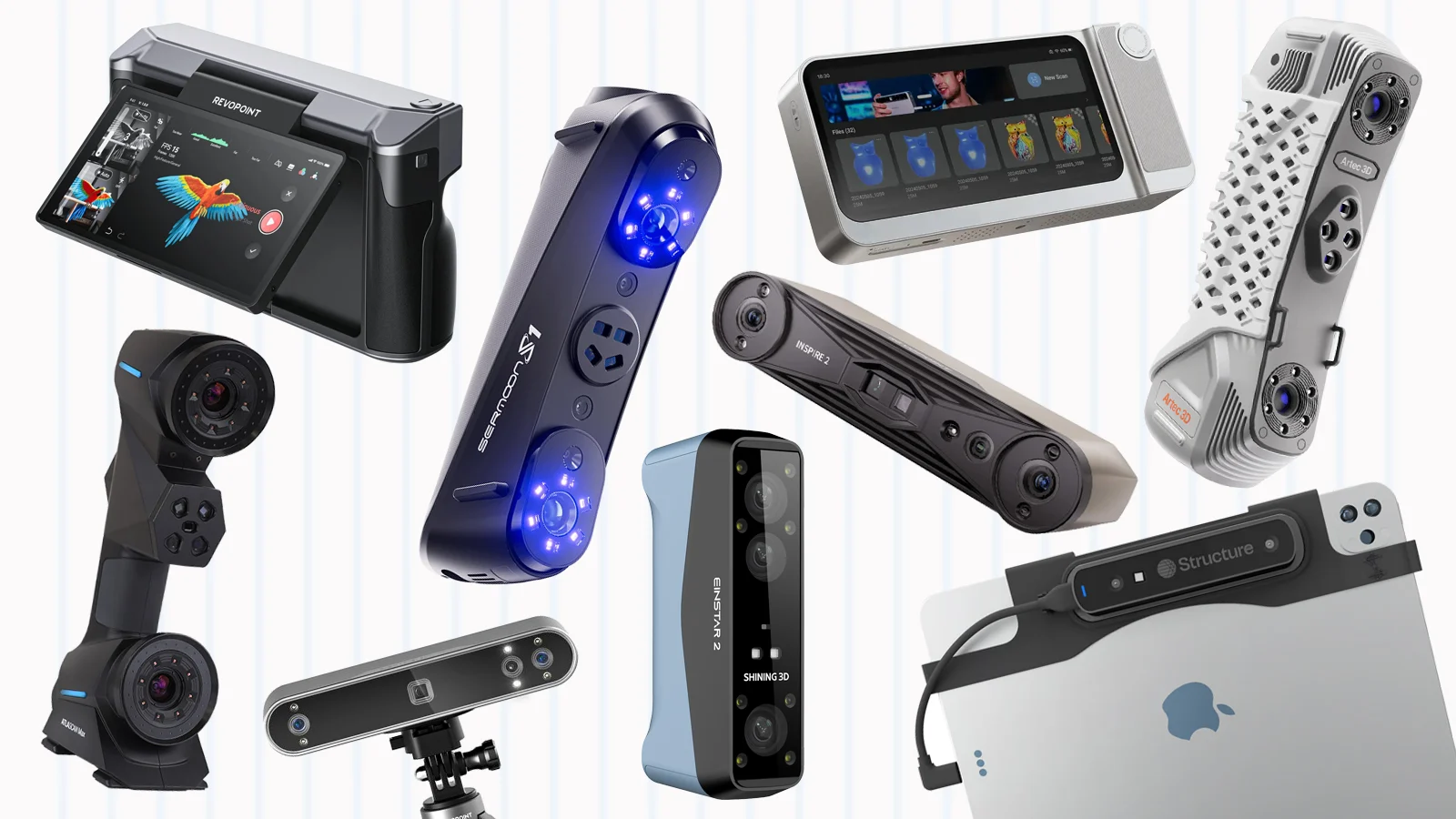

A 3D scanner can turn a physical part, face, vehicle component, or household object into a digital model, but the wrong scanner can leave you with holes, tracking errors, and hours of cleanup. Accuracy figures only tell part of the story. Scanning modes, surface handling, software, and whether you need a computer nearby matter just as much.
Our Best 3D scanner picks range from beginner-friendly color scanners to metrology-focused blue laser systems and a self-contained handheld workstation. The Creality CR-Scan Ferret Pro is the easiest starting point for most makers, while the Revopoint MetroY Ultra is the strongest choice for demanding dimensional work. The rest cover portability, large objects, color capture, and professional workflows.
Best 3D Scanners Compared
| # | Product | Award | Accuracy | Speed | Connectivity | Best for |
|---|---|---|---|---|---|---|
| 1 | Creality Ferret Pro | Best overall | Up to 0.1 mm | Full-color scanning | Wi-Fi 6, iOS, Android, Windows, macOS | Beginners and 3D printing |
| 2 | Revopoint MetroY Ultra | Best for precision | Up to 0.01 mm single-frame | Up to 90 fps | Wi-Fi 6, PC, tablet, mobile | Inspection and reverse engineering |
| 3 | Creality Ferret Pro Wi-Fi 6 Bridge | Best wireless starter | Up to 0.1 mm | 30 fps | Wi-Fi 6, iOS, Android, Windows, macOS | Mobile full-color scans |
| 4 | 3DMakerpro Moose Lite | Best for fine detail | Up to 0.05 mm | 10 fps | Windows, macOS | Quiet desktop scanning |
| 5 | EINSTAR 2 | Best for mixed surfaces | Not specified | Up to 90 fps laser, 20 fps infrared | Wireless, cable connection | Small to large objects |
| 6 | Creality Raptor Pro | Best full-color laser scanner | Up to 0.02 mm | Up to 60 fps | Wireless accessory, Windows, macOS | Professional color capture |
| 7 | Revopoint MetroY Pro | Best metrology versatility | Up to 0.01 mm precision | Up to 2, 000, 000 points per second | Wi-Fi 6, PC, mobile display | Reverse engineering |
| 8 | Revopoint POP 4 | Best for outdoor versatility | Up to 0.03 mm | Up to 105 fps | Wi-Fi 6, PC, smartphone | Large and difficult objects |
| 9 | Revopoint MIRACO Plus | Best all-in-one workstation | Up to 0.04 mm point cloud | Up to 20 fps | Wi-Fi 6, USB Type-C | Field scanning and measurement |
| 10 | Creality Raptor | Best compact laser option | Up to 0.02 mm | Up to 60 fps | Windows, macOS | Detailed parts and faces |
1. Creality Ferret Pro: Best Overall

Pros
- Light 105g handheld design
- Wireless scanning across phones and computers
- Anti-shake tracking helps beginners
- Captures full-color models
- Includes a Wi-Fi box, tripod, power bank, and phone holder
Cons
- 0.1mm accuracy is not aimed at precision parts
- Reflective, transparent, and very dark surfaces need care
- Not suitable for jewelry or highly detailed small items
Best for: first-time users who want an approachable scanner for objects from 50mm to 2000mm.
The Creality Ferret Pro is the scanner we would hand to a newcomer who wants to produce usable models without first learning a metrology workflow. Its 105g body is easy to hold around an object, and anti-shake tracking helps prevent the scan from falling apart when your hand movement is less than perfect. That matters more in practice than a headline speed figure.
It scans in full 24-bit color and reaches up to 0.1mm accuracy, which is suitable for many 3D printing projects, cosplay parts, props, and general object duplication. The supported object range of 50mm to 2000mm gives it more flexibility than a scanner designed only for small parts. Models can be exported as OBJ, STL, or PLY, so the output fits common printing and modeling workflows.
Wireless support is a major reason to choose it over the 3DMakerpro Moose Lite. The Ferret Pro works with Windows, macOS, Android, and iOS, and the built-in Wi-Fi 6 connection makes phone-based scanning practical. The included power bank, tripod, phone holder, and carrying case also make the kit feel ready to use rather than like a scanner that needs several missing pieces.
Its weakness is surface behavior. Creality specifically advises avoiding reflective, transparent, and extremely dark objects, and the scanner is not designed for jewelry or precision components with very small details. The Ferret Pro also gives up the finer accuracy of the Revopoint MetroY Ultra and the Creality Raptor models. If you are creating dimension-critical replacement parts, those are better tools.
For hobbyists, makers, and beginners who want color, broad compatibility, and a forgiving handheld experience, the Ferret Pro is the most sensible starting point. It is the Best 3D scanner here for learning the process without immediately committing to an industrial-style workflow.
2. Revopoint MetroY Ultra: Best for Precision

Pros
- Up to 0.01mm single-frame precision
- Five scanning modes
- No-spray scanning for dark and shiny surfaces
- Up to 90 fps with an NVIDIA GPU
- Wi-Fi 6 and a 5500mAh battery grip
Cons
- More scanner than casual users need
- Top speed depends on an NVIDIA GPU
- Focused on geometry rather than simple color capture
Best for: engineers, inspectors, and makers who need detailed dimensional data.
The Revopoint MetroY Ultra is built around a different idea of scanning from the Ferret Pro. It is not primarily a quick way to make a colorful digital souvenir. Its purpose is to capture geometry cleanly enough for tight-tolerance measurement, reverse engineering, and industrial inspection. The up-to-0.01mm single-frame precision figure makes that intent clear.
Five modes give it a useful range. Thirty-four laser cross-lines cover fast surface capture, 15 parallel lines concentrate on fine detail, and single-line mode reaches into deep holes. Full-field blue structured light provides marker-free scanning, while automatic turntable scanning handles a stationary object with less manual movement. That is a much broader toolkit than a simple entry-level handheld scanner.
The MetroY Ultra can scan at up to 90 fps with an NVIDIA GPU, or up to 60 fps using the CPU. Those figures help when covering a larger component, but they should not be read as a guarantee of identical performance on every computer. Wi-Fi 6 lets you monitor and control the scan from a PC, tablet, or mobile device, and the 5500mAh battery grip provides about 2.5 hours of power.
Its material and lighting support are unusually strong in this group. The blue laser modes can scan black, high-gloss, and metallic industrial components without scanning spray, and the scanner is rated for outdoor work in sunlight up to 100, 000 lux. It exports to PLY, OBJ, STL, ASC, 3MF, GLTF, and FBX, giving professional users more room to move between CAD, design, and printing tools.
The limitation is that its precision-oriented feature set can be intimidating if your goal is simply to scan a household object for a printer. The Creality Ferret Pro is easier to approach, and the MIRACO Plus is more self-contained. Choose the MetroY Ultra when accuracy, difficult surfaces, and mode flexibility matter more than a short learning curve.
3. Creality Ferret Pro Wi-Fi 6 Bridge: Best Wireless Starter

Pros
- Wireless scanning with a dedicated bridge
- 30 fps capture
- Full-color scanning
- Anti-shake tracking
- Works with iPhone, Android, Windows, and macOS
Cons
- Accuracy is limited to 0.1mm
- Requires a compatible computer or mobile device
- Reflective, transparent, and very dark surfaces remain difficult
Best for: mobile users who want wireless full-color scanning with a simple workflow.
The Creality Ferret Pro Wi-Fi 6 Bridge is closely related to the first Ferret Pro, but the package and wireless approach distinguish this listing. It pairs the handheld scanner with a Wi-Fi 6 bridge, allowing wireless scanning on Android and iPhone 11 or newer while retaining USB connection to a PC. That makes it appealing to someone who wants to move between a phone and a desktop without changing scanners.
Its 30 fps capture rate is enough for a steady handheld scan of a person, prop, or medium-sized object. Anti-shake tracking is the feature that does the most to make that possible. One-shot 3D imaging helps maintain tracking through hand movement or a quickly shifting subject, though good lighting and a deliberate pace still matter.
The scanner reaches up to 0.1mm accuracy and 0.16mm resolution. Those figures place it firmly in the general-purpose maker category rather than the precision inspection class. Full-color capture adds useful information for character models, visual references, and objects where texture is part of the result. OBJ, STL, and PLY exports cover the most common destinations.
Compared with the other Ferret Pro listing, this version emphasizes the dedicated bridge and the 30 fps specification. The two are not candidates for jewelry or tiny precision parts, and both need a compatible host device. The Revopoint POP 4 is a more capable step up for difficult outdoor subjects, while the first Ferret Pro is the more convincing all-round beginner recommendation because its kit description includes a battery handle and several useful accessories.
Do not choose this model expecting laser-level dimensional accuracy. Choose it if wireless phone scanning is central to your workflow and you want color data without carrying a computer around the object. It is a straightforward option for creators who value mobility over fine measurement.
4. 3DMakerpro Moose Lite: Best for Fine Detail

Pros
- Up to 0.05mm accuracy
- Quiet fanless-style design
- Lightweight 250g plastic body
- Anti-shake lenses and AI tracking
- Can scan in darkness with nine light levels
Cons
- Scanning speed is 10 fps
- Standard setup is computer-focused
- Smartphone grip is optional
Best for: quiet indoor work where detailed geometry matters more than rapid capture.
The 3DMakerpro Moose Lite has a calmer character than the fast laser scanners. It is a 250g handheld scanner made from plastic, and the design is intended to stay quiet while you work. That makes it a pleasant fit for a desk, studio, or workshop where a noisy cooling fan would become irritating during long scanning sessions.
Its headline strength is accuracy up to 0.05mm, paired with 0.1mm resolution. Those numbers suggest a stronger focus on preserving small surface changes than the Ferret Pro, though the 10 fps scanning speed means you should move carefully. Anti-shake lenses and AI tracking help, and the scanner can explore up to 100mm of depth for objects with more complicated vertical structures.
The Moose Lite also has a useful lighting trick. Nine levels of light adjustment let it scan in darkness and adapt to different colors, materials, and conditions. Its single-frame encoded structured-light system is intended to improve surface feature detection during marker-free scanning. JMStudio combines scanning, editing, and optimization, with OBJ, STL, PLY, and ASC export.
The trade-off is mobility. The standard model is compatible with Windows 10 or 11 64-bit and macOS 12 or 13, while the Smart Grip that connects the scanner to an Android or iOS phone is available separately. That makes the Ferret Pro a better choice for someone who wants to scan anywhere with a phone. The Moose Lite is better when the scanner will spend most of its life beside a computer.
Its 10 fps limit also makes it less suitable for people or anything that moves. If you can slow down and want detailed, quiet scanning in a controlled space, it is an appealing alternative to the faster but less precise beginner models. It is a particularly good fit for small workshop projects and careful object digitization.
5. EINSTAR 2: Best for Mixed Surfaces

Pros
- Blue laser and VCSEL infrared modes
- Handles black and reflective surfaces without spray
- Up to 90 fps in laser mode
- Swappable battery with up to 3 hours of scanning
- Designed for small to large objects
Cons
- Infrared mode is slower at up to 20 fps
- Primarily a professional computer workflow
- Different modes suit different object sizes and surfaces
Best for: users who scan varied materials and objects in changing environments.
The EINSTAR 2 is the flexible material specialist in this roundup. Rather than relying on one capture method, it combines 17 parallel blue laser lines with VCSEL infrared scanning. That combination lets it approach small details with the laser system and large objects with the infrared system, making it more adaptable than a scanner tied to one narrow job.
The blue laser array reaches up to 90 fps and is designed to capture small objects, medium-sized surfaces, reflective materials, and deep holes. The infrared mode reaches up to 20 fps and is intended for large objects with abundant detail. These are not interchangeable settings. You choose the mode according to the object, which adds capability but also asks for more judgment from the operator.
Wireless operation comes from a swappable built-in battery that provides up to 3 hours of uninterrupted scanning. A cable connection remains available if Wi-Fi interference becomes a problem. The scanner also works in bright conditions, with Laser HD mode rated up to 110, 000 lux and IR Rapid mode up to 70, 000 lux. Black and reflective objects can be scanned directly without spray.
EXStar Hub software handles scanning, model processing, and optimization in one environment. The unified interface is designed to reduce system load and simplify controls, which is useful when the hardware is already asking you to understand two optical systems. The scanner makes a stronger case for field and workshop use than the Moose Lite, while the MetroY Ultra is the more measurement-focused pick.
The weakness is that versatility can make the learning process less immediate. A beginner may prefer the Ferret Pro's simpler purpose, and anyone seeking a self-contained device should consider the MIRACO Plus. The EINSTAR 2 is for users who will actually benefit from choosing between laser and infrared capture.
6. Creality Raptor Pro: Best Full-Color Laser Scanner

Pros
- Up to 0.02mm accuracy in laboratory conditions
- 22 plus 7 blue laser lines
- Up to 60 fps and 660, 000 points per second
- Full-color scanning
- Supports objects from 5mm to 2000mm
Cons
- Accuracy claim depends on laboratory conditions
- Marker-based alignment is part of the workflow
- Requires a capable computer
Best for: professional users who need detailed geometry and full-color texture capture.
The Creality Raptor Pro sits between a precision scanner and a color digitizer. Its 22 plus 7 blue laser lines are designed to capture edges and surface detail, while full-color mapping gives the resulting model more than plain geometry. That pairing is useful for product documentation, restoration, reverse engineering, and objects where the surface appearance needs to travel with the shape.
Creality lists accuracy up to 0.02mm in laboratory conditions. That qualification matters. It is a meaningful capability indicator, not a promise that every scan in every room will land at that figure. The scanner covers objects from 5mm to 2000mm, and its single capture range is 270mm by 170mm at 300mm, so larger work involves building the model from multiple scans.
Capture speed reaches 60 fps, with a scanning rate of 660, 000 points per second. Anti-shake performance comes from single-frame 3D imaging, while marker-based alignment helps stitch separate views. Full-color 3D scanning is supported, and the scanner can reproduce textures without making the workflow entirely dependent on a separate camera.
The Raptor Pro is more demanding than the Ferret Pro. It is designed for Windows and macOS work, and its precision-oriented workflow will reward careful preparation. The regular Creality Raptor offers similar 0.02mm and 60 fps headline figures, but the Pro listing adds wireless scanning with the Scan Bridge and specifically presents the 22 plus 7 blue laser line system.
This is not the pick for someone who wants the shortest route from handheld scan to a simple printed object. The Revopoint POP 4 is more versatile outdoors, and the MIRACO Plus is easier to carry as a complete workstation. Pick the Raptor Pro when color, laser detail, and professional stitching are all part of the job.
7. Revopoint MetroY Pro: Best Metrology Versatility
Pros
- Five scanning modes
- Up to 0.01mm precision
- No spray needed for dark and shiny surfaces
- Wi-Fi 6 and real-time streaming
- Automatic turntable scanning
Cons
- Professional software such as Revo Design and Revo Measure is sold separately
- Windows-only support is specified for those professional tools
- Requires more technique than a beginner scanner
Best for: reverse engineering and measurement work across varied object types.
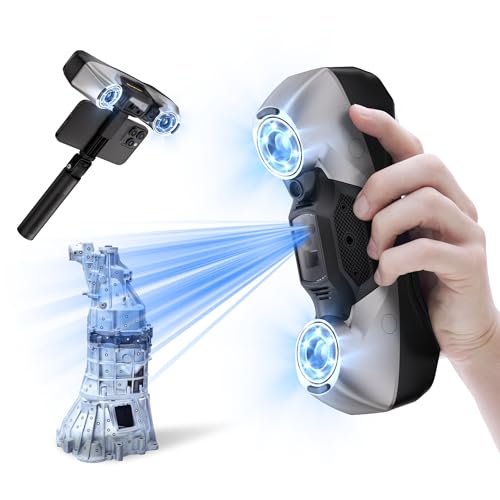
The Revopoint MetroY Pro is the slightly more specialized sibling to the MetroY Ultra. It is still a serious blue laser scanner, but its five modes make it unusually adaptable. Thirty-four cross-lines handle fast surfaces, 15 parallel lines focus on detail, single-line mode reaches deep holes, 62-line full-field blue structured light supports marker-free capture, and automatic turntable mode simplifies stationary objects.
Revopoint lists precision up to 0.01mm and accuracy up to 0.02mm, with volumetric accuracy of 0.02mm plus 0.04mm times object length in meters. The scanner can process up to 2, 000, 000 points per second in its laser modes and up to 7 million points per second in the marker-free full-field mode. Those figures make it suited to detailed geometry rather than casual color scanning.
Dark and shiny surfaces can be captured without scanning spray in the laser modes. Built-in Wi-Fi 6 enables wireless connections to a PC, and real-time streaming lets you view the scan on a phone or another screen. The scanner also includes real-time temperature monitoring that adjusts fan speed to help reduce accuracy drift as conditions change.
Compared with the MetroY Ultra, the MetroY Pro is the better fit when the five-mode system and turntable workflow are central to your work. The Ultra is the stronger pick for outdoor brightness, with support up to 100, 000 lux, and it includes a broader export list. Both are more complex than the Raptor or Ferret models.
The largest practical drawback is the software boundary. Revo Design and Revo Measure are sold separately and support Windows only. Users who need a complete cross-platform professional setup should investigate the MIRACO Plus, while experienced Windows users doing reverse engineering will find the MetroY Pro compelling.
8. Revopoint POP 4: Best for Outdoor Versatility
Pros
- Five scanning modes
- Up to 105 fps with NVIDIA GPU acceleration
- Scans objects from 10mm to 2m
- AI object segmentation on Windows
- Up to 4 hours with the battery grip
Cons
- Some advanced features require an NVIDIA GPU
- AI segmentation is Windows-only
- Professional design and measurement tools are sold separately
Best for: scanning large, dark, reflective, or outdoor subjects.
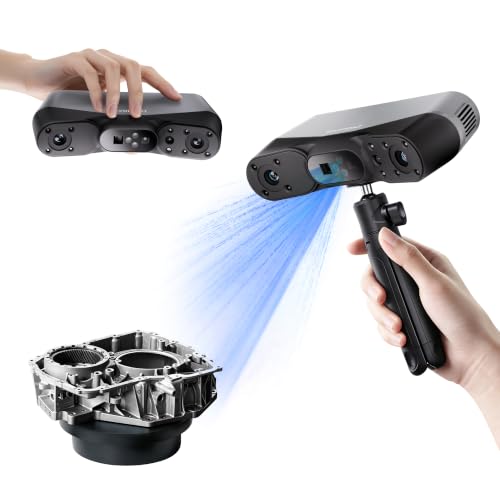
The Revopoint POP 4 is the broad-range option. Its stated scan volume runs from 10 by 10 by 10mm to 2 by 2 by 2m, covering small precision objects and large industrial components with the same handheld unit. That range is useful for a maker or field technician whose work is not limited to one object scale.
It combines NIR modes for full-field HD, hybrid HD, and VCSEL rapid scanning with blue-light modes for 30-cross laser lines and single-line deep-hole scanning. The blue laser system is intended for dark and highly reflective objects without spray, while the single-line mode addresses narrow grooves and deep holes. This is the kind of mode selection that separates it from the simpler Ferret Pro.
With NVIDIA GPU acceleration, multi-line laser scanning reaches up to 105 fps, and full-field structured light reaches up to 5 million points per second. The built-in Wi-Fi 6 connection works with PCs and smartphones, while the 5500mAh battery grip provides up to 4 hours of continuous outdoor scanning. A cross-screen preview can show the PC scan on a phone or tablet, helping identify blind spots.
AI object segmentation is a useful Windows-only feature. It identifies the target, tracks it through the scan, and filters background point-cloud noise. Revopoint also includes 3D Gaussian Splatting for NVIDIA GPU systems, aimed at gaming, animation, and VR work. These features are more specialized than what most printing hobbyists need, but they make the POP 4 interesting beyond ordinary model creation.
Its weakness is platform dependence. The more advanced AI and splatting features are not universal, and Revo Design and Revo Measure are sold separately. The MIRACO Plus is more self-contained, while the MetroY Ultra is more focused on strict precision. Choose the POP 4 when object size, lighting, and field conditions change often.
9. Revopoint MIRACO Plus: Best All-in-One Workstation

Pros
- Built-in scanning and processing hardware
- 48MP RGB camera with flash LEDs
- 6-inch 2K AMOLED flip screen
- Up to 20 fps continuous scanning
- Photogrammetric measurement support
Cons
- Two hours of continuous scanning per battery charge
- Revo Design is sold separately
- Software is compatible with x86_64 architecture
Best for: field work where carrying a separate computer is inconvenient.
The Revopoint MIRACO Plus is the most self-contained scanner here. It has its own processor, memory, storage, display, scanning software, and battery, so it can capture and process models without making a laptop part of every trip. That changes the experience significantly for field technicians, inspectors, and anyone scanning large objects away from a desk.
Its hardware includes an 8-core 2.4GHz processor, 32GB of RAM, and 256GB of storage. A 6-inch 2K AMOLED screen flips through 180 degrees, making it easier to see the scan from different angles. The 48MP RGB camera and flash LEDs support more lifelike color capture, while the infrared system is safe for direct face scans.
The scanner has near and far capture modes for objects ranging from tiny screws to large machinery. Single-shot mode focuses on accurate point-cloud capture, while continuous mode reaches up to 20 fps. A photogrammetric kit adds four carbon-fiber scale bars and coded targets, supporting photogrammetric length accuracy of 0.02mm plus 0.05mm times object length in meters.
Battery life is the main operational compromise. Continuous scanning lasts up to 2 hours, though 65W fast charging reaches 80 percent in 35 minutes. Wi-Fi 6 and USB Type-C transfer projects to Windows and macOS systems, and exports include PLY, OBJ, STL, ASC, 3MF, GLTF, and FBX. The scanner weighs 750g, which is reasonable for a workstation but more noticeable than the 105g Ferret Pro.
The MIRACO Plus is not the obvious choice for someone who already owns a powerful computer and wants the narrowest possible measurement tool. The MetroY Ultra and MetroY Pro offer more specialized laser workflows, while the POP 4 covers more modes in a conventional handheld format. Choose MIRACO Plus when independence from a computer is the feature that saves the most frustration.
10. Creality Raptor: Best Compact Laser Option

Pros
- Up to 0.02mm accuracy
- Seven-line blue laser system
- Up to 60 fps
- Full-color 24-bit RGB capture
- Handles objects from 5mm to 2000mm
Cons
- Requires a capable Windows or macOS computer
- Outdoor operation is limited to 30, 000 lux
- Accuracy depends on conditions and workflow
Best for: detailed parts, faces, and full-color scanning on a computer.
The Creality Raptor brings many of the Raptor Pro's core ideas into a more focused package. Its seven-line blue laser system is designed to reproduce edges and surface shape, while infrared structured light enables unmarked scanning for faces, bodies, and cultural objects. It is a versatile design for someone who wants geometry and appearance from the same device.
Creality lists maximum accuracy of 0.02mm and scanning speeds up to 60 fps. A dedicated processing chip supports anti-shake performance, which should make handheld movement less disruptive. The supported object range is 5mm to 2000mm, so the scanner can move from bolts and coins to large components without being limited to one scale.
Full-color 24-bit RGB capture is supported, and the scanner can handle many black and metallic objects without powder coating. Twelve white LED fill lights help preserve texture in low light. Outdoor scanning is supported up to 30, 000 lux, which is useful but less tolerant of bright conditions than the Revopoint MetroY Ultra or POP 4.
The scanner works with Windows and macOS, but the listed computer requirement is substantial: at least eight cores, 16 threads, and a 2.4GHz base frequency. Its software includes intelligent workflows, automatic repair, export tools, and built-in tutorials. That makes it friendlier than a bare industrial capture system, though it remains a computer-centered setup.
The Raptor Pro is the better choice if wireless scanning and its broader laser-line system matter. The regular Raptor makes more sense when you want the core seven-laser design, full-color capture, and 0.02mm specification without needing the bridge. It is a capable choice for users who already have the computer to support it.

How to choose best 3d scanner
The right scanner depends on the objects you capture, the accuracy you need, and how much post-processing you are prepared to do. These are the factors that separate a convenient 3D printing tool from a measurement system.
Accuracy and resolution
Accuracy describes how closely a captured measurement can match the real object under stated conditions. Resolution describes how closely spaced the captured points can be. A scanner with 0.01mm precision can preserve tiny geometric changes, but the result still depends on tracking, lighting, surface finish, calibration, and the way scans are aligned.
For replacement parts and reverse engineering, prioritize a scanner with a clearly stated accuracy figure and dedicated laser modes. For decorative prints, costumes, and general models, a less precise full-color scanner may be easier to use.
Scanning technology
Blue laser, structured light, and infrared systems behave differently. Blue lasers are strong at edges, dark surfaces, shiny parts, and fine geometric detail. Infrared systems can be more comfortable for faces and larger objects, while structured light supports marker-free capture on suitable surfaces.
The EINSTAR 2 and Revopoint POP 4 stand out because they combine more than one capture approach. A simple scanner can be easier to learn, but multiple modes give you a better chance of matching the method to the object.
The scanner that handles your most difficult surface is usually more useful than the one with the largest headline number.
Object size and tracking
Check both the smallest and largest supported object size. A scanner designed for 50mm to 2000mm objects is a sensible general-purpose tool, while one that starts at 10mm can capture much smaller parts. Large objects often require multiple passes, so stable tracking and reliable alignment matter as much as the stated range.
Anti-shake tracking helps when scanning by hand, but it does not remove the need to move slowly around featureless or repetitive surfaces. Markers, a turntable, or texture can give the software reference points when natural features are scarce.
Surface and lighting behavior
Black, transparent, metallic, and glossy objects are difficult because they absorb, transmit, or redirect projected light. The MetroY Ultra, MetroY Pro, EINSTAR 2, POP 4, and Raptor models specifically address some of these surfaces without scanning spray. The Ferret Pro listings advise avoiding them.
Outdoor light is another dividing line. The scanner needs enough optical power or filtering to overcome sunlight, and every mode can have a different limit. If you scan outside, look for the stated lux rating and choose the mode intended for that environment.
Software and workflow
A scanner is only as useful as the software that turns captured data into a clean mesh. Look for alignment, point-cloud editing, hole repair, meshing, texture handling, and export formats that match your printer or CAD application.
Your target model also matters. If you are still choosing the machine that will turn these scans into physical objects, the features that make a 3D printer easy to live with are worth considering alongside scanner output. Beginners should favor clear software and common OBJ, STL, or PLY exports. Professional users may need ASC, 3MF, GLTF, FBX, or a direct route into measurement and reverse-engineering tools.
Portability and battery life
A lightweight scanner is easier to move around a subject, but a self-contained unit may be more convenient in the field. The Ferret Pro weighs 105g, the Moose Lite weighs 250g, and the MIRACO Plus weighs 750g while including its own processing hardware and screen.
Battery claims also need context. The MetroY Ultra provides about 2.5 hours through its 5500mAh grip, the POP 4 lists up to 4 hours, and the MIRACO Plus lists up to 2 hours. A cable fallback is valuable when wireless interference or a long scan makes battery planning difficult.

Frequently asked questions
What is the best 3D scanner for beginners?
The Creality Ferret Pro is the easiest starting point in this group. Its 105g handheld body, anti-shake tracking, full-color capture, broad device compatibility, and included accessories reduce the number of obstacles between setup and the first usable model.
Can these scanners scan objects for 3D printing?
Yes. The products support common 3D model exports such as STL, OBJ, and PLY, depending on the model. The final print still depends on cleaning the mesh, repairing holes, checking scale, and preparing the file in slicing software.
Which scanner is best for dark or shiny objects?
The Revopoint MetroY Ultra, Revopoint MetroY Pro, EINSTAR 2, Revopoint POP 4, Creality Raptor Pro, and Creality Raptor specifically describe support for dark, metallic, or reflective surfaces. Surface preparation and the selected scanning mode still affect the result.
Do I need a powerful computer?
Some do. The Creality Raptor lists a requirement of at least eight CPU cores, 16 threads, and a 2.4GHz base frequency. The Ferret Pro models also specify processor and memory requirements, while the MIRACO Plus includes its own processor, memory, storage, display, and scanning software.
Can a 3D scanner capture color?
Several can. The Ferret Pro models, Creality Raptor Pro, Creality Raptor, Revopoint POP 4, and MIRACO Plus include color capture or RGB features. Color information is useful for visual models, but it does not automatically improve dimensional accuracy.
Are 3D scanners useful outdoors?
Some are designed for it. The MetroY Ultra supports laser scanning in sunlight up to 100, 000 lux, the EINSTAR 2 lists limits up to 110, 000 lux in Laser HD mode, and the POP 4 supports up to 100, 000 lux with its outdoor filter or VCSEL mode. The Ferret Pro and regular Raptor have lower stated outdoor-light limits.
Should I choose a wireless scanner?
Wireless scanning is useful when you need to move freely around a large subject or work without a cable between the scanner and computer. The Ferret Pro, MetroY Ultra, MetroY Pro, POP 4, EINSTAR 2, and Raptor Pro support wireless features, while the MIRACO Plus can scan and process independently before transferring files.
The bottom line
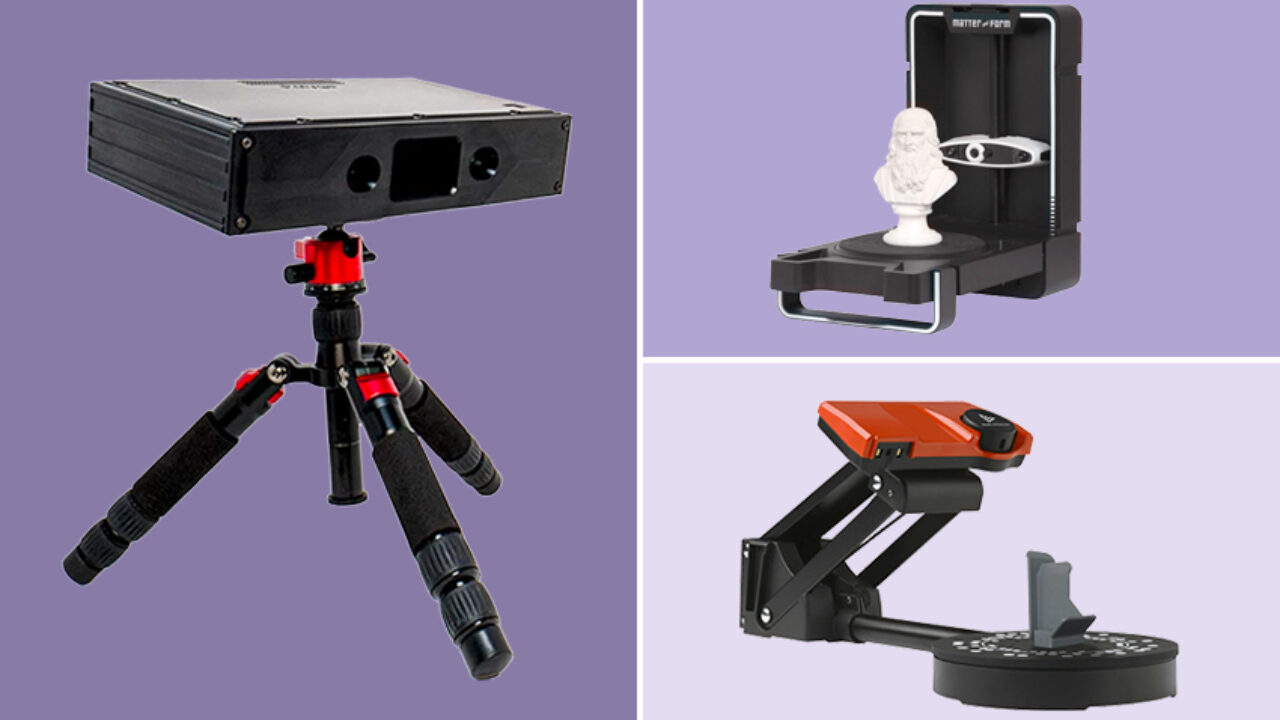
The Creality Ferret Pro is the Best 3D scanner for most first-time buyers and makers because it combines simple tracking, full-color capture, light handling, and broad compatibility. It is not the right tool for jewelry or precision inspection, but it gives ordinary 3D printing projects a manageable starting point.
For demanding dimensional work, choose the Revopoint MetroY Ultra. Its blue laser modes, no-spray handling of difficult surfaces, outdoor capability, Wi-Fi 6, and precision-focused software make it the stronger professional pick. The Revopoint MIRACO Plus deserves consideration when a self-contained field workstation matters more than the narrowest measurement workflow.
If you are undecided, choose the Ferret Pro for general making and the MetroY Ultra for measurement-critical scanning.
As an Amazon Associate we earn from qualifying purchases.