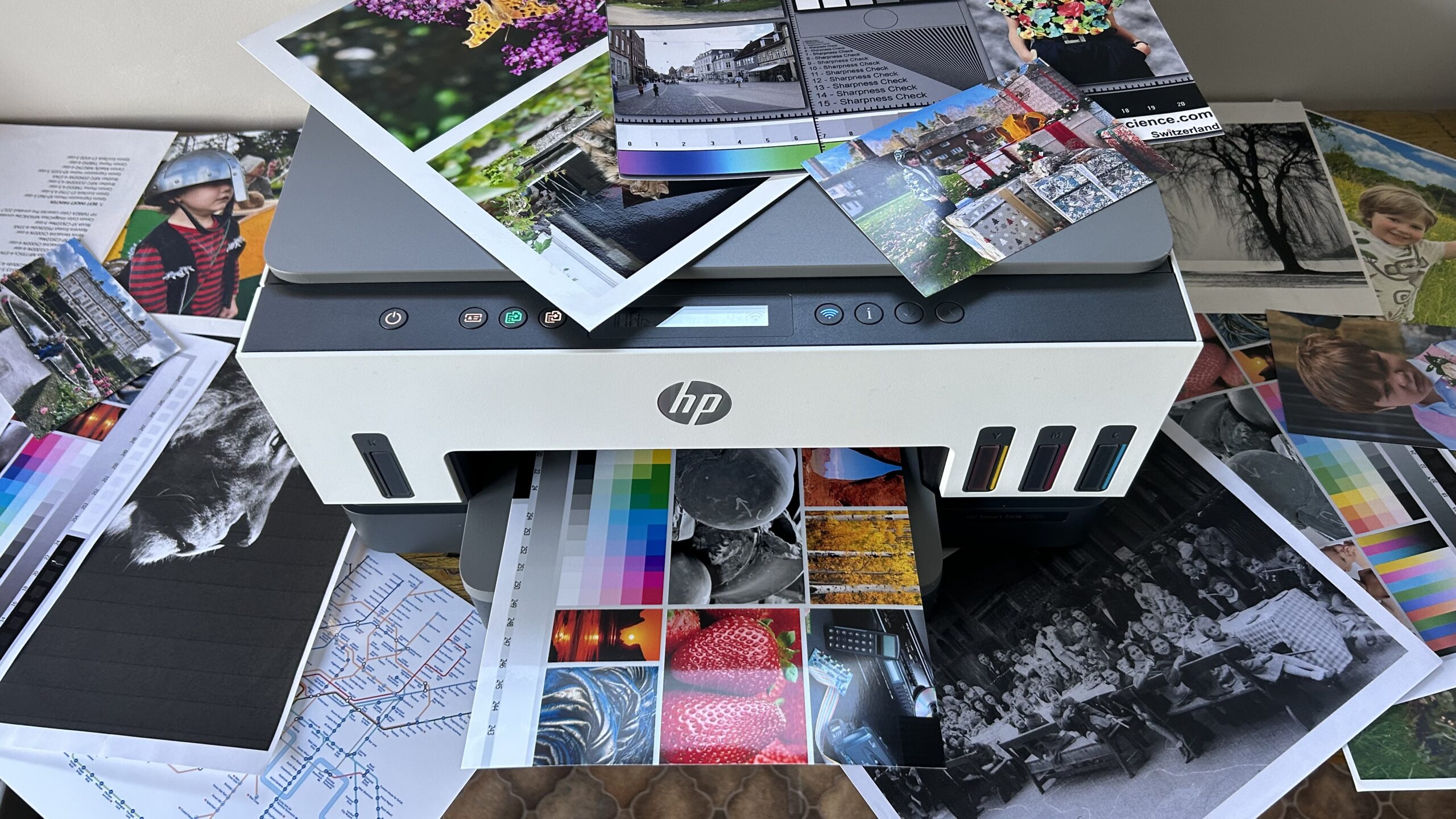

A printer that handles school forms is not automatically the right printer for invoices, reports, or a stack of family photos. The difference usually comes down to paper capacity, automatic document handling, print speed, and whether the printer uses cartridges or refillable tanks.
We compared 10 current HP all-in-one printers across those practical details. The Best HP printers range from compact basic models to office-ready machines with faxing, dual-sided scanning, and 250-sheet paper trays.
The HP OfficeJet Pro 9125 is our top pick, with the OfficeJet Pro 8139 close behind for a home office. The rest cover smaller homes, photo printing, and high-volume cartridge-free use.
Comparison table
| # | Product | Award | Print speed | Paper handling | Best for |
|---|---|---|---|---|---|
| 1 | HP OfficeJet Pro 9125 | Best overall | Up to 22 ppm black, 18 ppm color | 250-sheet tray, ADF, duplex print and scan | Busy offices |
| 2 | HP Envy 6155 | Best for everyday home use | Up to 10 ppm black, 7 ppm color | 100-sheet tray, duplex printing | Homework and documents |
| 3 | HP OfficeJet Pro 8139 | Best home office | Up to 20 ppm black, 10 ppm color | 225-sheet tray, ADF, duplex printing | Mixed work and home tasks |
| 4 | HP DeskJet 4255e | Best compact ADF | Up to 8.5 ppm black, 5.5 ppm color | 60-sheet tray, ADF | Small home workloads |
| 5 | HP DeskJet 2955 | Best basic printer | Up to 7.5 ppm black, 5.5 ppm color | 60-sheet tray | Occasional printing |
| 6 | HP Envy 6555e | Best home touchscreen model | Up to 10 ppm black, 7 ppm color | 100-sheet tray, 35-sheet ADF, duplex printing | Families and photos |
| 7 | HP OfficeJet Pro 8125e | Best home office alternative | Up to 20 ppm black, 10 ppm color | 225-sheet tray, ADF, duplex printing | Reports and forms |
| 8 | HP Smart Tank 5003 | Best refillable ink design | Up to 6, 000 black or color pages included | Ink tanks, borderless printing | High-volume home printing |
| 9 | HP Envy Photo 7975 | Best for photo features | Up to 15 ppm black, 10 ppm color | Photo tray, ADF, duplex printing | Family photos and creative work |
| 10 | HP OfficeJet Pro 8125 | Best straightforward office model | Up to 20 ppm black, 10 ppm color | 225-sheet tray, ADF, duplex printing | Home office documents |
1. HP OfficeJet Pro 9125: Best Overall
Pros
- Fast black and color printing
- Automatic two-sided printing and scanning
- 250-sheet input tray
- Fax, copy, scan, and print functions
- Dual-band Wi-Fi and a 2.7-inch touchscreen
Cons
- Large and heavy for a home desk
- Uses cartridges with original HP chips or circuitry
- Fax capability is unnecessary for many households
Best for: an office that needs fast color documents and dependable paper handling.
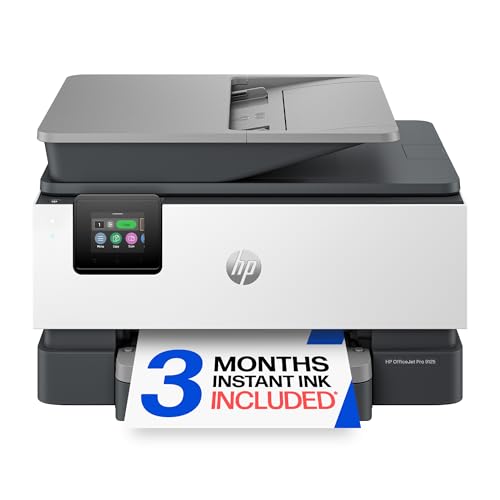
The HP OfficeJet Pro 9125 is the printer we would choose when the machine is expected to work every day rather than sit quietly for occasional forms. Its 250-sheet input tray means fewer interruptions, while the automatic document feeder handles multi-page jobs without requiring every sheet to be placed on the glass. It also combines printing, scanning, copying, and faxing in one unit, which makes sense for a small office with varied paperwork.
Speed is its clearest advantage. HP rates it for up to 22 pages per minute in black and 18 pages per minute in color. Those figures give it a useful lead over the OfficeJet Pro 8139 and the OfficeJet Pro 8125 models, particularly when a report or presentation contains several color pages. Automatic two-sided printing cuts down on manual page flipping, and automatic two-sided scanning is especially useful when digitizing longer documents.
The 2.7-inch color touchscreen gives the printer a more direct control point than the icon LCD on the DeskJet models. The HP app extends print, scan, copy, and fax controls to a phone, while dual-band Wi-Fi is designed to detect and resolve connection issues. HP also includes AI formatting tools for cleaning unwanted content from web pages and emails, plus HP Wolf Pro Security for network protection. More than 40% recycled plastic is used in the design.
The weakness is physical scale. At 17.3 inches wide, 13.48 inches long, 10.94 inches high, and 20.48 pounds, it needs a proper surface and is not a natural fit for a cramped shelf. It also requires cartridges with original HP chips or circuitry, and firmware updates maintain that restriction. Someone who prints only a few pages a month should look at the smaller HP DeskJet 2955 instead.
For a workgroup, freelancer, or household that treats printing as a regular task, the OfficeJet Pro 9125 has the strongest combination of speed, capacity, and document features in this group.
2. HP Envy 6155: Best for Everyday Home Use

Pros
- Compact all-in-one design
- Automatic two-sided printing
- 2.4-inch color touchscreen
- Borderless photo support
- Dual-band wireless printing
Cons
- Slower than the OfficeJet Pro range
- No automatic document feeder
- 100-sheet input tray limits larger jobs
Best for: a household printing homework, forms, recipes, and occasional photos.
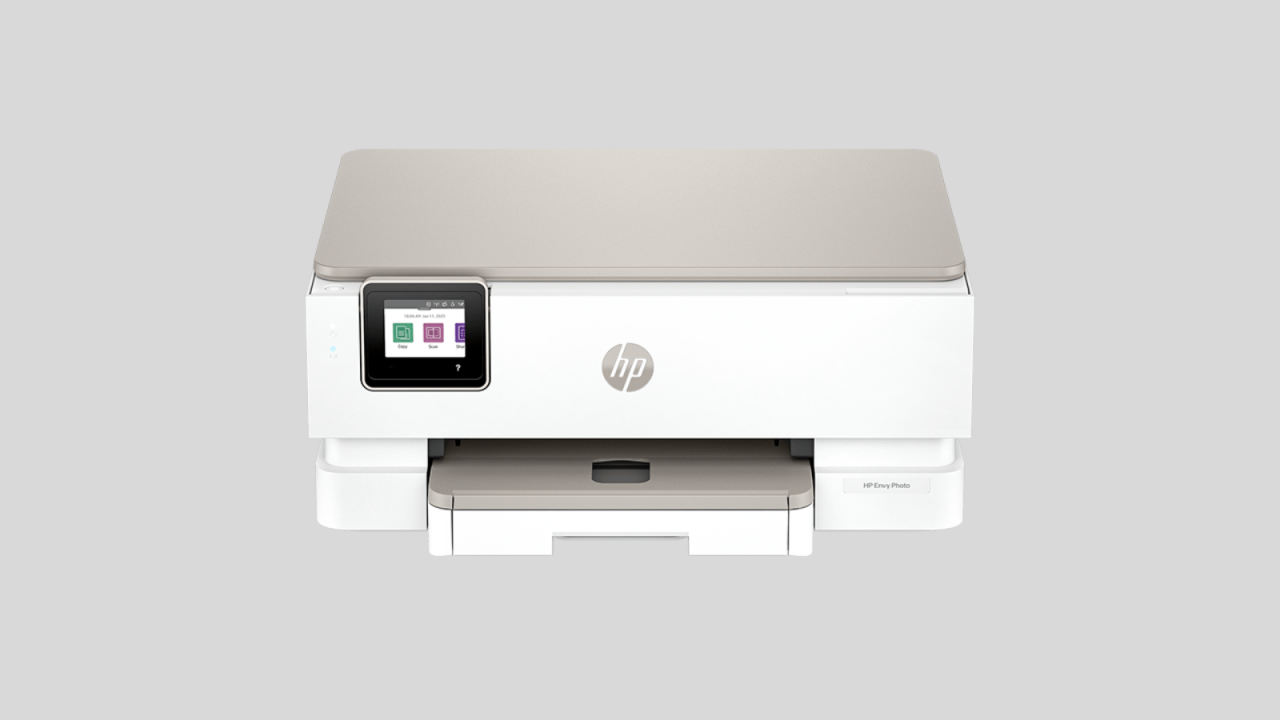
The HP Envy 6155 gets the home-printer brief right by keeping the controls approachable and the feature set focused. It prints, scans, and copies, with automatic two-sided printing for documents that would otherwise consume a page on each side. It lacks a fax and an automatic document feeder, but those omissions are easy to accept when the typical job is a worksheet, letter, or a small batch of household paperwork.
Its rated speed is up to 10 pages per minute in black and 7 pages per minute in color. That is well below the OfficeJet Pro 9125, but it is appropriate for short home jobs. The 100-sheet input tray is enough for normal use, though anyone regularly printing long reports will have to reload it sooner than the 225-sheet and 250-sheet OfficeJet models.
A 2.4-inch color touchscreen makes basic setup and operation easier than relying on a row of physical buttons. Dual-band Wi-Fi supports wireless printing, and the HP app handles print, scan, copy, and fax functions from a mobile device, although the printer itself does not list fax hardware among its key functions. HP's P3 technology is intended to keep documents and photos looking vibrant relative to what appears on screen. The printer is made with at least 60% recycled plastic.
The Envy 6155 is not the right tool for scanning a pile of pages, since there is no listed ADF. The HP Envy 6555e adds a 35-sheet ADF and keeps the touchscreen and duplex printing, making it a better fit for families with more paperwork. The 6155 remains the simpler choice for a home that values straightforward operation and does not need office-style throughput.
If your printing life is measured in short jobs rather than stacks, the Envy 6155 is an easygoing all-in-one with useful color and photo support.
3. HP OfficeJet Pro 8139: Best Home Office

Pros
- Fast black document printing
- Automatic document feeder
- 225-sheet input tray
- Duplex printing
- Fax, scan, copy, and print functions
Cons
- Color printing is slower than the OfficeJet Pro 9125
- Larger than the Envy models
- Cartridge restrictions remain
Best for: a home office that needs business documents, reports, and forms handled in batches.
The HP OfficeJet Pro 8139 is the sensible middle ground for a home office. It has the features that make a printer useful beyond casual household work, including faxing, an automatic document feeder, two-sided printing, scanning, and a 225-sheet input tray. It is less imposing than the OfficeJet Pro 9125 while still being built around the same basic idea: keep multi-page office tasks moving.
Black print speed reaches up to 20 pages per minute, and color reaches up to 10 pages per minute. That black speed is strong for invoices, contracts, forms, and text-heavy reports. The OfficeJet Pro 9125 is faster in both modes, but the 8139 still has a substantial lead over the HP Envy and DeskJet printers. Duplex printing is automatic, so two-sided reports do not require a manual intervention between pages.
The 2.7-inch touchscreen is large enough for direct controls without making the printer feel dependent on a phone. HP's app covers printing, scanning, copying, and faxing from mobile devices. Dual-band Wi-Fi is included, and HP AI tools can remove unwanted content from web pages and emails before printing. HP Wolf Essential Security is aimed at protecting the network, and the chassis contains more than 45% recycled plastic.
The 8139's real limitation is that it does not match the 9125's 18 pages per minute color rating or 250-sheet capacity. Its dimensions are also substantial at 18.12 inches wide, 13.29 inches long, and 9.17 inches high. If your home office is really a home with occasional printing, the Envy 6155 takes up less of the workflow. For recurring document batches, the 8139 earns its place.
The included one-year Instant Ink trial is longer than the trial attached to several other models here, but it becomes a subscription after that period unless canceled. The printer also accepts cartridges with original HP chips or circuitry, a factor to understand before committing to the platform. For a home office that wants office features without moving up to the largest model, the 8139 is the strongest fit.
4. HP DeskJet 4255e: Best Compact ADF

Pros
- Automatic document feeder in a compact design
- Print, scan, and copy functions
- Mobile and wireless printing
- AI-assisted page formatting
- At least 60% recycled plastic
Cons
- Only supports 2.4 GHz Wi-Fi
- Slower color printing
- 60-sheet input tray
Best for: a small home that needs occasional multi-page scanning.
The HP DeskJet 4255e stands out because it adds an automatic document feeder to a compact home printer. That matters when you need to copy or scan several pages, but do not want the larger footprint of an OfficeJet Pro. It handles color printing, copying, and scanning, and the HP app extends those jobs to a phone, tablet, or PC.
Expect up to 8.5 pages per minute in black and 5.5 pages per minute in color. Those figures place it below the DeskJet 2955 in black speed and on a similar footing for color, so this is not a high-throughput machine. Its 60-sheet input tray reinforces the intended use: short household jobs such as letters, recipes, financial documents, and to-do lists.
The connectivity detail deserves attention. This printer is only 2.4 GHz capable, unlike the dual-band models such as the Envy 6155 and OfficeJet Pro 8125. That should not be a problem on every network, but it can matter in homes where the router is configured around a separate or heavily managed 5 GHz network. An icon LCD keeps the controls simple, though it is less informative than the color touchscreens on the Envy and OfficeJet Pro printers.
The compact design is its strongest practical feature, but compact does not mean tiny. It measures 16.85 inches wide, 13.07 inches long, and 7.87 inches high, with a listed weight of 10.6 pounds. It also uses cartridges with HP chips or circuitry and may block cartridges using non-HP chips. The three-month Instant Ink trial is optional after activation and becomes a monthly service unless canceled.
Choose the DeskJet 4255e over the DeskJet 2955 when the ADF matters more than speed. Skip it if your wireless network depends on 5 GHz connectivity or if you routinely print long documents. For light scanning in a small home workspace, its combination of an ADF and compact body is unusually useful.
5. HP DeskJet 2955: Best Basic Printer

Pros
- Compact and light design
- Print, scan, and copy functions
- Dual-band wireless printing
- 60-sheet input tray
- At least 70% recycled plastic
Cons
- No automatic document feeder
- Slower than the OfficeJet Pro models
- Basic icon LCD controls
Best for: occasional printing of simple household documents.
The HP DeskJet 2955 is the uncomplicated option in this lineup. It prints, scans, and copies, supports mobile and wireless printing, and takes up less space than every OfficeJet Pro model here. For a household that prints a form now and then, the lack of advanced office hardware is not a serious drawback.
HP rates it for up to 7.5 pages per minute in black and 5.5 pages per minute in color. The 60-sheet input tray is sized for short jobs, and the icon LCD keeps the interface focused on basic commands. There is no automatic document feeder, so multi-page scans and copies require placing pages on the scanner one at a time.
Dual-band Wi-Fi gives it an advantage over the DeskJet 4255e's 2.4 GHz-only connection. The HP app handles printing, scanning, copying, and mobile setup, while HP's AI formatting tools are designed to remove unwanted content from web pages and emails. HP says the printer uses at least 70% recycled plastics and carries ENERGY STAR and EPEAT certifications.
The printer's small footprint is useful, measuring 16.73 inches wide, 11.97 inches long, and 6.06 inches high. Its 7.55-pound weight also makes it easier to relocate than the heavier all-in-one machines. The tradeoff is clear: you give up an ADF, touchscreen, faxing, fast output, and larger paper capacity. Anyone who regularly handles paperwork should move to the DeskJet 4255e or OfficeJet Pro 8139.
The three-month Instant Ink trial can arrange automatic ink delivery, but it becomes a monthly service after the trial unless canceled. The printer is also intended for cartridges with HP chips or circuitry. For a low-volume household that wants a small multifunction printer with dual-band wireless, the DeskJet 2955 is the cleanest fit.
6. HP Envy 6555e: Best Home Touchscreen Model

Pros
- 2.4-inch color touchscreen
- 35-sheet automatic document feeder
- Automatic two-sided printing
- Borderless photo support
- Dual-band Wi-Fi
Cons
- Slower than the OfficeJet Pro models
- Larger and heavier than the Envy 6155
- Cartridge restrictions apply
Best for: families that want a touchscreen, duplex printing, and light document feeding.
The HP Envy 6555e is the more capable home printer when the Envy 6155 feels a little too basic. Both models focus on color documents and home photos, but the 6555e adds a 35-sheet automatic document feeder. That small addition changes how it handles school packets, signed forms, and short stacks of paperwork.
Its print rating reaches up to 10 pages per minute in black and 7 pages per minute in color, matching the Envy 6155. Automatic two-sided printing is included, and the 100-sheet tray suits normal home use rather than a busy office. The OfficeJet Pro 8139 is a better choice for frequent reports because it has a 225-sheet tray and faster black printing, but the 6555e is easier to justify when photos and home documents share the same workload.
A 2.4-inch color touchscreen provides direct access to controls. Dual-band Wi-Fi and the HP app support wireless printing, scanning, and copying, while HP's P3 technology is intended to produce documents and photos with colors that look vibrant relative to the screen. HP AI formatting tools can remove unwanted web content, which is useful for printing pages that otherwise include clutter around the information you need.
The printer measures 17.05 inches wide, 14.21 inches long, and 6.73 inches high, and weighs 16.3 pounds. That is noticeably more substantial than the 6155, despite the similar speed and paper capacity. It uses at least 60% recycled plastic, but it also requires cartridges with HP chips or circuitry, and firmware updates preserve that requirement.
For a home with mixed needs, the 6555e is more versatile than the Envy 6155 because of its ADF. It is not a substitute for the OfficeJet Pro 9125 when speed and paper capacity matter, and it is not the specialist choice for photos. It is the better home model for someone who wants a friendly touchscreen and occasional hands-free scanning.
7. HP OfficeJet Pro 8125e: Best Home Office Alternative

Pros
- Up to 20 pages per minute in black
- 225-sheet input tray
- Automatic document feeder
- Automatic two-sided printing
- Print, scan, and copy functions
Cons
- Color output is rated at 10 ppm
- Large footprint
- Subscription and cartridge restrictions need attention
Best for: a home office that needs fast black documents and regular scanning.
The HP OfficeJet Pro 8125e is built around the same practical home-office priorities as the 8139. It has an ADF, automatic two-sided printing, scanning, copying, and a 225-sheet input tray. That paper capacity is a major step up from the 100-sheet Envy models and the 60-sheet DeskJets, especially when the printer is shared by several people.
Black print speed is rated at up to 20 pages per minute, with color at up to 10 pages per minute. Text-heavy documents should move quickly, while color reports and presentations take longer than they would on the OfficeJet Pro 9125. The 8125e is still much more appropriate for recurring office jobs than the Envy 6555e, whose strengths are aimed at home convenience and photos.
The HP app handles printing, scanning, copying, and mobile workflows. Dual-band Wi-Fi is included, and HP AI formatting tools are designed to remove unwanted content from web pages and emails. The printer has a 9.17-inch height, 13.29-inch length, and 18.11-inch width, with a listed weight of 17.63698096 pounds. It needs a stable desk, not a narrow side table.
One point to settle before choosing this model is the distinction between it and the regular OfficeJet Pro 8125. The two share the same rated speeds, 225-sheet tray, ADF, duplex printing, and basic dimensions. The 8125e listing specifically includes HP+ activation language and a three-month Instant Ink trial, while the standard 8125 includes a three-month trial without that wording in its listed feature set. The feature differences are modest, so the exact listing and activation terms deserve a close read.
The 8125e does not list faxing among its key functions, so a home office that still sends faxes should choose the OfficeJet Pro 8139 or 9125. For ordinary reports, forms, and scans, it is a capable workhorse. Readers comparing document-focused machines can also look at the features that matter in a dedicated office setup before choosing between this and a larger office model.
8. HP Smart Tank 5003: Best Refillable Ink Design

Pros
- Cartridge-free refillable ink tanks
- Up to 6, 000 black or color pages included
- Borderless printing
- Print, scan, and copy functions
- Mess-free bottle refill system
Cons
- No automatic document feeder listed
- Not the fastest printer here
- Ink-tank setup is less compact than a basic DeskJet
Best for: households that print frequently and want refillable ink instead of cartridges.
The HP Smart Tank 5003 is the outlier in this roundup because it does not use the same cartridge-centered design as the other HP printers. Its refillable ink tanks are meant for people who print often enough to care about the supply system as much as the printer itself. Bottles plug into the tank and drain without squeezing, which HP describes as a mess-free refill process.
HP says the box includes enough ink for up to 6, 000 color or black pages, and the listing describes up to three years of ink included. Those are substantial capacity claims, though actual use depends on what gets printed and how much ink each page consumes. The printer handles printing, copying, and scanning, plus borderless prints and mobile wireless printing.
The Smart Tank 5003 is not positioned as a speed-first office machine. The listed features do not provide a pages-per-minute rating, and there is no ADF listed. That makes it less suitable than the OfficeJet Pro 9125 or 8139 for a batch of two-sided office documents. Its strength is the refillable system, not a touchscreen, faxing, or automatic document feeding.
Its dimensions are 17.11 inches wide, 14.23 inches long, and 6.19 inches high, with a weight of 11.09 pounds. That is lighter than the OfficeJet Pro printers, although its broad footprint still requires a dedicated surface. HP promotes sharper text and richer colors from the Smart Tank system, and the printer supports borderless printing for home projects and photos.
The Smart Tank 5003 is the pick for a high-volume household that wants to avoid recurring cartridge swaps and can live without an ADF. If most of your documents are short and you print regularly, its ink-tank architecture is more relevant than the touchscreen on the Envy 6555e. If the workload is office paperwork with frequent scanning, the OfficeJet Pro 8139 remains the better tool.
9. HP Envy Photo 7975: Best for Photo Features

Pros
- Borderless photo printing
- Separate photo tray
- Automatic document feeder
- Automatic two-sided printing
- Large color touchscreen
Cons
- Large home-printer footprint
- Slower than the OfficeJet Pro 9125
- Photo-focused features are unnecessary for document-only users
Best for: families printing borderless photos, homework, and creative projects from one machine.
The HP Envy Photo 7975 is the most photo-oriented model in this group. Its separate photo tray keeps photo paper apart from ordinary sheets, and borderless photo support gives it a clear purpose beyond printing forms. It also includes an ADF, automatic two-sided printing, copying, scanning, and mobile wireless printing, so it is not limited to creative work.
Print speed reaches up to 15 pages per minute in black and 10 pages per minute in color. That gives it a faster black rating than the Envy 6155 and Envy 6555e, though the OfficeJet Pro 9125 still leads it in both black and color. The printer is a good match for a household that alternates between a photo project and a school or work document.
A large intuitive color touchscreen is designed to make operation easier from the printer itself. HP also highlights true-to-screen borderless photos, advanced photo features, and easy setup. Its AI formatting tools are intended to keep web pages and emails neatly arranged rather than wasting space around the information being printed.
The 7975 is not small. It measures 18.11 inches wide, 15.08 inches long, and 9.17 inches high, and weighs 17.9 pounds. That is close to OfficeJet Pro territory in size, so it needs more room than the Envy name might suggest. The three-month Instant Ink trial is included in the listing, and the printer uses cartridge-based supplies.
The separate photo tray is the reason to choose this over the Envy 6555e. The 6555e is a more balanced everyday home model with an ADF, but the 7975 gives photo handling a higher priority. If you are deciding how much room to reserve for family printing, the practical differences between home document and photo workloads can help clarify which features deserve the space.
10. HP OfficeJet Pro 8125: Best Straightforward Office Model

Pros
- Up to 20 pages per minute in black
- 225-sheet input tray
- Automatic document feeder
- Automatic two-sided printing
- 2.7-inch color touchscreen
Cons
- Color speed is rated at 10 ppm
- Large and heavy for casual home use
- Cartridge restrictions apply
Best for: a home office that wants a capable all-in-one without fax hardware.
The HP OfficeJet Pro 8125 is a straightforward document machine. It covers the essentials for a home office with print, scan, copy, an automatic document feeder, automatic two-sided printing, and a 225-sheet input tray. It does not list faxing among its core functions, which keeps it more focused than the OfficeJet Pro 8139.
Its rated output is up to 20 pages per minute in black and 10 pages per minute in color. That is enough for regular forms, reports, and business documents, although the OfficeJet Pro 9125 is faster and holds slightly more paper. The OfficeJet Pro 8125e has the same listed print speeds and paper capacity, so the choice between those two comes down largely to the included activation and trial details in each listing.
The 2.7-inch touchscreen provides direct navigation, and the HP app supports print, scan, copy, and fax commands from a mobile device. The printer itself does not list fax hardware, so the app reference should not be mistaken for a built-in fax function. Dual-band Wi-Fi is included, along with HP AI formatting tools and HP Wolf Essential Security. HP says more than 45% recycled plastic is used in the construction.
This is a sizable printer at 18.11 inches wide, 13.29 inches long, and 9.17 inches high. Its listed weight is 17.6 pounds. That bulk makes sense beside the 225-sheet tray and ADF, but it is more machine than a small household needs. The printer is also intended to work with cartridges containing original HP chips or circuitry, with firmware updates maintaining that restriction.
The OfficeJet Pro 8125 makes the most sense when you want a home-office workhorse and do not need faxing. The 8125e is a close alternative with largely matching hardware, while the 8139 adds fax and offers a longer listed Instant Ink trial. Choose the 8125 when its simpler feature set matches your desk.
How to choose best hp printers
The right HP printer depends less on its family name than on the kind of pages you produce and how often you handle multi-page jobs.
Print speed
Print speed matters most when several people share the printer or when documents regularly run beyond a few pages. The OfficeJet Pro 9125 leads this group at up to 22 pages per minute in black and 18 pages per minute in color. The OfficeJet Pro 8139, 8125e, and 8125 reach up to 20 pages per minute in black, while the Envy and DeskJet models are better suited to shorter jobs.
Color speed deserves separate attention. A printer can be quick with text and noticeably slower with color pages, so check both ratings rather than relying on the black figure. For occasional homework, the difference may not matter. For presentations, flyers, and reports, it can change how long a job occupies the printer.
Automatic document feeder
An automatic document feeder, or ADF, lets you place multiple sheets into a top tray for scanning or copying. It is one of the most important differences between the models here. The OfficeJet Pro 9125 has an ADF and automatic two-sided scanning, while the OfficeJet Pro 8139, OfficeJet Pro 8125e, OfficeJet Pro 8125, HP Envy 6555e, and Envy Photo 7975 list an ADF for document handling.
The DeskJet 2955 and Envy 6155 do not list an ADF, so each page must be placed on the scanner individually. The DeskJet 4255e does include an ADF despite its smaller home-oriented design. If you scan signed forms or copy school packets, an ADF is usually more useful than a larger touchscreen.
A printer without an ADF is fine for single pages, but it becomes tedious the moment paperwork arrives in a stack.
Paper capacity
Input-tray size tells you how often you will reload paper. The OfficeJet Pro 9125 holds 250 sheets, while the OfficeJet Pro 8139, OfficeJet Pro 8125e, and OfficeJet Pro 8125 hold 225 sheets. The Envy models list 100-sheet trays, and the DeskJet models list 60-sheet trays.
A larger tray does not make the printer faster, but it reduces interruptions and makes shared use easier. A 60-sheet tray is sensible for occasional home printing. A 225-sheet tray is more appropriate when several people print during the week or when the printer supports a home business.
Duplex printing and scanning
Automatic duplex printing places content on both sides of the page without requiring you to turn sheets manually. It is included on the OfficeJet Pro models and Envy models in this selection. The HP Envy Photo 7975 also combines duplex printing with a separate photo tray, which helps when one printer handles both ordinary documents and photos.
Do not assume duplex printing means duplex scanning. The OfficeJet Pro 9125 specifically lists automatic two-sided scanning, while the other models list automatic two-sided printing but do not provide the same scanning detail. If you regularly digitize double-sided documents, that distinction matters.
Ink system and connectivity
Most printers in this roundup use cartridges with HP chips or circuitry, and the listings state that cartridges using non-HP chips may be blocked. Firmware updates maintain those measures. The HP Smart Tank 5003 is different because it uses refillable ink tanks and includes ink for up to 6, 000 black or color pages according to its listing.
Connectivity also varies. Dual-band Wi-Fi appears on the OfficeJet Pro, Envy, and DeskJet 2955 models. The DeskJet 4255e is only 2.4 GHz capable, so check the wireless setup in your home before selecting it. The HP app provides mobile print, scan, and copy functions across many of these printers, but app support does not replace hardware such as an ADF or fax.
Frequently asked questions
Which HP printer is best for a home office?
The HP OfficeJet Pro 8139 is the strongest fit for most home offices because it combines an ADF, a 225-sheet input tray, automatic duplex printing, faxing, scanning, copying, and print speeds up to 20 pages per minute in black. The OfficeJet Pro 9125 is better for heavier workloads and faster color output. The OfficeJet Pro 8125 and 8125e are good alternatives when faxing is not required.
Which HP printer is best for occasional home printing?
The HP DeskJet 2955 is designed for basic household documents and has a compact body, wireless printing, scanning, and copying. Its 60-sheet tray and modest print speeds suit short jobs. Choose the DeskJet 4255e instead if you need an automatic document feeder.
Which HP printer has refillable ink tanks?
The HP Smart Tank 5003 uses a cartridge-free refillable ink system. Its listing says it includes up to three years of ink and up to 6, 000 black or color pages. It supports printing, copying, scanning, borderless prints, and wireless mobile printing.
Which HP printer is best for photos?
The HP Envy Photo 7975 is the most photo-focused choice here. It includes a separate photo tray, advanced photo features, borderless photo printing, and a large color touchscreen. It also has an ADF and automatic two-sided printing for ordinary household documents.
Does every printer in this roundup support dual-band Wi-Fi?
No. The HP DeskJet 4255e is only 2.4 GHz capable. The HP DeskJet 2955 and the Envy and OfficeJet Pro models listed here include dual-band wireless features.
Do these HP printers print on both sides automatically?
The OfficeJet Pro 9125, OfficeJet Pro 8139, OfficeJet Pro 8125e, OfficeJet Pro 8125, Envy 6155, Envy 6555e, and Envy Photo 7975 list automatic two-sided printing. The DeskJet 2955, DeskJet 4255e, and Smart Tank 5003 do not list automatic duplex printing in the supplied features.
Do these printers include faxing?
The OfficeJet Pro 9125, OfficeJet Pro 8139, and their listed features include faxing. The DeskJet, Envy, and Smart Tank models do not list built-in fax hardware among their key features. The HP app may display fax-related controls, but that does not mean every printer has a fax function.
The bottom line
The Best HP printers list starts with the HP OfficeJet Pro 9125 because it is the most complete office machine here. Its 250-sheet tray, 22-page-per-minute black speed, 18-page-per-minute color speed, ADF, automatic two-sided scanning, and fax function make it the clear choice for demanding document work.
For a home office, the HP OfficeJet Pro 8139 is the more balanced alternative. The HP Envy 6155 is a better match for simple household printing, while the HP Smart Tank 5003 is the one to choose when refillable ink and high-volume output matter more than speed or automatic document feeding.
If you are undecided, choose the OfficeJet Pro 8139 for recurring paperwork and the Envy 6155 for short home jobs.
As an Amazon Associate we earn from qualifying purchases.