

Choosing a graphics card is rarely as simple as picking the newest name. Case clearance, memory capacity, cooling, ray tracing, and the resolution you play at all change which card makes sense. The Best GPU for gaming depends on the rest of the PC as much as the game settings.
This lineup covers current Radeon and GeForce cards, along with older options that still make sense for specific builds. The GIGABYTE Radeon RX 9070 XT Gaming OC is our top pick, while the list ranges from compact 1080p cards to serious 4K hardware.
Comparison table
| # | Product | Award | Memory | Design | Best for |
|---|---|---|---|---|---|
| 1 | GIGABYTE Radeon RX 9070 XT Gaming OC | Best overall | 16GB GDDR6 | WINDFORCE cooling | High-refresh 1440p gaming |
| 2 | ASUS Dual RTX 5060 | Best compact GeForce | 8GB GDDR7 | 2.5-slot, dual fan | Compact gaming PCs |
| 3 | ASUS TUF RTX 5080 | Best high-end build | 16GB GDDR7 | 3.6-slot, triple fan | Enthusiast 4K gaming |
| 4 | ASUS TUF RTX 5070 | Best balanced GeForce | 12GB GDDR7 | 3.125-slot, triple fan | 1440p ray tracing |
| 5 | ASUS Dual RX 9060 XT | Best quiet Radeon | 16GB GDDR6 | 2.5-slot, dual fan | Quiet 1440p systems |
| 6 | PNY RTX 5080 Epic-X | Best RGB GeForce | RTX 5080 class | Triple fan | RGB enthusiast PCs |
| 7 | ASUS Prime RX 9070 XT | Best RX 9070 XT alternative | 16GB GDDR6 | 2.5-slot, dual fan | Flexible Radeon builds |
| 8 | ASRock RX 7700 XT Challenger | Best previous-generation Radeon | 12GB GDDR6 | Dual fan | High-refresh 1440p |
| 9 | Kelinx AISURIX RX 580 | Best basic upgrade | 8GB GDDR5 | Dual-slot, fan stop | Older desktop upgrades |
| 10 | ASUS Dual RTX 3050 | Best small Nvidia card | 6GB GDDR6 | 2-slot, dual fan | Small-form-factor PCs |
1. GIGABYTE Radeon RX 9070 XT Gaming OC: Best Overall

Pros
- 16GB of GDDR6 memory
- WINDFORCE cooling system
- Hawk fan design
- Server-grade thermal conductive gel
- RGB lighting
Cons
- Large, heavy card
- Not the easiest fit for compact cases
- Radeon features may not suit every ray-tracing-focused build
Best for: gamers who want a strong all-round Radeon card for demanding 1440p play and capable 4K gaming.
The GIGABYTE Radeon RX 9070 XT Gaming OC is the card we would put in the center of a new gaming build from this group. It has the right combination of 16GB memory, current PCIe 5.0 support, and a substantial WINDFORCE cooling system. It is not a small card, though. Its listed length is 11.34 inches, and its weight is about 3.92 pounds, so the case and motherboard need to support a fairly serious piece of hardware.
The 16GB of GDDR6 matters for modern games that keep large textures and detailed environments in memory. It gives this card more breathing room than the 8GB ASUS Dual RTX 5060, particularly for higher-resolution settings and future games. GIGABYTE also uses Hawk fans and server-grade thermal conductive gel, two details aimed at maintaining cooling performance during long sessions. RGB lighting adds a little visual flair without changing the card's purpose.
Compared with the ASUS Prime RX 9070 XT, this GIGABYTE version has a more imposing physical design and a cooling system that is easy to understand at a glance. The ASUS is shorter and uses a 2.5-slot design, so it is the more flexible choice for a crowded case. The GIGABYTE is the one we would favor when the chassis has room and sustained cooling matters more than compact dimensions. Readers still choosing the rest of the platform may also want to consider how much power a gaming PC actually needs before installing a card of this class.
The weakness is size. At nearly four pounds, this is not a casual drop-in upgrade for an older office desktop, and the listed dimensions should be checked against the case before ordering. It also lacks the GeForce-specific DLSS 4 features found on the RTX 50-series cards here. Choose it for generous memory and a strong Radeon-centered build, not for the smallest case or a system built primarily around Nvidia software features.
2. ASUS Dual RTX 5060: Best Compact GeForce

Pros
- 8GB of GDDR7 memory
- DLSS 4 support
- Compact 9-inch length
- 2.5-slot design
- 0dB technology
Cons
- Less memory than the Radeon 16GB cards
- Dual-fan design has less cooling hardware than larger cards
- Not the strongest choice for demanding 4K settings
Best for: compact gaming PCs that need current Nvidia features without a large triple-fan card.
The ASUS Dual RTX 5060 is the easiest card here to recommend for a smaller modern gaming system. Its 9-inch length, 4.8-inch width, and 1.4-pound weight are considerably easier to accommodate than the big RTX 5080 and RX 9070 XT models. The 2.5-slot design still leaves more room for cooling than a very thin card, while the dual Axial-tech fans are designed with a smaller hub and longer blades.
Its 8GB of GDDR7 is a clear dividing line. That memory configuration is less forgiving than the 16GB found on the GIGABYTE Radeon RX 9070 XT and ASUS Dual RX 9060 XT, but it suits a compact card aimed at mainstream resolutions. The card also supports PCIe 5.0, HDMI 2.1b, and DisplayPort 2.1b. Those connections make it a straightforward match for newer displays, while 0dB technology can keep the fans off during light gaming or low-load use.
The feature that separates it from the AMD options is Nvidia's Blackwell architecture with DLSS 4. The ASUS Dual RTX 5060 also lists 623 AI TOPS and an OC mode of 2565 MHz, compared with a default mode of 2535 MHz. Those figures describe the card's operating modes and AI capability, but they do not erase the memory limitation. If your games regularly use heavy texture settings, the 16GB Radeon cards offer more headroom.
The ASUS Dual RTX 5060 is not the pick for a large 4K display or a buyer who wants maximum memory longevity. It is the better fit for a compact case, a sensible 1080p or 1440p-focused build, and anyone who specifically wants DLSS 4. Check the case's 2.5-slot clearance, then pair it with a processor that will not hold back high-refresh gaming.
3. ASUS TUF RTX 5080: Best High-End Build

Pros
- 16GB of GDDR7 memory
- Blackwell architecture and DLSS 4
- Three Axial-tech fans
- Protective PCB coating
- Phase-change GPU thermal pad
Cons
- Very large 3.6-slot card
- About five pounds
- Requires unusually generous case clearance
Best for: enthusiasts building a powerful 4K gaming system with substantial cooling and expansion space.
The ASUS TUF RTX 5080 is built for a system where space and cooling are planned around the graphics card. It measures 13.7 inches long, 5.7 inches wide, and 2.8 inches high, with a listed weight of five pounds. Those are not minor installation details. This is a 3.6-slot card with a large fin array and three Axial-tech fans, so the case needs both length and vertical clearance.
The hardware is aimed at sustained heavy loads. ASUS uses a phase-change GPU thermal pad instead of traditional thermal paste, and the TUF design includes military-grade components and a protective PCB coating. The coating is intended to help protect against short circuits caused by moisture, dust, or debris. None of that makes the card immune to poor airflow, but it does make the design feel focused on long-term use in a demanding desktop.
The 16GB of GDDR7 gives it a modern memory foundation, while Nvidia's Blackwell architecture and DLSS 4 provide the feature set that separates it from the Radeon cards in this list. Compared with the ASUS TUF RTX 5070, the 5080 is the more uncompromising choice for a high-end build. Compared with the PNY RTX 5080 Epic-X, the ASUS leans harder into heavy-duty construction and physical protection, while the PNY is more visually distinctive.
The downside is impossible to ignore: the card is physically enormous and heavy. Builders should confirm the case, motherboard slot spacing, and support arrangement before installation. Skip it if you are working with a compact chassis or a modest display. For an enthusiast who wants a TUF-branded RTX 5080 and has the room to house it, this is the most substantial Nvidia option here.
4. ASUS TUF RTX 5070: Best Balanced GeForce

Pros
- 12GB of GDDR7 memory
- DLSS 4 support
- Triple Axial-tech fan cooling
- Protective PCB coating
- Phase-change thermal pad
Cons
- 3.125-slot thickness
- 13-inch length
- Heavy for some mid-sized cases
Best for: 1440p gamers who want current Nvidia features and more memory than an entry-level RTX card.
The ASUS TUF RTX 5070 occupies the sensible middle of the GeForce choices here. It keeps the Blackwell architecture and DLSS 4 found in the RTX 5080 cards, but its 12GB of GDDR7 is a more moderate configuration. That makes it easier to justify for a high-refresh 1440p system than the huge RTX 5080, especially when the rest of the PC does not need flagship-level hardware.
This is still a large card. It measures 13 inches long, 5.5 inches wide, and 2.5 inches high, and its 3.125-slot design uses a substantial fin array with three Axial-tech fans. The cooling hardware should be treated as part of the installation plan, not as a detail to discover after the card arrives. Military-grade components, a protective PCB coating, and a phase-change GPU thermal pad round out a design intended for demanding use.
The ASUS TUF RTX 5070 is more capable on paper than the compact ASUS Dual RTX 5060, particularly where the extra memory and triple-fan cooler matter. It is also more manageable than the ASUS TUF RTX 5080. The Radeon RX 9070 XT cards offer 16GB of memory, so they remain attractive for buyers who put memory capacity ahead of Nvidia's feature set. The RTX 5070 makes more sense when DLSS 4 and the broader GeForce ecosystem are central to the build.
Its real weakness is the physical footprint. A 3.125-slot card can crowd nearby expansion slots, and the 13-inch length rules out some cases. Measure carefully, and do not assume a mid-tower will automatically have enough space. Pick this one for a modern Nvidia system aimed at 1440p gaming, not for a compact upgrade or a build where every slot matters.
5. ASUS Dual RX 9060 XT: Best Quiet Radeon

Pros
- 16GB of GDDR6 memory
- 2.5-slot design
- 0dB technology
- Dual BIOS profiles
- Dual ball fan bearings
Cons
- Not as powerful as the RX 9070 XT cards
- No Nvidia DLSS 4 feature set
- Dual-fan cooling is less substantial than triple-fan designs
Best for: quiet Radeon systems with enough memory for demanding 1440p gaming.
The ASUS Dual RX 9060 XT takes a quieter, more compact approach than the large RX 9070 XT models. Its listed length is eight inches, its width is 4.7 inches, and its weight is 1.3 pounds. That makes it one of the easiest cards in this roundup to fit into a typical desktop, while the 2.5-slot design leaves room for a cooler than a basic two-slot model.
The standout specification is 16GB of GDDR6 memory. That is more generous than the RTX 5060's 8GB and the RTX 5070's 12GB, making the ASUS Dual RX 9060 XT appealing for games that put pressure on texture memory. The card supports PCIe 5.0, HDMI 2.1b, and DisplayPort 2.1a, so it is equipped for current display connections without needing a bulky high-end cooler.
ASUS includes 0dB technology, which lets the fans stop during light gaming and lower-load work. A dual BIOS switch provides Quiet and Performance profiles, giving owners a little control over the balance between acoustics and cooling. Dual ball fan bearings are listed as lasting up to twice as long as sleeve-bearing designs. The ASUS Dual RTX 5060 is smaller in memory capacity, while the RX 9070 XT cards are stronger choices for more demanding workloads. This card sits neatly between them.
The trade-off is performance class. The 16GB memory does not turn it into an RX 9070 XT, and buyers who want DLSS 4 should look at the GeForce options instead. The ASUS Dual RX 9060 XT is the more convincing choice for a quiet, reasonably compact Radeon build where memory capacity matters more than maximum output.
6. PNY RTX 5080 Epic-X: Best RGB GeForce

Pros
- RTX 5080 graphics platform
- DLSS 4 support
- Triple-fan cooling
- Epic-X RGB design
- NVIDIA Reflex 2 support
Cons
- Long card
- Needs careful case planning
- Product information lists fewer physical details than competing cards
Best for: high-end gaming PCs where GeForce features and RGB styling are both important.
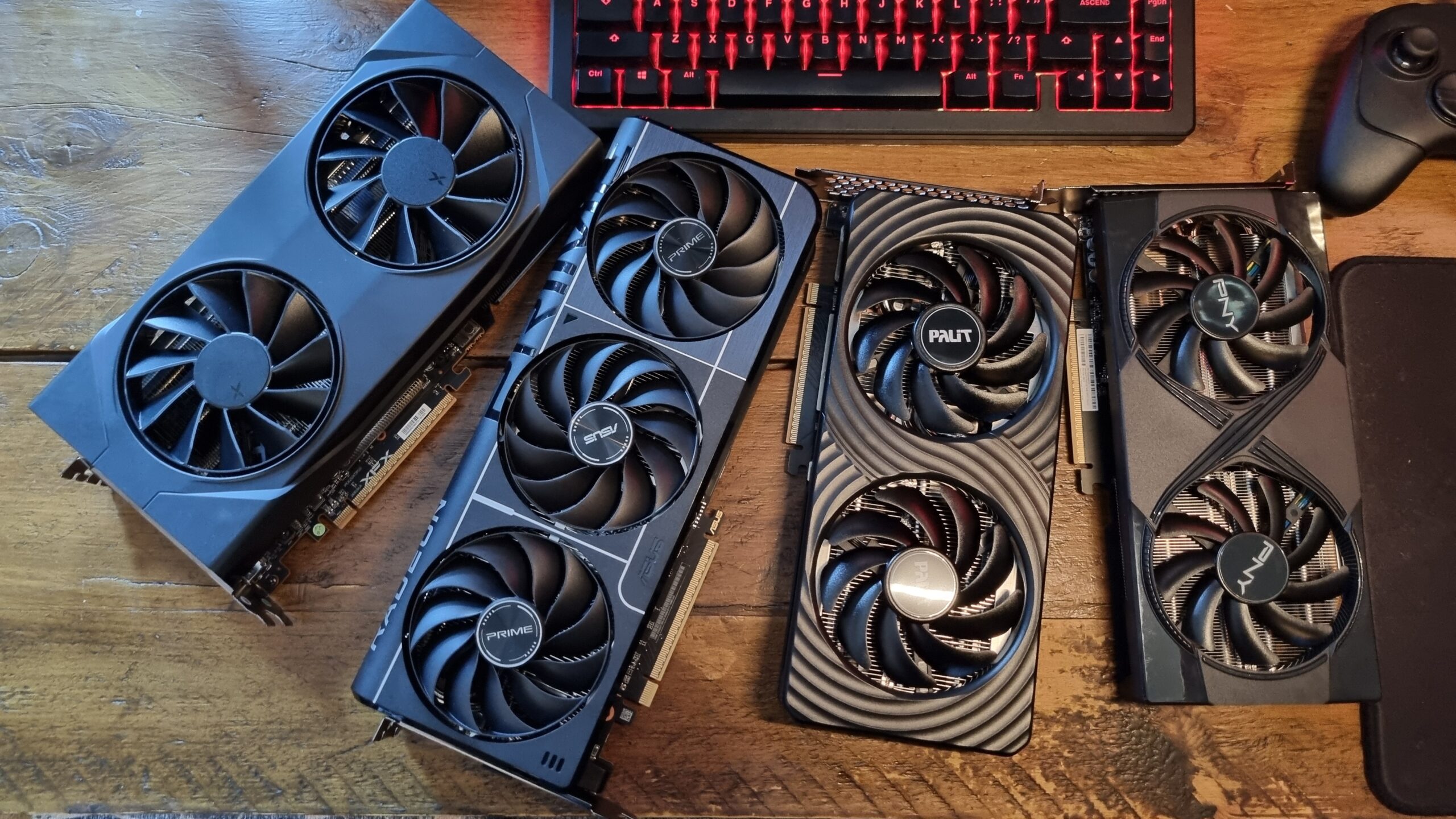
The PNY RTX 5080 Epic-X is the alternative for buyers who want RTX 5080 hardware without choosing the ASUS TUF design. Its identity is clear from the name: this is a triple-fan GeForce card with Epic-X RGB styling, aimed at a showcase PC rather than a hidden office tower. It measures approximately 12.94 inches long and 5.39 inches wide according to the listed product dimensions.
The card's feature list focuses heavily on Nvidia's software and AI capabilities. DLSS 4 combines Multi Frame Generation, Ray Reconstruction, and Super Resolution, while Reflex 2 is intended to reduce latency in competitive games. The card is also positioned for creative applications through Nvidia Studio and RTX acceleration. Those extras are useful for an owner who plays, streams, creates, or uses AI-assisted applications on the same machine.
Compared with the ASUS TUF RTX 5080, the PNY is the more style-conscious choice. The ASUS provides unusually detailed durability features, including a protective PCB coating and phase-change thermal pad, while PNY emphasizes the Epic-X RGB presentation and triple-fan layout. Both are large cards, and neither belongs in a cramped case. Before choosing between them, it is sensible to check which processor features matter alongside a powerful graphics card so the rest of the system is not an afterthought.
The limitation is that the available product information does not provide a memory figure or slot thickness for this specific PNY listing. Buyers should confirm those details and the case clearance before ordering. Choose it when RTX 5080 capability, DLSS 4, Reflex 2, and RGB matter more than the ASUS TUF model's explicitly listed protective construction.
7. ASUS Prime RX 9070 XT: Best RX 9070 XT Alternative

Pros
- 16GB of GDDR6 memory
- 2.5-slot design
- Dual BIOS
- 0dB technology
- Dual-ball fan bearings
Cons
- Longer and heavier than the RX 9060 XT
- Radeon feature set is not the same as Nvidia's
- Still needs a spacious case
Best for: Radeon buyers who want RX 9070 XT capability in a somewhat more manageable card design.
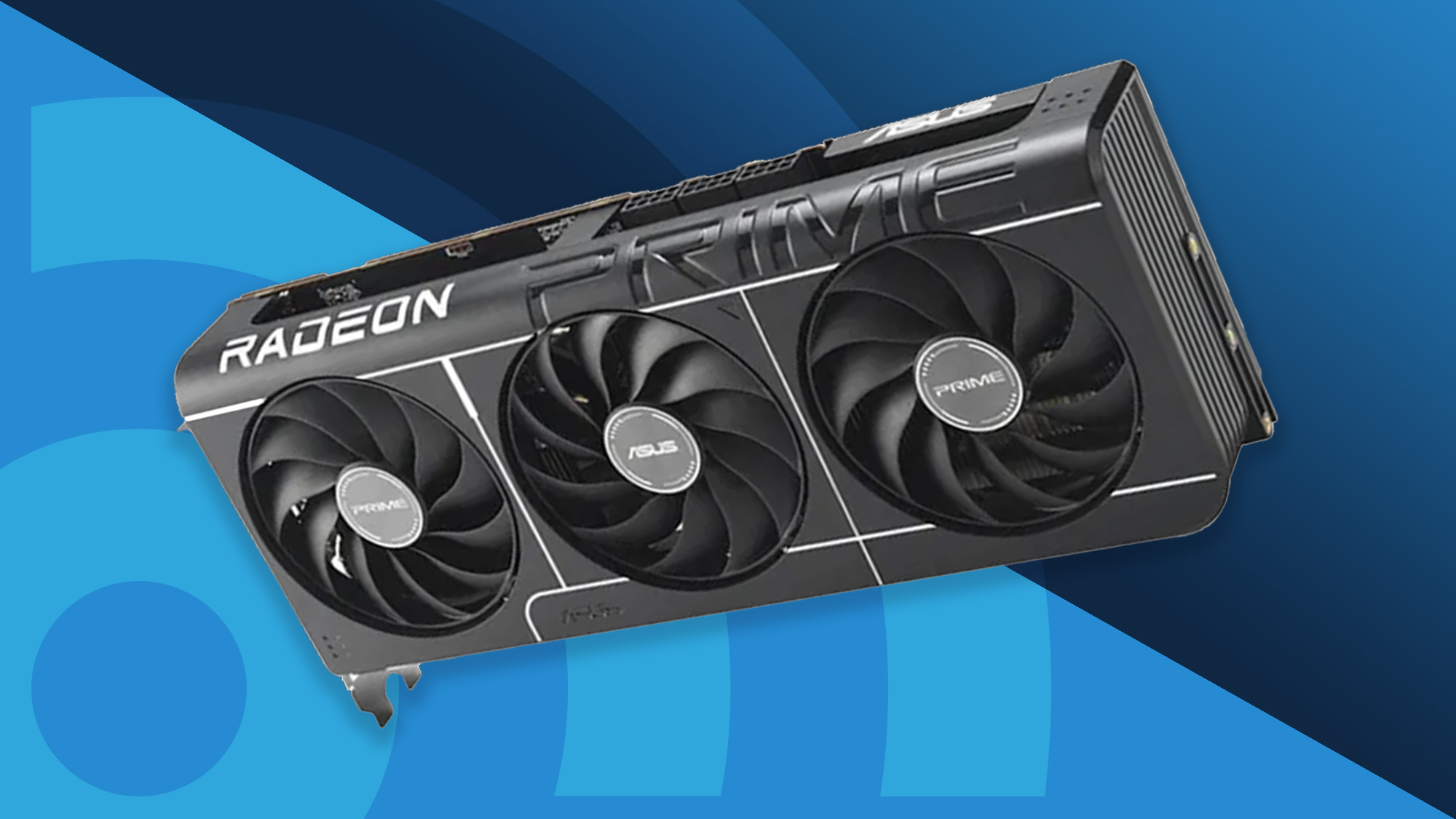
The ASUS Prime RX 9070 XT is the more compact RX 9070 XT option in this roundup. It measures 12.3 inches long, 5.1 inches wide, and two inches high, with a listed weight of about 3.31 pounds. That is still a substantial component, but the 2.5-slot design is easier to work around than the GIGABYTE model's larger footprint.
Its 16GB of GDDR6 memory gives it the same useful capacity advantage over the RTX 5060 and RTX 5070. ASUS also includes Axial-tech fans, dual-ball bearings, and a phase-change GPU thermal pad. The dual BIOS switch allows a choice between profiles, while 0dB technology can keep the card quiet during lighter work. These features make the Prime model feel more adjustable than a basic fixed-profile card.
The ASUS Prime RX 9070 XT is the natural comparison to the GIGABYTE Radeon RX 9070 XT Gaming OC. GIGABYTE offers WINDFORCE cooling, Hawk fans, server-grade thermal conductive gel, and RGB lighting, while ASUS takes up less space and adds an explicitly listed dual BIOS. The core buying decision is therefore simple: choose GIGABYTE for its heavier cooling and visual treatment, or ASUS for a slightly more flexible installation.
The card is not compact in the everyday sense, and the weight still makes support and case clearance worth checking. It also remains a Radeon product, so buyers who specifically want DLSS 4 should choose one of the RTX cards. For a new Radeon build where 16GB and a 2.5-slot design matter, the ASUS Prime RX 9070 XT is the cleaner alternative.
8. ASRock RX 7700 XT Challenger: Best Previous-Generation Radeon

Pros
- 12GB of GDDR6 memory
- 54 compute units
- 192-bit memory bus
- Triple DisplayPort 2.1 outputs
- 0dB silent cooling
Cons
- Older Radeon generation
- Requires two 8-pin power connectors
- Compatibility with pre-built systems can vary
Best for: 1440p gamers who want a capable Radeon card with a practical dual-fan cooler.
The ASRock RX 7700 XT Challenger remains an appealing option for a conventional 1440p gaming PC. Its Radeon RDNA 3 design includes 54 compute units and RT plus AI accelerators, while the listed boost clock reaches up to 2584 MHz and the game clock is 2226 MHz. Those are the sort of details that make this card more serious than the older RX 580 and RTX 3050 options below it.
The 12GB of GDDR6 sits on a 192-bit bus and is supported by 48MB of AMD Infinity Cache. In practical terms, that gives the card a more comfortable memory setup than entry-level cards, especially for detailed 1440p games. The cooler uses two fans, Striped Ring Fans, and Ultra-fit Heatpipes. Fans can stop at low temperatures through 0dB cooling, so the card does not need to make constant noise during light workloads.
Display support is generous, with three DisplayPort 2.1 outputs and one HDMI 2.1 output. The card also supports PCIe 4.0 and uses two 8-pin power connectors. That power arrangement should be checked before installation, particularly in an older system. ASRock explicitly notes that the card is not compatible with all pre-built systems, so buyers should verify the power supply, chassis space, and motherboard before ordering.
The RX 7700 XT Challenger is behind the RX 9070 XT cards in generation and memory capacity, and it does not offer the Nvidia software features found on the RTX 50-series cards. It is also less convenient for a proprietary pre-built computer. For a standard desktop with the right power connectors, the ASRock is a well-specified 1440p Radeon option with useful outputs and quiet low-load behavior.
9. Kelinx AISURIX RX 580: Best Basic Upgrade

Pros
- 8GB of GDDR5 memory
- 256-bit memory interface
- Dual DisplayPort outputs
- Fan stop at low load
- Dual-slot design
Cons
- Much older Polaris architecture
- PCIe 3.0 interface
- 185W maximum power draw
- Requires one 8-pin power connector
Best for: older desktop owners who need a basic gaming graphics upgrade and have compatible power hardware.
The Kelinx AISURIX RX 580 belongs in a different kind of build from the current Radeon and GeForce cards above it. It is an older Polaris-based card with 2048 stream processors, 8GB of GDDR5 memory, and a 256-bit interface. That combination can still make sense when the goal is to give an aging desktop a dedicated graphics card rather than build a current high-end gaming machine.
The card uses a PCIe 3.0 x16 interface and supports up to two monitors through two DisplayPort outputs and one HDMI output. The listing also describes support for up to 4K display output, but that should not be confused with the ability to run demanding modern games at 4K settings. Its dual-slot size is easier to fit than the newest cards, although the case and power supply still need to support it.
AISURIX uses semi-automatic fans that stop when the GPU is cool or under low load. The listed maximum power draw is 185W, and the card needs one 8-pin power connector. That is important for older desktops, where the power supply may lack the required connector or adequate capacity. The card is not an appropriate substitute for the ASRock RX 7700 XT if you are building a new 1440p system.
The central weakness is age. Compared with every current-generation card here, the RX 580 has an older architecture, older memory, and an older PCIe interface. It is best reserved for compatible upgrades where expectations are modest. If your system already has a modern processor, power supply, and case, skip this card and choose a newer GPU with more current features.
10. ASUS Dual RTX 3050: Best Small Nvidia Card

Pros
- Compact 7.9-inch length
- Two-slot design
- DLSS support
- HDMI 2.1 output
- Steel bracket
Cons
- 6GB of GDDR6 memory
- Older Ampere architecture
- Less capable than the RTX 5060
- Not suited to demanding 4K gaming
Best for: small desktop systems that need a compact Nvidia card for mainstream gaming.
The ASUS Dual RTX 3050 is the smallest Nvidia card in this group. Its listed length is 7.9 inches, its height is 1.5 inches, and its weight is 0.9 pounds. The two-slot design is useful for compact cases and older systems where a large triple-fan cooler would block expansion slots or simply fail to fit.
This version has 6GB of GDDR6 memory and uses PCIe 4.0. Its display connections include HDMI 2.1 and DisplayPort 1.4a. Nvidia's Ampere Streaming Multiprocessors, second-generation RT cores, and third-generation Tensor cores provide support for ray tracing and DLSS. The Axial-tech fan design uses a smaller hub and longer blades, while the included steel bracket adds some physical reinforcement.
The RTX 3050 is clearly below the ASUS Dual RTX 5060 in generation and memory capacity. The newer card adds GDDR7, PCIe 5.0, and DLSS 4, while remaining fairly compact. The RTX 3050 makes sense only when the lower physical demands matter more than those newer features, or when an existing system has a modest graphics requirement. For a new build, the RX 9060 XT also offers 16GB of memory in an eight-inch card.
Its 6GB memory limit is the main reason to be cautious. That capacity can become restrictive in newer games with demanding texture settings, and the older architecture gives it less room for future workloads. Choose it for a small, modest gaming PC where the two-slot design and Nvidia support are the priorities. For anything more ambitious, move up the list.
How to choose best gpu for gaming
The right graphics card starts with the games, display, case, and power hardware you already have. These are the factors that separate a practical upgrade from an expensive installation problem.
Memory capacity
Graphics memory stores textures, frame data, and other assets used while a game is running. Cards with 16GB, such as the GIGABYTE Radeon RX 9070 XT and ASUS Dual RX 9060 XT, offer more room for demanding settings than cards with 6GB or 8GB.
Memory capacity is not the same as overall GPU speed. A slower card with more memory will not automatically outperform a faster card, but insufficient memory can cause problems when resolution and texture quality rise. For a long-lived gaming build, 12GB is a more comfortable starting point than 6GB.
GPU architecture
Architecture affects rendering speed, ray tracing, AI features, driver support, and the upscaling tools available in games. The RTX 50-series cards here use Nvidia's Blackwell architecture and DLSS 4, while the RX 9070 XT and RX 9060 XT use current Radeon designs.
Older cards such as the RX 580 and RTX 3050 can still serve modest systems, but they do not offer the same feature headroom. If ray tracing, frame generation, or newer AI-assisted features matter to you, prioritize a current-generation card.
Buy the card that fits your games and case first, then compare cooler design and extra features.
Case clearance
Graphics cards vary dramatically in length, height, width, and slot thickness. The ASUS Dual RTX 3050 is listed at 7.9 inches long, while the ASUS TUF RTX 5080 reaches 13.7 inches and occupies 3.6 slots.
Measure the internal length available from the rear bracket to the front fans or drive cage. Also check how many expansion slots the cooler covers. A card that fits by length can still block a needed slot or interfere with front-mounted cooling.
Cooling design
A dual-fan card can be easier to install, while a triple-fan cooler generally provides more physical cooling hardware for a high-power GPU. WINDFORCE, Axial-tech, Striped Ring, and Epic-X are different implementations, so the name alone does not determine performance.
Fan-stop features such as 0dB technology are useful during light use because the fans can remain off at low temperatures. They do not eliminate the need for good case airflow during long gaming sessions. Larger cards also add weight, making a support bracket or careful installation worthwhile.
Display connections and power
Check the outputs against the monitor or monitors you plan to use. The ASRock RX 7700 XT includes three DisplayPort 2.1 outputs and one HDMI 2.1 output, while the ASUS Dual RTX 3050 uses DisplayPort 1.4a and HDMI 2.1.
Power connectors matter just as much. The RX 7700 XT requires two 8-pin connectors, the RX 580 uses one 8-pin connector, and older pre-built systems may not have the necessary cables. If the graphics card is part of a complete build, the rest of the PC hardware that supports gaming performance deserves the same compatibility check.
Frequently asked questions
How much graphics memory should a gaming GPU have?
For a current gaming PC, 12GB is a sensible starting point, while 16GB provides more room for large textures and higher-resolution play. Cards with 6GB or 8GB can still work well in compact or modest systems, but they offer less headroom for demanding games.
Is a larger graphics card always faster?
No. Physical size mostly describes the cooler, fans, and board design. A large card can have more cooling capacity, but its performance depends on the GPU, memory, and operating configuration.
Is the RTX 5080 better than the RX 9070 XT?
The RTX 5080 cards are the more enthusiast-oriented GeForce options in this lineup and include Blackwell architecture and DLSS 4. The RX 9070 XT cards offer 16GB of GDDR6 and may be a better fit for a Radeon-focused build. The right choice depends on the features, games, and display you use.
Can these cards work in any desktop PC?
No. You need to check case clearance, motherboard slot spacing, power connectors, and power supply capability. The ASRock RX 7700 XT listing specifically warns that it is not compatible with all pre-built systems.
What does 0dB technology do?
0dB technology allows the graphics card fans to stop when temperatures and workload are low. The fans resume when the card needs more cooling, so the feature is primarily about reducing noise during light use.
Does PCIe 5.0 make a graphics card automatically faster?
No. PCIe generation describes the connection between the card and motherboard. A PCIe 5.0 card still depends on its GPU, memory, cooling, and software for gaming performance. Compatibility with an older PCIe slot should be checked rather than assumed.
Is the RX 580 still suitable for gaming?
The RX 580 can still suit an older desktop with modest gaming expectations. Its 8GB of GDDR5 memory and 185W maximum power draw are useful details, but its Polaris architecture and PCIe 3.0 interface make it far less suitable for a new high-end build.
The bottom line
The Best GPU for gaming in this group is the GIGABYTE Radeon RX 9070 XT Gaming OC. Its 16GB memory, substantial cooling system, and current PCIe 5.0 support give it the broadest appeal, provided your case can handle its 11.34-inch length and nearly four-pound weight.
For a smaller system, the ASUS Dual RTX 5060 is the easier recommendation, while the ASUS TUF RTX 5080 and PNY RTX 5080 Epic-X are aimed at enthusiasts with room for very large cards. The ASUS Dual RX 9060 XT is the quieter Radeon alternative, and the RX 580 remains a niche choice for older compatible desktops.
If you are undecided, choose the strongest card that fits your case, power supply, monitor, and memory needs without compromise.
As an Amazon Associate we earn from qualifying purchases.