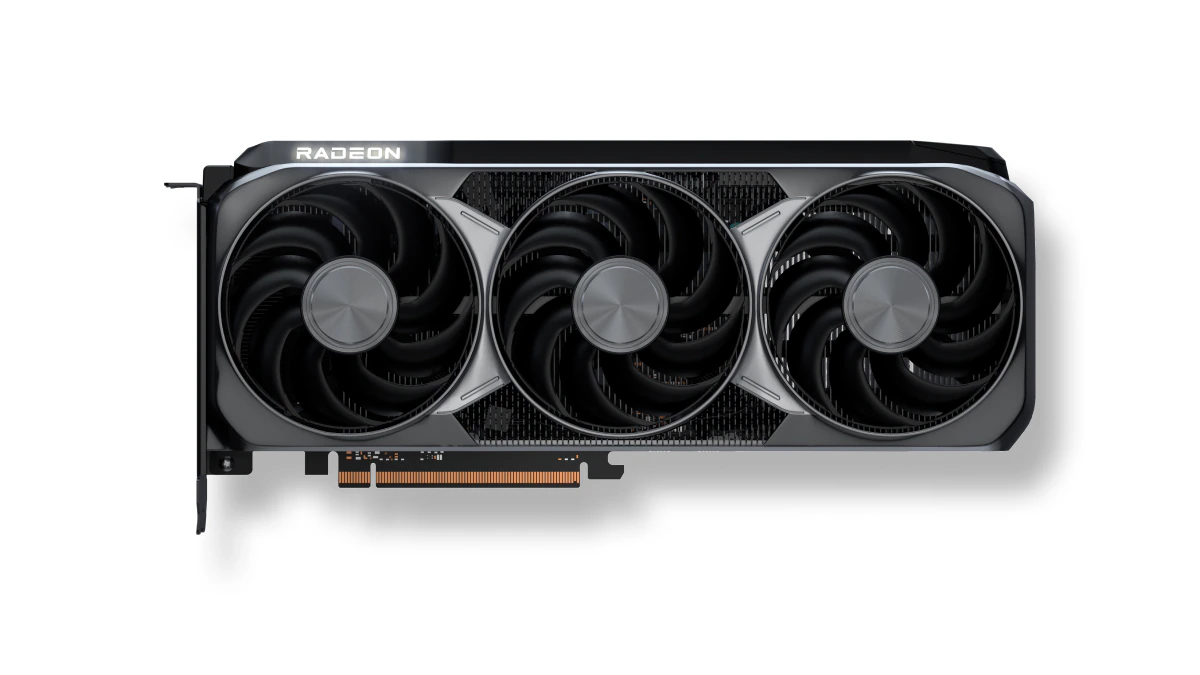

A graphics card can be technically compatible with a desktop and still be the wrong upgrade. Case clearance, power connectors, memory capacity, cooling, and the kind of work you do all matter before the first game or creative application starts.
Our Best amd radeon gpu picks range from compact older cards for basic upgrades to modern RDNA 4 hardware built for demanding games and local AI workloads. ASRock RX 9070 XT Challenger is the strongest all-around choice, while the list also includes compact cards, quieter designs, and a specialist AI model.
| # | Product | Award | Memory | Cooling | Best for |
|---|---|---|---|---|---|
| 1 | ASRock RX 9070 XT Challenger | Best overall | 16GB GDDR6, 256-bit | Triple fan, 0dB | High-end gaming and creation |
| 2 | XFX RX 9060 XT Swift | Best high-refresh option | 16GB GDDR6 | Triple fan | Fast desktop gaming |
| 3 | ASUS Dual RX 9060 XT | Best compact modern card | 16GB GDDR6 | Dual axial-tech fan, 0dB | Smaller builds |
| 4 | PowerColor RX 9060 XT Reaper | Best short RX 9060 XT | 16GB GDDR6 | Not specified | Space-constrained upgrades |
| 5 | ASRock RX 7700 XT Challenger | Best RDNA 3 pick | 12GB GDDR6, 192-bit | Dual fan, 0dB | 1440p-focused systems |
| 6 | ASRock RX 7600 Challenger Pro | Best entry-level RDNA 3 card | 8GB GDDR6, 128-bit | Triple fan, 0dB | 1080p and light 1440p |
| 7 | ASUS R9700 AI Pro | Best for local AI | 32GB GDDR6, 256-bit | Robust thermal design | LLM and AI workflows |
| 8 | MOUGOL RX 580 | Best legacy multi-display card | 8GB GDDR5 | Dual fan | Older desktop upgrades |
| 9 | maxsun RX 550 ITX | Best small basic upgrade | 4GB GDDR5, 128-bit | Single 9cm fan | Compact office PCs |
1. ASRock RX 9070 XT Challenger: Best Overall

Pros
- RDNA 4 architecture with ray tracing and AI accelerators
- 16GB memory on a 256-bit interface
- Triple-fan cooling with 0dB operation
- Modern DisplayPort 2.1a and HDMI 2.1b outputs
Cons
- Long card needs careful case planning
- The system guidance calls for an 800W power supply
- Three-fan cooler is larger than compact alternatives
Best for: a powerful gaming or content-creation desktop that has room for a full-size card.
The ASRock RX 9070 XT Challenger is the card we would build around when the goal is modern, high-end Radeon performance without stepping into the specialist AI category. Its RDNA 4 architecture, 64 compute units, and 16GB of GDDR6 memory give it the most complete performance-oriented specification here. The 256-bit memory bus is also a meaningful advantage for demanding textures and higher-resolution workloads.
Its boost clock reaches up to 2970MHz, although clock speed alone does not tell the whole story. The combination of memory capacity, bus width, architecture, and cooling is what makes this a more suitable long-term choice than the 12GB ASRock RX 7700 XT Challenger. The card has three DisplayPort 2.1a outputs and one HDMI 2.1b output, so it is well suited to a modern high-refresh display setup.
Cooling is handled by three fans with striped axial fan technology and 0dB silent cooling. That means the fans can stop during light work, while the larger cooler is designed for sustained loads. The trade-off is physical size. The card measures about 11.4 inches long and weighs about 2.29 pounds, and the listed system guidance calls for an 800W power supply. Check both before ordering.
The XFX RX 9060 XT Swift is a sensible step down for buyers who do not need the 9070 XT class, and the ASUS R9700 AI Pro makes more sense for local AI than this card does. For gaming and mixed creative work, though, the ASRock offers the broadest capability in this group. Skip it if your case is compact or your power supply cannot meet the system requirement. For everyone else, this is the pick that leaves the fewest obvious reasons to upgrade again soon.
2. XFX RX 9060 XT Swift: Best High-Refresh Option

Pros
- 16GB GDDR6 memory
- Boost clock up to 3320MHz
- Triple-fan cooling
- Newer RDNA 4 generation
Cons
- About 11.4 inches long
- Three-fan layout needs sufficient case space
- Product data does not specify power requirements
Best for: a mainstream desktop gamer who wants a modern 16GB Radeon card with an aggressive factory boost clock.
The XFX RX 9060 XT Swift stands out for its simple performance brief. It uses the RX 9060 XT chipset, RDNA 4 architecture, 16GB of GDDR6 memory, and a boost clock of up to 3320MHz. That gives it a strong specification for a current gaming desktop, particularly for buyers who want more memory headroom than the 8GB ASRock RX 7600 Challenger Pro provides.
The triple-fan Swift cooling system is the main design feature beyond the chipset. Three fans can spread the cooling work across the card, but they also make the card less forgiving of cramped cases. The listed length is about 11.4 inches, with a width of about 4.9 inches. Measure the space from the rear bracket to the front drive cage rather than assuming a standard mid-tower will accept it.
There are no detailed connector or power figures in the supplied product information beyond HDMI and two DisplayPort outputs in the title. That is a weakness when planning a build, since the rest of the system still needs to be checked against the card's requirements. The 16GB memory is clearer and more useful than the marketing language: it gives texture-heavy games and creative applications more room than older 8GB cards.
The ASUS Dual RX 9060 XT is the better fit for a compact build, while the ASRock RX 9070 XT Challenger is the stronger choice for buyers stepping up to more demanding 4K-oriented work. The XFX sits between them as a capable modern gaming card with the highest listed boost clock in the RX 9060 XT group. Choose it when case space is available and gaming speed matters more than a compact cooler.
3. ASUS Dual RX 9060 XT: Best Compact Modern Card

Pros
- 16GB GDDR6 memory
- 2.5-slot design
- Dual BIOS with Quiet and Performance profiles
- 0dB technology for light workloads
- About 8 inches long
Cons
- Dual-fan cooling has less surface coverage than triple-fan cards
- Performance details such as boost clock are not supplied
- Still requires 2.5 slots
Best for: a current desktop build where space, noise control, and modern display standards all matter.
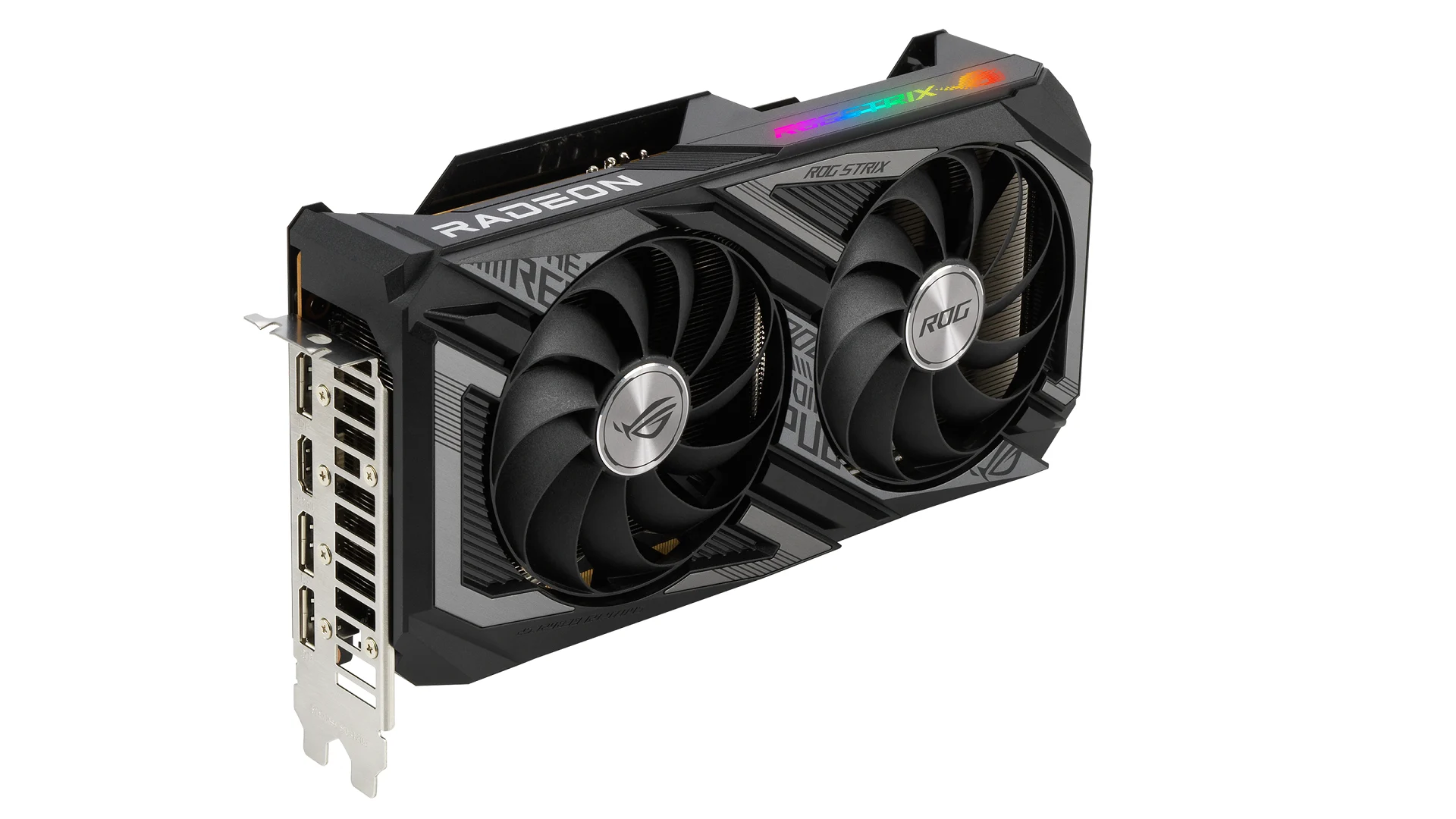
The ASUS Dual RX 9060 XT is the most convincing compact choice in this roundup. It keeps the 16GB GDDR6 memory of the larger RX 9060 XT cards but uses a two-fan, 2.5-slot design measuring about 8 inches long. That is a substantial difference from the roughly 11.4-inch XFX RX 9060 XT Swift, especially in a case with a front radiator, drive cage, or short graphics-card clearance.
ASUS uses axial-tech fans with a smaller hub, longer blades, and a barrier ring intended to increase downward air pressure. The card also has 0dB technology, so the fans can remain stopped during lighter use. A dual BIOS switch adds Quiet and Performance profiles, giving the owner a practical way to favor lower noise or more aggressive cooling behavior.
The connectivity is unusually forward-looking for a compact card. The specification lists PCIe 5.0, HDMI 2.1b, and DisplayPort 2.1a. Dual ball fan bearings are also specified, with a rated lifespan up to twice that of sleeve bearing designs. Those details do not make the card faster by themselves, but they make the design easier to live with in a quiet desktop.
The limitation is that the supplied data does not give a boost-clock figure, so the ASUS is less specific on peak frequency than the XFX RX 9060 XT Swift. The PowerColor RX 9060 XT Reaper is shorter still, but the ASUS provides more clearly documented cooling and BIOS controls. Choose this model when a modern 16GB card must fit without turning the case into a crowded, noisy enclosure.
4. PowerColor RX 9060 XT Reaper: Best Short RX 9060 XT

Pros
- 16GB GDDR6 memory
- 200mm internal card length
- One 8-pin power connector
- HDMI 2.1b and two DisplayPort 2.1a outputs
Cons
- Cooling design is not specified in the supplied data
- Requires a 500W minimum system power supply
- Less detailed feature information than competing RX 9060 XT cards
Best for: upgrading a shorter desktop that needs current display connections and a 16GB Radeon GPU.
The PowerColor RX 9060 XT Reaper is the practical fit-first option among the three RX 9060 XT cards here. Its internal card length is listed as 200mm, or about 7.9 inches, and the overall dimensions are 200 by 100 by 39mm. That puts it in a useful middle ground for systems that cannot accept the long XFX RX 9060 XT Swift.
Power requirements are unusually clear. The card uses one 8-pin PCI Express power connector, and the listed minimum system power is 500W. That still calls for a check of the existing power supply, but it gives an upgrader a concrete starting point. The card also has one HDMI 2.1b port and two DisplayPort 2.1a ports for current monitors.
The central compromise is missing detail. The supplied information confirms the 16GB GDDR6 memory and the physical specifications, but it does not provide a boost clock or a cooling feature description. The ASUS Dual RX 9060 XT is easier to evaluate if fan behavior, BIOS modes, and bearing design are priorities. The PowerColor's advantage is more straightforward: it is short and its power connection is clearly stated.
That makes it a good candidate for a compact gaming upgrade, but not the card we would choose when thermal behavior or factory tuning is the main concern. Measure the case carefully, confirm the power supply has the required connector, and choose this Reaper when its small footprint solves the installation problem.
5. ASRock RX 7700 XT Challenger: Best RDNA 3 Pick

Pros
- 12GB GDDR6 on a 192-bit bus
- RDNA 3 with ray tracing and AI accelerators
- 0dB dual-fan cooling
- Three DisplayPort 2.1 outputs and HDMI 2.1
- Metal backplate
Cons
- Older generation than the RX 9060 XT cards
- Dual 8-pin power connectors
- Not compatible with every pre-built system
Best for: a 1440p-oriented desktop that has adequate power and prefers a proven RDNA 3 design.
The ASRock RX 7700 XT Challenger remains a well-defined option for a gaming desktop that does not need the newest Radeon generation. It uses RDNA 3 with 54 compute units, RT and AI accelerators, and 12GB of GDDR6 memory on a 192-bit bus. The 48MB of AMD Infinity Cache is designed to help reduce latency, which complements the memory subsystem in demanding workloads.
ASRock lists a game clock of 2226MHz and a boost clock of up to 2584MHz. Those numbers matter less than the broader design, but they show where this card sits relative to the newer ASRock RX 9070 XT Challenger. The newer card has RDNA 4, 16GB of memory, and a wider 256-bit bus, so buyers with demanding games or creative applications should move up when the rest of the system supports it.
Cooling uses two striped ring fans and Ultra-fit heatpipes, with 0dB operation at low temperatures. A metal backplate adds rigidity and can help with heat dissipation. The card has three DisplayPort 2.1 outputs and one HDMI 2.1 output, supporting a modern multi-display setup.
The practical weakness is installation planning. This model uses dual 8-pin power connectors, and ASRock warns that it is not compatible with all pre-built systems. Its dimensions are about 10.5 by 5.1 inches, so it is not a small card either. The ASUS Dual RX 9060 XT is more suitable for a constrained case, while this ASRock makes more sense when the power supply and chassis are already ready for it. It is a sensible RDNA 3 choice for buyers who want a substantial step above entry-level hardware.
6. ASRock RX 7600 Challenger Pro: Best Entry-Level RDNA 3 Card

Pros
- RDNA 3 with ray tracing and AI accelerators
- 8GB GDDR6 memory
- Triple-fan cooling with 0dB operation
- Three DisplayPort 1.4a outputs and HDMI 2.1
- Metal backplate
Cons
- 8GB memory is less flexible than the 16GB cards
- Large 303mm card for its class
- Requires a recommended 550W power supply
Best for: a 1080p desktop that needs a current RDNA 3 card and has room for a long 2.5-slot cooler.
The ASRock RX 7600 Challenger Pro is the straightforward 1080p-oriented option here, but its physical design is anything but small. It measures 303mm by 131mm by 45mm and occupies 2.5 slots. That combination makes case clearance the first thing to check, especially because the ASUS Dual RX 9060 XT offers a much shorter modern alternative.
Under the cooler is an RDNA 3 GPU with 32 compute units, 2048 stream processors, third-generation ray-tracing accelerators, and second-generation AI accelerators. The listed game clock is 2280MHz, with a maximum boost clock of 2695MHz. Its 8GB of GDDR6 runs across a 128-bit interface at 18Gbps, with up to 288GB/s of bandwidth and 32MB of Infinity Cache.
The triple-fan Challenger Pro system uses striped axial fans and Ultra-fit heatpipes. The fans stop under low temperatures, which helps keep ordinary desktop work quiet. Three fans can also help distribute heat during long sessions, though the larger cooler creates a clearance penalty. Display output includes three DisplayPort 1.4a connections with DSC and one HDMI 2.1 port, with support for up to four displays.
The real limitation is memory capacity. The 8GB is adequate for the role suggested by this card, but it gives less room than the 12GB ASRock RX 7700 XT Challenger or the 16GB RX 9060 XT models. ASRock recommends a 550W power supply and one 8-pin connector, so verify both before installation. Pick this card for a current entry-level gaming system, not for a long-term high-resolution build where memory headroom matters more.
7. ASUS R9700 AI Pro: Best for Local AI

Pros
- 32GB GDDR6 memory
- 128 AI accelerators
- Up to 1531 TOPS for INT4 workloads
- PCIe 5.0 and 2-slot design
- Thermal design aimed at sustained workloads
Cons
- Specialized for AI rather than ordinary gaming
- Large 10.5-inch card
- Much heavier and more demanding than entry-level choices
Best for: local LLM inference, fine-tuning, and multi-GPU AI workstations.
The ASUS R9700 AI Pro is not a conventional gaming-card recommendation. Its reason for being here is the 32GB of GDDR6 VRAM, 128 AI accelerators, and listed performance of up to 1531 TOPS in INT4 workloads. Those specifications are aimed at running large language models locally and handling AI-driven workflows without moving as much data out of the card.
The memory uses a 256-bit interface with bandwidth up to 640GB/s. For AI work, memory capacity can be more important than the gaming-focused specifications found on the other cards. The card also supports PCIe 5.0 and a 2-slot design for dense multi-GPU builds, which gives it a different system-planning profile from the three-fan gaming cards.
ASUS uses a die-cast shroud and backplate, along with a phase-change GPU thermal pad. The company says the wave-pattern design can cut memory temperature by up to 16%, while dual ball fan bearings are rated to last up to twice as long as conventional sleeve bearings. GPU Tweak III provides monitoring and tuning, including a boost setting up to 2940MHz.
For a gaming-first machine, the ASRock RX 9070 XT Challenger is the more natural fit because its description is built around gaming, ray tracing, display output, and 4K use. The R9700's weakness is its specialization. It is also about 10.5 inches long and weighs about 2.3 pounds, so workstation planning still matters. Choose it when local AI and VRAM capacity are the priority, and skip it if your workload is ordinary gaming with occasional content creation.
8. MOUGOL RX 580: Best Legacy Multi-Display Card

Pros
- 8GB GDDR5 memory
- HDMI, DisplayPort, and DVI outputs
- Triple-display support
- Dual-fan cooling
- Supports DirectX 12, Vulkan, and OpenGL 4.6
Cons
- Older 14nm design
- PCIe 3.0 interface
- Requires a 6-pin connector and 500W minimum power supply
Best for: refreshing an older desktop that needs broad display compatibility and modest graphics capability.
The MOUGOL RX 580 belongs in a different part of the graphics-card conversation from the modern RX 9060 XT and RX 9070 XT models. Its appeal is compatibility with older desktops and displays, not current-generation architecture. It provides HDMI, DisplayPort, and DVI, which is useful when an existing monitor setup still relies on a DVI connection.
The card has 8GB of GDDR5 memory, 2048 stream processors, and a 1206MHz core clock. MOUGOL lists support for DirectX 12, Vulkan, and OpenGL 4.6, as well as hardware acceleration for applications such as Premiere Pro and Blender. Those capabilities make it more flexible than a basic office adapter, but the older platform should set expectations.
Cooling comes from two fans and heatpipes, with intelligent fan control intended to keep the card quieter during light work. The card measures about 9.45 by 5.31 by 1.77 inches according to the feature information, so it is not a particularly short card despite its older design. It uses a PCIe 3.0 x16 interface and requires a 6-pin power connector, with a stated 500W minimum power supply.
The maxsun RX 550 ITX is smaller and lighter, but it has less memory and much lower listed clock speed. The ASRock RX 7600 Challenger Pro is the clear move for a new gaming build. Choose the MOUGOL when the goal is a practical older-PC upgrade, three-display connectivity, or support for a legacy monitor. Skip it when current game performance or modern efficiency is central to the build.
9. maxsun RX 550 ITX: Best Small Basic Upgrade

Pros
- Compact ITX-oriented design
- 4GB GDDR5 memory
- DVI-D, HDMI, and DisplayPort
- Single 9cm fan
- Supports 4K video decode
Cons
- Older RX 550 architecture
- Lower 1183MHz boost clock
- Not suited to demanding modern gaming
Best for: a compact office or older desktop that needs extra display output and basic graphics acceleration.
The maxsun RX 550 ITX is the smallest and least demanding card in this group. Its purpose is simple: add graphics capability to a compact desktop without installing a long gaming card. The listed dimensions are about 7.28 inches long, 1.37 inches wide, and 0.44 pounds, making it far easier to place than the 303mm ASRock RX 7600 Challenger Pro.
It uses 4GB of GDDR5 memory, a 128-bit interface, 512 stream processors, and a boost clock up to 1183MHz. Those figures place it well below the newer Radeon models for gaming, but they fit the card's intended role. The feature list specifically mentions 3D CAD/CAM work, video and photo editing, 1080p games, and 4K video decode.
The output selection is useful for a small workstation. DVI-D Dual Link, HDMI, and DisplayPort cover older and newer screens, and the card can drive a multi-display setup when the system and monitors are configured appropriately. A single 9cm fan provides cooling, while the silver-plated PCB and solid capacitors are intended to support stability and lower operating temperatures.
The weakness is obvious but important: this is a basic upgrade, not a modern gaming recommendation. The MOUGOL RX 580 offers twice the listed memory and more stream processors, while any of the RX 9060 XT cards is in another class entirely. Choose maxsun when physical size, display connectivity, or an older desktop is the deciding factor. For a new gaming PC, move up the list.
How to choose best amd radeon gpu
The right Radeon card depends on the workload, case, power supply, and display setup rather than the model name alone.
GPU generation and workload
RDNA 4 appears in the RX 9060 XT, RX 9070 XT, and R9700 choices, while the RX 7700 XT and RX 7600 use RDNA 3. Newer architecture can bring newer accelerator features and a longer useful life, but the specialist R9700 shows why workload matters. It is designed around local AI, while the RX 9070 XT is the stronger general gaming pick.
For a broader look at AMD's current range, the differences between Radeon tiers and workloads can help before narrowing down to a board partner model.
VRAM and memory bus
Memory capacity affects how comfortably a card handles large textures, high-resolution assets, and AI models. The 16GB cards in this roundup offer more headroom than the 8GB and 4GB models, while the R9700's 32GB is aimed at unusually memory-intensive AI work. A wider bus, such as the 256-bit interfaces on the RX 9070 XT and R9700, also gives the memory subsystem more bandwidth than the 128-bit designs.
Do not treat VRAM as a substitute for GPU performance. A card with more memory is not automatically faster, but insufficient memory can become a hard limit in demanding applications.
Case clearance and slot width
Graphics cards vary dramatically in size. The PowerColor Reaper is listed at 200mm long, the ASUS Dual RX 9060 XT at about 8 inches, and the ASRock RX 7600 Challenger Pro at 303mm. Slot thickness matters too. The ASUS is 2.5-slot, and the ASRock RX 7600 Challenger Pro is also listed as 2.5-slot.
Measure the available length, height, and adjacent expansion slots. Leave room for airflow around the fans, and check whether a front-mounted radiator or drive cage blocks the card.
A card that cannot fit beside your power cables is not compatible, no matter what the motherboard slot says.
Power connectors and system supply
Power planning is essential. The ASRock RX 7700 XT uses dual 8-pin connectors, the RX 7600 Challenger Pro uses one 8-pin connector with a recommended 550W supply, and the PowerColor RX 9060 XT Reaper lists one 8-pin connector with a 500W minimum system power. The MOUGOL RX 580 also requires a 6-pin connector and a 500W minimum supply.
Check the connector type, available cable, total supply capacity, and the rest of the system's demands. Pre-built desktops can have unusual power supplies or restricted internal space, so the warning attached to the RX 7700 XT deserves attention.
Cooling and noise
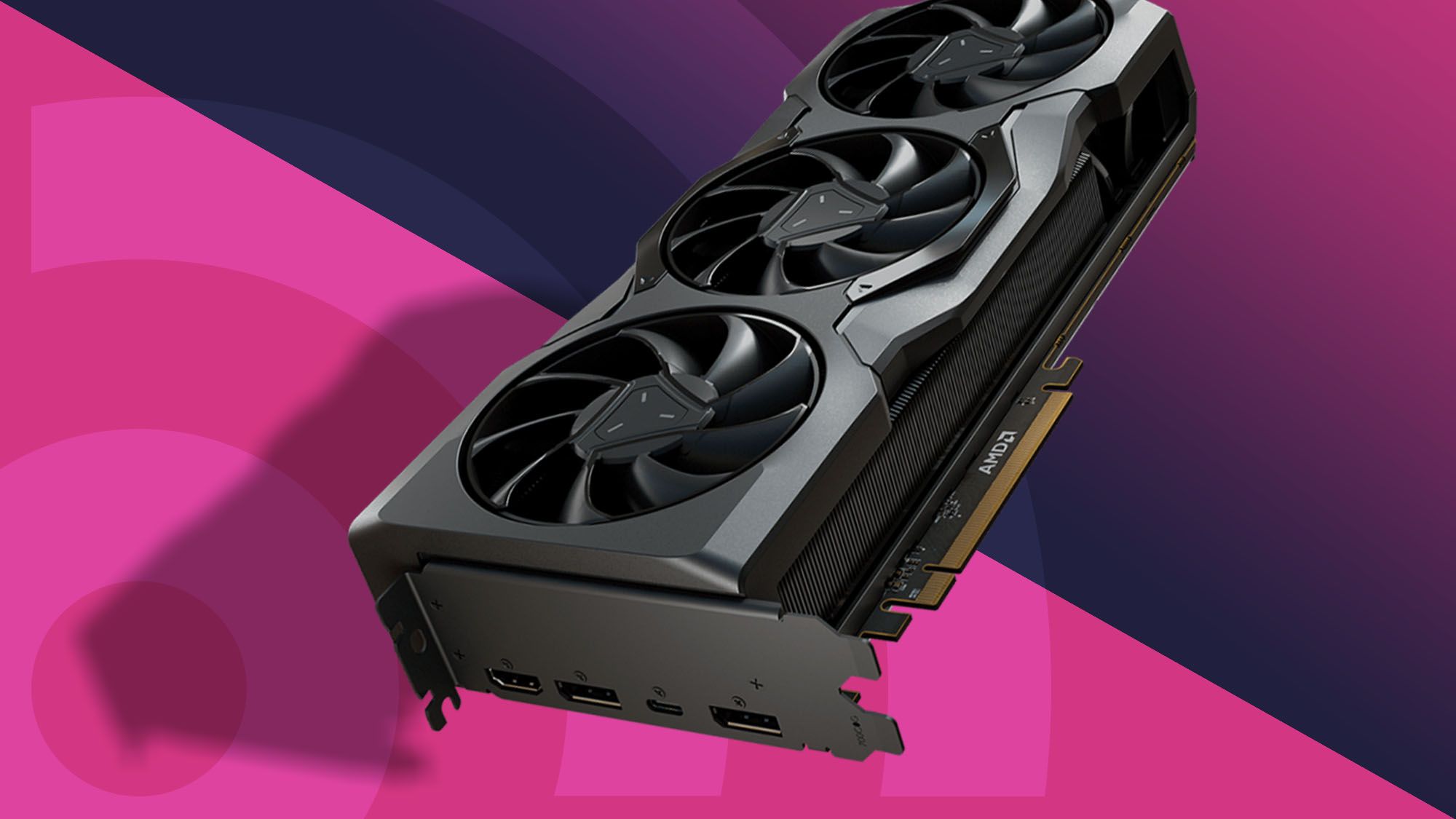
A larger cooler can help sustain performance, but it takes more room. Triple-fan cards such as the XFX RX 9060 XT Swift and ASRock RX 9070 XT Challenger prioritize heat dissipation, while dual-fan cards can make more sense in smaller systems. Several models use 0dB fan-stop modes, which keep the fans off during light workloads.
Look for a cooler that matches the case airflow. Fan-stop operation is useful at idle, but it does not remove the need for adequate ventilation during gaming or rendering.
Display connections
Count the screens and check their connectors before choosing. The maxsun RX 550 includes DVI-D, HDMI, and DisplayPort, which helps with older displays. The RX 9070 XT offers three DisplayPort 2.1a outputs and one HDMI 2.1b, while the RX 7700 XT has three DisplayPort 2.1 and one HDMI 2.1.
Modern DisplayPort and HDMI standards are useful for high-refresh monitors, but the monitor must support the desired feature too. If you are planning a new display setup, how to match a GPU to the monitor's resolution and refresh rate is a useful next step.
Frequently asked questions
Which Radeon GPU is best for demanding gaming?
The ASRock RX 9070 XT Challenger is the strongest general gaming pick in this selection. It combines RDNA 4, 16GB of GDDR6 memory, a 256-bit bus, and a boost clock up to 2970MHz. Its size and 800W system guidance mean the rest of the desktop must be prepared for it.
Which card is best for local AI models?
The ASUS R9700 AI Pro is the specialist choice because it has 32GB of GDDR6 memory, 128 AI accelerators, and listed INT4 performance up to 1531 TOPS. Its PCIe 5.0 support and 2-slot design also suit multi-GPU workstation planning. It is not the natural pick for a gaming-only desktop.
Which Radeon card fits a smaller case?
The PowerColor RX 9060 XT Reaper has a listed internal length of 200mm, while the ASUS Dual RX 9060 XT measures about 8 inches long. The maxsun RX 550 ITX is also compact, but it is an older, much lower-capability card. Always measure the actual case clearance before ordering.
Is 16GB of VRAM better than 8GB?
It provides more room for large textures, higher-resolution workloads, and applications that use substantial graphics memory. The 16GB RX 9060 XT cards therefore offer more headroom than the 8GB RX 7600 Challenger Pro. Capacity alone does not determine performance, so architecture and the rest of the GPU still matter.
Do these cards support multiple monitors?
Several do. The RX 7700 XT and RX 9070 XT each list three DisplayPort outputs and one HDMI output, while the MOUGOL RX 580 includes HDMI, DisplayPort, and DVI. Confirm the monitor connectors and the card's stated output standards before building a multi-screen setup.
Does a triple-fan GPU always run quieter?
Not necessarily. A triple-fan cooler can spread heat across a larger assembly, but noise depends on fan speed, case airflow, GPU load, and the card's control profile. The ASUS Dual RX 9060 XT and several ASRock models list 0dB modes, which are specifically useful during light workloads.
Can an older desktop use a modern Radeon card?
It may, but compatibility is more than the motherboard slot. Check the power supply, connector, case clearance, slot width, and system firmware. The RX 7700 XT listing specifically warns that it is not compatible with all pre-built systems, so pre-built owners should verify every requirement before upgrading.
The bottom line
The Best amd radeon gpu for most demanding desktop builds is the ASRock RX 9070 XT Challenger. Its RDNA 4 design, 16GB memory, wide bus, modern outputs, and triple-fan cooler give it the most complete gaming and creation profile here. The ASUS Dual RX 9060 XT is the better choice when a shorter card is essential, while the XFX RX 9060 XT Swift suits a larger case and a high-refresh gaming focus.
The ASUS R9700 AI Pro belongs on a different shortlist for local AI because its 32GB VRAM and dedicated AI hardware are the central story. For older or compact desktops, the MOUGOL RX 580 and maxsun RX 550 remain useful only when their older connections, smaller size, or basic upgrade role matches the system.
If you are undecided, choose the fastest card that fits your case, power supply, monitor setup, and actual workload without compromising any of those four checks.
As an Amazon Associate we earn from qualifying purchases.