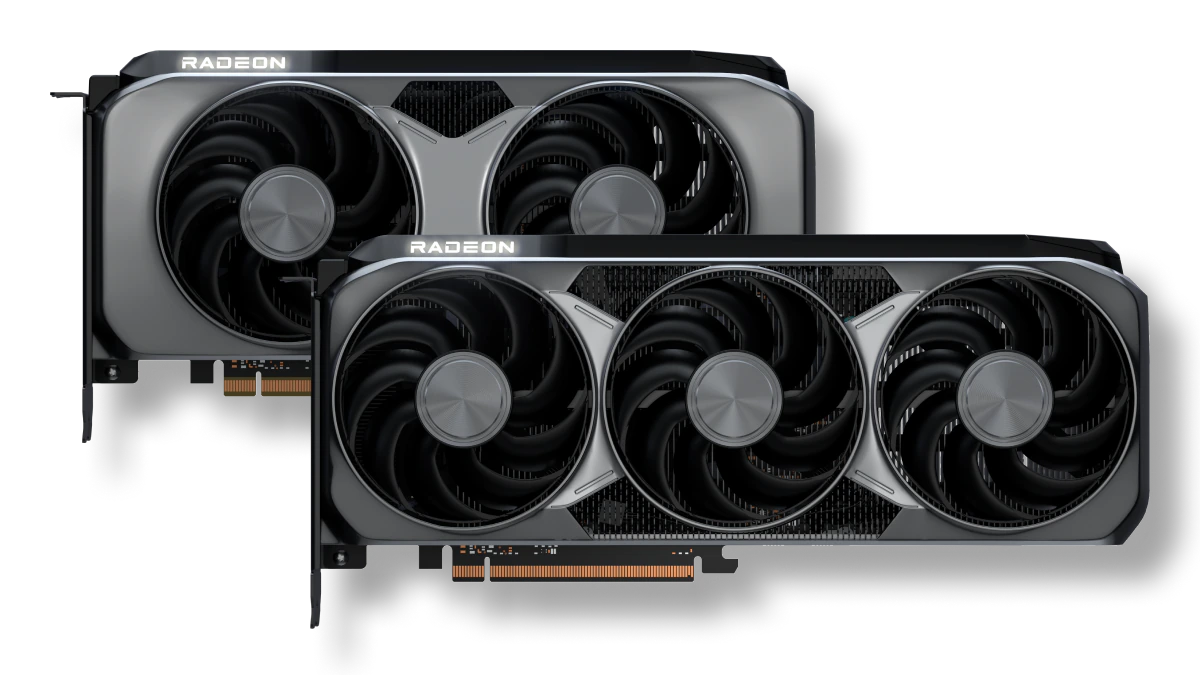

Choosing a graphics card is rarely just about the GPU name. Case clearance, memory capacity, display outputs, cooling design, and the power connector can turn a promising upgrade into an awkward fit. The Best AMD GPU for one PC may be the wrong card for another.
This list covers current RX 7600, RX 7700 XT, RX 9060 XT, and RX 9070 XT cards, with options ranging from a long triple-fan board to relatively compact 2-slot designs. Our top pick is the XFX Swift RX 9060 XT, while the ASUS Prime RX 9070 XT is the step-up choice for demanding 1440p gaming.
Comparison table
| # | Product | Award | VRAM | Interface | Cooling and build | Best for |
|---|---|---|---|---|---|---|
| 1 | XFX Swift RX 9060 XT | Best overall | 16GB GDDR6 | Not specified | Triple-fan cooling | Most 1440p gaming PCs |
| 2 | ASUS Prime RX 9070 XT | Best high-end balance | 16GB GDDR6 | PCIe 5.0 | 2.5-slot, Axial-tech fans | High-refresh 1440p gaming |
| 3 | Gigabyte RX 9060 XT Ice | Best compact design | 16GB GDDR6 | PCIe 5.0 | 2-slot, WINDFORCE cooling | Smaller gaming builds |
| 4 | ASUS Dual RX 9060 XT | Best quiet RX 9060 XT | 16GB GDDR6 | PCIe 5.0 | 2.5-slot, 0dB mode | Quiet desktop PCs |
| 5 | ASRock RX 7700 XT | Best proven RDNA 3 option | 12GB GDDR6 | PCIe 4.0 | Dual-fan, 0dB cooling | 1440p gaming and displays |
| 6 | ASRock RX 9060 XT | Best small 16GB card | 16GB GDDR6 | PCIe 5.0 | 2-slot, dual-fan | Compact 1440p systems |
| 7 | Gigabyte RX 9070 XT | Best performance cooling | 16GB GDDR6 | PCIe 5.0 | WINDFORCE, Hawk fan | Sustained heavy gaming |
| 8 | ASUS Prime RX 9070 XT White | Best white build option | 16GB GDDR6 | PCIe 5.0 | 2.5-slot, Axial-tech fans | White gaming PCs |
| 9 | ASRock RX 7600 | Best 1080p starter card | 8GB GDDR6 | PCIe 4.0 x8 | Triple-fan, 0dB cooling | 1080p gaming |
| 10 | Sapphire Nitro+ RX 9070 XT | Best large-board option | 16GB GDDR6 | Not specified | Nitro+ design | Spacious performance PCs |
1. XFX Swift RX 9060 XT: Best Overall

Pros
- 16GB of GDDR6 memory
- Triple-fan SWFT cooling
- Boost clock up to 3320 MHz
- Strong all-round fit for modern gaming systems
Cons
- Long 11.4-inch card
- Triple-fan design needs careful case planning
- Display output details are limited in the listing
Best for: someone building a capable 1440p gaming PC around a current-generation AMD card.
The XFX Swift RX 9060 XT is the card we would start with for most people because it avoids the two common compromises in this group. It has 16GB of GDDR6 memory for modern texture loads, and its boost clock reaches up to 3320 MHz. That gives it a more comfortable specification than the 8GB RX 7600, without stepping into the larger and more demanding RX 9070 XT class.
The SWFT triple-fan cooling system is the defining hardware choice here. Three fans spread the cooling work across the card, which is useful when a GPU is being asked to maintain high clocks for long gaming sessions. The tradeoff is physical rather than technical: the card is about 11.4 inches long and nearly 4.9 inches wide according to the listed dimensions. Check the distance between the front fans and your case drive cage before ordering.
Its 16GB memory also gives it a sensible advantage over the ASRock RX 7600 for games with large texture packages and higher-resolution targets. The ASUS Dual RX 9060 XT is shorter at 8 inches, so it is a better fit for a compact case, but the XFX card offers a more substantial triple-fan cooler. The ASRock RX 9060 XT is another close rival, especially if a 2-slot card matters more than the XFX's cooling layout.
The weakness is that the listing does not provide a full output specification, so buyers who need a particular monitor arrangement should verify the board details before purchase. Its length also rules out some small cases. For a standard mid-tower or roomy compact build, though, this is the most balanced combination of current architecture, memory capacity, clock speed, and cooling in the group.
2. ASUS Prime RX 9070 XT: Best High-End Balance

Pros
- 16GB GDDR6 memory
- PCIe 5.0 interface
- 2.5-slot design
- Axial-tech fans with 0dB operation
- Dual BIOS and dual-ball bearings
Cons
- About 12.3 inches long
- Heavier than the RX 9060 XT cards
- The 2.5-slot body takes substantial expansion space
Best for: high-refresh 1440p players who want a powerful RDNA 4 card with a carefully developed cooler.
The ASUS Prime RX 9070 XT is the clear step up when the goal is more headroom rather than a smaller build. It uses 16GB of GDDR6 and a PCIe 5.0 interface, but the more important ownership detail is the cooler. ASUS uses Axial-tech fans with a smaller hub and barrier ring, a design intended to move more air downward through the heatsink. The card also supports 0dB operation for lighter workloads, so the fans can stay off when the GPU is not under meaningful load.
A 2.5-slot design is a reasonable compromise for a powerful card. It leaves more room for cooling than a slim dual-slot board, while remaining less imposing than some oversized high-end models. The card measures about 12.3 inches long, 5.1 inches wide, and weighs about 3.3 pounds. That is manageable in a regular gaming case, but it is not a card to install without checking clearance and neighboring expansion slots.
The dual BIOS switch is useful for choosing between a performance-oriented profile and a quieter one. Dual-ball fan bearings are another thoughtful durability feature, and the listing says they can last up to twice as long as conventional sleeve-bearing designs. The phase-change GPU thermal pad is designed to maintain heat transfer over time, though it does not remove the need for good case airflow.
Compared with the XFX Swift RX 9060 XT, this ASUS is the better choice for a high-end system that will run demanding games at high refresh rates. The XFX is easier to recommend for a broad range of builds, and its shorter memory discussion is simpler, but the RX 9070 XT class has more performance headroom. Skip this ASUS if your case cannot accept a 12.3-inch, 2.5-slot card or if you want a truly compact upgrade.
3. Gigabyte RX 9060 XT Ice: Best Compact Design

Pros
- 2-slot construction
- 16GB GDDR6 memory
- WINDFORCE cooling with Hawk fans
- Performance and Silent BIOS modes
- Reinforced metal backplate
Cons
- No detailed boost clock is listed
- White design may not suit every build
- Still more than 11 inches long
Best for: a builder who needs a 2-slot RX 9060 XT with substantial memory and flexible cooling modes.
The Gigabyte RX 9060 XT Ice earns its place by keeping the card to 2 slots without dropping to 8GB of memory. Its 16GB GDDR6 configuration and 128-bit memory bus are well suited to a current gaming PC, while PCIe 5.0 and HDMI 2.1b plus DisplayPort 2.1a support newer display hardware. The card is not short at 11.06 inches, but its 2-slot profile is easier to work around than a 2.5-slot design.
Gigabyte's WINDFORCE cooling system combines Hawk fans, alternate spinning, composite copper heat pipes, a copper plate, and 3D active fan behavior. The feature list is unusually detailed for a card of this size. It also specifies server-grade thermal conductive gel, which is intended to improve the transfer of heat away from the GPU. Performance and Silent BIOS modes let the owner prioritize cooling behavior or lower noise.
The reinforced metal backplate adds structural support and is fastened to the I/O bracket. That matters on a card that is long enough to place leverage on the PCIe slot, particularly when the system is moved. Customizable RGB lighting offers 16.7 million color options and multiple effects through Gigabyte Control Center, so it can either blend into a white build or become part of the case lighting.
The ASUS Dual RX 9060 XT is shorter and therefore easier to fit in a tight chassis, while the XFX Swift RX 9060 XT has a triple-fan layout that may appeal to users focused on cooler operation under sustained loads. Gigabyte's card sits between them. Its main omission is a listed boost clock, which makes direct clock-speed comparison difficult. Choose it when 2-slot width, 16GB memory, and a white reinforced design are more important than the smallest possible footprint.
4. ASUS Dual RX 9060 XT: Best Quiet RX 9060 XT

Pros
- 16GB GDDR6 memory
- Compact 8-inch length
- 0dB technology
- Dual BIOS profiles
- Dual-ball fan bearings
Cons
- 2.5-slot width
- No boost clock is listed
- Requires attention to the adjacent slot
Best for: a quiet gaming PC where a short card matters more than a slim slot footprint.
The ASUS Dual RX 9060 XT is the easiest card here to recommend for a case with limited front-to-back room. Its listed length is only 8 inches, a meaningful difference from the 11-inch-plus boards in this roundup. That compact footprint can simplify installation in smaller cases, although the 2.5-slot design still occupies substantial space beneath the motherboard's primary PCIe slot.
ASUS pairs the 16GB GDDR6 GPU with Axial-tech fans, a 0dB mode, and a choice of Quiet or Performance BIOS profiles. In a light workload, 0dB technology can keep the fans stopped, reducing the background noise from the graphics card. Under load, the larger fan blades are intended to move air through the cooler efficiently. Dual-ball bearings are specified as lasting up to twice as long as sleeve-bearing designs.
The card supports PCIe 5.0, HDMI 2.1b, and DisplayPort 2.1a. Those outputs make it a sensible match for newer high-refresh displays, though buyers should still confirm the exact connector arrangement they need. The listing does not provide a boost clock, so this is not the RX 9060 XT to choose if the factory frequency is central to your decision.
Compared with the Gigabyte RX 9060 XT Ice, the ASUS is dramatically shorter, but Gigabyte keeps a true 2-slot profile and offers a more elaborate cooling description. The XFX Swift RX 9060 XT is the stronger pick for a spacious case and sustained heavy loads. Choose ASUS Dual when the PC is compact, quiet operation is important, and 16GB of memory matters more than a thin card.
5. ASRock RX 7700 XT: Best Proven RDNA 3 Option

Pros
- 12GB GDDR6 on a 192-bit bus
- 54 compute units
- Three DisplayPort 2.1 outputs
- 0dB silent cooling
- Metal backplate
Cons
- Uses PCIe 4.0
- Not compatible with every pre-built system
- Dual-fan cooler is less elaborate than some newer designs
Best for: 1440p gaming and multi-display setups that do not require the newest RX generation.
The ASRock RX 7700 XT is the older-generation option in the middle of this list, but its specification remains relevant. It has 12GB of GDDR6 on a 192-bit bus, 54 compute units, and 48MB of AMD Infinity Cache. That memory configuration gives it a wider bus than the 128-bit RX 9060 XT cards, while the cache is designed to reduce latency and help the GPU handle demanding workloads.
Its boost clock reaches up to 2584 MHz, with a listed game clock of 2226 MHz. Those are useful reference points, but the card's real appeal is its balanced 1440p focus. The dual-fan cooler uses Striped Ring Fans and Ultra-fit Heatpipes, and the 0dB mode stops the fans at low temperatures. A metal backplate adds rigidity and helps with heat dissipation.
Connectivity is a strong point. The card has three DisplayPort 2.1 outputs and one HDMI 2.1 port, with support for high-resolution and high-refresh displays. It can drive up to four displays, and the listing specifies support for resolutions up to 7680 by 4320. It uses PCIe 4.0 and needs two 8-pin power connectors, so the power supply and cable layout deserve attention.
The ASRock RX 7700 XT is not as forward-looking as the newer RX 9060 XT cards, which have PCIe 5.0 and 16GB memory. It is also specifically noted as incompatible with all pre-built systems. Before buying, verify chassis clearance, motherboard support, and power supply capacity. For a conventional custom PC with a 1440p monitor and multiple displays, it remains a capable alternative to the newer cards.
6. ASRock RX 9060 XT: Best Small 16GB Card

Pros
- 16GB GDDR6 at 20Gbps
- 2-slot design
- 249mm listed length
- 0dB silent cooling
- Single 8-pin power connector
Cons
- 128-bit memory bus
- Requires a recommended 550W power supply
- Boost clock is not a sustained operating guarantee
Best for: a compact 1440p system that needs 16GB of memory and a straightforward power setup.
The ASRock RX 9060 XT is one of the more practical cards in this group. It is a 2-slot board measuring 249mm long, 132mm wide, and 41mm high according to the listing. That makes it much easier to place in a compact case than a long triple-fan model, and the single 8-pin connector keeps the power cabling simple.
ASRock lists a boost clock of up to 3290 MHz and a game clock of 2700 MHz. The GPU has 32 compute units, 3rd-generation ray-tracing accelerators, and 2nd-generation AI accelerators. Its 16GB of GDDR6 runs at 20Gbps across a 128-bit bus. The capacity is useful for current game assets and creative applications, while the narrower bus is a reminder that memory size alone does not describe total graphics performance.
Cooling comes from two fans with a 0dB silent mode, so the card can remain quiet during light tasks. The listing also specifies DisplayPort 2.1a and HDMI 2.1b, giving it a modern display connection set. A recommended 550W power supply is called out, and the card requires enough case clearance despite its compact classification.
This is the card to choose over the XFX Swift RX 9060 XT when space and a 2-slot profile matter more than a triple-fan cooler. The XFX offers a higher listed boost clock and a more substantial cooling arrangement, while the ASUS Dual RX 9060 XT is even shorter. The ASRock makes the strongest case for itself as a neat, current-generation card that fits into a broader range of compact builds.
When matching the GPU to a processor, remember that the rest of the system can limit high-refresh gaming. The right processor pairing for a modern gaming graphics card depends on resolution, game type, and target frame rate rather than the GPU name alone.
7. Gigabyte RX 9070 XT: Best Performance Cooling

Pros
- 16GB GDDR6 memory
- PCIe 5.0 interface
- WINDFORCE cooling
- Hawk fan design
- Server-grade thermal conductive gel
Cons
- Nearly 4 pounds
- About 11.3 inches long
- Full dimensions and output details are limited
Best for: a spacious gaming PC that will put a high-end RX 9070 XT under sustained load.
The Gigabyte RX 9070 XT is built around cooling capacity. The listing names a WINDFORCE cooling system, Hawk fans, and server-grade thermal conductive gel. Those details matter because a high-performance GPU needs to shed heat consistently, not merely reach a high clock for a short burst. Gigabyte also includes RGB lighting for owners who want the card to contribute to the case design.
The core specification is 16GB of GDDR6 on a PCIe 5.0 graphics card. That puts it in the same broad performance class as the ASUS Prime RX 9070 XT cards and the Sapphire Nitro+ RX 9070 XT, but the cooler gives this model a distinct identity. It is a card for a roomy system with airflow to support it, not a discreet upgrade for a cramped pre-built.
The dimensions explain that recommendation. The board is listed at about 11.34 inches long, 5.2 inches wide, and 2.2 inches high, with a weight of about 3.9 pounds. Support for the card is sensible in a larger case, especially if it will be moved often. The listing does not give a full output breakdown, so multi-monitor buyers should confirm the ports before ordering.
The ASUS Prime RX 9070 XT has a more detailed feature set, including 0dB operation, dual BIOS, and dual-ball bearings. The Sapphire Nitro+ RX 9070 XT offers a 256-bit memory interface and four listed outputs. Gigabyte's advantage is its emphasis on the WINDFORCE cooler and thermal materials. Choose it when the case has room and sustained cooling is the priority, then verify the power and support requirements for your complete system.
8. ASUS Prime RX 9070 XT White: Best White Build Option

Pros
- White design for coordinated builds
- 16GB GDDR6 memory
- PCIe 5.0
- 2.5-slot cooling design
- Phase-change thermal pad
Cons
- About 12.3 inches long
- About 3.7 pounds
- White finish limits visual flexibility
Best for: a white PC build that needs a high-end RX 9070 XT and a substantial factory cooler.
The ASUS Prime RX 9070 XT White is not a different GPU class from the black Prime model, but the finish is a legitimate reason to choose it. A white graphics card can anchor a coordinated build more effectively than a black board, particularly in a case with a clear side panel. The underlying specification includes 16GB of GDDR6, PCIe 5.0, and a 2.5-slot design.
ASUS lists an OC mode of up to 3030 MHz boost and up to 2480 MHz game clock through GPU Tweak III. Those figures describe the factory tuning profile, while actual behavior depends on the system's airflow, workload, and settings. Axial-tech fans use a smaller hub and longer blades, with a barrier ring intended to increase downward air pressure through the cooler.
The phase-change GPU thermal pad is designed to maintain heat transfer, and dual-ball fan bearings are specified as lasting up to twice as long as standard sleeve-bearing designs. The card measures about 12.3 inches long and 5.1 inches wide, and its listed weight is about 3.7 pounds. The 2.5-slot footprint should be checked against the motherboard layout before installation.
The black ASUS Prime RX 9070 XT is the more understated version of the same basic approach, while the Gigabyte RX 9070 XT puts more emphasis on its WINDFORCE system. The Sapphire Nitro+ RX 9070 XT has a wider 256-bit memory interface on the listing. Choose the white ASUS when color coordination matters and the case can comfortably accommodate a long, heavy, 2.5-slot card.
9. ASRock RX 7600: Best 1080p Starter Card

Pros
- 8GB GDDR6 memory
- Triple-fan cooling
- 0dB silent mode
- Up to 2695 MHz boost clock
- Three DisplayPort outputs
Cons
- 8GB memory gives less room for future texture loads
- Long 303mm card
- PCIe 4.0 x8 interface
Best for: 1080p gaming and a first dedicated graphics card in a compatible desktop.
The ASRock RX 7600 is the most straightforward card here for a 1080p-focused PC. It uses AMD RDNA 3 architecture, 32 compute units, 2048 stream processors, and 8GB of GDDR6 on a 128-bit interface. The listing gives a boost clock of up to 2695 MHz and a game clock of 2280 MHz, providing a clear picture of where this board sits in the lineup.
The triple-fan Challenger Pro cooler is more substantial than its position in the range might suggest. Striped axial fans and Ultra-fit Heatpipes help manage heat, while 0dB Silent Cooling stops the fans during low-temperature workloads. The metal backplate adds rigidity and helps with heat dissipation. For a desktop that spends much of its time browsing or working, the ability to stop the fans is a welcome feature.
Connectivity is generous for a mainstream card. There are three DisplayPort 1.4a outputs with DSC and one HDMI 2.1 port, with support for up to four displays and resolutions up to 7680 by 4320. It uses PCIe 4.0 x8 and supports PCIe 4.0 and 3.0 motherboards. The card requires one 8-pin connector and has a recommended 550W power supply.
The compromise is the 8GB memory capacity. It is a sensible match for 1080p, but the XFX Swift RX 9060 XT and other RX 9060 XT cards provide 16GB and a newer PCIe 5.0 interface. This ASRock is also 303mm long, so the triple-fan layout does not make it a small card. Skip it if you are building specifically for demanding 1440p gaming. For a compatible 1080p desktop, it remains a well-equipped entry point.
10. Sapphire Nitro+ RX 9070 XT: Best Large-Board Option

Pros
- 16GB GDDR6 memory
- 256-bit memory interface
- Two HDMI and two DisplayPort outputs
- RDNA 4 architecture
- Substantial Nitro+ design
Cons
- About 13 inches long
- Listed weight is about 5.7 pounds
- Case support is especially important
Best for: a spacious performance PC where memory bandwidth and a broad output selection matter.
The Sapphire Nitro+ RX 9070 XT is the physically largest-feeling option in this roundup. Its listed length is about 13 inches, and its listed weight is approximately 5.7 pounds. That immediately makes case compatibility and card support part of the buying decision. It is intended for a roomy desktop, not a compact chassis with a crowded motherboard tray.
The useful specification is its 16GB of GDDR6 on a 256-bit memory interface. That is a wider interface than the 128-bit configuration listed for the RX 9060 XT cards, and it gives this RX 9070 XT a more distinctive memory subsystem than the other cards here. The GPU uses AMD RDNA 4 architecture, placing it among the newer high-end options in this collection.
Sapphire lists two HDMI outputs and two DisplayPort outputs. That even split is convenient for a setup that combines televisions, monitors, or multiple display types, though the exact display capabilities still depend on the connected screens and system configuration. The listing does not provide a boost clock or a detailed cooler breakdown, so this card should not be selected solely from clock comparisons.
The Gigabyte RX 9070 XT has a more explicit cooling feature list, and the ASUS Prime RX 9070 XT provides clearer information about fan behavior and BIOS modes. Sapphire's case is the broad 256-bit interface and generous output mix. Choose the Nitro+ when your enclosure has ample space, the card can be properly supported, and you want a high-end RX 9070 XT with a wider listed memory interface.
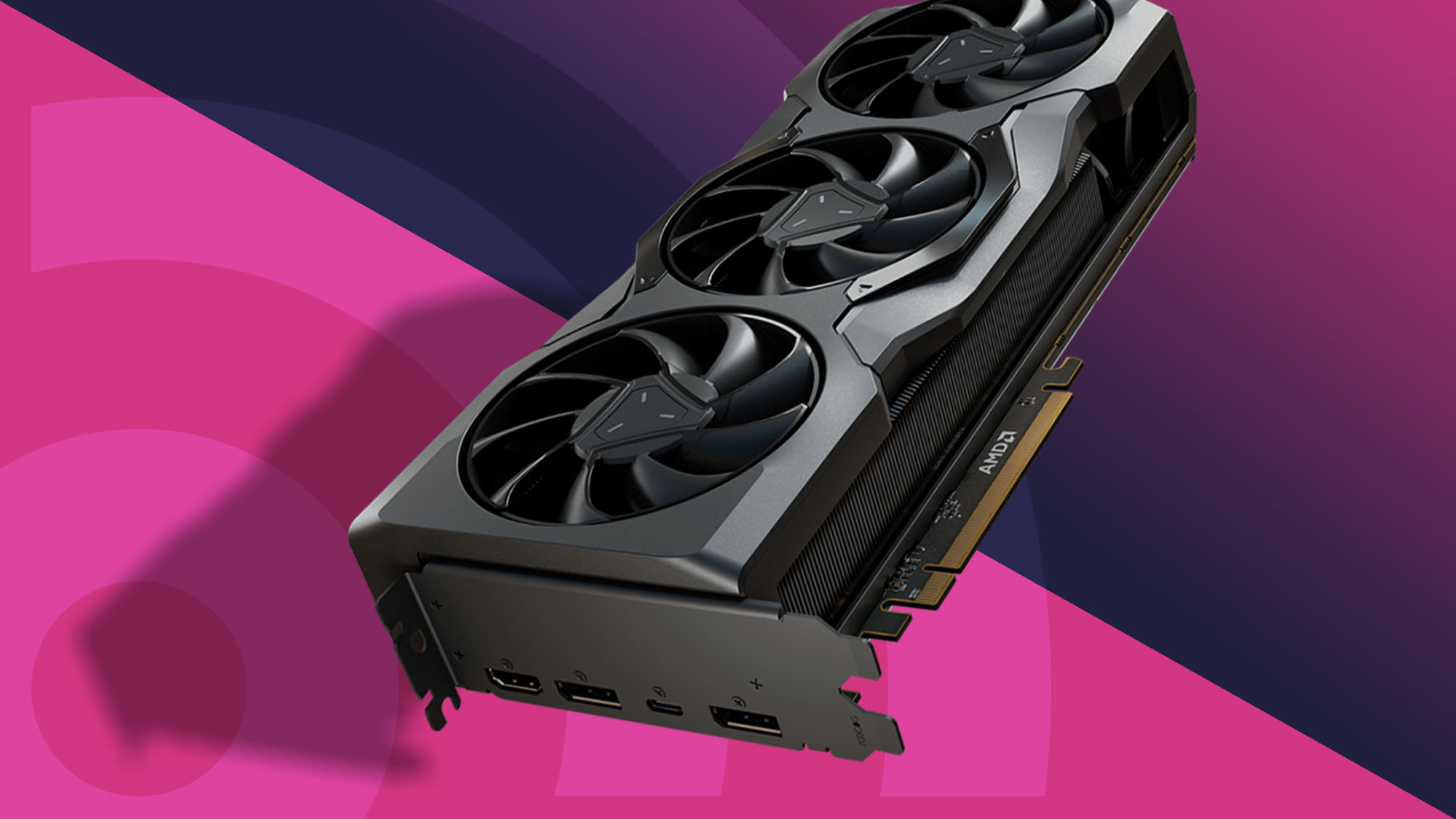
How to choose best amd gpu
The right Best AMD GPU depends on the resolution, case, power connections, memory capacity, and cooling profile your system can support.
Resolution and workload
A card for 1080p gaming does not need the same headroom as one intended for high-refresh 1440p or creative applications. The RX 7600 is positioned around 1080p and some 1440p use, while the RX 9060 XT cards add 16GB of memory and newer platform features. The RX 9070 XT models are the high-end choices in this group.
Think beyond the monitor's resolution. Ray tracing, large texture packs, video work, and AI-enabled applications can increase the demand on both the GPU and its memory. A 16GB card gives more room than an 8GB model, but memory capacity is not a substitute for overall GPU performance.
VRAM and memory interface
VRAM stores textures, frame data, and other assets the GPU needs quickly. The RX 7600 has 8GB, the RX 7700 XT has 12GB, and the RX 9060 XT and RX 9070 XT cards here have 16GB. More memory can help avoid limits in demanding games, especially at higher resolutions.
The memory interface also matters. The RX 7700 XT lists a 192-bit bus, the RX 9070 XT Sapphire lists 256-bit, and the RX 9060 XT cards list 128-bit. Judge the bus alongside the GPU architecture, clock behavior, cache, and memory speed rather than treating one number as a complete performance forecast.
For a modern gaming build, 16GB is useful headroom, but the card still has to be fast enough to use it.
Card length and slot width
Measure the space from the rear expansion slots to the front of the case, including drive cages and front radiators. The ASUS Dual RX 9060 XT is listed at 8 inches, while the Sapphire Nitro+ RX 9070 XT reaches about 13 inches. Several other cards are between 11 and 12.3 inches.
Slot width can be just as important. A 2-slot card leaves more room for neighboring expansion cards, while a 2.5-slot model occupies more space around the primary PCIe slot. A long card with a heavy cooler may also benefit from a support bracket, particularly if the system will be moved.
Cooling and noise
Triple-fan coolers can spread heat across a larger heatsink, while dual-fan cards can be easier to fit. The ASUS and ASRock models use 0dB modes that stop the fans during light workloads. ASUS also offers dual BIOS profiles on several cards, and Gigabyte lists Performance and Silent modes on the RX 9060 XT Ice.
Cooling quality depends on the complete PC. A well-designed GPU can still run warmer in a case with restricted intake airflow. Check fan behavior, cooler size, BIOS options, and the case's own ventilation instead of assuming that more fans always means a quieter card.
Power and system compatibility
Confirm the required power connectors, recommended supply, and motherboard interface before ordering. The ASRock RX 9060 XT lists a single 8-pin connector and a recommended 550W power supply. The RX 7600 also lists one 8-pin connector and a recommended 550W supply, while the RX 7700 XT specifies dual 8-pin connectors.
Pre-built desktops deserve extra caution. The ASRock RX 7700 XT listing specifically warns that it is not compatible with all pre-built systems. Check the power supply, case clearance, motherboard space, and connector access before choosing a card. For broader context on pairing the graphics card with the rest of a gaming system, the parts that matter most for a complete gaming PC are worth reviewing.
Frequently asked questions
Which Best AMD GPU is right for 1440p gaming?
The XFX Swift RX 9060 XT is the strongest all-round pick in this list for a typical 1440p system because it combines 16GB of GDDR6 with a boost clock listed up to 3320 MHz and triple-fan cooling. The RX 9070 XT models are better suited to high-refresh or more demanding 1440p gaming when the case and power supply can support them.
Is 16GB of VRAM enough for modern gaming?
The 16GB cards in this roundup provide useful room for high-resolution textures and demanding game workloads. Actual performance still depends on the GPU itself, the game settings, and the display resolution. The 8GB RX 7600 is more naturally suited to 1080p use.
Does PCIe 5.0 matter for these graphics cards?
PCIe 5.0 is used by the RX 9060 XT and RX 9070 XT cards listed here. It is a newer interface standard, but the graphics card must be paired with a compatible system to use the platform fully. The RX 7700 XT and RX 7600 use PCIe 4.0, with the RX 7600 listed as PCIe 4.0 x8.
How much case space does an AMD graphics card need?
It varies widely. The ASUS Dual RX 9060 XT is listed at 8 inches long, while the Sapphire Nitro+ RX 9070 XT is about 13 inches. Measure length, width, height, and slot clearance, and account for front fans, radiators, drive cages, and neighboring expansion cards.
Are 0dB graphics cards silent all the time?
No. A 0dB mode stops the fans during light workloads or when temperatures are low. The fans normally start when the GPU reaches the relevant temperature under gaming or other demanding work. ASUS and ASRock both list 0dB features on several cards here.
Do I need a power supply upgrade?
Not necessarily, but you need to confirm the connectors and recommended capacity for the chosen card. The ASRock RX 7600 and RX 9060 XT listing both call for a single 8-pin connector and a recommended 550W supply, while the RX 7700 XT uses dual 8-pin connectors. High-end cards also need adequate case airflow and cable access.
Which card is easiest to fit in a small PC?
The ASUS Dual RX 9060 XT has the shortest listed length at 8 inches, making it the most obvious compact choice. The ASRock RX 9060 XT is also a practical option because it uses a 2-slot design and is listed at 249mm long. Slot width and power connector access still need to be checked.
The bottom line
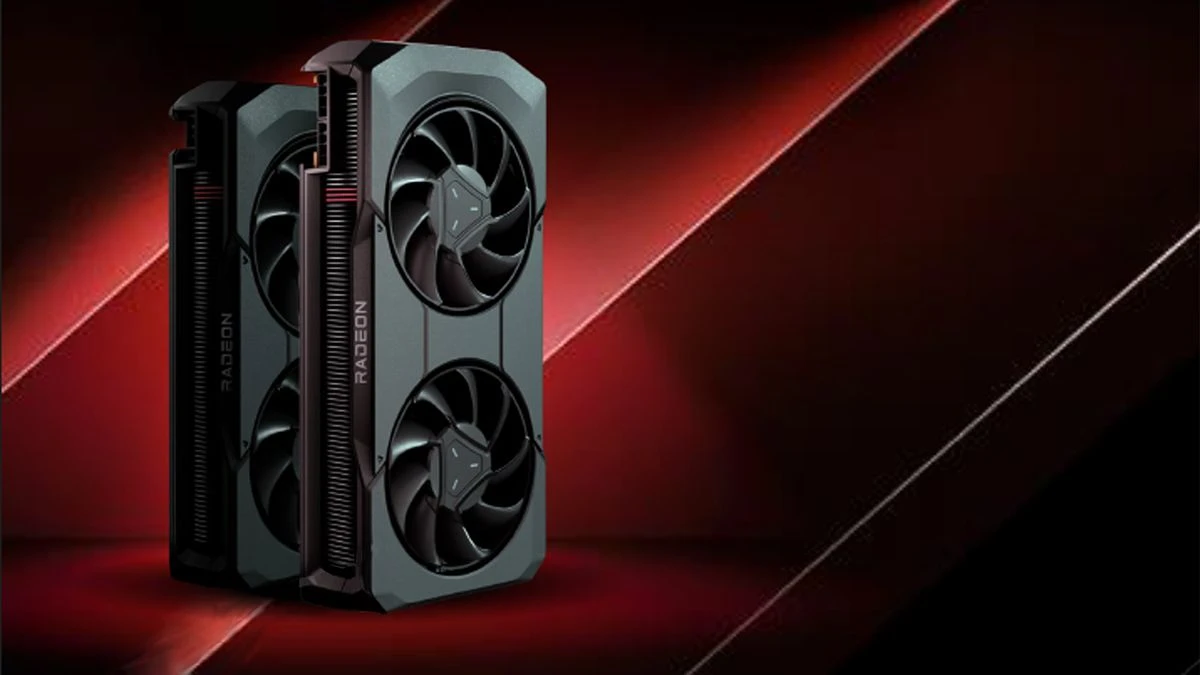
The Best AMD GPU in this group for most buyers is the XFX Swift RX 9060 XT. Its 16GB memory, high listed boost clock, and triple-fan cooler make it a well-rounded choice for a modern 1440p desktop, provided the case can accept its length.
For a higher-end system, choose the ASUS Prime RX 9070 XT for its 16GB memory, 0dB operation, dual BIOS, and carefully specified cooling design. The ASUS Dual RX 9060 XT is the smarter compact option, while the ASRock RX 7600 remains the straightforward pick for 1080p gaming.
If you are undecided, measure your case first, then choose the fastest card that fits your resolution, power supply, and cooling plan.
As an Amazon Associate we earn from qualifying purchases.