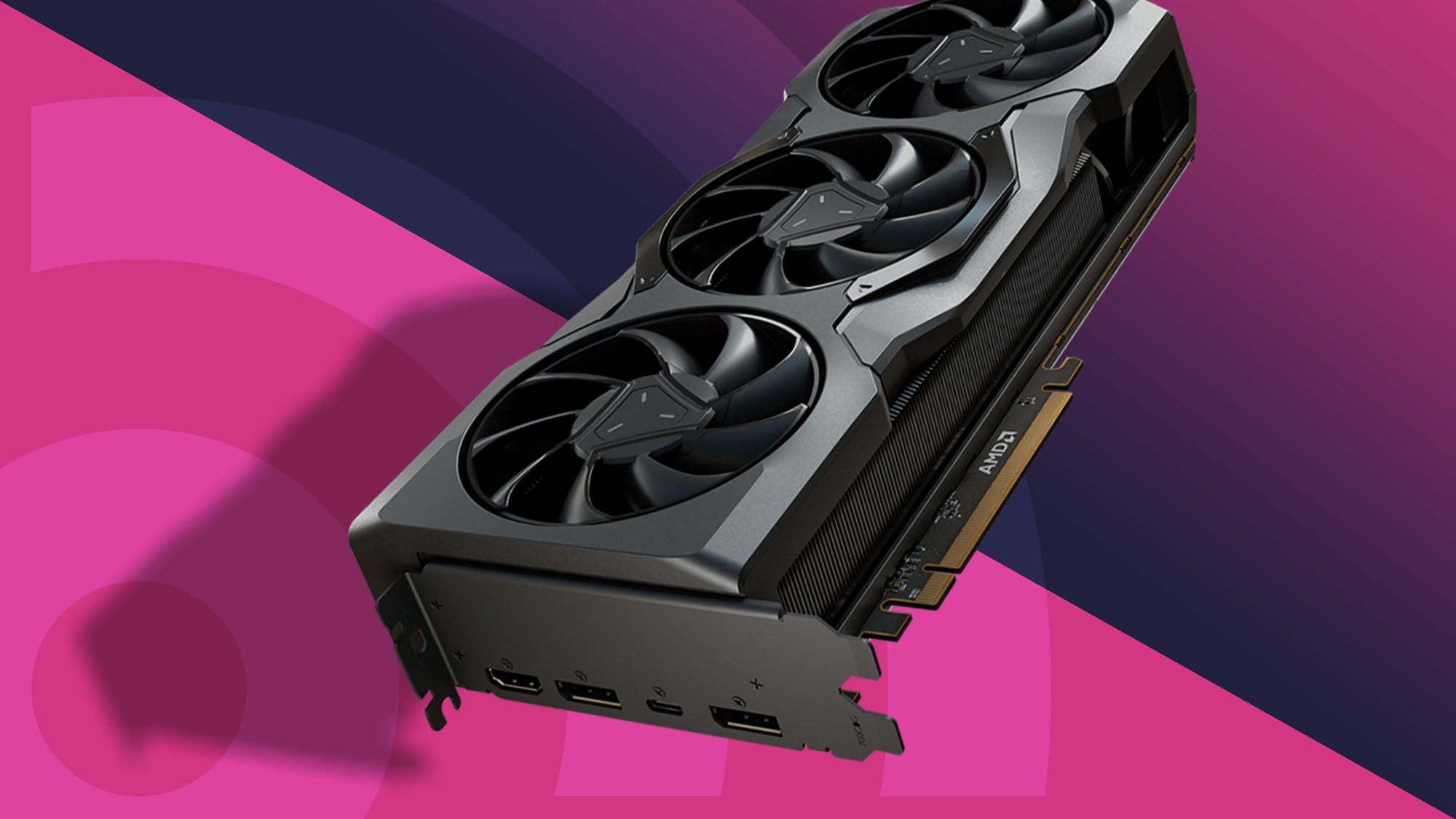

A graphics card can look perfect on paper and still be the wrong upgrade once you discover it blocks a drive bay, needs more power than your system provides, or runs louder than expected. The important differences between Radeon cards are not limited to the GPU itself. Cooler design, card dimensions, memory bandwidth, display outputs, and power requirements all shape the ownership experience.
Our Best AMD graphics card picks cover current RX 9060 XT and RX 9070 XT models, along with the older RX 7700 XT. The XFX Swift RX 9060 XT is the best fit for most buyers, while the ASRock RX 9070 XT Challenger is the stronger choice for demanding 4K play. The rest of the list ranges from compact dual-fan cards to elaborate triple-fan designs.
| # | Product | Award | Memory and interface | Cooling | Best for |
|---|---|---|---|---|---|
| 1 | XFX Swift RX 9060 XT | Best overall | 16GB GDDR6 | Triple fan | 1440p gaming |
| 2 | ASRock RX 9070 XT Challenger | Best for 4K | 16GB GDDR6, 256-bit | Triple fan, 0dB | High resolution gaming |
| 3 | ASUS Dual RX 9060 XT | Best compact design | 16GB GDDR6 | Dual axial fans | Smaller desktop builds |
| 4 | ASUS Prime RX 9070 XT | Best refined build | 16GB GDDR6 | Axial-tech fans | Quiet high-end systems |
| 5 | Gigabyte RX 9060 XT Gaming OC | Best for white builds | 16GB GDDR6, 128-bit | Hawk fans | Coordinated PC builds |
| 6 | Sapphire Nitro+ RX 9070 XT | Best premium cooler | 16GB GDDR6, 256-bit | Nitro+ cooling | Enthusiast gaming |
| 7 | ASRock RX 7700 XT Challenger | Best previous generation pick | 12GB GDDR6, 192-bit | Dual fan, 0dB | 1440p on older platforms |
| 8 | Sapphire Pulse RX 9070 XT | Best straightforward 9070 XT | 16GB GDDR6, 256-bit | Pulse cooling | No-frills performance |
| 9 | ASRock RX 9060 XT Challenger | Best dual-fan RX 9060 XT | 16GB GDDR6, 128-bit | Dual fan, 0dB | Compact 1440p builds |
| 10 | Gigabyte RX 9070 XT Gaming OC | Best feature-rich design | 16GB GDDR6, 256-bit | Hawk fans | Powerful white systems |
1. XFX Swift RX 9060 XT: Best Overall

Pros
- 16GB of GDDR6 memory
- Triple-fan SWFT cooling system
- Boost clock up to 3320 MHz
- Modern RDNA 4 GPU
Cons
- Long 11.42-inch card
- Triple-fan cooler needs generous case space
- Display output details are limited in the listing
Best for: PC builders who want a capable 1440p Radeon card with ample memory and substantial cooling.
The XFX Swift RX 9060 XT gets the top spot because it has the right balance of modern hardware and sensible cooling. Its RX 9060 XT GPU is paired with 16GB of GDDR6, giving current games room for high-resolution textures and leaving more headroom than a card with a smaller memory pool. The triple-fan SWFT cooler is the part that makes this model feel more substantial than a basic reference-style board.
XFX lists a boost clock of up to 3320 MHz. That number is not a guarantee that every game will sit there continuously, but it shows that this is an aggressively configured card rather than a conservative baseline model. For a 1440p gaming system, the combination of RDNA 4, 16GB of memory, and high boost headroom makes more sense than chasing a larger card when the rest of the PC is built around a mainstream display.
The size is the main practical concern. At 11.42 inches long and 4.92 inches wide, this is not a card for a very small case, and the triple-fan layout needs open airflow around it. The cooler should have an easier time spreading heat than the dual-fan designs on the ASUS Dual RX 9060 XT and ASRock RX 9060 XT Challenger, but those cards are easier to place in cramped systems.
The XFX Swift is also a more natural all-rounder than the older ASRock RX 7700 XT Challenger. The latter remains a legitimate 1440p option with a 192-bit memory interface, but the XFX brings a newer architecture and 16GB of memory. Skip the XFX if your case cannot accept its length or if you specifically want the smallest possible card. For everyone else, it is the Best AMD graphics card here for a balanced new build.
2. ASRock RX 9070 XT Challenger: Best for 4K

Pros
- 16GB GDDR6 on a 256-bit bus
- Triple-fan cooling with 0dB mode
- 64 compute units
- Three DisplayPort 2.1a outputs and HDMI 2.1b
Cons
- Requires an 800W power supply
- Nearly 11.42 inches long
- Larger and heavier than mainstream RX 9060 XT cards
Best for: gamers building a high-performance system around a 4K or high-refresh display.
The ASRock RX 9070 XT Challenger is the most convincing choice when the graphics card has to carry a demanding 4K gaming setup. Its 16GB of GDDR6 sits on a 256-bit memory bus, which gives the GPU a wider path to move data than the 128-bit interface used by the RX 9060 XT models here. That difference matters when textures, frame buffers, and high-resolution effects put sustained pressure on memory bandwidth.
This card uses AMD RDNA 4 with 64 compute units, third-generation ray tracing, and second-generation AI accelerators. Those details make it more than a conventional rasterization-focused upgrade. It also has a boost clock of up to 2970 MHz, although the real advantage over the smaller cards is the RX 9070 XT GPU class and its wider memory subsystem, not the clock figure alone.
ASRock gives it three DisplayPort 2.1a outputs and one HDMI 2.1b output. That is useful for a multi-display workstation or a gaming desk built around a modern high-refresh 4K panel. The triple-fan cooler includes Striped Axial Fan technology and a 0dB silent mode, so the fans can stay off during lighter workloads instead of spinning constantly.
The trade-off is the platform it demands. The listing specifies an 800W power supply, and the card measures about 11.42 inches long and weighs roughly 2.29 pounds. That is still less imposing than the Sapphire Nitro+ RX 9070 XT, but it is not a casual drop-in upgrade for an older prebuilt PC. Readers comparing this model with the XFX Swift RX 9060 XT should choose the ASRock when 4K performance and display bandwidth matter more than case flexibility.
3. ASUS Dual RX 9060 XT: Best Compact Design

Pros
- 2.5-slot design
- 0dB technology for quiet light workloads
- Dual BIOS with Quiet and Performance profiles
- Dual ball-bearing fans
- 8 inches long
Cons
- Dual-fan cooling has less surface area than triple-fan rivals
- 2.5 slots still occupy more than two expansion slots
- The listing does not provide a boost clock
Best for: builders who need a relatively short 16GB RX 9060 XT with flexible noise and performance settings.
The ASUS Dual RX 9060 XT is the card to consider when physical space matters as much as GPU capability. It measures 8 inches long, a major advantage over the 11-inch-plus cards that dominate this list. The 2.5-slot design is not truly slim, but it gives ASUS room for a more substantial cooler without stretching the card across a small case.
Its most useful feature is not decorative. The dual BIOS switch lets you choose between Quiet and Performance profiles, while 0dB technology allows the fans to stop during light gaming or low-load work. That makes the ASUS Dual easier to live with in a bedroom, office, or compact PC where fan noise is more noticeable.
ASUS also uses Axial-tech fans with a smaller hub, longer blades, and a barrier ring intended to increase downward air pressure. The fans use dual ball bearings, which ASUS says can last up to twice as long as sleeve-bearing designs. The card has PCIe 5.0 support along with HDMI 2.1b and DisplayPort 2.1a, so it is ready for current display connections.
The compromise is straightforward: two fans have less cooling area than the XFX Swift RX 9060 XT's triple-fan arrangement. The XFX is the better pick for a roomy case and sustained heavy loads, while the ASUS is the better physical fit. If you are choosing among graphics cards that fit a compact PC, pay close attention to both card length and slot thickness, not just the GPU name.
4. ASUS Prime RX 9070 XT: Best Refined Build

Pros
- 2.5-slot RX 9070 XT design
- 0dB technology
- Dual-ball fan bearings
- Phase-change GPU thermal pad
- Dual BIOS
Cons
- 12.3-inch length needs a large case
- About 3.31 pounds
- Two-and-a-half slots can crowd adjacent expansion cards
Best for: high-end builders who want a carefully equipped RX 9070 XT without moving to an oversized cooler.
The ASUS Prime RX 9070 XT is a polished high-end option with a focus on the details that matter after installation. It uses a 2.5-slot cooler rather than a very wide design, and it includes 0dB technology for quieter light workloads. That combination makes it more adaptable than its size initially suggests, although the card is still a long 12.3 inches.
ASUS uses Axial-tech fans with extended blades and a barrier ring to increase airflow pressure. The dual-ball bearings are designed for longevity, and the phase-change GPU thermal pad is intended to improve heat transfer from the GPU. These are the sorts of construction choices that matter during long gaming sessions, when a cooler has to maintain stable temperatures rather than merely survive a short burst.
A dual BIOS switch gives the card Quiet and Performance profiles. That is useful for a system that alternates between silent desktop work and demanding games. It also gives owners an easy fallback if they prefer a less aggressive fan curve. The card supports PCIe 5.0 and HDMI and DisplayPort 2.1 connectivity, though the listing does not specify the exact output count.
The ASUS Prime is easier to recommend than the much larger Sapphire Nitro+ RX 9070 XT when your case has limited vertical room around the card, but it is still heavier and longer than the ASRock RX 9070 XT Challenger. Its real weakness is that 12.3 inches and about 3.31 pounds can complicate installation in a compact chassis. Choose it for a high-end build where cooler refinement and dual BIOS control matter more than minimal dimensions.
5. Gigabyte RX 9060 XT Gaming OC: Best for White Builds

Pros
- White reinforced structure
- 16GB GDDR6 memory
- Hawk fans with alternate spinning
- Dual BIOS
- Customizable RGB lighting
Cons
- 11.06-inch length
- 128-bit memory interface
- White finish may not suit a dark build
Best for: users assembling a white PC who want coordinated lighting and a substantial RX 9060 XT cooler.
The Gigabyte RX 9060 XT Gaming OC is the most visually distinctive RX 9060 XT in this group. Its white finish and reinforced metal backplate make it a natural match for a light-colored case, while the RGB system offers 16.7 million color options and multiple lighting effects through Gigabyte Control Center. Those features will not raise frame rates, but they can make the card fit a carefully planned build instead of looking like an afterthought.
The underlying hardware is more important. It has 16GB of GDDR6, PCIe 5.0 support, and the current DisplayPort 2.1a and HDMI 2.1b display standards. The memory interface is 128-bit, so it does not have the same bandwidth position as the 256-bit RX 9070 XT cards. That makes its role clear: it is a strong 1440p-oriented card, not a substitute for the larger GPU tier when consistent 4K performance is the goal.
Gigabyte uses Hawk fans with alternate spinning, composite copper heat pipes, a copper plate, and server-grade thermal conductive gel. The cooler also includes 3D active fans and screen cooling, and the dual BIOS offers Performance and Silent modes. The reinforced backplate is fastened to the I/O bracket, which should help the card feel more rigid during installation.
Compared with the XFX Swift RX 9060 XT, the Gigabyte is the more compelling style-led choice and adds a clear silent mode. The XFX has a triple-fan layout and a listed boost clock of up to 3320 MHz, while Gigabyte's advantage is its feature-rich cooler and white construction. The 11.06-inch length means it is not a small card, so skip it if your case has tight clearance. It is the right fit for a coordinated white gaming PC.
6. Sapphire Nitro+ RX 9070 XT: Best Premium Cooler

Pros
- 16GB GDDR6 on a 256-bit interface
- Two HDMI and two DisplayPort outputs
- High-end Nitro+ design
- Large cooler for sustained loads
Cons
- 13.02-inch length
- About 5.73 pounds
- Extremely demanding case fit
Best for: enthusiasts building a large desktop around a premium RX 9070 XT board.
The Sapphire Nitro+ RX 9070 XT is built for the enthusiast who has already accepted that a powerful graphics card can dominate the inside of a PC. Its physical dimensions are the story here: the card is about 13.02 inches long, 5.06 inches wide, and listed at roughly 5.73 pounds. That is a serious installation, and the case needs enough clearance and support to accommodate it properly.
The payoff is a full RX 9070 XT configuration with 16GB of GDDR6 on a 256-bit interface. The wider interface gives it the memory bandwidth expected from this performance tier, while the 16GB capacity keeps modern texture workloads from feeling constrained. Sapphire lists two HDMI outputs and two DisplayPort outputs, a useful arrangement for a multi-monitor workstation or a gaming setup that changes displays regularly.
The Nitro+ name signals Sapphire's premium cooler family, though the supplied listing does not provide a boost clock, slot count, power requirement, or detailed fan specification. That missing information matters when planning a build, so buyers should confirm clearance and power details before committing. The card's large footprint alone is enough to rule it out for many cases.
The Sapphire Nitro+ is a more imposing proposition than the Sapphire Pulse RX 9070 XT and considerably larger than the ASUS Prime RX 9070 XT. The Pulse is the more straightforward choice, while the ASUS is easier to fit. Choose Nitro+ only when you have a roomy case and want a high-end board with abundant physical cooling capacity. Readers comparing different Radeon families can also see how GPU memory capacity affects modern game settings before deciding which class fits their system.
7. ASRock RX 7700 XT Challenger: Best Previous Generation Pick

Pros
- 12GB GDDR6 on a 192-bit bus
- Dual-fan 0dB cooling
- 54 compute units
- Three DisplayPort 2.1 outputs
- Metal backplate
Cons
- Older RDNA 3 architecture
- Requires two 8-pin power connectors
- Compatibility with some prebuilt systems is limited
Best for: gamers who want a capable 1440p card and do not need the newest Radeon architecture.
The ASRock RX 7700 XT Challenger is the outlier in this roundup, but it remains relevant for a buyer who wants solid 1440p capability without moving into the RX 9000 series. It uses AMD's RDNA 3 architecture with 54 compute units, a game clock of 2226 MHz, and a boost clock up to 2584 MHz. Those figures place it behind the newer RX 9060 XT and RX 9070 XT designs in generation, but not outside the conversation for a well-matched gaming PC.
Its 12GB of GDDR6 runs across a 192-bit bus and works with 48MB of AMD Infinity Cache. The wider bus than the RX 9060 XT cards can help with memory throughput, while the lower capacity is the limitation to keep in mind for demanding future textures and creative workloads. The card supports three DisplayPort 2.1 outputs and one HDMI 2.1 output, making it comfortable with high-resolution and high-refresh displays.
ASRock uses two Striped Ring Fans and Ultra-fit Heatpipe cooling, with 0dB operation at low temperatures. The metal backplate adds rigidity and helps with heat dissipation. The card measures about 10.5 inches long and weighs roughly 2.2 pounds, so it is easier to handle than several of the larger RX 9070 XT cards.
The supplied listing specifically warns that this card is not compatible with all prebuilt systems. It also needs two 8-pin power connectors, so check the power supply and chassis before ordering. The XFX Swift RX 9060 XT is the more modern recommendation, while the ASRock RX 7700 XT Challenger makes sense for a 1440p system where its 192-bit interface and dual-fan layout are attractive. For the rest of the platform, matching the GPU with the right processor can prevent a graphics card upgrade from being held back by the CPU.
8. Sapphire Pulse RX 9070 XT: Best Straightforward 9070 XT

Pros
- 16GB GDDR6 memory
- 256-bit memory interface
- Two HDMI and two DisplayPort outputs
- Simpler alternative to oversized premium models
Cons
- 12.6-inch length
- About 4.1 pounds
- The listing provides few cooler details
Best for: buyers who want RX 9070 XT performance without prioritizing elaborate lighting or a flagship cooler.
The Sapphire Pulse RX 9070 XT takes a refreshingly direct approach. It gives you the RX 9070 XT GPU, 16GB of GDDR6, and a 256-bit memory interface without presenting a long list of extra features that make the decision harder. For a gaming-focused build, that straightforward specification is often enough.
Sapphire lists two HDMI outputs and two DisplayPort outputs. That is a useful four-output layout for people who switch between a main gaming display, a television, and secondary monitors. The 16GB capacity and 256-bit interface also put it in the same broad memory class as the ASUS Prime RX 9070 XT, ASRock RX 9070 XT Challenger, and Gigabyte RX 9070 XT Gaming OC.
The limitation is the amount of information supplied about the cooler. The listing identifies the card as a Pulse model but does not provide a boost clock, fan count, slot thickness, or power requirement. Its listed dimensions are about 12.6 inches long and 4.73 inches wide, with a weight of about 4.1 pounds. That is not compact, even if the design is less extravagant than the Nitro+.
The Pulse is easier to justify than the Nitro+ when you want to avoid the biggest card in the group, but the ASUS Prime offers more explicitly documented cooling features, including 0dB operation and dual BIOS. Choose the Pulse when the GPU tier and four display outputs are the priority. Confirm the case clearance first, because its length is still enough to cause trouble in a narrow chassis.
9. ASRock RX 9060 XT Challenger: Best Dual-Fan RX 9060 XT

Pros
- 16GB GDDR6 memory
- Boost clock up to 3290 MHz
- 2-slot design
- 0dB silent cooling
- Single 8-pin connector
Cons
- 128-bit memory interface
- Listing dimensions are unusually inconsistent
- Dual-fan cooling has less capacity than triple-fan designs
Best for: compact 1440p systems that need a two-slot RX 9060 XT with a single power connector.
The ASRock RX 9060 XT Challenger is the practical dual-fan alternative to the larger cards in this roundup. It uses the RX 9060 XT with 32 compute units, third-generation ray tracing, and second-generation AI accelerators. The boost clock is listed at up to 3290 MHz, with a 2700 MHz game clock, giving it plenty of frequency headroom for a mainstream 1440p build.
The card has 16GB of GDDR6 running at 20 Gbps on a 128-bit bus. The capacity is generous for this class, but the narrower interface means it is not positioned like the 256-bit RX 9070 XT models. That distinction matters most when moving toward very high resolutions or workloads that are especially memory intensive. For 1440p gaming, the configuration is more coherent.
ASRock describes it as a 2-slot card and lists DisplayPort 2.1a and HDMI 2.1b outputs. Dual fans provide the cooling, and 0dB silent operation lets them stop during light loads. A single 8-pin connector simplifies cabling, with the listing recommending a 550W power supply. Those details make it a sensible candidate for an upgrade where the power supply has limited spare connectors.
There is one important documentation issue. The compatibility feature gives dimensions of 249mm by 132mm by 41mm, while the product information lists a length of about 14.17 inches and a width of about 2.52 inches. Because those measurements conflict, verify the physical dimensions with the seller or manufacturer before installation. The XFX Swift RX 9060 XT has a more substantial triple-fan cooler, while the ASRock wins when two slots and one power connector are the deciding constraints.
10. Gigabyte RX 9070 XT Gaming OC: Best Feature-Rich Design

Pros
- 16GB GDDR6 on a 256-bit bus
- Hawk fans with alternate spinning
- Dual BIOS
- Reinforced metal backplate
- Customizable RGB lighting
Cons
- 2.7-slot design
- 11.34-inch length and 5.2-inch width
- White finish may limit build matching
Best for: high-performance white PC builds that want strong cooling features and integrated lighting.
The Gigabyte RX 9070 XT Gaming OC combines the RX 9070 XT platform with the same broad design language as Gigabyte's RX 9060 XT Gaming OC. The larger GPU is paired with 16GB of GDDR6 on a 256-bit interface, giving it the memory configuration expected for demanding gaming and high-resolution displays. PCIe 5.0 and HDMI and DisplayPort 2.1 support keep it current for modern systems.
Its WINDFORCE cooler uses Hawk fans with alternate spinning, composite copper heat pipes, a copper plate, server-grade thermal conductive gel, and 3D active fans. The reinforced metal backplate is fastened to the I/O bracket, which should help control flex in a card that measures about 11.34 inches long, 5.2 inches wide, and 2.2 inches high.
Gigabyte also includes a Performance and Silent dual BIOS, with Performance set as the factory default. RGB lighting can be customized across 16.7 million colors and synchronized through Gigabyte Control Center. The card is listed as a 2.7-slot design, so it needs more room than the ASUS Prime RX 9070 XT's 2.5-slot layout even though the Gigabyte is shorter than the ASUS.
The main reason to choose this card over the ASRock RX 9070 XT Challenger is the feature set and white-build compatibility, not a documented clock advantage. The ASRock lists a boost clock and a triple-fan 0dB design, while Gigabyte emphasizes its cooler hardware, backplate, BIOS modes, and lighting. Skip it if your case is narrow or you want an understated black card. It suits a spacious performance build where the visual design is part of the plan.
How to choose best amd graphics card
The right Radeon card depends on the display resolution, case clearance, memory needs, cooling design, and power connections your system can support.
GPU tier and resolution
The RX 9060 XT models are the natural match for 1440p gaming, while the RX 9070 XT cards are aimed at more demanding high-resolution workloads. The RX 7700 XT remains capable for 1440p, but it uses the older RDNA 3 architecture and has less memory than the newer 16GB models.
Do not choose a GPU solely because its boost clock is higher. The RX 9060 XT cards list clocks above 3200 MHz, but the RX 9070 XT models can still be substantially better suited to 4K because GPU class, compute resources, and memory bandwidth matter together.
Video memory and memory bus
Memory capacity affects how comfortably a card handles high-resolution textures, large games, and creative applications. Every RX 9060 XT and RX 9070 XT pick here has 16GB, while the RX 7700 XT has 12GB.
The memory bus also matters. The RX 9070 XT cards and RX 7700 XT use 256-bit or 192-bit interfaces, while the RX 9060 XT cards use 128-bit interfaces. Capacity tells you how much data can be held, while the bus influences how quickly the GPU can move that data.
For demanding 4K play, 16GB is only part of the answer. Pair it with a wide memory interface and enough GPU compute capacity.
Card length and slot thickness
Measure from the rear expansion bracket to the front of the card, and check whether front-mounted fans, drive cages, or radiator hardware occupy that space. The ASUS Dual RX 9060 XT is only 8 inches long, while the Sapphire Nitro+ RX 9070 XT reaches about 13.02 inches.
Slot thickness matters just as much. A 2-slot card leaves more room for adjacent expansion hardware than the 2.5-slot ASUS models or the 2.7-slot Gigabyte RX 9070 XT. Remember that a card can fit in the main slot while still blocking another usable slot.
Cooler and noise controls
Triple-fan coolers generally have more cooling surface and can spread heat across a larger assembly, but they also tend to make the card longer. Dual-fan designs are easier to fit and can still be perfectly sensible for an RX 9060 XT.
0dB modes stop the fans during light workloads, which is useful for a quiet desktop. Dual BIOS adds a second way to balance fan noise and performance. The ASUS Dual RX 9060 XT, ASUS Prime RX 9070 XT, ASRock RX 9060 XT Challenger, and Gigabyte cards all provide some form of configurable or silent operation.
Power and system compatibility
Check the recommended power supply, available connectors, and chassis airflow before ordering. The ASRock RX 9060 XT Challenger specifies a single 8-pin connector and a recommended 550W supply, while the older ASRock RX 7700 XT Challenger uses two 8-pin connectors. The ASRock RX 9070 XT Challenger specifies an 800W supply.
Prebuilt systems deserve extra caution. The RX 7700 XT listing specifically warns that it is not compatible with all prebuilts. Measure the case, inspect the power supply, and confirm the motherboard and connector arrangement before treating any card as a drop-in upgrade.
Frequently asked questions
Is 16GB enough for a modern AMD graphics card?
Sixteen gigabytes is a strong capacity for current 1440p gaming and gives the RX 9060 XT and RX 9070 XT useful room for high-resolution textures. It does not guarantee a certain frame rate, since GPU architecture, compute resources, and memory bandwidth still matter.
Which card is best for 1440p gaming?
The XFX Swift RX 9060 XT is the strongest all-round 1440p recommendation in this list. The ASUS Dual RX 9060 XT and ASRock RX 9060 XT Challenger are better when case size matters, while the older ASRock RX 7700 XT Challenger remains a capable alternative.
Which AMD card is most suitable for 4K?
The ASRock RX 9070 XT Challenger is our preferred 4K-oriented pick. Its RX 9070 XT GPU, 16GB of memory, and 256-bit interface give it a more suitable foundation for high-resolution gaming than the RX 9060 XT models.
Do all of these graphics cards support PCIe 5.0?
The RX 9060 XT and RX 9070 XT models in this roundup list PCIe 5.0 support. The ASRock RX 7700 XT Challenger lists PCIe 4.0 support instead. A card with PCIe 5.0 does not automatically require a PCIe 5.0 motherboard to function.
How much case space does a graphics card need?
You need to check length, width, height, and slot thickness. The ASUS Dual RX 9060 XT is about 8 inches long, while the Sapphire Nitro+ RX 9070 XT is about 13.02 inches long and much heavier. Front fans, storage cages, and adjacent expansion cards can reduce usable clearance.
Are dual-fan cards quieter than triple-fan cards?
Not automatically. A triple-fan cooler can move heat at lower fan speeds because it has more cooling area, while a dual-fan card may have to work harder under sustained load. Features such as 0dB mode, the fan curve, and the size of the heatsink are more useful indicators than fan count alone.

The bottom line
The XFX Swift RX 9060 XT is the Best AMD graphics card for most 1440p-focused builds. Its 16GB of GDDR6, high listed boost clock, and triple-fan cooler make it a well-rounded choice, provided your case can handle its length. For 4K gaming or heavier graphics work, the ASRock RX 9070 XT Challenger is the better step up, with a 256-bit memory interface, 64 compute units, and a modern display output set.
Choose the ASUS Dual RX 9060 XT for a shorter card, the ASUS Prime RX 9070 XT for a refined high-end build, or the Sapphire Nitro+ RX 9070 XT when maximum cooler scale matters more than easy installation. The older ASRock RX 7700 XT Challenger is still reasonable for 1440p, but its 12GB memory and older architecture make the newer cards more forward-looking.
If you are undecided, start with your case clearance and power supply, then choose between the XFX Swift for 1440p or the ASRock Challenger for 4K.
As an Amazon Associate we earn from qualifying purchases.