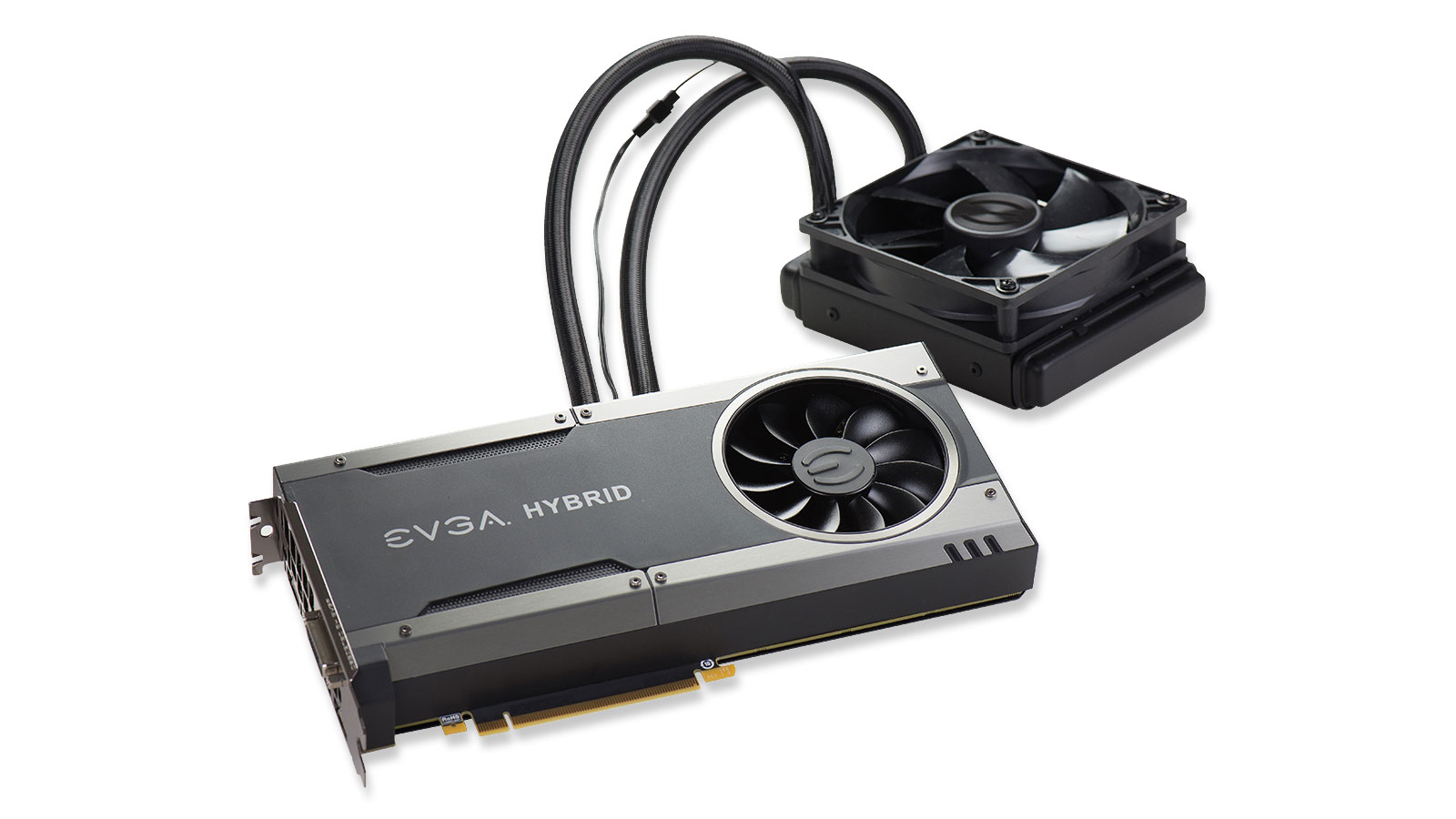

A graphics card running hot does not always need a new cooler. Sometimes the fix is fresh thermal paste, a replacement fan, a backplate heatsink, or simply a safer way to mount the card. The difficult part is matching the accessory to the exact GPU, laptop, handheld, power supply, and case.
The Best GPU Cooling Solutions in this roundup cover several very different jobs. Thermal Grizzly's Aeronaut paste is the most broadly useful starting point, while GOWENIC and Fydun target RTX 3090, 3080, and 3070 backplates. Cooler Master's holder is about airflow and mounting position, and the Rangale and Deal4GO fans are replacement parts for specific devices.
Thermal Grizzly Aeronaut 7.8g is our top pick for general GPU maintenance. The nine options range from thermal interface material to laptop and handheld replacement fans, so compatibility matters more than a simple ranking.
| # | Product | Award | Capacity or fit | Connection or format | Best for |
|---|---|---|---|---|---|
| 1 | Thermal Grizzly Aeronaut 7.8g | Best overall | 7.8g, 3 ml | Thermal paste | Frequent GPU and CPU maintenance |
| 2 | Thermal Grizzly Aeronaut 3.9g | Best for repeat use | 3.9g, 1.5 ml | Thermal paste | Several smaller applications |
| 3 | GOWENIC GPU Backplate Radiator | Best backplate cooler | RTX 3090, 3080, 3070 | 4-pin fan | Compatible high-memory GPUs |
| 4 | Fydun GPU Backplate Radiator | Best alternative backplate | RTX 3090, 3080, 3070 | 4-pin fan | Vertical GPU builds |
| 5 | Cooler Master GPU Holder Kit V3 | Best mounting upgrade | Up to 165 mm GPU length | PCIe 4.0 riser | Adjustable vertical installation |
| 6 | Rangale TUF Laptop Cooling Fan | Best laptop replacement | Asus TUF 2020 series | Twin-fan pair | A15 and F15 repairs |
| 7 | Deal4GO ROG Ally Cooling Fan | Best handheld replacement | ROG Ally RC71L | 4-pin, 5V, 0.5A | Original ROG Ally repairs |
| 8 | Thermal Grizzly Aeronaut 1g | Best single application | 1g | Thermal paste | One careful repaste |
| 9 | lilila-ree PCIe Power Cable | Best cable accessory | 20 inches, 18AWG | 6-pin to 6+2-pin | Compatible standard PCIe supplies |
1. Thermal Grizzly Aeronaut 7.8g: Best Overall

Pros
- Largest Aeronaut quantity in this roundup
- Listed thermal conductivity of 8.5 W/mK
- Suitable for GPUs, CPUs, consoles, and heat sinks
- Syringe supports controlled application
Cons
- Paste alone cannot fix a failing GPU fan
- Requires careful cleaning and application
- Compatibility still depends on the device and cooler
Best for: builders and repairers who expect to repaste more than one device.
The Thermal Grizzly Aeronaut 7.8g is the easiest recommendation when the problem is the interface between a GPU and its heatsink rather than the fan itself. It comes as 7.8 grams or 3 ml, giving it the most room for repeated maintenance among the three Aeronaut listings here. That makes sense for a repair kit kept on a workbench, especially if you service more than one graphics card or console.
The important number is its listed thermal conductivity of 8.5 W/mK, paired with a stated thermal resistance of 0.0129 K/W. Those figures describe how readily heat can move through the paste layer and how much resistance the interface adds. They do not turn a weak heatsink into a strong one, but they make the compound a sensible part of a clean, correctly applied GPU service. The syringe also makes it easier to place a controlled amount on the chip.
Aeronaut is listed as compatible with computer and laptop cooling, GPUs, LEDs, heat sink fins, PS3, PS4, PS5, Xbox 360, Xbox One, Xbox Series X, and MacBooks. That broad compatibility is why it outranks the GOWENIC GPU Backplate Radiator for general use. GOWENIC adds active airflow to a particular backplate arrangement, while Aeronaut addresses a common interface problem across many devices. Readers choosing a complete graphics card should separate that question from cooling maintenance, and how much graphics card capability your games actually need is a different decision.
The weakness is straightforward: thermal paste is not a replacement for a damaged fan, a blocked heatsink, or poor case airflow. It also needs a clean contact surface and a correctly seated cooler, so an inexperienced installer can create a worse interface with too much or too little compound. Skip this if your GPU fan has stopped or the card needs a model-specific replacement assembly.
For anyone who maintains several systems, this is the Aeronaut version we'd keep nearby. It offers the same stated compound characteristics as the smaller sizes, but its 7.8-gram quantity is better suited to repeated applications.
2. Thermal Grizzly Aeronaut 3.9g: Best for Repeat Use

Pros
- 3.9 grams or 1.5 ml for multiple applications
- Syringe makes precise placement easier
- Listed for GPUs, CPUs, consoles, and laptops
- Same Aeronaut formula family as the other sizes
Cons
- Less compound than the 7.8g version
- No cooling hardware is included
- Results depend heavily on surface preparation
Best for: a user who wants extra compound for future maintenance without choosing the largest syringe.
The Thermal Grizzly Aeronaut 3.9g occupies the practical middle ground in this list. It is large enough for more than one careful application, but it does not commit you to the largest quantity. The product information identifies it as 3.9 grams or 1.5 ml, and the syringe format remains the main reason to choose it over a jar or improvised application method.
Its use is simple but not trivial. Thermal paste fills microscopic imperfections between the GPU package and the cooler base, creating a more continuous path for heat. The listing says it is intended for CPU and GPU cooling, LEDs, heat sink fins, computers, laptops, PS3, PS4, PS5, Xbox systems, and MacBooks. That makes it a flexible maintenance material rather than a GPU-specific replacement part.
Compared with the Aeronaut 1g, this version is the better fit for a system builder who expects to service a card now and another device later. Compared with the Aeronaut 7.8g, it is the more restrained choice for occasional maintenance. Neither size changes the fact that paste cannot improve a clogged heatsink or failed fan. For a wider look at the part above the paste, the cooler features that matter when a CPU is already running hot can help put the interface material in context.
The product does have a limitation that is easy to overlook. The listing refers to an immediate temperature decrease, but the paste is not a guaranteed fix for every overheating complaint. A GPU may still throttle because of fan wear, dust, mounting pressure, case airflow, or a problem elsewhere on the board. Anyone repasting should be comfortable removing and reseating the cooler.
This is the size we'd choose for a small repair drawer or a first serious maintenance kit. It gives the user more breathing room than the 1g syringe while avoiding the need to store a much larger supply.
3. GOWENIC GPU Backplate Radiator: Best Backplate Cooler

Pros
- Aluminum alloy backplate radiator
- Includes a thermal pad
- 4-pin fan connection to a motherboard header
- Listed for RTX 3090, 3080, and 3070 cards
- Supports vertical GPU mounting
Cons
- Compatibility is limited to the listed card families
- Adds 15 mm of thickness
- Requires an available motherboard fan socket
Best for: owners of compatible RTX 3090, 3080, or 3070 cards who want active airflow over the backplate.
The GOWENIC GPU Backplate Radiator is a much more specialized answer than thermal paste. It sits on the rear side of a compatible graphics card, using an aluminum alloy heatsink, thermal pad, and a fan to move heat away from the backplate area. The design makes most sense for a card where rear-side memory or backplate heat is part of the concern.
The listed dimensions are 7.1 inches long, 3.7 inches high, and 0.6 inches wide. The 15 mm thickness called out in the features matters more than the other measurements during installation because it can affect clearance around the graphics card, side panel, and neighboring expansion slots. The 4-pin connector is intended for a motherboard fan socket, and the listing describes that connection as supporting low-noise operation.
This is the strongest active add-on in the roundup for its stated compatibility range. It is listed for RTX 3090, 3080, and 3070 graphics cards and supports vertical mounting. That is a narrower but more direct solution than the Cooler Master GPU Holder Kit V3, which changes the card's position and uses a PCIe riser rather than cooling the backplate itself. Check the actual backplate and case clearance before buying, since model variations within a GPU family can matter.
The real weakness is that the listing does not establish universal fit for every card carrying one of those GPU names. The rear plate, screw positions, thermal pad placement, and available fan header all need to work together. It is also not a substitute for the card's main heatsink and fans. Skip it if your card does not match the stated families or if the extra thickness would crowd the case.
For a compatible high-memory card with a suitable case, GOWENIC is the most coherent dedicated backplate solution here. It combines the heat spreader, thermal pad, and fan in one package, instead of asking the buyer to assemble those pieces separately.
4. Fydun GPU Backplate Radiator: Best Alternative Backplate

Pros
- Aluminum alloy construction
- Includes a thermal pad
- 4-pin fan interface
- Listed for RTX 3090, 3080, and 3070 cards
- Supports vertical GPU mounting
Cons
- Model-specific compatibility still needs checking
- 15 mm thickness can create clearance issues
- Requires a motherboard fan header
Best for: a compatible RTX 30-series card that needs a backplate fan and heatsink alternative.
The Fydun GPU Backplate Radiator is nearly the same type of accessory as GOWENIC's unit. It combines an anodized black, CNC-machined aluminum alloy radiator with a standard fan, thermal pad, and 4-pin interface. For a user who has already decided that the rear of an RTX 3090, 3080, or 3070 needs extra airflow, this is the second direct option in the list.
Its listed dimensions are 7.1 by 3.7 by 0.6 inches, with a stated thickness of 15 mm. That shared size makes installation planning especially important. The radiator may need room between the card and side panel, and the fan cable needs a route to a motherboard header. The 4-pin connector is described as suitable for a motherboard fan socket and low-noise operation, though the listing does not provide fan speed or airflow figures.
The Fydun unit beats a paste-only solution when the issue is rear-side heat and the card's existing cooler is already making good contact. It also provides a more direct cooling purpose than the Cooler Master holder, which can help position a GPU for airflow but does not include a heatsink or fan. GOWENIC is the closest comparison, and the two products share the same listed card families, dimensions, thermal pad, and connector type. The choice should therefore come down to confirmed fit and the installation details of the specific card.
There are limits to what can be inferred from the listing. It does not say that every RTX 3090, 3080, or 3070 board layout is supported, and it does not provide a separate airflow rating. The extra thickness can also interfere with a side panel or adjacent hardware. Buyers without a matching backplate or an open motherboard fan header should skip this kind of accessory.
Fydun is a sensible alternative for the same narrow use case as GOWENIC. It belongs on a compatibility-first shortlist, not in a general cooling kit for an unidentified graphics card.
5. Cooler Master GPU Holder Kit V3: Best Mounting Upgrade

Pros
- PCIe 4.0 riser supports PCIe 4.0 and 5.0 motherboards and GPUs
- Toolless horizontal adjustment up to 65 mm
- Side-panel adjustment up to 30 mm
- Supports standard ATX and selected Micro-ATX cases
- Removable Micro-ATX bracket
Cons
- Can block a rear fan in some cases
- Case and GPU clearance still require checking
- Changes mounting position rather than adding a heatsink
Best for: a builder who wants an adjustable vertical GPU installation with a PCIe riser.
The Cooler Master GPU Holder Kit V3 is not a cooler in the conventional sense. Its contribution to graphics card temperatures comes from mounting position, spacing, and the airflow path around a vertically installed GPU. It is the most useful choice here for someone rebuilding a case layout rather than applying compound or replacing a fan.
The kit uses a PCIe 4.0 riser and is described as working with PCIe 4.0 and 5.0 motherboards and GPUs. It is designed for modern three-slot graphics cards in traditional seven-slot ATX cases, and the listing specifies a 165 mm length. Those details matter because a vertical mount can look compatible at the expansion-slot opening while still running into front, side, or bottom clearance inside the chassis.
Adjustment is the kit's strongest feature. It can move horizontally by up to 65 mm and toward the side panel by up to 30 mm without tools. The Micro-ATX bracket can be removed for traditional four-slot Micro-ATX cases, and the GPU can be installed after the holder is secured. That flexibility puts it ahead of a fixed vertical bracket when a case has awkward internal spacing. It does not, however, provide the active cooling hardware found on the GOWENIC GPU Backplate Radiator.
The weakness is case dependence. The listing specifically warns that the removable bracket may block a rear fan in some cases, and vertical mounting can put the card close to the side panel. The riser also adds another component to the PCIe signal path, so installation should follow the motherboard and case requirements carefully. Skip it if you only need lower temperatures on an existing horizontal card.
For a compatible ATX or Micro-ATX build, this is the most capable mounting accessory in the group. It is best viewed as an airflow and presentation upgrade that can support cooling, not as a replacement for a GPU heatsink.
6. Rangale TUF Laptop Cooling Fan: Best Laptop Replacement

Pros
- Includes a CPU and GPU cooling fan pair
- Covers listed Asus TUF A15 and F15 2020 models
- Includes model and fan part references
- Compact replacement format
Cons
- Fit is restricted to specific Asus TUF families
- Does not include a complete heatsink assembly
- Installation requires opening the laptop
Best for: owners of a listed 2020 Asus TUF A15 or F15 laptop replacing both internal fans.
The Rangale TUF Laptop Cooling Fan targets a very different problem from the desktop accessories above. It is a pair of replacement fans for certain 2020 Asus TUF Gaming laptops, covering the CPU and GPU cooling positions. If a compatible laptop fan is noisy, seized, or no longer moving air, replacing the fan is more appropriate than trying to add a desktop-style heatsink.
The listed fit includes the TUF Gaming A15 FA506, FA506IV, FA506IU, TUF 506 IU and IV, and F15 models FX506, FX506LI, FX506LU, and FX506IH. The features also identify fan references DFS5K12304363H FMIU and DFS5K12114262H FM1V. Those identifiers are useful because laptop families can have internal revisions that look similar but use different fan assemblies.
The product information lists a pair of fans and dimensions of 4.72 inches long, 3.94 inches wide, and 0.39 inches high. Those measurements are not enough to confirm fit on their own. Connector placement, screw locations, fan labels, and the exact laptop revision should be compared before opening the machine. This is more narrowly targeted than the Deal4GO ROG Ally Cooling Fan, which is built around one named handheld family.
The trade-off is that these are replacement fans, not a full cooling module. The listing does not say that a heatsink, heat pipe, screws, or thermal compound are included. Removing the laptop's cooler may therefore require separate attention to the thermal interface, and anyone uncomfortable with delicate internal connectors should avoid treating this as a casual upgrade.
Rangale makes sense when the laptop model and fan references line up. It is the right kind of fix for a failed TUF cooling fan, but it is not a universal laptop cooling accessory and should not be chosen from the series name alone.
7. Deal4GO ROG Ally Cooling Fan: Best Handheld Replacement

Pros
- Includes left and right replacement fans
- Designed for ASUS ROG Ally RC71L NR2301L
- Uses a 4-pin, 4-wire connection
- Includes two thermal greases
- Lists 5V, 0.5A, and 2.25W electrical details
Cons
- Not compatible with the ROG Ally X series
- Requires opening a compact handheld
- Fan replacement does not guarantee a broader cooling problem is fixed
Best for: owners of the original 2023 ASUS ROG Ally RC71L with a failed internal fan.
The Deal4GO ROG Ally Cooling Fan is the most device-specific product in this roundup. It includes one left-side fan and one right-side fan for the 2023 ASUS ROG Ally RC71L NR2301L, allowing an owner to replace the pair rather than mixing an old and new fan. The package also includes two thermal greases.
The electrical details are unusually helpful for a replacement part. The fans are listed at DC 5V, 0.5A, and 2.25W, using a 4-pin, 4-wire wire-to-board connection. The features say the fans attach to the existing heatsink, so this is not a complete heatsink replacement. The left and right part references are also provided, including 13NR0GY0M01012 for the left side and 13NR0GY0M02012 for the right side, along with additional reference numbers.
That specificity is the reason it outranks the Rangale fan for handheld use, while Rangale remains the better laptop choice. It also makes this a safer recommendation than a generic small fan, provided the device is the original ROG Ally model named in the listing. The warning is explicit: it does not fit the ROG Ally X series. Anyone deciding between handheld replacement and a full desktop setup should remember that the cooling hardware used in a complete water-cooled gaming system solves a completely different installation problem.
The main weakness is the repair itself. A compact handheld leaves little room for careless connector work, and the new fans still rely on the existing heatsink and proper thermal contact. If the original heatsink is damaged or the device is overheating for another reason, replacing both fans may not solve the fault. Skip it unless the model and left or right fan references match.
For the original ROG Ally, this is the most focused replacement option here. It gives the repairer both fan positions and the thermal grease needed to restore the contact around the existing cooling assembly.
8. Thermal Grizzly Aeronaut 1g: Best Single Application

Pros
- Compact 1-gram syringe
- Precise application format
- Listed for CPU, GPU, console, laptop, and heat sink use
- Useful for one focused maintenance job
Cons
- Limited quantity for repeated repairs
- Does not include cleaning tools or cooling hardware
- Requires correct cooler contact after application
Best for: a user repasting one GPU, CPU, console, or small cooling assembly.
The Thermal Grizzly Aeronaut 1g is the smallest and most targeted Aeronaut option in this list. It comes in a 1-gram syringe, which is a sensible format when the job is one graphics card or one console rather than a series of repairs. The syringe also reduces the temptation to spread paste across a large area without knowing how much the cooler contact requires.
The listing describes it for CPU cooling, GPU cooling, LEDs, heat sink fins, computers, laptops, PS3, PS4, PS5, Xbox systems, and MacBooks. It also says the compound is intended to support heat transfer without integration into the processor. That broad device list makes the 1g syringe more versatile than its small capacity suggests, as long as the user is working on a single compatible interface.
The 1g version shares the practical strengths of the 3.9g and 7.8g versions, but the larger syringes are better for repeat maintenance. The GOWENIC GPU Backplate Radiator, by contrast, changes the cooling hardware around a compatible card rather than renewing the interface between chip and heatsink. Choose Aeronaut when the existing cooler is sound and the paste is old, dry, contaminated, or poorly applied.
The limitation is obvious once the cooler is removed: the available quantity leaves little room for waste. The listing does not provide thermal conductivity or thermal resistance for this particular size, even though the larger 7.8g listing provides those figures. Buyers also need to clean the old compound and reseat the cooler evenly. Anyone dealing with a failed fan or damaged heatsink should choose a replacement part instead.
This is a tidy choice for a single planned service. It keeps the job focused, but the 3.9g Aeronaut is the more forgiving option if the first application goes badly or another device needs attention soon.
9. lilila-ree PCIe Power Cable: Best Cable Accessory

Pros
- Converts a standard 6-pin PCIe output to 6+2-pin
- Two cables included
- 20-inch length supports case routing
- Uses listed 18AWG tinned copper wire
- Works with specified standard PCIe pinouts
Cons
- Does not provide additional power
- PSU pinout must be verified before use
- Conflicting compatibility statements require caution
Best for: a compatible PSU and GPU combination that needs a 6-pin PCIe output to reach a 6+2-pin input.
The lilila-ree PCIe Power Cable is not a cooling component, but it can be part of a graphics card installation where the power connector does not match. It converts a standard 6-pin PCIe power output to an 8-pin style 6+2-pin male connector. The two-piece pack can support two separate cards or a card with two required connectors, provided the power supply and pinout are appropriate.
The cable is listed at 20 inches, or 51 cm, with 18AWG tinned copper wire. That length gives a mid-tower or full-tower builder room to route the cable behind the motherboard tray without leaving an unnecessarily long loop in front of the card. The 6+2-pin end can be used as either an 8-pin or 6-pin connector, which is useful when a card has a slightly different input requirement.
The safety information matters more than the convenience. The listing says the adapter does not create extra power and instead shares power from the source 6-pin connector. It also says to connect the 6-pin male end to the PSU's PCIe cable and the 6+2-pin end to the graphics card. That makes this a cable-routing and connector solution, not an upgrade to the PSU's capacity or the GPU's cooling.
There is a serious compatibility caveat. The features mention Cooler Master and Thermaltake supplies with standard 6-pin PCIe ports, then also include a warning that the cable is not compatible with EVGA, Corsair, Thermaltake Toughpower, Antec, and other supplies. Those statements conflict, so a buyer should verify the exact PSU model and pinout rather than relying on the brand name. Never use a modular PSU cable based only on the shape of its connector.
This belongs at the bottom of a cooling roundup because it solves installation power, not heat transfer. It can still be useful in a GPU build, but anyone whose real problem is temperature should start with airflow, paste, a fan, or a compatible backplate cooler.
How to choose Best GPU Cooling Solutions
The right cooling accessory depends on where heat is building up and whether the hardware is a desktop card, laptop, handheld, or complete case.
Thermal interface material
Thermal paste fills the microscopic gaps between a GPU package and its heatsink. It matters when the cooler is healthy but the old compound has dried out, shifted, or been disturbed. A syringe such as Thermal Grizzly Aeronaut is easier to control than an improvised application, but more compound is not automatically better.
Choose the quantity based on the number of repairs you expect to make. The 1g version suits one focused job, the 3.9g version allows more margin, and the 7.8g version makes sense for repeated servicing. Paste cannot compensate for a blocked heatsink, a loose cooler, or a failed fan.
Fan replacement compatibility
Replacement fans need an exact match, not just a similar shape. Laptop and handheld fans depend on screw positions, connector placement, voltage, current, and the device revision. Rangale names multiple Asus TUF 2020 models and provides fan reference numbers, while Deal4GO identifies the original ROG Ally RC71L and its left and right fan references.
Check the model number inside the device documentation and compare the old fan's label before ordering. The ROG Ally listing specifically excludes the Ally X, which shows how easily a similar product name can lead to the wrong part.
Backplate clearance
A backplate radiator can add active airflow to the rear of a compatible graphics card, but the extra thickness must fit. GOWENIC and Fydun both list a 15 mm thickness and target RTX 3090, 3080, and 3070 cards. That does not confirm compatibility with every board layout in those families.
Measure the available space around the card, side panel, adjacent slots, and motherboard fan header. A thermal pad also needs to contact the intended surface correctly. If the backplate is not compatible, a cooler that appears similar can create mounting pressure or clearance problems.
A cooling accessory is only useful when its connector, mounting points, and available clearance all agree with the hardware.
Mounting and airflow
Vertical GPU mounting can change the card's distance from the side panel and alter the path for intake air. Cooler Master's V3 kit offers up to 65 mm of horizontal adjustment and 30 mm toward the side panel, which is more flexible than a fixed bracket. Its removable Micro-ATX bracket can help with case fit, but the listing warns that it may block a rear fan in some cases.
Look at the entire case layout rather than the GPU alone. A vertical holder can improve presentation and spacing in one chassis while restricting airflow in another. If you are considering a larger liquid-based setup, the hardware choices behind a CPU liquid cooling loop are useful to compare separately from a GPU mounting bracket.
Power and connector safety
A power adapter does not increase what a power supply can provide. The lilila-ree cable converts a 6-pin connector to a 6+2-pin connector and uses 20-inch 18AWG cable, but the source PSU still has to support the GPU's load and use the correct pinout.
Never assume that a modular PSU cable is interchangeable across brands. Confirm the exact PSU model, follow the cable's orientation warnings, and push each connector fully into place. A loose or incorrectly pinned connection can create a much more serious problem than high temperatures.
Frequently asked questions
Can thermal paste lower GPU temperatures?
Thermal paste can improve the interface between a GPU and its heatsink when the existing compound is old, damaged, or poorly applied. It will not repair a failing fan, clogged heatsink, defective heat pipe, or restricted case airflow. The cooler must also be reseated with even contact.
Is a backplate radiator compatible with every graphics card?
No. The GOWENIC and Fydun radiators are listed for RTX 3090, 3080, and 3070 cards, but board layouts can differ within the same GPU family. Check the backplate, mounting points, thickness, and case clearance before installation.
Does a 4-pin GPU cooling fan connect directly to the graphics card?
The GOWENIC and Fydun listings say their 4-pin fans connect to a motherboard fan socket. They are not described as universal GPU-header accessories. Confirm that the motherboard has a suitable header and that the cable can reach it.
Can the Deal4GO fan fit an ROG Ally X?
No. The listing identifies the replacement for the original 2023 ASUS ROG Ally RC71L NR2301L and specifically says it does not fit the ROG Ally X series. Verify the handheld model before opening the device.
Does the lilila-ree adapter increase GPU power?
No. Its features say that it shares power from the existing 6-pin source and does not create additional power. The PSU must have enough capacity, and its pinout must be compatible with the adapter.
Is the Cooler Master V3 holder a GPU cooler?
Not by itself. It is a vertical GPU holder with a PCIe riser that can change card placement and airflow. It does not include a backplate heatsink or replacement GPU fan.
How much thermal paste should be applied to a GPU?
Use enough to cover the contact area after the cooler is seated, without creating a thick excess layer. The correct amount depends on the chip and cooler design, so follow the cooler manufacturer's instructions when available. Clean the old compound before applying new paste.

The bottom line
The Best GPU Cooling Solutions choice for general maintenance is Thermal Grizzly Aeronaut 7.8g. Its 7.8-gram quantity, controlled syringe, and broad listed compatibility make it the most useful option for repeated GPU, CPU, laptop, or console service. Choose the Thermal Grizzly Aeronaut 3.9g if you need a smaller maintenance supply, or the 1g version for one planned repaste.
For hardware-specific repairs, the GOWENIC GPU Backplate Radiator is the clearest active cooling option for a compatible RTX 3090, 3080, or 3070. Rangale TUF Laptop Cooling Fan and Deal4GO ROG Ally Cooling Fan are the right answers only when their exact device models match, while Cooler Master's holder is a mounting and airflow accessory rather than a conventional cooler.
If you are undecided, identify the failing part first: paste for a poor heatsink interface, a replacement fan for a failed device fan, a backplate radiator for a compatible rear-side cooling need, and a holder only when case positioning is the problem.
As an Amazon Associate we earn from qualifying purchases.