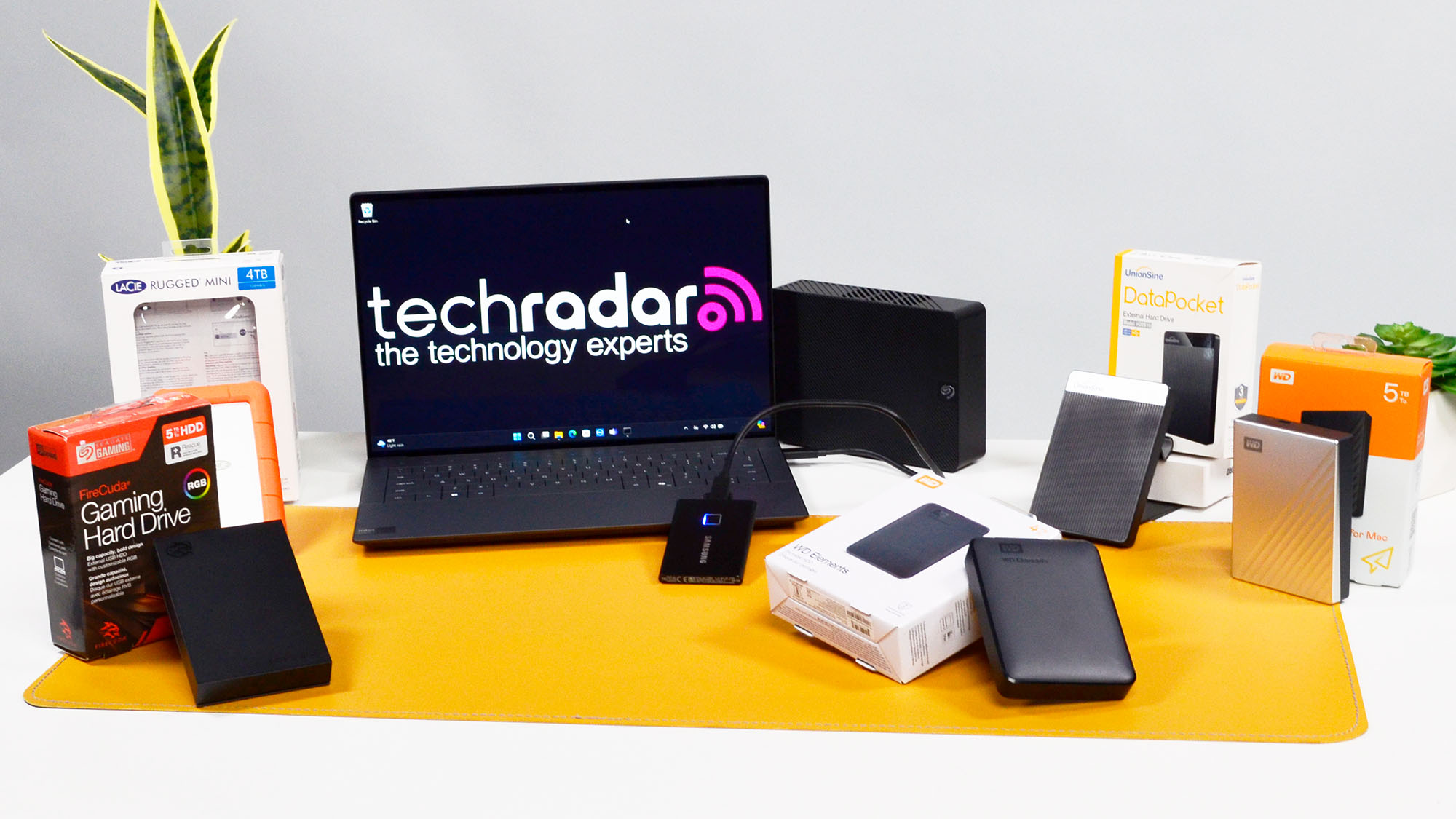

A portable drive should disappear into a bag until the moment a laptop runs out of room or a backup becomes urgent. The important questions are simple: how much storage do you need, how easily will it work with your computer or console, and do you need software protection beyond drag and drop?
The Best portable hard drive picks here are conventional USB hard drives, so they favor capacity and straightforward compatibility over the speed of an external SSD. The range includes compact 500GB models, large 6TB storage, and drives with password protection or backup software.
Our top pick is the Seagate Portable 2TB, with the WD My Passport 2TB close behind for users who want built-in security features.
| # | Product | Award | Capacity | Interface | Best for |
|---|---|---|---|---|---|
| 1 | Seagate Portable 2TB | Best overall | 2TB | USB 3.0 | Everyday backups |
| 2 | Seagate Portable 5TB | Best high capacity | 5TB | USB 3.0 | Large media libraries |
| 3 | Seagate Portable 4TB | Best Seagate capacity balance | 4TB | USB 3.0 | Photos and video |
| 4 | WD Elements 6TB | Best maximum capacity | 6TB | USB 3.2 Gen 1 | Desktop archives |
| 5 | WD My Passport 1TB | Best protected compact drive | 1TB | USB 3.1, USB 3.0 | Sensitive files |
| 6 | Seagate Portable 1TB | Best basic small drive | 1TB | USB 3.0 | Simple file storage |
| 7 | UnionSine 500GB | Best ultra-slim option | 500GB | USB 3.0 | Pocket carry |
| 8 | Aiolo Innovation 500GB | Best console flexibility | 500GB | USB 3.0 | PC and console use |
| 9 | WD Elements 2TB | Best straightforward WD drive | 2TB | USB 3.2 Gen 1 | Plug and play storage |
| 10 | WD My Passport 2TB | Best security focused capacity | 2TB | USB 3.1, USB 3.0 | Protected backups |
1. Seagate Portable 2TB: Best Overall

Pros
- Simple plug and play setup
- Works with Windows and Mac computers
- Compact 2TB capacity
- Includes an 18 inch USB 3.0 cable
Cons
- Mac use may require reformatting
- No password protection or hardware encryption
Best for: everyday computer backups and portable media storage.
The Seagate Portable 2TB is the drive we would hand to most people first. It avoids unnecessary software and starts with the basic routine most users actually want: connect it, let the computer recognize it, and drag files across. That makes it a calm, uncomplicated backup destination rather than another device to manage.
Its 2TB capacity suits a laptop backup, a growing photo library, or a collection of documents and video files. The USB 3.0 connection is familiar and broadly compatible, and the included 18 inch cable gives enough reach for a nearby computer without turning the desk into a cable nest. Windows and Mac support is listed, although Mac users should check the formatting requirement before moving files.
The enclosure measures 4.6 by 3.15 by 0.58 inches and weighs about 0.42 pounds. Those dimensions make it genuinely portable without making capacity the first compromise. The Seagate Portable 4TB and 5TB hold more, but this 2TB version is easier to justify when the drive will travel often.
The weakness is the lack of built-in security features. The WD My Passport 2TB is the stronger choice for sensitive files because it adds password protection and hardware encryption. Choose the Seagate Portable 2TB when reliable, uncomplicated storage matters more than extra controls.
2. Seagate Portable 5TB: Best High Capacity
Pros
- Large 5TB capacity
- USB 3.0 connection
- Windows and Mac compatibility
- Includes an 18 inch cable
Cons
- Thicker and heavier than the smaller Seagate models
- No password protection listed
Best for: large photo, video, game, and document libraries.
The Seagate Portable 5TB is for the person who is tired of moving old files around to make room for new ones. Its main attraction is clear: 5TB in a portable enclosure, with the same familiar USB 3.0 setup used by the smaller Seagate drives. It is a practical archive for video files, photography, music, and console storage.
The drive measures roughly 4.61 by 3.15 by 0.79 inches and weighs about 0.57 pounds. That is still bag-friendly, but it is noticeably thicker than the 2TB and 1TB versions. The extra bulk is a reasonable trade for the capacity, especially if the drive mostly moves between a desk and a home office rather than commuting every day.
Seagate lists Windows and Mac compatibility, drag and drop backup, and automatic recognition. The included 18 inch USB 3.0 cable is useful for a direct connection, though users should remember that available storage can vary from the advertised capacity. The listing also identifies support for PS4 and Xbox use, making it appealing as a console library drive where compatible formatting and console requirements still apply.
The WD Elements 6TB goes further if sheer capacity is the priority, while the Seagate Portable 2TB is the neater choice for lighter travel. This model sits between them with a useful amount of headroom. Skip it if your files are highly sensitive and you need hardware encryption, since the WD My Passport line is better equipped for that job.
3. Seagate Portable 4TB: Best Seagate Capacity Balance
Pros
- Spacious 4TB capacity
- Familiar USB 3.0 connection
- Plug and play setup
- Works with Windows and Mac
Cons
- Lacks built-in encryption
- Heavier than the 2TB version
Best for: users who need more room than 2TB without moving to the largest enclosure.
The Seagate Portable 4TB is the middle child that makes sense for a lot of home users. It gives a photo and video collection space to grow while keeping the simple personality of the smaller Seagate Portable models. There is no management suite to learn, just a USB connection and ordinary file transfers.
Its listed dimensions are about 4.61 by 3.15 by 0.58 inches, with a weight of roughly 0.57 pounds. The slim height is notable, although the weight is closer to the 5TB model than the 2TB model in this dataset. The included 18 inch cable keeps the setup direct, and USB 3.0 is suitable for routine backups and moving large folders.
Seagate describes the drive as compatible with Windows and Mac computers, with automatic recognition and drag and drop use. It is a personal storage drive rather than a security-focused product. That distinction matters if it will carry tax records, work files, or anything that should not be readable after loss.
The 5TB Seagate gives more breathing room, while the 2TB model is the more comfortable choice for light travel. The Seagate Portable 4TB is the sensible fit when your collection is already substantial and you want to avoid filling a smaller drive quickly. Readers comparing conventional drives with faster solid-state models can also consider what changes when portable storage uses flash memory.
4. WD Elements 6TB: Best Maximum Capacity

Pros
- Highest capacity in this roundup
- USB 3.2 Gen 1 connection
- Plug and play expandability
- Designed for PC and Mac
Cons
- Larger enclosure than the other WD Elements drive
- No security software or encryption listed
Best for: large archives that need maximum room in one drive.
The WD Elements 6TB is less about pocket convenience than keeping an entire archive together. It is the capacity leader here, with enough room for substantial video, photo, music, and document collections. If splitting an archive across several smaller drives sounds like a maintenance problem, this is the cleanest answer.
WD lists a SuperSpeed USB 3.2 Gen 1 connection with a theoretical interface rate of 5Gbps. That does not turn the mechanical hard drive inside into an SSD, but the modern interface gives it a current connection standard and remains compatible with USB 3.0 systems. Plug and play expandability keeps the setup simple.
The enclosure is listed at 5.8 by 4.5 by 1.8 inches. That is substantially larger than the Seagate Portable 2TB and WD My Passport drives, and the supplied dimensional data also makes it the least convincing choice for daily pocket carry. Its natural home is a desk, shelf, or occasional trip between two workstations.
The Seagate Portable 5TB is easier to carry, but the WD Elements 6TB wins when one large archive matters more than compactness. There is no password protection or hardware encryption listed, so sensitive material needs a separate security plan. Choose it for capacity first, not for travel or built-in data controls.
5. WD My Passport 1TB: Best Protected Compact Drive
Pros
- Password protection
- Hardware encryption
- Backup software with ransomware defense
- Slim 0.44 inch height
- Three-year limited warranty
Cons
- Smaller capacity than most picks here
- Security features require setup and management
Best for: sensitive documents and compact protected backups.
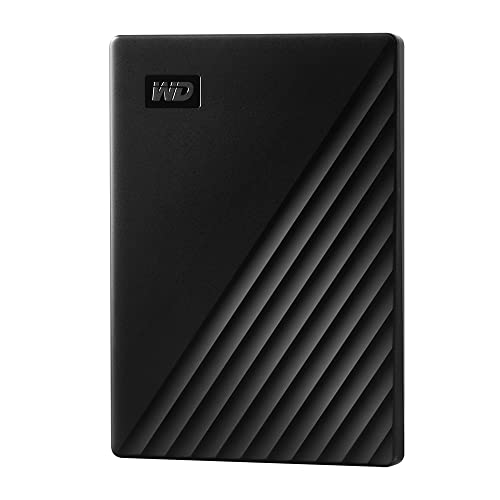
The WD My Passport 1TB is the specialist in this group. It gives up capacity compared with the Seagate drives, but it adds features that matter when a lost drive would expose more than an inconvenient collection of downloads. WD lists password protection, hardware encryption, and device management software with defense against ransomware.
The physical design is especially compact at 4.22 by 2.95 by 0.44 inches and 0.26 pounds. That makes it the slimmest and lightest option among the established brands listed here. It is a natural fit for a work bag, provided the user treats it like a storage device and not a substitute for a second backup.
The included management software is more involved than the Seagate drag and drop approach, but that is also the point. Users can set up protection and manage backups instead of relying only on the operating system. WD also lists a three-year limited warranty, which adds useful coverage for a drive intended to hold important files.
The 2TB My Passport offers the same feature set with more room and is the better match for a larger library. The Seagate Portable 1TB is simpler, but it does not list the same protection features. Pick this model when security is the deciding factor and 1TB is enough.
6. Seagate Portable 1TB: Best Basic Small Drive
Pros
- Straightforward plug and play operation
- Compact enclosure
- USB 3.0 cable included
- Works with Windows and Mac
Cons
- Mac reformatting may be required
- No password protection listed
Best for: simple backups, transfers, and secondary storage.
The Seagate Portable 1TB is the least complicated way into this lineup. It is suited to a laptop backup, a document archive, or a modest media collection where 1TB is sufficient. Automatic recognition and drag and drop transfers mean there is little friction between opening the box and copying files.
The enclosure measures about 4.61 by 3.15 by 0.58 inches and weighs approximately 0.42 pounds. It shares the basic shape and USB 3.0 approach of the other Seagate Portable models. The included 18 inch cable is long enough for a nearby computer, while the drive itself remains easy to pack.
Seagate lists Windows and Mac support, with a specific note that Mac reformatting may be required. That is not unusual for a general-purpose hard drive, but it is worth handling before filling the drive with files. Support for PlayStation and Xbox is also listed, though console formatting and compatibility should be checked for the particular system.
The WD My Passport 1TB is the better choice for protected files, and the Seagate Portable 2TB is more flexible if your library is growing. This model makes sense for a narrow, clearly defined storage need. If you are also considering a small flash drive for Apple devices, the connector and device requirements discussed in choosing storage that works cleanly with a Mac are useful context.
7. UnionSine 500GB: Best Ultra-Slim Option

Pros
- Pocket-friendly dimensions
- Quiet operating design
- USB 3.0 and USB 2.0 interfaces
- Aluminum anti-interference layer
- Three-year manufacturer warranty
Cons
- Only 500GB of capacity
- No security software listed
Best for: light portable storage where a slim body matters most.
The UnionSine 500GB is built around portability rather than archive capacity. Its 4.56 by 3.15 by 0.5 inch body is easy to slip into a pocket or small accessory pouch. The rounded shell and striped non-slip design should also make it less awkward to hold than a plain rectangular enclosure.
UnionSine describes a JMicron 578 solution designed for quiet operation and quotes theoretical read speeds up to 125MB/s and write speeds up to 103MB/s. Those are manufacturer figures rather than a guarantee of every transfer, but they clarify the drive's intended role. USB 3.0 is the connection to use for higher performance, while USB 2.0 compatibility helps with older hardware.
The drive uses an aluminum anti-interference layer and lists heat dissipation as part of its design. It includes a USB 3.0 cable, a manual, and a three-year manufacturer's warranty with technical support. Those extras are useful, though the 500GB capacity limits how quickly it can become a serious media archive.
The Aiolo Innovation 500GB is the closest rival and includes a USB to Type C adapter, while the UnionSine emphasizes its compact shell and quiet design. Neither lists the protection controls found on WD My Passport. Choose UnionSine for light files and frequent carrying, not as the only home for irreplaceable data.
8. Aiolo Innovation 500GB: Best Console Flexibility

Pros
- Compact 500GB design
- USB to Type C adapter included
- Listed PC, Mac, and console compatibility
- Quiet operating design
- Three-year manufacturer warranty
Cons
- Limited capacity
- No password protection listed
Best for: small game libraries and mixed device use.
The Aiolo Innovation 500GB stands out because it is aimed at a wider range of devices than a basic computer backup drive. Its listing names PS4, Xbox One, Windows, Linux, Mac, and Android compatibility. That breadth makes it interesting for someone who moves a modest collection between a computer and a console.
The drive is listed at 4.56 by 3.15 by 0.5 inches and weighs about 0.49 pounds. It is still slim enough for travel, though the listed weight is higher than the Seagate Portable 1TB. A USB 3.0 thickened copper cable is included, along with a USB to Type C adapter, which is a practical addition for newer devices that lack a full-size USB port.
Aiolo quotes theoretical read speeds from 110MB/s to 133MB/s and write speeds up to 103MB/s. As with any mechanical drive, actual transfers depend on the computer, files, and connection, but USB 3.0 gives the drive the right interface for ordinary transfers. The listing also describes a quiet design and an aluminum anti-interference layer.
The UnionSine 500GB is the more compelling alternative if the smallest, simplest carry matters. Aiolo wins on the included adapter and the broader compatibility claim. Console users should still verify the format and capacity rules of their system, and anyone storing private work files should choose the WD My Passport line instead.
9. WD Elements 2TB: Best Straightforward WD Drive

Pros
- 2TB capacity
- USB 3.2 Gen 1 connection
- Plug and play expandability
- Compact WD Elements design
- PC and Mac support
Cons
- No password protection listed
- Larger than the My Passport models
Best for: uncomplicated expansion for a computer.
The WD Elements 2TB is a clean alternative to the Seagate Portable 2TB. It is designed for people who want extra storage without backup software, password tools, or a lengthy setup. Connect it to a computer and use it as an ordinary expanded library or backup destination.
Its USB 3.2 Gen 1 interface is rated at 5Gbps and is compatible with USB 3.0 systems. Again, that is the interface ceiling rather than a promise that the mechanical disk will sustain that rate, but it gives the drive a current connection standard. WD describes it as plug and play and suitable for PC and Mac use.
The enclosure measures about 4.35 by 3.23 by 0.59 inches and weighs 0.29 pounds. It is compact enough for a bag and lighter than several of the larger Seagate models. The design is more practical than luxurious, which is appropriate for a drive that is meant to add storage quietly in the background.
The Seagate Portable 2TB is the stronger all-purpose recommendation because its setup and compatibility messaging are especially clear. The WD Elements 2TB is a good fit for users already comfortable with WD hardware who want a simple drive. For a larger archive, the WD Elements 6TB is the more natural step up.
10. WD My Passport 2TB: Best Security Focused Capacity
Pros
- Password protection
- Hardware encryption
- Backup software with ransomware defense
- Slim 0.44 inch height
- Three-year limited warranty
Cons
- More setup than a basic drag and drop drive
- No USB C connection listed
Best for: protected backups with more room than the 1TB model.
The WD My Passport 2TB is the protected-storage version of the everyday portable drive. It has twice the capacity of the 1TB My Passport while retaining the features that distinguish this family: password protection, hardware encryption, and included device management software with defense against ransomware.
Its slim body measures 4.22 by 2.95 by 0.44 inches and weighs about 0.26 pounds. That combination makes it one of the easiest established-brand drives here to carry. The USB 3.1 and USB 3.0 compatibility also keeps it usable across newer and older computers, although the listing does not identify a USB C connection.
The WD software adds a management step that the Seagate Portable 2TB avoids. That is a fair trade when the data needs access controls, but unnecessary complexity for a temporary transfer drive. WD also lists a three-year limited warranty, giving this model a stronger fit for a planned backup routine.
The WD My Passport 1TB is smaller and lighter on storage, while the Seagate Portable 5TB is the obvious choice for a large unprotected media library. Choose this model when 2TB is enough and protection matters more than the simplest possible setup.
How to choose best portable hard drive
The right portable hard drive is determined less by brand than by capacity, connection, portability, and how much protection your files need.
Capacity
Capacity should match the files you already have, not only the files you plan to create this month. A 500GB drive suits a small transfer collection, while 1TB or 2TB is more comfortable for routine laptop backups. Photo, video, and game libraries can quickly justify 4TB, 5TB, or 6TB.
Leave room for growth rather than filling a drive immediately. A nearly full hard drive is harder to organize and gives backups nowhere to go.
USB interface
USB 3.0 and USB 3.2 Gen 1 are the main interfaces in this group, with the latter listed at a 5Gbps theoretical rate. USB 3.1 is also listed on the My Passport models. These labels describe the connection standard, not guaranteed real-world disk speed.
Check the ports on the computer, console, or tablet you intend to use. A USB C adapter can help, as with the Aiolo Innovation model, but it does not change the underlying hard drive technology.
Portability and enclosure size
A drive that travels every day should be slim, light, and easy to grip. The WD My Passport models and the two 500GB drives are the easiest to carry, while the WD Elements 6TB is better suited to a desk because of its larger enclosure.
Hard drives contain moving parts, so a protective pouch and careful handling are sensible whenever the drive leaves home. Portability is not just a measurement. It is also whether you will actually take the drive with you.
Backup and security features
Basic Seagate and WD Elements models focus on plug and play storage and drag and drop transfers. That is ideal when simplicity matters. WD My Passport drives add device management software, password protection, hardware encryption, and ransomware defense.
Capacity protects you from running out of room. Encryption protects what happens when the drive leaves your hands.
Security tools are useful only when configured and used consistently. If the drive holds sensitive work or personal records, do not treat a plain portable disk as a complete security strategy.
Computer and console compatibility
Windows and Mac support does not always mean the drive is ready for every workflow without formatting. The 1TB Seagate listing specifically notes that Mac reformatting may be required. Consoles can also impose their own formatting and storage rules.
Before buying, confirm the target device's supported capacity, file system, and port type. For broader storage planning, the distinctions explained in how different external drives fit different backup jobs can help separate a travel drive from a desktop archive.

Frequently asked questions
Are portable hard drives good for backups?
Yes. They provide a separate destination for photos, documents, videos, and other files without requiring a network setup. A backup is most useful when the original and the copy are not always kept together.
Is 2TB enough for a portable hard drive?
For many laptops and personal file collections, 2TB is a comfortable starting point. Large video libraries, photography collections, and console installations may need 4TB or more.
Can these drives work with a Mac?
Several models list Windows and Mac compatibility. The Seagate Portable 1TB listing says Mac reformatting may be required, so check the file system before copying important data.
Can a portable hard drive work with a PlayStation or Xbox?
Some listings identify PlayStation and Xbox compatibility, especially the Seagate Portable and Aiolo Innovation models. The console may still require formatting and may have its own capacity and game-storage rules.
Are USB 3.2 drives faster than USB 3.0 drives?
USB 3.2 Gen 1 is listed with a 5Gbps theoretical interface rate and is compatible with USB 3.0 systems. Actual transfer speed is also limited by the mechanical hard drive, the files being copied, and the host device.
Do portable hard drives include security?
Not all of them. The WD My Passport 1TB and 2TB list password protection, hardware encryption, and backup software with ransomware defense. The basic Seagate and WD Elements models do not list those features.
Should a portable hard drive be the only backup?
No. A single drive can fail, be lost, or be damaged. Keep another copy on a separate drive or in another location for files that cannot be replaced.

The bottom line
The Best portable hard drive for most people is the Seagate Portable 2TB. It combines useful capacity, a compact enclosure, USB 3.0, Windows and Mac support, and a setup that stays out of the way. Choose the WD My Passport 2TB instead when password protection and hardware encryption matter more than the simplest workflow.
For a large archive, the WD Elements 6TB has the most room, while the Seagate Portable 5TB is easier to carry. The UnionSine and Aiolo Innovation models make sense for smaller collections and lighter travel.
If you are undecided, buy the Seagate Portable 2TB for simple everyday storage, or the WD My Passport 2TB for files that need protection.
As an Amazon Associate we earn from qualifying purchases.