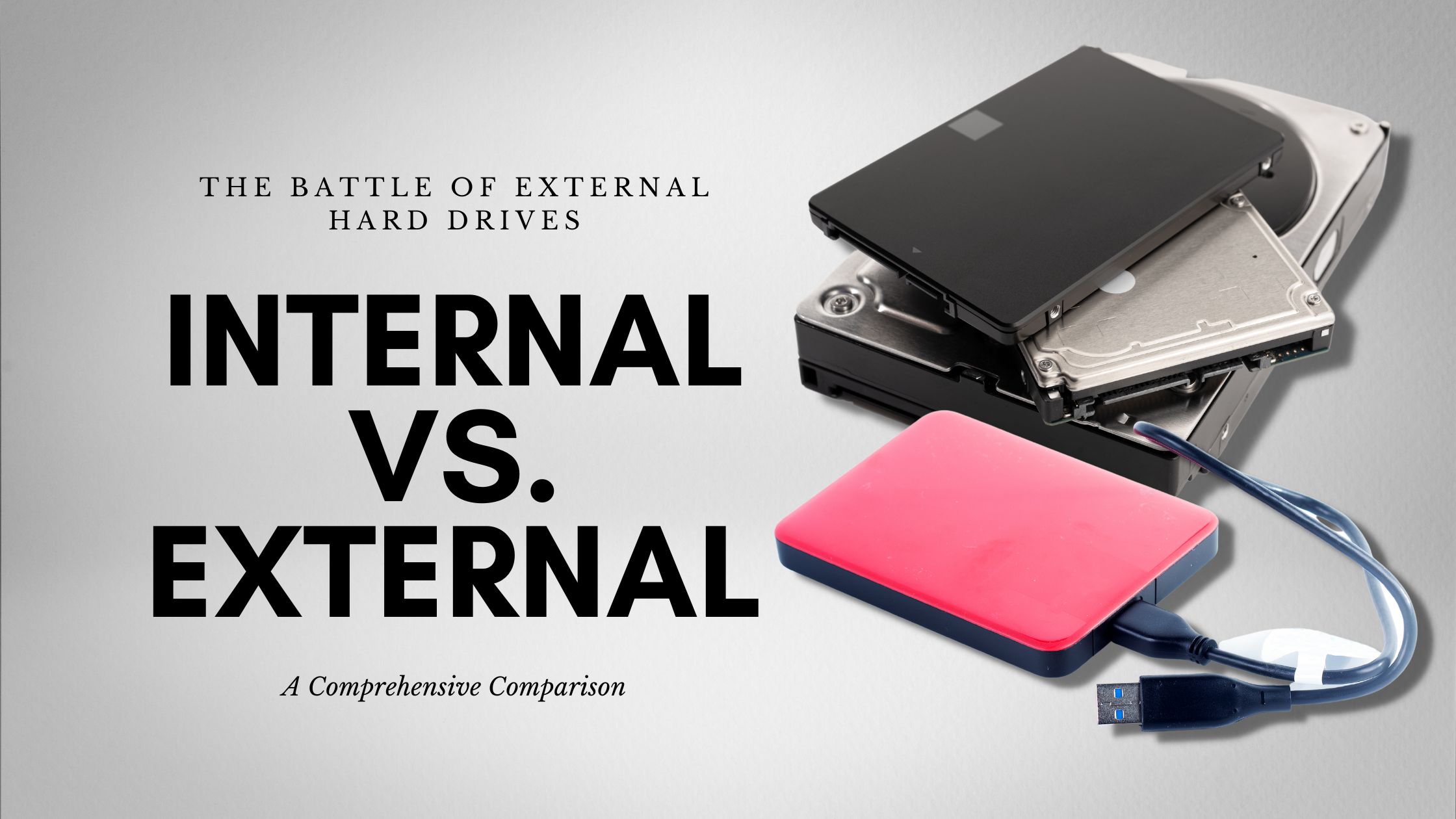

A drive that is too small becomes a constant cleanup project, while a desktop model can be awkward if you move between a laptop, console, and office. The Best external hard drive should match the way you handle files, not just promise a large capacity on the box.
The list below is led by a straightforward portable Seagate model, but the right choice changes quickly if you need 5TB, a desktop-sized archive, a rugged SSD, or built-in card readers. We also separate ordinary hard drives from the one solid-state model here, since their strengths are very different.
Our top pick is Seagate Portable 2TB, with options ranging from compact 1TB drives to an 8TB desktop archive and a fast, rugged SSD.
Comparison table
| # | Product | Award | Capacity | Connection | Best for |
|---|---|---|---|---|---|
| 1 | Seagate Portable 2TB | Best overall | 2TB | USB 3.0 | Everyday backups |
| 2 | Seagate Portable 5TB | Best high-capacity portable | 5TB | USB 3.0 | Large media libraries |
| 3 | Seagate Portable 4TB | Best middle capacity | 4TB | USB 3.0 | Photos and video |
| 4 | Seagate Portable 1TB | Best compact backup | 1TB | USB 3.0 | Documents and smaller libraries |
| 5 | Seagate Expansion Desktop 8TB | Best desktop archive | 8TB | USB 3.0 | Large stationary backups |
| 6 | YOTUO Portable 1TB | Best console-ready design | 1TB | USB 3.0 and USB-C | Console and computer use |
| 7 | WD Elements Portable 6TB | Best portable capacity | 6TB | USB 3.2 Gen 1 | Carrying a large archive |
| 8 | SanDisk Extreme Portable SSD | Best rugged performance | 2TB | USB-C, USB 3.2 Gen 2 | Fast mobile workflows |
| 9 | YOTUO 1TB Hub Drive | Best built-in connectivity | 1TB | USB-C, USB 3.0, SD, TF | Laptops with few ports |
| 10 | WD Elements Portable 2TB | Best simple WD option | 2TB | USB 3.2 Gen 1 | Plug and play storage |
1. Seagate Portable 2TB: Best Overall

Pros
- Simple plug and play setup
- Compact 0.42-pound enclosure
- Works with Windows and Mac computers
- Includes an 18-inch USB 3.0 cable
Cons
- 2TB is less room than the larger Seagate models
- Mac use can require reformatting depending on the setup
Best for: anyone who wants a familiar portable drive for routine backups and file storage.
The Seagate Portable 2TB gets the fundamentals right without making the owner learn a new storage system. Connect the included 18-inch cable, and the drive is designed to be recognized automatically. For a laptop user moving photos, documents, and occasional video files, that simplicity matters more than a long list of software features.
Its 2TB capacity is a sensible middle ground for ordinary personal storage. The drive measures 4.6 by 3.15 by 0.58 inches and weighs about 0.42 pounds, so it fits easily beside a laptop or in a small bag. USB 3.0 provides the connection, while the portable enclosure draws power through the computer connection rather than requiring a separate desktop adapter.
The Windows and Mac support makes it a flexible choice for households with mixed computers. The listed drag-and-drop workflow is particularly useful for a first backup drive, though Mac users should check the formatting requirements before moving an existing library. If you need substantially more room, the Seagate Portable 5TB is the obvious step up. If speed and protection matter more than capacity, the SanDisk Extreme Portable SSD is a very different and faster class of product.
The limitation is capacity headroom. A 2TB drive can fill quickly with high-resolution video, game installations, or years of phone photos, and a conventional portable hard drive is not the pick for fast editing work. For anyone wanting a simple backup destination that travels well, this is the drive we'd keep.
2. Seagate Portable 5TB: Best High-Capacity Portable
Pros
- 5TB capacity in a portable enclosure
- USB 3.0 connection
- Automatic computer recognition
- Supports Windows and Mac
Cons
- Heavier than the smaller Seagate versions
- Conventional hard drive technology is slower than the SanDisk SSD
Best for: people who want a large media or game library without moving to a desktop enclosure.
The Seagate Portable 5TB is the practical choice when 2TB starts to feel restrictive. It keeps the same familiar portable-drive shape and USB 3.0 connection as the smaller Seagate models, but its capacity is better suited to video collections, photo archives, and console storage.
At about 4.61 by 3.15 by 0.79 inches and 0.57 pounds, it remains bag-friendly, though it is thicker than the 2TB version. The included 18-inch cable gives enough reach for a laptop on a desk without creating a large cable bundle. Setup is intended to be automatic, and the drive supports drag-and-drop file saving on compatible computers.
This is the capacity pick among the conventional portable drives here. The Seagate Portable 4TB is easier to justify when your files are less demanding, while the WD Elements Portable 6TB goes further for users who want the most room in a portable format. The trade-off against the SanDisk Extreme Portable SSD is clear: Seagate offers traditional hard-drive capacity, while SanDisk is much smaller, tougher, and faster for active transfers.
The main weakness is that 5TB does not make the drive faster, and a portable hard drive still needs careful handling. It is also not the right fit for someone who wants a pocket-sized USB-C SSD. Choose it for a large, transportable archive, especially if your priority is keeping many files together rather than editing them directly from the drive.
3. Seagate Portable 4TB: Best Middle Capacity
Pros
- Useful 4TB capacity
- Portable 0.57-pound design
- USB 3.0 cable included
- Works with Windows and Mac
Cons
- No USB-C connection listed
- Mac formatting may be needed for some uses
Best for: users who need more room than a small backup drive but do not need 5TB or more.
The Seagate Portable 4TB is the quiet middle option in this group. It has enough space for a growing photo collection, regular computer backups, and a substantial media folder, yet it remains a conventional portable enclosure rather than a desk-bound unit.
Its body is roughly 4.61 by 3.15 by 0.58 inches and weighs about 0.57 pounds. USB 3.0 handles the connection, and the included 18-inch cable keeps the setup uncomplicated. The drive is designed for automatic recognition on Windows and Mac computers, with drag-and-drop file management rather than a required utility.
Compared with the Seagate Portable 2TB, this model gives a growing library more breathing room. The Seagate Portable 5TB is the better fit for people who already know they need a very large archive, while the WD Elements Portable 2TB is a more restrained option for basic storage. Mac owners who want to explore the broader compatibility question can also see how file storage changes across Mac connections and formats.
The 4TB model lacks the rugged shell and high transfer figures of the SanDisk SSD, and its USB 3.0 connection is less convenient for newer USB-C-only laptops unless an adapter or suitable cable is available. It is best for a user who wants capacity first, keeps the drive mostly in one place, and prefers a familiar plug-in workflow.
4. Seagate Portable 1TB: Best Compact Backup
Pros
- Small and light at about 0.42 pounds
- Automatic recognition on computers
- USB 3.0 cable included
- Compatible with Windows and Mac
Cons
- 1TB fills faster than the other Seagate portable drives
- Mac reformatting may be required
Best for: documents, school files, smaller photo collections, and a first local backup.
The Seagate Portable 1TB makes sense when the job is narrow and clear. It is a straightforward place to keep documents, exported photos, and a second copy of important files, without the extra bulk or unused capacity of a larger archive drive.
The enclosure measures about 4.61 by 3.15 by 0.58 inches and weighs 0.42 pounds. Its USB 3.0 connection and included 18-inch cable support the same simple setup as the other Seagate portable models. The drive is designed to be recognized automatically, so there is no software installation step standing between the user and a drag-and-drop backup.
The Seagate Portable 2TB is the safer choice for a photo-heavy computer, and the WD Elements Portable 2TB offers a comparable capacity in a different family. This 1TB model is more appealing when the drive will hold a defined set of folders rather than an expanding media library. It can also suit a console owner who needs additional room for compatible older-generation game storage, but buyers should check the console's own storage rules.
Capacity is the obvious constraint. Modern photos and video can consume 1TB faster than expected, and this is not a rugged drive for travel in rough conditions. Choose it when portability and a focused backup role matter more than long-term expansion.
5. Seagate Expansion Desktop 8TB: Best Desktop Archive

Pros
- Largest capacity in the roundup
- USB 3.0 file transfers
- Automatic recognition on Windows and Mac
- Includes a power adapter and USB cable
- Rescue data recovery services included
Cons
- Requires a power adapter
- Large 8.58 by 8.4 by 3.15-inch enclosure
- Weighs about 2.85 pounds
Best for: a stationary archive of large photo, video, and document collections.
The Seagate Expansion Desktop 8TB is not pretending to be a travel drive. It is a substantial storage box meant to sit beside a desktop computer, where its large capacity can absorb years of photos, video, and other files without constant shuffling.
Its 8TB capacity is the largest in this group. The 8.58 by 8.4 by 3.15-inch enclosure weighs about 2.85 pounds, so it needs a permanent place on a desk or shelf. Setup is still simple: connect the power adapter and USB cable, then use the drive with drag-and-drop saving. Automatic recognition is listed for Windows and Mac, though Time Machine use requires reformatting.
The desktop design is the key difference from the Seagate Portable 5TB and WD Elements Portable 6TB. Those models are easier to move, but this one gives an archive more room before another drive is needed. It also includes limited warranty coverage and Rescue Data Recovery Services, details that may matter to someone storing irreplaceable files, although no external drive should be treated as the only copy.
Its weakness is its lack of mobility. It needs wall power, occupies real desk space, and is a poor companion for a laptop that moves around the house. If your files live at a workstation and capacity matters most, this is the cleanest choice. If you need to carry the drive regularly, choose one of the portable models instead.
6. YOTUO Portable 1TB: Best Console-Ready Design

Pros
- USB 3.0 and USB-C support
- Built-in silicone sleeve for added impact cushioning
- Supports computers and listed game consoles
- Lightweight 0.3-pound enclosure
- Compact portable design
Cons
- Only 1TB of storage
- Newer console game rules still apply
- USB 3.0 is not an SSD-class connection
Best for: moving files between computers and storing compatible older-generation console games.
The YOTUO Portable 1TB stands out because it tries to cover several devices at once. It supports USB 3.0 and USB-C, and its built-in silicone sleeve gives the small enclosure a more protected feel than the plain shells used by several conventional drives.
The listed dimensions are about 4.84 by 3.07 by 0.67 inches, with a weight of 0.3 pounds. YOTUO claims transfer speeds up to 5Gbps over USB 3.0, though actual performance depends on the host device and the files being moved. Compatibility is listed for Windows, Mac, Linux, PS4, PS5, Xbox One, and Xbox Series X/S, with an important limitation: PS5 and Xbox Series X/S games cannot be run or stored directly from the drive, while compatible older-generation games can be handled as described.
That makes it more versatile than the Seagate Portable 1TB for people switching between USB connector types or using a console. The SanDisk Extreme Portable SSD is substantially more compelling for fast transfers and rough travel, while the YOTUO gives up speed to offer a conventional hard drive with a protective sleeve.
The capacity is modest, and the marketing around console compatibility needs to be read carefully. It is not an upgrade that removes the storage rules of newer consoles. Pick it for mixed-device storage, light console expansion, and users who want USB-C flexibility without moving to an SSD.
7. WD Elements Portable 6TB: Best Portable Capacity

Pros
- 6TB capacity in a portable product
- USB 3.2 Gen 1 connection
- Plug and play expandability
- Designed for Windows and Mac use
Cons
- Larger body than the smaller WD Elements model
- Conventional hard drive is not built for fast editing
- The listed dimensions are substantial for a portable drive
Best for: carrying a large archive when a desktop enclosure is not practical.
The WD Elements Portable 6TB is for someone who has outgrown ordinary portable capacity but still wants a drive that can be moved. Its main appeal is straightforward: 6TB in a single enclosure, with plug and play expandability and no required multi-step storage system.
WD lists SuperSpeed USB 3.2 Gen 1 with a 5Gbps connection. That is the same broad class of interface as USB 3.0 for practical file-storage purposes, so the drive is aimed at backups and archives rather than high-speed scratch work. The product is described for Windows and Mac computers, giving it a wide role in a mixed-device home.
The published dimensions are about 5.8 by 4.5 by 1.8 inches. That is considerably larger than the WD Elements Portable 2TB, and it makes the drive less subtle in a small laptop bag. It gives the Seagate Portable 5TB a direct capacity challenge, while the Seagate Expansion Desktop 8TB remains the better choice for a fixed archive with no need to travel.
The larger body is the compromise. This is portable in the sense that it can be moved, not that it disappears into a pocket. It also lacks the rugged drop and water protection of the SanDisk SSD. Choose it when a large capacity archive must remain transportable and USB plug and play matters more than compactness.
8. SanDisk Extreme Portable SSD: Best Rugged Performance
Pros
- Up to 1050MB/s read and 1000MB/s write speeds
- IP65 water and dust resistance
- Up to 3-meter drop protection
- USB-C and USB 3.2 Gen 2
- 256-bit AES hardware encryption
Cons
- 2TB capacity is smaller than the largest hard drives
- Requires a compatible fast host for its full performance
- Listed as an old model
Best for: photographers, creators, and travelers who move large files frequently.
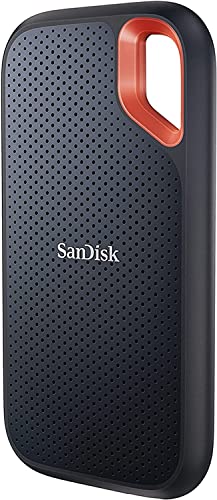
The SanDisk Extreme Portable SSD is the outlier here, and that is exactly why it earns a place near the top. It is much smaller than the hard-drive enclosures, weighs about 0.11 pounds, and is built for people who carry storage through busy workdays rather than leave it beside a desktop.
Its USB-C USB 3.2 Gen 2 connection supports listed read speeds up to 1050MB/s and write speeds up to 1000MB/s. Those figures depend on the host device and other conditions, but the design is clearly aimed at active transfers, quick project copies, and moving large media files. Its 3.97 by 2.07 by 0.38-inch body is easy to pack, and the carabiner loop gives it a practical way to attach to a bag.
Protection is the other major advantage. The drive is rated for IP65 water and dust resistance and up to 3-meter drop protection. It also includes password protection with 256-bit AES hardware encryption. That combination gives it capabilities the Seagate Portable 5TB and WD Elements Portable 6TB do not offer, while the conventional drives win when maximum capacity is the priority. Readers deciding between solid-state speed and archive capacity should also consider how fast storage changes gaming load times and file management.
The compromises are real. It has 2TB rather than the largest capacities here, and its full performance requires a compatible USB-C host. It is also identified as an old model, so buyers should pay attention to the exact product listing. Skip it if you only need a huge, stationary backup. Choose it if speed, small size, and physical protection are central to the job.
9. YOTUO 1TB Hub Drive: Best Built-In Connectivity

Pros
- Combines 1TB storage with a multiport hub
- Includes SD and TF card slots
- USB-C and USB 3.0 support
- Supports several desktop and mobile operating systems
- Dual-socket data cable
Cons
- Only 1TB of built-in storage
- Larger than a basic portable drive
- Lightning iPhones are not supported through an adapter
Best for: laptop users who need storage and card-reader connectivity in one device.
The YOTUO 1TB Hub Drive is less about being the smallest hard drive and more about reducing the number of accessories on a desk. It combines a 1TB hard disk with a multiport hub, SD and TF card readers, and connection support for both USB-C and USB 3.0.
The listed interfaces include USB-C, USB 3.2, USB 2.0, SD, and TF. A dual-socket data cable is included, which is useful when a laptop or tablet changes connector types. The drive is listed as compatible with Windows, Mac OS, Linux, Android, and iOS devices, but Apple compatibility is limited to USB-C devices, including iPhone 15 and later and USB-C iPads.
That built-in connectivity separates it from the YOTUO Portable 1TB, which focuses more directly on portable storage and console use. It can also be more useful than the WD Elements Portable 2TB for a photographer transferring cards, though the SanDisk SSD remains the better tool for fast active file work. For Mac users building a small mobile workflow, it helps to understand which removable storage accessories work cleanly with modern Mac ports.
The hub makes the enclosure more complicated and larger, with listed dimensions of about 4 by 4.9 by 0.6 inches. It is not the choice for someone who wants a plain, unobtrusive backup drive, and 1TB leaves limited room for a large media archive. Choose it when the card readers and extra ports are genuinely useful, rather than treating them as a substitute for a dedicated hub.
10. WD Elements Portable 2TB: Best Simple WD Option

Pros
- Compact 0.29-pound enclosure
- 2TB capacity
- USB 3.2 Gen 1 and USB 3.0 support
- Plug and play expandability
- Works with PC and Mac
Cons
- No USB-C connection listed
- Less capacity than the 6TB WD model
- Not designed for rugged travel
Best for: users who want a plain portable archive with minimal setup.
The WD Elements Portable 2TB is the uncomplicated alternative to the feature-heavy drives in this roundup. It provides 2TB in a small enclosure, supports plug and play expandability, and is designed to work with PC and Mac computers without turning storage into a project.
Its body measures about 4.35 by 3.23 by 0.59 inches and weighs approximately 0.29 pounds. SuperSpeed USB 3.2 Gen 1 is listed with a 5Gbps connection, and the drive is intended for storing photos, videos, music, documents, and other everyday files. The format is digital, with no separate power adapter listed in the supplied product information.
The Seagate Portable 2TB is the stronger all-purpose pick for this list, while this WD model is a good fit for buyers who already prefer the Elements family. The WD Elements Portable 6TB offers far more capacity but takes up more space, and the SanDisk Extreme Portable SSD is dramatically better for fast, rugged mobile work. This WD drive sits comfortably between those extremes.
Its weaknesses are predictable: no listed USB-C interface, no rugged protection, and only 2TB for a growing media collection. It is best kept in a bag or on a desk rather than exposed to rough travel. Choose it when the goal is a familiar, compact storage device with no extra hub, sleeve, or software layer.
How to choose best external hard drive
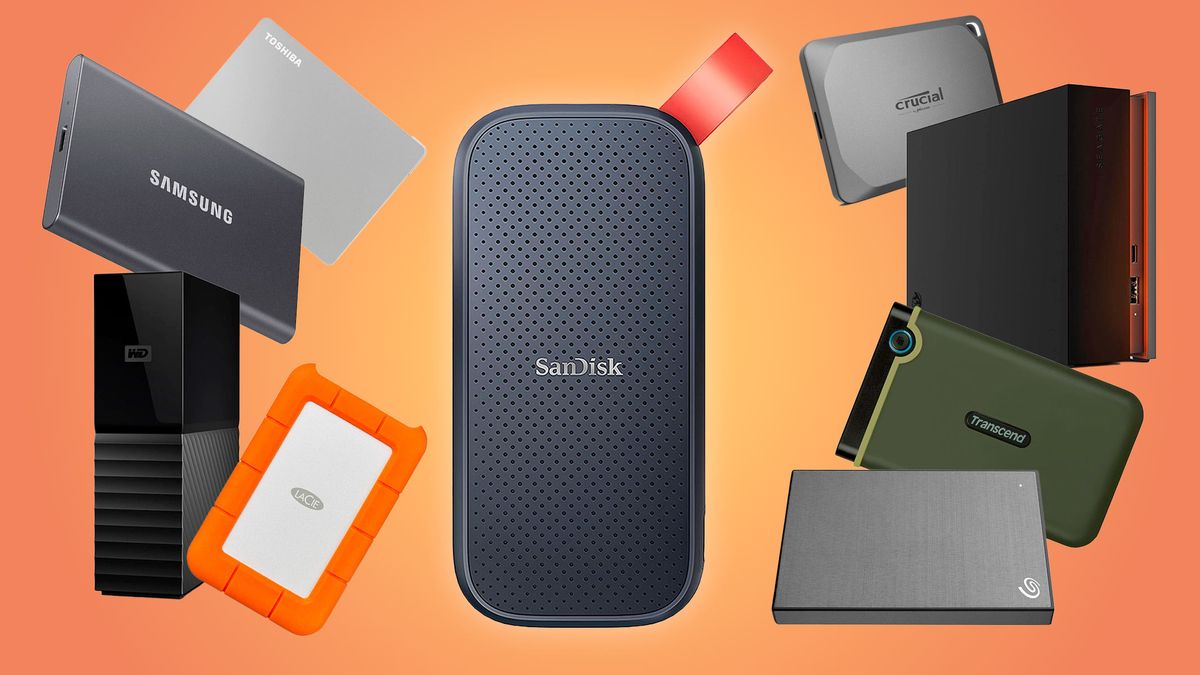
The right drive comes down to capacity, portability, connection type, and whether you need ordinary archive storage or SSD speed.
Capacity
Capacity determines how long the drive remains useful before files need to be moved elsewhere. A 1TB model suits documents and smaller photo collections, while 2TB is a more comfortable starting point for general backups. Choose 4TB to 6TB for video libraries, extensive photos, and game storage, and consider the 8TB desktop model for a large stationary archive.
Portable and desktop design
Portable drives are powered through the computer connection and are easier to move. Desktop drives such as the Seagate 8TB require a power adapter, but their larger enclosures support the highest capacity in this group. Do not choose a desktop drive for regular travel simply because it holds more.
USB connection
USB 3.0 and USB 3.2 Gen 1 are suitable for ordinary hard-drive storage and backups. USB-C makes connection easier with newer laptops and mobile devices, but the connector alone does not make a hard drive fast. The SanDisk SSD's USB 3.2 Gen 2 interface is in another performance class.
A USB-C plug improves compatibility, but only an SSD changes the feel of frequent large-file transfers.
Hard drive versus SSD
Hard drives generally make sense for large archives and routine backups. SSDs are quieter, lighter, more resistant to movement, and much faster for repeated transfers, but the SSD in this list has less capacity than the largest hard drives. Pick based on how often files move, not just how much storage appears on the label.
Protection and backup habits
A sleeve, drop rating, or water resistance can reduce the risk of damage, but none replaces a second copy. The SanDisk adds IP65 protection, drop protection, and hardware encryption. The ordinary Seagate and WD models are better treated as desk or bag storage that should be handled carefully and backed up separately.
Frequently asked questions
Is an external hard drive good for computer backups?
Yes. These drives can hold copies of documents, photos, videos, and other files, with the portable models connecting directly through USB. A backup is safer when another copy exists in a separate location or storage system.
How much capacity should I choose?
For documents and a modest photo collection, 1TB can be enough. A 2TB drive is more flexible for everyday use, while 4TB, 5TB, and 6TB models suit larger media libraries. The 8TB desktop drive is aimed at a fixed archive with substantial capacity needs.
Can these drives work with a Mac?
Several models are designed for Windows and Mac computers. Some Mac workflows require reformatting, and the Seagate desktop model specifically notes reformatting for Time Machine use. Check the drive's format and the Mac's available port before transferring an existing library.
Can an external hard drive run games?
Compatibility depends on the console and the game generation. The YOTUO portable model states that PS4 and Xbox One games can be stored or played as described, while PS5 and Xbox Series X/S games cannot be run or stored directly from that external hard drive. Console requirements should be checked before buying for gaming.
Is the SanDisk SSD faster than these hard drives?
Yes, its listed read and write figures are much higher than what a conventional portable hard drive is designed to provide. Its advantage is most noticeable when moving large files repeatedly, though the host device and cable must support the required connection.
Do portable external hard drives need a power adapter?
The portable models here are designed to connect through USB, while the Seagate Expansion Desktop 8TB uses a power adapter and USB cable. That distinction makes portable models easier to move and desktop models better suited to a permanent workstation.
Do I need USB-C?
Not always. USB 3.0 and USB 3.2 Gen 1 are suitable for many computers, but USB-C is useful when a laptop or phone lacks a traditional USB port. The YOTUO models include USB-C support, while the SanDisk uses USB-C with a faster USB 3.2 Gen 2 connection.
The bottom line
The Best external hard drive for most people is Seagate Portable 2TB because it combines a manageable size, useful capacity, automatic recognition, and a simple USB 3.0 setup. Choose Seagate Portable 5TB when your priority is keeping a much larger library portable.
For a fixed archive, Seagate Expansion Desktop 8TB is the more sensible tool. For fast transfers and rougher travel, SanDisk Extreme Portable SSD is the clear specialist pick, with much stronger protection and SSD performance than the conventional hard drives.
If you are undecided, choose 2TB for general backups, more capacity for a growing media library, or the SanDisk when speed and durability matter most.
As an Amazon Associate we earn from qualifying purchases.