

A dead zone in the bedroom, buffering during a video call, or a console fighting with half a dozen smart devices can make an otherwise fast internet plan feel broken. The router is usually where the problem begins.
The Best home router depends on the shape of your home, the speed of your connection, and whether you need a standalone router, a mesh system, or a cable modem built into the same box. We compared ten current options across those use cases, from compact WiFi 6 models to multi-gig WiFi 7 systems.
TP-Link Archer BE400 is our top pick, with the NETGEAR Orbi 370, TP-Link Deco X55, and NETGEAR CAX30 covering mesh homes, large spaces, and cable households.
Comparison table
| # | Product | Award | WiFi standard | Coverage or capacity | Best for |
|---|---|---|---|---|---|
| 1 | TP-Link Archer BE400 | Best overall | Dual-band WiFi 7 | Up to 2, 400 sq. ft., 90 devices | Fast, flexible home networks |
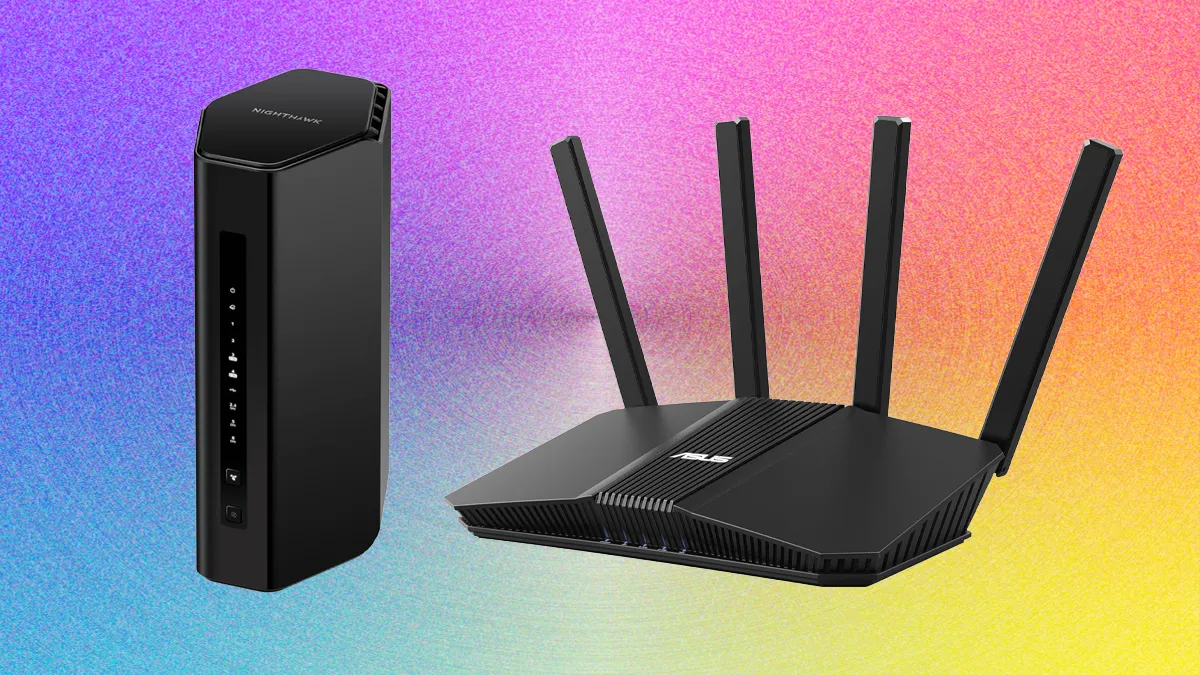
| 2 | NETGEAR Nighthawk RS90 | Best simple WiFi 7 | Dual-band WiFi 7 | Up to 2, 000 sq. ft., 50 devices | Straightforward WiFi 7 upgrades |
| 3 | NETGEAR Nighthawk RS140 | Best Nighthawk upgrade | Dual-band WiFi 7 | Up to 2, 250 sq. ft., 80 devices | Busy connected homes |
| 4 | TP-Link Archer AX55 | Best WiFi 6 router | Dual-band WiFi 6 | Four antennas, EasyMesh | Everyday streaming and work |
| 5 | TP-Link Archer AX21 | Best basic router | Dual-band WiFi 6 | Four antennas, OFDMA | Smaller connected homes |
| 6 | TP-Link Archer AXE75 | Best for 6GHz devices | Tri-band WiFi 6E | Up to 5.4 Gbps total | Gaming and newer devices |
| 7 | TP-Link Deco X55 | Best mesh coverage | Three-unit WiFi 6 mesh | Up to 6, 500 sq. ft., 150 devices | Large or difficult homes |
| 8 | NETGEAR Orbi 370 | Best WiFi 7 mesh | Three-unit WiFi 7 mesh | Up to 6, 000 sq. ft., 70 devices | Whole-home WiFi 7 |
| 9 | GL.iNet Flint 2 | Best for network control | Eight-stream WiFi 6 | Over 100 devices | VPN and advanced users |
| 10 | NETGEAR CAX30 | Best cable combo | WiFi 6 AX2700 | Up to 2, 000 sq. ft., 25 devices | Cable internet households |
1. TP-Link Archer BE400: Best Overall

Pros
- WiFi 7 features include MLO, Multi-RUs, and 4K-QAM
- Up to 2, 400 square feet of stated coverage
- Two 2.5Gbps ports and three Gigabit LAN ports
- EasyMesh and VPN client support
Cons
- Dual-band design lacks a 6GHz band
- A multi-gig modem is needed to use its fastest wired connection
- Six antennas make it less discreet than compact mesh nodes
Best for: households that want a modern standalone router with strong wired flexibility.
The TP-Link Archer BE400 is the router we would put in the middle of a typical busy home. It has the newer WiFi 7 features that matter for compatible phones and laptops, but it does not force every device onto a new standard. The six-stream design gives it a useful mix of capacity and range, and the Tether app keeps setup approachable.
Its headline wireless bandwidth reaches 5, 764 Mbps on 5GHz and 688 Mbps on 2.4GHz. Those figures are not a promise that one phone will download at that rate, but they show where the router's strength lies: several clients can use the network at once without making the whole system feel congested. Multi-Link Operation can transfer data across bands for compatible devices, while 4K-QAM and Multi-RUs are designed to use spectrum more efficiently.
The wired layout is unusually practical. A 2.5Gbps WAN/LAN port can connect to a multi-gig modem or serve as a fast LAN connection, and a second 2.5Gbps LAN port gives a desktop, NAS, or gaming PC room to move. Three additional Gigabit LAN ports cover ordinary wired gear. The advertised coverage is up to 2, 400 square feet for as many as 90 devices, though walls and placement still matter more than a number on the box.
The weakness is the missing 6GHz band. The Archer AXE75 is a better match for a home already filled with 6E devices, while the Deco X55 is the smarter answer for a sprawling floor plan. The BE400 wins when you want one capable router, fast wired connections, EasyMesh expansion, HomeShield protections, and VPN client or server support without starting with a multi-node system.
2. NETGEAR Nighthawk RS90: Best Simple WiFi 7

Pros
- Dual-band WiFi 7 with up to 3.6Gbps combined wireless speed
- Quad-core 2.0GHz processor
- 2.5Gbps WAN port and four Gigabit LAN ports
- Guided app and browser setup
Cons
- Requires a separate modem or ISP gateway
- 2.5Gbps port is WAN only
- Coverage claims assume an open layout
Best for: a smaller home that needs a simple standalone WiFi 7 router.
The NETGEAR Nighthawk RS90 is a clean upgrade for someone still using an older WiFi 5 or early WiFi 6 router. It is a router only, so the existing modem must have an Ethernet output, but the Nighthawk app guides the process without requiring much networking knowledge. Browser setup is available too, which is useful if you prefer configuring a network from a computer.
Its dual-band WiFi 7 system is rated for up to 3.6Gbps across the 2.4GHz and 5GHz bands. The quad-core 2.0GHz processor is a meaningful detail for homes combining gaming, 4K streaming, video calls, and smart-home traffic. Smart Connect can steer devices to the more suitable band, while a separate guest network keeps visitors away from the main network.
Wired connectivity is sensible for most households. The 2.5Gbps WAN port accepts a multi-gig Ethernet feed from the modem, and four Gigabit LAN ports handle consoles, televisions, computers, and storage devices. NETGEAR lists coverage up to 2, 000 square feet and up to 50 devices in an open layout.
The RS90 gives up some capacity to the RS140, which raises the ceiling to 5.0Gbps and supports up to 80 devices. It also lacks the extra coverage of a mesh system such as the Orbi 370. Choose the RS90 when a single router is enough and you want WiFi 7 without a complicated feature set.
3. NETGEAR Nighthawk RS140: Best Nighthawk Upgrade

Pros
- Up to 5.0Gbps combined WiFi 7 speed
- Supports up to 80 devices
- 2.5Gbps WAN port
- Automatic firmware updates and built-in security features
Cons
- Only three Gigabit LAN ports
- No modem included
- Armor protection becomes a subscription after its trial
Best for: connected homes that want a higher-capacity Nighthawk standalone router.
The NETGEAR Nighthawk RS140 is the more capable sibling to the RS90. Both are dual-band WiFi 7 routers, but the RS140 raises the combined wireless rating to 5.0Gbps and the stated device capacity to 80. That gives it more breathing room when phones, televisions, cameras, consoles, and smart-home equipment are active together.
The router works with cable, fiber, DSL, and satellite connections when paired with an existing modem or gateway that provides Ethernet. The 2.5Gbps port is the internet input only, so it cannot serve as a 2.5Gbps connection to a local computer. Three Gigabit LAN ports remain available for wired devices, which is enough for many homes but less generous than the four on the RS90.
Setup runs through the free Nighthawk app or a web browser. Automatic firmware updates and Advanced Router Protection are enabled as part of the security design, and NETGEAR Armor adds broader protection against malware and identity theft during its included trial period. The distinction matters because ongoing Armor access requires a separate subscription.
The RS140 covers up to 2, 250 square feet in an open layout, edging past the RS90 but falling well short of a three-unit mesh system. If a single floor has many active devices, this is the stronger Nighthawk. If walls and multiple floors are the problem, the Orbi 370 is the better direction.
4. TP-Link Archer AX55: Best WiFi 6 Router

Pros
- 2, 402 Mbps on 5GHz and 574 Mbps on 2.4GHz
- OFDMA and MU-MIMO for multiple devices
- EasyMesh compatibility
- USB 3.0 and VPN client or server support
Cons
- WiFi 6 rather than WiFi 7
- A modem is required for most providers
- The large horizontal body needs shelf space
Best for: everyday homes that want dependable WiFi 6 features and broad compatibility.
The TP-Link Archer AX55 remains a well-rounded choice when the goal is stable home networking rather than chasing the newest wireless label. It handles ordinary streaming, work calls, gaming, and smart-home traffic without the complexity of the more advanced models above it. Its four high-gain antennas and beamforming help direct the signal toward connected devices.
The wireless rating is AX3000, split into up to 2, 402 Mbps on 5GHz and 574 Mbps on 2.4GHz. OFDMA lets several clients share a channel more efficiently, which can reduce the stop-start feeling that appears when many devices are asking for attention at the same time. MU-MIMO adds another layer of simultaneous device handling.
There is useful flexibility beyond wireless. A USB 3.0 port can connect compatible storage, while VPN client and server support gives remote access and network-wide VPN options. EasyMesh compatibility also means the AX55 can grow into a larger system with compatible TP-Link equipment. Basic HomeShield tools include network security, device identification, parental controls, quality of service, and usage reports.
The Archer BE400 is the more future-facing pick, and the AXE75 is more attractive for a household with 6GHz hardware. Still, the AX55 makes sense for the many homes whose devices are mostly WiFi 5 and WiFi 6. For a deeper look at choosing among ordinary single-router layouts, the differences between common home network setups can help clarify whether a standalone model fits.
5. TP-Link Archer AX21: Best Basic Router

Pros
- Dual-band WiFi 6 with OFDMA
- Up to 1, 200 Mbps on 5GHz
- Four high-gain antennas and beamforming
- OpenVPN and PPTP VPN server support
Cons
- Lower wireless capacity than the Archer AX55
- No 6GHz band
- Separate modem required
Best for: smaller homes with ordinary streaming, browsing, and connected devices.
The TP-Link Archer AX21 is the uncomplicated option in this group. It brings WiFi 6 improvements to a modest home without adding tri-band hardware, 2.5Gbps ports, or a large feature menu. That simplicity makes it easier to place and manage, especially when the network has a fairly predictable number of clients.
Its AX1800 rating combines up to 1, 200 Mbps on 5GHz with up to 574 Mbps on 2.4GHz. Those figures are shared wireless capacity, not a guaranteed speed test result, but the 5GHz band has enough headroom for normal high-definition streaming and several active devices. OFDMA helps the router communicate with multiple clients more efficiently.
Four high-gain antennas, beamforming, and an advanced front-end module help maintain a usable signal at distance. The router also supports OpenVPN and PPTP VPN servers, which is unusual at this level. It works with major cable, fiber, DSL, and satellite providers when used with the required modem.
The Archer AX55 is a clear step up for busier homes, with a faster 5GHz side, USB 3.0, EasyMesh, and broader traffic management. The AX21 is the better fit when those extras would sit unused. Skip it for a large multi-floor home or a connection that already exceeds what a Gigabit-class home network can comfortably handle.
6. TP-Link Archer AXE75: Best for 6GHz Devices

Pros
- Tri-band WiFi 6E adds a 6GHz band
- Up to 5.4Gbps total wireless capacity
- 2.5Gbps WAN port
- EasyMesh, VPN, and WPA3 support
Cons
- Older WiFi 6E standard than the WiFi 7 picks
- 6GHz benefits require compatible devices
- Large footprint
Best for: gaming, streaming, and newer devices that can use the 6GHz band.
The TP-Link Archer AXE75 stands apart because it has three bands rather than two. Its 6GHz channel is the reason to buy it. With compatible phones, laptops, and other hardware nearby, that band offers additional bandwidth and less congestion than the crowded 2.4GHz and 5GHz ranges.
The total AXE5400 rating breaks down to 2, 402 Mbps on 6GHz, 2, 402 Mbps on 5GHz, and 574 Mbps on 2.4GHz. The 6GHz band supports 160MHz channels, which can help compatible devices move large files or respond quickly during games. Older devices can still use the 5GHz and 2.4GHz bands.
A 1.0GHz dual-core CPU and 512MB of memory support the router's processing workload. The 2.5Gbps WAN port is ready for a multi-gig internet connection, while VPN server and client modes, WPA3 security, and EasyMesh add useful flexibility. HomeShield provides basic security and parental controls without requiring every device to run its own software.
The Archer BE400 has newer WiFi 7 features, while the Flint 2 is more interesting for hands-on VPN and network management. The AXE75 remains the sharper choice when several devices already support 6GHz. If your current devices do not, the extra band will not transform them, so the trade-off between coverage and wireless capacity is the more useful question.
7. TP-Link Deco X55: Best Mesh Coverage

Pros
- Three-unit system covers up to 6, 500 square feet
- Supports up to 150 devices
- Three Gigabit ports on each unit
- Ethernet backhaul support
Cons
- WiFi 6 rather than WiFi 7
- No 2.5Gbps port
- Three units need thoughtful placement
Best for: large homes with dead zones, multiple floors, or difficult layouts.
The TP-Link Deco X55 solves a different problem from the standalone routers here. Instead of asking one box to push a signal through several walls, it spreads three coordinated units around the home. That makes it a much better answer for a long house, a multi-floor layout, or rooms where a powerful central router still leaves weak spots.
The three-pack uses dual-band WiFi 6 with up to 2, 402 Mbps on the 5GHz band and 574 Mbps on 2.4GHz. TP-Link rates the system for up to 6, 500 square feet and 150 devices, though placement, construction materials, and backhaul method will affect the actual result. The app helps configure the system and manages the network away from home.
Each unit has three Gigabit Ethernet ports, and Ethernet backhaul is supported. That is important when you can run cable between nodes because a wired link leaves more wireless capacity for clients. Any unit can operate as the router, so the system is flexible during installation.
The Orbi 370 brings WiFi 7 to the mesh category and is the more forward-looking choice, but the Deco X55 gives broad coverage without requiring WiFi 7 clients. A single Archer BE400 is easier to deploy in a compact home. Pick the Deco when the location of the dead zone matters more than the newest wireless standard.
8. NETGEAR Orbi 370: Best WiFi 7 Mesh

Pros
- Three-unit WiFi 7 mesh system
- Coverage up to 6, 000 square feet
- Enhanced backhaul for stable movement between nodes
- Supports up to 70 devices
Cons
- Dual-band rather than tri-band
- Security trial requires a subscription afterward
- Extra satellite expansion is a separate purchase
Best for: large homes that want WiFi 7 across multiple rooms and floors.
The NETGEAR Orbi 370 is the mesh choice for readers who want the newer WiFi 7 standard without giving up whole-home coverage. Its three compact units are designed to sit on shelves around the home, and the system manages movement between them so a phone or laptop can roam without manually changing networks.
NETGEAR lists coverage up to 6, 000 square feet and support for up to 70 devices. The dual-band BE5000 system is aimed at 4K streaming, video calls, browsing, and everyday gaming. Enhanced backhaul helps keep communication between the units stable, which matters because a mesh system is only as good as the path connecting its nodes.
The Orbi app handles setup and remote management. It works with cable and fiber providers and replaces an existing router. NETGEAR Armor is included as a 30-day trial, offering protection against hackers, malware, and identity theft before a separate subscription is required for continued access. One extra satellite can extend coverage by around 2, 000 square feet.
The Deco X55 has a higher stated device capacity and supports Ethernet backhaul on every unit, while the Orbi brings WiFi 7 and a more compact design. If you already have wired links between rooms, the Deco is compelling. If you want a new wireless mesh with simple app-led setup, the Orbi 370 is the stronger fit.
9. GL.iNet Flint 2: Best for Network Control

Pros
- Dual 2.5Gbps ports
- WireGuard and OpenVPN support
- AdGuard Home support
- 1GB DDR4 memory and 8GB eMMC storage
Cons
- Firmware update is important during initial setup
- More technical to configure than mainstream routers
- WiFi 6 rather than WiFi 7
Best for: advanced users who want VPN, filtering, and detailed network control.
The GL.iNet Flint 2 is not the most effortless router here, but it is the one we would choose for a technically confident user who wants control. Its interface and feature set are aimed at people who care about VPN routing, DNS filtering, and custom network behavior rather than only tapping through a setup wizard.
It uses eight-stream WiFi 6 and claims speeds up to 6Gbps. The router has 1GB of DDR4 memory and 8GB of eMMC storage, resources that support additional plugins and a network with more than 100 devices. Those details matter most when the router is doing more than forwarding ordinary traffic.
The dual 2.5Gbps ports are a practical advantage. WireGuard speeds are listed up to 900Mbps and OpenVPN speeds up to 880Mbps, though actual results depend on the service, server location, internet connection, and network conditions. AdGuard Home can block unwanted tracking and selected digital advertising through a manageable DNS interface.
The main drawback is the learning curve. The Archer AX55 or Nighthawk RS140 is easier for a household that simply needs reliable WiFi, and the Flint 2 lacks WiFi 7. Follow the initial setup guidance and update the firmware first. Choose it when network ownership and customization matter more than a polished consumer-first experience.
10. NETGEAR CAX30: Best Cable Combo

Pros
- Combines a DOCSIS 3.1 modem and WiFi 6 router
- Four Gigabit Ethernet ports
- USB 3.0 port and port aggregation
- Works with Xfinity, Spectrum, Cox, and other compatible cable providers
Cons
- Not compatible with fiber, DSL, or several listed providers
- Supports up to 25 concurrent devices
- No WiFi 7 or 6GHz band
Best for: cable subscribers who want one device for modem and wireless networking.
The NETGEAR CAX30 is the specialist pick in this roundup. It combines a cable modem and a WiFi 6 router, removing one box and one set of cables from a cable internet setup. That makes it a fundamentally different purchase from the standalone Nighthawk routers, which require an existing modem or gateway.
The modem uses DOCSIS 3.1 and 32 by 8 channel bonding. The wireless side is AX2700, with coverage listed up to 2, 000 square feet and support for 25 concurrent devices. That capacity is reasonable for a smaller home, but it is not aimed at a large household filled with cameras, appliances, televisions, and personal devices.
Four Gigabit Ethernet ports support wired computers, consoles, streaming players, and other equipment. Port aggregation is supported, and the USB 3.0 port adds another way to connect compatible storage or peripherals. Setup and management run through the Nighthawk app, while built-in security features and a 30-day Armor trial cover the software side.
Compatibility is the deciding factor. The CAX30 works with major cable providers including Xfinity, Spectrum, and Cox, but it is not compatible with Verizon, AT&T, CenturyLink, DSL providers, DirecTV, DISH, or bundled voice service. For fiber or another non-cable connection, use a standalone router instead. Readers comparing a combined device with separate hardware may find how modem and router roles differ useful before choosing.

How to choose the Best home router
Start with the internet connection and the shape of the home, then choose wireless capacity and features around those limits.
Internet compatibility
A standalone router needs a modem or ISP gateway with an Ethernet output. The Nighthawk RS90, RS140, Archer AX55, and other standalone models can work with cable, fiber, DSL, or satellite setups when configured correctly. The CAX30 is different because its built-in modem is designed for compatible cable service only.
WiFi generation
WiFi 6 remains capable for ordinary phones, laptops, televisions, and smart-home devices. WiFi 6E adds a 6GHz band, while WiFi 7 adds features such as Multi-Link Operation and more efficient channel use. Newer standards help most when the connected devices support them too.
A newer WiFi label cannot repair a dead zone caused by a wall, floor, or poor router placement.
Coverage and mesh design
A standalone router is simplest when most rooms sit near one central location. Mesh systems such as the Deco X55 and Orbi 370 are better when the home is long, tall, or divided by dense construction. Stated square-foot coverage is a planning guide, not a guarantee, so node placement remains critical.
Wired ports
Count the devices that need a cable before choosing. Multi-gig ports matter for fast internet plans, network storage, and high-speed local transfers. Gigabit ports are still suitable for many televisions, consoles, and computers. Ethernet backhaul is especially useful on a mesh system because it connects nodes without consuming as much wireless capacity.
Security and management
Look for automatic firmware updates, WPA3 support, guest networking, parental controls, and device identification. HomeShield and NETGEAR Armor add broader tools, but some advanced features require an ongoing subscription. VPN server and client modes are useful for remote access or routing selected devices through a VPN, while the Flint 2 goes furthest for custom control.
Frequently asked questions
Do I need a modem with these routers?
Yes, every standalone router in this roundup needs an existing modem or ISP gateway with an Ethernet connection. The NETGEAR CAX30 is the exception because it combines a DOCSIS 3.1 cable modem with a WiFi 6 router. Fiber installations may use an optical network terminal supplied by the provider instead of a traditional modem.
Is WiFi 7 better than WiFi 6 for every home?
No. WiFi 7 is most useful when several connected devices support its features and the network has enough bandwidth to benefit from them. WiFi 6 routers such as the Archer AX55 can remain a sensible fit for homes using mostly WiFi 5 and WiFi 6 devices.
Should I buy a mesh system or one router?
Choose mesh when one central router cannot reach every room reliably, especially across multiple floors. A single router is simpler and usually easier to troubleshoot when the home has an open layout. Ethernet backhaul can improve a mesh installation when cable runs are available.
What does the 6GHz band do?
The 6GHz band provides additional wireless spectrum for compatible WiFi 6E and WiFi 7 devices. It can reduce congestion and improve responsiveness, but older phones and laptops cannot use it. The Archer AXE75 is the dedicated 6GHz option in this list.
Can I use a router with fiber internet?
Usually, yes, if the fiber provider supplies an Ethernet handoff through an ONT or gateway. The router does not replace the optical equipment itself. Some provider equipment may need bridge mode or additional configuration before a third-party router works properly.
Are the stated coverage figures guaranteed?
No. Coverage depends on walls, floors, building materials, interference, router placement, and the capabilities of connected devices. Mesh systems extend coverage by placing multiple units closer to clients, but they still need sensible spacing and a clear connection between nodes.

The bottom line
The Best home router for most households is the TP-Link Archer BE400. Its dual-band WiFi 7 design, two 2.5Gbps ports, EasyMesh support, VPN features, and stated support for up to 90 devices give it the broadest mix of current capability and practical flexibility.
Large homes should look first at the TP-Link Deco X55 or NETGEAR Orbi 370. The Deco is especially useful when Ethernet backhaul is possible, while the Orbi is the more forward-looking WiFi 7 mesh option. Cable subscribers who want one box should choose the NETGEAR CAX30, provided their provider is supported.
If you are undecided, choose the Archer BE400 for one-router homes, the Deco X55 for dead zones, and the CAX30 only when you specifically need a cable modem and router in one device.
As an Amazon Associate we earn from qualifying purchases.