

A single router can leave the bedroom, upstairs office, or far end of the house with a weak signal. Adding an extender often creates another network name and makes roaming less predictable. The best mesh network systems solve that problem by spreading several coordinated access points around the home.
We compared ten three-unit systems across Wi-Fi generation, coverage claims, wired ports, device capacity, and the software features that affect daily use. The right pick depends on your internet connection, home size, and how many newer Wi-Fi devices you own.
TP-Link Deco X55 is the best mesh network for most homes, with broad coverage, three Gigabit ports per unit, wired backhaul support, and a mature app. The list also includes newer Wi-Fi 7 options, a strong Wi-Fi 6E alternative, and simpler eero systems.
Comparison table
| # | Product | Award | Wireless standard | Coverage | Wired connectivity | Best for |
|---|---|---|---|---|---|---|
| 1 | TP-Link Deco X55 | Best overall | Wi-Fi 6 AX3000 | Up to 6, 500 sq. ft. | 3 Gigabit ports per unit | Most homes |
| 2 | TP-Link Deco 7 BE5000 | Best dual-band Wi-Fi 7 | Wi-Fi 7 BE5000 | Up to 6, 600 sq. ft. | 2.5G Ethernet | Newer Wi-Fi devices |
| 3 | TP-Link Deco S4 | Best for simple coverage | Wi-Fi 5 AC1900 | Up to 5, 500 sq. ft. | 2 Gigabit ports per unit | Basic home networks |
| 4 | TP-Link Deco 7 Pro | Best high-capacity system | Tri-band Wi-Fi 7 BE10000 | Up to 7, 600 sq. ft. | 4 2.5G ports per unit | Large, busy homes |
| 5 | NETGEAR Orbi 370 | Best compact Wi-Fi 7 kit | Dual-band Wi-Fi 7 BE5000 | Up to 6, 000 sq. ft. | Not specified | Compact installations |
| 6 | TP-Link Deco 7 BE23 | Best 2.5G value features | Wi-Fi 7 BE3600 | Up to 6, 500 sq. ft. | 2 2.5G ports per unit | Wired backhaul |
| 7 | NETGEAR Orbi 770 | Best for huge homes | Tri-band Wi-Fi 7 | Up to 8, 000 sq. ft. | 2.5G internet port | Large properties |
| 8 | Amazon eero 7 | Best easy Wi-Fi 7 setup | Dual-band Wi-Fi 7 | Up to 6, 000 sq. ft. | 2 auto-sensing 2.5GbE ports | Hands-off management |
| 9 | Amazon eero 6 | Best basic eero system | Wi-Fi 6 | Up to 4, 500 sq. ft. | Not specified | Moderate broadband |
| 10 | TP-Link Deco XE75 | Best Wi-Fi 6E system | Tri-band Wi-Fi 6E | Up to 7, 200 sq. ft. | Not specified | 6 GHz networking |
1. TP-Link Deco X55: Best Overall

Pros
- Covers up to 6, 500 square feet
- Three Gigabit Ethernet ports on every unit
- Supports wired Ethernet backhaul
- Handles up to 150 devices
- HomeShield includes useful basic controls
Cons
- Wi-Fi 6 rather than Wi-Fi 7
- No 2.5G Ethernet ports
- Requires a separate modem for most providers
Best for: households that want dependable coverage, flexible placement, and a straightforward management app.
The TP-Link Deco X55 is the set we would install first in a typical home. It is not the newest system here, but it gets the practical details right. The three nodes provide a sensible way to cover multiple floors, and the unified network lets devices move between them without the separate network names associated with old-style extenders.
Its Wi-Fi 6 AX3000 platform uses a 2.4GHz radio rated at 574 Mbps and a 5GHz radio rated at 2, 402 Mbps. Those are theoretical link speeds, not a promise that a phone will see those numbers, but the combination gives modern laptops, streaming boxes, and smart-home devices enough room to share the network. TP-Link says the three-pack can connect up to 150 devices across as much as 6, 500 square feet.
The port layout is a major reason this system leads the group. Each Deco has three Gigabit Ethernet ports, so a node can connect a television, desktop, or game console without using a separate switch. Ethernet backhaul is supported too. If you can run cable between floors or rooms, the nodes can use that wired path instead of consuming wireless capacity talking to each other. For a closer look at that trade-off, how wired connections change whole-home mesh performance is useful context.
The weakness is its ceiling. It does not offer 2.5G Ethernet or Wi-Fi 7, so it is less compelling for a multi-gig internet plan or a house full of the newest wireless clients. HomeShield supplies basic network security, quality of service, and parental controls, while the Deco app handles setup and remote management. Choose it over the Deco S4 for its newer wireless standard and over the Deco 7 BE23 when broad compatibility and abundant Gigabit ports matter more than multi-gig wired speed.
2. TP-Link Deco 7 BE5000: Best Dual-Band Wi-Fi 7

Pros
- Wi-Fi 7 with four streams
- Up to 6, 600 square feet of coverage
- 2.5G Ethernet and wired backhaul support
- Supports more than 150 devices
- VPN client and server support
Cons
- Dual-band design lacks a dedicated third band
- Wi-Fi 7 benefits depend on compatible devices
- Separate modem required for most internet providers
Best for: homes adding Wi-Fi 7 phones, laptops, and other clients while keeping the system relatively simple.
The TP-Link Deco 7 BE5000 is a forward-looking choice without the complexity of a tri-band system. It is a three-pack with claimed coverage up to 6, 600 square feet and support for more than 150 devices. The units can form one network name, so moving from a downstairs office to an upstairs bedroom should not require manually switching networks.
The dual-band radio is rated at up to 4, 324 Mbps on 5GHz and 688 Mbps on 2.4GHz. Wi-Fi 7 features such as Multi-Link Operation are designed to use available connections more intelligently, while the 240MHz channel support can give compatible clients more room in a clean wireless environment. Older Wi-Fi devices can still connect, but they will not gain the full benefit of the newer standard.
Backhaul flexibility makes this more useful than the headline speed alone suggests. The system supports simultaneous wired and wireless backhaul, and its 2.5G Ethernet can make a real difference for a fast modem, a network storage device, or a wired desktop. The Deco app manages setup and updates, while HomeShield offers basic network security, quality of service, parental controls, and reports. VPN client and server support is an unusual advantage for households with remote-access needs.
The catch is the dual-band layout. A tri-band system such as the Deco 7 Pro has a separate 6GHz band that can give the mesh link more breathing room, especially when nodes communicate wirelessly. The BE5000 is the better fit for a home with Ethernet between nodes or a moderate number of wireless clients. If you are still deciding which network layout works best across multiple floors, start with the node placement rather than the Wi-Fi label.
3. TP-Link Deco S4: Best for Simple Coverage

Pros
- Covers up to 5, 500 square feet
- Simple unified network name
- Two Gigabit ports per unit
- Supports wired Ethernet backhaul
- Alexa can control guest Wi-Fi
Cons
- Uses older Wi-Fi 5
- Lower device capacity than newer picks
- No multi-gig Ethernet
Best for: smaller households with moderate broadband and older wireless devices.
The TP-Link Deco S4 is the least ambitious system here, and that is exactly why it still makes sense for some homes. Its three units create one network across as much as 5, 500 square feet, with devices moving between nodes automatically. The setup process runs through the Deco app, and the system can replace both a conventional router and an extender.
This is a Wi-Fi 5 AC1900 system with three by three, six-stream wireless capability. TP-Link says it can connect up to 100 devices. That is enough for a home with phones, televisions, speakers, cameras, and ordinary laptops, but the S4 has less room for heavy simultaneous traffic than the Wi-Fi 6 and Wi-Fi 7 systems above it.
Each unit has two Gigabit Ethernet ports, giving the three-pack six ports in total. Wired Ethernet backhaul is supported, which is the feature to prioritize if the home has existing cabling. It can stabilize node-to-node communication and prevent a distant satellite from having to relay traffic over a weak wireless link. Parental controls can create profiles and limits, and Alexa voice commands can turn guest Wi-Fi on or off.
The obvious limitation is age. Wi-Fi 5 clients work well, but newer phones and laptops will not receive the efficiency improvements of Wi-Fi 6 or Wi-Fi 7. It also lacks the extra ports and faster wired interfaces of the Deco X55 and Deco 7 BE23. Pick the S4 for a straightforward home network with moderate demands, and skip it if you have multi-gig broadband or expect a large number of simultaneous high-bandwidth devices.
4. TP-Link Deco 7 Pro: Best High-Capacity System
Pros
- Tri-band Wi-Fi 7 design
- Covers up to 7, 600 square feet
- Supports more than 200 devices
- Four 2.5G WAN or LAN ports per unit
- Includes a USB 3.0 port
Cons
- Larger units than simpler Deco systems
- More capability than most homes need
- Wireless backhaul still depends on node placement
Best for: large, busy households with multi-gig hardware and many simultaneous connections.
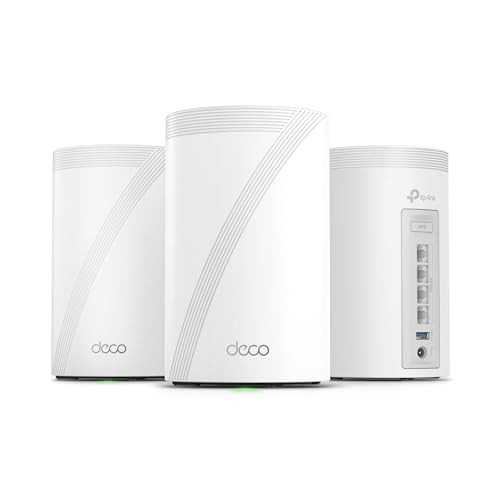
The TP-Link Deco 7 Pro is the technical heavyweight in TP-Link's lineup here. Its three-pack is designed for up to 7, 600 square feet and more than 200 devices, so it is aimed at homes where phones, cameras, televisions, workstations, and smart-home equipment are active at the same time.
The tri-band Wi-Fi 7 design has rated speeds of 5, 188 Mbps on 6GHz, 4, 324 Mbps on 5GHz, and 574 Mbps on 2.4GHz. The 6GHz band is the important distinction. It can provide a cleaner path for compatible devices and can also help carry traffic between mesh nodes. That does not eliminate walls or distance, but it gives the system more wireless capacity than a dual-band kit when several clients are active.
The wired side is unusually strong. Every unit has four 2.5G WAN or LAN ports, plus a USB 3.0 port. The system supports simultaneous wired and wireless backhaul, so it can serve a mixture of wired workstations and wirelessly connected rooms. VPN client and server support adds flexibility for users who need secure remote access. HomeShield and AI-driven roaming round out the management features.
It is not the automatic choice for a small apartment. The Deco X55 is easier to justify for ordinary broadband, and the Deco 7 BE23 covers many of the same Wi-Fi 7 use cases with less headroom. The Pro earns its place when the home is large, the device count is high, and 2.5G connections or a 10G-capable WAN path matter. Buyers should also plan node placement carefully, since a powerful radio cannot make a poorly positioned satellite perform well.
5. NETGEAR Orbi 370: Best Compact Wi-Fi 7 Kit

Pros
- Wi-Fi 7 for current and older devices
- Covers up to 6, 000 square feet
- Supports up to 70 devices
- Compact units suit visible shelf placement
- App-guided setup
Cons
- Dual-band rather than tri-band
- Fewer published wired details
- Security features include a 30-day trial
Best for: households that want Wi-Fi 7 coverage from small, unobtrusive nodes.
The NETGEAR Orbi 370 takes a restrained approach to Wi-Fi 7. The three-pack covers up to 6, 000 square feet and supports up to 70 devices, which places it between basic coverage kits and the high-capacity Orbi 770. The compact design is a genuine advantage when nodes need to sit on a bookshelf, console, or open shelf rather than in a utility closet.
Its dual-band BE5000 platform is intended for 4K streaming, video calls, and everyday gaming. Wi-Fi 7 brings newer wireless efficiency and lower-lag features, while backward compatibility means older phones and smart-home products do not need to be replaced. NETGEAR also highlights Enhanced Backhaul to help keep the connection between units steady as devices move around the home.
The Orbi app guides setup and offers remote management. The system works with cable and fiber providers and can replace an existing router. NETGEAR Armor security is included as a 30-day trial, with protection aimed at connected devices and threats such as malware and identity theft. An additional Orbi 370 satellite can extend coverage by around 2, 000 square feet.
The compromise is information and flexibility compared with the TP-Link systems. This kit is dual-band, and the product details do not specify the same broad port layout provided by the Deco X55 or Deco 7 BE23. The Orbi 770 is the more capable choice for a large property, while the Orbi 370 is easier to place and sufficient for a typical 6, 000-square-foot coverage target. It suits buyers who value a tidy installation and a guided app more than extensive wired networking.
6. TP-Link Deco 7 BE23: Best 2.5G Feature Set

Pros
- Wi-Fi 7 with Multi-Link Operation
- Covers up to 6, 500 square feet
- Two 2.5G ports on each unit
- Supports up to 150 devices
- Separate IoT network and VPN support
Cons
- Dual-band design
- Less wireless capacity than the Deco 7 Pro
- Large physical footprint
Best for: homes with multi-gig wired devices or Ethernet between mesh nodes.
The TP-Link Deco 7 BE23 is a particularly practical Wi-Fi 7 system. It covers up to 6, 500 square feet and supports up to 150 devices, but its strongest argument is the pair of 2.5G WAN or LAN ports on every unit. That gives each node a useful role in a wired home network instead of limiting faster equipment to the main router.
The four-stream dual-band radio is rated at 2, 882 Mbps on 5GHz and 688 Mbps on 2.4GHz, for a combined BE3600 class rating. Wi-Fi 7 features such as Multi-Link Operation, Multi-RUs, and 4K-QAM are intended to improve efficiency with compatible clients. The gains will be smaller with older phones and laptops, but backward compatibility keeps the system useful during a gradual device upgrade.
TP-Link says the four high-gain antennas and four high-power front-end modules help the three-pack maintain coverage. Simultaneous wired and wireless backhaul adds another layer of flexibility. HomeShield offers network protection, parental controls, and IoT security, while a private IoT SSID can separate smart devices from the main network. VPN client and server support is available as well.
The BE23 is not as spacious over the air as the tri-band Deco 7 Pro. If nodes must communicate wirelessly through several walls, the Pro's dedicated 6GHz radio has a clear advantage. With Ethernet between rooms, however, the BE23 can be the more sensible design because its 2.5G ports are available at every node. It is a strong fit for a home office, wired media room, or network storage setup.
7. NETGEAR Orbi 770: Best for Huge Homes

Pros
- Tri-band Wi-Fi 7
- Covers up to 8, 000 square feet
- Rated for speeds up to 11 Gbps
- Supports up to 100 devices
- Automatic firmware updates and built-in protection
Cons
- More system than most apartments require
- Only a 2.5G internet port is specified
- Made for use in the United States only
Best for: large homes that need wide tri-band coverage and a high-capacity wireless backbone.
The NETGEAR Orbi 770 is built for the property where ordinary three-node systems start to run out of room. Its router and two satellite extenders cover up to 8, 000 square feet, and NETGEAR rates the system for speeds up to 11 Gbps. The point is not that every phone will reach that figure. The value is the extra capacity available when many rooms are active at once.
Tri-band Wi-Fi 7 gives the Orbi 770 a separate band for handling the mesh connection and client traffic. That is a better fit for a large home where satellites cannot all sit close to the router. Wi-Fi 7 is backward compatible, so existing devices can connect while newer clients take advantage of the latest wireless features.
The system uses Enhanced Backhaul to keep communication between nodes stable. Built-in security measures include automatic firmware updates and Advanced Router Protection. The product information also specifies a 2.5G internet port, which is useful for a fast incoming connection, though the published details are less expansive about the complete port layout than TP-Link's Deco 7 Pro.
The Orbi 370 is smaller and better suited to a conventional home, while the Orbi 770 earns its larger role through coverage and tri-band capacity. Its stated limit of 100 devices is lower than several TP-Link claims, so buyers should focus on the shape of the property and the number of simultaneously active clients rather than a single device figure. It is also made for use in the United States only, an important restriction for anyone buying for another region.
8. Amazon eero 7: Best Easy Wi-Fi 7 Setup

Pros
- Simple eero app experience
- Wi-Fi 7 with Multi-Link Operation
- Covers up to 6, 000 square feet
- Supports more than 120 devices
- Two auto-sensing 2.5GbE ports per unit
Cons
- Dual-band rather than tri-band
- Advanced security features require eero Plus
- Wireless speed is rated at up to 1.8 Gbps
Best for: households that want easy setup, automatic updates, and minimal network management.
The Amazon eero 7 is the easiest system here to recommend to someone who does not want to become the household network administrator. The three-pack covers up to 6, 000 square feet and supports more than 120 devices. The eero app handles setup, monitoring, and management in a way that keeps the technical decisions mostly out of sight.
It supports internet plans up to 2.5 Gbps and has two auto-sensing 2.5GbE ports on each unit. Wireless speeds are rated at up to 1.8 Gbps. That figure is lower than the headline wireless ratings on several TP-Link systems, but real results depend heavily on client hardware, walls, channel conditions, and whether the nodes use wired backhaul.
eero's TrueMesh software works with TrueRoam and TrueChannel to select connections and channels automatically. Wi-Fi 7 features include Multi-Link Operation, and the system is backward compatible with previous eero generations and eero Built-in on selected Amazon Echo devices. A three-year warranty and US customer support add reassurance for buyers who value a simple support path.
The trade-off is control. Advanced security, ad blocking, parental controls, Malwarebytes, 1Password, and VPN access are part of the optional eero Plus subscription rather than the base feature set. The TP-Link Deco X55 and BE23 expose more networking features without relying on that same subscription model. Choose eero 7 when a calm app experience matters most, especially in a home where several people need to manage the network without learning networking terminology.
9. Amazon eero 6: Best Basic eero System

Pros
- Straightforward app-guided setup
- Wi-Fi 6 supports more than 75 devices
- Covers up to 4, 500 square feet
- Works as a Zigbee smart-home hub
- Automatic updates
Cons
- Supports internet plans up to 500 Mbps
- Older Wi-Fi 6 platform
- Limited published wired details
Best for: smaller homes with moderate broadband and Alexa-compatible smart-home devices.
The Amazon eero 6 is a compact three-unit system for homes that need consistent coverage rather than extreme wireless capacity. The pack includes one router and two extenders, with coverage up to 4, 500 square feet. Its simple setup process and remote management are the same reasons many people choose eero in the first place.
This system supports Wi-Fi speeds up to 500 Mbps and more than 75 connected devices. Wi-Fi 6 is a meaningful step beyond older Wi-Fi 5 systems, particularly when several devices share the network, but it does not compete with the Wi-Fi 7 kits for newer multi-gig broadband. The stated capacity makes it a better match for a moderate number of phones, televisions, cameras, and smart-home products.
A useful distinction is the integrated Zigbee smart-home hub. Compatible devices can connect and be controlled through Alexa, reducing the number of separate hubs in a connected home. The eero app handles setup, and automatic updates help keep the system current. The hardware is cross-compatible with other eero products, allowing expansion later.
The eero 7 is the obvious upgrade for faster broadband and newer clients, while the TP-Link Deco S4 offers more clearly specified Ethernet ports and a higher coverage claim. The eero 6 remains appealing when Alexa integration and a small, light system matter more than advanced networking. Skip it for a large home, a connection above 500 Mbps, or a network built around high-speed wired equipment.
10. TP-Link Deco XE75: Best Wi-Fi 6E System

Pros
- Dedicated 6GHz band
- Covers up to 7, 200 square feet
- Tri-band AXE5400 design
- Supports up to 200 devices
- AI-driven roaming and HomeShield
Cons
- Wi-Fi 6E rather than Wi-Fi 7
- 6GHz range is more easily affected by walls
- Published details do not specify multi-gig ports
Best for: homes with Wi-Fi 6E devices that need a cleaner band for clients or backhaul.
The TP-Link Deco XE75 remains one of the most interesting alternatives to the newer Wi-Fi 7 systems. Its three-pack covers up to 7, 200 square feet and supports up to 200 devices. The standout feature is the 6GHz band, which gives compatible Wi-Fi 6E devices a less crowded place to connect.
The AXE5400 tri-band design is rated at 2, 402 Mbps on 6GHz, 2, 402 Mbps on 5GHz, and 574 Mbps on 2.4GHz. TP-Link can use the 6GHz band as a backhaul by default, or users can switch it to serve Wi-Fi 6E clients. That choice gives the system more flexibility than a basic dual-band kit. The shorter range of 6GHz still matters, though, especially through dense walls and floors.
AI-driven mesh features learn about the network environment, client quality, and user behavior to guide roaming. The Deco app manages setup and remote control, Alexa can handle guest Wi-Fi commands, and HomeShield includes basic security, parental controls, quality of service, and network reports. The system works with all internet providers when used with the required modem.
The Deco 7 Pro has newer Wi-Fi 7 features and a more capable wired port arrangement, while the Deco XE75 can be the cleaner fit for a household with several Wi-Fi 6E clients. Its 6GHz band is not automatically faster at every distance, and the published product details do not specify multi-gig ports. Choose it when 6GHz compatibility is the priority, not simply because the label sounds newer.

How to choose best mesh network
The best mesh network is determined by the home's layout and connected devices, not by the largest number printed on the box.
Wi-Fi generation
Wi-Fi 5 remains adequate for basic broadband and older devices, but Wi-Fi 6 improves efficiency when many clients share an access point. Wi-Fi 6E adds 6GHz, while Wi-Fi 7 brings newer features such as Multi-Link Operation and wider channels. A newer standard helps most when the phones, laptops, and access points can use it.
Tri-band and dual-band design
Dual-band systems share their 5GHz capacity between clients and wireless node-to-node traffic. Tri-band systems add another radio, which can give the mesh connection more room. The Deco 7 Pro, Orbi 770, and Deco XE75 are the strongest choices when satellites must communicate wirelessly across a large home.
A third band matters most when the nodes cannot be connected by Ethernet.
Coverage and node placement
Coverage claims are useful for comparing systems, but walls, floors, construction materials, and interference change the result. A three-pack should not be treated as three units to hide at the edges of the property. Place the primary unit near the modem, then position satellites where they still receive a strong signal from the preceding node.
Ethernet ports and backhaul
Wired backhaul is often the cleanest way to improve mesh performance. The Deco X55 has three Gigabit ports per unit, while the Deco 7 BE23 has two 2.5G ports per unit. The Deco 7 Pro goes further with four 2.5G ports per unit and a USB 3.0 port. If you are connecting a desktop, television, console, and access point in one room, count ports before choosing.
Device capacity and software
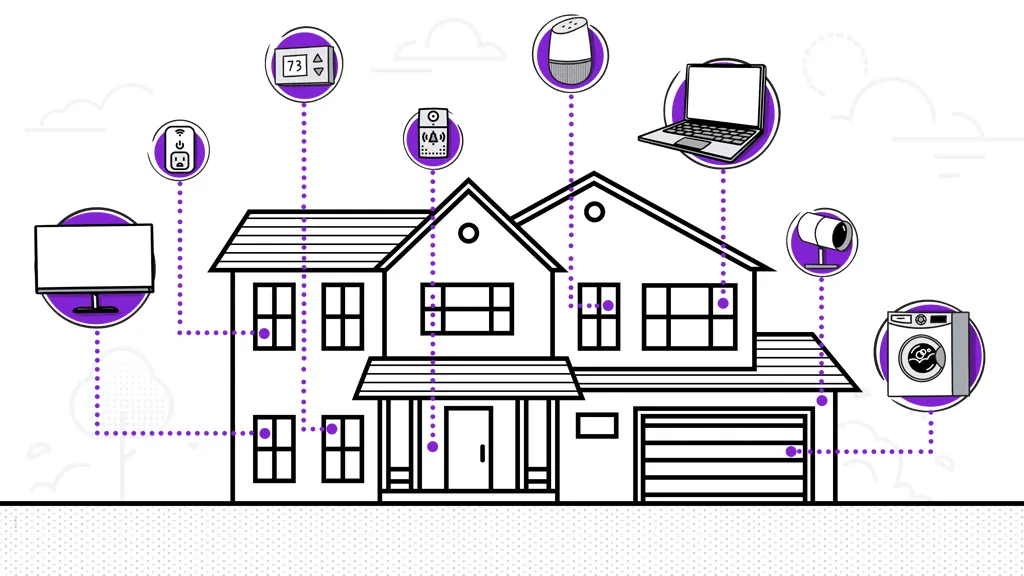
A network with cameras, speakers, televisions, smart plugs, phones, and work computers needs more than coverage. Look for a system with enough stated device capacity and software that makes roaming, guest access, parental controls, and updates manageable. The eero systems are especially streamlined, while TP-Link exposes more controls through Deco and HomeShield.

Frequently asked questions
Do mesh systems replace a modem?
Usually, no. The Deco systems and eero systems connect to the modem supplied or approved by the internet provider. The mesh kit replaces the router and extender arrangement, but most cable and fiber connections still need a separate modem or provider terminal.
Is Wi-Fi 7 necessary for a mesh network?
No. Wi-Fi 6 remains capable for many homes, and the Deco X55 is a strong example of a well-equipped Wi-Fi 6 system. Wi-Fi 7 becomes more useful when the home has compatible clients, multi-gig internet, or a need for newer wireless features.
Is tri-band better than dual-band?
Tri-band can be better when mesh nodes communicate wirelessly because a separate band gives that backhaul more capacity. Dual-band can work very well when the nodes use Ethernet backhaul or sit close enough together for a strong connection. The right choice depends on placement and cabling.
Can mesh nodes use Ethernet backhaul?
Several systems here support it. The Deco X55, Deco S4, Deco 7 BE5000, Deco 7 Pro, and Deco 7 BE23 explicitly support wired backhaul. Ethernet can make a larger difference than moving from one Wi-Fi generation to the next when the home already has suitable cabling.
Can different Deco systems work together?
The Deco systems are designed to work with other Deco devices and form one mesh network. Mixing models can affect the capabilities available across the network, so the strongest system should normally serve as the main router. Check the current compatibility details before combining older and newer units.
How many mesh units does a home need?
A three-pack is a practical starting point for a multi-floor home or a layout with several weak-signal areas. A smaller apartment may need only one or two units, while a large property with thick walls may require more. More nodes do not automatically improve performance if they are placed too far apart.
Do mesh systems include network security?
They include different levels of security and management. TP-Link systems provide HomeShield features such as basic network security and parental controls, while NETGEAR includes built-in protection and offers Armor features. The eero 7 lists advanced security tools through an optional eero Plus subscription.
The bottom line
The TP-Link Deco X55 is the best mesh network for most households because it balances Wi-Fi 6 performance, broad coverage, three Ethernet ports per unit, wired backhaul, and an approachable app. It is the sensible pick for a typical family home that wants fewer dead zones without building an elaborate network.
For newer hardware, the TP-Link Deco 7 BE23 is the more forward-looking choice when 2.5G ports and Wi-Fi 7 matter. Large properties should look at the TP-Link Deco 7 Pro or NETGEAR Orbi 770, while homes built around Alexa and minimal configuration may prefer the Amazon eero 7.
If you are undecided, choose the Deco X55 unless you already have Wi-Fi 7 clients or a clear need for multi-gig wired connections.
As an Amazon Associate we earn from qualifying purchases.