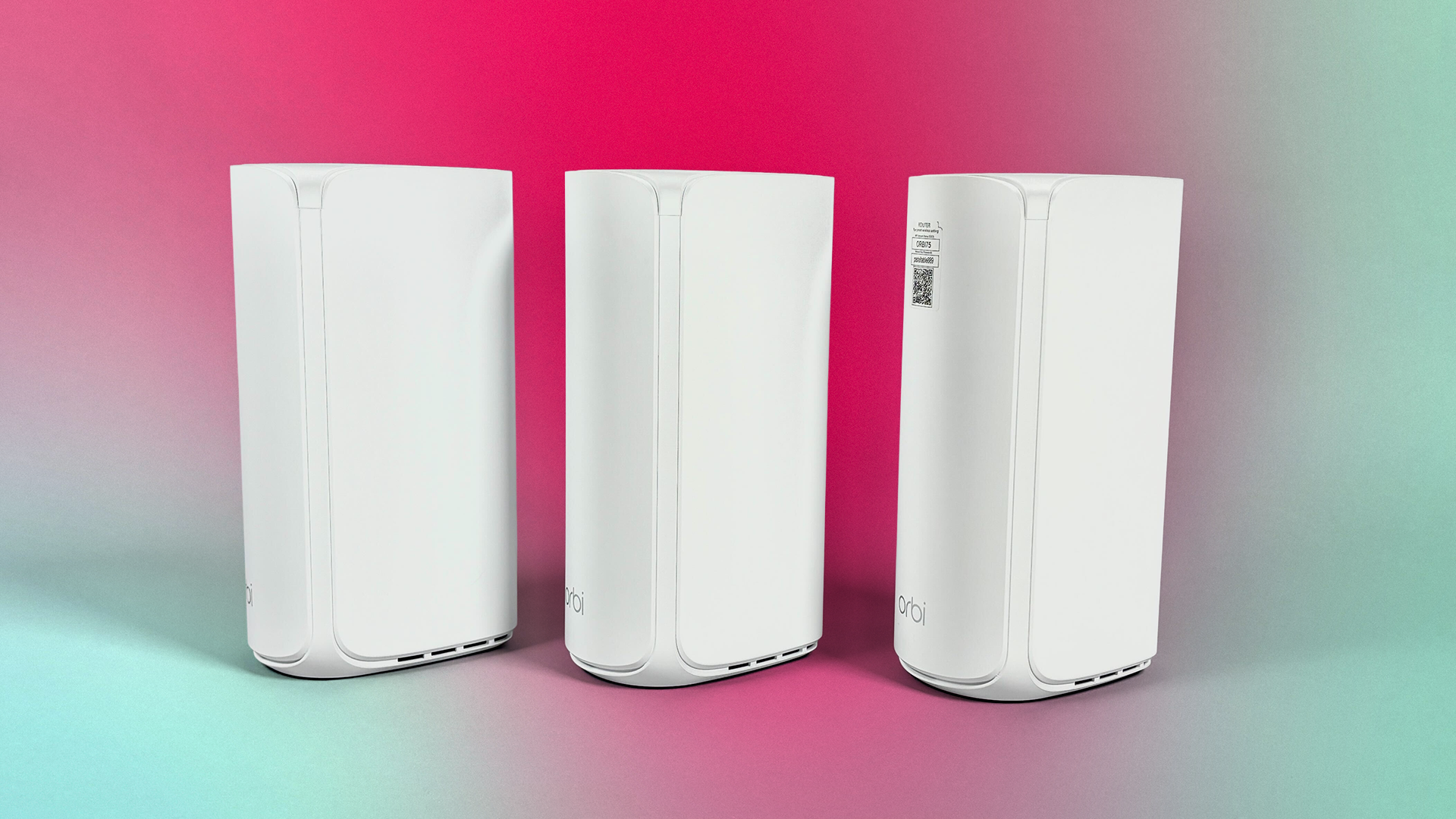

A weak signal at the far end of the house is rarely fixed well by putting one more extender in the hallway. Extenders can create separate network names, add another wireless hop, and leave phones or laptops clinging to a distant access point. The Best best mesh routers solve that by coordinating several nodes under one network.
We compared ten current systems across Wi-Fi generation, coverage claims, wired ports, backhaul support, device capacity, and management features. Wi-Fi 7 is now common in the newer systems, but Wi-Fi 6 and Wi-Fi 6E remain sensible choices when coverage and dependable roaming matter more than having the newest standard.
For most homes, the TP-Link Deco X55 3-Pack is the one we'd buy. The rest of this guide covers Wi-Fi 7 upgrades, large-home systems, compact single-node expansion, and straightforward options for families.
Comparison table
| # | Product | Award | Coverage | Wireless and wired features | Best for |
|---|---|---|---|---|---|
| 1 | TP-Link Deco X55 3-Pack | Best overall | Up to 6, 500 sq. ft. | Wi-Fi 6 AX3000, three Gigabit ports per unit, wired backhaul | Most whole-home networks |
| 2 | NETGEAR Orbi 370 | Best simple Wi-Fi 7 system | Up to 6, 000 sq. ft. | Dual-band BE5000, Enhanced Backhaul | Easy Wi-Fi 7 setup |
| 3 | TP-Link Deco 7 | Best dual-band Wi-Fi 7 | Up to 6, 600 sq. ft. | BE5000, 2.5G Ethernet, four streams | Busy connected homes |
| 4 | TP-Link Deco S4 | Best basic mesh system | Up to 5, 500 sq. ft. | AC1900, two Gigabit ports per unit | Older devices and simple networks |
| 5 | NETGEAR Orbi 770 | Best large-home Wi-Fi 7 | Up to 8, 000 sq. ft. | Tri-band Wi-Fi 7, up to 11Gbps, 2.5G internet port | Large homes and heavy traffic |
| 6 | TP-Link Deco 7 Pro | Best wired expansion | Up to 7, 600 sq. ft. | Tri-band BE10000, four 2.5G ports, USB 3.0 | Fast wired backbones |
| 7 | Amazon eero 7 | Best streamlined app experience | Up to 6, 000 sq. ft. | Dual-band Wi-Fi 7, two 2.5GbE ports per unit | Hands-off network management |
| 8 | TP-Link Deco X55 1-Pack | Best single-node start | Up to 2, 500 sq. ft. | Wi-Fi 6 AX3000, three Gigabit ports | Smaller homes and expansion |
| 9 | TP-Link Deco XE75 | Best Wi-Fi 6E system | Up to 7, 200 sq. ft. | Tri-band AXE5400, dedicated 6GHz band | 6GHz clients and clean backhaul |
| 10 | TP-Link Deco X15 | Best compact coverage | Up to 5, 600 sq. ft. | Dual-band AX1500, two Gigabit ports per unit | Smaller nodes and broad coverage |
1. TP-Link Deco X55 3-Pack: Best Overall

Pros
- Covers up to 6, 500 square feet
- Three Gigabit Ethernet ports on every unit
- Supports wired Ethernet backhaul
- Handles up to 150 devices
- HomeShield includes basic security and parental controls
Cons
- Wi-Fi 6 rather than Wi-Fi 7
- Requires a separate modem for most providers
- Three nodes can be unnecessary in a smaller home
Best for: households that want a capable, easy-to-manage three-node network without moving to a newer wireless generation.
The Deco X55 3-Pack gets the fundamentals right. It is the system we would start with when the problem is inconsistent coverage rather than a need to chase the highest possible wireless throughput. Three matching nodes make placement straightforward, and the system uses one network name so phones and laptops can move around the house without the awkward handoffs associated with conventional extenders.
Its AX3000 Wi-Fi 6 design splits into a 5GHz connection rated at up to 2, 402Mbps and a 2.4GHz connection rated at up to 574Mbps. Those figures are theoretical, but the important point is that the X55 has enough wireless capacity for ordinary streaming, video calls, smart-home devices, and several active users at once. TP-Link says the three-pack supports up to 150 devices, which gives this model more headroom than the smaller Deco X15.
Port selection is a major reason this is our top pick. Each unit has three Gigabit Ethernet ports, so a node can serve a wired TV, desktop, game console, or switch without immediately consuming every connection. Ethernet backhaul is supported as well. If you can run cable between nodes, doing so removes the wireless hop between them and can make the network much more stable through dense walls or during heavy use.
The Deco app handles setup and network management, while AI-driven mesh features are designed to learn the network environment and guide devices between nodes. HomeShield supplies basic network security, quality of service, and parental controls without making those functions feel like an afterthought. It works with major internet providers, though most setups still need a separate modem.
Compared with the TP-Link Deco S4, the X55 is the more capable long-term choice because Wi-Fi 6 improves efficiency and the extra Ethernet port on each unit is useful. The TP-Link Deco XE75 has a cleaner dedicated 6GHz band, but it is aimed at homes with compatible Wi-Fi 6E clients or a particularly strong reason to use 6GHz. Skip the X55 if you already have a multi-gigabit internet connection and want every part of the system built around faster-than-Gigabit wired links. For everyone else, it is the balanced answer among the Best best mesh routers.
2. NETGEAR Orbi 370: Best Simple Wi-Fi 7 System

Pros
- Wi-Fi 7 with BE5000-class performance
- Up to 6, 000 square feet of coverage
- Enhanced Backhaul helps maintain node-to-node links
- Supports up to 70 devices
- Compact units and guided app setup
Cons
- Dual-band design has less band separation than tri-band rivals
- Coverage is below the largest systems here
- NETGEAR Armor protection includes a 30-day trial rather than being fully included
Best for: people who want a current Wi-Fi 7 mesh system with a guided setup and minimal network tinkering.
The Orbi 370 is a sensible bridge between older Wi-Fi 6 systems and more elaborate Wi-Fi 7 kits. Its compact nodes are easier to place on shelves than some of the taller performance-oriented systems, and the app is built around getting a three-node network running without demanding much networking knowledge. That makes it a strong candidate for anyone who wants Wi-Fi 7 benefits but does not want to spend an evening tuning channels and access points.
This is a dual-band BE5000 system. NETGEAR positions it for 4K streaming, video calls, and everyday gaming, with Wi-Fi 7 features intended to improve capacity and reduce lag as compatible devices become more common. The system covers up to 6, 000 square feet and supports up to 70 devices. Those coverage and capacity claims are environment-dependent, but they put the Orbi 370 in the same general class as the Deco X55 3-Pack for a typical multi-room home.
Enhanced Backhaul is the feature to pay attention to. A mesh kit is only as useful as the connection between its nodes, and the Orbi 370 is designed to keep that link stable as traffic moves around the home. It also works with cable and fiber providers and replaces an existing router. An additional satellite can extend coverage by around 2, 000 square feet, giving the system a clear expansion path.
The weakness is the dual-band layout. Tri-band systems such as the NETGEAR Orbi 770 and TP-Link Deco XE75 have more room to separate client traffic from node-to-node traffic, especially when the nodes communicate wirelessly. The Orbi 370 remains a more uncomplicated fit for ordinary homes, but it is not the first choice for a large property with thick walls and a very busy wireless network.
The Orbi app manages setup from anywhere, and the included Armor trial adds enhanced protection against threats such as malware and identity theft during that trial period. After that, readers should check what protection remains available to them. Choose the Orbi 370 over the Amazon eero 7 if you prefer Orbi's compact hardware and explicit coverage expansion. Choose eero if a particularly polished, low-intervention app experience matters more than configuration flexibility.
3. TP-Link Deco 7: Best Dual-Band Wi-Fi 7

Pros
- Wi-Fi 7 with four-stream BE5000 design
- Coverage up to 6, 600 square feet
- 2.5G Ethernet supports faster wired connections
- Supports more than 150 devices
- VPN client and server support
Cons
- Dual-band design lacks the extra radio of tri-band systems
- Requires a separate modem
- Wireless performance changes substantially with walls and placement
Best for: connected households that want Wi-Fi 7 and 2.5G Ethernet without stepping up to a tri-band system.
The Deco 7 is more interesting than its simple name suggests. It takes the BE5000 class of Wi-Fi 7 and pairs it with a four-stream design, 2.5G Ethernet, and a coverage claim of up to 6, 600 square feet. That combination makes it a natural step above the Deco X55 for a home whose wired network is beginning to outgrow Gigabit connections.
Its advertised wireless capacity reaches up to 4, 324Mbps on 5GHz and 688Mbps on 2.4GHz. Those are link-rate figures rather than guaranteed internet speeds, but they show where the system's priorities lie. The 5GHz band has enough capacity for high-bandwidth streaming and multiple active clients, while the 2.4GHz band remains useful for longer-range devices and smart-home equipment. TP-Link says the three-node system can support more than 150 devices.
The 2.5G Ethernet connection is the practical differentiator. It gives a compatible modem, switch, desktop, or wired access point more room than a standard Gigabit port. The system also supports simultaneous wired and wireless backhaul, so a cable between two units can carry the mesh traffic while wireless devices use the network normally. Backhaul requires at least two Deco units, which is obvious with this three-pack but important if the system is expanded later.
The Deco app provides setup, firmware management, AI-driven roaming, and a unified network name. HomeShield adds basic network security, device identification, quality of service, parental controls, and reports. VPN client and server support is another useful inclusion for households that need remote access or want selected devices to use a VPN connection without installing software on every device.
The trade-off is the dual-band architecture. The TP-Link Deco 7 Pro has a third band and more substantial wired connectivity, while the NETGEAR Orbi 370 takes a similarly simple Wi-Fi 7 route with a different app and hardware approach. If nodes must communicate wirelessly through several walls, a tri-band system may hold up better. If you can use Ethernet backhaul, the Deco 7 becomes far more compelling. It is one of the Best best mesh routers for a home that wants newer wireless capability and a practical wired upgrade.
4. TP-Link Deco S4: Best Basic Mesh System

Pros
- Coverage up to 5, 500 square feet
- Single network name with automatic roaming
- Two Gigabit ports per unit
- Supports wired Ethernet backhaul
- Alexa voice control and useful parental controls
Cons
- Older Wi-Fi 5 standard
- Lower device capacity than newer systems
- No multi-gigabit Ethernet
Best for: homes focused on stable coverage, straightforward controls, and older or mixed-generation devices.
The Deco S4 is the reminder that a mesh system does not need the newest wireless label to solve a coverage problem. Its three units create one network across up to 5, 500 square feet, and devices can switch between nodes as you move through the house. For a home with ordinary streaming, smart speakers, phones, tablets, and laptops, that basic behavior is still the feature that matters most.
The S4 uses AC1900 Wi-Fi with a 3x3 six-stream design. TP-Link says it can connect up to 100 devices, which is enough for many family networks but less generous than the Deco X55, Deco 7, or Deco 7 Pro. Wi-Fi 5 is also less efficient than Wi-Fi 6 and Wi-Fi 7 when many newer devices are active at once. The S4 therefore makes more sense for a moderate network than for a house full of simultaneous high-bandwidth users.
Each unit has two Gigabit Ethernet ports, for six across the three-pack. Wired Ethernet backhaul is supported, and that can make a major difference if the home has Ethernet already installed. A wired link lets the nodes spend less of their wireless capacity talking to one another. Without that wiring, the S4's older standard and dual-band design make placement more important than with a newer tri-band kit.
The Deco app guides setup from an Android or iOS phone, while parental controls can limit online time and block inappropriate websites through family profiles. Alexa can turn guest Wi-Fi on or off by voice. Those controls give the S4 a friendlier family focus than its age might suggest, though the system does require a separate modem for most internet providers.
The TP-Link Deco X15 offers newer Wi-Fi 6 efficiency and smaller units, while the TP-Link Deco X55 3-Pack adds more device capacity and three ports per unit. The S4 is the one to skip if you have a fast multi-gigabit connection or expect the household to add many Wi-Fi 6 and Wi-Fi 7 devices. It remains a straightforward choice for extending coverage across a conventional home, especially when wired backhaul is available.
5. NETGEAR Orbi 770: Best Large-Home Wi-Fi 7

Pros
- Tri-band Wi-Fi 7 design
- Coverage up to 8, 000 square feet
- Advertised throughput up to 11Gbps
- Supports up to 100 devices
- 2.5G internet port and Enhanced Backhaul
Cons
- More capability than a small home needs
- Security features require attention to their service terms
- Intended for use in the United States only
Best for: large homes that need broad coverage and a tri-band Wi-Fi 7 backbone for many active devices.
The Orbi 770 is built around scale. The router and two satellite extenders are rated to cover up to 8, 000 square feet, making this the system in the group aimed most directly at sprawling floor plans, multiple levels, and homes where a conventional three-node arrangement still leaves distant rooms struggling. It also has the hardware to keep a large number of connections moving at once.
Its tri-band Wi-Fi 7 design is more important than the headline throughput figure. A third band gives the system additional room for communication between nodes and client devices, which is useful when the satellites connect wirelessly. NETGEAR advertises up to 11Gbps and support for up to 100 devices. Actual results depend on client hardware, distance, construction, and interference, but the architecture is clearly designed for demanding networks rather than occasional browsing.
The 2.5G internet port gives the main router a faster connection to a compatible modem or service. Wi-Fi 7 is backward compatible with older Wi-Fi devices, so adding the Orbi 770 does not require replacing every phone, television, or smart-home product in the house. Enhanced Backhaul is intended to keep the mesh link strong as traffic moves between the router and satellites.
Security is built into the platform, including automatic firmware updates and Advanced Router Protection features intended to protect the home network. That is useful for a system likely to sit at the center of a large connected home. The limitation is regional: the listing specifies use in the United States only, so shoppers elsewhere should not assume the same compatibility or support.
The TP-Link Deco 7 Pro is the stronger alternative if the home has several wired locations and needs four 2.5G WAN/LAN ports plus USB 3.0. The Orbi 770 makes more sense when wireless coverage and tri-band coordination are the main priorities. It is excessive for a small apartment, but for a large property with many rooms and devices, it is one of the Best best mesh routers to consider first.
6. TP-Link Deco 7 Pro: Best Wired Expansion
Pros
- Tri-band BE10000 Wi-Fi 7
- Coverage up to 7, 600 square feet
- Four 2.5G WAN/LAN ports per unit
- USB 3.0 port
- Supports more than 200 devices and wired backhaul
Cons
- Tall units need more shelf space
- Requires a separate modem
- Its capabilities are difficult to use without compatible wired equipment
Best for: homes with Ethernet runs, multi-gigabit hardware, and a large number of connected devices.
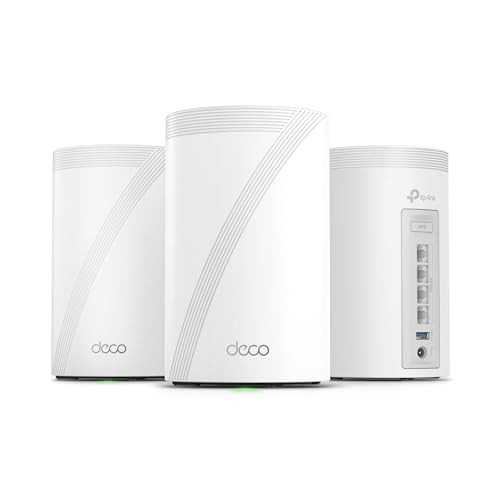
The Deco 7 Pro is the system for readers who see Ethernet as part of the solution rather than an inconvenience. Its three nodes combine broad coverage with four 2.5G WAN/LAN ports on each unit and a USB 3.0 port. That makes it much easier to connect wired desktops, switches, network storage, televisions, and access points without bottlenecking everything through a single Gigabit connection.
Wireless capacity is substantial. The tri-band BE10000 system lists up to 5, 188Mbps on 6GHz, 4, 324Mbps on 5GHz, and 574Mbps on 2.4GHz. Those separate bands give compatible devices more room to operate, while the 6GHz and 5GHz radios can also contribute to mesh backhaul. TP-Link says the three-pack covers up to 7, 600 square feet and supports more than 200 devices, putting it near the top of this group for both area and device capacity.
The four 2.5G ports are more useful than a single faster uplink if the house has a wired backbone. They can serve as WAN or LAN connections, allowing the nodes to fit into different network layouts. Simultaneous wired and wireless backhaul is supported, and at least two Deco units are required for backhaul. For a home with Ethernet in several rooms, that flexibility can matter more than a small difference in wireless link rates.
The Deco app manages setup, firmware, roaming, and network controls. HomeShield provides network protection, parental controls, and IoT security, while VPN client and server support adds options for users who understand their remote-access needs. AI-driven roaming keeps one network name across the home and attempts to guide devices to a suitable node.
This system is physically taller than the Deco 7 and may be more conspicuous on a shallow shelf. It is also a poor fit if the home has no multi-gigabit wired equipment, because much of its port capability will sit unused. The NETGEAR Orbi 770 is the more natural pick when maximum wireless coverage is the central concern, while the Deco 7 Pro wins for a home built around switches and Ethernet runs. Readers planning a mixed wired and wireless setup should also consider how a network backbone changes whole-home coverage before choosing node placement.
7. Amazon eero 7: Best Streamlined App Experience

Pros
- Wi-Fi 7 with multi-link operation
- Supports plans up to 2.5Gbps
- Two 2.5GbE ports per unit
- Covers up to 6, 000 square feet
- Supports 120 or more devices
Cons
- Optional eero Plus subscription adds advanced features
- Dual-band design is less flexible than tri-band rivals
- Configuration is intentionally less granular
Best for: households that want a polished setup process and network management that stays mostly out of the way.
The eero 7 is designed for people who do not want their home network to become a hobby. The app-led experience, automatic optimization, and TrueMesh software put the emphasis on reliable operation rather than a long list of settings. A three-node kit covers up to 6, 000 square feet and supports 120 or more devices, giving it enough reach for a typical family home with phones, cameras, speakers, televisions, and computers.
This is a dual-band Wi-Fi 7 system with wireless speeds listed up to 1.8Gbps. It supports multi-link operation, a Wi-Fi 7 feature that can use more than one connection path under suitable conditions. The system also supports internet plans up to 2.5Gbps, so it is not limited to basic broadband connections. As with every mesh system, the speed a device receives depends on its own wireless hardware and the node's distance from it.
Each eero 7 has two auto-sensing 2.5GbE ports. That is enough for a faster modem connection and one wired device, or for integrating the unit into a switch-based network. The eero platform is backward compatible with previous eero generations and works with eero Built-in on select Amazon Echo devices. Those details make it a natural fit for an existing eero or Amazon-centered home.
The software is both the attraction and the constraint. TrueRoam and TrueChannel are designed to keep devices on an optimal connection, and the app handles setup and monitoring without requiring much manual work. Advanced security, ad blocking, parental controls, Malwarebytes, password management, and VPN access are available through the optional eero Plus subscription. The base network remains usable without it, but buyers should know which controls they expect before committing to the platform.
The NETGEAR Orbi 370 offers a similar hands-off Wi-Fi 7 direction, while the TP-Link Deco 7 exposes more networking features such as VPN client and server support. Eero is the better fit for a household that values consistency and a clean interface over detailed tuning. Its three-year warranty and support team are reassuring, but skip it if you need a rich local configuration panel or a tri-band wireless backhaul.
8. TP-Link Deco X55 1-Pack: Best Single-Node Start

Pros
- Covers up to 2, 500 square feet as one unit
- AX3000 Wi-Fi 6 performance
- Three Gigabit Ethernet ports
- Supports Ethernet backhaul and later Deco expansion
- HomeShield and AI-driven mesh features
Cons
- One node cannot solve a multi-floor coverage problem by itself
- No multi-gigabit Ethernet
- The 1-pack has less reach than the three-node version
Best for: smaller homes, apartments, or shoppers who want to start with one capable node and add coverage later.
The single-node Deco X55 is not just a cut-down version of the three-pack. It is a useful way to build a network in stages. One unit covers up to 2, 500 square feet according to TP-Link, and additional Deco units can be added if a back room, upper floor, or detached space needs stronger coverage later. That makes it a better fit for a compact home than immediately placing three nodes where they may overlap.
It uses the same AX3000 Wi-Fi 6 class as the three-pack, with a 5GHz link rated up to 2, 402Mbps and a 2.4GHz link rated up to 574Mbps. Wi-Fi 6 improves efficiency with compatible devices and handles busy networks more gracefully than older Wi-Fi 5 hardware. The unit can work as a standalone router, and Deco products can be combined into a broader Deco mesh, subject to the capabilities of the chosen units.
Three Gigabit Ethernet ports make this a flexible primary router. One can connect to the modem while the others serve a desktop, switch, or wired entertainment device. If more units are added, wired Ethernet backhaul is supported. That is especially useful in a small home where one X55 handles the main space but a second unit is connected by cable to an area separated by thick walls.
Setup takes place in the Deco app, which also provides remote management, AI-driven mesh behavior, and HomeShield features such as basic network security, quality of service, and parental controls. The system works with major internet service providers, though a separate modem is needed for most of them. It is a more complete starting point than a basic standalone router that may need to be replaced when coverage expands.
The obvious limitation is capacity by geography. If you already know you need coverage across several floors, the TP-Link Deco X55 3-Pack avoids the extra planning, while the TP-Link Deco X15 provides three smaller nodes with a lower wireless class. Choose the X55 1-Pack when the initial 2, 500-square-foot coverage area matches the home and expansion is a possibility, not a certainty.
9. TP-Link Deco XE75: Best Wi-Fi 6E System

Pros
- Dedicated 6GHz band
- Tri-band AXE5400 design
- Coverage up to 7, 200 square feet
- Supports up to 200 devices
- 6GHz can serve as a mesh backhaul
Cons
- 6GHz range is more affected by walls
- Older Wi-Fi clients cannot use the 6GHz band
- No newer Wi-Fi 7 features
Best for: homes with Wi-Fi 6E devices or a need for a clean wireless backhaul band.
The Deco XE75 remains a strong answer to a particular networking problem: a crowded home where a separate 6GHz band can keep the mesh link away from older traffic. Its three nodes cover up to 7, 200 square feet, and the system supports up to 200 devices. It does not have the Wi-Fi 7 label used by several newer picks here, but its tri-band structure can be more useful than a newer dual-band system when wireless backhaul is the weak point.
The AXE5400 design divides its advertised capacity between 6GHz at up to 2, 402Mbps, 5GHz at up to 2, 402Mbps, and 2.4GHz at up to 574Mbps. Wi-Fi 6E-compatible phones, laptops, and other devices can use the 6GHz network, while older equipment continues using 5GHz or 2.4GHz. TP-Link says the 6GHz band can work as the backhaul by default, keeping communication between nodes separate from client traffic.
That separation is the reason to choose the XE75. The 6GHz band has less legacy congestion, but it also has shorter practical reach through walls than lower frequencies. Node placement still matters, and a 6GHz link should not be assumed to pass through several dense walls at full strength. If the nodes are close enough, though, the dedicated band can make a wireless mesh feel more consistent under load.
The Deco app handles setup, network monitoring, firmware, AI-driven roaming, and remote management. HomeShield includes basic security, IoT device identification, parental controls, quality of service, and network reports. Alexa support can control guest Wi-Fi, and the system works with major internet providers when paired with the required modem.
The TP-Link Deco 7 Pro moves to Wi-Fi 7 and adds extensive 2.5G connectivity, while the TP-Link Deco X55 3-Pack is the simpler Wi-Fi 6 option for homes without 6GHz clients. The XE75 is the more targeted choice: it is for someone who understands why a dedicated band matters and has devices or node placement that can use it. For a clearer explanation of when a separate wireless band helps a crowded home, consider the network layout before focusing on the standard printed on the box.
10. TP-Link Deco X15: Best Compact Coverage

Pros
- Coverage up to 5, 600 square feet
- Compact units
- Wi-Fi 6 with support for up to 120 devices
- Two Gigabit ports per unit
- Supports Ethernet backhaul and voice assistants
Cons
- Lower wireless capacity than the Deco X55
- Dual-band design has less backhaul room
- Two ports per unit limit wired flexibility
Best for: homes that need three unobtrusive nodes and moderate wireless capacity across a broad area.
The Deco X15 takes a coverage-first approach. Its three compact units cover up to 5, 600 square feet, so it can spread a signal across a broad floor plan without putting large towers in every room. The nodes are particularly easy to place on small shelves, and a single network name keeps the setup more natural than a collection of independent range extenders.
This is a dual-band AX1500 Wi-Fi 6 system. The 5GHz band is rated at up to 1, 201Mbps and the 2.4GHz band at up to 300Mbps. Those figures are below the Deco X55's wireless capacity, but Wi-Fi 6 still brings efficiency improvements over Wi-Fi 5. TP-Link says the system supports up to 120 devices, enough for a typical connected home with smart plugs, cameras, streaming boxes, phones, and computers.
Each unit has two Gigabit Ethernet ports, with six available across the three-pack. Wired Ethernet backhaul is supported, and using it is a good way to compensate for the system's dual-band layout when Ethernet is available. Without wired links, the nodes have to share their radios between client traffic and communication with one another, so thoughtful placement is more important than the generous coverage claim alone.
The Deco app manages setup and network controls, including AI-powered roaming, basic HomeShield security, quality of service, parental controls, and device identification. Alexa and Google Assistant can handle selected commands such as restarting the router or activating guest Wi-Fi. Deco units can also work with other Deco products, giving the X15 a path to future expansion within the same platform.
The TP-Link Deco S4 has a higher AC1900 class rating but uses the older Wi-Fi 5 standard, while the TP-Link Deco X55 3-Pack offers more capacity and one extra port per unit. The X15 is the better fit when compact hardware and wide coverage matter more than maximum throughput. Skip it for a home with a very fast internet plan, a large number of simultaneous high-bandwidth clients, or a need for multi-gigabit wired connections.
How to choose best mesh routers
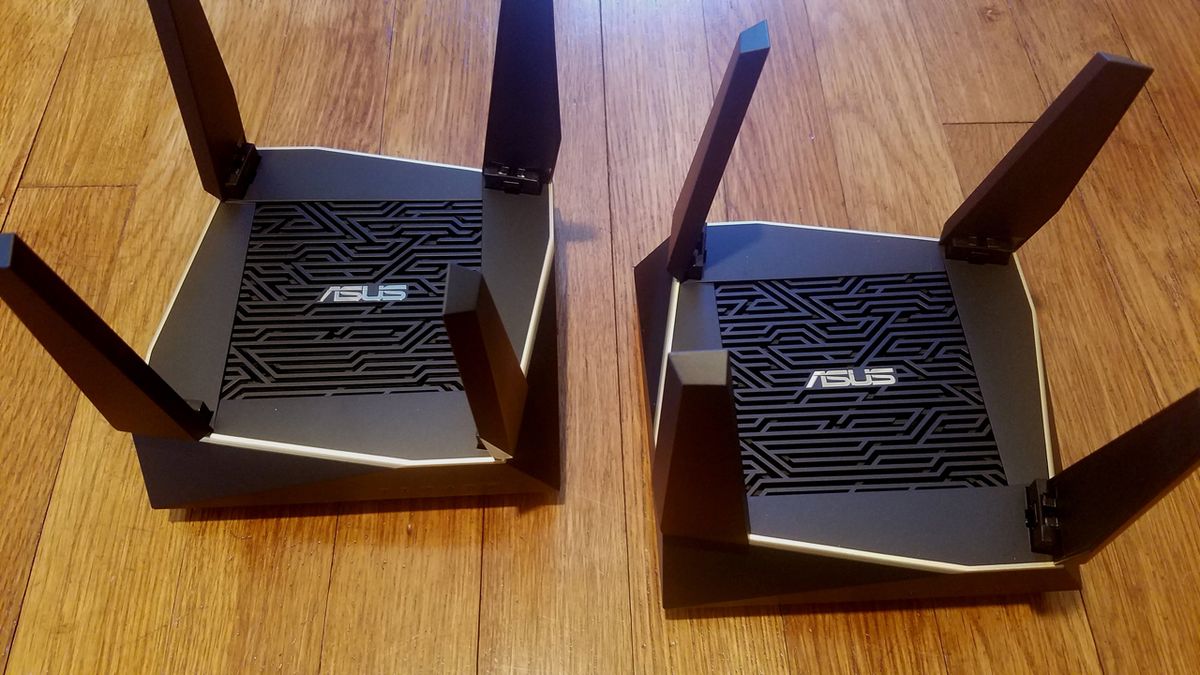
The Best best mesh routers differ less in their basic promise than in how they handle distance, congestion, wired equipment, and newer client devices. Focus on the following factors before deciding how many nodes and which wireless generation you actually need.
Coverage and node placement
Coverage figures describe an idealized area, not a guaranteed signal through every wall. Concrete, brick, metal ductwork, floors, appliances, and neighboring networks can reduce usable range. A three-pack is not automatically better if the nodes are placed too close together, and adding a node at the edge of a weak signal can simply extend a weak connection.
Place the primary unit near the modem and position satellites where they still receive a strong connection from the previous node. Large homes may need the broad reach of the Orbi 770, while a smaller property may be better served by one Deco X55. The shape of the home matters as much as its square footage.
Wi-Fi generation and bands
Wi-Fi 5, Wi-Fi 6, Wi-Fi 6E, and Wi-Fi 7 describe different generations of wireless technology. Wi-Fi 6 improves efficiency with compatible clients. Wi-Fi 6E adds a 6GHz band. Wi-Fi 7 introduces features such as multi-link operation and higher capacity, but benefits are limited when most devices are older.
Dual-band systems share two radios between client devices and mesh communication. Tri-band systems add another band, which can help wireless backhaul. The Deco XE75 uses 6GHz for this purpose, while the Orbi 770 and Deco 7 Pro use tri-band Wi-Fi 7 designs. If the nodes can be connected by Ethernet, the advantage of an extra wireless backhaul band becomes less important.
A newer Wi-Fi label cannot fix a satellite that is placed where the main router barely reaches.
Ethernet ports and backhaul
Count the ports on every node, not just the router. The Deco X55 provides three Gigabit ports per unit, while the Deco 7 Pro provides four 2.5G WAN/LAN ports per unit. The eero 7 has two 2.5GbE ports per unit. Those differences matter when a satellite must connect a television, desktop, game console, or switch.
Ethernet backhaul connects nodes with cable instead of making them communicate wirelessly. It is often the most dependable way to improve a mesh network through thick walls. For a home with existing Ethernet, a system with faster ports can make the network easier to expand and less likely to bottleneck wired devices.
Device capacity
A device count is a planning guide, not a promise that every connected item will receive maximum speed. Cameras, televisions, smart speakers, phones, and computers all compete for airtime, and high-bandwidth activities matter more than inactive devices.
The Deco X55 is listed for up to 150 devices, the Deco 7 supports more than 150, the Deco 7 Pro supports more than 200, and the eero 7 supports 120 or more. For a modest household, these distinctions may not matter. For a large smart-home network, more wireless capacity and a tri-band layout can reduce congestion.
Management and security
A mesh system should make it easy to set up a guest network, identify connected devices, update firmware, and manage parental controls. Deco systems use the Deco app and HomeShield features. Eero emphasizes automated optimization and a streamlined app. Orbi uses its own app and includes network protection features, with some security functions tied to service terms.
Check whether the controls you need are included in the base system or attached to an optional service. The eero 7, for example, offers advanced security and other tools through eero Plus. That does not make it a poor choice, but it changes how the system should be evaluated.

Frequently asked questions
Do mesh routers replace a normal router?
Yes. Each system here can replace a conventional wireless router, though most internet connections still require a separate modem or modem-router device. Put the primary mesh unit where the existing router was connected, then place the other nodes around the home.
Is Wi-Fi 7 necessary for a mesh system?
No. Wi-Fi 7 is useful for newer compatible devices, higher capacity, and features such as multi-link operation. Wi-Fi 6 systems such as the TP-Link Deco X55 can still provide strong coverage and dependable roaming for homes with older or mixed-generation devices.
Is tri-band better than dual-band for mesh Wi-Fi?
Tri-band is often better when satellites connect wirelessly because an extra band can provide more room for backhaul traffic. Dual-band can work well when nodes are close together or connected with Ethernet. The best choice depends on the building, placement, and whether wired backhaul is available.
Should mesh nodes be connected with Ethernet?
Use Ethernet backhaul when it is practical. A wired connection removes the wireless link between nodes from the traffic path and can improve stability through thick walls. Systems including the Deco X55, Deco X15, Deco XE75, Deco 7, and Deco 7 Pro support wired backhaul.
Can different Deco systems work together?
TP-Link says Deco products can work together to form a Deco mesh, and the Deco X55 1-Pack can be expanded with additional Deco units. Mixing models can change the network's capabilities, so use the stronger unit as the primary router and check the supported features before combining generations.
Will mesh Wi-Fi improve my internet speed?
Mesh Wi-Fi can improve the connection between a device and the home network by reducing dead zones and improving node placement. It cannot increase the speed supplied by the internet provider. Wireless conditions, device hardware, walls, and the connection between mesh nodes still determine real-world performance.
Do mesh routers work with cable and fiber internet?
The systems listed here are designed to work with major internet providers, including cable and fiber services, but the exact setup depends on the provider's modem or optical network equipment. A separate modem is required for most providers. Check whether the provider requires bridge mode or another router setting.
The bottom line
The TP-Link Deco X55 3-Pack is the most balanced choice among the Best best mesh routers. It combines broad coverage, Wi-Fi 6 efficiency, three Gigabit ports per unit, wired backhaul, and useful app controls without forcing a home to adopt every new networking feature. The NETGEAR Orbi 770 is the stronger specialist pick for a large property that needs tri-band Wi-Fi 7 coverage, while the TP-Link Deco 7 Pro makes more sense when the network already has Ethernet and 2.5G equipment.
For smaller homes, the TP-Link Deco X55 1-Pack offers a sensible starting point, and the TP-Link Deco XE75 remains compelling when a dedicated 6GHz band can help compatible devices or wireless backhaul. Choose the Amazon eero 7 when simple software management matters more than deep configuration.
If you are undecided, choose the TP-Link Deco X55 3-Pack unless your home specifically needs Wi-Fi 7, 6GHz, or multi-gigabit wired ports.
As an Amazon Associate we earn from qualifying purchases.