

An ultrawide monitor can replace a two-screen desk without the gap in the middle, but the wrong one can leave you with a huge panel that your graphics card cannot drive properly. The important split is not simply 34 inches versus 49 inches. Resolution, curvature, refresh rate, panel type, and laptop connectivity change how useful the screen feels every day.
The Best ultrawide monitor for most demanding users is the Samsung Odyssey G9 G95C, thanks to its Dual QHD canvas, 240Hz refresh rate, strong HDR specification, and genuinely immersive 1000R curve. The rest of this list covers OLED gaming, office productivity, 34-inch general use, high resolution, and simpler everyday setups.
Best ultrawide monitors comparison
| # | Product | Award | Resolution | Refresh rate | Panel or display feature | Best for |
|---|---|---|---|---|---|---|
| 1 | Samsung Odyssey G9 G95C | Best overall | Dual QHD | 240Hz | DisplayHDR 1000, 1000R curve | High-end gaming and immersive multitasking |
| 2 | Samsung Business Ultrawide 49 | Best for productivity | Dual QHD | 120Hz | USB-C with 90W charging, HDR 400 | Laptop-based office setups |
| 3 | Sceptre C345B-QUT168 | Best straightforward gaming pick | 3440 x 1440 | Up to 180Hz | 99% sRGB, 1ms | Fast 34-inch gaming |
| 4 | Dell S3425DW | Best for work and play | 3440 x 1440 | Up to 120Hz | VA, 3000:1 contrast, USB-C | Mixed-use desks |
| 5 | Samsung ViewFinity S50GC | Best for multitasking | Ultra-WQHD | 100Hz | HDR10, PIP, PBP | Home offices and dual-source work |
| 6 | Samsung Odyssey OLED G9 G91SD | Best OLED gaming pick | Dual QHD | 144Hz | QD-OLED, 0.03ms | Deep blacks and vivid gaming |
| 7 | LG 34WR55QK-B | Best connected 34-inch monitor | 3440 x 1440 | 100Hz | USB-C with 65W power delivery | Office and home productivity |
| 8 | Samsung Odyssey G7 G75F | Best high-resolution gaming screen | WUHD | 180Hz | HDR 600, 1000R curve | Large-format PC gaming |
| 9 | LG 34U530A-W | Best IPS office pick | 2560 x 1080 | 100Hz | IPS, HDR 400, USB-C | Comfortable everyday work |
| 10 | SANSUI 34-inch Curved Gaming Monitor | Best refresh-rate feature set | 3440 x 1440 | Up to 200Hz | Fast VA, 1500R curve | Feature-focused gaming setups |
1. Samsung Odyssey G9 G95C: Best Overall

Pros
- Dual QHD resolution makes the 49-inch canvas genuinely useful
- 240Hz refresh rate suits competitive games
- DisplayHDR 1000 and 1000R curvature create a dramatic image
- PIP and PBP support two sources on one screen
- Height, tilt, and swivel adjustments are included
Cons
- The 49-inch width demands a deep, sturdy desk
- A powerful graphics card is needed to use the resolution and refresh rate fully
- The aggressive curve is not ideal for every office layout
Best for: demanding PC gamers and multitaskers who want one expansive screen instead of two separate monitors.
The first thing you notice about the Samsung Odyssey G9 G95C is not its refresh rate. It is the feeling that the screen has moved around you. The 1000R curve pulls the edges toward your peripheral vision, which makes racing games, flight simulators, and large timelines feel much more enveloping than they do on a conventional flat display.
Its Dual QHD resolution is the right match for this 49-inch, 32:9 format. You get enough horizontal room for two full application windows, while 5120 x 1440 keeps text and interface elements considerably sharper than a stretched lower-resolution panel. At 240Hz, motion remains fluid during fast games, and the claimed 1ms GtG response time is aimed at reducing visible blur. AMD FreeSync Premium Pro helps the monitor and compatible graphics hardware keep frames synchronized.
The HDR specification is unusually ambitious for this group. DisplayHDR 1000 and the stated 1000 nit peak brightness give bright effects more impact than the HDR 400 displays here, while the claimed 1, 000, 000:1 contrast ratio is intended to add depth between dark and bright scenes. CoreSync lighting, Eye Saver Mode, and flicker reduction round out the feature set. PIP and PBP are especially useful when the monitor is doing double duty as a gaming screen and a work display.
The weakness is physical as much as technical. This is a 45.2-inch-wide monitor weighing 23.4 pounds, so a cramped desk or a weak monitor arm is a poor match. The curve can also make a document-heavy office setup feel more enclosed than a 34-inch display. For a broader look at how large curved panels affect a room, consider how far back you should sit from a panel this size.
Choose the G95C if you want the most complete blend of speed, scale, HDR capability, and multitasking in this group. It is the screen we would keep for a high-end gaming desk, provided the desk has the space and the PC has the graphics performance to support it.
2. Samsung Business Ultrawide 49: Best for Productivity

Pros
- Dual QHD gives office applications substantial room
- USB-C supports up to 90W charging
- DisplayPort, two HDMI inputs, and USB connections cover a broad range of devices
- Built-in speakers reduce desk clutter
- Height-adjustable stand supports a better working position
Cons
- The 49-inch body is heavy and takes considerable desk space
- HDR 400 is less ambitious than the G95C's HDR system
- Its 120Hz refresh rate is aimed at smooth work rather than extreme gaming
Best for: laptop users who want a large single-screen workstation with charging and several video inputs.
The Samsung Business Ultrawide 49 approaches the ultrawide idea from the desk rather than the gaming chair. Its 32:9 layout can hold a wide spreadsheet, a browser, and a communications window without the visual break of a second monitor. The 1000R curve helps the outer portions remain within a comfortable viewing arc, though the display still needs a broad desk.
The main reason to choose this Samsung over the G95C is its connectivity. USB-C can carry the laptop display signal while providing up to 90W charging, and the monitor also offers DisplayPort, two HDMI inputs, and USB connections. That turns the panel into a central connection point rather than just an image source. Built-in speakers make the arrangement cleaner for calls, video, and casual listening.
A 120Hz refresh rate makes cursor movement, scrolling, and compatible games feel smoother than a typical 60Hz office monitor. VESA DisplayHDR 400 adds support for a wider dynamic range, but this is not the pick for people chasing the most forceful HDR highlights. Its strengths are the wide workspace, laptop integration, and practical setup features. Eye care functions help make long sessions easier to manage.
The 32.19-pound weight and 45.18-inch width deserve attention before ordering. This is more demanding to place than the Dell S3425DW or LG 34WR55QK-B, and a laptop connection does not remove the need for a capable desk. Gamers should also note that the G95C is much faster and more focused on motion.
For a workstation built around one laptop and multiple windows, this is the cleaner Samsung choice. It beats the gaming models on desk integration, while the smaller 34-inch screens are easier to place but cannot offer the same uninterrupted horizontal workspace.
3. Sceptre C345B-QUT168: Best Straightforward Gaming Pick
Pros
- 3440 x 1440 is a strong fit for a 34-inch screen
- Up to 180Hz or 165Hz supports smooth gaming
- 1ms MPRT targets reduced ghosting in action
- 99% sRGB covers common desktop and game content
- Built-in speakers are convenient
Cons
- The feature list is less complete than the larger Samsung displays
- The product data does not specify a stand adjustment range
- A 34-inch screen is less immersive than a 49-inch 32:9 model
Best for: PC gamers who want a conventional 21:9 format with high refresh capability and detailed WQHD resolution.
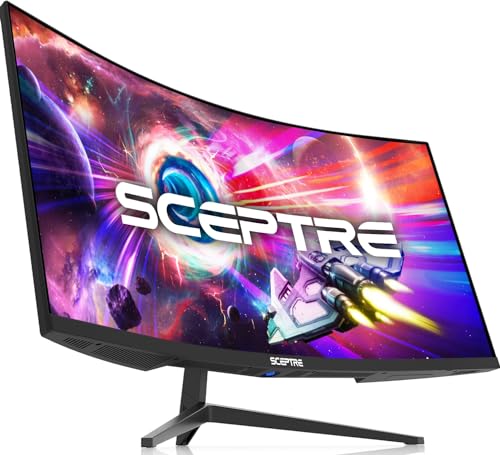
The Sceptre C345B-QUT168 gets the basic ultrawide gaming formula right. A 34-inch panel with 3440 x 1440 resolution gives games a wider field of view without requiring the extreme desk width of a 49-inch screen. The R1500 curve adds immersion while remaining less enclosing than the 1000R designs used by several Samsung models.
Its up-to-180Hz refresh rate is the headline feature. The listing also references 165Hz operation, so the exact maximum can depend on the connection and configuration. Either way, the display is positioned well above ordinary office refresh rates. The 1ms MPRT specification is designed to reduce perceived blur in fast scenes, while 99% sRGB gives everyday content a broad, familiar color range.
This is a relatively simple monitor rather than a workstation hub. The feature list calls out two DisplayPort connections and built-in speakers, along with a backcover light. That keeps the gaming setup flexible, but it does not offer the USB-C laptop charging found on the Dell and LG alternatives. The 15.32-pound body is also easier to manage than the large Samsung screens.
The Sceptre gives up the deeper HDR claims and more elaborate multitasking features of the G95C. It also cannot match the OLED G9 for black levels. Those compromises matter less if the priority is a responsive 34-inch gaming view. Readers comparing similar screen sizes may also want to consider the sizes that still work in tight spaces before choosing a desk layout.
Pick this model when you want the familiar 3440 x 1440 ultrawide format with a fast refresh rate and no need for a built-in docking station. It is more focused than the Dell, less imposing than either 49-inch Samsung, and easy to understand as a gaming-first display.
4. Dell S3425DW: Best for Work and Play
Pros
- 3440 x 1440 resolution works well for office and entertainment use
- USB-C provides up to 65W power delivery
- 99% sRGB and 95% DCI-P3 support broad color coverage
- VA panel and 3000:1 contrast ratio suit dark scenes
- Integrated speakers and ComfortView Plus support a tidy desk
Cons
- Its 120Hz ceiling is below the fastest gaming models
- VA response behavior may not satisfy competitive players
- The 34-inch screen cannot replace the width of a 49-inch model
Best for: someone who wants one monitor for laptop work, video, browsing, and occasional gaming.
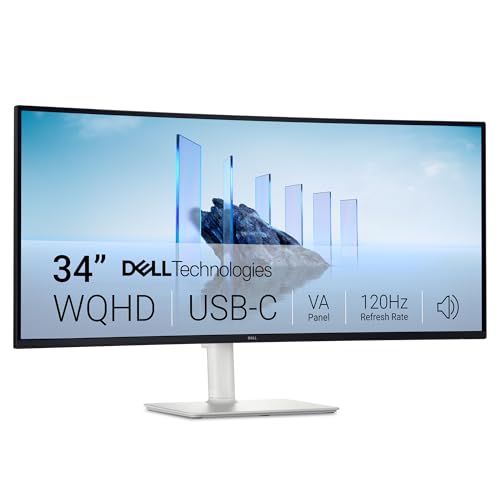
The Dell S3425DW is the most balanced 34-inch screen here. It does not try to be a specialist gaming display or a giant command center. Instead, it combines a useful 3440 x 1440 workspace with USB-C, integrated audio, wide color coverage, and a curved VA panel that should suit both spreadsheets and films.
USB-C carries the display signal and supplies up to 65W power delivery, which is enough to make a compatible laptop setup much less cluttered. The monitor also supports up to 120Hz with AMD FreeSync Premium, so scrolling and general movement feel more fluid than on a 60Hz panel. That refresh rate is sufficient for casual gaming, though it is not aimed at the 180Hz and 240Hz audience.
The VA panel's stated 3000:1 contrast ratio is a meaningful specification for dark rooms and movies, where deeper separation between black and gray helps the image look less washed out. Dell also lists 99% sRGB and 95% DCI-P3 coverage, giving this monitor a wider color target than a basic office display. ComfortView Plus reduces harmful blue light emissions to 35% or less while preserving the stated color accuracy.
The trade-off is speed. The product description mentions an ultra-low 0.03ms response time, but the screen's 120Hz limit and VA panel positioning still make it less compelling for competitive gaming than the Sceptre or G95C. It is also 20.68 pounds, so it needs a stable surface even though its 31.78-inch width is manageable.
This is the monitor to choose when your workday and entertainment time share the same desk. It is more versatile than the Samsung ViewFinity S50GC because of USB-C and richer stated color coverage, while the gaming-focused models remain better for high-frame-rate play.
5. Samsung ViewFinity S50GC: Best for Multitasking

Pros
- Ultra-WQHD 21:9 layout expands working space
- 100Hz refresh rate improves scrolling and video motion
- PIP and PBP support two sources
- HDR10 and 3000:1 static contrast ratio add image depth
- Ambient light sensor and Eye Saver Mode support long sessions
Cons
- It lacks the USB-C laptop charging offered by the Dell and LG screens
- 100Hz is not aimed at serious high-refresh gaming
- The 34-inch format gives less room than either 49-inch Samsung
Best for: office users who want a clean 34-inch workspace and occasional two-source multitasking.
The Samsung ViewFinity S50GC is built around the simple pleasure of having two or three windows visible at once. Its 21:9 Ultra-WQHD layout provides noticeably more horizontal room than a standard 16:9 monitor, while the virtually borderless design keeps the image feeling open. It is a sensible shape for writing, research, light editing, and general home office work.
The 100Hz refresh rate is a useful middle ground. It makes scrolling through long pages and moving windows feel smoother than 60Hz, and AMD FreeSync can reduce tearing when the refresh rate and compatible graphics hardware stay in sync. This is not a competitive gaming panel, but it has enough motion fluidity for casual games and video.
Samsung gives this model more multitasking control than its modest appearance suggests. PBP can show two input sources at their native resolution, while PIP places a smaller second source over the main image. The two HDMI inputs and DisplayPort input make that possible across different devices. HDR10 and the stated 3000:1 static contrast ratio add more range to supported content, though the product data does not list a peak brightness figure.
Eye care is a clear focus. An ambient light sensor can adjust brightness to the workspace, Eye Saver Mode reduces excessive blue light, and Flicker Free is intended to reduce irritation over long periods. At 10.8 pounds and 32.1 inches wide, it is much easier to place than the 49-inch options. The missing USB-C connection is the major limitation for laptop owners.
Choose the S50GC for an uncomplicated home office with occasional source switching. It offers more screen-management flexibility than the LG 34U530A-W, while the Dell S3425DW is a better fit if USB-C charging and broader color coverage matter more than PIP and PBP.
6. Samsung Odyssey OLED G9 G91SD: Best OLED Gaming Pick

Pros
- QD-OLED panel provides true black presentation and vivid color
- Dual QHD resolution suits the 49-inch screen
- 0.03ms response time and 144Hz refresh rate target fast games
- G-Sync compatibility and FreeSync Premium Pro support synchronized motion
- Thermal modulation and screen-saving features address static-image concerns
Cons
- OLED care features require sensible habits around static content
- 49-inch width and 28.4-pound weight complicate placement
- Its 144Hz refresh rate is lower than the G95C's 240Hz
Best for: gamers who prioritize OLED contrast, saturated color, and cinematic immersion over the highest refresh rate.
The Samsung Odyssey OLED G9 G91SD has a different visual character from the G95C. Its QD-OLED panel is the reason to buy it. Dark scenes can show genuinely deep blacks without the gray lift associated with many LCD panels, and the wider color spectrum makes bright game worlds feel more immediate. On a 49-inch 32:9 screen, that effect is especially powerful.
Dual QHD resolution supplies 5120 x 1440 pixels, and the product lists 110 pixels per inch. That is enough density to keep the expansive canvas useful for both games and desktop work. A 144Hz refresh rate is still fast for most gaming, while the stated 0.03ms response time is designed to keep moving objects crisp. G-Sync compatibility and AMD FreeSync Premium Pro cover the two major adaptive-sync paths.
Samsung has included several features meant to reduce the worry that accompanies static desktop elements on an OLED display. Thermal modulation adjusts brightness according to predicted surface temperature, logo and taskbar detection reduces brightness on static items, and the screen saver dims the display after 10 minutes of inactivity. Those tools do not make static content irrelevant, but they encourage better ownership habits.
The G91SD loses to the G95C on refresh rate, at 144Hz versus 240Hz, and its OLED surface is not the obvious choice for someone who leaves the same office windows open all day. It is also 47.04 inches wide and weighs 28.4 pounds. A height-adjustable ergonomic stand helps, but it cannot solve a desk that is simply too small.
Select this Samsung when contrast and color depth matter more than maximum frame rate. It is the more expressive gaming screen, while the G95C is the more aggressive choice for competitive play and the Samsung Business Ultrawide 49 is more practical as a laptop workstation.
7. LG 34WR55QK-B: Best Connected 34-Inch Monitor

Pros
- 3440 x 1440 resolution gives applications useful width and height
- USB-C provides up to 65W power delivery
- Two HDMI ports, DisplayPort, USB ports, and a headphone jack
- Height and tilt adjustment improve desk ergonomics
- PBP and OnScreen Control support flexible workflows
Cons
- 100Hz is less suited to demanding gaming than faster models
- HDR10 support is less ambitious than the HDR 600 and HDR 1000 options
- The product data does not identify the panel technology
Best for: laptop owners who want a 34-inch work monitor with a broad set of connections.
The LG 34WR55QK-B is easy to recommend for a tidy laptop workstation. The 34-inch 21:9 shape gives enough room to keep a document beside a browser, while 3440 x 1440 provides a sharper work surface than the 2560 x 1080 LG 34U530A-W. Its curved design makes the outer edges less visually distant without imposing the wraparound feel of a 49-inch screen.
USB-C supports up to 65W power delivery, so one cable can handle the laptop connection and charging for compatible systems. LG also includes two HDMI ports, DisplayPort, two USB ports, and a headphone jack. That is a more practical port collection than the Samsung ViewFinity S50GC for a desk that regularly switches between a laptop, desktop, and other sources.
The 100Hz refresh rate keeps ordinary motion smooth, and HDR10 plus up to 99% sRGB coverage can give games and video more color range than a plain SDR office monitor. Reader Mode reduces blue light for document-heavy sessions. LG's OnScreen Control software can split the desktop, and PBP can show two input sources at the same time, which makes the broad panel more useful than its physical size alone suggests.
The main compromise is that the product data does not identify the panel type, and the 100Hz ceiling leaves this behind the Sceptre, SANSUI, and Samsung gaming models. HDR10 support is present, but there is no listed peak brightness figure to suggest the same punch as a high-end HDR display. It is a work-first monitor with gaming capability, not the reverse.
For a 34-inch monitor with USB-C, adjustable height and tilt, and a wide mix of inputs, this LG is a strong fit. It is more connected than the ViewFinity and easier to place than every 49-inch model, though the Dell S3425DW is the better alternative if its VA contrast and DCI-P3 coverage appeal to your work.
8. Samsung Odyssey G7 G75F: Best High-Resolution Gaming Screen

Pros
- WUHD resolution gives the 40-inch screen impressive detail
- 180Hz refresh rate suits fast PC games
- 1ms GtG response time targets reduced motion blur
- DisplayHDR 600 adds stronger HDR capability than entry-level displays
- 1000R curve creates an immersive viewing angle
Cons
- The large 40-inch body needs more desk depth than a 34-inch display
- WUHD gaming requires substantial graphics performance
- The feature list does not mention USB-C or built-in speakers
Best for: PC gamers who want a large 21:9 display with more vertical and horizontal detail than typical WQHD models.
The Samsung Odyssey G7 G75F takes the 21:9 format and stretches it into a 40-inch screen. That extra size makes games feel broader and more cinematic without going all the way to the 32:9 layout of the G9 models. The 1000R curve keeps the edges pulled into the viewing area, which is useful when the screen fills much of your field of view.
Its WUHD resolution is the key differentiator. Samsung describes it as ultrawide 4K, and the greater pixel count should produce a more detailed image than the 3440 x 1440 monitors in this list. The cost of that detail is graphics demand. To take full advantage of 180Hz, a gaming PC must render a much larger number of pixels than it would for ordinary WQHD.
Motion features are well matched to the format. A 180Hz refresh rate and 1ms GtG response time are designed for fast transitions, and AMD FreeSync Premium Pro helps reduce tearing with compatible hardware. DisplayHDR 600 promises stronger contrast between bright and dark areas than the HDR 400 office screens, though the data does not provide a peak brightness measurement beyond that certification.
The G7's limitations are mostly about what is not listed. There is no USB-C connection or built-in speaker specification in the product details, so it is less convenient for laptop work than the Dell or LG models. At 36.56 inches wide and 24.9 pounds, it also needs a substantial desk. Its high resolution can be wasteful if the graphics card is not ready for it.
This is the screen for a gamer who wants a larger, sharper 21:9 experience and is prepared to drive it properly. The G95C remains faster, while the G91SD has superior OLED black levels, but the G7 occupies a compelling middle ground with more resolution than both the Sceptre and the standard 34-inch screens.
9. LG 34U530A-W: Best IPS Office Pick

Pros
- IPS panel supports wide viewing angles
- USB-C, DisplayPort, and HDMI cover common devices
- Height, tilt, and swivel adjustments are included
- Built-in stereo speakers use Waves MaxxAudio
- Reader Mode and 100Hz refresh rate suit everyday work
Cons
- 2560 x 1080 is less detailed than the 3440 x 1440 alternatives
- HDR 400 is limited compared with the stronger gaming displays
- It offers less vertical workspace for demanding creative applications
Best for: office users who want an adjustable 34-inch IPS display for documents, calls, and general desktop use.
The LG 34U530A-W is aimed at people who want the shape of an ultrawide without needing a high-resolution workstation panel. Its 34-inch 21:9 screen is well suited to side-by-side documents, browser tabs, and video calls, and the IPS panel should maintain consistent image quality from different seating positions.
The important compromise is resolution. At 2560 x 1080, it has considerably fewer pixels than the 3440 x 1440 LG 34WR55QK-B, Dell S3425DW, Sceptre, and SANSUI displays. Text and fine interface details will not look as crisp, and creative applications have less vertical information to work with. The upside is that the lower pixel load is easier for an ordinary laptop or desktop to drive.
This LG has a useful practical feature set. USB-C supports display output and data transfer, while DisplayPort and HDMI cover additional sources. The stand adjusts for height, tilt, and swivel, and the narrow-bezel design keeps the wide image tidy. Built-in stereo speakers with Waves MaxxAudio remove the need for separate speakers in a basic office, while the Switch app can split the screen into up to six sections.
The screen runs at 100Hz, which helps video calls, browsing, and window movement feel smooth. VESA DisplayHDR 400 and up to 99% sRGB coverage add color and brightness support, but this is not the panel to choose for HDR gaming or detailed photo work. Its 19.4-pound weight is reasonable for the category, although the stand still needs a stable surface.
Choose this LG when viewing angles, simple connectivity, and an adjustable stand matter more than maximum sharpness. It is easier for modest hardware to drive than the high-resolution alternatives, but the LG 34WR55QK-B is the better long-term fit for readers who spend their day in dense text or detailed creative software.
10. SANSUI 34-inch Curved Gaming Monitor: Best Refresh-Rate Feature Set

Pros
- 3440 x 1440 resolution and up to 200Hz make a strong gaming combination
- Fast VA panel lists a 1ms OD response time
- HDMI 2.1 inputs support high-refresh connections
- PIP and PBP add useful multitasking modes
- Stand offers tilt adjustment and VESA compatibility
Cons
- The monitor has no built-in speakers
- The product lists several maximum refresh rates that depend on connection
- It does not include USB-C for laptop charging
Best for: gamers who want a 34-inch UWQHD panel with a broad set of gaming controls and high refresh potential.
The SANSUI 34-inch Curved Gaming Monitor packs an unusually long gaming feature list into a familiar 34-inch shape. The 1500R curve is milder than Samsung's 1000R designs, and the 3440 x 1440 resolution gives games and applications the sharper workspace expected from a modern UWQHD screen.
Refresh-rate support is the main attraction. SANSUI lists up to 200Hz, with 165Hz and 100Hz modes also referenced. DisplayPort 1.4 can reach up to 200Hz or 165Hz according to the product information, while the two HDMI 2.1 inputs support up to 200Hz or 100Hz depending on use. The 1ms OD response time is designed to reduce trailing in fast scenes, and VRR support over HDMI 2.1 can help smooth frame delivery.
The feature set goes beyond refresh rate. PIP and PBP let two sources share the panel, while an AI crosshair, AI blue-light reduction, AI picture quality, and sniper scope are aimed at gaming-specific customization. The monitor lists 300 nits brightness, 130% sRGB, and 97% DCI-P3, though those wide color claims should not be treated as a substitute for careful calibration. The stand tilts from negative 5 to positive 15 degrees and supports VESA mounting at 100 x 100mm.
The omissions are clear. There are no built-in speakers, and USB-C is absent, so this is a less convenient choice for a laptop desk than the Dell or LG. The multiple refresh-rate figures also mean buyers should pay close attention to which input and setting their hardware supports. It is 15.45 pounds and 31.8 inches wide, making it easier to accommodate than the giant Samsung models.
Choose SANSUI if refresh-rate flexibility and gaming controls matter more than integrated audio or one-cable laptop use. It is more feature-heavy than the Sceptre, but the Sceptre is the simpler choice for someone who wants a straightforward 34-inch gaming monitor without as many configuration questions.
How to choose best ultrawide monitor
The right ultrawide display depends on the games, applications, computer, and desk that will support it. These are the specifications that separate a genuinely useful screen from one that only looks impressive on a product page.
Screen size and aspect ratio
A 34-inch 21:9 monitor is the easiest starting point for most desks. It offers room for two windows while remaining close enough to view without excessive head movement. A 40-inch 21:9 model creates a larger, more cinematic image, but it needs more depth and a stronger stand.
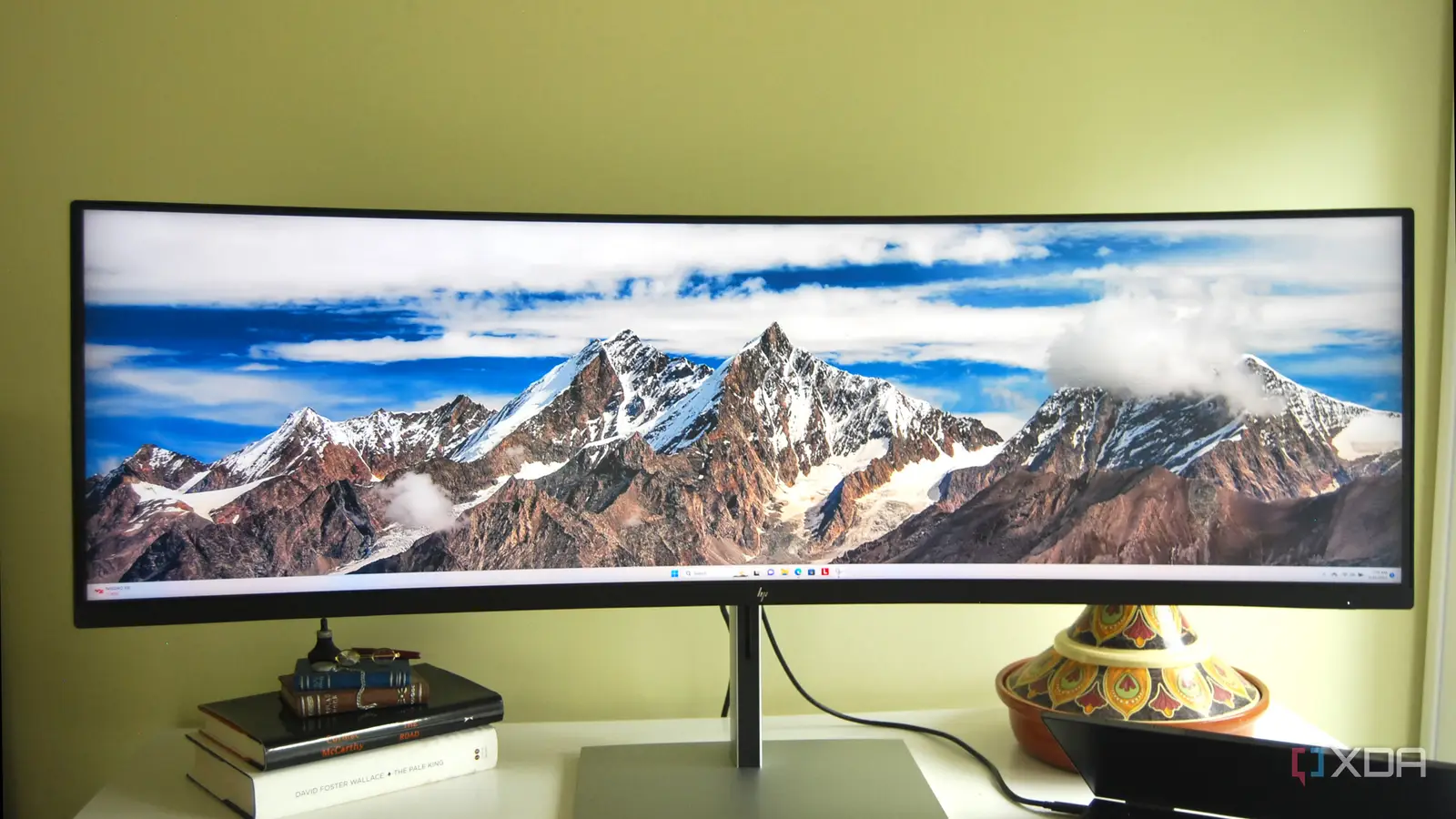
A 49-inch 32:9 display is effectively two wide screens joined together. It is excellent for large timelines, spreadsheets, simulation games, and multiple inputs, but it can dominate a small room. Measure the desk width and viewing distance before choosing one.
Resolution and pixel density
Resolution controls how much information fits on the screen and how sharp text appears. The 3440 x 1440 format is a strong match for 34-inch displays because it provides useful vertical space and crisp application text. The LG 34U530A-W's 2560 x 1080 panel is easier for modest hardware to drive, but fine details will be less sharp.
Dual QHD at 5120 x 1440 is the natural resolution for 49-inch 32:9 displays. WUHD on the Samsung Odyssey G7 G75F pushes detail even further, but the graphics card must render more pixels. Match the monitor to the computer, not just to the desk.
Refresh rate and response time
A 100Hz or 120Hz monitor feels noticeably smoother than a 60Hz screen during scrolling and ordinary desktop movement. For gaming, 144Hz, 165Hz, 180Hz, and 200Hz provide progressively more headroom, while 240Hz is most useful to players with a system capable of producing very high frame rates.
Response-time figures need context. A listed 1ms MPRT or GtG figure describes a target under particular conditions, not a guarantee that every transition will look identical. Adaptive sync, such as AMD FreeSync or G-Sync compatibility, matters because it helps the monitor stay aligned with changing frame rates.
Buy the resolution your graphics card can sustain, then choose the highest refresh rate that your games can actually use.
Panel type and contrast
IPS panels generally suit office work because they offer wide viewing angles. VA panels can provide stronger native contrast, which helps dark scenes and films, though motion behavior varies by model. OLED panels such as the Samsung Odyssey OLED G9 G91SD offer exceptional black levels and fast response, but static desktop content deserves more care.
Do not treat an HDR label as a complete picture of HDR performance. DisplayHDR 400, 600, and 1000 indicate different capability levels, while OLED's black performance changes the image in a different way. Peak brightness, contrast, and local behavior all matter.
Ports and ergonomics
USB-C is especially useful for laptop owners. The Dell S3425DW and LG 34WR55QK-B can provide display connectivity and power delivery through one cable, while the Samsung Business Ultrawide 49 supports up to 90W charging. Check the stated wattage against the laptop's needs.
DisplayPort and HDMI remain important for desktops, consoles, and secondary devices. PIP and PBP help when one monitor must show two sources. Height, tilt, swivel, and VESA support determine whether the screen can be positioned comfortably. A large curved panel that cannot be placed at the right height becomes tiring quickly.

Frequently asked questions
Is an ultrawide monitor better than two monitors?
An ultrawide monitor gives you one continuous canvas without a bezel between applications. It can also simplify window management and provide a more consistent viewing angle. Two monitors may be more flexible if you need separate orientations, independent upgrades, or a vertical screen for documents.
What resolution should an ultrawide monitor have?
For a 34-inch screen, 3440 x 1440 is the strongest general-purpose target in this list. It gives text, images, and games more detail than 2560 x 1080. For a 49-inch 32:9 monitor, Dual QHD at 5120 x 1440 keeps the wide canvas from becoming too coarse.
Are curved ultrawide monitors good for office work?
A moderate curve can make the outer edges easier to view and keep a wide screen feeling cohesive. A strong 1000R curve is more immersive, but some people may prefer a flatter or milder design for documents and shared viewing. Desk depth and seating position matter as much as the curve number.
Do ultrawide monitors work with laptops?
Yes, provided the laptop has a compatible HDMI, DisplayPort, or USB-C output and enough graphics capability for the chosen resolution. USB-C models are the simplest option because a single cable can carry the image and power the laptop. The Dell S3425DW and the LG 34WR55QK-B each support up to 65W through USB-C, while the Samsung Business Ultrawide 49 supports up to 90W.
Is 100Hz enough for gaming?
100Hz is a clear improvement over 60Hz for casual gaming and general motion. It is suitable for slower games, simulations, and mixed-use setups. Competitive players who can produce higher frame rates will notice the benefit of 144Hz and above, especially on the Samsung Odyssey G9 G95C, Sceptre, and SANSUI models.
Can a graphics card drive a 49-inch ultrawide monitor?
A graphics card can drive one, but the workload depends on the resolution, game settings, and refresh rate. Dual QHD at 5120 x 1440 requires much more rendering power than 3440 x 1440. A system that cannot maintain the desired frame rate will not make full use of a 240Hz panel.
Are OLED ultrawide monitors safe for desktop use?
OLED ultrawide monitors can work well for desktop use, but static elements deserve sensible care. The Samsung Odyssey OLED G9 G91SD includes logo and taskbar detection, a screen saver, and thermal modulation features. Varying content and allowing the screen saver to operate are prudent habits for long work sessions.

The bottom line
The Best ultrawide monitor in this roundup is the Samsung Odyssey G9 G95C for buyers who want maximum gaming speed, a 49-inch Dual QHD canvas, and strong HDR capability. The Samsung Odyssey OLED G9 G91SD is the more visually dramatic alternative, with QD-OLED black levels and a 0.03ms response time, while the Dell S3425DW is the better fit for a mixed work and entertainment desk.
For a smaller desk, the Sceptre C345B-QUT168 delivers the familiar 34-inch 3440 x 1440 format with a high refresh rate. For laptop work, the Dell S3425DW, LG 34WR55QK-B, and Samsung Business Ultrawide 49 make more sense because their connectivity is built around practical desk workflows.
If you are undecided, choose 34 inches for flexibility, 49 inches for immersion and multitasking, and USB-C when a laptop is central to your setup.
As an Amazon Associate we earn from qualifying purchases.