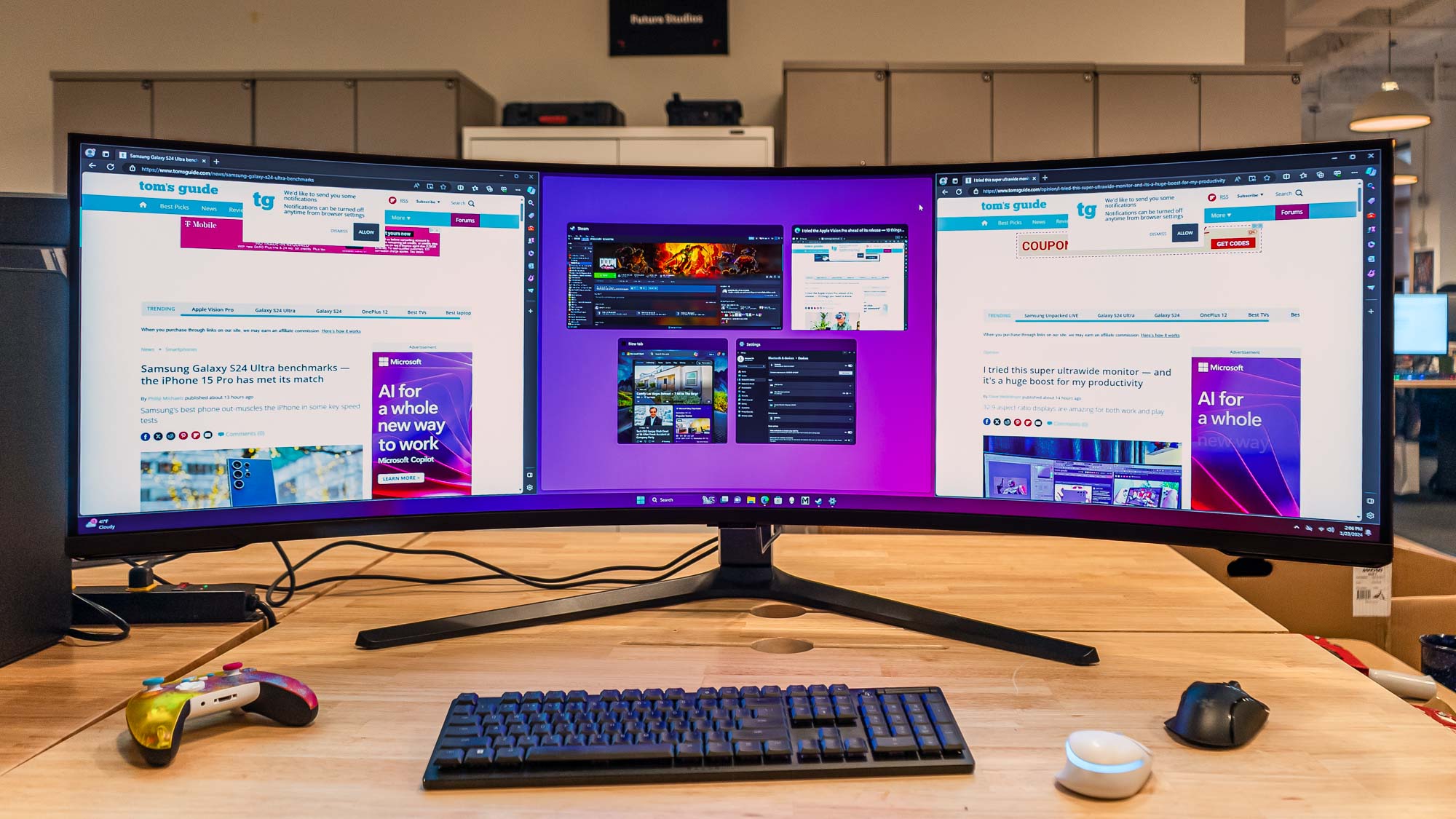

A curved screen can make a wide desktop feel more natural, but the wrong combination of size and resolution leaves text looking soft or forces you to sit too close. A 27-inch Full HD panel, a 32-inch Full HD panel, and a 34-inch ultrawide do not create the same experience, even when their curves look similar in product photos.
Our Best curved monitor pick is the Dell 34 Monitor S3425DW, thanks to its WQHD ultrawide panel, 120Hz refresh rate, strong color coverage, USB-C connectivity, and thoughtful eye-comfort features. The rest of the lineup ranges from compact 27-inch displays to fast gaming screens and large ultrawides.
Comparison of the best curved monitors
| # | Product | Award | Resolution | Refresh rate | Curve | Best for |
|---|---|---|---|---|---|---|
| 1 | Dell S3425DW | Best overall | WQHD | 120Hz | Not specified | Work and mixed use |
| 2 | Samsung S36GD 27-inch | Best compact option | FHD | 100Hz | 1800R | Everyday computing |
| 3 | LG 32MR50C-B | Best simple 32-inch monitor | FHD | 100Hz | Curved | General use |
| 4 | SANSUI 32-inch 240Hz | Best high-refresh FHD pick | FHD | 240Hz | 1500R | Competitive gaming |
| 5 | Samsung S39GD 32-inch | Best with built-in speakers | FHD | 100Hz | Curved | Desk simplicity |
| 6 | Samsung Odyssey G5 34-inch | Best immersive gaming curve | WQHD | 165Hz | 1000R | Immersive gaming |
| 7 | Sceptre C345B-QUT168 | Best ultrawide feature set | WQHD | Up to 180Hz | R1500 | Ultrawide gaming and multitasking |
| 8 | Sceptre C275W-1920RN | Best small-space pick | FHD | 100Hz | R1500 | Basic gaming and work |
| 9 | LG UltraGear 27GS60QC-B | Best 27-inch gaming monitor | QHD | 180Hz | 1000R | Fast QHD gaming |
| 10 | Alienware AW3425DWM | Best premium gaming ultrawide | WQHD | 180Hz | 1500R | High-end gaming |
1. Dell S3425DW: Best Overall
Pros
- WQHD resolution makes a 34-inch workspace feel spacious and sharp
- 120Hz keeps scrolling and games fluid
- USB-C can provide up to 65W power delivery
- 99% sRGB and 95% DCI-P3 coverage
- ComfortView Plus reduces blue light emissions
Cons
- Large and fairly heavy at 20.68 pounds
- VA panel may not suit buyers seeking the fastest competitive response
- The curve is not specified in the supplied product details
Best for: someone who wants one large display for work, entertainment, and occasional gaming.
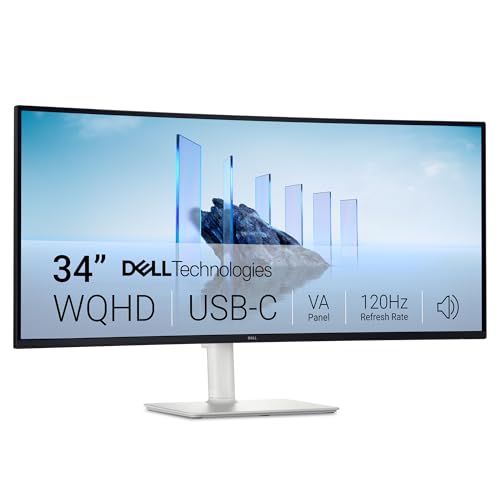
The Dell S3425DW is the monitor we'd put in front of someone who wants to replace a dual-screen setup without turning the desk into a gaming cockpit. Its 34-inch WQHD panel gives documents, timelines, and side-by-side windows enough room to breathe. The wider format is the useful part here. It lets you keep a browser, a document, and a communications window visible without constantly resizing them.
The VA panel brings a stated 3000:1 contrast ratio, which should give dark scenes and black text more depth than a typical basic display. Dell also lists 99% sRGB and 95% DCI-P3 coverage, so this is not merely a large office screen. Those figures make it more suitable for color-conscious creative work than the Full HD Samsung and LG models below, although the product data does not identify a factory color-calibration process.
Motion is handled by a 120Hz refresh rate, AMD FreeSync Premium, and a listed 0.03ms response figure. The high refresh rate is immediately useful for fast scrolling and makes compatible games feel more responsive. It is not as aggressive as the 180Hz and 240Hz screens in this group, but the Dell is aimed at a broader kind of desk. A single USB-C cable can carry the display connection while providing up to 65W of power delivery, a particularly useful feature for a compatible laptop setup.
Dell's ComfortView Plus system is designed to reduce harmful blue light emissions to 35% or less without sacrificing color accuracy. That is more meaningful for long work sessions than a decorative gaming feature, and the built-in sound is described as improved over the previous generation. The weakness is physical: at 20.68 pounds, this is not a casual monitor to move around, and the lack of a supplied curve measurement makes direct comparison with the 1000R and 1500R models less precise. Choose it when workspace, connectivity, and comfort matter more than maximum gaming speed.
2. Samsung S36GD 27-inch: Best Compact Option
Pros
- Manageable 27-inch footprint
- 1800R curve is less dramatic than gaming-focused designs
- 100Hz refresh rate improves scrolling and casual play
- TÜV-certified eye-comfort features
- Game Mode offers adjustable image settings
Cons
- Full HD is less detailed than the QHD and WQHD choices
- No built-in speakers are listed
- Less room for multitasking than a 32-inch or ultrawide model
Best for: a smaller desk that needs a curved screen for everyday work and casual entertainment.
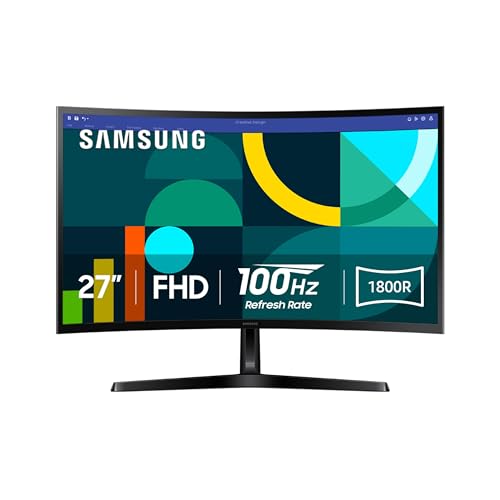
The Samsung S36GD 27-inch makes the most sense when desk space matters more than sheer screen area. A 27-inch display is easier to place at a normal viewing distance than the 32-inch and 34-inch models here, while the 1800R curve adds a gentle sense of wraparound without demanding an especially deep desk.
Its Full HD resolution is adequate for documents, streaming, browsing, and ordinary office software. At this size, it is less crisp than the LG UltraGear 27GS60QC-B, which uses QHD at the same general screen class, and it cannot show as much information as the Dell S3425DW. That limitation is easy to live with for a straightforward desktop, but buyers who regularly compare large spreadsheets or edit detailed images should step up in resolution.
The 100Hz refresh rate is a worthwhile improvement over a conventional 60Hz screen. Scrolling through long pages looks smoother, and casual games benefit from the reduced motion blur described by Samsung. Game Mode provides adjustable color and contrast settings, including options intended to help reveal detail in dark scenes. This is a useful set of controls, though it does not turn the S36GD into a high-speed competitive gaming display.
Samsung also includes TÜV-certified eye-comfort technology that minimizes blue light and irritating screen flicker. The monitor has a light 8.4-pound listed weight, which is helpful for a smaller workspace. Its biggest weakness is the basic Full HD image at 27 inches. The Sceptre C275W-1920RN is another compact Full HD curved option, while the LG 27GS60QC-B is the sharper and faster choice for gaming. Pick the Samsung when the goal is a calm, compact screen with uncomplicated everyday performance.
3. LG 32MR50C-B: Best Simple 32-inch Monitor
Pros
- Large 32-inch curved panel
- 100Hz refresh rate for smoother motion
- AMD FreeSync support
- OnScreen Control can split the workspace
- Tilt-adjustable stand
Cons
- Full HD resolution is stretched across a large panel
- Connectivity is limited in the supplied details
- No speakers are listed
Best for: users who want a large curved display for work, streaming, and casual gaming without a complex feature set.
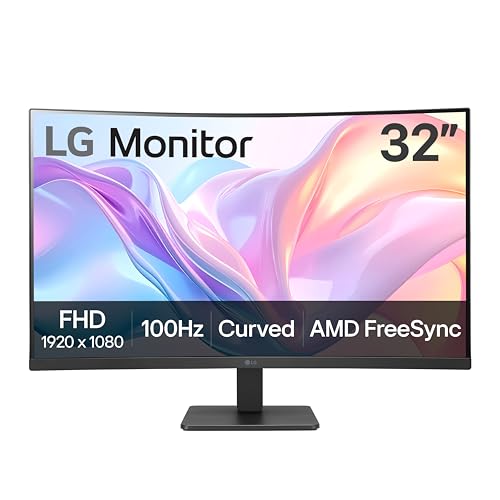
The LG 32MR50C-B gives you a visibly bigger canvas than the Samsung S36GD without moving into ultrawide territory. The 32-inch size is comfortable for films, document work, and split windows, although it also exposes the central compromise of this monitor: the panel remains Full HD. Large text is easy to see, but fine interface elements and detailed images will not look as refined as they do on a QHD display.
LG's 100Hz refresh rate makes the screen feel more current than a basic office monitor. AMD FreeSync helps coordinate the display's refresh with a compatible graphics card, reducing tearing in supported games. Dynamic Action Sync is intended to reduce input lag, while Black Stabilizer brightens dark areas so details are easier to spot. Those controls are useful for casual gaming, but the SANSUI 32-inch 240Hz and LG UltraGear 27GS60QC-B are much stronger choices for players who care about rapid competitive response.
The practical software feature is OnScreen Control. It allows workspace arrangements and basic monitor settings to be changed with a few mouse clicks, which is more convenient than repeatedly navigating physical buttons. Reader Mode reduces blue light for reading, and the stand provides tilt adjustment. That is a reasonable ergonomic foundation, though the supplied details do not mention height, swivel, or pivot adjustment.
Compared with the Samsung S39GD, the LG offers a similar 32-inch Full HD shape and refresh rate but is more explicit about its work-oriented screen controls. Samsung counters with built-in speakers and eye-comfort certification. The LG's real weakness is its pixel density, especially if you sit close or work with small type. It is best for a viewer who values a big, simple screen and will not mistake its size for a jump in image detail.
4. SANSUI 32-inch 240Hz: Best High-Refresh FHD Pick

Pros
- 240Hz refresh rate
- 1ms MPRT response time
- 1500R curve and 178-degree viewing angle
- FreeSync, HDR, and 300-nit brightness
- VESA compatibility
Cons
- Full HD resolution on a 32-inch panel
- No built-in speakers
- Tilt adjustment is limited to minus 5 to 15 degrees
Best for: players who prioritize refresh rate and responsive motion over high pixel density.
The SANSUI 32-inch 240Hz has one clear purpose: put very fast motion on a large curved screen. Its 240Hz refresh rate is the headline feature, and it is substantially quicker than the 100Hz models from Samsung and LG. With a compatible system and a game capable of producing high frame rates, movement should look more immediate and easier to follow.
The panel is Full HD at 1920 by 1080, so this is a speed-first design rather than a detail-first one. Full HD keeps the graphics workload lower, which can make it easier for a gaming PC to take advantage of 240Hz. The tradeoff is obvious on a 32-inch screen. Text and fine edges will look less dense than they do on the QHD LG UltraGear or WQHD ultrawides.
SANSUI lists a 1ms MPRT response time, built-in FreeSync, 300 nits of brightness, HDR technology, and a 3500:1 contrast ratio. It also claims 125% sRGB coverage and 16.7 million display colors. Those specifications point to a lively gaming image, while the 1500R curve keeps the wide screen within a more focused field of view. HDMI and DisplayPort can support up to 240Hz according to the supplied details.
The stand tilts from minus 5 to 15 degrees, and a 100 by 100mm VESA pattern allows alternate mounting. The product specifically states that it has no built-in speakers, so headphones or separate speakers are part of the setup. Compared with the Samsung Odyssey G5, this screen is faster but less detailed. Compared with the LG 27GS60QC-B, it offers more screen area but a softer image. Skip it if you want crisp desktop text. Choose it if high frame rates are the central requirement.
5. Samsung S39GD 32-inch: Best With Built-in Speakers

Pros
- Large 32-inch curved screen
- Built-in speakers save desk space
- 100Hz refresh rate
- TÜV-certified eye-comfort technology
- Game settings for contrast and dark scenes
Cons
- Full HD resolution limits fine detail
- 100Hz is modest for serious gaming
- The larger chassis needs more desk space
Best for: a simple all-purpose setup that needs a large screen and integrated audio.
The Samsung S39GD 32-inch is the easiest monitor here to recommend to someone who wants fewer accessories on the desk. Its built-in speakers handle everyday video and system audio without adding a soundbar or separate desktop speakers. That convenience is the feature that separates it from the LG 32MR50C-B and SANSUI 32-inch.
The 32-inch curved screen gives games and video a broad, relaxed presentation. Samsung uses a 100Hz refresh rate, which makes scrolling smoother and reduces motion blur compared with a standard 60Hz display. It is suitable for casual play, but the SANSUI's 240Hz rate and the LG UltraGear's 180Hz rate are better suited to competitive games where motion clarity and response take priority.
Like the LG, this is a Full HD monitor. At 1920 by 1080, it will show a clean enough picture for streaming, office work, and general browsing, but it does not have the fine detail of a QHD panel. The large screen can make windows easy to read, yet it is not the right tool for dense design work or a desktop that depends on displaying many small controls at once.
Samsung includes TÜV-certified eye-comfort technology to reduce blue light and screen flicker, along with gaming settings that adjust color and contrast for darker scenes. The listed dimensions make it a substantial 28.2 inches wide and 11.2 pounds. If you are planning a monitor setup that keeps work windows organized, the S39GD's integrated sound and generous screen area are useful. Its weakness is that the image specification has not moved beyond Full HD. Buy it for simplicity, not maximum sharpness.
6. Samsung Odyssey G5 34-inch: Best Immersive Gaming Curve

Pros
- Strong 1000R curve for immersive gaming
- WQHD ultrawide resolution
- 165Hz refresh rate
- 1ms MPRT response time
- FreeSync Premium and HDR10
Cons
- Aggressive curve is not ideal for every workflow
- Older design than several newer entries here
- Large footprint for a single monitor
Best for: players who want a deep, enveloping ultrawide gaming view.
The Samsung Odyssey G5 34-inch is the screen in this group that makes the curve impossible to ignore. Its 1000R radius wraps the image deeply around the viewer, pulling the edges into a field of view that feels designed for games rather than spreadsheets. That can be excellent for driving games, open-world titles, and first-person games, but it is more polarizing for ordinary office work than the Dell's calmer presentation.
The 34-inch ultrawide panel uses WQHD resolution, giving it the horizontal room of a dual-monitor setup with more useful vertical detail than the Full HD models. The 165Hz refresh rate and 1ms MPRT response time create a much faster gaming platform than the 100Hz Samsung S39GD. AMD FreeSync Premium adds adaptive sync and low-framerate compensation to reduce tearing and stutter when frame rates fluctuate.
HDR10 is included, and Samsung describes the VA panel as producing true-to-life color and detail in bright and dark scenes. The supplied specifications do not provide a brightness figure or a color-gamut percentage, so the Dell S3425DW and Alienware AW3425DWM offer more explicit color coverage information. The Odyssey is more focused on the shape and speed of the gaming experience.
The 1000R curve also means placement matters. A centered seating position is important, and the 31.75-inch width requires a desk that can accommodate it. Readers comparing large displays may want to settle how far back to sit from a screen this size before choosing. The Odyssey G5 beats the Dell for gaming immersion and loses to it for USB-C laptop convenience. Choose it when the curve itself is part of the reason you want an ultrawide.
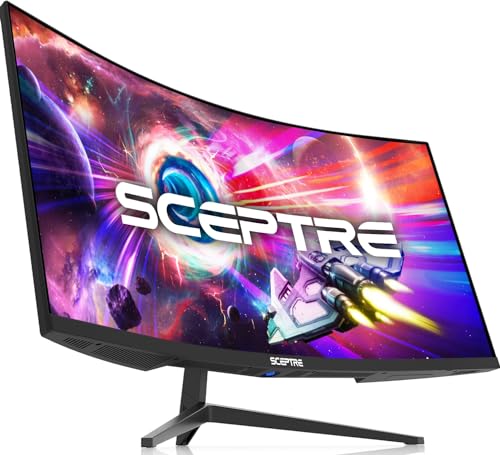
7. Sceptre C345B-QUT168: Best Ultrawide Feature Set
Pros
- 3440 by 1440 WQHD resolution
- 21:9 ultrawide layout
- Up to 180Hz or 165Hz operation
- Two DisplayPort connections
- 99% sRGB and built-in speakers
Cons
- Heavy at 15.32 pounds before considering desk support
- Feature listing gives two refresh-rate figures
- Back-cover lighting may not appeal to every workspace
Best for: a wide multitasking and gaming display with unusually broad connectivity.
The Sceptre C345B-QUT168 is a strong alternative to the Samsung Odyssey G5 because it combines a wide 21:9 workspace with a less severe R1500 curve. The result should feel expansive without pulling the outer edges as aggressively toward the viewer. It is a natural fit for a desk where one screen needs to handle several windows, a long editing timeline, or an ultrawide game.
Its 3440 by 1440 resolution is the main reason to choose it. Sceptre describes the panel as offering about five million pixels and 30% more screen space than a conventional monitor. That is a meaningful improvement over the Full HD 32-inch models, and it gives the desktop more usable detail than a basic 1080p ultrawide would. The 99% sRGB coverage is also a useful signal for general color work.
Gaming performance is specified as up to 180Hz or 165Hz, depending on the mode or connection, and the monitor lists a 1ms MPRT response time. Buyers should check the applicable connection and settings before expecting a particular refresh rate. Two DisplayPort inputs make it easier to keep multiple computers connected, while built-in speakers cover basic audio. The back-cover lights add a visual flourish but do not change the image.
At 31.8 inches wide and 15.32 pounds, this is not a small monitor. It needs room, and its WQHD resolution also asks more from a graphics card than Full HD. The Samsung Odyssey G5 has the more forceful 1000R gaming curve, while the Dell S3425DW offers stronger USB-C and eye-comfort credentials. The Sceptre wins when broad workspace, high refresh, DisplayPort flexibility, and integrated sound matter more than brand polish.
8. Sceptre C275W-1920RN: Best Small-Space Pick

Pros
- Compact 27-inch format
- 100Hz refresh rate
- R1500 curve
- Built-in speakers
- VESA wall-mount compatibility
Cons
- 1080p resolution is basic at 27 inches
- No adaptive-sync feature is listed
- VGA is an older connection
Best for: a compact desk that needs a curved display for everyday work and light gaming.
The Sceptre C275W-1920RN is built around convenience rather than enthusiast performance. Its 27-inch size is small enough for a modest desk, while the R1500 curve gives the panel a little more presence than a flat basic display. The shape is gentle enough for documents and browsing, and the monitor's listed width is 24.1 inches.
The 100Hz refresh rate is the most useful performance upgrade. Fast scrolling feels cleaner, and casual games should appear smoother than they would on a 60Hz screen. The monitor is still limited to 1080p, so it cannot match the sharpness of the LG UltraGear 27GS60QC-B's QHD panel. Its stated 98% sRGB coverage should provide a reasonably broad color range for ordinary viewing, but the supplied details do not identify HDR or adaptive sync support.
Built-in speakers are helpful when the desk has no room for separate audio equipment. Sceptre also includes HDMI connections and VGA, giving the screen compatibility with older computers as well as newer sources. A VESA wall-mount option makes it easier to reclaim desk space, which is a practical advantage over monitors with less flexible mounting information.
The C275W-1920RN is not the display to choose for serious high-frame-rate gaming or detailed creative work. The Sceptre C345B-QUT168 offers a far larger and sharper canvas, while the Samsung S36GD provides a similar compact Full HD experience with a gentler 1800R curve and more explicit eye-comfort technology. Choose this Sceptre when integrated speakers, wall mounting, and a small footprint matter most.
9. LG UltraGear 27GS60QC-B: Best 27-inch Gaming Monitor

Pros
- QHD resolution on a 27-inch panel
- 180Hz refresh rate
- 1ms GtG response time
- 1000R curve and FreeSync
- HDR10 and 99% sRGB coverage
Cons
- Steep curve may not suit office work
- Stand only offers tilt adjustment in the supplied details
- No built-in speakers are listed
Best for: gamers who want a sharp 27-inch image with fast motion and useful competitive controls.
The LG UltraGear 27GS60QC-B is the most convincing small gaming monitor in this group because it avoids the usual 27-inch Full HD compromise. Its QHD resolution of 2560 by 1440 gives text, game interfaces, and distant objects more definition than the Samsung S36GD and Sceptre C275W-1920RN. The 1000R curve is pronounced, so the screen feels focused and immersive rather than relaxed and neutral.
The 180Hz refresh rate and listed 1ms GtG response time are the core performance features. They give fast games a smoother, more responsive presentation than the 100Hz displays, while AMD FreeSync helps reduce tearing when the graphics card and display are not perfectly synchronized. The monitor has two HDMI ports and DisplayPort, making it practical for a PC plus another source.
LG adds several controls that competitive players can actually use. Dynamic Action Sync is intended to reduce input lag, Black Stabilizer lifts visibility in dark scenes, and the FPS Counter reports current frames per second. Gamer, FPS, and RTS modes provide quick starting points for different types of play. HDR10 and up to 99% sRGB coverage support a more colorful image, although the product data does not provide a brightness rating.
The narrow, three-sided borderless design keeps the front focused on the image, while the stand is tilt adjustable. The steep curve is the main weakness for productivity. Straight lines and wide documents can feel less natural, and the Sceptre C345B-QUT168 is a better choice if you want a single screen for many windows. For gamers who want QHD detail without moving to a 34-inch ultrawide, the LG is the clear fit.
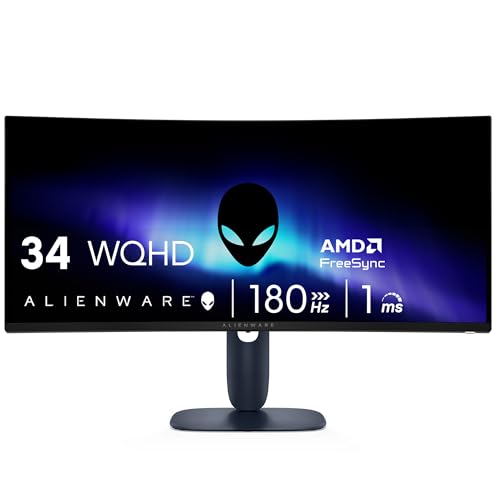
10. Alienware AW3425DWM: Best Premium Gaming Ultrawide
Pros
- 34-inch WQHD ultrawide format
- 180Hz refresh rate
- 1ms gray-to-gray response time
- FreeSync Premium and VESA Adaptive Sync
- DisplayHDR 400 and 95% DCI-P3 coverage
Cons
- Large 20.97-pound display
- 1500R curve still needs careful desk placement
- Gaming features are more prominent than work-focused extras
Best for: a gaming-first ultrawide setup with strong color coverage and fast motion.
The Alienware AW3425DWM is the most complete gaming ultrawide in this set. It combines the useful width of a 34-inch WQHD display with a 1500R curve that is immersive without being as forceful as the Samsung Odyssey G5's 1000R design. The shape works well for games and can also support a broad desktop, provided the desk is deep and sturdy enough.
Alienware specifies a 180Hz refresh rate and 1ms gray-to-gray response time. AMD FreeSync Premium and VESA Adaptive Sync provide the variable-refresh foundation needed to keep motion smooth when frame rates change. That makes it a more current gaming platform than the Odyssey G5's 165Hz panel, though the Samsung remains a compelling choice for buyers who specifically want its deeper curve.
The image specification is strong on paper. WQHD resolution keeps the ultrawide layout detailed, while 95% DCI-P3 coverage supports a rich color range. VESA DisplayHDR 400 adds a defined HDR standard rather than the more general HDR wording used by some other products here. Alienware also lists a hardware-based low-blue-light solution intended to reduce eye strain while preserving color, plus a dedicated console mode.
The AW3425DWM measures 31.71 inches wide and weighs 20.97 pounds, so it is a serious piece of desk hardware. It does not offer the Dell S3425DW's stated 65W USB-C power delivery, and it is less naturally aimed at office productivity. Still, it is the screen to pick when games are the priority and you want WQHD detail, 180Hz motion, adaptive sync, and a broad color range in one ultrawide. If you are weighing the screen size tradeoffs for a tighter gaming desk, measure first.
How to choose best curved monitor
The right curved display depends less on the curve alone than on the relationship between screen size, resolution, refresh rate, viewing distance, and the computer driving it.
Screen size and curve
A 27-inch display is easier to place and usually works well on a moderate desk. A 32-inch panel feels more cinematic but needs more depth, especially when it uses a 1500R curve. A 34-inch ultrawide adds horizontal workspace and benefits from a centered seating position.
A smaller radius number means a more aggressive curve. The 1000R Samsung Odyssey G5 and LG UltraGear are designed to pull the edges strongly into your peripheral vision. The 1500R screens feel less dramatic, while the Samsung S36GD's 1800R curve is gentler.
A wide screen only feels comfortable when your eyes stay near the center of the curve.
Resolution and pixel density
Full HD is workable on 27-inch screens and keeps graphics demands modest, but it looks less refined when spread across 32 inches. QHD is a better match for 27-inch gaming, and WQHD is the sensible target for a 34-inch ultrawide. Higher resolution gives text and game details more definition, but it also asks more from the graphics card.
The Dell S3425DW, Samsung Odyssey G5, Sceptre C345B-QUT168, and Alienware AW3425DWM all provide WQHD ultrawide resolution. The LG 27GS60QC-B is the sharper compact gaming option because it uses QHD rather than Full HD.
Refresh rate and response
Refresh rate controls how often the monitor can update the image. A 100Hz panel is a noticeable step up from 60Hz for scrolling and casual gaming. Displays at 165Hz, 180Hz, and 240Hz are aimed at players with systems capable of producing high frame rates.
Response figures require care because manufacturers may use different measurement methods. The SANSUI lists 1ms MPRT, while the LG UltraGear lists 1ms GtG and the Alienware lists 1ms gray to gray. Adaptive sync matters too. FreeSync, FreeSync Premium, or VESA Adaptive Sync can help reduce tearing when frame rates vary.
Panel color and contrast
The Dell's VA panel lists a 3000:1 contrast ratio, and the SANSUI lists 3500:1. Those figures can help dark scenes appear deeper. Color coverage is also important. Dell lists 99% sRGB and 95% DCI-P3, the Alienware lists 95% DCI-P3, and the LG UltraGear lists up to 99% sRGB.
Do not treat a color-gamut percentage as proof of calibration. It tells you about the range of colors the panel can cover, not whether every unit is perfectly accurate. For office work, clear text and comfortable brightness may matter more than an especially broad gamut.
Ports, speakers, and ergonomics
Connectivity changes how easy a monitor is to live with. The Dell's USB-C connection with up to 65W power delivery is especially useful for compatible laptops. The Sceptre C345B-QUT168 has two DisplayPort inputs, while the LG UltraGear provides two HDMI ports plus DisplayPort.
Built-in speakers are useful for basic audio, though they do not replace a dedicated audio system. The Samsung S39GD, Sceptre C345B-QUT168, and Sceptre C275W-1920RN list integrated speakers. Stand adjustment matters as well. The LG 32MR50C-B, SANSUI, Sceptre C345B-QUT168, Sceptre C275W-1920RN, and LG UltraGear list tilt adjustment, while the SANSUI and Sceptre C275W-1920RN also list VESA compatibility.
Frequently asked questions
Is a curved monitor better for work?
A curved screen can make a wide display feel more uniform across your field of view, especially at 32 inches or larger. It is most useful for side-by-side windows, timelines, and broad spreadsheets. A gentle 1800R curve is usually easier to adapt to for office work than a dramatic 1000R gaming curve.
Is Full HD enough on a curved monitor?
Full HD is reasonable on a 27-inch display and can be practical for gaming because it requires less graphics power. It looks less sharp on a 32-inch panel, where QHD would provide finer text and image detail. The LG 32MR50C-B, Samsung S39GD, and SANSUI 32-inch all use Full HD at 32 inches.
What refresh rate should a curved gaming monitor have?
A 100Hz display is suitable for casual gaming and smoother everyday scrolling. A 165Hz or 180Hz monitor is a better match for fast games, while 240Hz is aimed at players with a system capable of sustaining very high frame rates. Refresh rate only helps when the computer and game can supply enough frames.
Is a 1000R curve too aggressive?
A 1000R curve is noticeable and works best when you sit centered in front of the screen. It can make gaming feel more enveloping, but some people find it less natural for straight lines, documents, and design work. The 1500R and 1800R models in this roundup are easier starting points for mixed use.
Do curved monitors reduce eye strain?
The curve can reduce how far your eyes need to refocus across a wide screen, but comfort also depends on brightness, viewing distance, flicker, and breaks. Samsung lists TÜV-certified eye-comfort technology on the S36GD and S39GD. Dell lists ComfortView Plus and a hardware-based low-blue-light feature on the Alienware.
Do curved monitors work with laptops?
Yes, provided the laptop has a compatible video output and the monitor has the corresponding input. The Dell S3425DW is particularly convenient for a compatible laptop because its USB-C connection can provide up to 65W power delivery. Other displays may need separate video and power connections.
Are ultrawide curved monitors good for gaming?
Ultrawide monitors can make supported games more immersive and provide extra horizontal room for a desktop. The Samsung Odyssey G5, Sceptre C345B-QUT168, and Alienware AW3425DWM all use a 34-inch WQHD ultrawide format. Check that your games support the aspect ratio and that your graphics card can drive the resolution at the desired refresh rate.

The bottom line
The Best curved monitor for most people is the Dell S3425DW. Its WQHD 34-inch workspace, 120Hz refresh rate, USB-C power delivery, broad stated color coverage, and comfort features make it the most balanced option for work, entertainment, and gaming. Its size and weight are the main drawbacks, and it is not the fastest gaming screen here.
For gaming, the Alienware AW3425DWM is the stronger premium ultrawide, while the LG UltraGear 27GS60QC-B is the sharper compact choice. The SANSUI 32-inch is the specialist pick for 240Hz Full HD play, and the Sceptre C345B-QUT168 offers a flexible ultrawide feature set.
If you are undecided, choose the Dell for mixed use, the Alienware for high-refresh ultrawide gaming, or the LG UltraGear if your desk and graphics card favor a smaller QHD screen.
As an Amazon Associate we earn from qualifying purchases.